Specs are compiled from manufacturer listings and verified buyer reviews and can change over time — please confirm the key details on the product page before buying.
You want one keyboard that wakes up your laptop, your tablet, and your phone without a drawer full of dongles — and you want the keys to feel good for eight hours, not eight minutes. That is the whole decision. The nine picks below cover the full spread: compact travel boards that slip into a bag, full-size desks with a number pad, Mac-only layouts, and low-profile mechanical switches for people who miss the feel of a real keypress.
This guide is built by comparing the manufacturers’ published specifications and the patterns across verified customer reviews, so you get each pick’s real strengths and trade-offs instead of marketing spin.
Narrow the field in two steps: count the devices you actually switch between, then confirm the key legends match your operating system. Backlighting, switch type, and number pad only matter after those two filters. Below you’ll find the honest breakdown in this bluetooth wireless keyboard comparison.
Top Picks


How To Choose The Best Bluetooth Wireless Keyboard
Most buyers pick on looks, then find the key legends fight their OS or the board remembers only one device. Filter on OS compatibility and device count first and the shortlist collapses to a handful.
Check the operating system before anything else
A keyboard’s key legends are printed for one family of systems. A Mac-oriented board puts Command and Option where a Windows board puts Alt and the Windows key, so your muscle memory fights you all day. Some boards, like the ProtoArc K90-A, are built strictly for Mac and iPad and will not work with Windows at all. Others, including the Arteck and the seenda, list Windows, macOS, iPadOS, iOS, and Android support. Name your primary machine, then filter by its supported OS list.
Count how many devices you really switch between
Three channels is the useful number for most people — one for the work laptop, one for a tablet, one for a phone. A three-channel board lets you jump between them with a keypress instead of re-pairing in the settings menu every time. If you type on one computer only, a single-device board is cheaper and simpler.
Decide if you need a number pad
Spreadsheet and finance work lives and dies on a numeric keypad. If you enter figures all day, a full-size board saves you from the top-row stretch. If you travel, the trade flips: a compact 78-key board fits a bag and leaves room for a mouse on a small café table.
Look at key travel and key pitch, not marketing words
Key travel is how far a key sinks when you press it; key pitch is the distance between key centers. The Lenovo lists 1.3 mm of travel and 18 mm of pitch, which tells you more about the typing feel than any adjective. Shorter travel means a lighter, faster press; deeper travel gives more feedback. Short travel suits a light, fast press; deeper travel suits heavy, deliberate typing.
Weigh the battery figure against how you actually charge
You will recharge every board here, but how often varies a lot. The Lenovo carries a 300 mAh battery (a small power cell) rated for up to 62 hours, so a short trip can go cable-free. The Lofree Flow Lite packs a 3000 mAh cell rated for up to 100 hours with lights off, which stretches to several workdays between charges. The Apple and Logitech boards are measured in weeks or months instead. Pick the charging rhythm you want — weekly or monthly — and match the battery figure to it.
Side-by-Side Comparison
| Model | Best For | Devices | Layout | Connectivity | Amazon |
|---|---|---|---|---|---|
| Apple Magic Keyboard with Numeric Keypad★ Best Overall | Mac and iPad owners who live in spreadsheets | 1 paired device | Full-size with numeric keypad | Bluetooth | Amazon |
| Arteck Universal Multi-Device KeyboardBest Value | Budget multi-device typing across mixed systems | 3 devices | Compact 78-key | Bluetooth | Amazon |
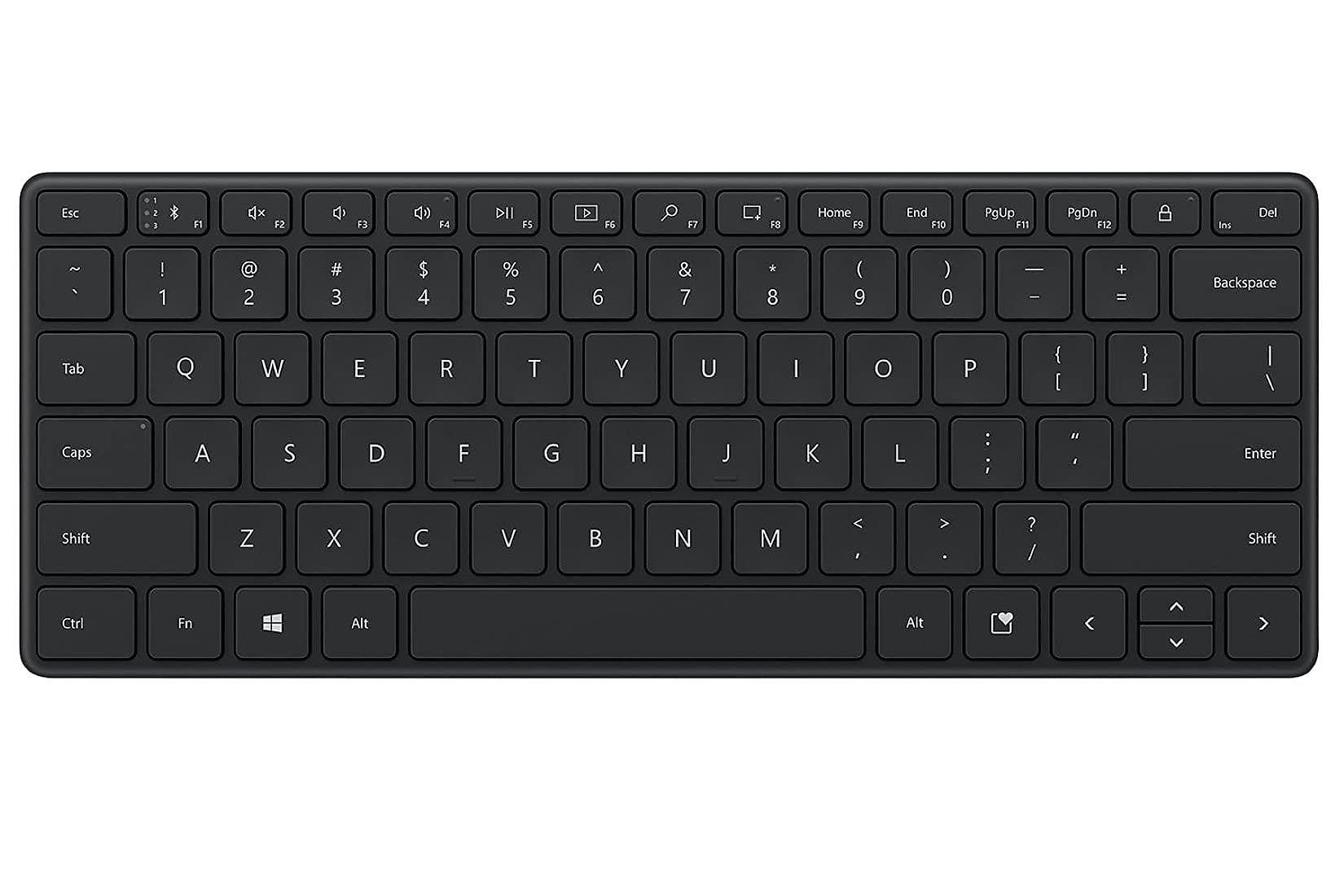
| Microsoft Designer Compact KeyboardSpace Saver | Desktop space savers who still want three devices | 3 devices | Compact 78-key | Bluetooth | Amazon |
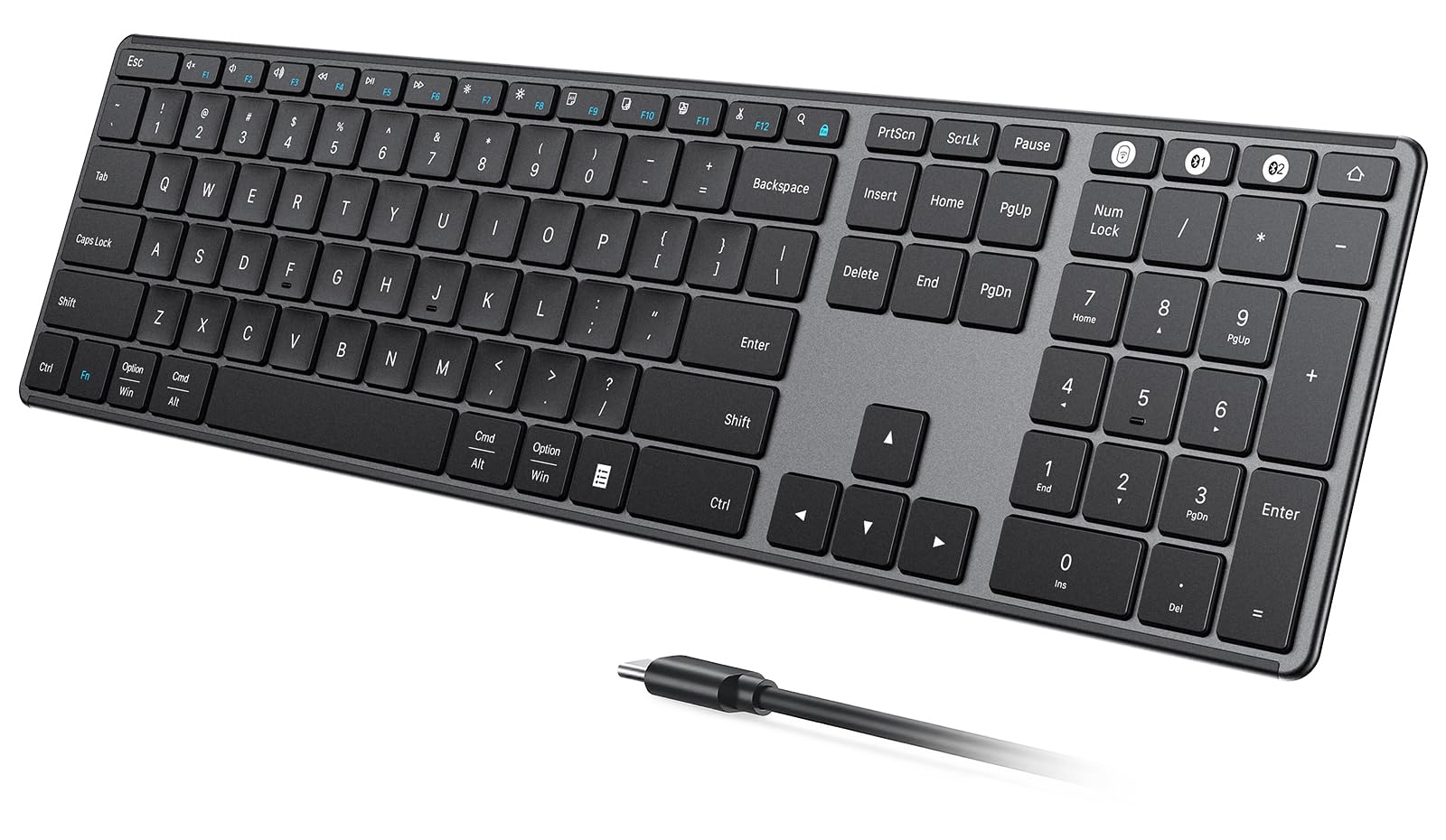
| seenda SK64-3 Rechargeable Keyboard | Full-size data entry on a budget | 3 devices | Full-size with number pad | 2.4G + dual Bluetooth | Amazon |
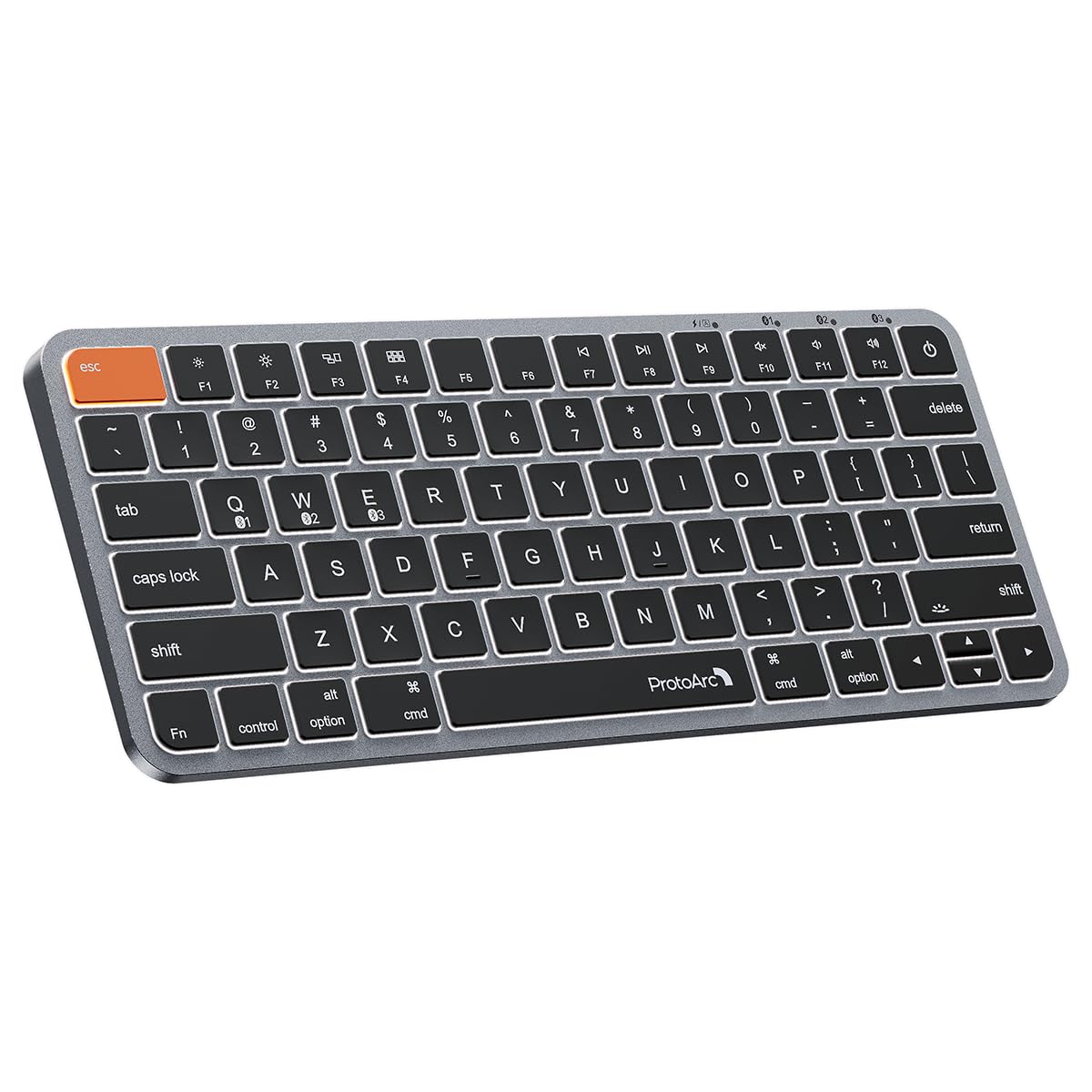
| ProtoArc K90-A Backlit Keyboard | Mac travelers who type in dim rooms | 3 devices | Compact 78-key | Bluetooth only | Amazon |
| Lenovo Multi-Device Wireless Keyboard | Slipping into a bag with a tablet | 3 devices | Compact 75-key | Bluetooth or USB-C | Amazon |
| Logitech Signature Slim K950 | Quiet offices and shared rooms | 3 devices | Full-size with number pad | Bluetooth or Logi Bolt | Amazon |
| Lofree Flow Lite Low Profile Mechanical | Mechanical feel with three ways to connect | 3 ways (2.4G, Bluetooth, wired) | 100-key low-profile mechanical | 2.4G, Bluetooth, USB-C | Amazon |
| Logitech MX Keys Advanced | Cross-computer workflow with backlighting | 3 devices | Full-size 104-key | Bluetooth or USB | Amazon |
Detailed Reviews
1. Apple Magic Keyboard with Numeric Keypad – White
Our pick — 4.5+★ from 650+ verified ratings; the strongest balance of quality and price.
The 0.1-inch-thin slab that Mac owners stop thinking about after day one.
If your desk is built around a Mac, an iPad, or an iPhone, this is the board that disappears into the workflow. It pairs over Bluetooth and recharges from an internal battery, so there is no drawer of AA cells to manage. The 0.1-inch depth makes it sit almost flush with the desk, which keeps your wrists in a flatter, less angled position than a chunky board. At 16.48 inches long it is a genuinely full-width footprint, so measure your desk before you commit.
The extended layout is the reason to pick this one over a compact board. You get a numeric keypad for spreadsheets and finance work, full-size arrow keys, and document navigation controls for scrolling long pages. The typing itself is what wins people over — the keystrokes are described as smooth and precise, and owners consistently call it one of the best keyboards they have used. If you bounce between a laptop and a tablet, pairing is quick enough that you are not sitting there hunting through menus. Note that it pairs to one device at a time, so a three-screen setup means re-pairing rather than tapping a channel key.
The honest catch is value, not quality. The crowd is split on whether it is worth the money, and a Mac-only board locks out anyone on Windows. Battery life is the other thing to plan around — roughly a month or more between charges depending on use, which is generous but not infinite. In a category where most boards pair to three devices, this one bets everything on doing one thing beautifully.
What earns it the top spot
- Smooth, precise keystrokes plus a full numeric keypad for spreadsheet work
- 0.1-inch profile keeps your wrists flat and the desk uncluttered
- Recharges internally — no loose batteries to replace
- Fast pairing with Mac, iPad, and iPhone over Bluetooth
Where it holds you back
- One paired device at a time, so multi-screen switching means re-pairing
- Mac-only: it will not drive a Windows PC
- 16.48-inch length needs real desk width
Buy it if: your daily machine is a Mac and you want a number pad with zero fuss.
Think twice if: you rotate between three devices all day — a channel-switching board suits you better.
2. Arteck Universal Multi-Device Bluetooth Keyboard
Three devices, one click, and a battery claim that runs half a year.
The pitch here is simple: connect to three devices and hop between them with a single keypress. For a home office with a desktop, a laptop, and a tablet on the same desk, that one feature does more daily work than any spec on the sheet. The board supports Windows, iOS, iPadOS, Android, and Mac OS, so it is the most forgiving compatibility list in this group — handy if your household mixes systems.
At 11.12 x 4.5 x 0.24 inches and 12.1 oz, it tucks into a laptop sleeve without a fight. You still get full-size keys and shortcut functions despite the compact body, and 78 keys cover the essentials. The 6-month battery figure is based on 2 hours of non-stop use per day, and the lithium battery recharges rather than getting swapped. The keyboard’s overall quality and feel are what get singled out in the feedback, especially the size when desk space is tight — people compare it to far more expensive boards and come away satisfied.
Here is the part to weigh honestly. Reliability and connectivity show up as mixed themes across the feedback, with a subset running into connection hiccups and durability concerns over time. That does not make it a bad board — it makes it a budget board, and one worth treating with reasonable care. Contrast the dimensions directly: the Arteck measures 11.18 inches in length against the seenda’s 16.9 inches, and 4.57 inches in width against the Microsoft Designer Compact’s 4.36 inches. It is the smaller desk footprint by a wide margin.
The value read: you get three-device switching, full-size keys, and rechargeable power for an entry-level outlay. What wins people over is how much keyboard you get for the size.
The honest caveat: connectivity and long-term durability are the two areas where feedback splits — buy it as a portable second keyboard, not a decade-long desk anchor.
Reach for this if: you juggle Windows, Android, and an iPad and want one compact board to rule all three.
Look elsewhere if: you type eight hours a day and want the most durable key mechanism available.
3. Microsoft Designer Compact Keyboard – Matte Black
Small enough to pull your mouse closer, smart enough to hold three devices.
The reason this board exists is desk geometry. It is 11.18 inches long and 4.36 inches wide, so it frees up room to bring your mouse in close instead of reaching across the desk all day. Microsoft tuned the key spacing and key travel for fast, fluid typing, and the low-profile body keeps the whole setup looking tidy. There is also an expressive input key for firing off emojis and symbols quickly — a small touch that gets used more than you would expect.
You can pair three devices and switch between them smoothly, and it works across both macOS and Windows. Buyers talk most about the build quality, then about how much smaller it is than a traditional PC keyboard. The typing feel lands well too. If your desk is a kitchen counter or a shared table that doubles as an office, the compact footprint earns its keep every single evening.
The mixed themes are the ones to test early: connectivity, reliability, battery life, responsiveness, and value all show up as split in the feedback. Some units connect flawlessly and run smoothly; others hit frequent disconnections. Since this article is about Bluetooth keyboards specifically, buy it from a seller with an easy return window and pair it within the first week. The Logitech K950 below is the safer bet if rock-solid Bluetooth is your priority, though it costs more and takes up more desk. At 0.38 inches tall, this one stays lower to the surface than most full-size boards.
Where it shines: compact dimensions that genuinely change how your desk feels, plus three-device switching across Mac and Windows.
Test it early: connection stability varies unit to unit, so pair all three devices during the return period and confirm each one holds.
Worth it for: small desks, shared tables, and anyone who wants their mouse closer.
Second-guess it for: a mission-critical setup where a dropped Bluetooth link would cost you real work.
4. seenda SK64-3 Rechargeable Bluetooth Keyboard, 3-Device
The rare full-size board that gives you three connection routes, not just Bluetooth.
Most multi-device keyboards give you Bluetooth channels and stop there. This one gives you 2.4G USB plus Bluetooth 1 and Bluetooth 2, so you can dedicate a dongle to the desktop and leave both Bluetooth channels free for a laptop and a tablet. The 3-zone full-size layout includes a dedicated numeric keypad, arrow keys, and shortcut areas — the configuration you want for spreadsheets, data entry, and reports without the cramped top-row workaround.
The keys are low-profile scissor switches, which cuts typing noise while keeping a soft, responsive press. That makes it a reasonable fit for an open office, a library, or late-night work in a shared room. Charging runs over USB-C and takes about 2 to 3 hours for up to 60 days of use depending on how much you type. Auto sleep and a physical power switch help you stretch that further. The metallic-look panel keeps it looking sharper than its price tier suggests.
Size is the trade-off to plan for. This board measures 16.9 inches long against the Arteck’s 11.18 inches, and 0.62 inches tall against the Apple Magic Keyboard’s 0.1 inches. It is a desktop board, not a bag board — that height and length need real surface area. If you split your day between a spreadsheet session in the morning and a café afternoon, this is not the one to carry. It is the one to leave docked.
Why it earns its spot
- Three connection routes — 2.4G USB plus two Bluetooth channels
- Full numeric keypad for genuine data-entry speed
- Quiet low-profile keys suited to shared spaces
- USB-C charging for up to 60 days per charge
What you give up
- 16.9-inch length and 0.62-inch height demand desk space
- Too bulky to be your travel keyboard
This is your board if: the number pad is non-negotiable and you want a wired-style backup when Bluetooth misbehaves.
Pass on it if: portability ranks above data entry.
5. ProtoArc K90-A Backlit Bluetooth Keyboard for Mac/iPad
A 78-key Mac board with backlighting and one very good idea about the Command key.
Backlighting is the feature that sells this one, and it is done sensibly: three soft white LED brightness levels you can step through to cut glare in a dark room. Type in a hotel at night or on a dim cabin tray table and the keys stay visible without lighting up the whole row. The 78-key layout drops the numeric keypad, which is exactly what you want if the board lives in a bag next to a laptop.
The detail that stands out is the Command key. ProtoArc widened both Command keys so they sit naturally under your thumb, which makes copy, paste, and app switching a lot less error-prone than on a board with a tiny Cmd key. Build quality and the typing feel are the two things buyers highlight — the low-profile scissor mechanism draws direct comparisons to a MacBook deck. A 1200mAh rechargeable battery powers it, and it enters sleep mode after 60 minutes of inactivity to save charge.
The catch is compatibility, and it is a hard line. This is a Mac-only keyboard: it supports Mac OS 10.12 or later, iOS, and iPadOS 13.0 or above, and it will not work with Linux or Windows — including Windows installed on Mac hardware. Devices made before 2013 or running macOS below 10.12 are not supported either. Two more practical notes: it is Bluetooth only with no USB dongle, and the included cable is for charging, not for a wired connection. If any of that describes your setup, cross it off.
The standout: wider Command keys plus three backlight levels — small design choices that add up over a long typing session.
The hard limit: Mac and iPad only, Bluetooth only. There is no fallback if your Bluetooth radio misbehaves.
Suits you perfectly if: you work on a MacBook or iPad and type after dark.
Not for you if: a Windows machine is anywhere in your day.
6. Lenovo Multi-Device Wireless Keyboard, Bluetooth & USB-C

At 177 g, this is the board you forget you packed.
Lightness is the whole point here. The keyboard weighs 177 g, or 0.39 lb, with a slim 5.6 mm profile without the rubber stand, and the dimensions are 10.07 x 4.17 x 0.22 inches. Toss it in a bag beside an iPad and you will not notice the extra weight. You get up to three devices on Bluetooth and a single switch to move between your laptop, tablet, and phone. USB-C charging keeps it topped up without hunting for a special cable.
For a board this small, Lenovo kept the typing numbers respectable: 1.3 mm of key travel (how far each key moves down), 18 mm of key pitch (the distance between key centers), and 12 function keys for quick access to the controls you actually press. The 300 mAh lithium-ion polymer battery is rated for up to 62 hours, so you can leave the cable at home on a short trip. Owners consistently note the keys feel soft to the touch and the board is just big enough for proper touch typing — that last point matters, because plenty of tiny boards are too cramped to type on without looking down.
Reliability is where the feedback splits, so treat that as the fit question rather than a reason to walk away. Some remark on occasional connection quirks. The board is also plastic-bodied and featherweight, which is a travel advantage and a desk-keyboard disadvantage at once — it will slide around if you type hard. Set expectations: this is a second keyboard for the bag, not the anchor of a serious desk setup.
Carry-on credentials
- 177 g (0.39 lb) — genuinely negligible in a bag
- 62 hours from a 300 mAh battery
- 1.3 mm travel and 18 mm pitch for real touch typing
- Three devices over Bluetooth plus USB-C charging
Trade-offs to know
- Connexion stability splits opinion across the feedback
- Very light body can shift on a desk during hard typing
Pick this one for: tablet-and-laptop travel where every gram counts.
Skip the swap if: you want one substantial board that stays put on a desk all day.
7. Logitech Signature Slim K950 Wireless Keyboard

Full-size, laptop-style keys and a quiet clatter your coworkers will thank you for.
This is the board for the open office and the shared living room. Logitech engineered it for quiet typing, so the keystroke noise sits below a mechanical board without costing you key travel. It is a full-size layout with a number pad, familiar laptop-style keycaps, and a solidly built body — parts of the plastic housing include a minimum of 48% certified post-consumer recycled plastic. It weighs 685 g, so it stays planted rather than skittering across the desk.
Three-device switching works with a single tap, and it covers Windows, macOS, Chrome OS, Linux, iPadOS, iOS, and Android — the widest platform list in this group. Pair over Bluetooth or with a Logi Bolt receiver if you want a more stable link. The Logi Options+ App on Windows and macOS lets you remap keys with one-tap functions for music, mute, the snipping tool, and volume. The typing feel draws comparisons to a MacBook Pro deck, and connectivity pairing is described as easy.
The two honest notes are price tier and noise perception. Some people find the quiet approach softens the feedback they like; responsiveness and value land as mixed themes. Compatibility shows mixed results too, so double-check your specific system before assuming a clean pair. If you want a quieter desk and a number pad, the K950 does both. If you want mechanical feedback and swappable switches, the Lofree below is the board for that.
Best for shared spaces: quiet full-size typing that will not carry across an open-plan room.
Check before you buy: a small group reports pairing friction on certain systems, so confirm yours during the return window.
Go with the K950 if: you need a number pad, quiet keys, and recycling credentials in one board.
Choose differently if: you want tactile mechanical feedback under your fingers.
8. Lofree Flow Lite 100-Key Low Profile Mechanical Keyboard

A mechanical board that whispers instead of clacks — and lasts a hundred hours.
Most mechanical keyboards announce themselves to the whole room. This one aims for a low, soft thock instead. The Specter full POM linear switches drop the operating force from 50gf to 40gf, which reduces the effort of each press on your fingers during long sessions. You also get Gasket Mount sound dampening and PBT double-shot keycaps — the keycap material that keeps characters crisp and resists the shine that cheaper plastics develop. It is hot-swappable, so you can pull the switches and change the feel later without buying a new board.
Connectivity is the most flexible here: 2.4GHz, Bluetooth, and wired USB-C, with a 1000Hz polling rate on the 2.4G link. Polling rate is how often the keyboard reports to your computer — higher means the input lands sooner, which matters in fast-paced games. A 3000mAh battery covers up to 100 hours with all lights off, and a full charge takes around 3 hours over USB-C. There is an aluminum volume roller and a built-in adjustable kickstand, both of which you reach for more often than you would guess.
Price is where the feedback splits — some owners are not convinced the board justifies its tier, and Bluetooth connectivity drew a mixed response, with a subset hitting pairing trouble that the 2.4G or wired modes sidestep. The quiet thock and the appearance are the two things people love most. If you want mechanical feel without the noise, this delivers. If you need plug-and-type reliability and nothing else, the Apple board at the top is the smaller gamble.
What the mechanical crowd came for
- 40gf linear switches and Gasket Mount damping for a soft thock
- Hot-swappable switches you can change later
- 3000mAh battery rated for up to 100 hours
- 2.4G, Bluetooth, and wired USB-C in one board
Where it asks for patience
- Bluetooth pairing drew mixed reports — 2.4G or wired is the safer route
- Value is disputed at its tier
Made for you if: you want mechanical feedback and a quiet sound profile without the usual clack.
Not the one if: you want the simplest possible Bluetooth pair-and-forget.
9. Logitech MX Keys Advanced Wireless Illuminated Keyboard

Spherically dished keys that cup your fingertips, and one workflow trick nobody else here has.
The keycaps on the MX Keys are spherically dished, meaning each one curves to match the shape of your fingertip. That shape gives you a definite landing spot with every tap, and the metal build keeps the board stable under heavy typing. At 104 keys it is a full-size board with a number pad, and it pairs with up to three devices across Windows, macOS, Linux, iOS, and Android.
The feature that separates it from everything else on this list is Flow cross-computer control. It lets you type on multiple computers in one workflow — a genuine advantage if you have a work laptop and a personal desktop on the same desk. The backlighting works on hand proximity detection, so it wakes when your fingers approach and dims when you leave. Charging is USB-C, and a full charge lasts up to 10 days with backlighting on, or up to 5 months with it off.
That backlight behavior is the one thing to judge for yourself. It is great in low light, but some find it turns off sooner than they would like mid-typing. Contrast this with the Apple board: at 0.1 inches the Magic Keyboard is far thinner than this 1.6-inch-tall Logitech, and at 1.8 pounds the MX Keys carries noticeably more heft. That weight is what the metal build buys you — a board that refuses to budge. The trade-off is a keyboard you will not be carrying anywhere.
Why it holds its tier: Flow cross-computer control plus proximity backlighting makes it the one board here built for a two-machine desk.
The one quirk: the backlight timing does not suit everyone — expect to notice it turning off while you are still typing.
Your board if: you run more than one computer on one desk and want to type across both.
Look at the compact options if: the board will ever travel with you.
Know the Specs
Bluetooth channels and device switching
A Bluetooth channel is a saved pairing slot. A board with three channels can remember your laptop, tablet, and phone at once and switch between them with a keypress. Some boards, like the seenda, add a 2.4G USB receiver as a third route — that is a small dongle that creates its own wireless link, useful when your Bluetooth radio is congested. A Bluetooth-only board has no fallback, so the pairing has to hold.
Key travel, key pitch, and switch type
Key travel is how far the key sinks; key pitch is the spacing between key centers. The Lenovo’s 1.3 mm travel and 18 mm pitch describe a shallow, standard-spacing board. Scissor switches (two crossing pieces of plastic under the key) give a short, even press — that is what most low-profile keyboards use. Mechanical switches use a spring and stem instead, which the Lofree tunes to a 40gf operating force for a lighter press and more audible feedback.
Battery capacity and charging intervals
Battery figures get quoted in very different ways, so read the unit. The Lenovo lists a 300 mAh cell rated at up to 62 hours, while the Lofree lists 3000 mAh rated at up to 100 hours with lights off. The Apple and Logitech boards are quoted in weeks or months instead. Higher capacity does not automatically mean longer life — backlighting, polling rate, and sleep settings all draw power.
Layouts, key counts, and operating systems
Key count tells you what is missing. A 78-key board drops the numeric keypad; a 100-key or 104-key board keeps a number pad and adds function keys. Match the layout to your OS first: a Mac-oriented board prints Command and Option legends, while a Windows board prints the Windows key. Some boards, like the ProtoArc K90-A, are Mac-only and simply will not work on Windows.
Common Questions
Can a Bluetooth wireless keyboard connect to a laptop without a USB receiver?
Will a Mac-only keyboard like the ProtoArc K90-A work with a Windows PC?
How do I switch typing between three paired devices?
Do I need a numeric keypad if I only occasionally enter numbers?
How long does the battery actually last between charges?
What is the difference between scissor switches and mechanical switches?
Can I use a Bluetooth keyboard while it is charging?
Will a compact keyboard slow down my typing speed?
What does polling rate mean on a wireless keyboard?
Do these keyboards work with a tablet and a phone at the same time?
The Bottom Line
If you are building a desk around a Mac, the Apple Magic Keyboard with Numeric Keypad is the pick that quietly stops being a decision — smooth keystrokes, a number pad, and 0.1-inch thinness that keeps your wrists flat. If your day is spread across a Windows laptop, an Android tablet, and a phone, grab the Arteck Universal Multi-Device Keyboard, which switches three devices with a single click at the smallest desk footprint here. And for the two-computer desk where you want to type across both machines, the Logitech MX Keys Advanced is the one to reach for — its Flow cross-computer control has no equivalent on this list. Whichever you pick, pair it to every device you own during the first week; that is the fastest way to confirm the Bluetooth link holds in your actual room.
How we choose
We do not accept paid placement. Every pick is matched to a real buyer and a real use-case; we do not hands-on test units.
Sources
Specifications: manufacturer listings and product documentation. Review insights: verified customer reviews, as of November 2026. Pricing: not shown on this page (it changes often); check the current price via the retailer link.
As an Amazon Associate, Tactical Gear Guy earns from qualifying purchases. This does not affect which products we feature.