Specs are compiled from manufacturer listings and verified buyer reviews and can change over time — please confirm the key details on the product page before buying.
If you need a small square-ish screen for a retro PC, a security recorder, or a workbench project, the one to buy first is the Eyoyo 12 Inch HDMI Monitor. It pairs a native 800×600 picture with HDMI, VGA, AV, BNC and USB inputs, so it talks to old gear and new gear without an adapter box. The rest of this list covers 8- to 19-inch panels, including the certified-renewed desktop route.
This guide is built by comparing the manufacturers’ published specifications and the patterns across verified customer reviews, so you get each pick’s real strengths and trade-offs instead of marketing spin.
A 4:3 monitor is a legacy part now, so the things that matter are the native resolution, the input list, and whether the panel survives constant use. This breakdown of the vintage lcd monitor market ranks each panel by native resolution, input list, and how it holds up under constant use.
Top Picks

How To Choose The Best Vintage LCD Monitor
Most people arrive here with one device that no modern screen will accept. Maybe it is a DVR box with a BNC output, maybe it is a Pentium-era tower with only VGA, maybe it is a Raspberry Pi build that needs a small square display. Match the screen’s native resolution and ports to that one device and the rest of the spec sheet falls into place.
Start with the resolution your source actually sends
Old equipment tends to output 800×600 or 1024×768, and those are the two native panel sizes on this list. A monitor that matches the signal one-to-one gives you a sharp picture with no stretching. Feed a 1024×768 panel a 1080p signal and it will scale it down to fit, which softens fine text.
Count the ports before you count the pixels
A BNC connector (the twist-lock round plug used on security cameras) is the one port that separates a true CCTV monitor from a repurposed desktop screen. HDMI and VGA cover computers and modern boxes. AV handles older composite video. If your camera runs SDI, TVI, CVI or AHD, note that the BNC input on these panels expects a plain analog CVBS signal and will need a converter.
Decide between a security screen and a renewed desktop panel
Security monitors are built for continuous duty and small spaces, and they usually add BNC and AV. A refurbished business monitor like the Dell gives you an adjustable stand, a higher resolution, and wide viewing angles, but it expects a computer rather than a camera. Decide whether a camera or a computer feeds the screen first, then pick the panel.
Side-by-Side Comparison
| Model | Best For | Native Resolution | Screen Size | Key Inputs | Amazon |
|---|---|---|---|---|---|
| Eyoyo 12 Inch HDMI Monitor★ Best Overall | All-round retro and CCTV duty | 800 x 600 | 12 inch | HDMI, VGA, AV, BNC, USB | Amazon |
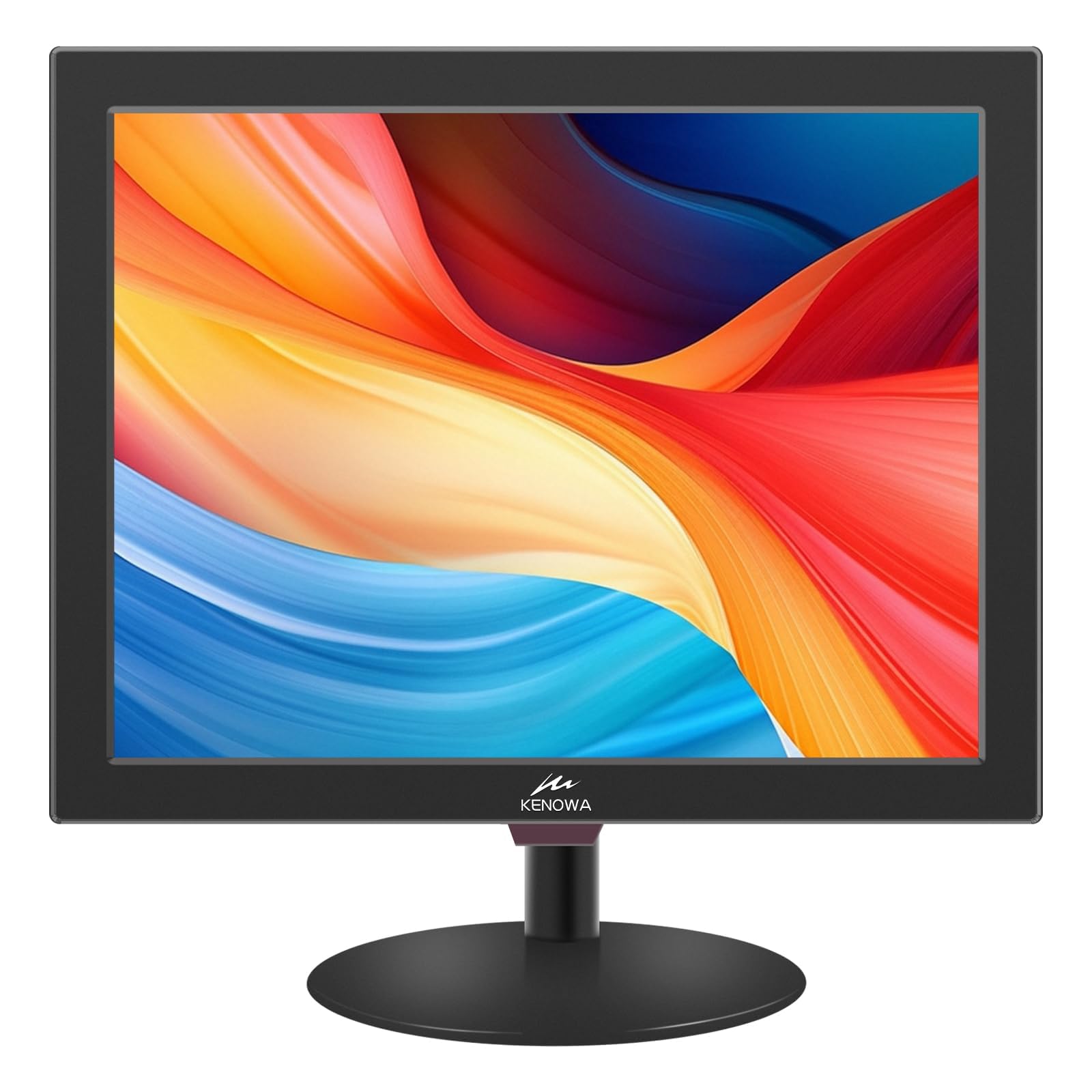
| Kenowa 15 Inch PC MonitorSharpest Pixel Count | Desktop PC and console use | 1024 x 768 | 15 inch | HDMI, VGA, AV, BNC, USB | Amazon |
| Eyoyo 8″ Small Security MonitorTightest Footprint | Tight equipment shelves | 1024 x 768 | 8 inch | HDMI, VGA, AV, BNC, USB | Amazon |
| JaiHo 12 Inch CCTV Monitor | Single camera at a counter | 800 x 600 | 12 inch | HDMI, VGA, AV, BNC, USB | Amazon |
| Cocar 12 Inch CCTV Monitor | 24/7 surveillance stations | 800 x 600 | 12 inch | HDMI, VGA, AV, BNC, 3.5mm | Amazon |
| JaiHo 14 Inch VGA Monitor | Older VGA workstations | 1024 x 768 | 14 inch | HDMI, VGA, AV, BNC, USB | Amazon |
| Dell P1914S (Renewed) | Pivot-and-swivel desk work | 1280 x 1024 | 19 inch | VGA | Amazon |
| Suprlipy 17 Inch CCTV Monitor | Large security picture | 1280 x 1024 | 17 inch | HDMI, VGA, AV, BNC, USB | Amazon |
Detailed Reviews
1. Eyoyo 12 Inch HDMI Monitor
Our pick — 4.0+★ from 100+ verified ratings; the strongest balance of quality and price.
A 12-inch 4:3 panel with HDMI, VGA, USB, AV and BNC on one chassis.
Twelve inches of 4:3 glass is the size most retro rigs and countertop recorders actually want. The Eyoyo serves it at a native 800×600 resolution (the number of pixels across and down), which is exactly the shape old CCTV footage and legacy software expect. Your picture arrives crisp instead of stretched across a widescreen it was never drawn for.
What seals it is the port row: HDMI, VGA, USB, AV and BNC all sit on the same chassis. That means one screen can be a teleprompter monitor, a printer monitor, a vehicle monitor, or a home automation display without rewiring. The brightness is rated 400 cd/m² (a measure of how bright the panel glows) and the contrast is 450:1, which is enough to read menus and camera feeds in a normally lit room. A 165° viewing angle keeps the image visible when you are not sitting dead centre.
The image-flip function is the quiet standout. It mirrors the picture left, right, up or down, which is what you want when the screen hangs from a ceiling or faces a mirror. There is a VESA 75mm bracket in the box for wall mounting, plus a stand and base if you would rather park it on a desk. Dual speakers and an included remote round out the package.
What earns its place
- Native 800×600 in a true 4:3 panel, so legacy footage fills the screen properly
- Five input types on one chassis — HDMI, VGA, USB, AV and BNC
- Image flip for ceiling or mirror mounting, plus VESA 75mm wall bracket included
- Bright 400 cd/m² panel with a 165° viewing angle
The honest catches
- 800×600 is a small desktop — fine text on a modern PC will look chunky
- The BNC port reads plain CVBS analog only; SDI, TVI, CVI or AHD cameras need a converter
- Owners split on whether the price matches what you get
Reach for this if: you want one small 4:3 screen that covers a retro PC, a camera feed, and a maker project without adapters.
Look elsewhere if: your camera runs an SDI or HD analog format, because this BNC input will not read it directly.
2. Kenowa 15 Inch PC Monitor, 1024 x 768, 4:3, 60 Hz, 5ms
1024×768 across 15 inches, a taller desktop than the 800×600 Eyoyo above.
Fifteen inches at 1024×768 gives you a taller desktop than the 800×600 crowd. That extra vertical room matters when you are running Windows 7, 8, 10 or 11 on a legacy machine with old business software that assumes a 4:3 window. A 60 Hz refresh rate (how many times per second the picture redraws) and a 5ms response time keep cursor movement and video playback smooth enough for everyday work.
Compare it directly to the 12-inch Eyoyo and the numbers split cleanly. This Kenowa pushes 1024 x 768 pixels against 800 x 600, and its 1000:1 contrast ratio versus the Eyoyo’s 450:1 — deep blacks and readable grey text rather than a washed-out feed. It also tilts from -10° to 15° so you can angle it against a low shelf or a standing desk.
The panel is TN, which is the older, faster LCD type — great for motion, but it fades when you look from the side. Around back you get HDMI, VGA, AV, BNC and USB, the same wide menu as the rest of this list, plus dual built-in speakers. The box includes a power adapter, HDMI cable and remote. Owners are divided on picture quality, with some finding it genuinely good and others calling it substandard, and a small number report a unit that quit after about three months of service.
Where it wins: you get real desktop space on an old PC without a widescreen stretch. The 1024×768 resolution spread across 15 inches is the balance for that job.
Worth knowing: the TN panel’s narrow viewing cone means you want to sit fairly square to the screen, not view it from across a room.
Pick this when: the job is a computer display first and a camera monitor second.
Pass if: you need a screen that stays legible from an angle, since the TN panel gives up off-axis.
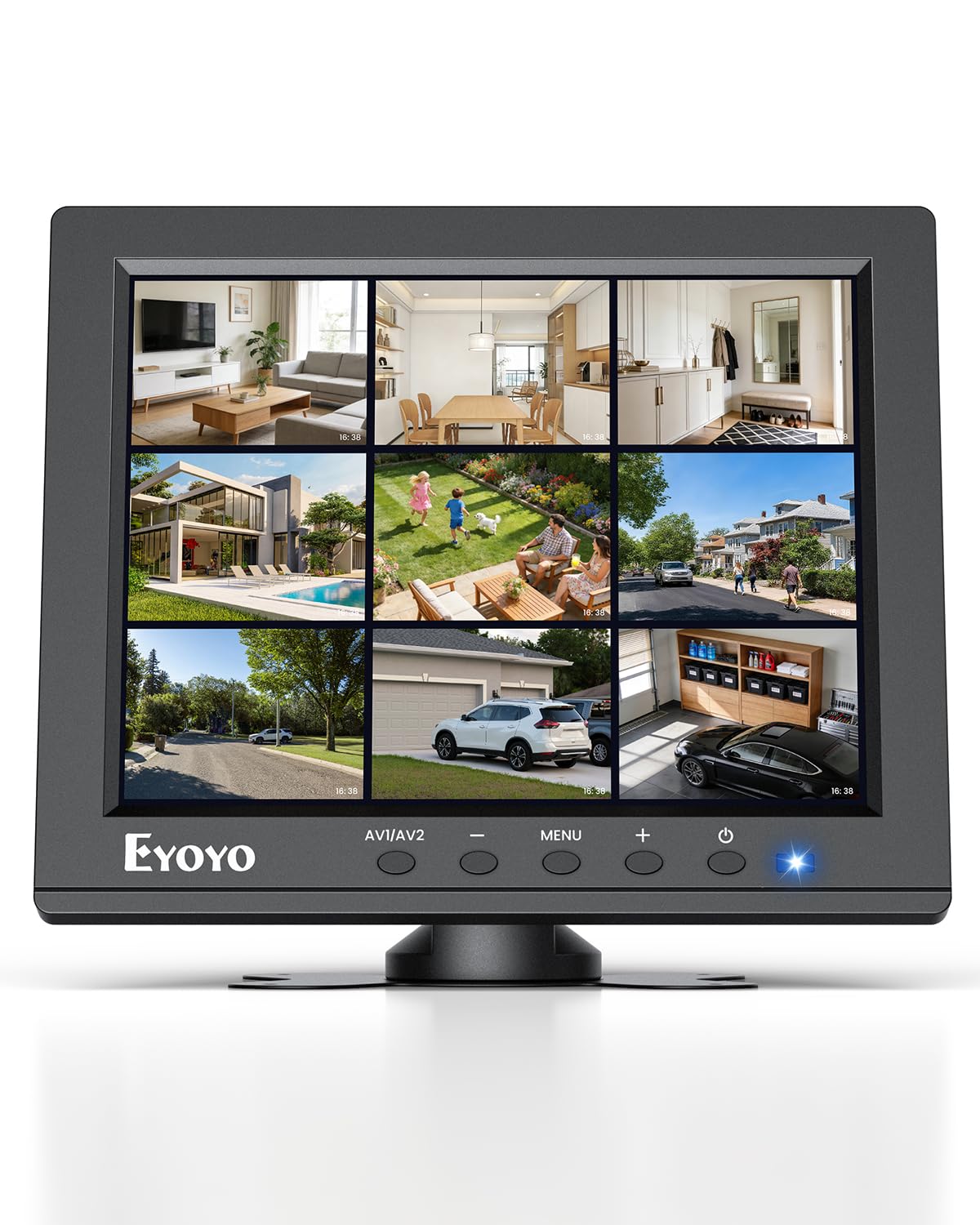
3. Eyoyo 8″ Small Security Monitor, 1024×768 4:3 LCD
An 8-inch 1024×768 4:3 panel sized for a rack shelf or workbench.
This is the panel for equipment rooms, server racks and workbenches. The 8-inch screen gives you a dedicated display for BIOS setup, network troubleshooting or a single camera feed without stealing desk space from a real monitor. It keeps the native 1024×768 resolution despite the small size, which is the highest pixel density on this list — sharp little text rather than a fuzzy postage stamp.
It is also the value champion here, and the crowd agrees. Across 700+ ratings it holds 4.0+ stars, and what wins people over is the build quality — the quality aspect is the single most-praised point in its feedback by a wide margin, with raw functionality next. Add HDMI, VGA, BNC and AV inputs plus USB media playback, and you can play compatible video, photos and music straight from a drive with no PC attached.
Now the honest part. Picture quality and long-term reliability draw mixed feedback — some units arrive with a crisp image, some look blurry, and a handful stop working altogether. Brightness is 250 cd/m² and contrast is 400:1, both the lowest figures on this list, so this is not a panel for a sunlit room. The flip function and butterfly desktop stand help, and the 75x75mm VESA holes let you bolt it to a bracket, though the mounting hardware is not included.
Best fit: a cramped rack, a maker project, or a flight-sim side panel where a tiny 4:3 screen with many inputs is exactly what you need.
Think twice if: the screen will face daylight or you need a large, bright picture — 250 cd/m² is a dim room performer.
4. JaiHo 12 Inch 4:3 CCTV Security Monitor, 800×600

A 12-inch 800×600 4:3 screen built to sit beside a DVR, not a keyboard.
The 12-inch native 800×600 panel is aimed at one job: showing you a door camera or a recorder menu at a glance. Placed beside a counter or a DVR, it gives you a dedicated picture without a big widescreen taking over the surface. The 4:3 ratio holds traditional CCTV footage in its proper shape, so faces are not stretched wide and old menus are not squashed flat.
Around the back, BNC and AV take compatible analog video while HDMI and VGA handle a DVR, NVR or PC output. Built-in audio plays sound from supported inputs, and the USB port reads compatible media from a drive. There is a wall-mount bracket in the box along with a BNC/VGA cable, power adapter and remote, and the anti-glare screen coating (a matte finish that cuts reflected light) helps near a bright window.
Consistency is where it gets complicated. Buyers report excellent build quality, but reliability and image quality split — it runs fine for plenty of setups, while a share of units give up inside the first week. Security-camera footage can also look rough up close. Contrast sits at 600:1 (the difference between the darkest black and brightest white) and brightness at 250 cd/m² (a measure of screen brightness, roughly a dim office light). For one steady picture at a checkout, it delivers. If you need a monitor that survives years of hard use, plan accordingly.
The value read: you are paying for a purpose-built counter display with the right 4:3 shape and an anti-glare finish, not for a long service contract.
Choose it for: a stationary single-camera view where the screen lives beside the recorder.
skip it if: you plan to feed it a higher-resolution camera and expect fine detail to survive the scaling down to 800×600.
5. Cocar CCTV Monitor, 12 inch LCD Security Monitor

The one on this list that names continuous duty out loud.
Cocar built this 12-inch screen around an LED backlight intended for long stretches of operation, the kind of duty a surveillance desk asks for. The native 800×600 panel runs a 3ms response time — the fastest on this list — and a 350 cd/m² brightness with 450:1 contrast. That 3ms matters because a fast-refreshing camera feed shows less smear, so a moving figure stays a figure instead of a blur.
Views stay readable from the side too: the 160° horizontal and 160° vertical angles mean the picture does not fall away when the screen sits on a high shelf. NTSC and PAL auto-switch handles both analog video standards, so older imported cameras lock on without a menu dive. Two built-in speakers, a USB media player, and HDMI, AV, BNC, VGA plus a 3.5mm audio in/out make it a hub rather than a dumb panel.
The trade-off is a big one to weigh. Picture quality earns real praise for its size, but the screen’s durability draws the harshest notes on this list, with some units lasting only a short stretch of continuous use. If you are buying for a monitor that must run unattended for months, factor that in, or plan a spare.
Reasons it stands out
- Built for continuous 24/7 operation with an LED backlight
- Fastest response on the list at 3ms, so fast camera motion stays clean
- 160°/160° viewing angles and NTSC/PAL auto-switch
- Speakers, USB player, and full port set including a 3.5mm audio jack
Where it gives ground
- Durability is the worry — some units give up after months of running
- 800×600 again, so close detail on security footage is limited
The right call for: a busy surveillance station that needs fast response and a wide viewing angle.
Consider a backup if: the screen must run unattended long-term, since durability is where this model is weakest.
6. JaiHo 14 Inch 4:3 LCD VGA Monitor, 1024×768

Fourteen inches of 1024×768 aimed squarely at an aging VGA workstation.
An old tower with only a VGA port (the blue trapezoid plug that predates HDMI) gets a proper screen again with this panel. The native 1024×768 resolution in a 4:3 frame keeps your business software in the window shape it was designed for. Its 2000:1 contrast ratio (the difference between the darkest black and brightest white) is the highest on this list — deeper blacks and clearer text separation than the 800×600 panels above.
VGA and HDMI take a computer or recorder output, while BNC and AV handle compatible analog feeds. The 400 cd/m² brightness and 165° viewing angle support reading menus and watching video up close, and a remote lets you switch inputs and tweak the picture when the front buttons are wedged against a wall. There is a 75 x 75mm VESA pattern for mounting, plus USB media playback and built-in audio.
Here is the caveat that shapes the decision. Buyers find the panel quality and behaviour hit-or-miss, and the image and viewing angles specifically draw the strongest criticism — expect a screen that is best viewed head-on. Note it is a 14-inch panel, not a 15-inch one, so measure your space for the smaller footprint. It weighs 1.8 kg, light enough to lift onto a shelf with one hand.
The honest verdict: the highest contrast here at 2000:1 comes with the narrowest tolerance for viewing angle and the most inconsistent panel reports.
Set it up square: sit directly in front of the screen and it earns its keep as a VGA revival panel.
Good match for: an old VGA tower that needs a small, high-contrast display at a service counter.
Not for you if: the screen will be viewed from off to the side — image and viewing angles are the weakest points in owner feedback.
7. Dell P1914S 19-inch 1280 x 1024 IPS Monitor (Renewed)

The only 4:3 panel here with a stand you can pivot, swivel, and tilt.
You get a tested, cleaned, inspected and repackaged business monitor — that is the point of buying certified refurbished. It ships with the relevant accessories and a minimum 90-day warranty, and may arrive in a generic box. For the money you get a 19-inch 1280 x 1024 screen — the highest resolution on this list — on an IPS panel (the type known for wide, consistent viewing angles, rather than the narrow cone of the TN panel on the Kenowa above).
The IPS glass covers 178° horizontal and 178° vertical, so the picture holds up from the side, and the fully adjustable stand pivots, swivels, tilts and adjusts height — the only one here that does all of that. A USB hub and analog plus digital ports round it out, and it weighs 7.9 pounds. Display quality is the aspect that wins people over most, with value for money running right alongside it — rare agreement that a monitor is priced fairly for what it does.
The catch is connection scope. The VGA connection on this model is the practical path, and there is no BNC or AV here, so it is a computer monitor, not a camera screen. One recurring note is mixed picture feedback, and the height is modest for a 19-inch frame. Buy it as a refurbished desk display with a real warranty, not as a CCTV panel.
Pick it for: a proper desktop workstation where adjustable height, pivot to portrait, and wide viewing angles matter.
Don’t pick it for: a security system — there is no BNC or AV input, and it expects a computer on the other end.
8. Suprlipy 17 Inch TFT LCD Security CCTV Monitor, 1280×1024

The biggest 4:3 picture on the list, with the highest brightness to match.
You get the widest viewing area of any pick here: seventeen inches at 1280×1024. A 450 cd/m² brightness rating (a measure of screen brightness) — the brightest on this list — pushes a clearer picture into a room that is not perfectly dark. The ultra-thin bezel keeps the frame from eating into that picture, and the 4:3 ratio holds legacy footage in shape.
HDMI, AV, BNC and VGA all appear, along with a USB port for playing a U-Disk directly. The image-mirror function is here too, which is useful for a security view and, more unusually, for sewer-inspection cameras where the picture needs flipping to read correctly. Built-in speakers handle audio, and a remote covers the settings. You can stand it on the included desk stand or hang it from the VESA bracket and screws that come in the box, and there is a 365-day warranty behind it.
Two things to hold in mind. Contrast is 500:1, which is the lower end of this group, so blacks will not go very deep next to the JaiHo 14’s 2000:1 panel. And there is no substantial owner feedback built up on this specific model yet, so you are buying on the spec sheet and the warranty rather than on a long track record.
Brightest of the bunch: at 450 cd/m² it is the pick for a lobby, a garage, or any spot where daylight competes with the screen.
Two caps to note: 500:1 contrast is thin, and you will rely on the warranty while reviews catch up.
Reach for it when: you want the largest 4:3 security picture and the brightest panel in this group.
Look elsewhere if: deep contrast matters more than size, or you prefer a model with a longer feedback history behind it.
Know the Specs
Native resolution and 4:3 aspect ratio
Native resolution is the exact pixel count the panel is built to show — 800×600 on the smaller screens, 1024×768 or 1280×1024 on the larger ones. The 4:3 aspect ratio is the squarer shape that old CCTV footage and legacy software were drawn for. When the two match your source, you get a clean image with no stretching. Feed a modern 1080p signal into a 1024×768 panel and it scales down, so fine print softens.
Brightness and contrast ratio
Brightness is measured in cd/m² (candelas per square metre — how hard the picture glows). The panels here run from 250 cd/m² up to 450 cd/m², so a dim room is fine for any of them, but a sunlit space wants the higher figure. Contrast ratio describes the gap between the brightest white and the darkest black — 1000:1 and 2000:1 give deeper blacks than 400:1 or 500:1, which reads as a flatter, greyer image in a dark room.
The input list: HDMI, VGA, BNC, AV
HDMI carries digital video and audio from modern gear. VGA is the older blue plug from legacy PCs. AV handles composite analog video. BNC is the twist-lock round connector used on security cameras, and it reads a plain analog CVBS signal — an SDI, TVI, CVI or AHD camera needs a converter before it will work. Check which of these your one device outputs before you buy.
Panel type and viewing angle
TN panels are the older, faster LCD type — high refresh and low response times, but the picture fades when you look from the side. IPS panels hold their colour and brightness across a wide angle, which is why the refurbished Dell quotes 178° in both directions. Viewing angle figures tell you how far off-centre you can sit before the image darkens, so a 165° or 160° rating suits a screen you face directly.
Common Questions
Will a vintage LCD monitor work with a modern Windows PC?
Can I connect a security camera to one of these over BNC?
What is the difference between 800×600 and 1024×768 on a small screen?
Is a TN panel or an IPS panel better for a retro monitor?
What does a certified refurbished monitor like the Dell actually include?
Can these monitors mount on a wall or arm?
Why does the picture flip or mirror function matter?
Do I need a separate speaker with these security monitors?
How long do these panels tend to last?
Can I play video or photos from a USB drive on these monitors?
The Bottom Line
For most retro and CCTV setups, the vintage lcd monitor winner is the Eyoyo 12 Inch HDMI Monitor. Its native 800×600 4:3 panel plus five inputs cover old and new gear in one small chassis. If you want more pixels for a legacy PC, grab the Kenowa 15 Inch at 1024×768 with a 1000:1 contrast ratio. And for a desk panel with a real adjustable stand and pivot, reach for the Dell P1914S (Renewed) — its 19-inch IPS screen and 178° viewing angles earn the crowd’s confidence and the shop-floor value backing they share.
How we choose
We do not accept paid placement. Every pick is matched to a real buyer and a real use-case; we do not hands-on test units.
Sources
Specifications: manufacturer listings and product documentation. Review insights: verified customer reviews. Pricing: not shown on this page (it changes often); check the current price via the retailer link.
As an Amazon Associate, Tactical Gear Guy earns from qualifying purchases. This does not affect which products we feature.