Specs are compiled from manufacturer listings and verified buyer reviews and can change over time — please confirm the key details on the product page before buying.
Four monitors on one desk is easy to plan and surprisingly easy to get wrong. The trap is not the number of HDMI ports printed on the box, it is whether the card can actually light all four at once without asking your power supply or your case for something it cannot give. This guide fixes that: it walks through the cards that genuinely drive four independent screens, explains what each one demands of your PC, and tells you which one fits a trading desk, a signage wall, or an ordinary office upgrade.
This guide is built by comparing the manufacturers’ published specifications and the patterns across verified customer reviews, so you get each pick’s real strengths and trade-offs instead of marketing spin.
You will see exactly how many displays each card drives, what resolution and refresh those outputs hold, and whether it draws power from the slot alone or needs a cable from the power supply. The shortlist below covers the strongest four-monitor cards you can buy right now.
Top Picks


How To Choose The Best Video Card for 4 Monitors
Start with the count that actually matters: how many independent displays the card can run at the same time. A card listing four HDMI outputs is designed to drive four screens together. Check the port types against the cables your monitors already own, because a DisplayPort-only card will need adapters if your screens are HDMI.
Ports, adapters and the cable drawer you already own
Four HDMI outputs mean you can plug four HDMI monitors straight in with no adapters. A mixed layout like two HDMI plus DisplayPort and VGA covers older office monitors that still run on VGA. VisionTek’s RX 550 is the exception worth knowing about: it ships with four HDMI ports but its own listing notes HDMI-to-DisplayPort adapters are sold separately, so DisplayPort monitors need extra parts.
Resolution and refresh: 4K at 30Hz versus 60Hz
A card rated at 3840 x 2160 can push 4K, but the refresh rate behind that number decides whether the picture feels smooth. Some four-monitor cards run 4K at 30Hz, which is fine for dashboards and spreadsheets but visibly choppy for video. Others list 3840×2160 at 60Hz, which is the smoother option for anything with motion on screen.
Slot power versus a cable from the power supply
Cards that draw all their power through the PCIe slot need no extra cable, which makes them the easiest drop-in upgrade for an office tower. A card with a higher power draw may ask for a bigger power supply. VisionTek’s RX 550 lists a 50W TDP and recommends a 350W or larger power supply, while GT 740 cards top out at 60W and run off the slot alone.
Case fit: single slot, low profile, and the thickness trap
A single-slot card leaves room for other expansion cards beside it, which matters in a compact build. Low profile cards come with half-height brackets for small form factor and HTPC cases. Watch the thickness figure too: a low profile GT 740 can still need two expansion-slot spaces because of its cooler, so measure before you order.
Side-by-Side Comparison
| Model | Best For | Display Outputs | Memory | Max Resolution | Amazon |
|---|---|---|---|---|---|
| ASUS NVIDIA GeForce GT 730★ Best Overall | Quiet office and media PCs | 4x HDMI | 2 GB GDDR5 | 3840×2160 | Amazon |
| Glorto GeForce GT 730 4G Low ProfileBest for Small Cases | Small form factor and HTPC builds | 2x HDMI, DP, VGA | 4 GB DDR3 | 2560×1600 | Amazon |
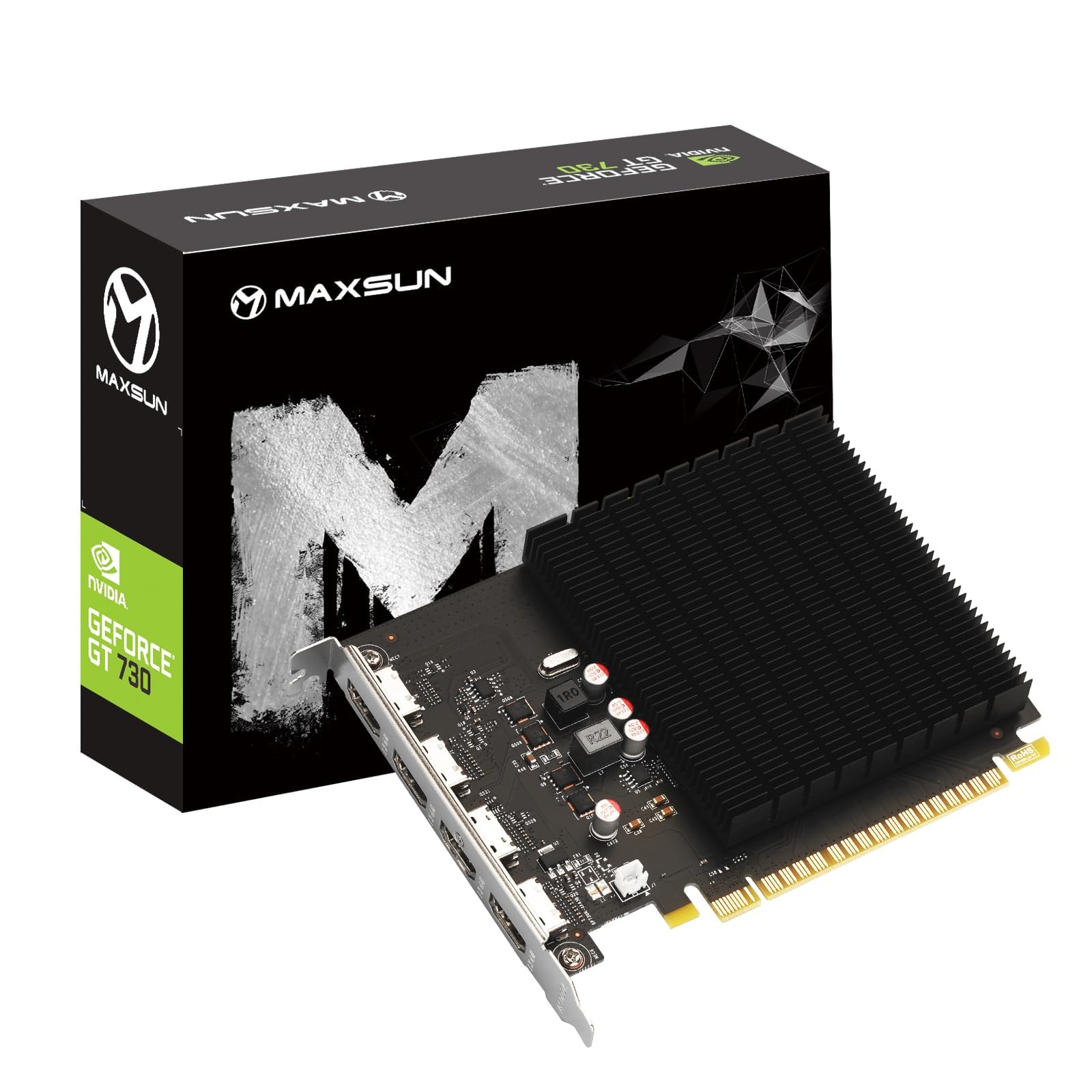
| maxsun GeForce GT 730 4GBTightest Fit | Tight ITX cases needing 4K | 4x HDMI | 4 GB GDDR3 | 3840 x 2160 | Amazon |
| Xynsviu GT 740 2GB Low Profile | Four-monitor office desks | 4x HDMI | 2 GB GDDR5 | 3840*2160 | Amazon |
| Xynsviu RX560 2GB | Stock trading and light gaming | 4x HDMI | 2 GB GDDR5 | 3840*2160@60Hz | Amazon |
| SOYO AMD Radeon RX 580 | Six-screen signage and gaming | 6x HDMI 2.0b | 8 GB GDDR5 | — | Amazon |
| VisionTek Radeon RX 550 4GB | Business workstation upgrades | 4x HDMI | 4 GB GDDR5 | 4096×2160 | Amazon |
| maxsun Radeon RX 580 8GB | Six-screen multitasking | 6x HDMI | 8 GB GDDR5 | 3840 x 2160 | Amazon |
| AMD Radeon Pro W7500 | 8K professional workstations | DisplayPort | 8 GB GDDR6 | 7680 x 4320 | Amazon |
| ASRock Radeon AI PRO R9700 | AI and 8K creator rigs | 4x DisplayPort 2.1a | 32 GB GDDR6 | 7680 x 4320 | Amazon |
Detailed Reviews
1. ASUS NVIDIA GeForce GT 730 Graphics Card
Our pick — 4.0+★ from 700+ verified ratings; the strongest balance of quality and price.
Four HDMI outputs and no fan at all — the quietest way to light four screens.
This is the card for someone who wants four monitors working today and nothing else to change. ASUS builds it around four HDMI outputs, so four HDMI screens plug straight in with the cables already in your drawer. Power comes entirely through the PCIe slot, which means no cable hunting inside the case: you seat it, plug the monitors, and boot.
The quiet part is the real story. There is no fan on this card at all — passive cooling (a heatsink that sheds heat without moving parts) keeps it silent, which is exactly what you want in a home theater PC or a bedroom office where a spinning fan becomes background noise by hour two. It also fits in a single slot, so a compact tower keeps room for another expansion card beside it. The GPU core runs at 927 megahertz, and the card carries 2 GB of GDDR5 memory on a 64-bit bus — enough for spreadsheets, browsers, dashboards and video playback across four screens.
The honest catch is resolution ceiling. The 2 GB of GDDR5 is built for desktop work, not for gaming across four panels, and anyone pushing heavy 3D or large model workloads will want more memory and a bigger card. What wins people over on this one is the combination of port count and total silence — it is among the most-reviewed four-output cards on the shelf, and the crowd verdict backs the plug-and-play simplicity.
What earns it the top spot
- Four HDMI outputs designed to drive four displays at once
- Fully passive cooling — no fan noise in a media room or quiet office
- Single-slot build leaves the next slot free in a small case
- Draws power from the slot, so no power-supply cable is needed
Where it stops short
- 2 GB GDDR5 is desktop-work memory, not a gaming budget
- Fanless means airflow in your case does the cooling work
Reach for this if: you need four HDMI screens lit with zero noise and zero extra cables.
Look elsewhere if: your four monitors are meant for gaming or heavy 3D, where the memory runs out fast.
2. Glorto GeForce GT 730 4G Low Profile Graphics Card
Half-height brackets and a mixed port set that fits a slim tower and an old VGA screen.
Picture the office PC that has no room for a full-height card but does have an aging VGA monitor nobody wants to replace. Glorto solves both at once. It ships with low profile brackets so the half-height card drops into a small form factor tower or HTPC, and its outputs cover two HDMI, one DisplayPort and one VGA — NVIDIA Surround handles four screens across that mix. The VGA port is the unsung detail: old monitors keep working without an adapter.
Under the hood sits an NVIDIA GeForce GT 730 on a 28nm GK208 chipset running at 902 megahertz, paired with 4096MB DDR3 memory on a 64-bit bus. It supports DirectX 12, OpenGL 4.6, CUDA and OpenCL, and it self-installs current drivers on Windows 11. Build quality and straightforward installation are exactly what reviewers keep coming back to — this is a card people describe as saving them from replacing a whole computer.
The trade-off to know about is smoothness versus those older ports. This card lists a maximum resolution of 2560×1600, so it is a multi-screen workhorse rather than a 4K wall driver. Video quality draws a mixed read from owners, and the listing warns it will not fit a micro form factor case even with the brackets. For a slim desktop running four office screens, though, it is a tidy fit.
Suits you when: your case is slim and one of your monitors still runs on VGA.
Think twice when: you want 4K across the desk or your tower is a micro form factor.
3. maxsun GeForce GT 730 4GB Video Graphics Card
ITX-sized, fanless, and still rated for four separate 4K screens.
Small-case builders usually lose the 4K option first. This maxsun card is the one that keeps it. The board is cut to ITX form factor so it slides into most PC cases, and it holds four HDMI outputs rated at 3840 x 2160 at 30Hz each — four screens, all at 4K, from a card that takes up minimal room and weighs 214 g.
Where this card separates itself is the resolution ceiling. Its 3840 x 2160 rating sits well above the 2560×1600 listing on the Glorto GT 730 above, which matters the moment you want crisp text on a 4K panel rather than a stretched 1440p image. The silver-plated PCB and all-solid capacitors are the durability details, and the fanless passive heatsink keeps it quiet while running cooler.
Two practical notes before you buy. The 30Hz refresh at 4K is steady enough for dashboards, spreadsheets and signage, but motion-heavy video will look less fluid than a 60Hz output. The listing also calls for a PCIe x16 or x8 slot and a 200 Watt or greater power supply. Meet both and you have four 4K displays in a case that barely has room for the card.
Size versus resolution: this is the smallest-footprint route to four 4K outputs, and the fanless design means no added whine in a quiet room.
Check your slot and PSU: it needs a PCIe x16 or x8 slot plus a 200 Watt or greater power supply, so a very old office tower may not qualify.
Buy it for: four 4K screens crammed into a small-form-factor case.
The compromise: 30Hz at 4K trades smooth motion for pixel density.
4. Xynsviu GT 740 2GB GDDR5 Low Profile 4 HDMI Graphics Card
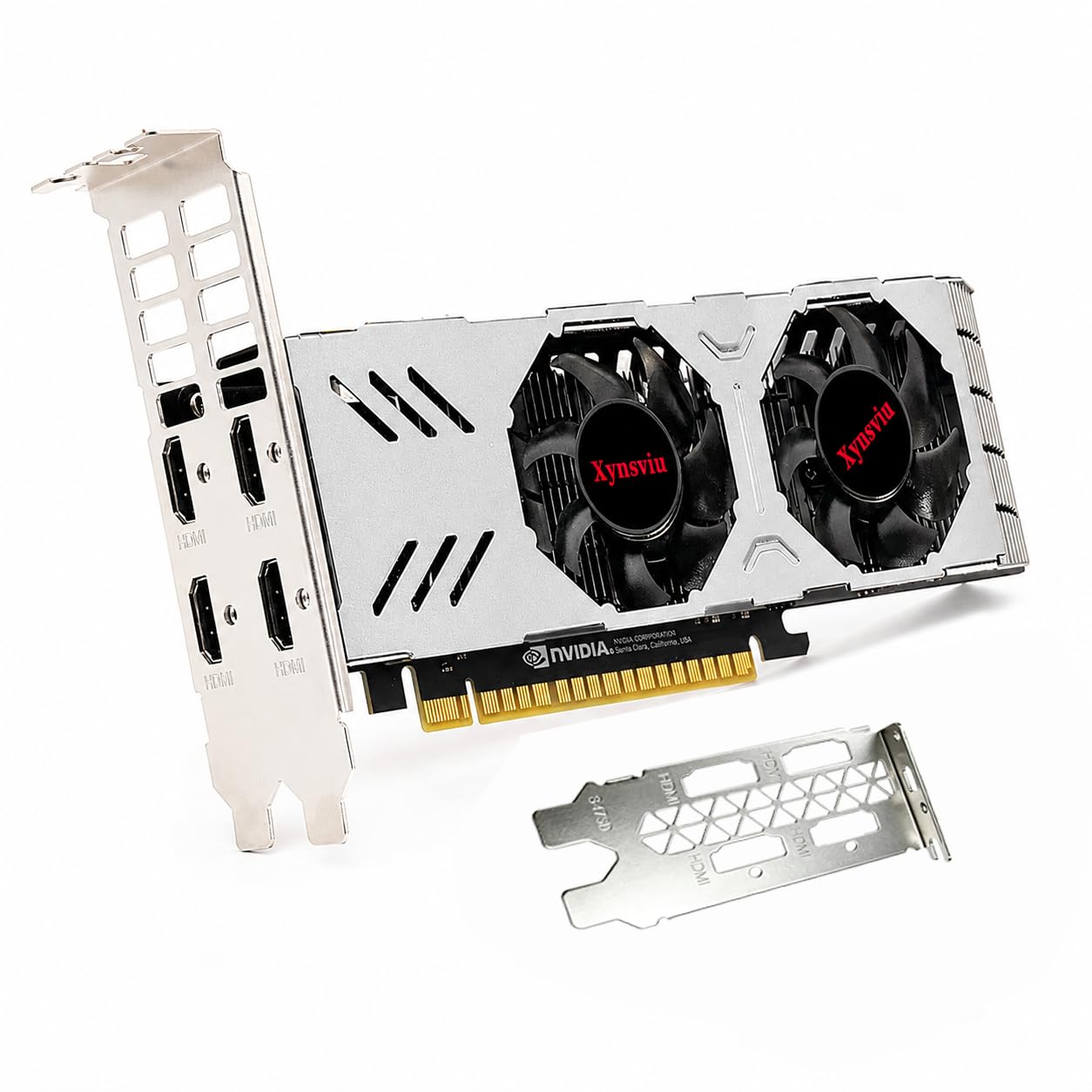
A trading-desk card: four HDMI screens, thirty-watt-quiet, no power cable to route.
If your four monitors exist to show charts, dashboards and monitoring panels all day, this is the build aimed straight at you. Four HDMI outputs connect four displays at once, and the card is pitched at office work, stock trading, digital signage and workstation layouts. It runs on PCIe bus power with no external power connector, and the maximum rated power consumption is 60W, so the installation stays simple inside a compatible PC.
The chip underneath is an NVIDIA GeForce GT 740 with 2 GB of GDDR5, a core clock of 993 MHz and a memory clock of 1050 MHz. That GDDR5 memory is the reason it holds up better than the DDR3 cards on this list for smooth desktop response across several open windows. The board measures 7.09 inches by 4.72 inches and weighs 400 g — a meaningful difference from the 214 g maxsun GT 730 above if you are counting grams in a compact build.
Two things to take seriously. The half-height design suits compact desktops and small form factor systems, but the card is about 1.57 inches thick and needs two expansion-slot spaces, so a single-slot-only case is out. It is also designed for multi-monitor productivity rather than gaming, and the maker asks you to confirm case size, slot, power supply and monitor connections before ordering. Do that and the four-screen setup is genuinely plug-and-go.
Why desk workers like it
- Four HDMI outputs for four simultaneous displays
- 60W maximum draw with no external power cable
- GDDR5 memory keeps multi-window work responsive
Measure before you order
- Needs two expansion-slot spaces despite the low profile shape
- Built for productivity, not gaming
Made for: the trader or office worker who needs four steady screens and a five-minute install.
Not for: a case with only one free slot to give.
5. Xynsviu RX560 2GB GDDR5 4 HDMI Multi Monitor Graphics Card
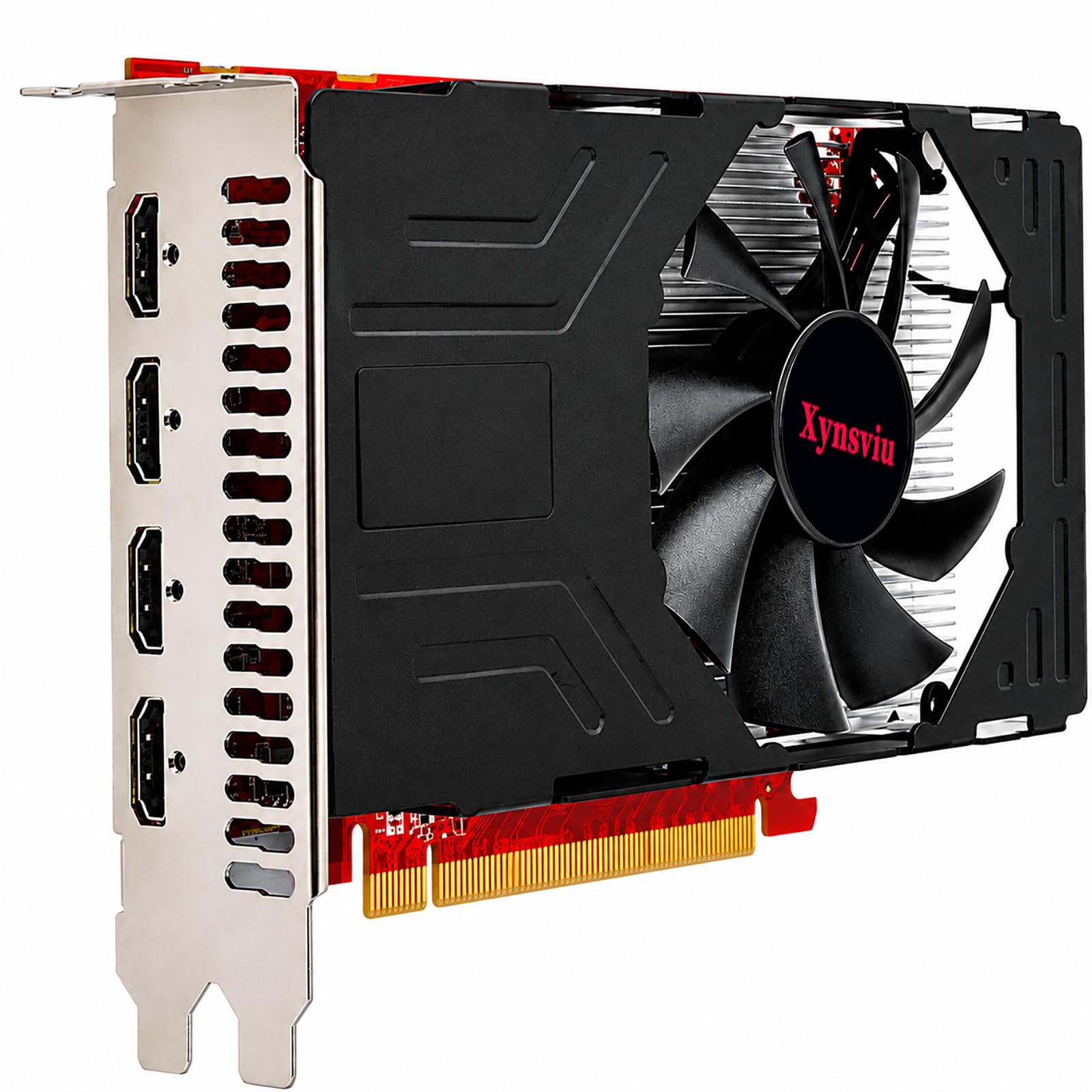
The 60Hz four-screen option, for buyers who want a smooth mouse and a spare game.
Most cards in this corner settle for 30Hz at 4K. This RX 560 lists 3840×2160 at 60Hz across its four HDMI outputs, and that refresh difference is the whole reason it earns a slot here: the pointer glides, scrolling feels normal, and a trading chart that updates fast does not smear. It is built on a 14nm process with the Polaris 12 core, clocked at 1070 megahertz.
The card openly targets two kinds of buyer — the office worker who needs four screens of resolution, and the casual player who fires up a round of League of Legends at night. The four HDMI ports are pitched at exactly that stock-watching, four-screen scenario, and the cooling fan is there to keep it quiet under load with quality electrical components holding stability. Windows 11, 10 and 7 in 64-bit are all listed as supported.
The physical reality to plan for is the full-height baffle at 180 by 120 by 40mm, which means a standard tower rather than a slim case — the opposite constraint to the low profile GT 740. The 2 GB of GDDR5 is modest for serious gaming, so treat the gaming side as a bonus rather than a reason to buy. For four smooth 4K desktop screens, the spec sheet lines up.
Refresh rate is the selling point: 3840×2160 at 60Hz on a four-monitor card is the smoother choice for video calls and fast-updating dashboards.
Full height only: the 180 by 120 by 40mm cooler needs a standard tower, so small form factor owners should keep walking.
Pick this one for: four 4K screens where smooth motion matters more than low-profile fit.
The honest limit: 2 GB of GDDR5 is a desktop budget, not a serious gaming one.
6. SOYO AMD Radeon RX 580 Graphics Card (8GB, 6x HDMI 2.0b)
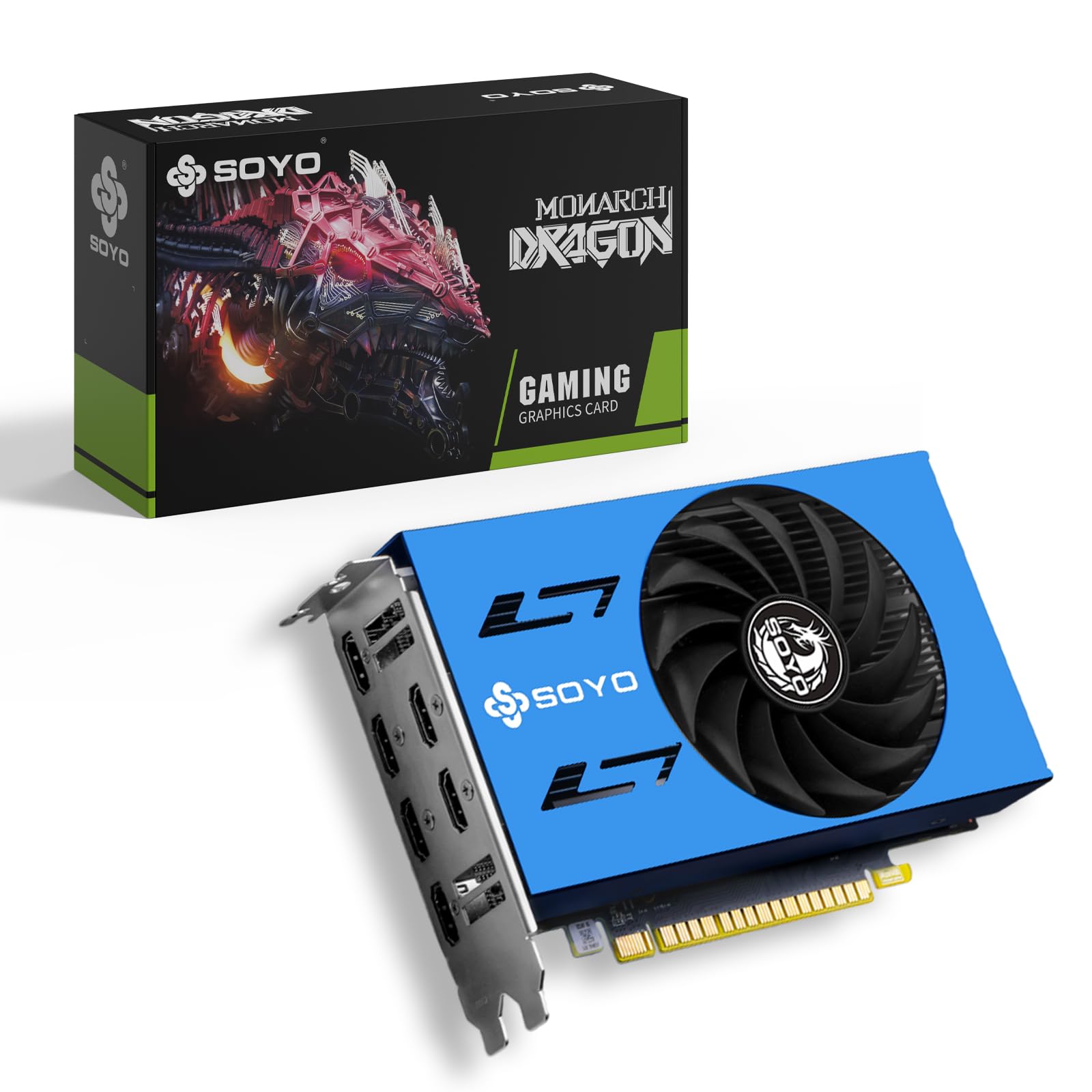
Six HDMI ports and 8GB of memory — the signage wall answer to a four-screen question.
Four monitors is the brief, but six outputs is the headroom. This SOYO card carries six HDMI 2.0b ports built to drive multiple displays at once, which turns a four-screen desk into a starting point rather than a ceiling — add two more panels for a signage loop, a monitoring wall or a retail display without buying another card. The memory is the other headline: 8 GB of GDDR5 on a 256-bit interface, which is quadruple the 2 GB carried by the ASUS GT 730 above.
Power sits with an AMD Radeon RX 580 2048SP GPU clocked up to 1244 MHz, fed by a PCIe 3.0 x16 interface, and a temperature-controlled single fan handles the heat through long multi-display sessions. Windows 10 and Windows 11 desktops are both listed as supported, and the card is pitched at gaming rigs, office workstations, multimedia editing and digital signage in the same breath.
The expectation to set is that this is a step up in class, not a quiet fanless office card — it has an active fan, a larger memory pool, and a gaming heritage behind it. If your four screens are all for spreadsheets and email, this is more card than the job needs. If they are the first four of six, or if you want one machine doing monitors by day and games by night, the port count and the 8 GB pool are exactly the right overkill.
The standout numbers
- Six HDMI 2.0b outputs for simultaneous multi-display work
- 8 GB GDDR5 on a 256-bit interface — the largest pool among the four-HDMI office cards here
- Up to 1244 MHz core clock with a temperature-controlled fan
The fine print
- Active cooling means a moving fan, unlike the fanless GT 730 picks
- More card than a plain four-screen office setup requires
Worth it for: anyone planning five or six screens, or one machine that works by day and plays by night.
Overkill for: a quiet four-screen document desk that never touches 3D.
7. VisionTek AMD Radeon RX 550 4GB GDDR5 4x HDMI Graphics Card
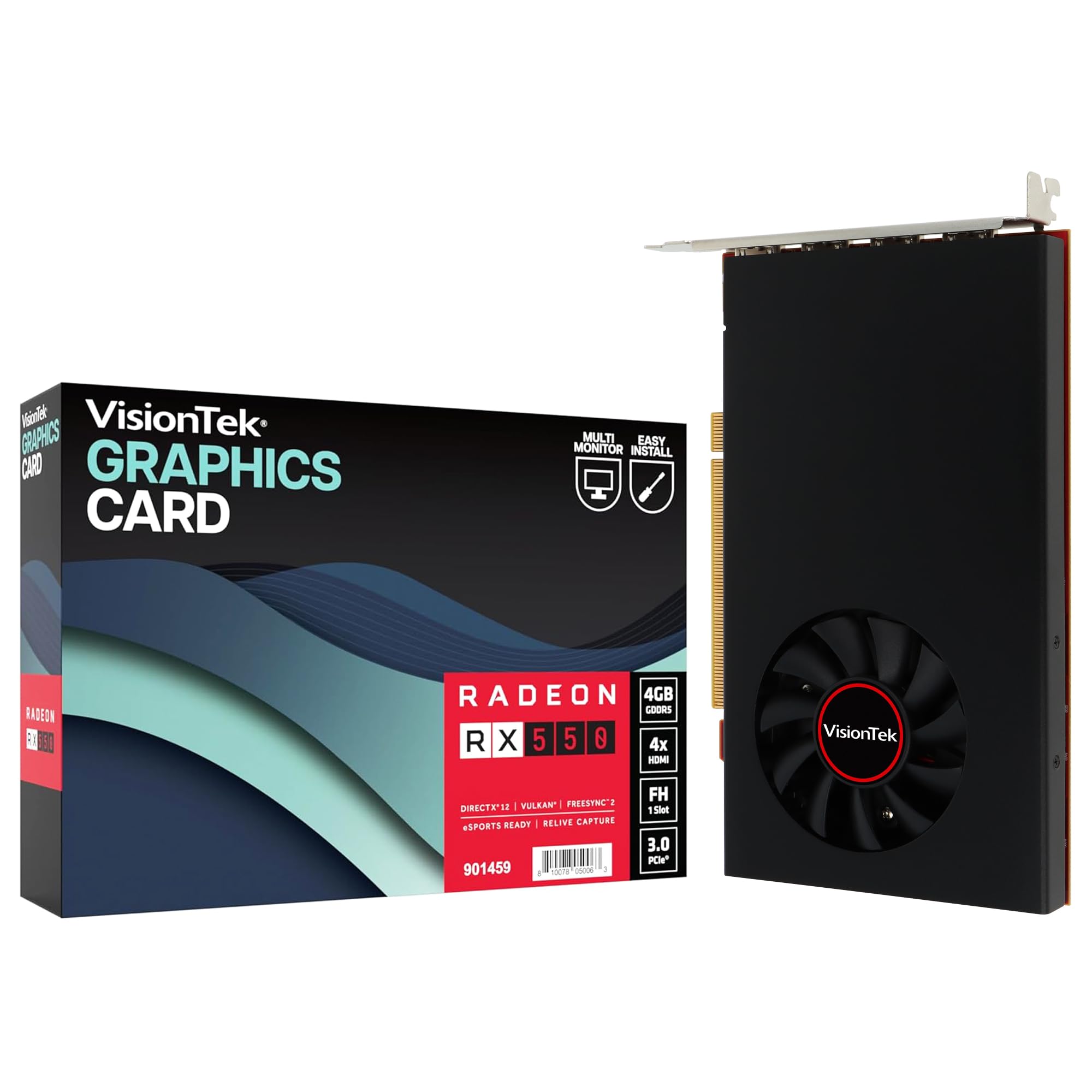
Built like office equipment: single slot, 50W, and a three-year limited warranty.
This one is aimed at the IT buyer upgrading a fleet of desk towers, not the gamer. Four HDMI outputs drive four independent displays at up to 4K from a single card, the 4 GB of GDDR5 memory handles large spreadsheets, live data feeds, video conferencing and 4K playback, and the whole thing draws 50W TDP straight from the PCIe slot with no external power connector. VisionTek recommends a 350W or larger power supply to go with it.
What gives it a business feel is the shape and the backing: a full-height single-slot card measuring 6.9 x 4.4 x 0.5 inches on a PCIe 3.0 x8 interface, a 3-year limited warranty, and listed support for Windows 11, 10 and 7 plus Linux and Ubuntu. The 4 GB of GDDR5 is double what the Xynsviu GT 740 carries, which helps when several windows and a video call are live at once.
The fit note here is the one to read twice. Reliability and effectiveness both come back mixed from owners — some cards run four monitors happily for years, others report a failure or a port that will not cooperate, and the listing itself points DisplayPort monitor owners toward separately sold adapters. It is also explicitly not built for low-profile or small form factor cases. Buy it as a warranty-backed office upgrade for a standard tower, and the odds sit on your side.
An office install, not a hobby build: single slot, slot-powered, 50W TDP, and a 3-year limited warranty make it easy to standardize across several desks.
Know the shape: full height at 6.9 x 4.4 x 0.5 inches, so compact cases and low profile builds are ruled out — and DisplayPort screens need adapters sold separately.
Best match for: a standard office tower that needs four 4K outputs and a warranty behind them.
Wrong fit for: slim cases, or a buyer who wants guaranteed first-try reliability with no returns risk.
8. maxsun AMD Radeon RX 580 8GB 2048SP GDDR5
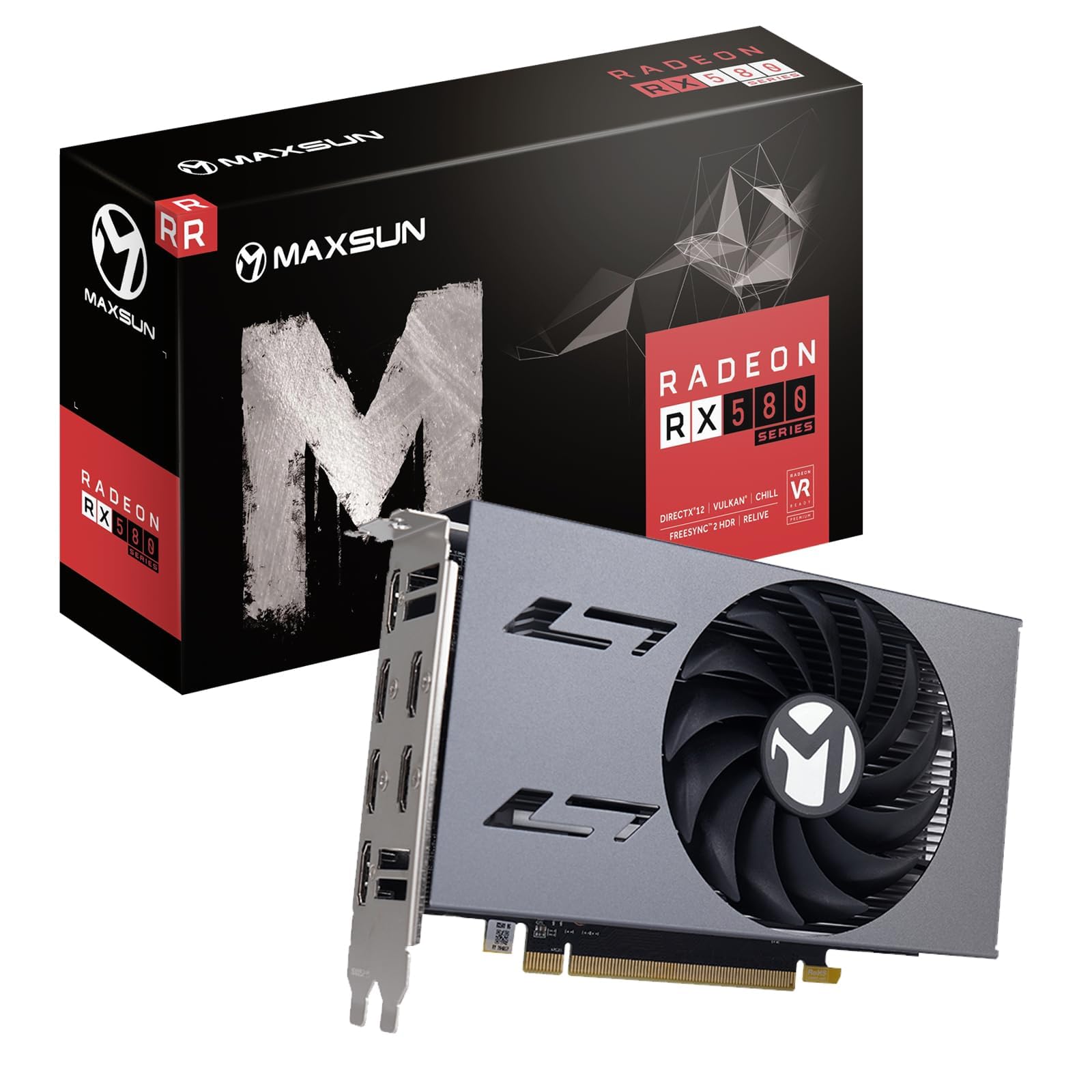
The six-output workhorse that scales your desk past four screens without a second card.
Count the ports and you see the plan: six HDMI outputs support up to six 4K UHD displays at once, so four monitors is a comfortable starting point and the two extra ports sit ready for a later signage loop. The GPU is an AMD Radeon RX 580 2048SP built on the 14nm process with the Polaris 20 XL variant, running at 1244 MHz and paired with 8 GB of GDDR5 on a 256-bit memory interface.
The detail that separates it from the SOYO RX 580 is the metal backplate, which reduces the risk of the board deforming over time and helps cooling. It also carries DirectX 12, Vulkan, Shader Model 5.0, OpenGL 4.6/4.5 and 4K video decode and encode, with Windows 11, 10, 8 and 7 all listed as compatible. For multitasking, stock trading, digital signage and rich visual work, the spec sheet is aimed directly at you.
Reliability is the thing to stay clear-eyed about. Stability reports split both ways — plenty of cards hold steady, while a share of buyers describe crashes within a few minutes and recommend stepping up in budget for build quality. That makes it a card to buy with a return window in mind, and to run on a decent power supply. The 651 g weight also tells you it is a real heatsink-and-backplate card, not a flimsy half-height board.
Where the value lands
- Six HDMI outputs for up to six 4K UHD displays
- 8 GB GDDR5 on a 256-bit interface with a 1244 MHz core
- Metal backplate resists board deformation and aids cooling
What to weigh against it
- Stability reports are split, so keep the return window handy
- 651 g and a full heatsink demand a full-size case
Go here if: you want six 4K outputs and 8 GB of memory at the lowest rung of the premium tier.
Hold off if: long uninterrupted uptime matters more than port count and you cannot tolerate a swap-out.
9. AMD Radeon Pro W7500 Graphic Card (8 GB GDDR6, DisplayPort)

A professional card rated to 7680 x 4320 — 8K on the desktop, for the buyers who need it.
This is where the conversation changes from office screens to professional panels. The Radeon Pro W7500 is rated at a maximum resolution of 7680 x 4320, which puts 8K within reach and lets a four-screen layout run high-density panels without downscaling. It pairs 8 GB of GDDR6 memory with a PCIe x8 interface, and the memory type is a generation ahead of the GDDR5 cards that fill most of this list.
The outputs are the practical detail to note: this card lists DisplayPort as its video output interface. If your four monitors are HDMI, you will need DisplayPort-to-HDMI adapters to connect them — unlike the four-HDMI cards above, which plug straight in. In a professional workstation where the monitors are DisplayPort already, that is a non-issue, and it is the natural pairing for CAD, video editing and data-heavy applications.
The honest read is that this card rewards the right buyer and wastes money on the wrong one. An ITX builder or a four-HDMI desk setup gains nothing from 8K headroom it will never use. A professional workstation running high-density displays, or one planning an 8K panel, gets the output ceiling that the consumer cards cannot reach. Match the card’s output ceiling to the monitors you actually own.
Resolution ceiling: 7680 x 4320 is the highest display rating on this list alongside the ASRock below, and the GDDR6 memory is a newer generation than the GDDR5 cards.
Ports decide your cables: DisplayPort output means HDMI monitors need adapters, so price those in before you commit.
For the professional: a DisplayPort workstation that needs 8K headroom and GDDR6 memory.
Skip the adapters hassle: an all-HDMI desk is better served by a four-HDMI card.
10. ASRock Radeon AI PRO R9700 Creator 32GB Professional Graphics Card
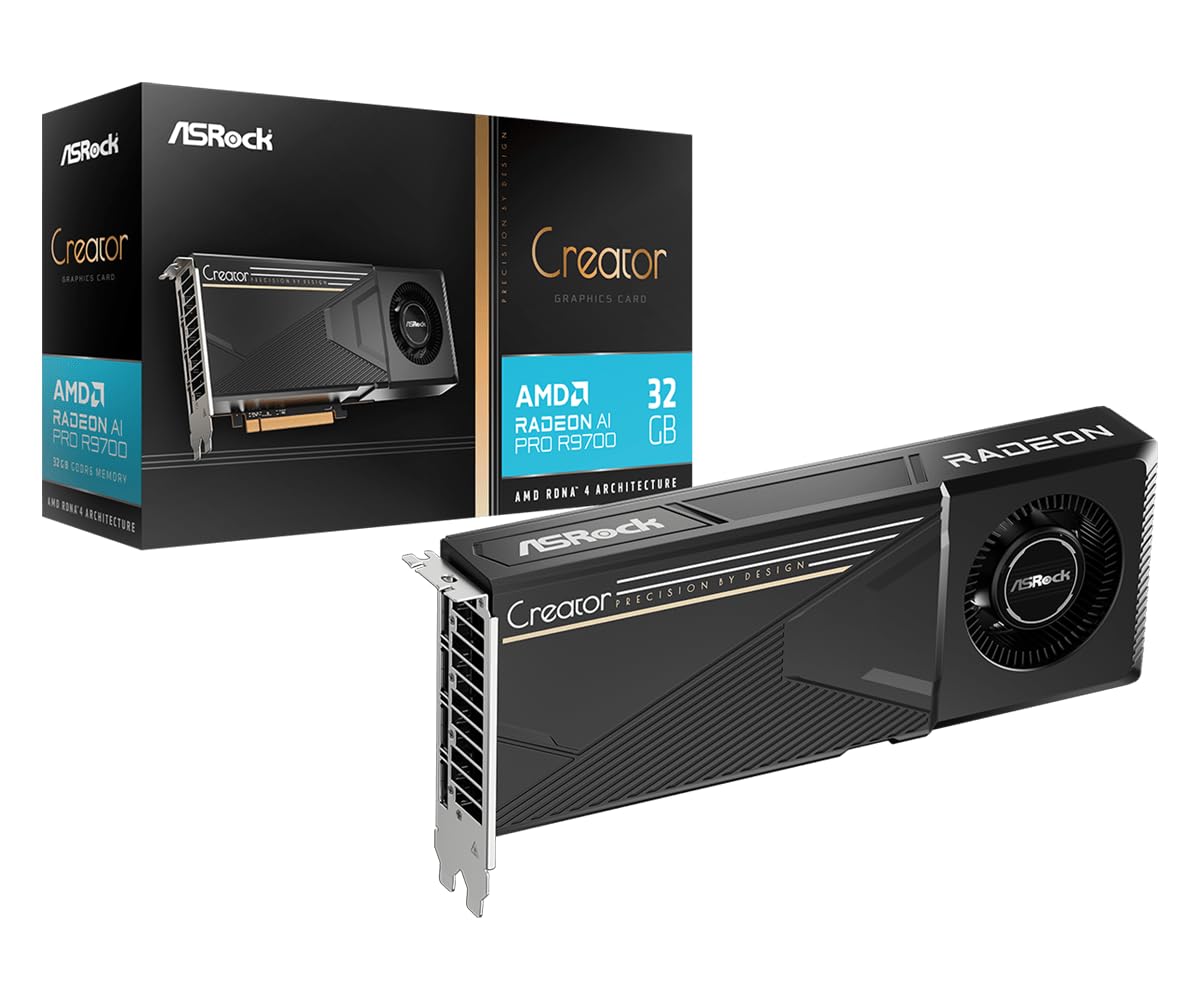
Thirty-two gigabytes of GDDR6 and four DisplayPort 2.1a outputs for the AI workstation.
The top of this ladder is not really a four-monitor card — it is a professional compute card that happens to drive four high-resolution displays very well. The AMD Radeon AI PRO R9700 carries 32 GB of GDDR6 on a 256-bit bus, which is the largest memory pool here by a wide margin, and it is built for AI development, 8K video editing and complex 3D rendering. Four DisplayPort 2.1a outputs handle the multi-display side, and the card is rated to 7680 x 4320.
The engineering details are aimed at machines that run all day. A 2920 MHz boost clock and 64 compute units with 3rd Gen Ray Tracing and dedicated 2nd Gen AI Accelerators sit under a single blower cooler that exhausts heat straight out of the chassis for multi-GPU workstations and server racks. A vapor chamber heatsink with Honeywell PTM7950 thermal interface material keeps it steady under sustained load, and the die-cast metal shroud and backplate are there for 24/7 operation. PCIe 5.0 support rounds it out, with the package including a 12V-2×6 to 3 x 8-pin power cable.
Performance and build quality are what the professional reviews keep returning to, with no stability issues in the mix and the 32GB of GDDR6 called out as strong value for the memory it delivers. Noise is the point of disagreement — some setups run it relatively quiet, others find the blower loud under load. At 1069 g in a two-slot standard form factor, it is also a card you plan a build around, not a casual drop-in. Verify your application and driver compatibility before committing.
Where the money goes
- 32 GB GDDR6 on a 256-bit bus — the biggest memory pool on this list
- 2920 MHz boost clock with 64 compute units and AI accelerators
- Blower cooling and vapor chamber built for 24/7 professional loads
- Four DisplayPort 2.1a outputs and PCIe 5.0 support
What you are signing up for
- Blower noise divides opinion under sustained load
- 1069 g and a full two-slot build demand a proper workstation chassis
Built for: AI, 8K editing and 3D work where 32 GB of GDDR6 and four DisplayPort 2.1a outputs earn their place.
Not your card if: four ordinary office screens are the whole job — the memory and compute go unused.
Know the Specs
Display Output Count and Type
The number of video outputs a card lists is the first filter, because four screens need four connections the card can drive at the same time. HDMI is the friendliest for a desk full of everyday monitors, since most screens and TVs accept it natively. DisplayPort is common on professional panels and handles higher-resolution high-refresh work, but an all-HDMI desk will need adapters if the card only has DisplayPort. Some cards mix the two and add VGA for legacy office monitors, which is how you keep an old screen in the rotation.
Memory and Its Generation
A card’s video memory holds the frames and textures driving your displays, and the generation matters as much as the size. GDDR6 is a newer, faster type than GDDR5, and GDDR5 outpaces DDR3, so a 4 GB GDDR5 card can feel quicker across several windows than a 4 GB DDR3 card. For four monitors of spreadsheets and browsers, 2 GB works but 4 GB gives breathing room. The 8 GB cards here are aimed at gaming, signage walls and heavier visual work where the extra pool earns its place.
Maximum Resolution and Refresh Rate
The maximum resolution figure is the sharpest picture the card can output per screen. Refresh rate sits beside it and is just as telling: 4K at 30Hz is steady for documents and dashboards, while 4K at 60Hz gives smoother motion for video and fast-updating charts. A card rated at 2560×1600 tops out lower than one rated at 3840 x 2160, and one rated at 7680 x 4320 reaches 8K. Match that figure to your monitors’ native resolution rather than to the biggest number on the box.
Power Draw and Slot Fit
Cards powered entirely through the PCIe slot need no cable from the power supply, which makes installation a two-minute job. A card listing a 60W or 50W TDP typically runs this way, while some professional cards include an adapter cable for dedicated power pins. Slot fit is the other half: single-slot cards leave room for another expansion card, low profile cards bring half-height brackets for small cases, and thickness figures like 1.57 inches or a two-slot requirement decide whether your case can take the card at all.
Common Questions
Will a four-HDMI card really run four monitors at once?
Do I need a separate power cable for a four-monitor card?
What is the difference between 4K at 30Hz and 4K at 60Hz on a multi-monitor card?
Will a low profile graphics card fit a small form factor PC?
Can I mix HDMI and VGA monitors on one four-screen card?
Is a six-output card better than a four-output card for my desk?
Why do some four-monitor cards list 2GB of memory and others 8GB?
Will a modern four-monitor card work with Windows 11?
Should I buy a DisplayPort card or an HDMI card for four monitors?
How much power supply do I need for a four-monitor graphics card?
Can a four-monitor card handle gaming as well as office work?
The Bottom Line
For most buyers chasing the video card for 4 monitors, the pick is the ASUS NVIDIA GeForce GT 730, because it puts four HDMI outputs on one slot with no fan and no power cable — a genuinely simple path to four screens. If you want four 4K panels with the smoothest refresh, the Xynsviu RX560 delivers 3840×2160 at 60Hz, and if you need headroom past four displays, the SOYO RX 580 brings six HDMI ports and 8 GB of GDDR5 to the desk.
What’s left is matching the card to your case. Measure your slot count and clearance, confirm your power supply can feed it, and check whether your monitors are HDMI or DisplayPort. Do that and any card on this shortlist will light four screens reliably.
How we choose
We do not accept paid placement. Every pick is matched to a real buyer and a real use-case; we do not hands-on test units.
Sources
Specifications: manufacturer listings and product documentation. Review insights: verified customer reviews, as of November 2026. Pricing: not shown on this page (it changes often); check the current price via the retailer link.
As an Amazon Associate, Tactical Gear Guy earns from qualifying purchases. This does not affect which products we feature.