Specs are compiled from manufacturer listings and verified buyer reviews and can change over time — please confirm the key details on the product page before buying.
You want to walk in with grocery bags and say “lights on” instead of fumbling for a switch in the dark. That is the whole promise of a smart wall switch, and most of these nine deliver it. The one thing that trips people up is not the app or the voice assistant — it is what is hiding behind your old switch plate. You need a neutral wire (a spare white wire, usually bundled with the others) for nearly every smart switch on this list, plus 2.4 GHz Wi-Fi rather than the 5 GHz band your router also broadcasts. Get those two things straight before you buy, and install takes minutes.
This guide is built by comparing the manufacturers’ published specifications and the patterns across verified customer reviews, so you get each pick’s real strengths and trade-offs instead of marketing spin.
Some switches here handle three or four locations, some dim your bulbs, and one works without your internet at all — pick by wiring setup first and extras second. This breakdown of the wifi switch for lights covers load ratings, wiring needs, and app control so you know exactly what fits your wall box.
Top Picks


How To Choose The Best WiFi Switch for Lights
Start with your wall, not the app. Open your existing switch plate and look for a bundle of white wires capped together at the back of the box. That is your neutral, and every pick below except one calls for it. No neutral means you stop shopping switches and start looking at smart bulbs instead.
Match the circuit type to the room
A single-pole switch controls one light from one location — the bedroom, the laundry room, the porch. A three-way setup has two switches for the same light, like the top and bottom of a staircase. Tapo’s S515 and Leviton’s D315S-1RW are the two picks here that cover multi-location wiring, so check how many places your light can be switched from before you commit.
Check the amp rating against what you are switching
The current rating is the amount of electrical load the switch can carry, and it matters most for ceiling fans and big lighting runs. A 15 A switch like the Tapo S500 or GHome SW5 handles more than a 10 A TREATLIFE or a 2.5 A Kasa dimmer. Plain light bulbs rarely push near the limit, but a fan motor plus lights on one circuit is where the higher rating earns its keep.
Decide if you want dimming or just on/off
Dimming hardware is a different animal. The Kasa HS220-BL and Tapo S505D both ramp brightness smoothly, but they only work with bulbs rated for dimming, and Tapo publishes its ceiling: 150W of dimmable LED or 300W incandescent at 120V. If dimming is not a need, a standard on/off switch is simpler and often rated for heavier loads.
Side-by-Side Comparison
| Model | Best For | Circuit Type | Current Rating | Neutral Wire | Amazon |
|---|---|---|---|---|---|
| Tapo S500 (4-Pack)★ Best Overall | Whole-home swap in one box | 1-way | 15 A | Required | Amazon |
| GHome SW5Budgets First Try | First-timer on a budget | 1-way | 15 A | Required | Amazon |
| Kasa HS220-BLBest Dimming Feel | Smooth dimming in black | 1-way | 2.5 A | Required | Amazon |
| TREATLIFE Single-Pole | Ceiling fans and holiday lights | 1-way | 10 A | Required | Amazon |
| Tapo S505 (2-Pack) | Mixed-brand smart homes | 1-way | 15 A | Required | Amazon |
| TREATLIFE 3-Way | Two-switch staircases and garages | 3-way | 10 A | Required | Amazon |
| Leviton D315S-1RW | Apple Home households | 3-way | — | — | Amazon |
| Tapo S505D (2-Pack) | Dimmable LED reading rooms | 1-way | 2.5 A | Required | Amazon |
Detailed Reviews
1. Tapo Smart Light Switch, Single Pole, S500 (4-Pack)
Our pick — 4.5+★ from 850+ verified ratings; the strongest balance of quality and price.
Four switches in one box, each rated to carry a full 15 amps of household lighting.
You can switch a whole house from one order with this box: four Tapo S500 switches, four wall plates, sixteen wire nuts and eight screws. The 15 A current rating (amps, the measure of how much electrical load a switch can carry) is the number that matters. It is the heaviest load rating among the standard on/off picks here, so running a light plus a ceiling fan on one circuit stays well inside its comfort zone. Every switch uses the same single-pole wiring (one switch controls one circuit) and needs a neutral wire, so once you have done the first, the next three go faster.
The setup runs through the Tapo app, which walks you through the wiring in steps, then joins the switch to your 2.4 GHz Wi-Fi. From there you get voice control through Amazon Alexa, Google Assistant or Samsung Bixby, plus remote on/off from the app wherever you are. Scheduling and countdown timers are built in, and Away Mode flips the lights on and off at random to make an empty house look lived-in. Tapo also points to UL certification and a 2-year warranty, which speaks to the safety side of a device that lives permanently inside your wall.
Where this pick shows its real value is scale. One smart switch impresses nobody; four that all answer to the same app and the same voice commands start to feel like an actual system. The buy-in cost per switch lands in entry-level territory for a four-pack, which is why this sits at the top of the list rather than being filed away as a budget option. The honest catch: there is no dimming here, and it is single-pole only, so a staircase with two switches or a room where you want a soft evening glow will need a different pick from the list.
Where this pack earns its keep
- 15 A rating carries heavier lighting loads than the 10 A TREATLIFE or 2.5 A Kasa dimmer
- Four switches, four plates and all the wire nuts included — enough for several rooms at once
- Works with Alexa, Google Assistant and Samsung Bixby, plus scheduled timers and Away Mode
- UL certified with a 2-year warranty
What it does not do
- No dimming — on and off only
- Single-pole wiring, so no two-switch staircase setups
- Needs a neutral wire and 2.4 GHz Wi-Fi in every location you fit it
The right call for: anyone fitting smart control into three or four rooms who wants one app, one voice setup and a strong load rating.
Cross it off if: you need a dimmer or a three-way switch — this box gives you neither.
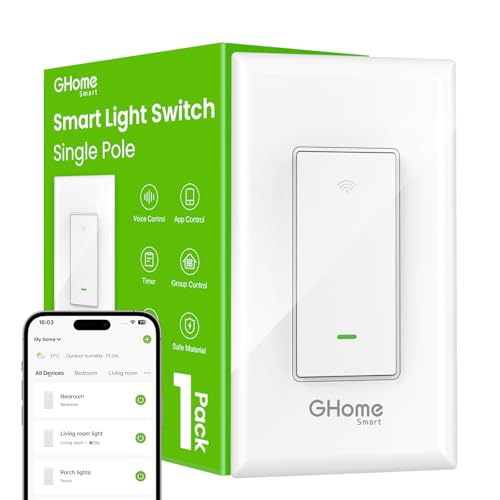
2. GHome Smart Light Switch, Single Pole, SW5
A single switch that asks nothing of you but a neutral wire and your Wi-Fi password.
The big draw here is how little stands between the box and your first voice command. The instructions rate well — buyers describe the wiring as straightforward and the power connection as simple to follow. It fits standard wall boxes and works with your existing light fixtures, so the bulbs stay put. You get 15 A of capacity and a published 1800W rating at 120V/60Hz, which covers normal room lighting with room to spare.
Voice control covers both camps: Alexa and Google Assistant both answer, so “Alexa, turn on bedroom lights” or “Hey Google, turn off all lights” works once the GHome app has the switch on your network. Grouping lets you shut down a set of switches in one command, which beats walking the hallway before bed. Schedules handle the porch light at sunset and the bedroom at 11pm, and Away Mode simulates someone being home while you travel.
Two build details back up the safety side: UL and FCC certification, plus flame-retardant material with overload protection. One practical snag to plan around — the app and the voice integrations only talk over 2.4 GHz Wi-Fi, so if your router splits bands, connect your phone to the 2.4 GHz one during setup. GHome also recommends updating firmware to version V1.1.3 through the app, which is a two-minute job that avoids the stability quirks older firmware is known for.
The value read: for a single-room install, this is one of the simplest paths into app and voice control, and the 15 A rating means it is not a lightweight.
Worth flagging: single-pole only, no dimming, and 2.4 GHz Wi-Fi only — set your expectations there before you cut the power.
Reach for it when: you have one room, one neutral wire, and no interest in paying for extras you will not use.
Keep looking when: your light is wired to two switches, because this one covers a single location only.
3. Kasa Smart Dimmer Switch HS220-BL, Single Pole
Dimming down to 1% is the kind of low light a movie night actually wants.
Most dimmers bottom out somewhere in the teens; this one goes down to 1% brightness, and the fade on/off means the light eases up rather than snapping on. That smooth transition is the feature buyers bring up most after the install itself, and it changes how a room feels at night. The switch itself is single-pole and comes in black, which suits a modern switch plate better than the usual white.
Spec-wise this is the lightest-duty dimmer on the list at a 2.5 A current rating, so think of it as a companion to LED fixtures rather than a heavy lighting circuit. The Kasa or Tapo app guides the install, and it needs a neutral wire plus 2.4 GHz Wi-Fi. Voice works through Amazon Alexa, Google Assistant or Samsung SmartThings. Schedules can adjust both on/off and brightness, and Away Mode randomizes the lights while you are away. One genuinely useful update: Kasa devices now run inside the Tapo app, so if you already use Tapo switches, everything lives in one place without swapping hardware.
One caveat worth knowing: buyers report genuinely mixed connectivity, with connection drops common enough to be a real pattern rather than a one-off. That is not a reason to skip it, since the dimming quality and the clean look carry the switch for most buyers. It does mean you should check for a stable 2.4 GHz signal (the slower Wi-Fi band that reaches further through walls) near the switch before you install. You also need dimmable bulbs, because standard LEDs can buzz or flicker at low brightness even when the switch is working correctly.
The dimming case
- 1% to 100% brightness range, with smooth fade on and off
- Black finish that suits modern plates
- Kasa hardware now supported inside the Tapo app with no hardware swap
- Voice control via Alexa, Google Assistant or SmartThings
What to plan around
- Connection reliability is a genuine mixed bag — solid 2.4 GHz Wi-Fi matters here
- 2.5 A rating suits LED fixtures, not heavy lighting circuits
- Needs dimmable bulbs to avoid flicker at low levels
Best fit for: a bedroom or living room where you want the light to glide down to a whisper instead of cutting off.
Think twice if: your Wi-Fi is patchy at that wall — this switch leans on a steady 2.4 GHz connection.
4. TREATLIFE Smart Light Switch, Single-Pole

A no-hub switch that also takes ceiling fans and strings of holiday lights in stride.
Most smart switches talk about lighting; this one is happy to switch the ceiling fan too. It is rated 10 A with a 1250W maximum, which is plenty for a fan on its own or a set of Christmas decoration lights you want on a schedule. The screwless snap-on wall plate gives it a cleaner face than a plate held by visible screws, and no hub is needed — it joins your 2.4 GHz Wi-Fi directly.
Control comes from the Smart Life app, which handles the usual checklist: on/off from bed or from another country, live light status, device sharing, and grouping multiple lights under one tap. Voice control runs through Amazon Alexa and Google Assistant. Schedules and countdowns can mimic occupancy while you are on vacation, which is a small thing that makes an empty house less obviously empty.
For safety, TREATLIFE cites FCC certification (the US government’s approval mark for electronic devices), flame-retardant material and built-in overheat protection. Buyers keep coming back to the balance of price against what you get: it reads as a well-made switch that pairs reliably with both Alexa and Google Home. The instructions are clear enough that a first-time installer can follow them. The main limit is the wiring: single-pole only and a neutral wire required, and it is deliberately not compatible with HomeKit (Apple’s smart-home system).
The practical angle: if your switch plate controls a fan, this handles it without a second device or a hub in the middle.
One setup note: 2.4 GHz only, not 5 GHz — the single most common reason a first connection fails.
Worth buying for: fans, decorative lighting, and anyone who wants app plus voice control without adding a hub to the shelf.
Not the one for: two-switch stairwells or dimmable bulbs — this switch is on/off and single-location.
5. Tapo Matter Smart Light Switch S505 (2-Pack)

When your internet drops, these two switches keep talking to your bulbs anyway.
LAN control is the feature that separates this pair from the crowd. Matter lets devices on your local network talk directly to each other — so a Matter switch can control a Matter bulb without routing through a cloud server. If your broadband goes down, the switch keeps working as a switch. Add Multi-Admin and you can run the same light from the SmartThings app on a Samsung phone, dim it by voice through an Echo speaker, and shut it off from Apple Home on an iPad. Two switches come in the box, both rated 15 A for single-pole wiring.
Installation is the aspect buyers praise hardest, and the app-guided setup with clear wiring steps is why — the Tapo app walks you through neutral wiring and 2.4 GHz connection in order rather than leaving you to guess. Value for money comes second in what owners talk about. The flat, easy-to-use nature of the switch itself rounds it out. You still need a neutral wire and 2.4 GHz Wi-Fi, and consulting an electrician is the recommended route if wiring is new territory.
Compatibility is the honest sticking point. The switch is certified for Apple Home, Alexa, Google Assistant and SmartThings (a smart-home hub that links devices together), and it works well with a SmartThings hub. Alexa integration is where feedback splits, though, so if Alexa commands run your house, plan on some setup patience. A few buyers also flag button responsiveness and general reliability as mixed. Neither erases what LAN control buys you (it keeps working over your local network when the internet is down), but they are the difference between a five-minute setup and an evening of fiddling.
What the Matter badge buys: a switch that keeps switching without the internet, and one light you can control from four different apps.
The fair warning: Alexa setups see the most friction, and button feel draws mixed notes — test voice commands early rather than late.
Choose it for: a mixed smart home where Apple, Alexa and SmartThings all need a seat at the table.
Look past it if: you want a simple Alexa-only switch and nothing more — a single-protocol pick will be less fuss.
6. TREATLIFE 3-Way Smart Light Switch

Two switch locations on one light, and the wiring instructions make it doable yourself.
The kitchen-to-garage run and the staircase landing are exactly what this switch was built for. It handles both single-pole and 3-way setups, so you can replace one end of an existing pair or fit two smart switches for control from either end. Rated 10 A and up to 1250W, it has the load headroom for a normal lighting circuit. The screwless snap-on plate matches the single-pole TREATLIFE above, so a house with both looks consistent.
Voice control runs through Alexa and Google Assistant, and the Smart Life app covers schedules, countdown timers, device sharing and grouping. Away Mode simulates occupancy while you are travelling. FCC certification, flame-retardant materials and built-in overheat protection fill out the safety spec. Setup is 2.4 GHz Wi-Fi only — no hub — and the step-by-step wiring guide is the reason it goes in easily.
One thing to be clear about before you order: this is a standard on/off switch, not a dimmer, and TREATLIFE states it is not compatible with dimmable bulbs. If the bulb in that fixture is a dimmable LED, fit a plain one instead. Durability is the other honest note — a small number of units have been reported to stop working after a couple of years, which is a fair thing to weigh on a switch you install once and forget. The rest of the picture is sound: easy hook-up, good value, and clean instructions.
What it handles well
- Single-pole and 3-way setups from one switch model
- 10 A / 1250W rating suits standard lighting circuits
- Alexa and Google Assistant voice control, no hub required
- FCC certified with overheat protection
What to weigh first
- No dimming, and not compatible with dimmable bulbs
- Long-term durability is mixed, with some units failing after a couple of years
- 2.4 GHz Wi-Fi only, neutral wire required
The natural fit: a two-switch light in a stairwell or garage where you want both ends smart without rewiring the pair.
Give it a miss if: the fixture uses dimmable bulbs — this switch wants standard on/off lamps.
7. Leviton Decora Smart Switch, Wi-Fi, D315S-1RW
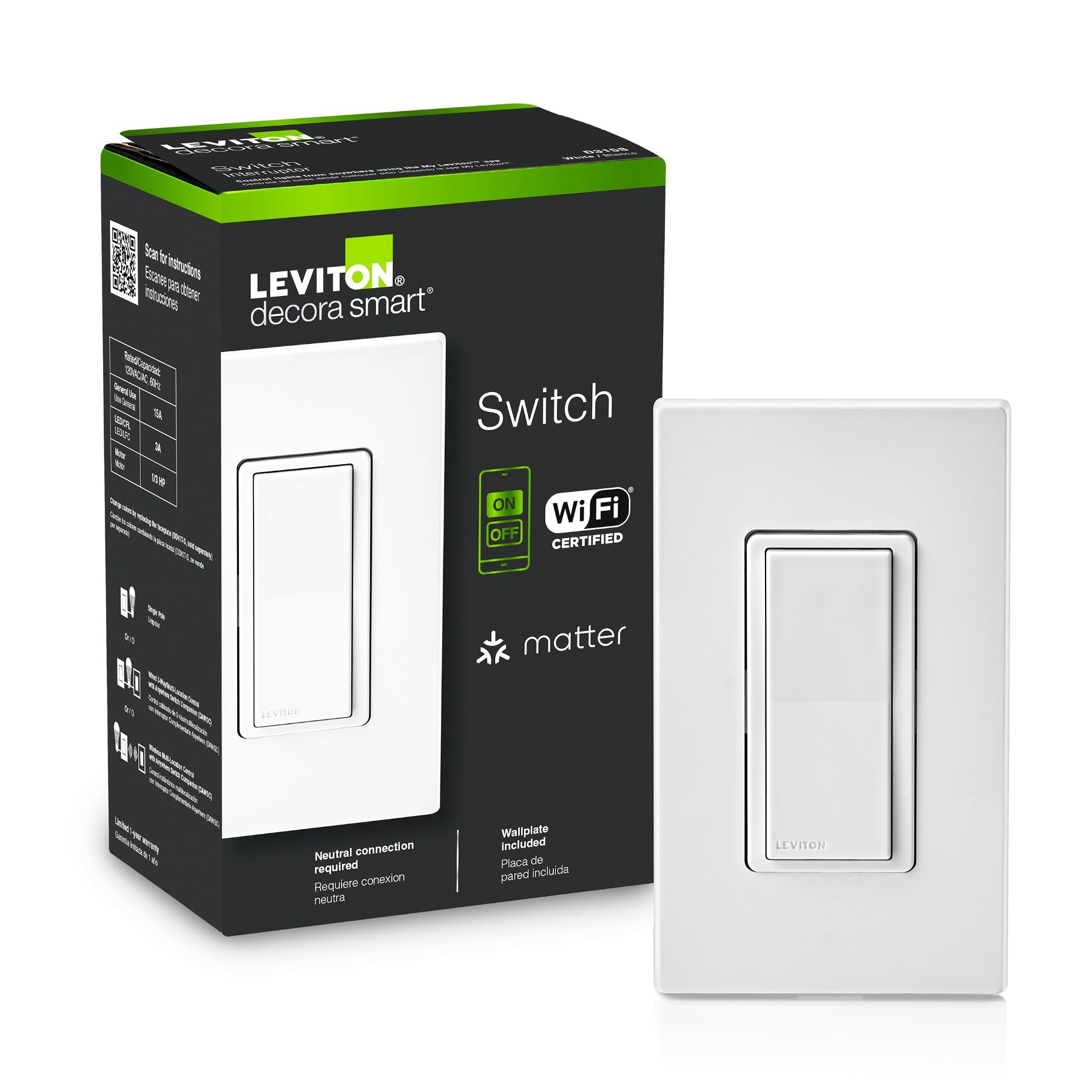
A brand-name switch that speaks to Siri, Alexa, Google and SmartThings from the start.
If your house runs on Apple Home, the compatibility list here is the selling point. It works with Google Assistant, Amazon Alexa and Apple Siri, and it is Matter ready from the start so it also joins SmartThings and Home Assistant. That is the widest platform spread on this list for a 3-way-capable switch. The My Leviton app handles the scheduling, including setting exterior lights to come on at sunset so you never pull into a dark driveway.
Away from the app, the hardware is the classic Decora rocker — a push-button style face rather than a toggle — and it ships with a screwless wallplate, which is why the install and appearance read cleanly. The switch weighs 7.36 ounces and mounts in a standard wall box. What buyers focus on is how reliably it works across apps, Alexa and LED barn lights, with build quality and ease of use drawing steady praise. The one thing feedback splits on is build quality specifically — some find it well-made, others less convinced — so judge it on the feature set rather than a single opinion.
The Decora name carries weight in electrical circles, and this switch keeps the familiar face style while adding Wi-Fi and voice. What it does not publish is a current rating or neutral-wire requirement, so if your fixture runs heavy loads, confirm the circuit spec on the Leviton documentation before you swap it in. For a normal room light plus smart control, it is a solid premium-tier pick with the broadest platform list here.
Why Apple households shortlist it: Siri, Alexa, Google, SmartThings and Home Assistant in one switch, Matter ready, with a screwless plate that looks the part.
The gap to check: load rating and neutral-wire needs are not published here — verify them against your circuit before installing.
Suited to: a home already running Apple Home or Home Assistant that wants a big-name switch with a familiar rocker face.
Less suited to: anyone who needs published load numbers up front — you will have to look them up first.
8. Tapo Matter Smart Dimmer Switch S505D (2-Pack)
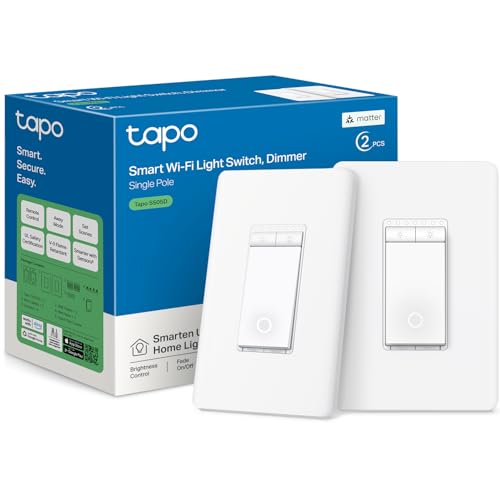
Two dimmers, 0% to 100% brightness, and smooth fades for winding down at night.
The published load ceiling is the number to read twice: 150W of dimmable LED or 300W of incandescent and halogen lighting at 120V, 60Hz, using leading-edge TRIAC dimming. That is enough for a normal room of LED fixtures, but check your bulb’s wattage against that 150W figure before you buy into a big lighting run. Both switches in the pack are single-pole — this is explicitly not a wired 3-way dimmer. Brightness is adjustable from the wall, the Tapo app or voice.
Matter certification means it works with Apple Home, Amazon Alexa, Google Home and Samsung SmartThings, with local-network control and Multi-Admin support. Two details matter at install: neutral wire, 2.4 GHz Wi-Fi, and a wall box at least 2 inches deep are required, and Bluetooth is used for setup only. The fade on/off transitions are there for movie nights and reading, and schedules plus Away Mode handle the rest. UL certification and a 2-year warranty back the safety side.
What buyers like most is the price against the feature set — this pair reads as a strong alternative to name-brand dimmers that cost more. Voice responsiveness is quick, and the face blends in with ordinary wall plates rather than shouting smart switch. The honest caveat is bulb pairing: TRIAC dimming can bring out buzz or flicker in LED bulbs that dim poorly, and Tapo explicitly points you to check the bulb manufacturer’s dimming compatibility first. Do that, keep within the stated load limits, and this pair does everything the box says.
The dimmer pair case
- Two dimmers in one pack, from 0% to 100% brightness
- 150W dimmable LED or 300W incandescent capacity at 120V, 60Hz
- Matter certified across Apple Home, Alexa, Google Home and SmartThings
- UL certified with a 2-year warranty
Before you order
- Single-pole only — not a wired 3-way dimmer
- Wall box must be at least 2 inches deep
- Bulb compatibility matters; dimmable LEDs still vary in how they respond
Fits best: two rooms you want to dim smoothly, opened up to Matter platforms at once.
Skip if: your dimming switch is on a 3-way circuit or your wall box is shallow — both are hard stops here.
Know the Specs
Neutral wire requirement
A neutral wire is the white return wire that completes a circuit, and smart switches need it because the electronics inside draw a trickle of power even when the light is off. Without it, the switch has nothing to power its Wi-Fi radio. Open your old switch plate and look for a bundle of white wires capped together — if it is there, most of this list is open to you. If not, stop and consider smart bulbs instead, because no switch on this list works without that wire.
2.4 GHz vs 5 GHz Wi-Fi
Smart switches connect on the 2.4 GHz band, the older, longer-range Wi-Fi frequency. It is not the faster 5 GHz band your phone prefers, so the switch will not show up if the phone is on 5 GHz during setup. The fix is simple: connect your phone to the 2.4 GHz network, pair the switch, and then go back to normal. TREATLIFE and GHome both state 2.4 GHz only in their own specs, and the same rule applies across the list.
Current rating and load
The current rating is how much electricity a switch can safely carry, measured in amps. A 15 A switch (Tapo S500, Tapo S515, Tapo S505, GHome SW5) carries more than the 10 A TREATLIFE models or the 2.5 A dimmers. For plain bulbs it rarely matters, but a ceiling fan motor on the same circuit pulls harder, so the higher number gives headroom. Never exceed the rating on the box — that is what the UL and FCC certifications are about.
Matter and local control
Matter is a smart-home standard that lets devices from different brands work together. With Matter, a switch on your local network can control a Matter bulb directly, without sending commands through a cloud server. That means your lights keep responding when the internet is down. Tapo’s S515, S505 and S505D all carry the certification, and so is the Leviton D315S-1RW. If reliability during an outage matters to you, this is the spec to look for.
Dimming loads and bulb compatibility
Dimmers have their own ceiling. The Tapo S505D handles up to 150W of dimmable LED or 300W incandescent and halogen at 120V, 60Hz, and the Kasa HS220-BL ranges from 1% to 100% brightness. The catch is the bulb: dimmable LEDs vary wildly in how smoothly they dim, and cheap ones can buzz or flicker. Check the bulb maker’s dimming compatibility before pairing it with any dimmer here — the switch is only half the equation.
Three-way and four-way wiring
A 3-way circuit lets two switches control one light, which is common on staircases and garage doors. A 4-way adds a third switch location. Most smart switches are single-pole only and will not work in those spots. The Tapo S515 is the standout here because it handles single-pole, 3-way and 4-way circuits, and both the Leviton D315S-1RW and the TREATLIFE 3-Way cover standard 3-way setups. Count how many switch locations your light has before you buy.
Common Questions
Do I definitely need a neutral wire for a smart light switch?
Will a WiFi light switch work with my 5 GHz router?
Can I use a smart switch on a staircase light with two switches?
Can a smart light switch control a ceiling fan?
What is the difference between a 15A and a 10A smart switch?
Do I need a hub to use a WiFi light switch?
Why does my dimmable LED bulb flicker on a smart dimmer?
Will a smart switch keep working if my internet goes down?
Can I install a smart light switch myself or do I need an electrician?
Do these switches work with Apple Home or just Alexa and Google?
The Bottom Line
For most people wiring a whole home, the wifi switch for lights winner is the Tapo S500 4-Pack. Four 15 A switches, four plates and all the wire nuts arrive in one box and run off a single app, which makes it the shortest path from a dumb house to one that answers your voice in every room. The Kasa HS220-BL is the crowd favorite here at 4.5+ stars across 300+ ratings. But it is a 2.5 A dimmer, while the Tapo S500 is rated 15 A, so the two serve different jobs.
If your light is wired to two or three switches, reach for the Tapo S515 instead — its 3-way and 4-way support is the rare spec that makes a staircase light smart. Want a room that dims to a whisper? The Tapo S505D pair takes you from 0% to 100% brightness with smooth fades, provided you check the dimmable LED ceiling of 150W first. And if Apple Home, Alexa and SmartThings all need to coexist, the Tapo S505 keeps controlling your lights even when the internet drops. Whichever you pick, confirm the neutral wire behind your plate before the box ships — that check saves you more time than any spec on this page.
How we choose
We do not accept paid placement. Every pick is matched to a real buyer and a real use-case; we do not hands-on test units.
Sources
Specifications: manufacturer listings and product documentation. Review insights: verified customer reviews, as of November 2026. Pricing: not shown on this page (it changes often); check the current price via the retailer link.
As an Amazon Associate, Tactical Gear Guy earns from qualifying purchases. This does not affect which products we feature.