Specs are compiled from manufacturer listings and verified buyer reviews and can change over time — please confirm the key details on the product page before buying.
Typing on a controller is the roadblock that keeps most Xbox owners from using their console for anything more than games. A wireless keyboard and mouse fixes that in one move: you get a cursor you can actually aim and a keyboard you can type on across the room. The catch is that Xbox support is decided by the game, not the hardware, so the peripheral has to plug in and pair cleanly first. Every pick below uses a USB receiver or Bluetooth and is listed by its maker as Xbox-compatible, so you are choosing between real options rather than hoping.
This guide is built by comparing the manufacturers’ published specifications and the patterns across verified customer reviews, so you get each pick’s real strengths and trade-offs instead of marketing spin.
Battery capacity, key layout, and receiver placement are what separate a set that lives on the shelf from one you reach for daily. Below is my honest read on the best wireless keyboard and mouse for Xbox.
Top Picks

How To Choose The Best Wireless Keyboard and Mouse for Xbox
Almost everyone shopping this category gets burned by the same assumption: that a keyboard marketed for gaming will just work on an Xbox. It will not always. Xbox treats a plugged-in keyboard and mouse as an input device, and whether the game in front of you accepts it is up to that game’s own settings. So the first job is picking hardware that connects reliably, and the second is checking your game. Everything else — battery, layout, lighting — is comfort on top of that.
Check the connection type before anything else
A 2.4GHz wireless connection means the set talks to your console through a small USB receiver (a dongle that plugs into the Xbox’s USB port). That is the simplest route: plug it in and the keyboard and mouse are live without pairing screens or software. Bluetooth sets skip the dongle but lean on the console’s built-in pairing, which is a different setup. Both can work — just know which one you are buying before you open the box.
Match the key count to your setup
An 87-key layout (often called tenkeyless, or TKL) drops the number pad on the right side. That leaves more room for the mouse to swing, which matters if you are playing from a couch tray or a small desk. A 104-key full-size layout keeps the number pad for spreadsheets and shortcut-heavy work. Neither is better — a full-size set suits mixed office and game use, a TKL suits a tight space.
Take the battery number seriously
Rechargeable sets list capacity in mAh (milliamp-hours — a measure of how much charge the battery holds). A larger number tends to mean fewer charging stops, but backlighting drains it faster. Look for a set with an auto-sleep function and a separate power switch, because both cut drain when the set is sitting idle between sessions.
Side-by-Side Comparison
| Model | Best For | Key Count | Keyboard Battery | Connection | Amazon |
|---|---|---|---|---|---|
| CHONCHOW G112 TKL★ Best Overall | Tight desks and couch play | 87 keys | 2500mAh | 2.4GHz USB | Amazon |
| CHONCHOW Light Up LettersFull-Size Backlight | Low-light typing on a budget | 104 keys | 2500mAh | 2.4GHz USB | Amazon |
| CHONCHOW RGB Gamer Combo | Mixed gaming and office work | 104 keys | 2500mAh | 2.4GHz USB | Amazon |
| CHONCHOW W301a | Quiet shared-room typing | — | — | 2.4GHz USB-A / USB-C | Amazon |
| CHONCHOW 87-Key LED Combo | Portable console setup | 87 keys | 2000mAh | 2.4GHz USB | Amazon |
| Redragon S155PRO | Multi-device players | 75% layout | 4000mAh | Bluetooth 5.0 / 2.4GHz / USB-C | Amazon |
Detailed Reviews
1. CHONCHOW G112
Our pick — 4.0+★ from 400+ verified ratings; the strongest balance of quality and price.
The compact set that hands your mouse back the desk space it deserves.
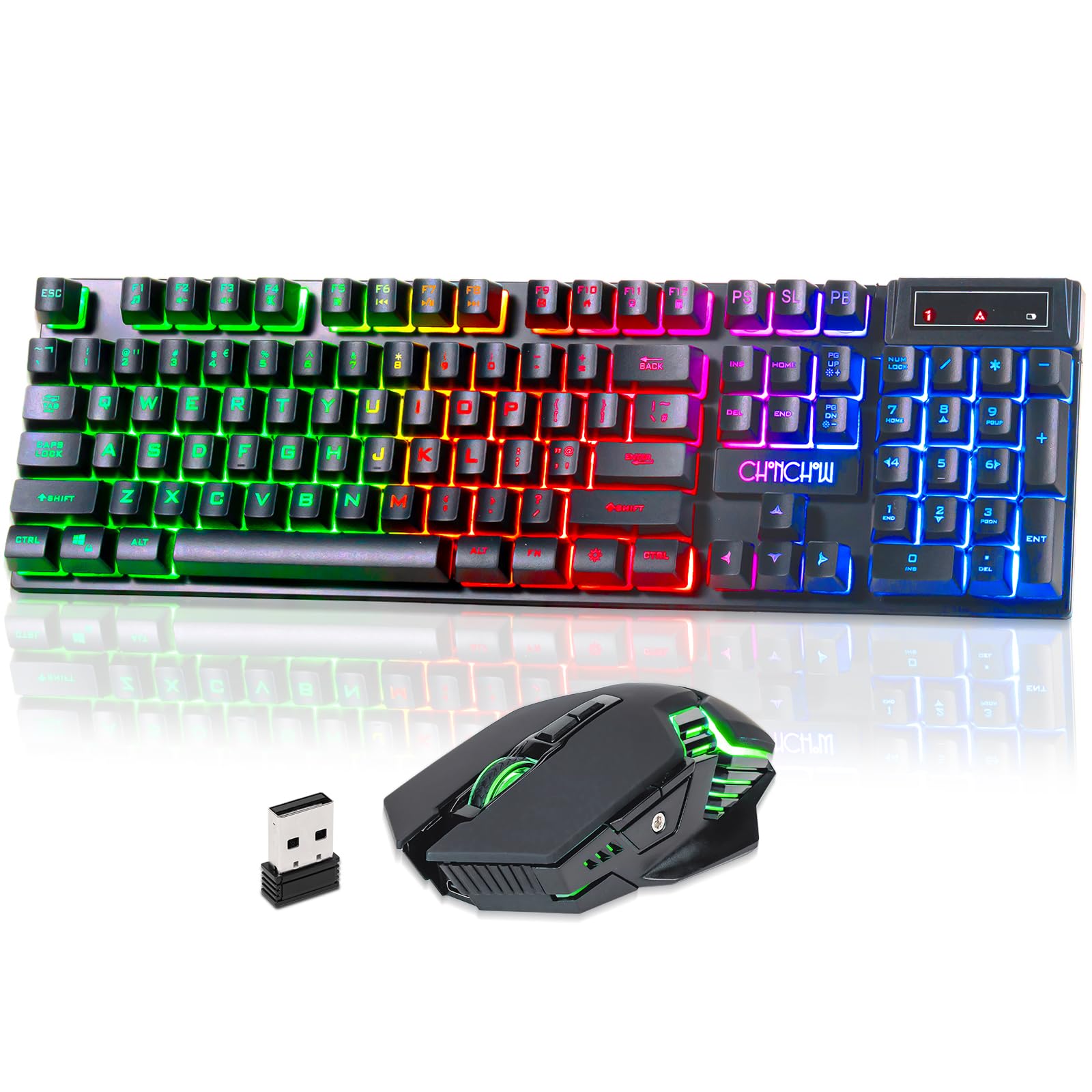
This is the one for a small desk, a lap tray, or a living-room setup where a full-size board just crowds everything. The G112 drops the number pad to 87 keys, and that missing slab of plastic is exactly what frees up your mouse arm. It runs on a 2500mAh rechargeable keyboard battery, with an auto-sleep function and a physical power switch so it is not quietly draining between sessions. The mouse carries its own 500mAh battery, rechargeable alongside the keyboard.
Here is the comparison that matters most if you are torn between the two CHONCHOW compact sets: this one is the 87-key version, while the 87-key LED combo further down the list runs a smaller 2000mAh keyboard battery. You get more reserve in the G112. Both rely on a 2.4GHz USB-A receiver and both are plug-and-play with no driver install, so neither will slow you down at setup — you just plug in and the Xbox sees them.
The lighting is a three-way choice — breathing mode, static, or lights off — with three brightness levels, so you can dim it right down for a dark room or kill it entirely to stretch the charge. Reviewers repeatedly mention buying it for younger gamers who took to the lighting and the gaming feel straight away. The honest catch is battery longevity: a share of the feedback describes charging trouble showing up around the one-month mark, so treat the charger as part of your routine rather than an occasional rescue.
What earns its keep
- 87 keys leave real room for mouse movement beside a couch tray
- 2500mAh keyboard battery plus auto-sleep and a power switch
- Plug-and-play USB-A receiver — no driver download to get running
- Three brightness levels so you can dim it for a dark room
Where it asks patience
- Charging reliability is the recurring grumble among some buyers
- No number pad, so spreadsheet work takes longer
- Xbox game support still depends on the individual game
Best for: anyone with limited desk or tray space who wants a compact board and free mouse swing.
Think twice if: you need a number pad for work — the full-size Gamer Combo below does that job.
2. CHONCHOW Wireless Keyboard and Mouse
Glowing translucent keycaps that let you find every letter in a dark room.
If you play or work with the lights down, the point of this set is the keycaps themselves — translucent caps that glow so the lettering reads clearly in low light. It is a 104-key full-size board with the number pad intact, 12 multimedia keys, and 19 anti-conflict keys (that is, keys the board can register at the same time without dropping one). A 2500mAh battery covers the keyboard, with an auto-sleep function and a separate power switch to protect the charge.
There is a splash-proof treatment on the board, a WIN lock, and a mechanical-feel keypress that adds a bit of feedback under your fingers. The maker lists a 10-meter range through the shared dongle — enough to sit back on the sofa without losing signal. Pairing is a single tiny receiver tucked under the mouse, and there is no driver to install.
Reviewers mostly just say they like the set, and value for money comes up often. The trade-off is the one you should hear plainly: reliability is the mixed note here, with some sets running happily for a year and others giving out within a couple of weeks, and durability feedback leans negative. That does not make it a bad buy — it means this is a set to pick when you want a full-size backlit board without stretching your budget, and to treat gently. Note one hard limit: the lighting shifts through rainbow modes but cannot be locked to a single color.
The color limitation: three rainbow LED modes plus breathing mode are on offer, and you can tune light speed and brightness — but picking one fixed shade is not possible.
Reach for this if: you want a full-size board with glowing keycaps for dim-light sessions and you are comfortable being gentle with it.
Look elsewhere if: you need a single-color backlight or expect years of hard use from a budget set.
3. Gaming Wireless Keyboard and Mouse
A full-size board that doubles as a work keyboard and a play keyboard.
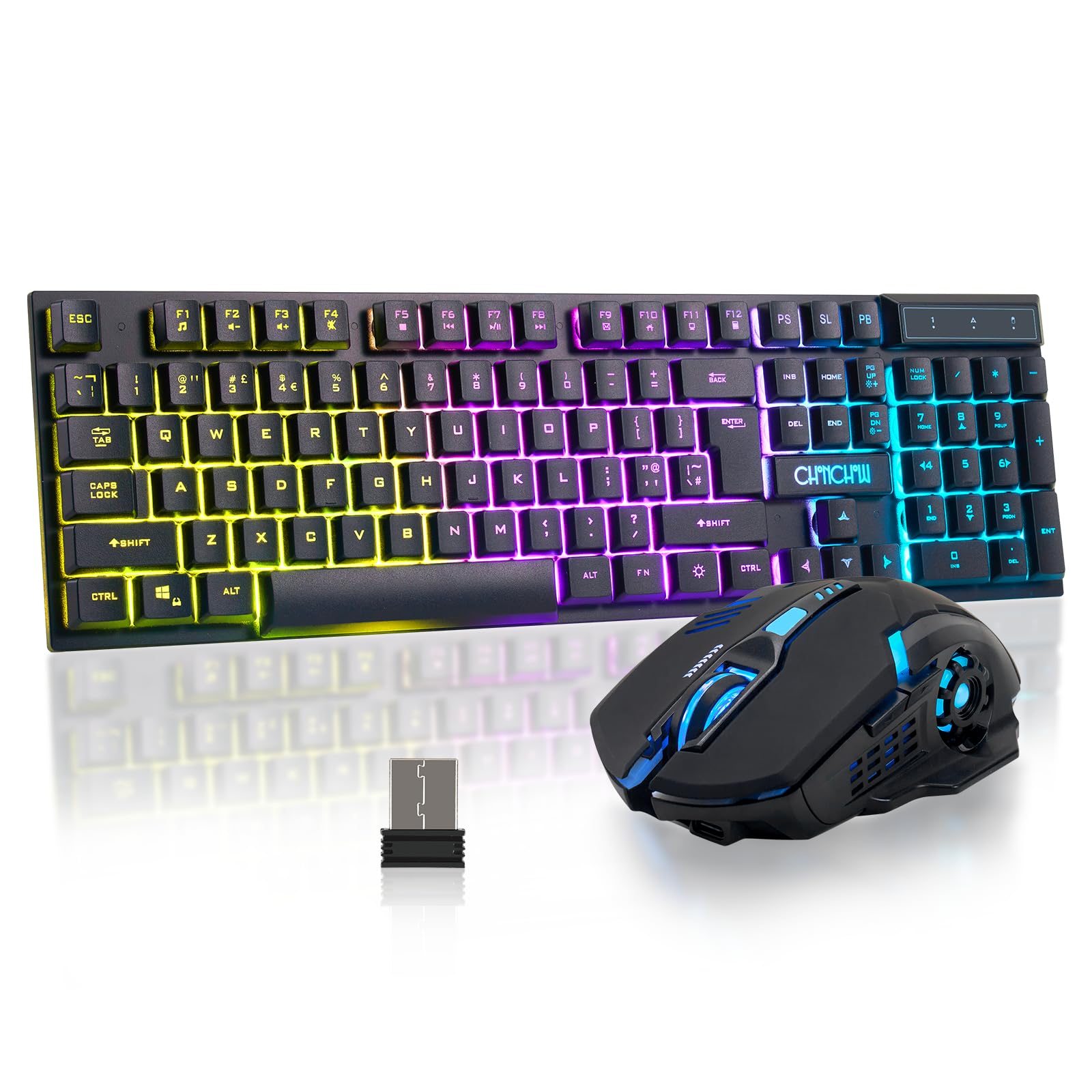
Full keyboard, 104 keys, number pad included — this is the set for someone who types reports on the same desk they game from. The board carries a 2500mAh battery and the mouse a 500mAh one, and both charge over USB-C with blind plugging, so you can top up mid-session without hunting for the right orientation. A dedicated charging cable ships in the box. The maker specifies a 5V2A charger for charging, which is note before you grab a random adapter.
The backlight gives you four color choices, four brightness grades, and three breathing modes, while the mouse cycles through seven colors. DPI (dots per inch — how far the cursor travels per inch of mouse movement) steps through 800, 1200, and 1600, so you can move between a slow precise aim and a faster sweep. Idle behavior is sensible: the keyboard sleeps after 2 minutes and the mouse after 8, waking on any key press.
What people respond to most is the look — the aesthetics and the backlighting are the two things that come up with the most warmth. There is a real caveat hiding in the quality feedback, though: it is a mixed bag, and the mouse occasionally acting up is the most repeated complaint. If you want a full-size RGB set with a number pad and do not mind a mouse that asks for the odd re-plug, this delivers on atmosphere. The keycaps are quieter than many gaming boards, which helps if someone else shares the room.
The atmosphere angle: a four-color keyboard light plus a seven-color cycling mouse is what carries this pick — it is a set that looks the part on a gaming desk.
Fits best: a desk that hosts both work and games, where the number pad and a slow-moving mouse matter.
Skip if: a rock-solid mouse connection above all else is your priority — the compact G112 is steadier there.
4. Wireless Keyboard and Mouse

Silent clicks for a shared room, with a one-key swap between Windows and Mac.
Buy this one if noise is the problem you are trying to solve. The keyboard and mouse both use a silent click feel that keeps late-night sessions from carrying through a thin wall. The other standout is the dual-layout trick: a single key flips between Windows and Mac layouts, and the box includes both USB-A and USB-C receivers so it can follow you between a laptop and a console.
The 2.4GHz link holds up to 33 feet, and the set sleeps after a minute idle to protect the charge. Both halves charge through the included USB-C cable. Lighting is three adjustable brightness levels on the keyboard plus a seven-color ambient light on the mouse, so you can still find the keys with the room dark.
Word that keeps surfacing about this set is how quiet it is, which is exactly what it was built for. The honest split is on reliability and quality: some pairs run perfectly and others stop working properly, so treat this as a value buy rather than a long-haul workhorse. It is note the maker’s own advice — console support depends on the game’s settings, so check before you commit. For a quiet, low-cost typing set that moves between devices, it lines up well.
The quiet factor: the silent click is the reason this set exists, and it is the thing people notice first.
Right for: a shared room or quiet household where clicking noise carries, and for anyone bouncing between a Mac and a Windows machine.
Not for: buyers who need proven long-term reliability from every unit.
5. Wireless Gaming Keyboard Mouse

A compact set built to slip into a backpack and follow you room to room.
At 87 keys, this set is the one that travels. At 13.5 by 5.5 by 1.2 inches, it fits a small tray and slips into a bag, so you can set up wherever the console is. The keyboard holds 2000mAh and the mouse 500mAh, both rechargeable through the included cable, so no battery runs to buy. Idle sleep kicks in at 60 seconds for the keyboard and 10 minutes for the mouse.
Both halves share a USB adapter but can also be used separately, and the maker lists a 10-meter range with a response speed meant to feel like a wired board. Powering it down is easy too: the adapter tucks into the mouse or keyboard itself. The rainbow LED backlight gives three brightness and breathing speeds to pick from, and every key is lit so you can find them in the dark. Just know the charger spec: the maker calls for a 5V2A charger.
What draws people in is the look, particularly the soft backlit design and how the color reads in a dim room. The caveat worth flagging is console compatibility — while this is listed for Xbox and PlayStation, connectivity feedback is mixed, and PS5 compatibility in particular has been a sticking point. Treat the console claim as “supported per the maker, dependent on the game” and you will get exactly what you expect. For a compact, portable, well-lit set, it earns its place on the list.
Portability play: under 14 inches wide and light enough to carry — the size is the reason this makes the shortlist for a moving setup.
Good match for: someone who moves their console between rooms or brings a keyboard along, and wants a small lit board.
Check first if: you are on PS5 or need guaranteed console connection — test it early.
6. Redragon Wireless Gaming Keyboard and Mouse Combo
One set that juggles a console, a tablet, and a phone over three connection types.
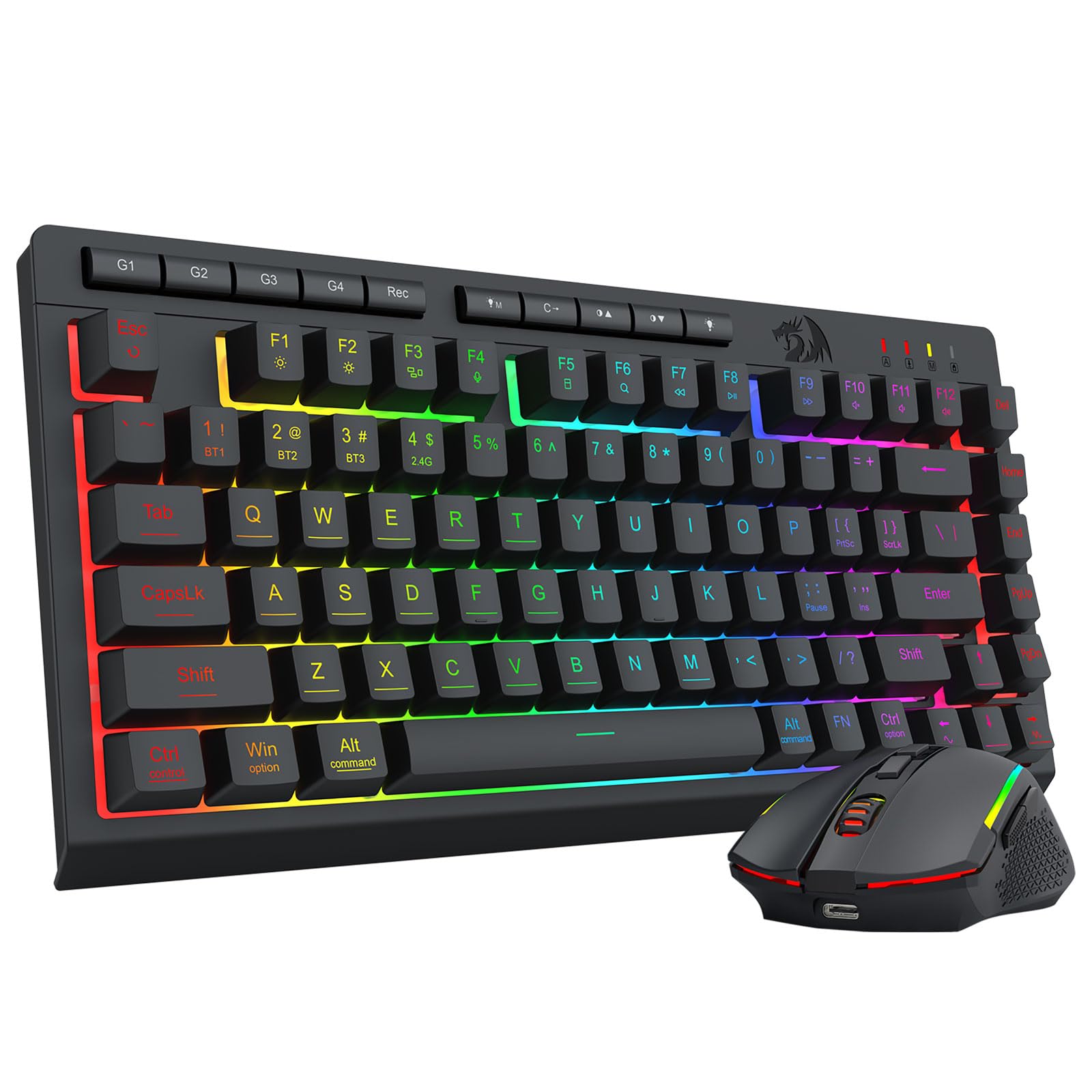
The number that sets the Redragon apart is 4000mAh in the keyboard, by far the biggest battery on this list. The mouse adds its own 700mAh. The maker rates that 4000mAh cell at up to 50 hours with RGB on and 300 hours with the lights off, with auto-sleep after 2 minutes. Combine that with the 75% portable layout and you have a set that stays ready without constant charging.
The connectivity is the reason to pick this one: Bluetooth 5.0, a 2.4GHz wireless link, and USB-C wired, all switchable via hotkeys and side buttons. That means one keyboard can serve an Xbox, a tablet, and a phone without re-pairing each time. The 2-in-1 receiver runs both keyboard and mouse together for a tidy desktop. Under the hood there are 5 default DPI steps (400/800/1600/2400/3200) with a jump to 12800 via software, 16.8 million RGB colors, 8 dynamic effects, and 26-key anti-ghosting to keep simultaneous presses from dropping.
The software adds real depth if you want it — remap keys, tune the mouse polling rate, and reassign the seven mouse buttons through the Redragon site. The honest trade-off is the one that shows up most: wireless connectivity and battery life both draw mixed feedback, and there are reports of unreliable connections, so this is a pick that rewards testing early. What it does well is versatility — for someone who plays on a console and works on a tablet, this one bridges both without a cable.
The battery win: 4000mAh against the 2500mAh of the G112 is the widest gap on this list — if charging is a chore for you, this is the set that ends it.
Pick it when: you want one set moving between a console, a tablet, and a phone, or you hate charging and want the biggest battery here.
Heads-up: wireless reliability is mixed, so verify your connection early and have the USB-C wired fallback ready.
Know the Specs
Keyboard battery (mAh)
Milliamp-hours measure how much charge the battery holds, so a bigger number tends to mean fewer trips to the charger. Look for a set with an auto-sleep mode and a power switch too, because both slow the drain between sessions. One caveat: keeping the RGB backlight on at full brightness burns through the reserve faster, so a big battery and a bright light can cancel each other out.
Key count and layout
87-key sets drop the number pad to save desk space and free up the mouse arm — ideal for a tray or small surface. 104-key sets keep the pad for spreadsheets and shortcuts. A 75% layout shaves more space still. If you use the same desk for work and play, a full-size 104-key set is usually the safer choice.
2.4GHz receiver vs Bluetooth
A 2.4GHz USB receiver plugs into the console and connects instantly with no pairing screen, making it the simplest way to get a keyboard and mouse live. Bluetooth skips the dongle but depends on the device’s own pairing. Either way, the game you play decides whether it accepts the input — so check compatibility first.
Shared dongle and DPI
Many sets use one receiver for both keyboard and mouse, which keeps things tidy but means both go down together if the dongle is lost. DPI (dots per inch) sets how far the cursor moves per inch of mouse travel — a low setting gives fine aim, a higher one gives faster sweeps. Adjustable DPI lets you switch to suit the game in front of you.
Common Questions
Will a wireless keyboard and mouse work on Xbox Series X and Xbox One?
Can I use these sets with a console and a PC at the same time?
How long does the battery actually last on a rechargeable set?
Do these keyboards need a driver to work on Xbox?
Is an 87-key keyboard better than a full-size 104-key board for console play?
Can a wireless keyboard and mouse be used separately?
What kind of charger do these rechargeable sets need?
Will the backlighting hurt battery life on a set used for gaming?
Why does the mouse sometimes stop working or need a re-plug?
Are these compact sets useful for anything other than Xbox gaming?
The Bottom Line
For most gamers, the best wireless keyboard and mouse for Xbox is the CHONCHOW G112, because its 87-key layout opens up mouse space while the 2500mAh battery and power switch keep it alive between sessions. If you need the number pad for work, grab the CHONCHOW Gamer Combo — full-size with USB-C charging. And for the biggest battery and multi-device flexibility, the Redragon S155PRO is the one to reach for. Check your game’s controls before you buy, then pick the set whose layout and battery match how you actually play.
How we choose
We do not accept paid placement. Every pick is matched to a real buyer and a real use-case; we do not hands-on test units.
Sources
Specifications: manufacturer listings and product documentation. Review insights: verified customer reviews, as of November 2026. Pricing: not shown on this page (it changes often); check the current price via the retailer link.
As an Amazon Associate, Tactical Gear Guy earns from qualifying purchases. This does not affect which products we feature.