Specs are compiled from manufacturer listings and verified buyer reviews and can change over time — please confirm the key details on the product page before buying.
Buying flash drives in bulk is where the confusion starts: ten tiny sticks look identical online, yet the difference between a pack that survives a whole school year and one that dies in week two depends on three things — whether the drive is pre-formatted FAT32, whether it has a physical cap or swivel to protect the plug, and whether its controller is stable enough for repeat use. This guide walks you through the nine bulk packs that make the most sense, picked and ranked on published specs and long-term owner experience.
This guide is built by comparing the manufacturers’ published specifications and the patterns across verified customer reviews, so you get each pick’s real strengths and trade-offs instead of marketing spin.
You will see exactly which pack fits a corporate giveaway, which one suits a classroom, and which one makes sense for lost-drive replacement at scale. Read the comparison below and choose the one whose capacity and connection speed actually match your task, because the right wholesale flash drives pick is the one your group will not need to replace.
Top Picks


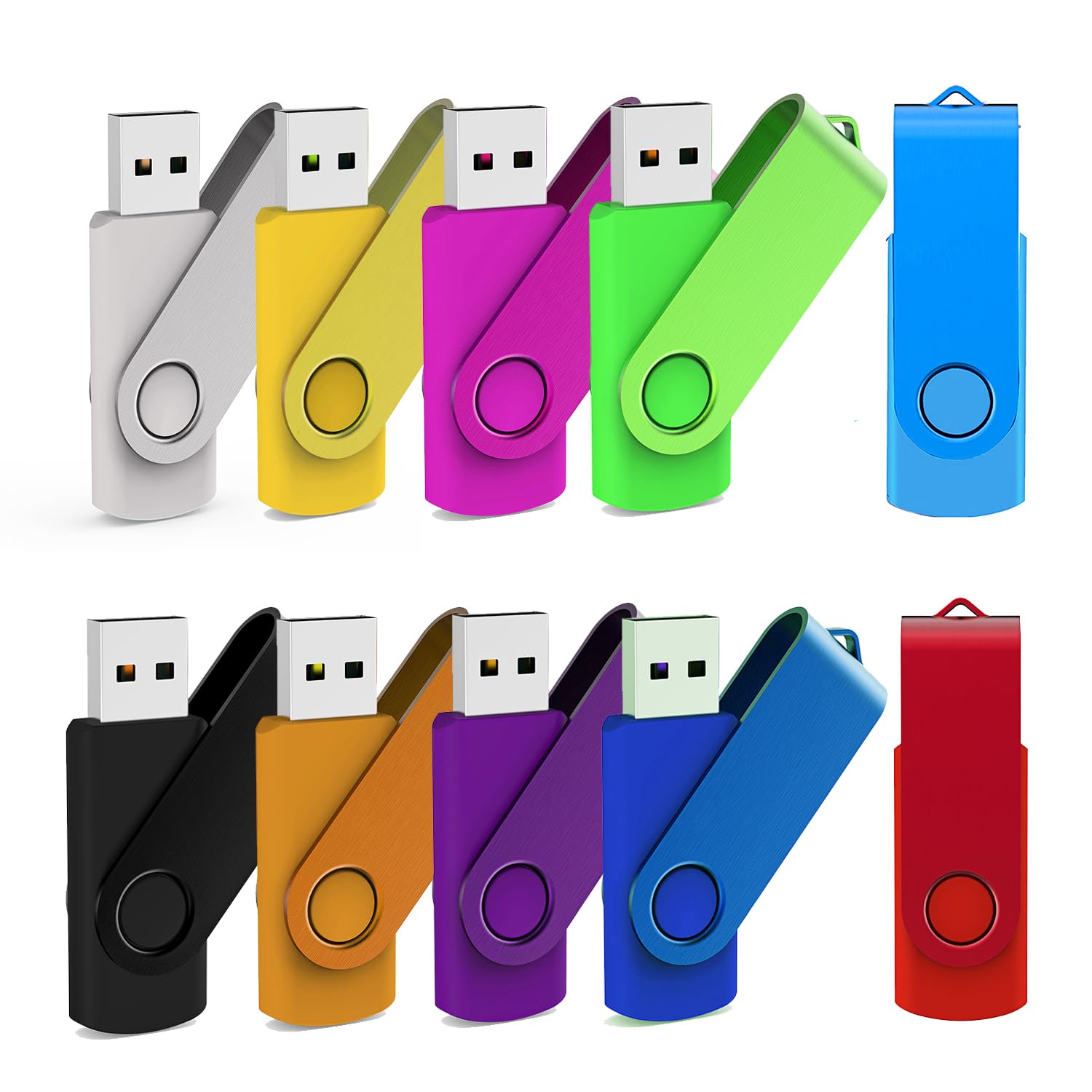
How To Choose The Best Wholesale Flash Drives
When you are buying ten or twenty drives at a time, you are not shopping for a single gadget — you are equipping a team, a class, a bootcamp intake, or a trade-show table. The decision depends on how much data each person must move, how fast they need to move it, and how the drive survives being handled by dozens of different people.
Start with capacity, not speed
For handouts that carry PDFs, slide decks, and product photos, an 8 GB stick is plenty — it holds thousands of photos, as owners of the MECHEER pack confirm. For video files or engineering drawings, step up to 32 GB or 64 GB, because a single large export can burn through the smaller drive in one sitting.
Then decide USB 2.0 or USB 3.0
USB 2.0 is the older, slower connector standard — think of it as the reliable mail truck of data. It is fine for documents and music. USB 3.0 is the faster highway, and the Micro Center pack in this list claims read speeds up to 70 MB/s, which matters when you are loading large video files or system backups across a room full of machines.
The physical design is the quiet deal-breaker
A swivel cap rotates the metal housing over the USB plug when the drive is not in use, so the connector does not bend in a pocket or bag. A key loop lets the drive live on a lanyard or a keychain, which matters enormously for corporate handouts. An LED indicator tells you when the stick is mid-transfer, so nobody yanks it out and corrupts the file.
Side-by-Side Comparison
| Model | Best For | Capacity per Drive | Connection | Pack Size | Amazon |
|---|---|---|---|---|---|
| Enfain 16GB Swivel 10 Pack★ Best Overall | Corporate events & labeled handouts | 16 GB | USB 2.0 | 10 | Amazon |
| MECHEER 8GB 10 PackBest Value | Classroom & music use | 8 GB | USB 2.0 | 10 | Amazon |
| MAKACTUA 16GB 10 ColorsMost Colorful | Color-coded team files | 16 GB | USB 2.0 | 10 | Amazon |
| PNY Attaché 3 16GB 10-Pack | Everyday office backup | 16 GB | USB 2.0 | 10 | Amazon |
| PNY Attaché 3 32GB 10-Pack | Bigger file transfers | 32 GB | USB 2.0 | 10 | Amazon |
| KOOTION 2GB 20 Pack | Bulk giveaway volume | 2 GB | USB 2.0 | 20 | Amazon |
| KEXIN 32GB 10 Pack | Photo-heavy backups | 32 GB | USB 2.0 | 10 | Amazon |
| FEBNISCTE 64GB 10 Pack | Large project files per person | 64 GB | USB 2.0 | 10 | Amazon |
| Micro Center SuperSpeed 64GB 10 Pack | Speed-critical transfers | 64 GB | USB 3.0 | 10 | Amazon |
Detailed Reviews
1. Enfain 16GB USB 2.0 Flash Drive 10 Pack
Our pick — 4.5+★ from 6,500+ verified ratings; the strongest balance of quality and price.
The handout pack that solves the “which stick is mine” problem before it starts.
Handing out ten identical black flash drives to ten people is the beginning of a mess — until you remember that this Enfain pack throws in 31 labels: 19 pre-printed, color-coded ones and 12 blank white ones. You peel, stick, and each drive has a name or department on it. That detail is why the Enfain pack is the strongest overall choice for corporate events, offices, and team distributions. Every drive inside arrives pre-formatted FAT32, which is the plain, universally understood file system that every Windows machine from XP through 11, macOS, Linux, Chrome OS, smart TVs, car stereos, and USB-enabled printers all recognise without drivers.
The 360° protective swivel cap is a quiet upgrade over a traditional push-on cap — it rotates around the metal body and shields the USB plug while the drive bounces around in a bag or pocket. Each stick holds 16 GB of data, which is more than enough for a PDF packet, a slide deck, a promotional video, and a folder of product photos at the same time. One honest note: the two headline concerns among owners are reliability across repeat use and a few compatibility cases where a computer struggles to recognise the drive on first insert. A small fraction of units do fail, so keep one spare in the box for the one person who always seems to draw the short straw.
The customer feedback side is telling — the drive’s overall build quality is what gets the loudest approval, followed closely by how much value the pack delivers for the per-drive cost. Speed is the weakest spot, and the data holds up: these are USB 2.0 sticks, so expect the modest transfer rate that comes with that standard. For office documents and event handouts, that is entirely fine. For video editors shipping multi-gigabyte masters, look further up this list.
What earns its place
- 31 included labels (19 pre-printed, 12 blank) make multi-person distribution genuinely organised
- 360° swivel cap protects the USB plug when the drive is pocketed or bagged
- FAT32 pre-formatted — works without drivers on Windows XP through 11, macOS, Linux, Chrome OS, smart TVs, car stereos, and USB-enabled printers
- 16 GB per stick holds a full conference packet plus a demo video with room to spare
Where it asks patience
- USB 2.0 speed — fine for documents, slow for large video files
- Occasional units fail or are slow to be recognised on first insert
- Black-only body; the labels are the only colour-coding
Grab this if: you are handing drives to a group of people and want each one labelled and protected from the start.
Look elsewhere if: your transfers are heavy video files that need USB 3.0 throughput.
2. MECHEER 8GB USB 2.0 Flash Drive 10 Pack
Tiny enough to vanish in a pocket, with a light that tells you it is actually working.
At 8 GB per drive, this MECHEER pack sits in the comfortable middle for classrooms, music libraries, and everyday document shuffling — enough for thousands of photos and hours of MP3s, without paying extra for space most users never touch. The standout detail is the LED indicator on the end of each drive: when the light is glowing solid, power is flowing and the stick is ready to work; when it begins to flash, data is actively reading or writing. That single signal is why this pack is the better choice for anyone who has ever yanked a stick out and corrupted a file — the light gives you a clear “wait” moment.
The swivel body is metal and rotates through 360°, hiding the plug when not in use and protecting it from scuffs. There is a small hole at the base sized for a lanyard or keyring, which matters when these get handed out to students who have never owned a flash drive before. Each stick arrives FAT32 pre-formatted, so it drops straight into a Windows 7 through XP machine, a Mac, a Linux box, a car stereo, a printer, an embroidery machine, or a smart TV without a single prompt. One practical caveat the maker spells out: these are standard USB 2.0 interface sticks, so expect write speeds in the 4–15 MB/s range and read speeds around 10–30 MB/s. For documents and music that is completely workable; for big video files it is not the right tool.
The aspect that owners talk about most is straightforward build quality — these function, they plug in, they store files, and the pack delivers strong value at the per-drive level. Some users note slower transfer times than they hoped for, which aligns with the USB 2.0 ceiling. Also note that actual usable space lands around 90% of the 8 GB advertised, because storage uses decimal bytes and computers use binary — that is normal across every brand, not a fault.
Why it earns the spot: the LED indicator turns an invisible process into a visible one, so a classroom full of ten-year-olds can see when it is safe to pull the stick.
The trade-off to weigh: USB 2.0 write speeds mean a 1 GB video file can take a couple of minutes. That is acceptable for a music library and painful for a film class.
Reach for this if: you are running a classroom, church, or small office handout where music and documents make up most of the load.
Rethink it if: your team regularly moves large video or archive files between machines.
3. MAKACTUA 10 Pack 16GB USB 2.0 Flash Drives
Ten different colors so a crowded desk stops swallowing the one drive you need.
Ten colors in one pack, ten 16 GB sticks, ten ways to know at a glance which drive is the video project and which one has the tax documents. That is the actual value of the MAKACTUA pack — on a busy desk or during a training session, the color-coding does the job that a label would, without the peel-and-stick step. Each stick supports a read speed of 20 megabytes per second, which is respectable for a USB 2.0 drive and fast enough to pull photo and audio files without feeling like a wait. The body is genuinely small and portable — keysize, as the maker describes it, small enough to drop into a pocket or thread onto a keyring.
The metal swivel cap rotates over the plug to protect it, and there is a loop at the base so the drive stays attached to a key ring or lanyard. A red LED light at the bottom flashes while the stick is actively working, giving you a clear “do not pull it out yet” signal. Plug and play applies here too — no drivers, no installation, straight into a TV, desktop, laptop, Mac, tablet, speaker, or car audio system with a USB port. It runs Windows 7, Vista, XP, 2000, ME, NT, 98, Linux, and Mac OS, and because it accepts USB 2.0 and is backwards compatible with USB 1.0, it will work with older hardware others might skip.
Where owners have found the most to celebrate is the packaging quality and the sheer variety — the same drive in a spectrum of colors is exactly what a teacher needs when managing twenty students with twenty different drives. Storage capacity at 16 GB is comfortably enough for coursework, photos, videos, or software installers. It is a fairly niche pick in this list because the color coding is not a spec — it is a workflow tool. If two people on your team keep swapping drives by accident, ten colors settle it at a glance.
Lean toward this if: you are managing multiple people with multiple drives and want color to do the identifying for you.
Keep shopping if: you need faster USB 3.0 throughput or a strictly uniform batch of black drives for a branded giveaway.
4. PNY Attaché 3 16GB USB 2.0 Flash Drive 10-Pack

No cap to lose — the slide-to-open collar protects the plug and stays attached to the drive.
The Attaché 3 design skips the cap entirely: instead of a detachable piece you can lose in a bag, a sliding collar glides over the USB connector when the drive is closed and retracts to expose it when you are ready to plug in. That is a critical detail for a corporate handout — with the Enfain pack up top, owners can occasionally lose a cap or find switches damaged; this PNY design removes that variable entirely. Each stick is 16 GB, and the key loop on the end lets you attach it to a key chain or lanyard, so nobody leaves the drive in a conference room.
The pack works with PC and Mac desktops and laptops that have a USB 2.0 port, and it is also compatible with USB 3.0 host devices at standard USB 2.0 speed — which matters if your team upgrades their laptops but keeps using these drives. The mobile compatibility line listed by PNY is note for anyone bringing files back from a phone or tablet. Each drive shows up as a plain FAT32-formatted volume, so it is plug-and-play on arrival.
The value story here is the loudest note owners strike: it is the single aspect most-referenced in the customer feedback, and the reason this pack holds its spot in the roundup despite the fact that quality draws a split verdict. Some users love the design; some find the drives underwhelming for their needs. In fairness, the 16 GB capacity is smaller than the PNY 32 GB pack one rung down — the 32 GB option gives you twice the space per drive. If the team is mostly moving documents and presentations, 16 GB is completely sufficient.
The design that matters: a cap-less sliding collar eliminates the #1 way cheap flash drives get damaged in the field — caps go missing, plugs get bent.
Second opinion worth knowing: quality feedback is split, so treat this pack as a solid value choice for office work rather than a ruggedised drive for harsher conditions.
Pick this if: you want a familiar-brand, cap-less design for everyday office file movement.
Consider the 32 GB Attaché instead if: your files will not fit on 16 GB or you want more headroom per person.
5. PNY Attaché 3 32GB USB 2.0 Flash Drive 10-Pack

The same cap-less Attaché formula with twice the room per stick.
The Attaché 3 32 GB pack and its 16 GB sibling are the same physical design at different capacities — the 32 GB drive doubles what each person can store, which changes the calculus for anyone shipping video files, engineering exports, or photo archives through the team. It still holds the capless sliding collar that plates over the USB connector when the drive is closed, still has the key loop on the tail end, still works with PC and Mac desktops and laptops via USB 2.0 ports, and still supports USB 3.0 host devices at USB 2.0 speed when a newer laptop is on the desk. The design is light in the hand and small enough to thread onto a lanyard without bulk.
Owners trust the 32 GB pack to hold files across repeat use, a reliability record that comes through loudest in the feedback after value. That is not always the case in this category. Storage capacity lands near where you would expect, and one owner mentioned successful playback of MP4 videos from the drive, which is a quiet nod to its ability to handle media files on a smart TV or car system when the source laptop is not handy.
The honest limit is speed, and it is the most-referenced negative — the USB 2.0 interface means large-file transfers take time. A 32 GB drive with USB 2.0 is essentially a big tank with a narrow hose: plenty of room, but filling it and draining it is slower than a USB 3.0 equivalent. For office backups, documents, and moderate media files, that trade-off is fine. For heavy video production, this is not the right pack.
What buyers trust: capacity and reliability are the two things that earn this pack its following — the drives hold files dependably across repeat use, which is rare in this price band.
What it asks in return: USB 2.0 speed becomes more noticeable at 32 GB. A slow transfer feels slower when there is more data to move.
Choose this when: your team’s documents exceeded the 16 GB sibling and you want the same cap-less design with more room.
Step above it if: the words “waiting for the transfer” already make you twitch — the Micro Center USB 3.0 pack is the faster route.
6. KOOTION 2GB USB 2.0 Flash Drive 20 Pack

Twenty drives in one box, with no logos to fight when you add your own.
Twenty drives, one box. The KOOTION pack is the quantity answer in this roundup — for a trade show, a graduation ceremony, a wedding favour, or a school event where you need a physical handout in every hand, twenty is the number that stops feeling short. The capacity is 2 GB per stick, which is the small end of the range on this list, but that smallness is actually a feature for some tasks: sewing machines, embroidery setups, and any device that only needs to read small configuration files can be picky about larger drives, and a 2 GB stick is the safe minimum that stays out of the way.
The KOOTION design uses a 360° rotation on the metal side, so there is no cap to lose and the plug stays covered during carry. A loop at the base makes it easy to attach to a backpack or keychain. Each stick has a built-in LED indicator that shows the transfer status while the drive is working. Plug-and-play applies across Windows 7 through NT, Linux, and Mac OS, and it is compatible with USB 2.0 and below. The packaging is notably clean — a cardboard box with dividers between each drive so nothing shifts in transit — which is why this pack works well as a client gift or a formal giveaway. And there is no KOOTION logo printed on the body, leaving the drive clear for your own sticker, label, or print job.
The honest framing on this pack is straightforward: value is where the strength lives, and functionality is mixed among owners — some report it works perfectly, a few report issues. The 2 GB capacity is not going to hold a modern video project, and the smaller the drive the less it can do. If your handout is a brochure PDF, a welcome letter, or a small software key, this is the right capacity. If you need photo or video storage, start at 8 GB and up.
What this pack gets right
- 20 drives per box — the highest count in this roundup
- No manufacturer logo — the body is ready for your own print or sticker
- 360° rotating metal body with integrated key loop
- LED indicator shows active transfer status
- Clean packaging with dividers between each drive
Where it tightens up
- 2 GB per drive is genuinely small — documents only, not video libraries
- Functionality draws mixed reports among owners
- USB 2.0 transfer speed caps throughput
Go here if: you need the highest drive count per box for a giveaway and the files are small.
Skip past if: anyone in your group handles photos, video, or files that need more than a couple of gigabytes.
7. KEXIN 10 Pack 32GB USB 2.0 Flash Drive

The pack the maker translates into photos — each stick holds roughly 9,400 of them.
If you are handing out drives to a photography workshop, a wedding party, or a family reunion, the KEXIN 32 GB pack makes the strongest case for its capacity in plain numbers: the maker says each drive holds approximately 9,400 photos. That is a full event archive on a single stick. The capless design uses a metal clip that rotates to cover the USB connector in any position, protecting the plug when the drive is in a bag, and it works across the long list of Windows, Linux, and Mac OS versions the maker lists, with USB 2.0 plug-and-play on arrival.
What stands out from the owner feedback is not the raw capacity but the quality control effort behind it — KEXIN says every drive is tested before it leaves the factory, and buyers report positive data transfer results. That combination matters in a wholesale context, because the drives that fail on day one are the ones that make a distribution embarrassing. With a 32 GB capacity, each drive is well-suited to photos, music, and video files, and the drive’s overall compactness (about the size of a typical thumb) means handing out ten of them at a table is not a logistics headache.
The honest caveat: reliability is the aspect where feedback divides — some owners find the drives excellent, a few have had outright failures. That is a normal risk in this price band, but it is worth knowing before you commit a whole event’s data to ten drives. The remedy is simple: test each drive before it goes out the door, and keep one spare in the box.
The capacity case: approximately 9,400 photos per stick is a concrete benchmark that makes 32 GB feel real rather than abstract.
What to guard against: reliability feedback is split, so pre-test every drive before a high-stakes handout.
Best fit for: workshop or event packs where each recipient walks away with a photo or video archive.
Not the pick for: a first bulk order where you cannot test every drive before distribution.
8. FEBNISCTE 64GB USB 2.0 Flash Drive 10 Pack
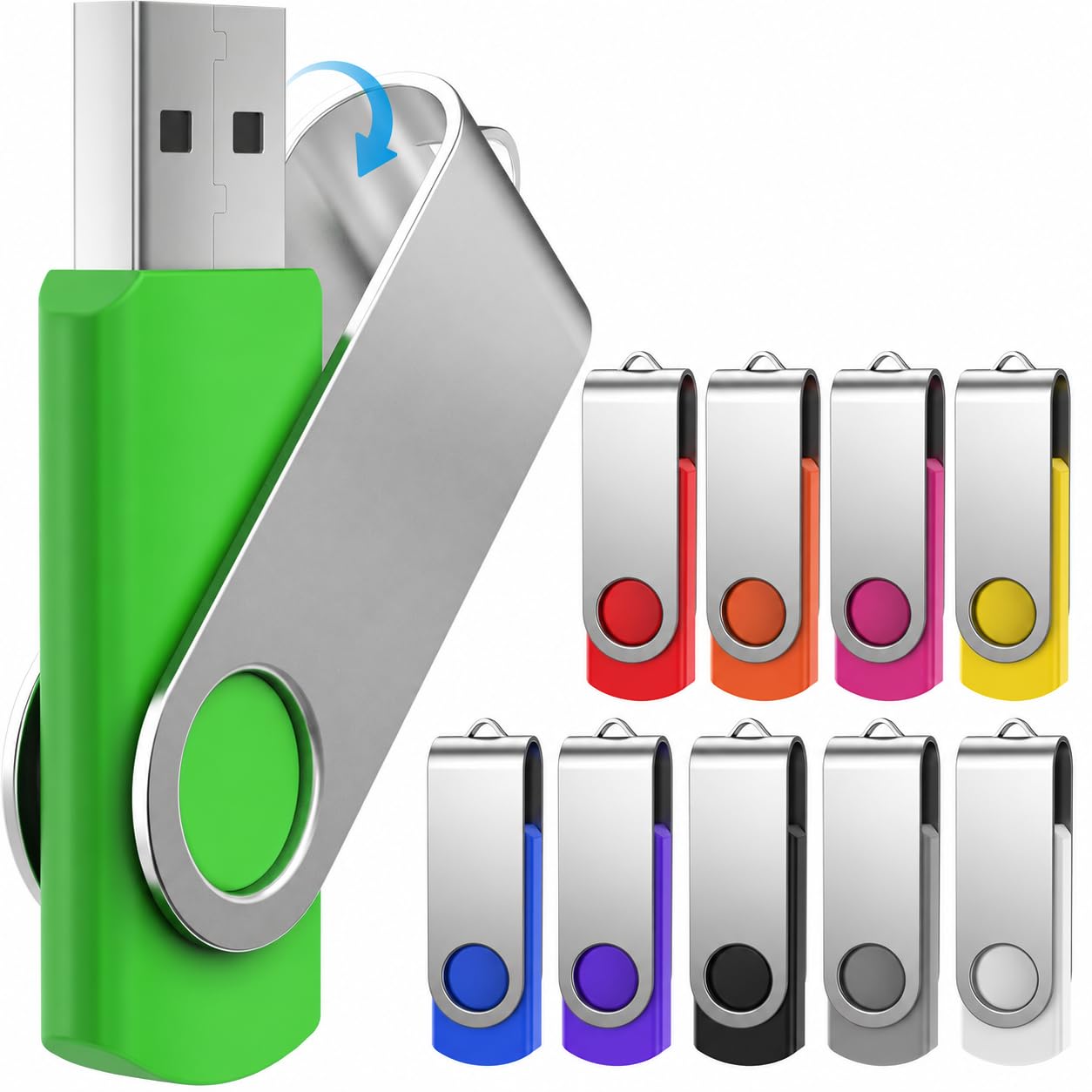
Ten colors, ten lanyards, and enough room for 27 GB of project files per stick.
For project teams shipping designs, source files, video edits, or a full photo library per person, 64 GB is the capacity that stops the conversation. One owner’s 27 GB of project data fit easily with room to spare. This pack goes a step further than the others by including 10 free lanyards — a small detail that makes a real difference at a multi-day event, because the drive hangs around a neck and never gets lost. Ten different colors lets each person know at a glance which drive is theirs.
The metal body uses the same 360° spinning swivel cap design that protects the USB plug when the drive is not in use. Plug-and-play applies across Windows 10 through NT, Linux, and Mac OS, and the connection is USB 2.0 backwards compatible with USB 1.1. A red LED lights up while the drive is actively working, giving you the visual signal for when it is safe to disconnect. Storage here is essentially the whole event in one stick: photos, video, music, source files, and working documents all fit side by side without having to shuffle them off to a backup.
What owners appreciate most about this pack is the color coordination and the sense that files stop getting lost. Ten different colors means ten different assignments locked in visually. One practical limit worth knowing: the drive is 64 GB on a USB 2.0 interface, so filling the whole capacity takes noticeably longer than it would on a USB 3.0 equivalent. If speed is not the bottleneck — if the files go on once and stay put — this is the roomiest cost-effective pack in this roundup.
Strength in numbers
- 64 GB per drive — the largest capacity in this roundup alongside the Micro Center pack
- 10 different colors so each person’s drive is instantly identifiable
- 10 lanyards included — the drives can hang on a neck and stay with their person
- 360° swivel metal cap protects the plug in carry
- Red LED shows active transfer status
What to keep in mind
- USB 2.0 speed feels slower the more you fill 64 GB
- Small files go on fast, but a full 60 GB dump will test your patience
- Not a substitute for a USB 3.0 drive when speed is the priority
Best for: project teams handing out large per-person archives where capacity beats raw transfer speed.
Not the fastest route: when you need the whole 64 GB filled quickly, the USB 3.0 option one rung down is the smarter choice.
9. Micro Center SuperSpeed 64GB USB 3.0 Flash Drive 10 Pack

The only USB 3.0 pack here — up to 70 MB/s read speed instead of a USB 2.0 wait.
The Micro Center pack is the one drive in this roundup whose headline claim is speed rather than capacity. It is USB 3.0, with read transfer speeds up to 70 MB/s. That is a meaningful jump over every other drive here, all of which are USB 2.0. The maker claims it is “10X faster than USB 2.0 thumb drives,” and the shorter real-world waits are what owners notice most. Each drive is 64 GB, so the combination of speed and room is unusual in a bulk pack at this price band.
The physical design is distinct too. A hard plastic cover protects the USB plug from rough treatment in a bag, and the drive comes in multiple colors for color-coding, with a rear loop for keychain attachment. It supports Windows OS and is compatible with PC, laptop, TV, car audio, and similar devices with a USB port. Plug-and-play on arrival, and the maker backs the drive with a 2-year warranty — a real assurance for a wholesale buy. That 2-year warranty is why this pack ranks highest here despite having the fewest owners on this list. The reviews that do exist are consistently positive about the drive’s quality and storage capacity — one owner reported storing over 40 GB of video without issues.
One note worth flagging: the USB 3.1/Gen 1 spec is the same as USB 3.0, per the maker, so if you see those labels elsewhere, know that they are the same throughput. The bigger picture: this is the speed choice in the roundup. If you are shipping full video masters or backup images, this pack saves more time per drive than any other on the list. It is not the right answer for a giveaway — for that, the Enfain labeled pack is a better fit.
Where it wins: 70 MB/s read speed on a 64 GB drive is the speed-capacity pairing no other pack in this roundup offers.
The honest trade-off: it costs the most per drive in the roundup and has the fewest owners, so the track record is shorter than the value picks.
Suits this buyer: video editors, IT backup teams, or design studios where transfer time is real money.
Overspecified for: a corporate giveaway where the drive is going to a person who will only load a few PDFs.
Know the Specs
USB 2.0 vs USB 3.0: what the number actually changes
The USB number refers to the version of the port standard the drive uses. USB 2.0 is the older, slower version and is what eight of the nine packs here use. USB 3.0 is the newer version, and the Micro Center pack uses it with read speeds up to 70 MB/s. The practical difference is how long you sit there waiting — a USB 2.0 drive writing at 4–15 MB/s will take meaningfully longer to move a 4 GB video file than a USB 3.0 drive. For documents, spreadsheets, and small PDFs, USB 2.0 is fine. For video, USB 3.0 is the difference between a minute and five.
Capacity: what you are really buying
Storage capacity on a flash drive is listed in gigabytes (GB) — the amount of data the stick can hold. An 8 GB drive holds a lot for documents and music, but only a few high-definition videos. A 32 GB drive can hold roughly 9,400 photos, per the KEXIN pack’s own estimate, and a 64 GB drive holds four times that in theory. The actual usable capacity lands around 90% of the advertised number across every brand, because storage makers count in decimal bytes (1 GB = 1,000,000,000) while computers count in binary (1 GB = 1,073,741,824). That gap is normal and not a fault.
FAT32: the plain wrapper that makes drives universal
FAT32 is the file system used by the drives here that arrive pre-formatted for maximum compatibility. In plain terms, it is the format that every device from a Windows XP laptop to a smart TV to a car stereo can read without asking questions. Its one real limit: FAT32 cannot store any single file larger than 4 GB. If you need to move a single video file bigger than that, you will have to reformat the drive to exFAT — a one-minute job in the format utility on any computer — but doing so narrows the device list slightly. For most document and media uses, staying on FAT32 is what keeps the drive plug-and-play everywhere.
Swivel caps, key loops, and LED lights
These are the physical details that decide whether a drive survives a year of handouts. A 360° swivel cap rotates over the USB plug to protect it in a pocket or bag, and eliminates the cap-loss problem that kills many cheap drives. A key loop or lanyard hole means the drive lives on a keychain or neck lanyard instead of floating at the bottom of a bag. An LED indicator glows or flashes while the drive is transferring data — the plain-English signal that says “do not pull me out yet.” For multi-person distributions, a swivel cap, key loop, and LED together cut plug damage and lost drives more than extra capacity does.
Common Questions
Will a FAT32 flash drive work with my smart TV or car stereo?
What is the actual usable capacity of a 16 GB flash drive?
Can I move a single video file larger than 4 GB onto these drives?
Is USB 3.0 worth the extra cost for bulk flash drives?
How do I stop flash drives from getting lost during a distribution?
Does a swivel cap really protect the USB plug better than a regular cap?
Can I print my company logo on bulk flash drives?
Why do some of these drives have a light on the end?
What is the difference between the 16GB and 32GB PNY Attaché packs?
Will these drives work on a Mac as well as a Windows PC?
The Bottom Line
For most teams handing out drives to real people, the wholesale flash drives winner is the Enfain 16GB 10 Pack, because the 31 included labels turn a messy distribution into an organised one, the swivel cap protects every plug, and 16 GB covers a full event packet with room left over. Its 4.5+ star rating across 6,000+ owners is the strongest review signal on this list. If you want the highest drive count per box for a giveaway and your files are small, grab the KOOTION 2GB 20 Pack. And for video editors or IT teams where transfer time is money, the Micro Center SuperSpeed 64GB USB 3.0 Pack is the one to reach for, with up to 70 MB/s read speed and a 2-year warranty behind it.
How we choose
We do not accept paid placement. Every pick is matched to a real buyer and a real use-case; we do not hands-on test units.
Sources
Specifications: manufacturer listings and product documentation. Review insights: verified customer reviews, as of November 2026. Pricing: not shown on this page (it changes often); check the current price via the retailer link.
As an Amazon Associate, Tactical Gear Guy earns from qualifying purchases. This does not affect which products we feature.