Specs are compiled from manufacturer listings and verified buyer reviews and can change over time — please confirm the key details on the product page before buying.
You know the moment: the video call freezes the second you walk into the kitchen, and the garage camera drops off for hours at a time. A Wi-Fi 6 extender (a small box that catches your router’s signal and re-broadcasts it into the weak rooms) is the cheapest way to fix that without replacing the router you already own. The catch most people miss is that an extender improves coverage, not raw internet speed — it relays what your router already sends, so expect real-world throughput to land at roughly half your current rate or less. Pick the right one and the dead zone disappears; pick the wrong one and you get a second weak network you have to join by hand. The nine below are the ones worth your attention, sorted so the strongest all-rounder sits first.
This guide is built by comparing the manufacturers’ published specifications and the patterns across verified customer reviews, so you get each pick’s real strengths and trade-offs instead of marketing spin.
Coverage claims are measured in open air, so walls and floors will always trim them back — knowing that gap is what separates a happy setup from a return. This breakdown of the Best Wi-Fi 6 Extender focuses on the specs that actually survive contact with a real house.
Top Picks


How To Choose The Best Wi-Fi 6 Extender
The first thing to settle is what you are actually fixing. If one room is weak and everything else is fine, a single plug-in extender handles it. If the whole back half of the house is unreliable, you want a model with a wired Gigabit Ethernet port (a full-speed network jack) so you can hard-wire the extender or the device that matters most.
Read the AX number as a ceiling, not a promise
The AX label on the box is the combined theoretical throughput across both radio bands. An AX1500 model splits its speed as 1201 Mbps on 5 GHz (the faster, shorter-range band) and 300 Mbps on 2.4 GHz (the slower band that punches through walls better). A tri-band AX5400 puts an extra 5 GHz radio to work alongside the 2.4 GHz band, which matters when dozens of devices compete at once. None of these numbers describe your internet plan — an extender relaying a 200 Mbps connection still delivers a fraction of 200 Mbps to a wireless client.
Band steering and Smart Roaming decide how it feels day to day
The feature that makes an extender feel invisible is automatic handover — the box keeps the same network name and pushes each device to whichever radio is strongest as you walk around. Without it you end up with a second SSID you have to join manually every time you move rooms, which is the single most common regret with cheap extenders. Look for OneMesh, EasyMesh, or a brand-specific mesh label — but only pair it with a router from the same ecosystem, because these protocols are not cross-compatible.
Indoor plug versus outdoor box is a real fork
An indoor extender plugs into a wall socket and expects a normal room temperature. An outdoor unit is rated IP67 (fully sealed against dust and able to survive heavy rain) and typically mounts on a pole to cover a yard, barn or RV pad. If your weak spot is the patio, a plug-in model in the kitchen will not reach it — you need the weatherproof type and a cable route to power it.
Side-by-Side Comparison
| Model | Best For | Rated Speed | Coverage | Device Load | Amazon |
|---|---|---|---|---|---|
| TP-Link RE815X AX5400★ Best Overall | Whole-home coverage with heavy device loads | 5400 Mbps | 2800 Sq Ft | 96 devices | Amazon |
| Cudy AX3000 RE3000Best Value | Budget mesh expansion with a wired port | 3000 Mbps | 150 m open space | up to 50 recommended | Amazon |
| WAVLINK AX3000 5-AntennaMost Versatile | Multi-mode flexibility on a budget | 3000 Mbps | — | — | Amazon |
| TP-Link RE515X AX1500 | Fastest setup for an EasyMesh router | 1500 Mbps | 1800 Sq. Ft | 64 devices | Amazon |
| NETGEAR Nighthawk EAX12 | Small flats and single-room fixes | 1.6 Gbps | 1200 sq. ft. | 15 devices | Amazon |
| NETGEAR Nighthawk EAX17 | Mid-house coverage on any provider router | 3 Gbps | 1500 sq. ft. | 20 devices | Amazon |
| WAVLINK AX1800 Outdoor | Weatherproof coverage for a yard or farm | 1800 Mbps | — | — | Amazon |
| WAVLINK AX1800 Outdoor PoE | Long-range rural and Starlink setups | 1800 Mbps (1201 + 574) | 200-300 m radius line-of-sight | 256 devices | Amazon |
| WAVLINK AX3000 Outdoor | Large outdoor sites with heavy device counts | 3000 Mbps | — | 256+ devices | Amazon |
Detailed Reviews
1. TP-Link RE815X AX5400 WiFi 6 Tri-Band Range Extender
Our pick — 4.0+★ from 750+ verified ratings; the strongest balance of quality and price.
Three radio bands and four directional antennas doing the heavy lifting for a whole house.
If your problem is not one dead bedroom but a house that gets spotty everywhere, this is the pick that treats it as a scale problem. It broadcasts on three bands at once with 5400 Mbps of total wireless throughput across its three radio bands, which is the spec that lets it serve a busy home without every device fighting over one channel. The manufacturer puts coverage at up to 2800 Sq Ft for up to 96 devices, and that is the largest indoor footprint on this list. For comparison, the TP-Link RE515X further down is rated 1500 Mbps over 1800 Sq. Ft for 64 devices — a genuinely bigger envelope here on all three counts, though you pay for the extra radio.
Four high-gain directional antennas and beamforming (the box focuses signal toward each connected device rather than spraying it evenly) do the actual dead-zone work, and a Gigabit Ethernet port gives you a full-speed wired jack wherever you park it. That port also open up Access Point mode, which turns any wired connection into a fresh Wi-Fi hotspot — handy if you can run a cable to a shed or garage. Setup runs through the TP-Link Tether app with a signal indicator light that tells you when you have placed it close enough to the router for a clean second hop.
What wins owners over is reliability: 700+ reviews hold a 4.0+ star rating, and the recurring praise is boosted signal through the house, instant handover from router to extender, and solid reception in the garage. The honest limit is connectivity, where the mood splits: some households get a rock-solid link and others fight a stubborn pairing with certain routers. Pair it with a TP-Link OneMesh router and that risk drops sharply; note it will not join a Deco mesh system, and every extender on this page caps real throughput at roughly half your incoming speed, so do not buy it expecting faster downloads.
Where it earns its keep
- 5400 Mbps tri-band throughput spreads load across three radios instead of two
- 2800 Sq Ft and 96 devices — the biggest indoor envelope here
- Gigabit Ethernet port doubles as an Access Point mode input
- Smart Adaptive Roaming keeps one network name as you move room to room
What to weigh first
- Will not link into a TP-Link Deco mesh system
- Coverage figure assumes a clean path; walls and floors cut into it
- Wireless relay means delivered speed is roughly half the router’s or less
Worth it if: you have a two-floor home with a stack of phones, TVs and smart plugs all competing, and you want one box to swallow the whole problem.
Think twice if: your router is a Deco mesh unit — the OneMesh pairing will not take, and you would be paying for a feature you cannot use.
2. Cudy AX3000 Dual-Band Wi-Fi 6 Booster, RE3000
The compact mesh satellite that fits in a palm and still pushes 3000 Mbps.
This one is for the renter or small-home owner who wants Wi-Fi 6 reach without a shelf-eating box. It measures 1.91″D x 3.15″W x 5.1″H, so it slips behind a sofa or onto a narrow shelf, and it weighs 300 g — light enough that a strip of adhesive putty will hold it. The dual-band radio delivers up to 2402 Mbps on 5 GHz and 574 Mbps on 2.4 GHz, which is the same total class as the WAVLINK AX3000 unit below. What separates them is the ecosystem play: this one works as a Cudy Mesh satellite with multi-band simultaneous wireless backhaul and Ethernet backhaul, so compatible Cudy units can share the load rather than each fighting the router independently.
Signal penetration is what buyers notice — walls and a detached garage still get a usable link, and the open-space ceiling is quoted at 150 m (492 ft). Beamforming points the radio at your devices rather than broadcasting blindly. The single Gigabit Ethernet port handles a wired TV or PC, and you can flip the whole unit into Access Point mode to convert a wired drop into wireless. Recommended load is up to 50 devices with a stated maximum of 512, and WPA3 encryption (the newer, stricter Wi-Fi security standard) protects the network along with OFDMA and MU-MIMO for tidier traffic handling.
The wall it hits: connectivity is the most-discussed topic in its reviews and the verdict is genuinely split — some households get a clean link in minutes, others report it refusing to connect at all. That is a pairing problem with certain routers, not a dead unit, and WPS push-button setup is the fastest path through it.
Fair read on setup: the process is quick for most and slower than expected for a minority, so budget a calm twenty minutes rather than expecting instant results. The Cudy app handles remote management once it is running.
Reach for this if: you want a discreet second node and might add more later through Cudy Mesh.
Look elsewhere if: you want a guaranteed one-press pairing — a model with dedicated app guidance is the safer first extender.
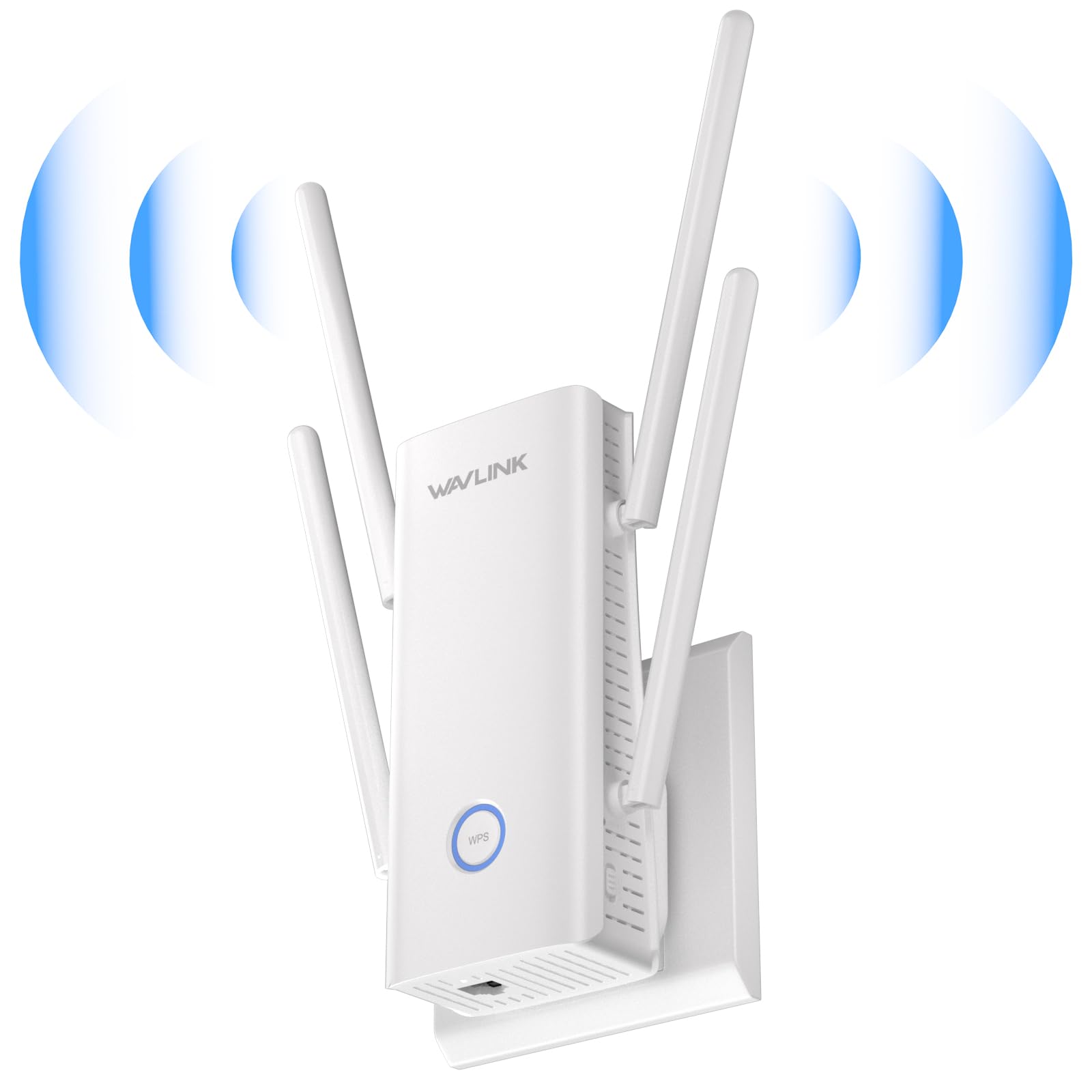
3. WAVLINK AX3000 WiFi Extender with 5 High-Gain Antennas
Five antennas standing upright, ready to run as an extender, an access point, or a full router.
Five high-gain antennas is a visible statement, and the point is reach rather than subtlety. Dual-band Wi-Fi 6 delivers 573 Mbps on 2.4 GHz and 2402 Mbps on 5 GHz for 3000 Mbps total, using a 160 MHz channel width (a wide lane that lets compatible devices move more data per transmission). The manufacturer pitches it as beating the 1800 Mbps class of regular Wi-Fi 6 extenders, and the numbers do line up — 2402 Mbps on 5 GHz versus 1201 Mbps on an AX1800-style unit. It is taller than the Cudy at 1.65″D x 2.9″W x 6.4″H, so plan for a socket with some clearance above it.
Three modes cover three different problems: Repeater to rebroadcast weak router signal, Access Point to turn a wired jack into Wi-Fi, and Router mode to run it as the head of a small network. There is one Gigabit port for a wired device. It lists compatibility with phones, TVs, tablets, Google Assistant, Alexa Echo and Ring, which makes it a reasonable fit if you are covering a camera or doorbell on the far side of the house.
Where it asks patience is the setup experience — that is the split in the feedback, with some finding it genuinely quick and others grinding through it. Connectivity is the one area the data flags as a negative, so if your router is unusual or old, expect to spend time in the settings pages. The functionality record is the strongest thing about it: covering a Starlink feed and holding a strong signal for high-speed transfers is exactly the job it was built for. Once configured, owners tend to be glad they stuck with it.
Pick this when: you want one box that can serve as extender, access point, or router depending on the room it lands in.
Hold off if: your router is a locked-down ISP gateway and you want zero configuration — the manual path here is real.
4. TP-Link RE515X AX1500 WiFi 6 Range Extender
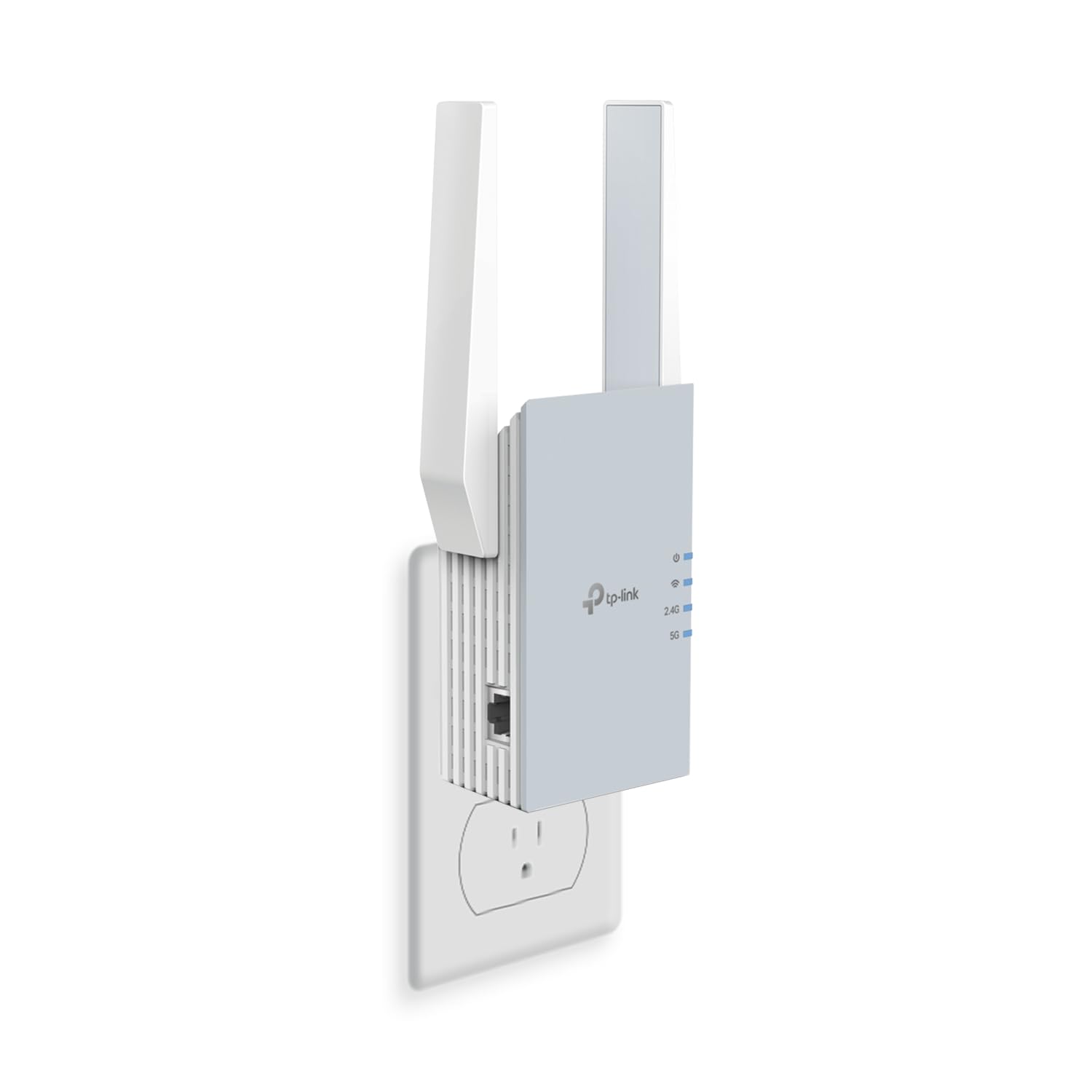
Configured and running before your coffee goes cold, as long as you keep expectations modest.
Not every house needs a triple-radio monster. This AX1500 unit splits its 1500 Mbps as 1201 Mbps on 5 GHz and 300 Mbps on 2.4 GHz, and covers up to 1800 Sq. Ft for up to 64 devices. That is comfortably below the RE815X’s 5400 Mbps, 2800 Sq. Ft and 96-device envelope — and for a flat or a single weak wing, that is entirely enough. Two high-gain directional antennas with beamforming handle the reach, and at 10.24 ounces it sits lightly in a wall socket without drooping.
Setup is the headline. It uses the TP-Link Tether app with an intelligent signal indicator that tells you where to place it for the best link, and it is EasyMesh compatible — so if your router speaks that standard, it folds into one mesh network with a single name. A Gigabit Ethernet port lets you wire a TV or console, and AP mode turns that port into a wireless hotspot. Smart Adaptive Roaming keeps you attached to the strongest signal as you move.
The trade-off you should know about is long-term reliability, where the feedback is genuinely mixed — it works well for many households and a portion report it giving out over time, along with some seeing slower rather than stronger signal. That is the nature of a two-stream unit relaying a busy network. Buy it for a modest coverage gap, not to carry a whole house of streamers, and it performs exactly as advertised.
What it does well: the setup process is the most consistently positive thing about it — the app walks you to a good placement spot and you are online in a few minutes.
Best for: an EasyMesh router owner with one stubborn room and no appetite for settings menus.
Not for: a household running dozens of simultaneous 4K streams — the 64-device, AX1500 envelope will feel tight.
5. NETGEAR Nighthawk WiFi Extender EAX12
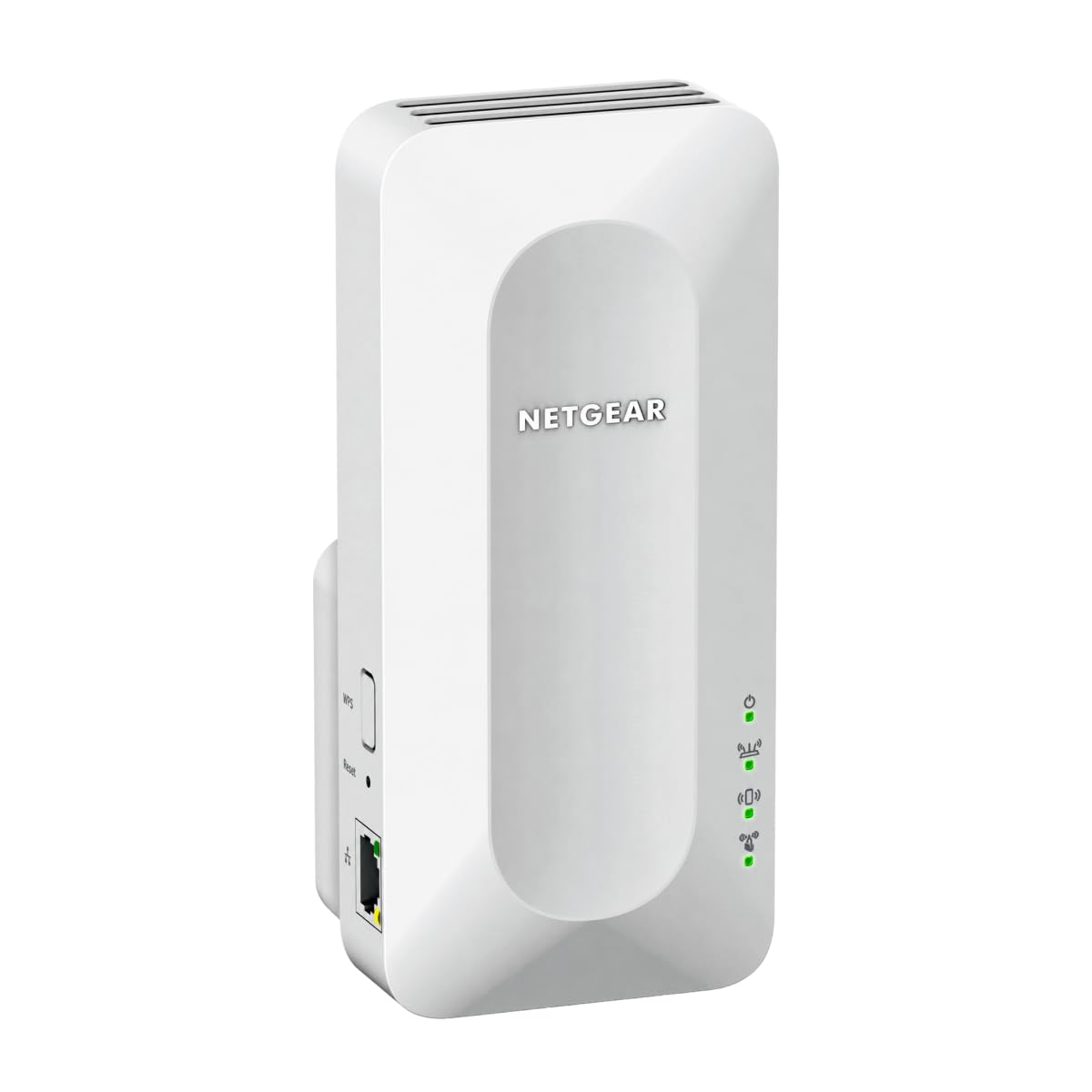
A plug-in wall box built for the one room your router never quite reached.
Picture the classic case: strong Wi-Fi everywhere except the back bedroom and the garage. The EAX12 is sized for precisely that — up to 1,200 sq. ft. of added coverage for up to 15 devices. The rated 1.6 Gbps (AX1600) is modest next to the 3 Gbps of its bigger EAX17 sibling, but a 15-device ceiling tells you the intended job honestly: a couple of phones, a TV and a laptop, not a whole smart home. At 14.4 ounces it hangs in a standard outlet and runs on nothing but that socket.
Smart Roaming keeps your existing network name and moves each device to the strongest signal automatically, so calls and streams do not drop as you walk from kitchen to hallway. It pairs with any router from Xfinity, Spectrum, AT&T, Cox or Verizon and rebroadcasts that signal — it extends your router rather than replacing it, with no closed ecosystem to lock you in. WPA3 security protects everything attached. Setup runs through the NETGEAR Nighthawk app or a WPS button press, and the process is the part owners describe most warmly, typically wrapped up in under ten minutes.
What lands well after the install is how much stronger the signal gets in the specific room that was struggling, and how little thought the box asks for afterward. The caveat is scale, not quality — 15 devices and 1200 sq. ft. will feel cramped if you later add cameras, a second TV and smart bulbs to the same corner. Treat the EAX12 as a single-room fix rather than a whole-house upgrade and it does its job cleanly.
The realistic ceiling: one problem room, a handful of devices, and a router you are not replacing. Step outside that and the EAX17 below is the natural upgrade.
Choose it for: a single dead room in a flat or a small house where 15 devices is genuinely all you connect.
Size up if: you expect to add security cameras or a second streaming TV to that corner — the device ceiling will run out first.
6. NETGEAR Nighthawk WiFi Extender EAX17
3.0 Gbps versus the EAX12’s 1.6 Gbps, and 1,500 sq. ft. versus 1,200 sq. ft.
The step up from the EAX12 is easy to see in the numbers: up to 3.0 Gbps (AX3000) versus 1.6 Gbps, 1,500 sq. ft. versus 1,200, and 20 devices versus 15. It weighs 13.76 ounces, lighter than the EAX12 despite doing more. If your weak zone is a basement or a garage rather than a single bedroom, that extra coverage is the difference between a usable signal and a spotty one, and the unit is built to extend WiFi 6 into exactly those rooms. A Gigabit Ethernet port gives you one wired jack for a console, TV or desktop.
Smart Roaming carries your network name across the house, so devices hop to the strongest signal without you touching anything. Like its smaller sibling it connects to any router or gateway from Xfinity, Spectrum, AT&T, Cox or Verizon and rebroadcasts — no lock-in to a single brand. WPA3 security covers every connected device, and the NETGEAR Nighthawk app or WPS handles the initial pairing.
Range is the standout in owner experience — basements and back rooms come back online with a signal that actually holds. Setup is where opinions divide sharply: for some it is a quick guided install, for others it is a long fight, and a share of buyers question whether the improvement justified the outlay. If you have ever wrestled a stubborn extender pairing, budget time for it and keep the app open. Get past the pairing and the basement and garage range gains are real.
Suits you if: a basement or garage is the target and your router is an ISP box you cannot change.
Consider skipping if: you are extending a 20-device home — this sits right at that line with little headroom.
7. WAVLINK AX1800 Outdoor WiFi 6 Extender

Built to sit on a pole in the rain and keep the security cameras talking.
Once your weak spot is outdoors, an indoor plug-in stops being relevant. This unit is rated IP67 — fully sealed against dust and built to survive heavy rain, snow, dust, wind, UV exposure and extreme temperatures — and it hangs on four custom-engineered 8dBi fiberglass antennas (the dB figure describes how tightly the signal is focused). The dual-band AX1800 radio runs 2.4 GHz and 5 GHz with MU-MIMO and beamforming to serve several devices without them stepping on each other. At 2.43 kg it is a mount-and-forget unit rather than something you move around.
It is aimed squarely at single-family homes, large yards, farms, estates, garages and RV parking areas — the places where the house router simply gives up. Modes cover Access Point, Router, Repeater and WISP, so it can rebroadcast, create a fresh network, or pick up a provider’s wireless signal where you have no cable. Power options include 802.3af/at PoE and Passive PoE, meaning a single Ethernet cable can carry both data and electricity to a spot with no outlet nearby. It is also listed for Starlink systems, and phone, email and Amazon support are offered with a stated eight-hour response target.
Performance and signal strength are what owners talk about most, and the stories are concrete — coverage over several acres, security cameras far downhill still reporting, workable speeds at a hundred yards out. The friction is documentation: the instructions are the weak link, and setup is the most-split aspect of the whole package. Most people get there with support, but read the manual twice and phone in if a mode refuses to engage.
Why it belongs outdoors
- True IP67 enclosure rated for heavy rain, snow, dust and UV
- Four 8dBi fiberglass antennas for focused long-range reach
- Single-cable PoE power and data, active or passive
- AP, Router, Repeater and WISP modes in one box
Go in eyes open
- Instructions are the weakest part of the package
- 2.43 kg needs a proper pole or wall mount, not a shelf
- Setup is the most-divided topic in its feedback
Made for: a farmhouse, a big garden with cameras, or an RV pad that the indoor router cannot touch.
Wrong tool if: you only need to reach a back bedroom — the indoor picks above cost far less hassle.
8. WAVLINK AX1800 Outdoor WiFi 6 Extender, PoE

Rated for 256 devices and a 200-300 m radius, plus a two-year replacement promise.
The headline here is reach and volume. Four high-gain 8dBi omni-directional fiberglass antennas (detachable) are quoted for up to 200-300 m of radius in line-of-sight conditions, with a stable signal for up to 256 devices. The radio is AX1800 dual-band — 1201 Mbps on 5 GHz plus 574 Mbps on 2.4 GHz for 1800 Mbps total — and it is built to connect with Starlink Gen 2/3 through a Starlink Ethernet Adapter, which is exactly the setup rural and off-grid homes run. At 2255 g it is lighter than the AX1800 outdoor model above, which helps on a mast.
Modes include Mesh, AP, Router, Repeater and AP+Repeater, with Mesh limited to WAVLINK series products. PoE works from either 802.3 AF/AT active or passive supply, so one cable carries power and data to a garden or barn with no outlet. Warranty is stated as two years with free replacement for issues in that window.
Two practical notes before you buy. There is no app — setup is entirely through a browser, so plan for a laptop rather than a phone. And the package ships with a 1-meter Ethernet cable; for anything past that you supply your own CAT5E-or-better run under 100 m. Give it a longer cable and the coverage stories — hundreds of meters out, strong speeds across a rural property — are what you are buying.
Settle on this one if: you are covering a rural property off Starlink and want the biggest device count and the longest quoted range.
Pair with: a proper outdoor cable run and an indoor PoE adapter spot — the included 1 m cable will not cross a yard on its own.
9. WAVLINK AX3000 Outdoor WiFi 6 Extender

Six antennas and AX3000 speed for the outdoor site that carries real traffic.
For a shop, park or market with heavy outdoor demand, this is the top of the outdoor stack. Six 7dBi omni-directional antennas plus two built-in amplifiers push dual-band Wi-Fi 6 to 2402 Mbps on 5 GHz and 573 Mbps on 2.4 GHz for 3000 Mbps total, and it handles up to 256+ devices at once. That speed class matches the WAVLINK AX3000 indoor unit above, but with the weatherproofing an exposed site demands. It works with Starlink and any standard Wi-Fi device — phones, TVs, smart home gear, Chromecast, Alexa Echo, security cameras.
Modes cover Mesh, AP, Router, Repeater and AP+Repeater, with Mesh giving a single network name and password across WAVLINK devices. PoE is supported in both 802.3AF/AT active and passive form, so one cable reaches an unpowered pole; keep the PoE converter indoors, since it is not waterproof, and use CAT5E or better within 100 m. At 1 kg it is light for its class. There is a two-year free replacement promise, with support reachable by phone, email or Amazon.
The 5 GHz performance is the part that earns its reputation — genuinely excellent throughput reported on that band. Signal quality overall is the split: strong on 5 GHz for most, weaker results for a few, so placement and line of sight matter. There is a firmware note worth acting on — if you use special characters in your network name or password, update the firmware before setup. Update the firmware and ground the unit before mounting, and the site runs clean.
The standout: AX3000 speed at 256+ devices with six focused antennas is more headroom than most outdoor sites will ever need.
The prep work: update the firmware first if your Wi-Fi password has special characters, install a ground wire for lightning and static protection, and keep the PoE converter under cover.
Go for it if: you are covering a commercial or semi-public outdoor space where the 5 GHz band is doing the real work.
Start smaller if: your outdoor need is a single garden camera — the AX1800 models above cover that without the extra complexity.
Know the Specs
The AX number — your speed ceiling, not your plan
AX1500, AX3000 and AX5400 are the combined theoretical throughput across all radio bands, not a measure of the internet speed coming into your house. An extender relays your router’s signal, so wireless clients typically see roughly half the throughput or less than the router delivers directly. The AX figure tells you how much device headroom the box has when many phones, TVs and cameras compete at once — a busier home wants the higher number, a single weak room does not.
Coverage in square feet is an open-air estimate
Manufacturers quote coverage in ideal conditions. Walls, floors, chimneys and metal appliances all absorb and reflect signal, so a 2800 Sq Ft rating in a hedge-free open plan is not the same as 2800 Sq Ft around a brick chimney breast. Place the extender roughly halfway between the router and the weak room, with the signal indicator showing a strong link, and let the second hop do less work.
Tri-band versus dual-band
A dual-band extender has one 2.4 GHz and one 5 GHz radio. A tri-band has an extra 5 GHz radio, which mostly matters when many devices pull simultaneously — one radio can handle the router link while the other serves clients. Single-room fixes do fine on dual-band; a full house with a TV in every room benefits from the third radio.
PoE and IP67 for outdoor units
PoE (Power over Ethernet) sends electricity and data down the same cable, so an outdoor unit can mount far from any wall socket. IP67 means the enclosure is sealed against dust and can survive rain and immersion — the second digit is the water rating. Combined, they let you put an extender on a pole at the far end of a yard with one cable run.
Common Questions
Will a Wi-Fi 6 extender work with my older Wi-Fi 5 router?
Does an extender make my internet faster?
Why do I get two network names after setup?
Can I use an outdoor WAVLINK extender to reach my garage or yard?
How many devices can one extender handle?
Where should I place the extender in my house?
Do I need a TP-Link or NETGEAR router to use these extenders?
What is the difference between Repeater, Access Point and Router mode?
Can an outdoor extender connect to Starlink?
Is WPA3 security worth requiring?
The Bottom Line
The TP-Link RE815X takes the top spot for the widest envelope here: 5400 Mbps across three bands, 2800 Sq Ft for up to 96 devices, and a Gigabit port that doubles as an Access Point feed. If your router is TP-Link EasyMesh and you just need one room fixed, the RE515X sets up fastest. For anything outside a wall — a yard, a barn, a Starlink-fed rural property — step up to the WAVLINK AX1800 outdoor box with its 256-device ceiling and two-year replacement promise. One last nudge: device ceilings run out before coverage does, so buy above your current device count.
How we choose
We do not accept paid placement. Every pick is matched to a real buyer and a real use-case; we do not hands-on test units.
Sources
Specifications: manufacturer listings and product documentation. Review insights: verified customer reviews, as of November 2026. Pricing: not shown on this page (it changes often); check the current price via the retailer link.
As an Amazon Associate, Tactical Gear Guy earns from qualifying purchases. This does not affect which products we feature.