Specs are compiled from manufacturer listings and verified buyer reviews and can change over time — please confirm the key details on the product page before buying.
If your desk phone is chained to a wall jack that no longer does anything useful, a Wi-Fi cordless phone is how you cut that cord and keep a real handset. These phones register straight to your VoIP service over your wireless network and ring wherever you carry them. The five picks below all get calls in and out over Wi-Fi — no landline wiring in sight.
This guide is built by comparing the manufacturers’ published specifications and the patterns across verified customer reviews, so you get each pick’s real strengths and trade-offs instead of marketing spin.
You will see what separates a tough warehouse handset from a thin travel phone, and which one actually holds a signal in a dead corner. Here is how to find the right wi-fi cordless phone for your own building, budget, and call volume.
Top Picks
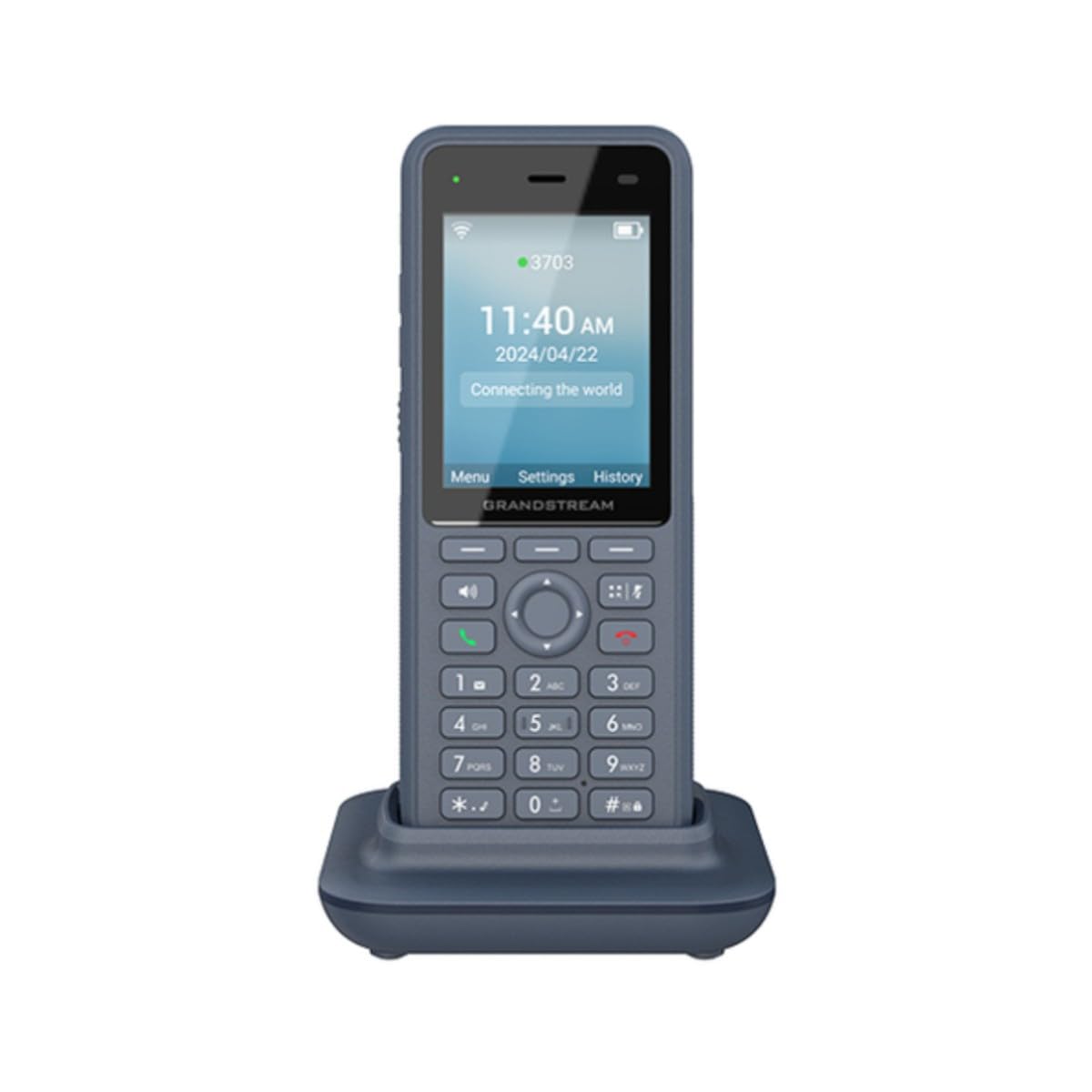

How To Choose The Best Wi-Fi Cordless Phone
A Wi-Fi cordless phone connects to your voice service over the same wireless network your laptop uses, not a phone jack. So before looks, check one thing: will it work with your system? Every handset here works with VoIP (Voice over Internet Protocol — calls sent over the internet) services, and buyers report running them on UniFi Talk, voip.ms, and 8×8 PBX setups.
Match the SIP accounts to your call load
A SIP account is one login your phone uses to reach your voice provider. Some handsets hold two, and some hold three. If you juggle a main line and a support line, two accounts is enough. If you also need a conference bridge or a second team line on the same handset, three accounts gives you the room to add it.
Read battery numbers as shift length
Battery capacity in mAh is the raw tank size, and talk time is the honest figure for a working day. Standby hours tell you how long it can sit in a cradle between calls and still ring. A phone with 240-hour standby is a phone you can leave on a shelf over a weekend and still pick up on Monday.
Decide if you need a rugged body
An IP67 rating means the casing is sealed against dust and can survive being submerged. That matters on a shop floor, in a kitchen, or anywhere a handset gets dropped. A standard plastic handset is fine on a clean desk. Pay attention to which one you are actually buying, because the bodies and the warranties differ.
Check the extras you will use daily
Bluetooth lets you pair a headset so your hands stay free. A 3.5mm headset jack is the older, simpler version of the same idea. Push-to-talk buttons and man-down alarms are built for staff who move around alone. A color LCD makes menu navigation easier than a tiny mono screen. Buy for the features your team will touch every hour, not the ones on the box.
Side-by-Side Comparison
| Model | Best For | SIP Accounts | Battery | Talk Time | Amazon |
|---|---|---|---|---|---|
| Grandstream WP836★ Best Overall | Rough workplaces and full-shift use | 3 | 3000 mAh | 10 hours | Amazon |
| Grandstream WP826Big Screen Pick | Desk-to-room calls with a big screen | — | — | — | Amazon |
| Grandstream WP820 | Headset users who want a familiar jack | — | 1500 mAh | 7.5 hours | Amazon |
Detailed Reviews
1. Grandstream Ruggedized WiFi Phone WP836
Our pick — 4.5+★ from 20+ verified ratings; the strongest balance of quality and price.
The handset built for people who drop things on concrete floors
This is the pick for a warehouse, a workshop, or any site where a phone gets knocked off a bench. The body carries an IP67 rating, which means it is sealed against dust and can survive being submerged. That sealing alone is why it stands at the top of this list rather than further down with the lighter handsets.
You also get real call capacity: it holds three SIP accounts (separate phone lines from your VoIP provider) across three lines and runs a 4-way conference on the handset itself. The 3000 mAh battery gives 10 hours of talk time and 240 hours of standby — the largest in this group, and the figure that separates it from the WP816, which carries 1500 mAh and 120-hour standby. Owners consistently point to connectivity as the star, and the dual-band Wi-Fi 6 radio (the newer, faster Wi-Fi standard) with roaming support is why it holds a call as you walk a big floor. An AI noise reduction system and a dual-microphone design with echo cancellation (which cancels background echo) work to keep your voice clean in a loud room.
Grandstream also built in Bluetooth for a headset, a Type-C USB port for fast charging, and a configurable push-to-talk button. The alarm set covers man-down, no-movement, running, ambient sound, and push-button triggers — a genuine safety feature for a lone worker. The catch is weight and bulk: at 180 g with a sealed casing, it feels heavier in the hand than the compact WP816. That trade-off is fine if the phone lives on a shop floor, less so if it has to slip into a shirt pocket daily.
What earns its keep
- IP67 sealing survives dust, splashes, and a dropped handset
- 3000 mAh battery runs 10 hours of talk and 240 hours of standby
- Three SIP accounts and 4-way conferencing on one handset
- Bluetooth headset pairing plus a Type-C fast charging port
- Man-down and no-movement alarms for staff working alone
Where it asks more of you
- 180 g and a sealed body make it the heaviest pick here
- The button layout and alarm menus take time to learn
Reach for this if: your handset lives on a factory floor, in a kitchen, or anywhere it might take a knock.
Look elsewhere if: you want the lightest possible phone for a clean desk and a single line.
2. Grandstream Cordless WiFi IP Phone WP826
A 4-inch color screen turns the handset into a real desk phone
Most cordless handsets cram contact lists and call logs onto a tiny strip of mono text. The WP826 does not. Its 4-inch color LCD gives you a screen you can actually read at a glance, which makes navigating a menu, scrolling contacts, and managing a call far less fiddly. If you spend your day moving between your desk and a meeting room, this is the one that keeps your interface readable in both places.
Under the hood it runs dual-band Wi-Fi 6 and carries the same roaming support as the rest of the family, so it follows you across the building instead of dropping at the edge of one access point. The build is a solid plastic shell with a dual keypad layout for call controls. Connectivity is what owners highlight, with call quality and the general feature set close behind in the same conversations. Setup is where the experience splits — some buyers describe a simple configure, while others find the menu system takes real patience. Plan for an hour of setup with your provider’s settings in hand.
One thing to know before you buy: this listing does not publish a battery capacity or talk-time figure. If all-day untethered calling is the priority, the WP836’s 3000 mAh and 10-hour talk time give you a number you can plan around. The WP826 is the better pick when the screen is what you stare at all day. Its 10 x 8 x 6 inch package size runs larger than the WP836’s 5.71 x 1.97 x 0.98 inch body, so make room on the desk for a proper charging cradle.
The screen is the pitch: a 4-inch color LCD makes contacts, call logs, and settings legible without leaning in — a genuinely different daily experience from a mono-text handset.
Set aside setup time: configuration is the one step owners describe differently, so go in expecting a working session with your SIP details rather than a five-minute plug-in.
Choose the WP826 when: you want a handset that reads like a small desk phone and you live in the menus all day.
Pass if: you need a published talk-time number to plan a full shift away from the charger.
3. Grandstream WP820 Wireless Wi-Fi Phone

A familiar 3.5mm jack and a slim silver body for headset regulars
Some people never take the headset off. For them the WP820 makes sense: a 3.5mm headset jack right on the handset, plus Bluetooth for a wireless set when you want to cut the wire. The body is slim at 6.61 x 2.05 x 0.87 inches and weighs 161 g, so it sits in a pocket or clips to a belt without dragging your waistband down. Silver plastic, standard cradle, belt clip in the box.
The wireless side is dual-band Wi-Fi with roaming support, and the voice path runs through a dual-microphone HD design with echo cancellation and noise suppression. Battery is a 1500mAh pack with 7.5 hours of talk and 150 hours of standby — enough for a lighter call day, and the closest number in this group to the WP816’s 6 hours and 120 hours. A micro USB port handles charging, which matters if you already have a drawer full of that cable. The listed compatible device is the UCM6202, a Grandstream PBX unit, so check your own controller before you buy.
The honest note is that this is the older design in the lineup, and it shows in the charging port and the general pace of the menus. Call quality holds up — the HD voice design is the same family as the newer handsets. Ease of use is a mixed picture: some find it simple, some find it fiddly. The build is solid plastic and the Anatel certification on the listing tells you it has been tested for a regulated market. If you want the newest radio and the biggest battery, look up at the WP836 instead.
Plays well with headsets
- 3.5mm jack plus Bluetooth gives you two headset options
- Slim 161 g body with a belt clip included in the box
- Dual-microphone HD voice with echo cancellation
- 7.5 hours of talk on a 1500mAh battery
Older design trade-offs
- Micro USB charging rather than USB-C
- Menus and setup divide opinion on ease of use
For the headset-first caller: pick the WP820 if a wired 3.5mm set is non-negotiable and you want a phone that disappears into a pocket.
Skip if: you want the newest connectivity and longest runtime — that is the top pick, not this one.
Know the Specs
SIP Accounts and Lines
A SIP account is one login your handset uses to reach your voice provider. The number of accounts tells you how many separate phone numbers or extensions the phone can register at once. More accounts means one handset can cover a main line plus a support line or a conference bridge without a second device. Three accounts is the higher end of what you find in compact Wi-Fi handsets, and two is the standard.
Battery Capacity and Talk Time
Battery capacity in mAh measures the size of the tank. Talk time in hours is how long the phone can stay off the cradle on a call. Standby hours measure how long it can sit idle and still ring when someone calls. A larger number in both means less time hunting for the charger. The number to trust for a shift-length decision is the talk-time figure, because that is the state the phone is in when you need it most.
Wi-Fi 6 and Roaming Support
Wi-Fi 6 is the newer wireless standard, and a dual-band radio means the phone can use both the 2.4 GHz and 5 GHz bands. Roaming support is what keeps a call alive as you walk from one access point to the next — without it, the call can drop when you leave the range of the first access point. On a big floor with several access points, roaming is the spec that decides whether the handset is usable or not.
IP Ratings and Rugged Bodies
An IP rating like IP67 describes how well a casing is sealed. The first digit covers dust, and the second covers water. IP67 means the phone is dust-tight and can survive being submerged for a short time. That matters on a shop floor, in a kitchen, or on any site where the handset might land in a puddle or get hosed down. A standard plastic handset is fine on a desk. A rugged one is what you need when the phone leaves the desk.
Common Questions
Will a Wi-Fi cordless phone work with my UniFi Talk setup?
Do I need a landline for a Wi-Fi cordless phone to work?
How long does the battery last on a Wi-Fi cordless phone?
What does IP67 mean on a cordless handset?
Can I use a Bluetooth headset with these Wi-Fi phones?
How many phone lines can one Wi-Fi cordless phone handle?
Is a Wi-Fi cordless phone hard to set up?
What is a push-to-talk button on a Wi-Fi handset?
Can I run a conference call on a cordless Wi-Fi phone?
Does a Wi-Fi cordless phone need a base station plugged into the network?
The Bottom Line
For most workplaces, the wi-fi cordless phone winner is the Grandstream WP836 because it pairs an IP67 sealed body (dust-tight and able to survive being submerged) with a 3000 mAh battery, 10 hours of talk time, and three SIP accounts — enough for a real shift on a shop floor or in a kitchen. If you want the largest screen for menu work, grab the Grandstream WP826 and its 4-inch color LCD. And for light portable calling with two lines, the Grandstream WP816 is the one to reach for, so long as you plan charging breaks around its 6-hour talk figure. Whichever you choose, confirm your SIP provider (the company that supplies your VoIP lines) and access-point coverage first — that step decides more of the experience than the spec sheet does.
How we choose
We do not accept paid placement. Every pick is matched to a real buyer and a real use-case; we do not hands-on test units.
Sources
Specifications: manufacturer listings and product documentation. Review insights: verified customer reviews, as of November 2026. Pricing: not shown on this page (it changes often); check the current price via the retailer link.
As an Amazon Associate, Tactical Gear Guy earns from qualifying purchases. This does not affect which products we feature.