Specs are compiled from manufacturer listings and verified buyer reviews and can change over time — please confirm the key details on the product page before buying.
If your Wi-Fi dies at the back bedroom door, the fix is not a faster internet plan — it is a router with the right antennas, band count and coverage rating for your floor plan. This guide sorts nine real long range Wi-Fi routers by what actually reaches through walls: antenna design, rated square footage, band class, and the wired port speed that keeps your connection from bottlenecking. You will see which one suits a small apartment, which one carries a three-bedroom house, and which one is built for a home full of gamers and 4K streams.
This guide is built by comparing the manufacturers’ published specifications and the patterns across verified customer reviews, so you get each pick’s real strengths and trade-offs instead of marketing spin.
Every pick below is ranked on reach first and raw speed second, because a fast router that quits at the hallway is no use to you. Here is what separates a genuinely long range Wi-Fi router from a spec sheet that only looks impressive on paper.
Top Picks

How To Choose The Best Long Range WiFi Router
Range is not one number — it is the sum of antenna design, band class and where you place the box. A router rated for a big house still struggles if it sits in a cupboard behind a brick wall. Start with the coverage figure, then check the bands and the wired ports before you look at speed.
Start with rated coverage, not headline speed
The coverage figure — written in square feet — is the maker’s own estimate of how much floor space the router is built to fill. The Archer BE370 lists 2,600 sq. ft. and the Nighthawk RS600 lists 3,300 sq. ft., while the Archer BE220 lists 1,800 sq. ft. Match that number to your home’s footprint with a little headroom for walls and furniture. A router rated well above your square footage tends to hold a stronger signal in the far corners.
Dual-band or tri-band: what it means for a busy home
A dual-band router runs two radio lanes (2.4 GHz for reach and 5 GHz for speed). A tri-band router adds a third lane, often the 6 GHz band, so more devices get their own space. In a home with laptops, phones, consoles and smart plugs all pulling at once, that extra lane keeps things moving. In a smaller home with a handful of devices, dual-band is plenty.
Check the wired port speed before you buy
Your internet plan can only move as fast as the port it plugs into. A 1 Gbps port caps a gigabit plan at gigabit. A 2.5G port (2,500 Mbps) or a 10G port (10,000 Mbps) lets a multi-gig plan breathe. If you pay for multi-gig service, pick a router with a matching WAN port or you are leaving speed on the table.
Side-by-Side Comparison
| Model | Best For | Rated Coverage | Band Class | Top Speed | Amazon |
|---|---|---|---|---|---|
| TP-Link Archer BE220★ Best Overall | Small homes and first Wi-Fi 7 step | 1,800 sq. ft. | Dual-Band | 3,600 Mbps | Amazon |
| MSI Radix AXE6600Gamer’s Pick | Gamers who want RGB and tri-band | — | Tri-Band | 6.6 Gbps | Amazon |
| ASUS RT-BE82UMulti-Gig Ready | Multi-gig wired homes | — | Dual-Band | 6,500 Mbps | Amazon |
| TP-Link Archer AX80 | Big homes on a Wi-Fi 6 budget | 3+ Bedroom Houses | Dual-Band | 6,000 Mbps | Amazon |
| NETGEAR Nighthawk RS600 | Biggest coverage with a 10G port | 3,300 sq. ft. | Tri-Band | 18 Gbps | Amazon |
| NETGEAR Nighthawk RS280 | Compact Wi-Fi 7 for mid-size homes | 2,500 sq. ft. | Tri-Band | 9.2 Gbps | Amazon |
| Synology RT6600ax | Network control and separate networks | Wide coverage area | Tri-Band | — | Amazon |
| ASUS RT-BE88U | 10G wired backbone and mesh growth | 3,000 sq. ft. | Tri-Band | 7,200 Mbps | Amazon |
Detailed Reviews
1. TP-Link BE3600 Dual-Band Wi-Fi 7 Router (Archer BE220)
Our pick — 4.5+★ from 250+ verified ratings; the strongest balance of quality and price.
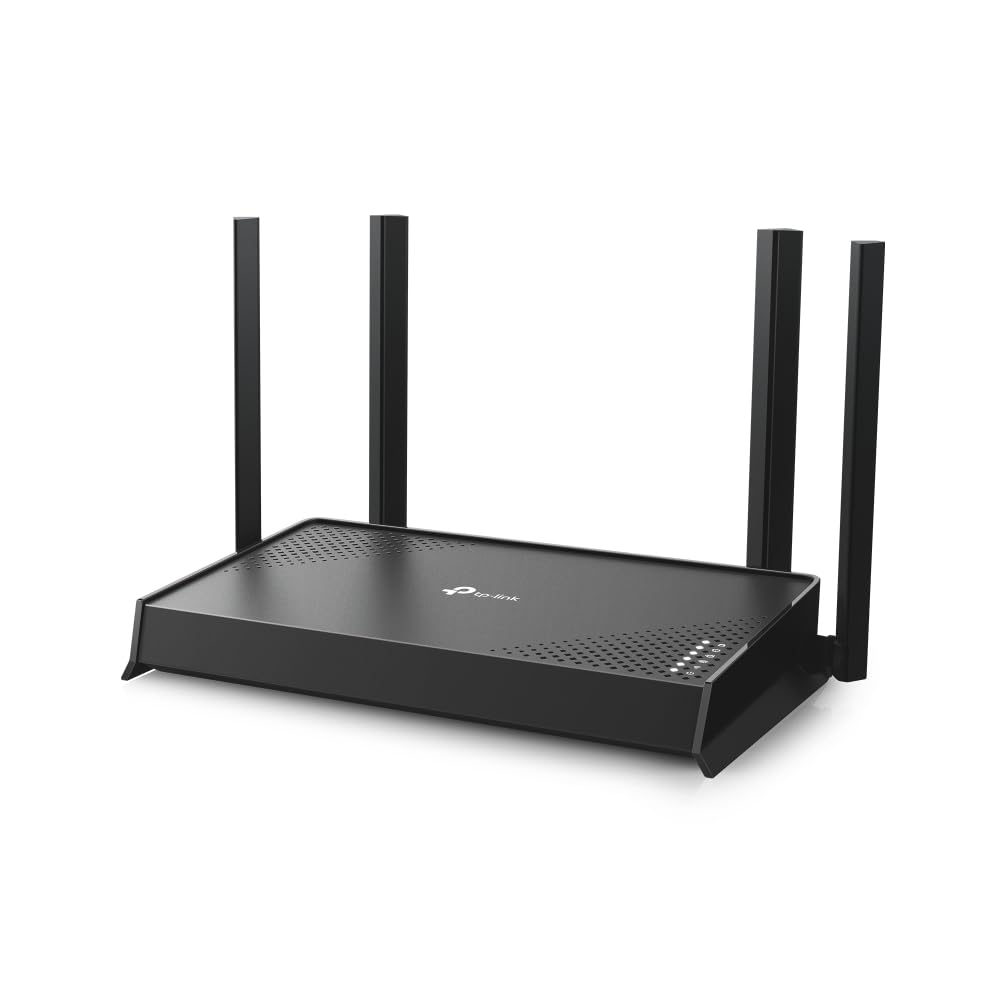
Four external antennas push Wi-Fi 7 into corners your old router gave up on.
The simplest way to think about the Archer BE220 is that it brings the newest Wi-Fi generation into an ordinary-sized home without the premium tag. It is rated to fill 1,800 sq. ft. and serve up to 60 devices at once, so a family with phones, laptops, a smart TV and a couple of consoles all connected fits comfortably inside its design. The engine underneath is Wi-Fi 7, a newer wireless standard that handles busy networks more gracefully than Wi-Fi 6.
Speed comes in two lanes: up to 2,882 Mbps on the 5 GHz band for speed-hungry work like 4K and 8K streaming, and up to 688 Mbps on the 2.4 GHz band for reach and simple gadgets. Four external antennas plus beamforming (which steers the signal toward where your devices actually sit) are what earn the range. Paired with the 1 Gbps WAN port and four extra 1 Gbps LAN ports, the wired side stays quick for PCs, consoles and network drives.
What wins people over is how little fuss the whole thing creates — app-guided setup, firmware updates handled from the phone, and TP-Link HomeShield watching the network. The catch is honest and important: this is a dual-band router with no 6 GHz band, and 3,600 Mbps total is on the modest side for heavy multi-gig households. It also won’t join an existing Deco mesh, so Deco owners should expand with an EasyMesh extender instead. For a home that mainly needs to stop dropping calls at the far end of the house, it’s the balanced pick, rated 4.5+ stars by 200+ owners.
Where it earns its keep
- Four external antennas with beamforming aim the signal at hard-to-reach rooms.
- Wi-Fi 7 with multi-link operation gives one steadier connection across bands.
- Five gigabit ports total (1 WAN plus 4 LAN) for wired PCs and consoles.
- EasyMesh-compatible so you can add an extender later without replacing it.
Room you should know about
- No 6 GHz band — this is dual-band only.
- Won’t fold into an existing Deco mesh setup.
- Rated coverage is 1,800 sq. ft., so very large homes need an extender.
Reach for this if: your home runs up to about 1,800 sq. ft. and you want the newer Wi-Fi standard without overpaying.
Think twice if: you already own Deco mesh pods or need a 6 GHz lane for a packed gaming setup.
2. MSI Radix AXE6600 WiFi 6E Tri-Band Gaming Router
Three bands, eight streams and a 1.8 GHz brain aimed squarely at lag.
Most buyers chasing range forget that the number of radio lanes matters as much as antenna length. The Radix AXE6600 runs three bands at once — 2.4 GHz, 5 GHz and 6 GHz — with eight streams total and up to 6.6 Gbps combined. That 6 GHz lane is the quiet highway only the newest devices can use, which keeps a gaming PC or console off the crowded 2.4 GHz traffic.
The 1.8 GHz quad-core processor is what keeps all those streams organised. MSI pairs it with AI QoS (short for Quality of Service), which automatically ranks your traffic so a game packet gets priority over a background download. Game Accelerator adds a dedicated push for low-latency gaming, and the Mystic Light RGB can sync with other MSI gear if you like your desk glowing. Buyers report coverage across a whole house, reaching into basements and out to the driveway.
Any trade-off? This is a grown-up gaming router and it looks the part — the RGB and the fixed antennas aren’t for everyone, and the 6 GHz benefits only show up with newer phones and laptops. If your devices are a few years older, you’re paying for bands they can’t use. For a household where gaming sessions and streaming happen at the same time, though, the tri-band layout and the prioritising smarts are the point.
Why gamers gravitate here: AI QoS plus a 1.8 GHz quad-core processor and a dedicated 6 GHz band turn a busy house into a steadier connection for the device that matters.
Best fit: a gaming-first household with newer devices that can use the 6 GHz band.
Hard truth: older gear gains little from the third band, so weigh that before you upgrade.
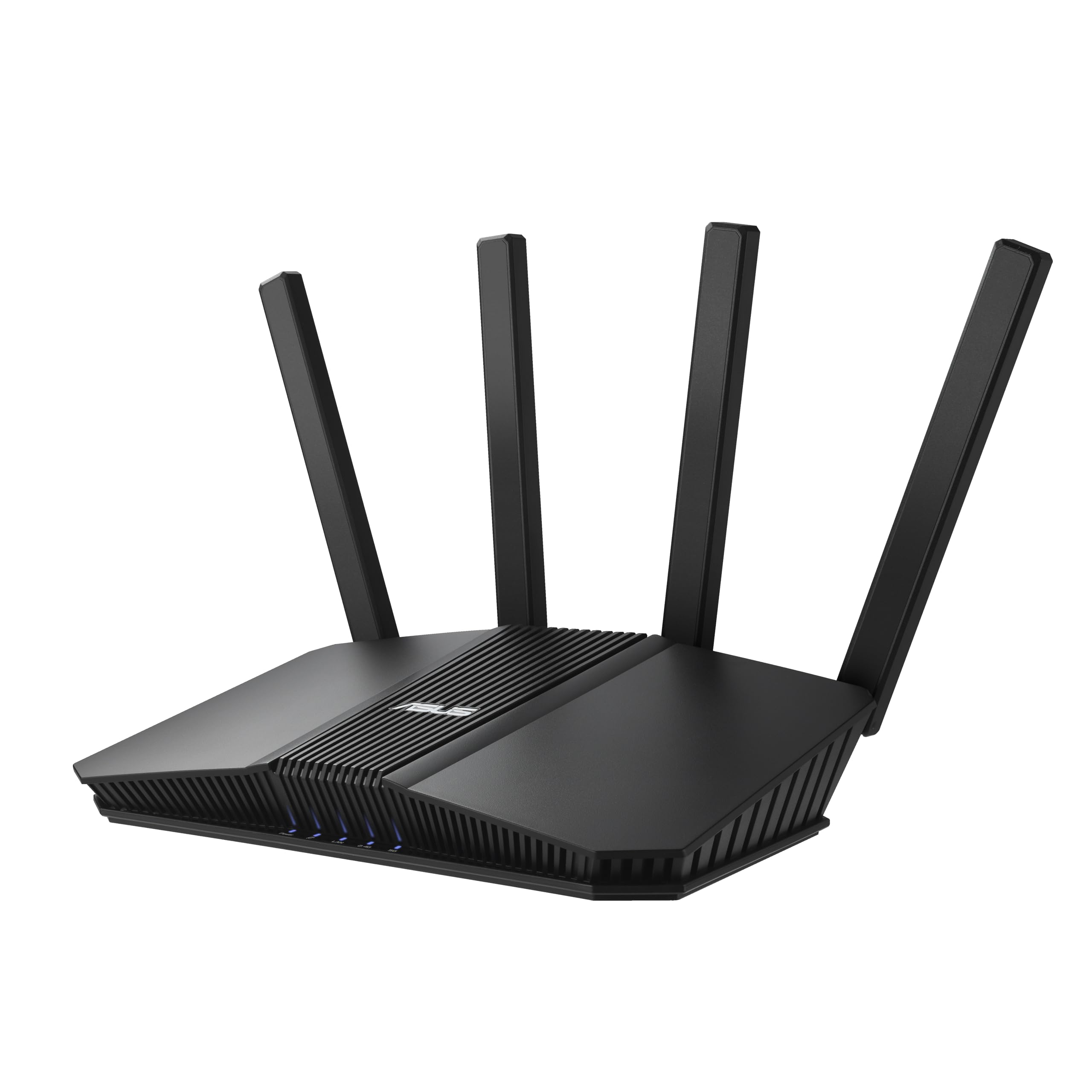
3. ASUS RT-BE82U WiFi 7 Router
Five 2.5-gig ports in a body the size of a hardback book.
Where most routers give you one fast port and a few slow ones, the RT-BE82U hands over five 2.5GbE ports — each one rated at 2,500 Mbps. That means a gaming PC, a NAS and a console can all run at multi-gig wired speed without a switch. For a house that already pays for a fast cable or fibre plan, those ports stop the router from being the bottleneck. It measures 5.8″L x 3.8″W x 9.3″H, so it slips onto a shelf far more easily than the wider Archer BE220 at 11.77″L x 6.26″W x 6.38″H.
The radios run Wi-Fi 7 dual-band up to 6,500 Mbps, with 4096-QAM (a denser signal encoding that squeezes more data into each transmission) lifting throughput. Multi-link operation links several bands at once for a steadier connection while you move around the house. Signal strength is what buyers notice most — the buffering that used to hit the far rooms tends to vanish, and setup is quick enough to be a single evening’s job.
The honest catch: it runs on two bands (dual-band) with no 6 GHz lane of its own, so the biggest speed gains land on wired devices and newer Wi-Fi 7 phones. Security comes from AiProtection Pro, a commercial-grade suite from Trend Micro (security software built into the router). Add a second node later and it extends into a whole-home AiMesh network. If your priority is a wired backbone plus expandable reach, this is a strong middle-of-the-list balance.
The selling argument: five 2.5GbE ports put multi-gig speed on several devices at once — rare at this tier.
Who it beats: any router still leaning on a single gigabit WAN port when you pay for a faster plan.
Where it falls short: no 6 GHz band — the biggest gains stay with wired gear and the newest phones.
4. TP-Link AX6000 Wi-Fi 6 Dual Band Router (Archer AX80)

Eight antennas and a 2.5G port make this the range bargain of the Wi-Fi 6 era.
Eight high-gain antennas with beamforming is a serious amount of radio hardware, and that’s the engine behind the AX80’s reach. It’s rated for three-plus-bedroom houses and pushes up to 4,804 Mbps on the 5 GHz band and 1,148 Mbps on the 2.4 GHz band for a 6,000 Mbps combined figure. In raw throughput it outruns the Archer BE220’s 3,600 Mbps, so if your priority is a strong signal across a bigger footprint, this Wi-Fi 6 unit punches above its tier.
Owners mention the signal holds across a full house, with strong room-to-room streaming hundreds of feet out. A 2.5G multi-gigabit port (a wired port that handles 2.5 gigabits per second) lets a multi-gig internet plan through without a downgrade. The features are the practical sort: MU-MIMO and OFDMA (two tricks that split the signal across many devices at once so nothing queues up), VPN client support, TP-Link HomeShield security, OneMesh extendability and Alexa voice control for the guest network.
The trade-off is Wi-Fi 6, not 7 — you get the mature, sorted standard rather than the newest one, and a small number of owners have hit connectivity quirks that needed a reboot or a firmware refresh. For the money, though, eight antennas and a multi-gig port is hard to argue with in a large home.
What lands with buyers
- Eight high-gain antennas give strong, far-reaching coverage for big homes.
- A 2.5G multi-gig port keeps a fast internet plan from being throttled.
- MU-MIMO and OFDMA keep many devices running at once.
- OneMesh support lets you extend reach without a full replacement.
Before you commit
- Wi-Fi 6, so no Wi-Fi 7 features like multi-link operation.
- Occasional connectivity glitches call for a reboot or firmware update.
Choose it for: a three-plus-bedroom home that wants maximum reach from a mature, proven standard.
Pass if: you specifically want the newest Wi-Fi 7 feature set.
5. NETGEAR Nighthawk Tri-Band WiFi 7 Router (RS600)

The widest coverage on this list, with an 18 Gbps tri-band ceiling.
3,300 sq. ft. for up to 150 devices is the biggest rated footprint here, and that alone puts the RS600 in a class of its own for coverage. It’s a tri-band Wi-Fi 7 unit — 2.4 GHz, 5 GHz and a dedicated 6 GHz band — with speeds up to 18 Gbps. The high-performance antenna design is what drives the reach, and the wired side includes a 10 Gig LAN port plus three 1 Gig LAN ports, so a multi-gig modem connects without a ceiling.
Build quality is the thing people notice first — a solid, well-made unit that feels like it will sit on the shelf for years. Setup runs through the Nighthawk app and is quick enough to do before dinner. The app also lets you check in on the network when you’re away from home, which is handy if you want to keep an eye on things remotely. Customers note smooth, stable performance once it’s running.
Two things to know. This is a renewed unit, so you’re getting a refurbished RS600 rather than a factory-new box — worth it if you want the top coverage figure without the full premium tag. And the 6 GHz band only helps devices that support it, so older gear stays on the standard bands. Note the review base is smaller than others here, so the track record is shorter, but the ratings that exist are strong.
The case for the RS600
- 3,300 sq. ft. of coverage for up to 150 devices — the widest here.
- Tri-band Wi-Fi 7 with a dedicated 6 GHz band and up to 18 Gbps.
- 10 Gig LAN port plus three 1 Gig ports for wired speed.
- Outstanding build quality and a quick app-based setup.
Worth knowing
- Sold as a renewed unit, not factory-new.
- The 6 GHz benefits only reach the newest devices.
- Smaller review base than the other picks here.
The pick for: a sprawling home that needs the largest single-router footprint you can get.
Weigh this: renewed stock and a shorter review history — great specs, thinner track record.
6. NETGEAR Nighthawk WiFi 7 Router (RS280)

A trimmer Nighthawk that tucks away and still covers 2,500 sq. ft.
The RS280 is the smaller-bodied cousin of the RS600 above, but it still covers 2,500 sq. ft. across three bands — 2.4 GHz, 5 GHz and 6 GHz — with speeds up to 9.2 Gbps. The sleek body and internal high-performance antennas keep it out of the way, so it suits a shelf or sideboard where the wider units look bulky. The 2.5 Gig internet port lets multi-gig cable or fibre plans through, though a matching 2.5 Gbps modem may be needed.
Setup is handled in the Nighthawk App and owners single out the intuitive app as a real plus. Security ranks right up there — buyers describe solid protection from outside intruders built into the setup. It works with gaming consoles, smart TVs, phones and security cameras, and the tri-band layout keeps a busy household from crowding one lane.
The honest note: it’s a router only, not a modem, so you’ll still need a separate cable modem with coax input for internet service. And the 2,500 sq. ft. rating, while generous, sits below the RS600’s 3,300 sq. ft. — a very large home with awkward walls may want the bigger unit or a mesh node.
The compact argument: 9.2 Gbps tri-band Wi-Fi 7 and 2,500 sq. ft. in a body that disappears on the shelf.
Go for this: a mid-size home that wants modern Wi-Fi 7 and a discreet footprint.
Skip if: you need the absolute widest single-router coverage or an all-in-one modem.
7. Synology RT6600ax Tri-Band Wi-Fi Router

One router that carves your home into five separate, managed networks.
The RT6600ax is for the buyer who cares about control as much as raw reach. It lets you create and define up to 5 separate networks to segregate and contain vulnerable devices — so your smart plugs, work laptop and kids’ tablets each live in their own zone. It’s a tri-band 4×4 router with support for 160 MHz channels and expanded 5.9 GHz spectrum, plus a 2.5GbE port that can also be configured as a LAN port for the fastest internet plans.
What owners lean on is the management depth: parental controls, web filtering, traffic control and threat prevention all sit in one place. A comprehensive VPN server handles remote desktop and site-to-site tunnelling, and reviewers point out the user interface is intuitive and the setup straightforward. Internal antennas keep the look clean, and the tri-band design pushes speed across both older and newer devices.
The realistic caveat: Wi-Fi signal strength draws mixed feedback — some find it strong, others find it inadequate for their space, so a very open-plan home may want a second node. Reliability has also produced some split opinions. Neither is a defect in every unit; it’s a reminder that a powerful, highly configurable router rewards a buyer willing to tune it rather than plug it in and forget it.
What it does uniquely
- Creates up to 5 separate networks to wall off vulnerable devices.
- 2.5GbE port supports the fastest internet plans.
- Parental controls, web filtering, traffic control and threat prevention in one console.
- Comprehensive VPN server with remote desktop and site-to-site tunnelling.
Where it can disappoint
- Wi-Fi signal strength draws mixed feedback in large spaces.
- Reliability splits opinion — it rewards tuning.
Made for: a hands-on owner who wants separate networks, filtering and VPN control all in one place.
The trade-off: if you want plug-and-forget simplicity above all, its depth may be more than you need.
8. ASUS RT-BE88U WiFi 7 Router

Two 10-gig ports and a 2.6GHz CPU for a home that runs like an office.
If your internet plan and wired devices have outgrown gigabit, the RT-BE88U is built to keep up. It carries one 10G SFP+ port and one standard 10G WAN/LAN port, raising wired network capacity up to 34G, and runs Wi-Fi 7 up to 7,200 Mbps across a 3,000 sq. ft. coverage area. The engine behind it is a quad-core 2.6GHz 64-bit CPU, which handles demanding Wi-Fi 7 and 10G applications without choking.
Signal strength is what stands out — shoppers say a full 100% bandwidth signal and exceptional coverage, plus a full 1GB speed test on WiFi. AI WAN detection and versatile WAN configuration keep the internet connection resilient, and a USB port is ready for 4G LTE or 5G mobile tethering as a backup. Guest Network Pro lets you set up to five SSIDs, handy for separating IoT devices and creating instant VPN connections with parental controls built in.
The limit worth naming: it’s a serious, feature-rich router that expects a serious setup, and the price and 2.6GHz horsepower only pay off if you actually use the 10G ports and Wi-Fi 7 devices. Commercial-grade AiProtection Pro and AiMesh extendability mean it grows with you. For a power user who wants a wired backbone and mesh future-proofing, this sits at the very top of the wired capability ladder.
The headline: one 10G SFP+ port and one 10G WAN/LAN port with a 2.6GHz quad-core CPU behind them.
Built for: a power user with multi-gig internet and wired devices that can use two 10G ports.
Overkill if: your plan and gear stay at gigabit — you’d be paying for ports you won’t fill.
Know the Specs
Coverage in square feet
The coverage figure is the maker’s estimate of how much floor space the router is built to fill — for example, 1,800 sq. ft. on the Archer BE220 versus 3,300 sq. ft. on the Nighthawk RS600. Use it as a starting point rather than a guarantee. Thick walls, floors and furniture all eat into real reach, so lean toward a router rated a little above your home’s footprint. If your home is laid out across two floors with a lot of brick, a single router in a central spot still works best paired with a mesh node or extender.
Band class: dual versus tri
A band is one radio lane a router runs. Dual-band means two lanes (2.4 GHz for reach and 5 GHz for speed). Tri-band adds a third lane, often the 6 GHz band. More lanes mean more room for devices before they start competing for airtime. A dual-band router handles a normal family fine; a tri-band router keeps a packed home of gamers, streamers and smart devices steadier. The 6 GHz band is fast but shorter-reaching, so it suits devices in the same room or nearby.
Wired port speed
The WAN port is where your modem plugs in, and its speed caps your whole internet connection. A 1 Gbps port limits a gigabit plan, while a 2.5GbE port (2,500 Mbps) or a 10G port (10,000 Mbps) lets multi-gig plans run at full tilt. LAN ports pass that speed to wired devices like a PC or console. If you pay for a fast plan, match the router’s ports to it, or the router quietly becomes your bottleneck.
Wi-Fi 6 versus Wi-Fi 7
Wi-Fi 6 is the settled, mature standard and delivers strong performance for most homes. Wi-Fi 7 adds tools like multi-link operation (combining bands into one steadier connection) and wider channels to handle more devices and more traffic at once. You only gain the newest Wi-Fi 7 benefits on devices that support it, so it pays best with newer phones and laptops. A well-placed Wi-Fi 6 router with strong antennas still delivers excellent reach.
Common Questions
Will a long range router actually reach my back bedroom?
Do I need a separate modem with these routers?
Is Wi-Fi 7 worth it over Wi-Fi 6 for long range?
Does a tri-band router give better range than dual-band?
Can I add an extender or mesh node to these routers?
What internet port speed do I need on a router?
How many devices can a long range router handle?
Will a faster router fix my buffering in far rooms?
Can I place a long range router near my windows for better signal?
Are renewed Wi-Fi 7 routers a safe buy?
The Bottom Line
For most homes, the winner of this search for the best long range wifi router is the TP-Link Archer BE220. It pairs Wi-Fi 7 radios with four external antennas and 1,800 sq. ft. of coverage, at a price that doesn’t punish you for wanting the newer standard. If raw reach is your whole goal, the Nighthawk RS600 delivers the widest footprint at 3,300 sq. ft. And for a wired backbone with a 10G port and a 2.6GHz CPU (the processor that runs the router), the ASUS RT-BE88U is the one to reach for. Start your shortlist with the Archer BE220: it’s the best-rated pick here and among the most affordable.
How we choose
We do not accept paid placement. Every pick is matched to a real buyer and a real use-case; we do not hands-on test units.
Sources
Specifications: manufacturer listings and product documentation. Review insights: verified customer reviews, as of November 2026. Pricing: not shown on this page (it changes often); check the current price via the retailer link.
As an Amazon Associate, Tactical Gear Guy earns from qualifying purchases. This does not affect which products we feature.