Specs are compiled from manufacturer listings and verified buyer reviews and can change over time — please confirm the key details on the product page before buying.
If your office Wi-Fi drops during a video call or stalls when the whole team is uploading at once, the fix is usually one router upgrade — not a technician. A business router has to do three things a home box often cannot: hold a crowd of devices at once, keep guest traffic off your work network, and stay reachable when you are working remotely. This guide covers nine genuinely capable picks, sorted by what each one does best, so you can match one to your floor plan and headcount instead of guessing.
This guide is built by comparing the manufacturers’ published specifications and the patterns across verified customer reviews, so you get each pick’s real strengths and trade-offs instead of marketing spin.
You will see where each router’s real limit sits, which ones handle a busy floor without stuttering, and how to read the speed numbers without being fooled by them. Below is the practical shortlist of the best wireless router for business setups.
Top Picks


How To Choose The Best Wireless Router for Business
A business router is judged on different things than the one in your living room. Raw speed is only part of it. The real question is whether the thing stays up when ten people are on a call, whether you can hand a guest the password without handing them your files, and whether you can manage it without driving to the office.
Start with port speed, not the big Wi-Fi number
Your internet line can only deliver what the router’s wired port accepts. If your provider sells a gig-plus plan, a 2.5 Gbps port lets that speed actually reach your devices — a standard 1 Gbps port caps you there instead. Look at how many 2.5 Gbps ports a router has and how many ordinary 1 Gbps ports sit beside them for printers, phones, and cameras.
Count your people and your devices
Coverage figures are usually quoted in square feet. A conference room plus open desks plus a stockroom fills that area fast, and walls eat signal. Some models publish a device count (25, or 80, or “over a hundred”) — treat that as a rough ceiling, then leave yourself room for laptops, phones, cameras, and a printer that all want in.
Separate your work traffic from guest traffic
Multiple SSIDs (separate network names, each with its own password) let you run one for staff, one for visitors, and one for smart devices like thermostats and cameras. VLAN support does the same job at a deeper level, keeping a vulnerable device sealed off from your point-of-sale or shared drive.
Decide if you need a built-in VPN
A VPN server inside the router lets a remote worker reach the office network without installing extra software on every laptop. If staff log in from home or from the road, this one feature can save a subscription.
Side-by-Side Comparison
| Model | Best For | Wi-Fi Standard | Stated Speed | Wired Ports | Amazon |
|---|---|---|---|---|---|
| GL.iNet GL-MT6000 Flint 2★ Best Overall | Busy office that needs room to grow | Wi-Fi 6 | 6000 Mbps | Dual 2.5G multi-gig | Amazon |
| Tenda BE7200 (BE12Pro)Best Value | Budget rooms wanting new Wi-Fi 7 tech | Wi-Fi 7 | 7141 Mbps | 2×2.5G + 3×1G | Amazon |
| NETGEAR Nighthawk RAX36Most Reliable | Small office, simple setup | Wi-Fi 6 | 3000 Mbps | 4×1G | Amazon |
| TP-Link Omada ER706W | Managed VPN gateway role | Wi-Fi 6 | 2402 Mbps | 1×SFP + 5×1G RJ45 | Amazon |
| TP-Link Archer BE600 | Large open floor of devices | Wi-Fi 7 | 4324 Mbps | 2×2.5G + 3×1G | Amazon |
| ASUS ExpertWiFi EBR63 | Customer-facing spaces with a guest portal | Wi-Fi 6 | 3000 Mbps | Ethernet + USB (backup WAN) | Amazon |
| ASUS RT-BE92U | Heavy data on the newest band | Wi-Fi 7 (tri-band) | 5764 Mbps | 2×WAN + USB tethering | Amazon |
| Synology RT6600ax | Segmenting many devices safely | Wi-Fi 6 (tri-band) | 2.5GbE backbone | 1×2.5GbE | Amazon |
| Ubiquiti Dream Router | Full managed network with UniFi | Wi-Fi 6 | 1 Gbps | Gigabit Ethernet + PoE | Amazon |
Detailed Reviews
1. GL.iNet GL-MT6000 Flint 2 Wi-Fi 6 Gaming Router
Our pick — 4.5+★ from 3,000+ verified ratings; the strongest balance of quality and price.
Two 2.5G ports and open firmware make this the quiet workhorse of the whole list.
What you get with the Flint 2 is headroom. Its data transfer rate is rated at 6000 megabits per second — the raw ceiling the radio can push — spread across 8 Wi-Fi streams so many devices share the load instead of fighting for it. For a small office that runs a laptop per desk plus a NAS or shared drive, that capacity quietly removes the “everyone freeze while the file uploads” stall.
The wired side is where it earns its keep for business. Dual 2.5G multi-gig ports (each accepting a faster-than-gigabit connection) let you plug in a fast modem and a switch without bottlenecking, and 1GB of DDR4 memory with 8GB of eMMC storage means it has room to hold settings and host extra plugins. It is pre-installed with OpenWrt, the open-source router software, so you can add tools and rules the average home box hides from you. Owners praise its performance under load, and the WireGuard and OpenVPN speeds hold up in daily remote use.
Built-in VPN matters here too: WireGuard is rated up to 900Mbps and OpenVPN up to 880Mbps, which is realistic for staff who tunnel into the office from home. AdGuard Home support adds a web interface for blocking ads and trackers across the whole network. The honest catch is that this is a router for someone willing to update firmware on first setup — the maker asks you to do it, and doing so is what keeps it running clean.
Where it pulls ahead
- 6000 Mbps rated throughput with 8 streams to share across a busy floor
- Dual 2.5G multi-gig ports future-proof your wired backbone
- OpenWrt firmware lets you customize rules and add plugins
- WireGuard up to 900Mbps and OpenVPN up to 880Mbps for remote staff
What to weigh first
- Needs a firmware update on setup to run at its best
- Dual-band only, so no 6 GHz band for the newest devices
Reach for this if: you want a fast wired backbone, custom firmware, and a router that holds a crowd of devices without stuttering.
Think twice if: you would rather never touch a firmware update and just want plug-in-and-go simplicity.
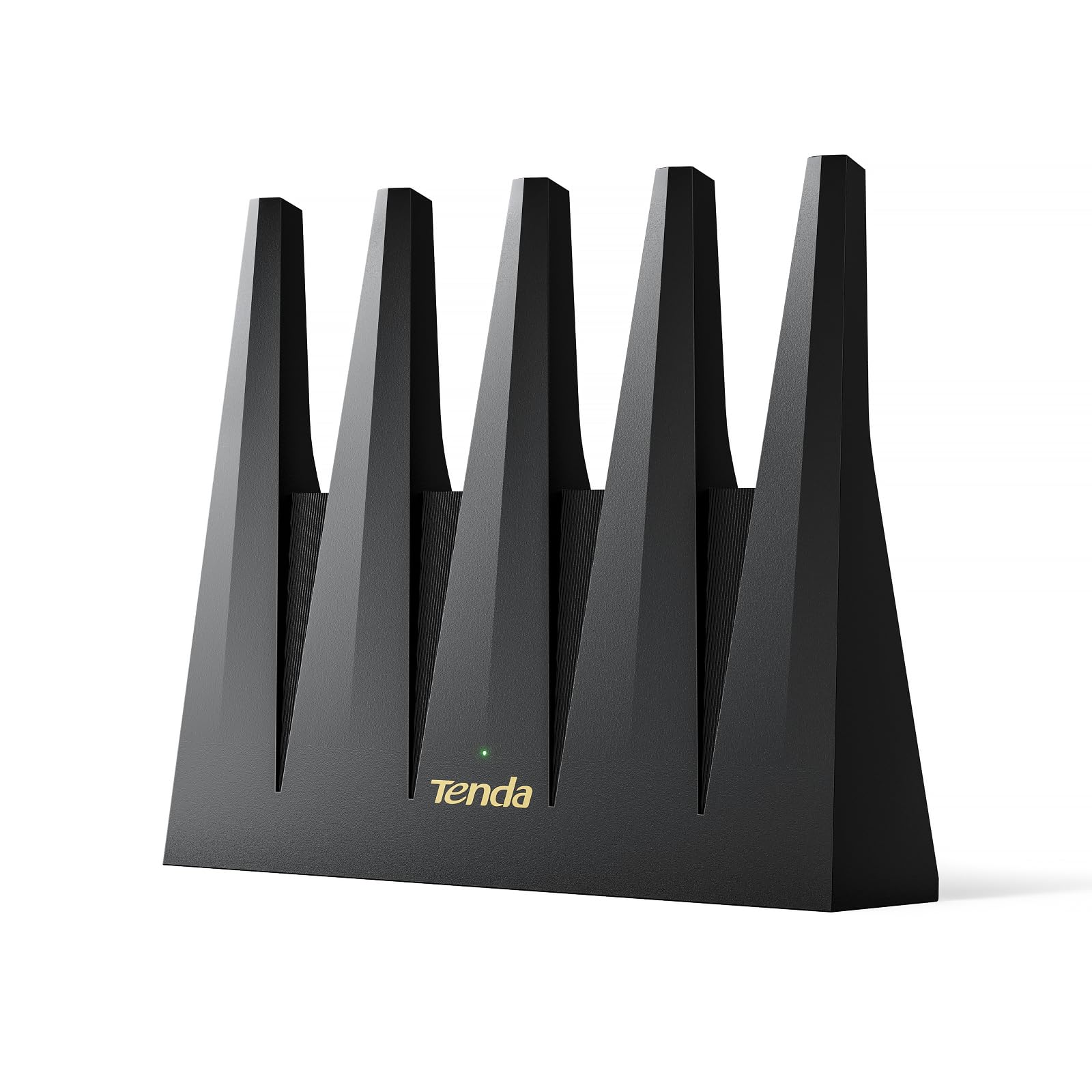
2. Tenda WiFi 7 Router BE7200 (BE12Pro)
Newest Wi-Fi generation on a modest budget — provided you do not need the 6 GHz band.
Here is the head-to-head that matters: this BE7200 lists a data transfer rate of 7141 megabits per second against the Omada ER706W’s 2402 — a 3.0x gap on paper. On the 5GHz band it claims 5765 Mbps versus the Omada’s 2402, and on 2.4GHz it claims 1376 versus 574. If you are moving a business off an aging router and want raw throughput on a value shelf, that is the pitch.
The 7141 Mbps figure comes from Wi-Fi 7 with MLO (Multi-Link Operation — the router grabs more than one band at once for a single device to keep the link steady). A quad-core 2 GHz chipset does the heavy lifting, and 9 signal-boosting modules focus the signal where it is needed. Wired, it offers 2×2.5 Gbps and 3×1 Gbps ports so a fast modem and a switch both have a home. Setup happens through the Tenda app or a browser.
Two practical touches stand out for a customer-facing space: NFC tap-to-connect lets a guest with a compatible Android phone touch a sticker and join without a password, and the vertical chassis improves airflow under load. Buyers consistently praise the build quality for the price. The catch is real, though — dual-band only, no 6 GHz, so it is not the newest band on the block.
Room to grow: over a hundred devices and up to 7141 Mbps of rated throughput cover a busy room, and OpenWrt compatibility keeps your options open. NFC guest access saves you reading out passwords all day.
The honest trade-off: Wi-Fi 7 with no 6 GHz band means the fastest new devices still ride 5GHz, so treat the speed number as shared across everyone.
Pick this one when: budget is tight but you still want Wi-Fi 7 radios and multi-gig ports.
Look elsewhere if: you specifically need the 6 GHz band for the newest laptops.
3. NETGEAR Nighthawk WiFi 6 Router (RAX36)
The set-it-and-forget option for a small office that just wants the Wi-Fi to work.
For a shop or clinic of a handful of desks, the Nighthawk’s numbers are honest and readable. It is rated to cover up to 2,000 square feet, hold up to 25 devices, and hit AX3000 speeds up to 3Gbps on Wi-Fi 6. You plug it into your existing cable modem and run four 1G Ethernet ports to desktops, a printer, and a camera. Nothing fancy — just a cleaner replacement for the aging router on the shelf.
Owners trust it for day-after-day reliability, which is the quiet reason it lands this high. It does not compete on multi-gig ports or fancy guest portals, but it keeps a modest floor online day after day. The 5GHz Wi-Fi 6 link regularly reaches near gigabit — matching most internet plans anyway, since a standard 1G port caps the ceiling.
One thing to plan for: this is router only, no cable modem inside, so you need your own modem with a coax input. Some buyers find setup to their particular provider a little fiddly; a fresh reboot of the modem usually clears the first-time hiccup. If your office is small and simple, that is a fair trade for the steadiness.
Built for steadiness: 25 devices over 2,000 square feet, four wired ports, and a clean setup put it in the dependable-utility class.
Know the ceiling: the 1G ports mean a gig-plus internet plan gains nothing here — this is a right-sized router, not a speed demon.
Best fit: a small office that values uptime over features and does not need multi-gig wiring.
Not for you: teams on multi-gig internet plans or anyone needing separate guest-network management.
4. TP-Link Omada ER706W Gigabit AX3000 Wi-Fi 6 VPN Router

A management-minded gateway that treats your whole office network as one system.
The ER706W’s job is control. It runs AX3000 Wi-Fi 6 with 2402 Mbps on 5 GHz and 574 Mbps on 2.4 GHz, and it pairs with Omada access points so you can extend coverage across a building without running extra cable between them. That mesh-with-access-points trick is the reason a two-room office can grow to cover a whole floor later without buying a new brain.
Ports are generous: one Gigabit SFP slot (for a fiber connector) and five Gigabit RJ45 ports, so wired devices and an uplink are both covered. Security is where it leans business — SSL, IPSec, GRE, WireGuard, PPTP, and L2TP VPN plus OpenVPN support mean remote staff and site-to-site links are built in, not bolted on. Owners value the Omada management features most, and the app keeps day-to-day setup straightforward.
Being a Wi-Fi 6 gateway rather than the newest standard, it does not boast Wi-Fi 7 numbers. Treat it as the steady middle of the range: enough speed for office work and video calls, plus management depth a pure consumer router will not give you. Value and connectivity draw mixed notes, so go in expecting a networking-capable administrator, not a plug-and-play shopper.
Why a network admin likes it
- Mesh with Omada access points to extend coverage without new cabling
- One SFP plus five RJ45 ports covers wired links and an uplink
- Full VPN suite: SSL, IPSec, GRE, WireGuard, PPTP, L2TP, OpenVPN
Before you commit
- Wi-Fi 6 only — no Wi-Fi 7 radios for the newest devices
- Best value shines when you manage a whole Omada ecosystem
Right choice for: a branch office that plans to add access points and wants built-in VPN management.
Skip if: you just want to unbox one box and point it at a modem with zero network planning.
5. TP-Link Archer BE600 Tri-Band BE9700 Wi-Fi 7 Router
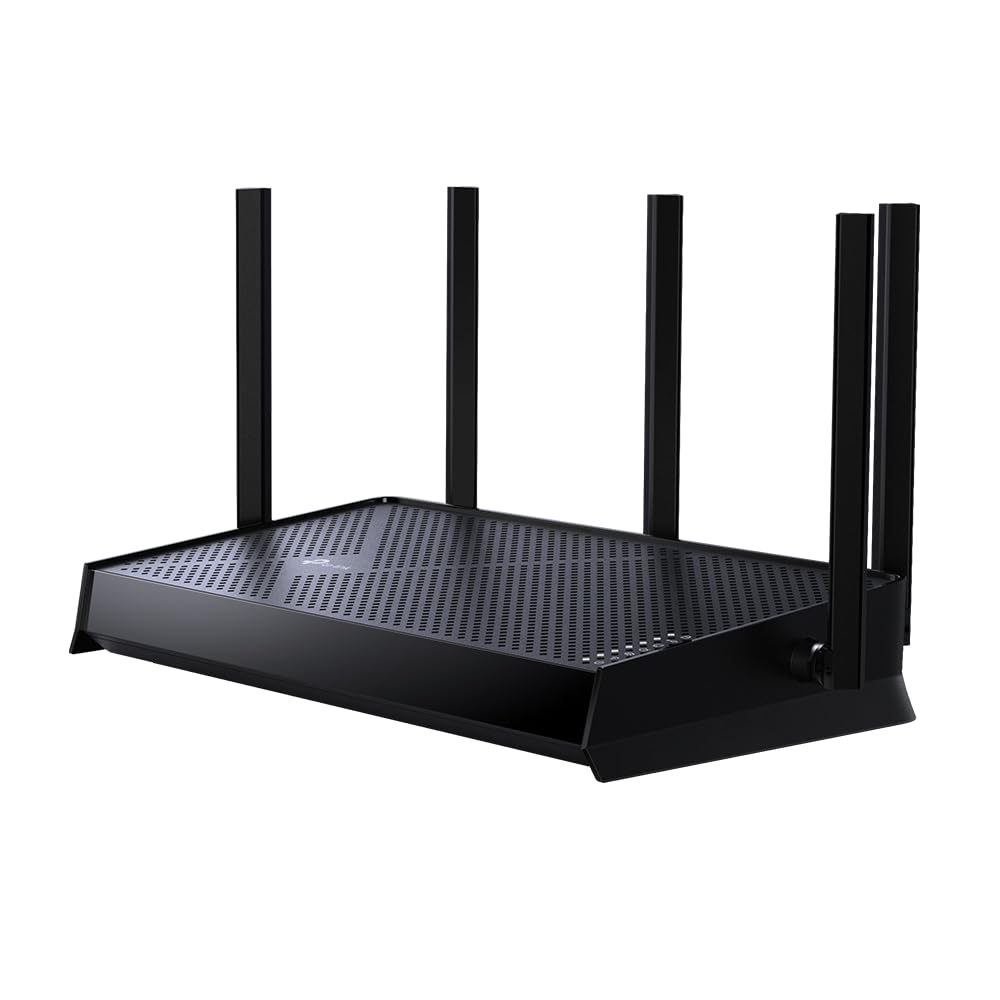
Counts devices, not just megabits — up to 80 at once across 2,400 square feet.
Most listings brag about speed; this one tells you how many things can be online at once. The Archer BE600 is rated for up to 80 devices and up to 2,400 square feet of coverage, which is the practical metric for a waiting room, a shared studio, or an open floor with phones, laptops, and tablets all signed in. Its 5GHz band runs up to 4324 Mbps, and 5 antennas with Beamforming point the signal toward the hard-to-cover corners.
Wired flexibility is there for the back office: one 2.5 Gbps WAN port, one 2.5 Gbps LAN port, and three 1 Gbps LAN ports let you feed a fast modem and still have room for a switch and a couple of wired desks. TP-Link’s HomeShield adds network protection and parental controls, and the router runs both VPN client and server so devices can reach a remote office without extra software. The maker is a signatory of the US CISA Secure-by-Design pledge, which is a stated commitment rather than a magic shield — note, not worth over-reading.
Two things to plan around. It does not support the 6 GHz band, so Wi-Fi 7 here works on 2.4 and 5 GHz only. And signal quality draws mixed reports — some setups cover a whole floor, others hit drops — so a larger or steel-studded space may still want a second access point.
The everyday win: the device count (up to 80) plus 2,400 square feet and Beamforming is a straight answer to “will it hold everyone?”
Size it carefully: dead-zone reports mean an open-plan floor benefits from an added access point, and no 6 GHz band in this model.
Great for: high-traffic rooms where lots of phones and laptops share one Wi-Fi name.
Look past it if: you need the 6 GHz band or heavy multi-gig wired throughput.
6. ASUS ExpertWiFi EBR63 AX3000 Business Router

Built for the café or clinic where customers log on and you want it branded.
If part of your business is letting customers onto Wi-Fi, the EBR63 is aimed squarely at you. It supports up to five SSIDs (separate network names) so staff, guests, and smart devices each get their own lane, and a customizable guest portal lets you set the network name, portal template, and brand name your visitors see when they log in. That is a feature most consumer routers simply do not offer, and it keeps customers off your point-of-sale network.
The ASUS ExpertWiFi app handles setup and remote management, which matters if you manage more than one location. AiProtection Pro network security comes included at no subscription, and the USB port can run as a backup WAN (a second internet path) by tethering a phone hotspot — useful if your primary line goes down mid-shift. Buyers praise the build quality most, with setup a close second.
The real caveat is stability. Reliability and connectivity land in mixed territory for this model, with reports of needing to reboot it repeatedly in some setups — an honest reason to check the return window and keep a support contact handy. For a small customer-facing space that values the portal above all else, it is still the right tool; just go in with eyes open.
The reason to buy: a custom guest portal, five separate SSIDs, and a USB backup-WAN path make it a genuine small-business router, not a repackaged home box.
Test it early: mixed reliability reports mean any unit should be given a few days of real load in your space before its return window closes.
Designed for: cafés, salons, and clinics that need a branded guest Wi-Fi and staff network side by side.
Consider alternatives if: rock-solid uptime is your number-one priority over guest features.
7. ASUS RT-BE92U WiFi 7 Router, Tri-Band (6GHz)

The only pick here that opens the wide 6 GHz lane for heavy transfers.
Where dual-band routers stop at 2.4 and 5 GHz, this RT-BE92U adds a third band on 6 GHz with 320MHz channels — a wide lane the newest laptops and phones can use without crowding your existing devices. Its rated throughput is up to 9700 Mbps, and Multi-Link Operation ties more than one band together for a single device, so a big file move does not stall the rest of the office. Coverage is listed at up to 2,750 square feet.
Speed is the standout, with 6 GHz throughput on 320MHz channels drawing the most praise. Setup is unexpectedly painless for a router this capable. Smart Home Master spins up to three SSIDs for IoT devices, VPN, and parental controls, and AiProtection Pro (powered by Trend Micro) offers subscription-free security with a one-tap scan. There is also a USB port ready for 4G LTE or 5G phone tethering as a backup WAN path.
The other side of the ledger is real: this router’s stability and firmware draw a mixed-to-negative reception, with connectivity wobbles appearing in some setups. Firmware complaints are the strongest recurring theme. If your team moves heavy design or video files over 6 GHz, the speed payoff can be worth the tuning; if you want a router you never think about, look harder at the steadier picks above.
Where the speed shows up
- 6 GHz band with 320MHz channels for the newest devices
- Rated to 9700 Mbps with Multi-Link Operation
- Up to 2,750 sq. ft. coverage and a USB backup WAN path
What to test on day one
- Firmware and stability draw recurring concerns — allow tuning time
- Best speed needs devices that actually support the 6 GHz band
Worth it when: you move large files over the newest band and can tolerate some firmware adjustments.
Step back if: simple, always-on dependability outranks peak speed on your list.
8. Synology RT6600ax Tri-Band 4×4 Wi-Fi Router

Five separate networks and a 2.5GbE port put control firmly in your hands.
When the priority is keeping devices sealed off from each other, the RT6600ax is built for it. It lets you create and define up to 5 separate networks to segregate and contain vulnerable devices — cameras and smart kit on one, staff laptops on another, guests on their own. A 2.5GbE port supports fast ISPs and can double as a LAN port, and the tri-band 4×4 layout with 160MHz channels spreads capacity across the bands.
Security tools are extensive: parental controls, web filtering, traffic control, and threat prevention all live in one interface. As a VPN host it is genuinely complete, offering remote desktop and site-to-site tunneling for staff who need the office network from elsewhere. Its reported strength is the SRM interface — a clean, intuitive console that makes VLANs and VPN rules manageable instead of intimidating.
The trade-off is that this is not the model for someone who wants zero configuration. Reliability and compatibility draw mixed reports, and WiFi signal coverage is judged differently depending on the building. If you value an organized, software-first network you can shape, the RT6600ax rewards the effort; if you want a box that stays hands-off, it is more control than you need.
The Synology edge: up to 5 separated networks, threat prevention, and full site-to-site VPN make it a genuine software platform with a 2.5GbE backbone.
Who should skip: teams without someone willing to manage it — the mixed setup and compatibility reports reward hands-on users, not install-and-ignore ones.
Suits: an office that needs to wall off smart devices and run a clean site-to-site VPN.
Not a match for: buyers who want a single password and no dashboard.
9. Ubiquiti Dream Router (Wi-Fi 6)

The UniFi brain of a multi-office network, complete with Power-over-Ethernet ports.
If you already run UniFi gear or plan to, the Dream Router is the control hub that makes it click. It delivers enterprise-level features managed through the UniFi app, a UniFi-only system you cannot mix with other brands’ routers. Its standout built-in trick is Power-over-Ethernet (PoE) — electrical power and data travel down a single cable to access points, IP cameras, or IP phones, which means you can mount a camera or access point on a ceiling with one wire instead of hunting for a socket.
The wired side runs a Gigabit Ethernet port for fast links, and the router pairs with UniFi access points to grow coverage across a building. Signal strength earns praise; owners regularly reach devices several rooms away without a separate extender. For a small-to-medium office that wants a finger on one dashboard rather than a shelf of mismatched boxes, that integration is the whole reason to buy.
Be clear-eyed about two things. First, this is a fuller network undertaking — the payoff rewards someone comfortable with the UniFi ecosystem. Second, some setups report connectivity hiccups, so give it a proper test under load. If you want one brand for cameras, Wi-Fi, and switches, this is the coherent choice.
The integration payoff: PoE ports, UniFi app management, and enterprise features turn one router into the hub of a managed network.
The commitment: it is built to run with other UniFi gear, so mixing brands defeats the point.
Made for: a small-to-medium office building a UniFi network with cameras and access points.
Avoid if: you want a standalone router with no wider ecosystem to maintain.
Know the Specs
Data Transfer Rate
This number is the router’s maximum raw throughput, quoted in megabits per second (Mbps). It is a ceiling, not a promise — real-world speed drops with distance, walls, and the number of devices sharing the air. Use it to compare routers against each other rather than as a speed you will see at your desk.
2.5 Gbps Ports
A 2.5 Gbps port accepts a faster-than-gigabit wired connection so a fast internet plan can actually reach your devices. Standard 1 Gbps ports cap the wired side at gigabit. If your plan is gig-plus, count the 2.5 Gbps ports and what else shares them.
SSIDs and VLANs
An SSID is a Wi-Fi network name. More SSIDs let you run separate networks — one for staff, one for guests, one for smart devices. VLAN support seals those groups off at a deeper level so a vulnerable device cannot reach your work files.
VPN Throughput
VPN throughput tells you how fast a remote worker can tunnel into the office network. Look for a router that lists WireGuard or OpenVPN speeds in Mbps so remote access stays usable for file transfers and calls.
Coverage in Square Feet
Coverage figures estimate the area one router can reach. Walls, shelves, and steel framing reduce the real number, so a larger office usually benefits from an access point or mesh node rather than trusting the headline figure.
Client Capacity
Device counts like 25 or 80 are rough ceilings for how many things connect at once. Count laptops, phones, cameras, printers, and TVs, then leave room for guests. A router running near its ceiling is where drops begin.
Common Questions
Will a business router work with my existing cable modem and internet provider?
Do I need a 6 GHz band for a small office?
How many separate networks can I create for staff and guests?
Will a business router work with my point-of-sale system and card reader?
Do I need a mesh system or is one strong router enough?
Can my staff use a VPN with these routers from home?
What is the difference between Wi-Fi 6 and Wi-Fi 7 here?
Do these routers need a subscription to use their security features?
How much wired speed do I lose if I use 1G ports?
The Bottom Line
For most businesses, the router worth starting with is the wireless router for business winner here, the GL.iNet GL-MT6000 Flint 2, because its dual 2.5G ports, 6000 Mbps rated throughput, and 900Mbps WireGuard VPN give real headroom without locking you into closed firmware. If you want the newest Wi-Fi 7 radios on a tighter budget, grab the Tenda BE7200, provided its dual-band limit fits your devices. And for a café or clinic that wants branded guest Wi-Fi with five separate networks, the ASUS ExpertWiFi EBR63 is the one to reach for. The Flint 2 is the crowd favorite at 4.5+ stars across 3,000+ owners, making it the sensible default before you specialize.
How we choose
We do not accept paid placement. Every pick is matched to a real buyer and a real use-case; we do not hands-on test units.
Sources
Specifications: manufacturer listings and product documentation. Review insights: verified customer reviews, as of November 2026. Pricing: not shown on this page (it changes often); check the current price via the retailer link.
As an Amazon Associate, Tactical Gear Guy earns from qualifying purchases. This does not affect which products we feature.