Specs are compiled from manufacturer listings and verified buyer reviews and can change over time — please confirm the key details on the product page before buying.
Before you buy any antenna, do one thing: check your motherboard’s connector. If you fit an RP-SMA antenna (a threaded plug with a hole in the middle instead of a pin) onto an SMA port, or the reverse, you get no signal — not a weak one, none. That single mismatch kills more of these purchases than any other mistake. This list covers flexible, human-like matching for boards that take an SMA or RP-SMA antenna connector, so not every pick is the exact number you searched — the nearest same-type option serves the same purpose. Every antenna here is a real connector-backed option for a desktop or PCIe Wi-Fi card, and each serves a slightly different buyer.
This guide is built by comparing the manufacturers’ published specifications and the patterns across verified customer reviews, so you get each pick’s real strengths and trade-offs instead of marketing spin.
Check two things first: which bands your Wi-Fi card supports and which connector it uses. Then decide if you want a stub on the back of the case or a cable-run remote base. For a Wi-Fi 6E board with dual pins, the ZAHARA tri-band is the strongest all-rounder and the one I would start with when shopping for the best Wi-Fi antenna for motherboard upgrades.
Top Picks


How To Choose The Best Wi-Fi Antenna for Motherboard
Your board’s antenna ports decide most of the purchase before you look at any other number. Two ports take a “2T2R” setup (two transmit and two receive streams), and the antenna you buy must terminate in the right plug for those ports. Get that right and almost any pick on this list will work.
Connector first: RP-SMA or SMA
Look inside the port on the back of your board. An SMA port has a pin sticking out of the middle and threads on the outside. An RP-SMA port has a hole and internal threads. The antenna’s plug must be the mirror opposite. Several picks here are RP-SMA male (the plug has a centre hole, not a pin), which is the common fit for Asus ROG, Gigabyte and MSI Wi-Fi boards.
Does your card actually use the 6GHz band?
A tri-band antenna covering 2.4GHz, 5.8GHz and 6GHz only pays off if your Wi-Fi card is a Wi-Fi 6E or Wi-Fi 7 radio. If your board is an older Wi-Fi 5 or standard Wi-Fi 6 model, a dual-band 2.4GHz/5GHz antenna gives you the same everyday result. One maker even notes the antenna may not suit a Wi-Fi 7 board, so match the antenna generation to your radio.
How far the base sits from the case
Case-mounted stubs are blocked by the metal box itself. A magnetic base with an extension cable lets you lift the antenna up and out, which is the single biggest practical gain for a desktop under a desk. Cable lengths here run from 80cm up to 6.5ft, so pick one long enough to reach the top of the case.
Side-by-Side Comparison
| Model | Best For | Bands | Connector | Base / Cable | Amazon |
|---|---|---|---|---|---|
| ZAHARA 2.4/5.8/6GHz RP-SMA Tri Band★ Best Overall | Best Overall | 2.4 / 5.8 / 6GHz | RP-SMA Male | Magnetic, 80cm | Amazon |
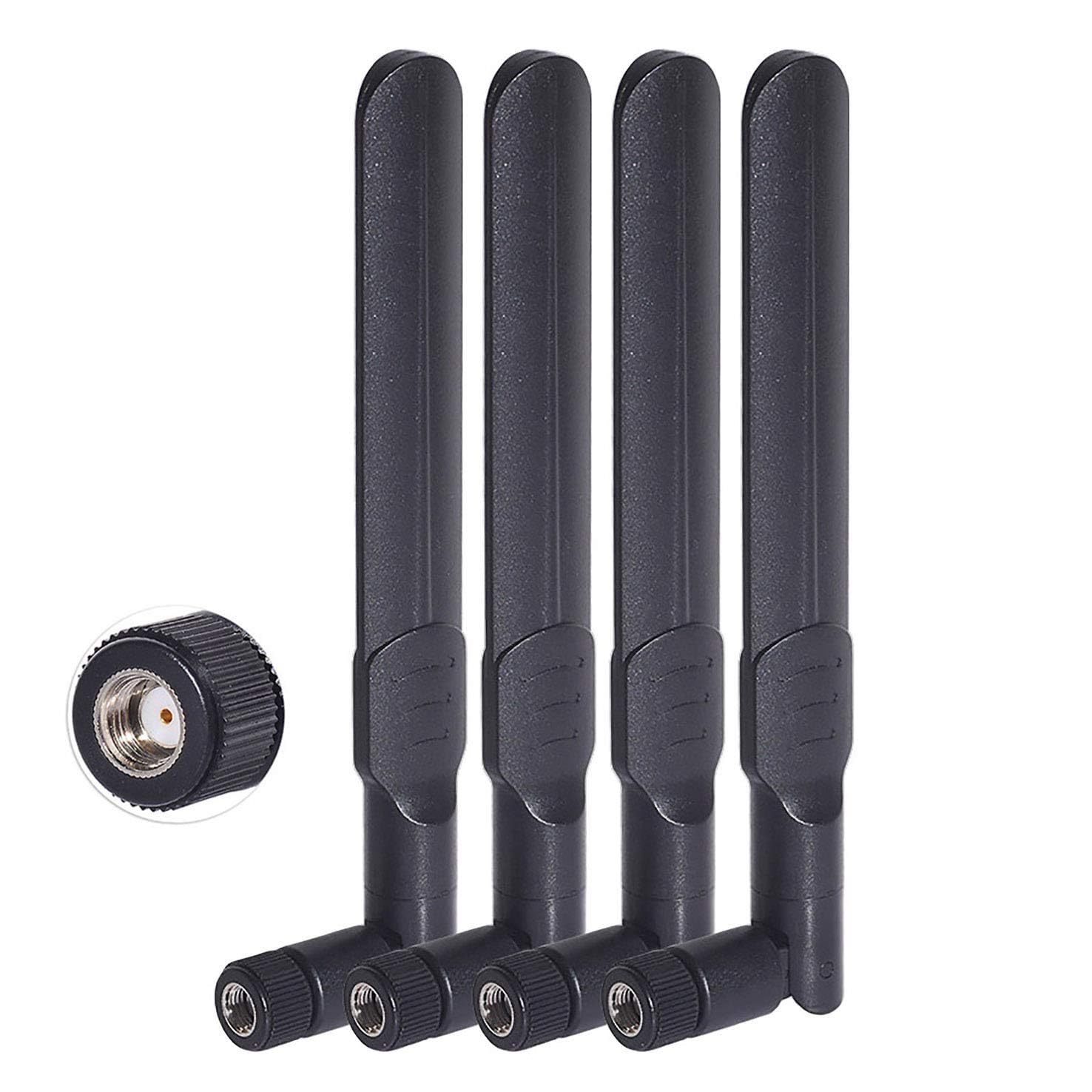
| Bingfu Dual Band 8dBi MIMO (4-Pack)Best Value | Best Value | 2.4 / 5.8GHz | RP-SMA Male | — | Amazon |
| Eightwood 9dBi Dual BandLong Cable Pick | Long Cable Pick | 2.4 / 5.8GHz | RP-SMA Male | Magnetic, 6.5ft | Amazon |
| Slinkdsco External WiFi 6E Tri-Band | Most Versatile | 2.4 / 5.8 / 6GHz | RP-SMA Male | Magnetic, 6.5ft | Amazon |
| Superbat WiFi 6E Tri-Band | Best Range Claim | 2.0+ / 5 / 6GHz | RP-SMA Male | Magnetic, 6ft | Amazon |
| Eightwood WiFi 6E Tri-Band | Top Performer | 2.0+ / 5 / 6GHz | RP-SMA Male | Magnetic, 6.5ft | Amazon |
| Eifagur WiFi 6E Tri-Band 9dBi | Best for Dead Zones | 2.4 / 5.8 / 6GHz | RP-SMA Male | Magnetic, 6.5ft | Amazon |
| ZAHARA RP-SMA Tri Band (White) | Best for Asus ROG Builds | 2.4 / 5.8 / 6GHz | RP-SMA Male | Magnetic, 80cm | Amazon |
| SAMXI SMA WiFi 6e 2T2R | Long-Cable Premium Pick | 2.4 / 5GHz | RP-SMA Male | Magnetic, 1m | Amazon |
Detailed Reviews
1. ZAHARA 2.4/5.8/6GHz RP-SMA Tri Band WiFi 6E Antenna
Our pick — 4.5+★ from 250+ verified ratings; the strongest balance of quality and price.
Nine dBi of gain across three bands, for a board that takes two RP-SMA pins.
If your Asus ROG, Gigabyte or MSI Wi-Fi board has the twin RP-SMA ports, this is the safest place to spend. It covers 2.4GHz, 5.8GHz and the wider 6GHz band with a 9dBi gain (a measure of how hard the antenna pushes and pulls a signal in one direction). The maker lists 50 ohm impedance (the electrical match the radio expects) with omni-directional 360-degree coverage. That combination means you do not have to aim it — you set the angle once and leave it.
Where it earns a spot on a real build is the reach and the mount. The 80cm cable with the magnetic base lets you lift the stub above the case rather than leaving it trapped behind a metal panel, and it also feeds Bluetooth gear. The 1Gbps maximum wireless data rate and support for 802.11 b/g/n/ac/ax along with Wi-Fi 6 and Wi-Fi 6E line up with modern boards. The one thing to check: the maker flags that on a Wi-Fi 7 motherboard this antenna may not work for you, so a brand-new Wi-Fi 7 build should look elsewhere. Against the Bingfu dual-band pack, this antenna runs 9dBi to the Bingfu’s 8dBi and carries three channels to its two — a meaningfully wider band spread.
Most feedback is about it simply working through thick walls, with solid build quality and a magnetic base that stays put. There is some split opinion on connectivity, so treat it as a strong everyday performer rather than a magic fix for a bad router. Ownership sits where most confident picks in this category do, and for the money it is a sensible anchor for the whole list.
Where it earns its keep
- 9dBi gain over 2.4GHz, 5.8GHz and 6GHz covers modern Wi-Fi 6E cards
- Magnetic base plus 80cm cable frees the stub from behind the case
- Omni-directional, so no aiming or fine-tuning needed
- Bluetooth support in the same antenna
Worth knowing first
- Maker notes it may not suit a Wi-Fi 7 motherboard
- Connectivity feedback is split — it is not a cure for a weak router
- RP-SMA plug only; an SMA board needs a different pick
Reach for this if: you have a Wi-Fi 6 or 6E board with twin RP-SMA ports and want one antenna that covers every band.
Hold off if: your board is the newest Wi-Fi 7 generation, where the maker itself warns it may not work.
2. Bingfu Dual Band WiFi 8dBi MIMO RP-SMA Male Antenna (4-Pack)
Four antennas in one box, for the tinkerer with more gear than one desktop.
You get four RP-SMA male antennas here, each rated 8dBi over 2.4GHz and 5GHz/5.8GHz. That is a touch less gain than the 9dBi ZAHARA above and two bands instead of three, so skip this if 6GHz matters. What it does give you is quantity — spare antennas for a router, an IP camera or a second desktop, all omni-directional and all terminating in the same plug. The 300 Mbps data transfer rate reflects the older 2.4GHz spec rather than a ceiling for your whole network.
One detail the maker stresses, and it is worth repeating: the plug is RP-SMA male, meaning a centre hole with no pin. Check that your board port has the matching pin before you fit them. The four-pack also suits anyone feeding a Wi-Fi IP camera, DVR or a rear-view camera rig, since compatibility is squarely its focus.
Fit and signal are where opinions divide here, so go in expecting a straightforward replacement antenna rather than a dramatic upgrade. That makes it the pack to grab for spares and non-critical links, not the one to bet a main gaming rig on. Compared to the Eightwood 9dBi twin-band, you are trading one dBi of gain and a single antenna for a set of four.
Who it suits: a builder with several devices to feed who wants spares on hand, or a camera and router that both need a fresh stub.
Confirm the pin: RP-SMA male means the plug has a hole, so a board port that also has no pin will not connect.
Green light for: spare antennas and multi-device setups where four stubs beat one.
Look past it if: you need 6GHz coverage or a single high-gain antenna for one critical desktop.
3. Eightwood 9dBi Dual Band WiFi Antenna 2.4GHz 5GHz RP-SMA
Six and a half feet of cable, so the antenna can live where the signal actually is.
If your PC sits low and the router is on the far side of a wall, cable length is the spec that matters, and this Eightwood runs 6.5ft to the magnetic base. It is a dual-band 2.4GHz and 5.8GHz antenna with 9dBi gain, 50 ohm impedance and support for 802.11 b/g/n/ac/ax and Wi-Fi 6. The maker lists a 200-foot maximum range, an open-air figure rather than a through-wall promise.
The magnetic base clamps to a steel surface vertically as well as flat, and two adjustable stubs let you angle reception toward the router. It also feeds Bluetooth headphones, controllers and network cards, so one antenna can tidy up a few wireless jobs at once. It is a 2-channel design and dual-band, so no 6GHz here — the tri-band picks later on cover that.
Reception is the split point: some buyers get a large jump in throughput and some see it drop, so this is a pick for someone willing to move the base around and test a couple of positions. Where it is strongest is the mounting freedom the long cable buys you. It ships with a 6-month manufacturer warranty, which is note before you commit.
The real draw: 6.5ft of cord turns a fixed stubs problem into a place-it-where-it-works problem, and a 200-foot open-air range figure backs the intent.
Set expectations: signal results vary from setup to setup, so treat position-testing as part of the install, not an optional extra.
Suits you when: the case is boxed in and you need the antenna out and above it.
Think twice if: you want 6GHz coverage or a dead-simple drop-in with no positioning work.
4. Slinkdsco WiFi 6E Tri-Band Antenna

Nine dBi across three bands with a 180-degree swivel and a six-and-a-half-foot reach.
Three channels, three bands, one plug — this covers 2.4GHz, 5.8GHz and 6GHz at 9dBi with 50 ohm impedance and support for 802.11 ax/b/a/ac/g plus Wi-Fi 6 and 6E. That matches the ZAHARA on raw gain and bands, and it adds a 180-degree rotatable design you can angle toward the router. Like the ZAHARA it uses dual 6.5ft cables ending in RP-SMA male connectors, so a board with the matching twin ports is the target.
The practical advice from the maker is genuinely useful: keep it as far from and as high above the PC or router as you can. That is the whole reason the long cable and magnetic base exist. It installs in minutes and suits offices, homes and gaming desks alike. Asus ROG Strix, ROG Maximus and Gigabyte boards are named as fits.
Owner experience is largely about plug-and-play ease and the magnetic base doing its job — the base can even go on the front of the case rather than the back panel. The 2-year warranty gives it a longer safety net than the cheaper dual-band options. If you have a 6E card and want swivel plus reach, this is a strong second look behind the top pick.
What it does well
- 9dBi across 2.4GHz, 5.8GHz and 6GHz
- 180-degree rotatable head for angling toward the router
- Dual 6.5ft cords with magnetic base for high, clear placement
- Named fit for Asus ROG Strix, ROG Maximus and Gigabyte boards
Trade-offs to weigh
- RP-SMA male only — match it to your board ports
- Needs deliberate placement to beat a case stub
The right call for: a Wi-Fi 6E build that wants a steerable, high-up antenna without aim-and-pray tuning.
Not the fit for: a legacy dual-band board, where a cheaper 2.4/5GHz pick does the same job.
5. Superbat WiFi 6E Tri-Band Antenna

A 300-foot range figure and a 6ft cable, aimed at the PC that lives far from the router.
This Superbat is a tri-band omni-directional antenna covering 2.4GHz, 5GHz and 6GHz, with a 50 ohm impedance and the RP-SMA male plug that has no pin. Its headline number is a 300-foot maximum range, the longest single-antenna figure on the list. That is an open-space figure, so read it as headroom rather than a promise through three walls, but it lines up with the 6ft cable you get to position it.
The 6GHz band here is the star for a 6E card. The maker points to greater bandwidth, lower latency and less interference than 2.4GHz and 5GHz, which is the reason to pick tri-band at all. It suits routers, PCIe Wi-Fi cards, desktops, USB adapters, built-in Bluetooth motherboards and security cameras. The magnetic base handles metal-surface mounting, so no extra hardware is needed.
Setup is the easy part: plug it in, place it, and feedback reports a simple install with solid signal quality. This is a smaller review pool than the top pick, so weigh it as a quiet, reliable performer rather than a crowd-tested one. It sits in the same tri-band 9dBi company as the ZAHARA and Slinkdsco and a step behind neither on bands.
Best use case: a desktop sited far from the router, where 300 feet of nominal range and a 6ft cable give the best chance of a clean link.
Check the plug: RP-SMA male with no pin — confirm your board port matches before fitting.
Made for: long-distance layouts and cards that want the 6GHz band with room to spare.
Pass if: you are on a 2.4/5GHz-only card and the extra band would go unused.
6. Eightwood WiFi 6E Tri-Band Antenna 6GHz 5GHz 2.4GHz

The most consistently praised tri-band on the list, with a clear compatibility warning baked in.
Eightwood’s tri-band model covers 2.4GHz, 5GHz and 6GHz with an RP-SMA male connector and a 6.5ft magnetic-base cord, and it is the pick with the deepest track record of the premium trio. The maker is unusually blunt about the plug: two RP-SMA male connectors with internal threads and no centre pin, so they only mate with RP-SMA female ports that have a centre pin. Check that before you buy and this is a plug-and-play upgrade.
The performance story is the draw. Buyers report an Alienware desktop jumping to full bars, with download and upload speeds rising sharply across all three bands. That is the tri-band 6GHz band doing what it is meant to — more bandwidth, lower latency and less interference for 4K/8K streaming and gaming. The magnetic base and 6.5ft cord let you lift it clear of the case, and the maker recommends moving the stubs through multiple angles for the best result.
Keep the 200-foot maximum range figure in realistic terms, since it is an open-air number. If your card is a Wi-Fi 6E radio and your board has the right RP-SMA ports, this is close to a bracket-topping choice on results alone.
Why it stands out: real-world speed gains across all three bands are the recurring theme, and the compatibility warning is spelled out plainly so you can avoid the one common mistake.
The honest catch: the RP-SMA male plug will not fit an SMA port, so this is a board-compatibility buy as much as a performance one.
Worth picking if: you want proven tri-band gains on a 6E desktop and can confirm the RP-SMA port.
Skip the line if: your board uses plain SMA ports or your card stops at Wi-Fi 6.
7. Eifagur WiFi 6E Tri-Band 9dBi Magnetic Base Antenna

Built to push past the wall between your desk and the router, at 9dBi.
The Eifagur is a tri-band 2.4GHz, 5.8GHz and 6GHz antenna at 9dBi with omni-directional coverage and an RP-SMA male plug. what separates it is the signal-boosting intent: the maker pitches it squarely at dead zones and weak signals, with a dual 6.5ft RG174 low-loss cable so you can move the head away from the case. That RG174 is a thin, flexible coax rated to keep more of the signal intact over its run.
Owner reports back the pitch — it holds 200 to 300 Mbps on 5GHz AC Wi-Fi through interior walls. A high-quality connector is also called out, which matters because a loose RP-SMA joint is the quickest way to lose a band. The magnetic base sits securely and angles for the best position. The maker lists a 2-year warranty, giving it a longer backing than the budget dual-band pick.
Speed is the one area with split feedback, so expect a strong signal and a reliable link rather than guaranteed speed on every band. For a desk that keeps dropping to a bar or two, this is the pick tuned to that exact problem.
Tuned for weak spots: the dual 6.5ft RG174 cable and 9dBi gain are chosen to rescue a signal that dies near your desk.
Where it may disappoint: speed gains are not uniform, so buy it for a stable link first and faster numbers second.
Your pick when: your current antenna leaves you on a bar or two and you want more reach through a wall.
Not your pick if: you already have full bars and want a pure speed upgrade.
8. ZAHARA RP-SMA Tri Band WiFi 6E Antenna (White)

The white twin of the top pick, for an Asus ROG or Prime build that wants the look to match.
Same tri-band recipe as the black ZAHARA — 2.4GHz, 5.8GHz and 6GHz over an RP-SMA connector with an 80cm cable and magnetic base — but finished in white to suit a lighter ROG or Prime build. It targets the same board list, from ROG Strix B550 and B650 to Prime Z790 and TUF boards, all of which take the twin SMA-style inner-pin ports.
It supports Wi-Fi 6E, which the maker explains as the 6GHz band bringing more bandwidth, faster speeds, lower latency and less interference for 4K/8K streaming and gaming. Bluetooth is supported alongside the Wi-Fi bands. The magnetic base and 80cm cord let you lift it off the case, and the advice to move the two stubs through different angles is worth following for the last bit of signal.
The review base is small, so judge it on the shared internals and the fit list rather than on volume. One caveat spelled out by the maker: this unit carries no warranty, which is unusual for the category and worth knowing before you commit.
Why pick the white one: identical tri-band internals to the top pick with a finish that suits a light-coloured ROG or Prime build.
The catch to note: the maker lists no warranty on this model, so pair it with a board you are confident about.
Ideal for: a white ROG or Prime build that needs the tri-band fit to match the case.
Better to choose differently if: warranty coverage is a must for you.
9. SAMXI SMA WiFi 6e 2T2R Magnetic Base Antenna

A full metre of cable and a 1Gbps wireless rate, for the Gigabyte build that wants reach.
The longest standard run on the list is here: a 1-metre cable (39.37 inches) with a bottom magnet you can stick straight to an iron case. The antenna folds and its angle adjusts so you can aim it toward the router. It carries a 1Gbps maximum wireless data rate and a 4Gbps maximum LAN data rate, with a dual-band 2.4GHz and 5GHz design and an 8dBi gain figure noted in the spec sheet.
This one is aimed at Gigabyte Aorus boards in particular — the model list runs Z390 through Z690, X470 through X570S and the B-series, all of which take the twin SMA inner-pin ports. It also supports Bluetooth and the common Intel Wi-Fi cards (AX200, AX210, 9260AC and more). The maker’s line on Wi-Fi 6 benefits — high gain for wide coverage and a stronger through-wall signal — is a fair summary of what the gain buys you.
Owners mention full bars on 5GHz and speeds around 750/750 Mbps, and treat it as a solid replacement for a stock antenna. It is a dual-band antenna, so no 6GHz here — the tri-band picks above cover that. For a Gigabyte board that needs a longer cable than the 80cm picks offer, this is the one with the most reach and the strongest signal claims on the list.
Standout strengths
- 1-metre cable — the longest standard run here
- 1Gbps wireless and 4Gbps maximum LAN data rate figures
- Folding head and adjustable angle for aiming
- Supports common Intel Wi-Fi cards and Bluetooth
Be aware
- Dual-band only; no 6GHz for a Wi-Fi 6E card
- Priciest pick on the list
Made for: Gigabyte Aorus boards and desks that need a metre of cable to reach a high, clear spot.
Elsewhere if: you want the 6GHz band or you are shopping on the tightest budget.
Know the Specs
Gain (dBi) — the pull-and-push figure
The number you see in dBi tells you how much the antenna concentrates a signal, so a 9dBi pick focuses reception more than an 8dBi one. More gain generally means a stronger link at a distance, but it can narrow how wide an area the antenna covers. For a desktop tucked in a corner, a higher dBi helps; for a router in the middle of a busy room, a moderate figure can be smoother.
RP-SMA vs SMA connector
These two look similar but will not mate. RP-SMA male is a plug with a centre hole and no pin; SMA has a pin. Look inside your board’s port: a pin there means you need an antenna with a socket-type plug. Turning the wrong one on gets you no contact at all, so always confirm before fitting — most picks here are RP-SMA male.
Bands: 2.4, 5 and 6GHz
The 2.4GHz band reaches further through walls but carries less data; 5GHz and 5.8GHz are faster over a shorter run; 6GHz (Wi-Fi 6E) adds more bandwidth and less interference but only works with a 6E or Wi-Fi 7 card. Buy tri-band only if your radio supports 6GHz — otherwise a dual-band 2.4/5GHz antenna does the same job.
Cable length and magnetic base
Cable length runs from 80cm up to a full metre on this list, and it decides how far you can lift the antenna from the case. A magnetic base lets the antenna stand vertically on a metal panel, clear of the blocking metal box. A longer, low-loss cable like the RG174 on several picks keeps more signal intact over that run.
Common Questions
How do I know if I need an RP-SMA or an SMA antenna for my motherboard?
Will a 6GHz tri-band antenna work on my older Wi-Fi 6 motherboard?
Does a higher dBi number always mean faster Wi-Fi?
Can these antennas reach a router on another floor?
Will the antenna improve Bluetooth range on my desktop too?
Is a 4-pack of antennas worth it for a single desktop?
What is the difference between RP-SMA male and RP-SMA female?
Do I need to upgrade the antenna if my board already came with one?
Can I use a dual-band antenna on a tri-band card?
The Bottom Line
For most builds the wi-fi antenna for motherboard winner is the ZAHARA 2.4/5.8/6GHz RP-SMA Tri Band because 9dBi across all three bands, an 80cm magnetic-base cable and Bluetooth support cover a modern Wi-Fi 6E board with the fewest compromises. If you want proven tri-band speed over a deep review base, the Eightwood WiFi 6E Tri-Band is the one the results point to. And for a Gigabyte board that needs a full metre of reach, the SAMXI SMA WiFi 6e 2T2R is the long-cable premium pick. Order of shopping, if it helps: confirm your connector type, choose tri-band only if your card is 6E, then pick the cable length that lets the antenna leave the case.
How we choose
We do not accept paid placement. Every pick is matched to a real buyer and a real use-case; we do not hands-on test units.
Sources
Specifications: manufacturer listings and product documentation. Review insights: verified customer reviews, as of November 2026. Pricing: not shown on this page (it changes often); check the current price via the retailer link.
As an Amazon Associate, Tactical Gear Guy earns from qualifying purchases. This does not affect which products we feature.