Specs are compiled from manufacturer listings and verified buyer reviews and can change over time — please confirm the key details on the product page before buying.
Your Xbox One S internal drive is small, and every new game install pushes another one off it. The fix takes about two minutes: plug an external USB 3.0 drive into the back, format it, and the console treats it as extra game storage. This guide covers nine drives that are confirmed to work with Xbox, plus the one spec that actually matters when you buy.
This guide is built by comparing the manufacturers’ published specifications and the patterns across verified customer reviews, so you get each pick’s real strengths and trade-offs instead of marketing spin.
You want a drive that loads games at roughly the console’s own pace and holds its USB connection through a match. Price tiers mostly buy capacity and ruggedness, not raw speed — every drive here is a mechanical HDD. Here is who each pick actually suits, with the real specs so you can spot the right one for your shelf with a solid xbox one s external hard drive.
Top Picks


How To Choose The Best Xbox One S External Hard Drive
The Xbox One S accepts USB 3.0 external drives for game storage, which is the whole point of buying one. But not every portable drive behaves the same on a console, and the honest differences show up in capacity, connection type, and how the drive arrives from the start. Here is what actually changes your day-to-day experience.
Capacity: How Many Games Fit On The Shelf
A 1 TB drive gives you roughly the room of the console’s own drive, which is fine if you cycle through a handful of titles. A 4 TB or 5 TB drive is what you want if you keep a library and refuse to delete anything — the WD_BLACK P10 in 5 TB is the clearest example here. Buy the capacity that still fits your library in a year, not just this month’s installs.
Connection Type: USB 3.0 And USB 3.2 Gen 1 Explained
USB 3.0 is the older name for the same basic standard as USB 3.2 Gen 1 (both move data at the same underlying rate, with the newer name being a relabel). For an Xbox One S, either label means the drive is fast enough to load games at a reasonable pace. A drive that lists a slower transfer rate will still work, but game loads and copying large files will feel slower.
Pre-Formatted Drives vs Blank Ones
Some drives arrive already formatted for Xbox, which means you can plug in and store games without a format menu. Others ship blank or formatted for Windows, which means you format them on the console first. That format step is easy, but a pre-formatted drive is a small convenience worth noticing if you want the shortest path from box to playing.
Side-by-Side Comparison
| Model | Best For | Capacity | Transfer Speed | Interface | Amazon |
|---|---|---|---|---|---|
| WD_BLACK 5TB P10 Game Drive★ Best Overall | Biggest library, no deletes | 5 TB | Up to 130MB/s | USB | Amazon |
| Avolusion 1TB USB 3.0 Portable Gaming DrivePlug And Play | Plug-and-play on Xbox | 1 TB | 5 Gbps | USB 3.0 | Amazon |
| Kosbees 1 TB External Hard DriveBudget Pick | Cheap extra room | 1 TB | 110MB/s | USB 3.0 | Amazon |
| GAZELLE High-Speed 1TB Ultra Slim | Dual USB-C and USB-A | 1 TB | 120MB/s | USB 3.0 + Type-C | Amazon |
| Seagate Portable 1TB | Simple everyday backup | 1 TB | — | USB 3.0 | Amazon |
| Avolusion 2TB USB 3.0 Portable Gaming Drive | More room, still Xbox-ready | 2 TB | 5 Gbps | USB 3.0 | Amazon |
| SP Silicon Power Armor A60 2TB | Rough handling and travel | 2 TB | 5000 Mbps | USB 3.1 Gen 1 | Amazon |
| Toshiba Canvio Gaming 4TB | Always-on Xbox library | 4 TB | 5 Gbps | USB 3.2 Gen 1 | Amazon |
| Seagate Game Drive for Xbox 4 TB | Xbox-certified with green LED | 4 TB | 600MB/s | USB 3.2 Gen 1 | Amazon |
Detailed Reviews
1. WD_BLACK 5TB P10 Game Drive
Our pick — 4.5+★ from 25,000+ verified ratings; the strongest balance of quality and price.
Five terabytes of elbow room, so the next download never means deleting an old favorite.
The headline here is storage: 5 TB on this drive versus the 1 TB on the Avolusion pick, and in practice that is the difference between a shelf of games and a shelf of games plus everything you might return to. WD’s own listing says it holds up to 150 games, so the practical version is that you stop managing your library and start just keeping it.
Speed is the second reason it sits at the top. WD rates it up to 130MB/s, and that number matters because it sets how long a big game install or a copy from internal storage actually takes. It’s a mechanical drive, not an SSD, so don’t expect instant loads, but for an Xbox One S library it is comfortably in the normal range.
The enclosure is a 2.5-inch drive with a metal top, which gives it a firmer feel than an all-plastic shell when you carry it, and it comes with the USB Type-A to Micro-B cable plus a quick start guide. Buyers on the review pages consistently land on the same two notes — the capacity feels enormous and the setup is quick. Worth knowing: it arrives formatted for use with a console, and it carries a 3-year limited warranty. Capacity is the spec doing the real work here, so buy the 5 TB if you refuse to delete games.
What carries the pick
- 5 TB holds up to 150 games by WD’s own figure
- Up to 130MB/s transfer rate keeps installs moving
- Metal-topped 2.5-inch enclosure feels sturdier in a bag
- 3-year limited warranty backs the drive
Where it asks something of you
- It is a mechanical hard disk, so loads are not instant like an SSD
- The bigger library makes the drive the one thing you don’t want to drop — treat it like a spinning disk
Made for the hoarder: anyone who wants their whole Xbox One S library on one drive and never sees a “manage storage” screen again.
Think twice if: you want SSD-level load times, because this is a mechanical drive and the speed ceiling reflects that.
2. Avolusion 1TB USB 3.0 Portable External Gaming Hard Drive
The drive that skips the format menu entirely and just starts working on your Xbox.
This one is pre-formatted for Xbox, so the moment you plug in the USB 3.0 cable the console sees it as ready game storage. No format prompt, no settings detour. For a first external drive on an Xbox One S, that is the shortest possible path, and it’s why this sits high on the list for a straightforward buyer.
The capacity is 1 TB, which is the practical entry point — enough room to move a chunk of your library off the internal drive without paying for space you won’t fill. The listing covers Xbox One X, S, and the original first-generation console, so the fit is unambiguous for your machine. It’s also listed as ultra slim and lightweight, which makes it easy to keep behind the console or slip in a bag if you swap between TVs.
The honest part: this is a mechanical USB 3.0 drive, and the buyer feedback on reliability is genuinely split — plenty of drives run fine for a long stretch, while some stop working. That is worth knowing before you make it your only copy of anything irreplaceable, though the 2-year warranty gives you a real backstop. If you want the least fuss for a modest library, this delivers it.
Why the format shortcut matters: pre-formatting removes the one step that trips people up on a console, and the 2-year warranty is longer coverage than several drives on this list offer.
The trade you make: 1 TB cap means the drive fills faster than the WD_BLACK or Toshiba options, so this is a starter capacity rather than a forever one.
Reach for this if: you want to plug in and store games today with zero setup.
Look elsewhere if: you want the biggest library on one drive — the 5 TB and 4 TB picks cover that.
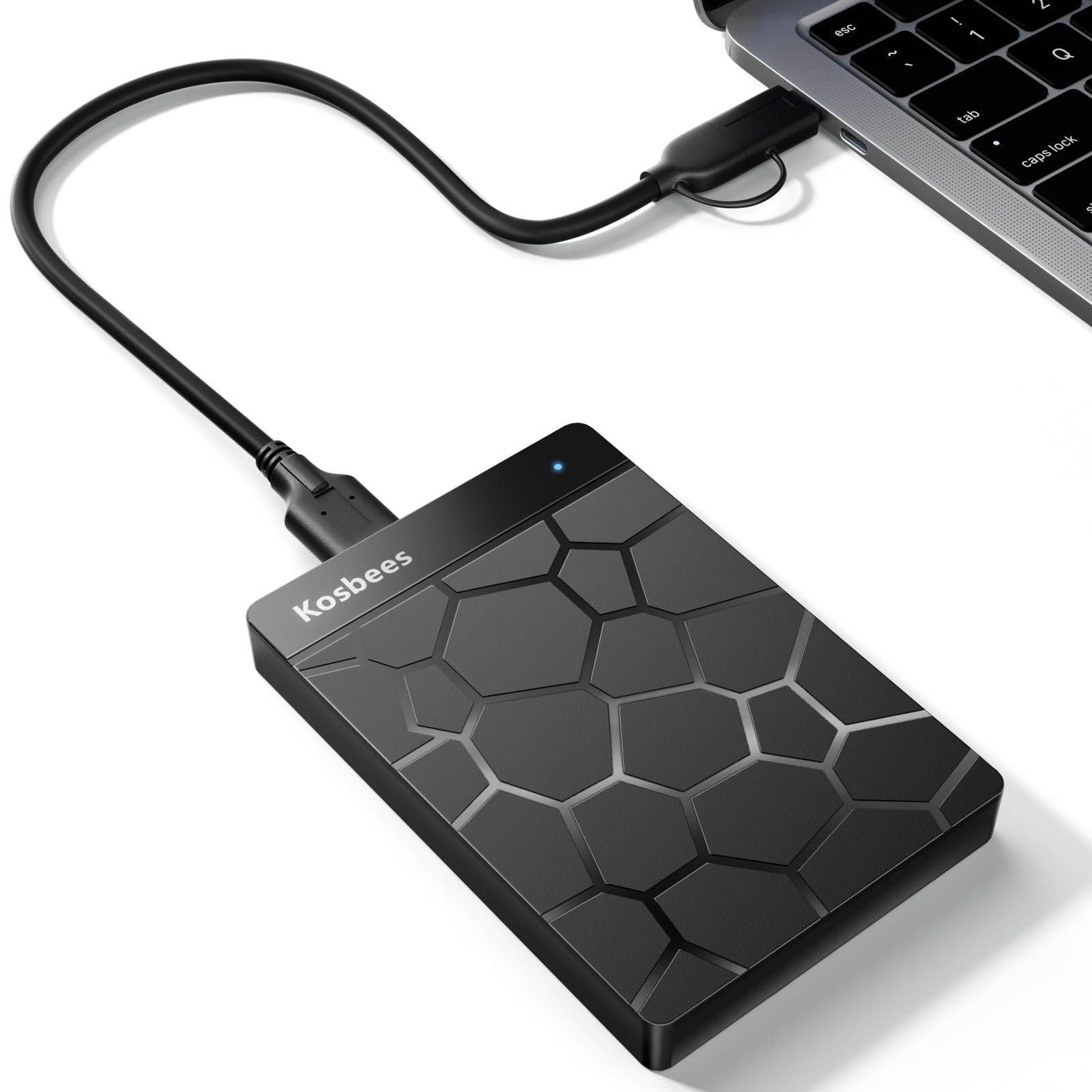
3. Kosbees 1 TB External Hard Drive
A 0.6-pound plastic slab of storage that gives you room without asking for much.
The value is the story with the Kosbees 1 TB. What wins people over here is the simple fact that it gets the job done for less — the drive is described as tremendous value by its buyers, and the storage-to-cost ratio is why it lands on this list at all. Weighing only 0.6 Lbs, it also disappears into a laptop bag without a second thought.
On speed, the theoretical read is listed as 110MB/s-133MB/s and the write as 103MB/s, which is in the normal USB 3.0 range for a 2.5-inch mechanical drive. That means big file copies take a reasonable minute rather than dragging. The plastic 2.5-inch enclosure is light rather than armored, so this is a drive for a shelf or a padded pocket, not a backpack bouncing off a car floor.
One important note for your console: this is a drive for last-gen games, meaning PS4 and Xbox One titles can play directly from it. Current-gen PS5 and Xbox Series X|S games have to be copied to the console’s own storage first. If your library is almost all Xbox One games — which is exactly the case on an Xbox One S — that limitation won’t bite you. The included USB cable and quick start guide round it out.
The cost case: 1 TB at 0.6 Lbs with a 2-year warranty attached, and the review pages keep circling back to how much storage you get for what you spend.
Where it flexes differently: transfer speed and compatibility draw a mixed reception, so treat the stated rates as ceiling numbers rather than a guarantee every file moves that quick.
Best for: an Xbox One S owner who needs more room for last-gen games and wants to spend as little as possible getting it.
Skip if: you need a drive that survives being carried loose in a backpack day to day.
4. GAZELLE 1TB Ultra Slim Portable External Hard Drive
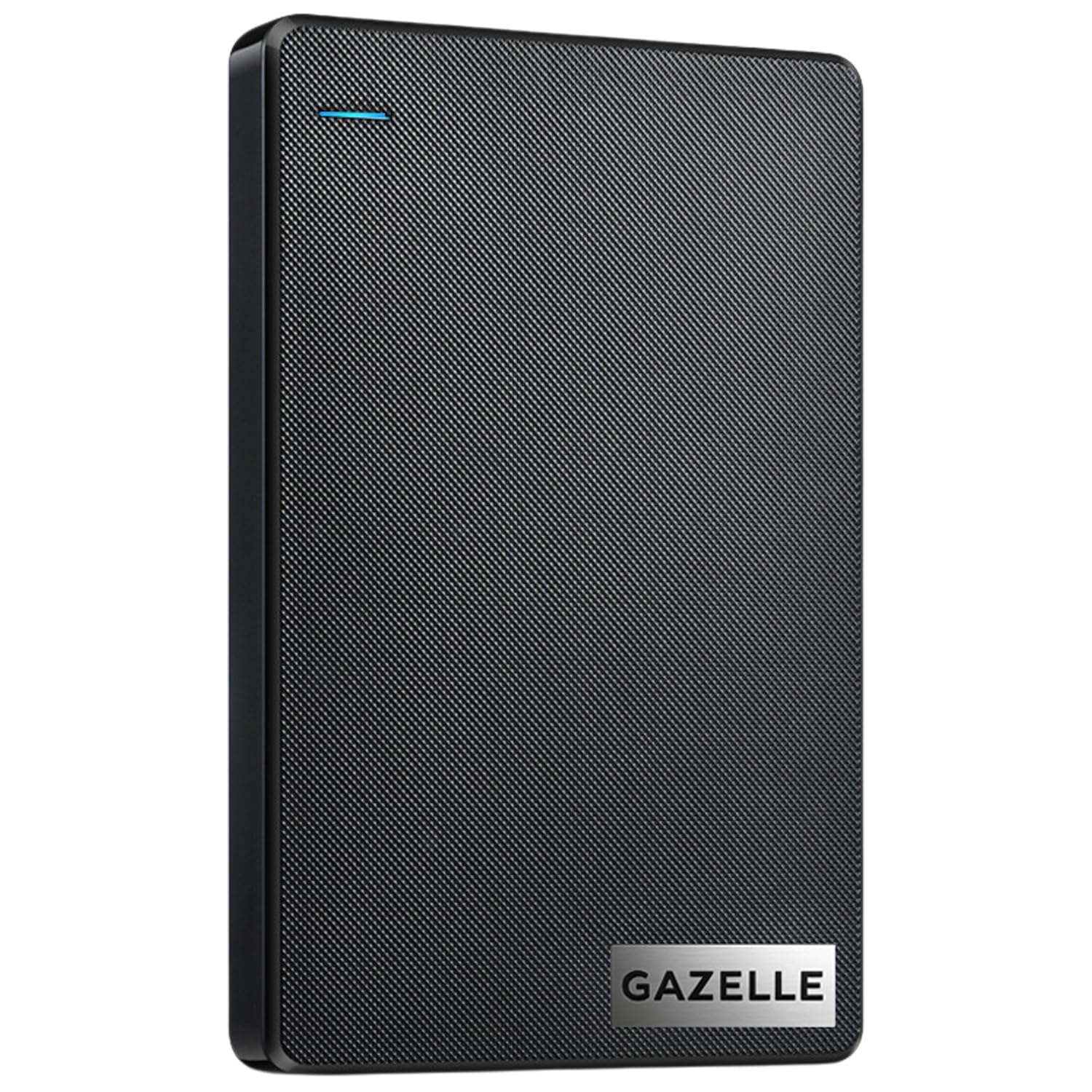
One drive with two connectors, so it follows you from an Xbox to a newer laptop.
What sets the GAZELLE apart is the 2-in-1 cable setup: a USB 3.0 cable plus a Type-C adapter, which means the same drive plugs into an older console and a newer USB-C laptop without a separate dongle. At 120MB/s it also edges out the 110MB/s on the Kosbees drive, so file transfers have a touch more pace if you move big installs between machines.
The design is genuinely slim for the price — roughly 150g, and sized to sit in a laptop bag or a pocket. There’s an LED indicator light for power and data, which is underrated on a console because you can glance at the back and know the drive is actually talking to the Xbox instead of guessing. Windows, macOS, Linux, and Android are all listed as supported, alongside PS4 and Xbox.
Here is the honest trade-off, and the review pages are quite clear on it: performance is praised, but reliability and connectivity draw mixed feedback. The recurring gripe is that the drive can run slow or keep dropping its PC connection. On an Xbox One S, a disconnecting drive is annoying rather than fatal, but it is the reason this isn’t ranked higher. If your drive lives plugged in behind the console, you get the good part of this pick without the weak one.
The parts that earn their place
- USB 3.0 cable and Type-C adapter cover old and new ports
- 120MB/s transfer rate beats the 110MB/s Kosbees figure
- Roughly 150g and slim enough for a laptop bag
- LED indicator shows power and data activity
What you should plan around
- Connectivity and reliability feedback is mixed, with some drives dropping PC connections
- 1 TB is entry-level capacity next to the 4 TB and 5 TB picks
The fit: a household with both an Xbox and a modern USB-C laptop, where one drive needs to move between them.
The catch: if it will be unplugged and replugged constantly, connection stability is the weak point and a fixed console drive is the safer bet.
5. Seagate Portable 1TB External Hard Drive HDD
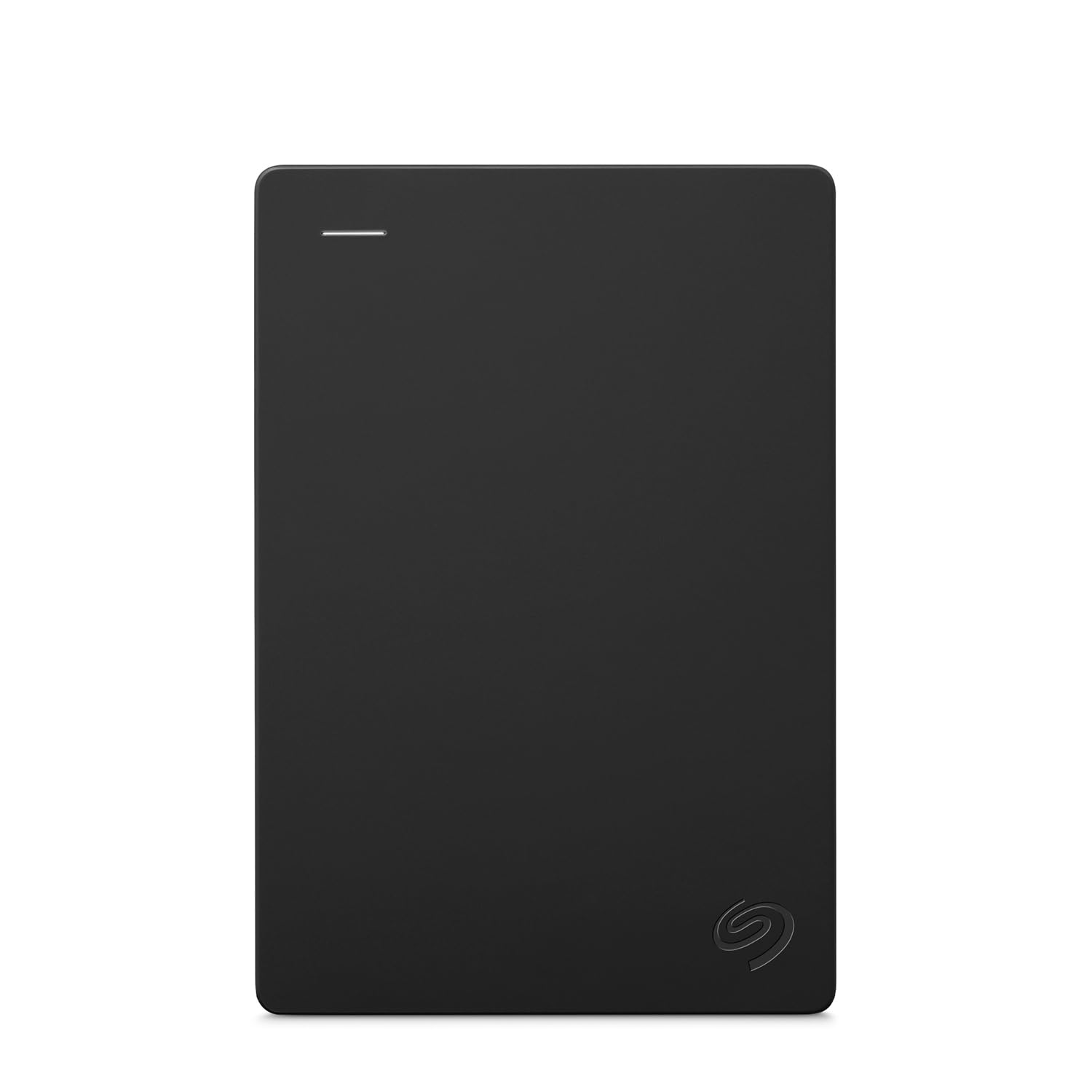
Plug it in, drag files across, and forget it — the drive for people who don’t want a project.
This is the plainest drive on the list, and that’s its appeal. It’s designed to work with Windows or Mac, and backup is drag-and-drop rather than software-driven. There is no setup screen, no driver, no account. For an Xbox One S, it’s listed as compatible with the Xbox One family, so the console reads it like any other external drive once formatted.
The included cable is an 18-inch USB 3.0, which is short enough to keep the drive tucked right beside the console rather than dangling. Capacity is 1 TB, and it ships with 1-year Rescue Service attached — a data recovery service, not just a warranty. If your drive ever fails with a library on it, that service is the difference between a bad afternoon and a bad month.
The drive is a mechanical 1 TB, so the capacity ceiling is the same as the Kosbees and GAZELLE picks and it fills up if you collect games. There is also a note from Seagate that the available storage capacity may vary from the label figure, which is normal for any drive and not a defect. If you just want a known brand and a service plan behind your Xbox storage, this fits without drama.
The reason it earns a slot: 1-year Rescue Service is real coverage for the worst case, and it’s bundled rather than sold separately.
What it doesn’t do: it doesn’t beat the WD_BLACK on capacity or the GAZELLE on connectors — it wins on simplicity and the service plan.
Pick this: if you want the least complicated brand-name drive and value having data recovery service behind it.
Pass if: you’re building a large library — 1 TB won’t hold years of game installs.
6. Avolusion 2TB USB 3.0 Portable Xbox One External Hard Drive
2 TB of room versus the 1 TB of its sibling, with the same skip-the-format convenience.
Everything that makes the 1 TB Avolusion easy applies here, just with 2 TB of space. It arrives pre-formatted for Xbox, so plug-and-play is literal, and the 2 TB holds a much larger library without you deleting games to make room. For an Xbox One S owner who has already filled the internal drive once, this is the natural step up.
It’s rated 5 Gbps on the USB 3.0 connection, which is the standard ceiling for the interface and enough for console game installations. The 2.5-inch mechanical form factor and slim, lightweight build keep it portable, so it can move from behind the TV to a backpack if you take your saves elsewhere. The listing covers Xbox One, One S, and One X, matching your console directly.
The feedback pattern is favorable: easy to use with Xbox One, and owners describe it holding many Xbox One games without trouble. The 2-year warranty is longer than several drives on this list. As with any drive of this type, treat the capacity as a long-term investment rather than a permanent vault — and the 2 TB sits neatly between the 1 TB budget picks and the 4 TB and 5 TB premium options.
What you get for the step up: 2 TB of storage versus the 1 TB of the smaller version, plus the same pre-formatted plug-and-play setup and 2-year coverage.
The trade: it is still a mechanical hard disk, so this is capacity convenience rather than speed — an SSD it is not.
Right for: anyone who wants a pre-formatted drive with real room to grow and doesn’t want to pay premium-tier money.
Wrong for: you want the largest possible single library — the 4 TB and 5 TB drives go further.
7. SP Silicon Power 2TB Rugged Portable External Hard Drive Armor A60

The one that’s rated to survive the bottom of a bag and the inside of a rain jacket.
If your drive travels, the Armor A60 is the one to look at first. It’s rated military-grade shockproof and IPX4 water-resistant, which in plain terms means it’s built to take a drop and a splash rather than sit permanently on a desk. The cable-carry design keeps the USB cable tethered to the drive so you’re not hunting for it in a bag.
Storage sits at 2 TB, and the drive is pre-formatted as NTFS so it works directly on Windows. For Xbox, it’s listed as compatible with the Xbox One and Xbox 360 generations, so an Xbox One S is covered. The 2 TB capacity is the same middle ground as the Avolusion 2 TB, but its real pitch is physical durability rather than a format shortcut.
Performance is the thing this drive is known for — it’s the single most-praised quality across its feedback, with durability and value following close behind. The mixed note is compatibility, which is a reminder that you’ll want to confirm your exact setup; Mac users in particular need to reformat before use. An A60 in a console that never moves is wasted toughness, but for a drive that goes between houses or rattles around in a backpack, it earns its place.
Built for the hard knocks
- Military-grade shockproof and IPX4 water-resistant protection
- Cable-carry design so the USB cable stays with the drive
- 2 TB of room with NTFS pre-formatting for Windows
- Performance is what it’s known for across its feedback
Where it needs a check
- Compatibility draws mixed reports — confirm your exact console setup
- Mac users must reformat the drive before use
Worth it for: a drive that gets carried between homes, LAN setups, or a backpack, where the shockproof and IPX4 ratings actually mean something.
Overkill for: a drive that will live permanently plugged in behind the TV, where a cheaper pick does the same job.
8. Toshiba 4TB Canvio Gaming Portable External Hard Drive

Four terabytes with a firmware mode built to stay awake for console duty.
Toshiba’s 4 TB Canvio is built around one idea: the drive should be ready when the console asks. Its firmware-adapted “always-on” mode keeps it from spinning down, so there’s no wait when you launch a game from the library. That’s a small thing per launch and a big one when it happens every session.
The capacity is 4 TB, and Toshiba’s own figure says it stores up to 100 games, which is a library you don’t prune. It connects over USB 3.2 Gen 1 — the same underlying standard as USB 3.0, so an Xbox One S port handles it. The slim, lightweight black housing makes it easy to tuck next to the console without it looking like an add-on.
The honest limit: this listing names Sony PlayStation 5 among its compatible console models, and the Xbox support sits in Toshiba’s general “most PlayStation, Xbox and PC consoles” wording rather than a specific certification. If you’re on an Xbox One S, check the drive is formatted for your console before loading games onto it. Where it clearly beats the 1 TB drives is raw room: 4 TB versus the 1 TB of an entry-level pick.
Why the always-on mode matters: keeping the disk spun up removes the pause before a game launches, which is the one place an external drive normally reminds you it’s there.
What to verify first: the compact record of compatibility is PlayStation-leaning, so an Xbox buyer should confirm the format step on setup.
Best for: a large Xbox One S library that gets launched from the drive constantly, where always-on behaviour is noticed.
Check before buying: that the drive formats cleanly for your Xbox, since the compatibility list reads PlayStation-first.
9. Seagate Game Drive for Xbox 4 TB External Hard Drive

The drive built for the console, down to the green light bar on top.
This is the pick for someone who wants zero second-guessing about compatibility. It’s Xbox-certified and listed as compatible with Xbox Series X, Xbox Series S, and all generations of Xbox One — your Xbox One S is covered explicitly, not by inference. There’s also a built-in LED bar that glows Xbox green, which is a small touch but makes it look like part of the setup rather than a third-party box.
The capacity is 4 TB, which is the same as the Toshiba, and the data transfer rate is listed at 600 MB/s, which is the highest figure on this list. In practice that means installs and large copies move with conviction. It connects via USB 3.2 Gen 1, and ships with 3-year Rescue Data Recovery Services plus a 1-year limited warranty.
The review pages are honest about one thing: transfer speed draws mixed feedback, with some finding it fast and others not fast enough. That is a fair reason to calibrate expectations rather than rule the drive out, and the certified compatibility and 3-year recovery service are where the real value sits. For a library of games with no risk of a wrong-drive surprise, this is the least ambiguous choice on the shelf.
Reasons this is the safe pick
- Xbox-certified for Series X, Series S, and all Xbox One generations
- 4 TB holds a large library without pruning
- 600 MB/s transfer rate is the highest figure on this list
- 3-year Rescue Data Recovery Services included
The fair caveat
- Transfer speed feedback is split, so don’t expect SSD behaviour
- It is the premium-tier option, and the capacity matches the cheaper Toshiba
The reason to choose it: you want a drive the console recognises without a single moment of doubt, with the longest recovery plan on the list.
The reason to pause: if you’re chasing the fastest possible transfer, the speed feedback suggests you won’t feel a jump.
Know the Specs
Capacity And Game Counts
Capacity is measured in terabytes, and it decides how many games fit. A 1 TB drive roughly matches the console’s built-in storage, while 4 TB and 5 TB drives hold a large library. WD’s own spec says the 5 TB P10 holds up to 150 games, and Toshiba’s says the 4 TB Canvio holds up to 100 — those company figures are the clearest way to translate terabytes into games.
USB Standard And Transfer Rate
USB 3.0 and USB 3.2 Gen 1 are the same underlying connection with different names, and both are fast enough for an Xbox One S. Transfer rate tells you how quickly big files move, and the drives on this list range from listed figures of around 110MB/s to 600MB/s. Higher is better for installs and copying, but on a mechanical drive no figure turns it into an SSD.
Mechanical vs SSD
Every drive here is a mechanical hard disk, meaning it uses spinning platters rather than flash memory. Mechanical drives are cheaper per terabyte and hold far more for the same spend. The trade is load speed and shock resistance, which is why an SSD is worth its own separate look if speed matters more than room.
Ruggedness Ratings
An IPX4 rating means the drive resists splashing water, and “military-grade shockproof” describes drop protection. These ratings matter for a drive you carry. For a drive that lives behind a console, they add cost without adding much benefit, so match the rating to how the drive will actually be used.
Common Questions
Will any of these drives work on an Xbox One S?
Do I have to format a new drive before the Xbox sees it?
How many games can a 5 TB drive actually hold?
Can I play Xbox Series X games from an external drive?
Is a mechanical drive slower than an SSD on an Xbox One S?
Will a pre-formatted Xbox drive work on a PC too?
What does IPX4 mean on a portable hard drive?
Are USB 3.0 and USB 3.2 Gen 1 the same thing?
Should I buy a 1 TB or a 5 TB drive for my Xbox One S?
What does a Rescue Service plan cover on these drives?
The Bottom Line
For most Xbox One S owners, the winner here is the WD_BLACK 5TB P10 Game Drive, because 5 TB ends the deleting-for-space cycle entirely and the metal-topped drive feels sturdy enough to actually own long-term. It’s also the crowd favorite: 4.5+ stars across 25,000+ owners. If you want a drive that just works the moment you take it from the start, the Avolusion 2TB arrives pre-formatted for Xbox and carries a 2-year warranty. And for a drive that has to survive being carried and dropped, the Silicon Power Armor A60 is the one to reach for, with its shockproof build and IPX4 rating. Whichever way you go, buy for the library you’ll have in a year, not the one that fits today.
How we choose
We do not accept paid placement. Every pick is matched to a real buyer and a real use-case; we do not hands-on test units.
Sources
Specifications: manufacturer listings and product documentation. Review insights: verified customer reviews, as of November 2026. Pricing: not shown on this page (it changes often); check the current price via the retailer link.
As an Amazon Associate, Tactical Gear Guy earns from qualifying purchases. This does not affect which products we feature.