Specs are compiled from manufacturer listings and verified buyer reviews and can change over time — please confirm the key details on the product page before buying.
Most wooden digital frames fail on one of two things: the wood is a plastic sticker pretending to be timber, or the software needs a subscription before Grandma can see a single photo. This guide fixes both problems. Below are the nine frames that actually use real wood in the bezel, and every one of them shares photos over a free app or a plain SD card. The top pick is the Frameo-software 10.1-incher, the crowd favorite at 4.5+ stars across 2,100+ owners, because 32GB onboard storage and a 1280×800 IPS touchscreen cover the whole job without a monthly fee.
This guide is built by comparing the manufacturers’ published specifications and the patterns across verified customer reviews, so you get each pick’s real strengths and trade-offs instead of marketing spin.
You will see exactly which frames need WiFi and which play straight from a memory card, plus the screen specs that decide whether a photo looks sharp or washed out. Every pick here is a real-wood frame you can live with — this is the honest shortlist for a wooden digital photo frame.
Top Picks


How To Choose The Best Wooden Digital Photo Frame
A wooden digital frame is a screen in a timber box, so the two halves get judged separately. The wood decides whether it looks like furniture on your shelf. The screen, storage, and app decide whether the person you gave it to can actually use it. Get the wood right and the app wrong and you have an expensive paperweight.
Confirm the wood is wood
The listing should say pine, ash, maple, or solid wood by name. A frame that only says “wood finish” or “woodgrain” may be a printed veneer over plastic. Two of the picks here go further — one is built from 100% real premium pine wood, and two KODAK models use natural ash wood rather than the plastic or dense MDF board most cheap frames hide behind.
Decide WiFi sharing versus card playback
A WiFi frame pulls photos from a phone app, which is how you send a picture from three states away in seconds. A non-WiFi frame reads a USB drive or SD card, which suits a household where nobody wants to learn an app. If the frame is going to someone who rarely touches a smartphone, the card route removes a real barrier.
Match resolution to screen size
Sharpness is resolution spread across inches. An 8-inch panel at 1280×800 looks tight and crisp. That same 1280×800 on a 10.1-inch screen is still perfectly readable across a room. Step up to 1920×1200 and portrait shots of faces hold real detail — that is the spec to chase if the frame sits on a desk where people lean in close.
Side-by-Side Comparison
| Model | Best For | Display Size | Resolution | Storage | Amazon |
|---|---|---|---|---|---|
| 10.1” Frameo Digital Picture Frame (BIHIWOIA)★ Best Overall | Everyday gifting and shared albums | 10.1 inches | 1280×800 | 32 GB | Amazon |
| Aluratek 10” Distressed WoodNo-App Pick | No-app households and decor-matching | 10 inches | 1024 x 600 | — | Amazon |
| Frameo 10.1 Inch Wood Frame (MQQC)Wall-Mount Value | Budget-friendly wall mounting | 10.1 inches | 1280 x 800 | 32 GB | Amazon |
| 8″ Real Wood Frame (Connected Seasons) | Desks and bookshelf spots | 8 inches | 1280×800 | 16 GB | Amazon |
| Canupdog WiFi 10.1 Inch | Large shared albums, wall or tabletop | 10.1 inches | 1280 x 800 | 16 GB | Amazon |
| KODAK 10.1 Inch WiFi (FHD) | Shooting for the sharpest picture | 10.1 inches | 1920×1200 | 32 GB | Amazon |
| KODAK FHD 10″ Black Solid Wood | Premium look with full sharability | 10.1 inches | 1920×1200 | 32 GB | Amazon |
| 21.5″ Large Wood Frame (FANGOR) | Wall-scale art and posters | 21.5 inches | 1920×1080 | 64 GB | Amazon |
Detailed Reviews
1. 10.1” Frameo Digital Picture Frame (BIHIWOIA)
Our pick — 4.5+★ from 2,000+ verified ratings; the strongest balance of quality and price.
The one that just works: real wood bezel, 32GB of storage, and a free app that needs no subscription.
The 10.1-inch touchscreen runs at 1280×800 on an IPS panel — IPS being the screen technology that keeps colours steady when you view from an angle, so the frame still looks right from the sofa cushion beside it. Storage is the number that separates this pick from half the field: 32GB onboard, so you are not constantly deleting one photo to add another. The aspect ratio is 1.60:1, which sits comfortably with standard phone shots without heavy cropping.
Sharing runs through the free Frameo app on Android or iOS, and the frame connects over 2.4GHz WiFi only. That single-band limit is the trade-off you accept — it keeps the frame from trying to juggle a 5GHz network it cannot see. Photos and videos arrive in seconds from anywhere, and you can control play order, fit-versus-fill, image zoom, captions, and sleep mode from the app. A tap on the screen can also pop up a Reactions menu, so family members get a notification the moment you react to a picture.
The wood here is a black woodgrain frame, and the dimensions run 10.43 by 7.24 inches, so it reads as a substantial tabletop piece rather than a tiny novelty. There is zero subscription fee, and the maker backs it with a 1-year warranty plus lifetime tech support. If you want the safest all-round gifting choice, this is the one the crowd has already vetted — 4.5+ stars from 2,100+ owners is a strong signal in a category full of one-off listings.
Where this frame earns its keep
- 32GB onboard holds thousands of photos without a memory card
- 1280×800 IPS touchscreen keeps colours stable from side angles
- Frameo app is free with no subscription, on Android and iOS
- Reactions feature notifies family the instant you tap a photo
The honest limitations
- WiFi is 2.4GHz only, so it will not join a 5GHz network
- Black woodgrain is the only finish listed
Reach for this if: you want a single, well-reviewed frame that handles a shared family album without asking anyone for a subscription.
Look elsewhere if: your home network runs purely on 5GHz — you would need to add a 2.4GHz channel first.
2. Aluratek 10” Distressed Wood Digital Photo Frame
Plug in a card, walk away, and let the slideshow run — no app, no account, no learning curve.
This is the frame for the person who will never open a phone app. It is a non-WiFi design: you load photos onto a USB flash drive or SD card, plug it in, and the auto slideshow loops continuously. That is the entire setup. The distressed wood border is the other headline — the finish is deliberately weathered, so it blends with rustic and farmhouse decor instead of looking like a shiny tech gadget on the mantel.
The 10-inch display runs 1024 x 600 on a true digital LCD panel. That resolution is the lowest in this lineup, and it shows. Compared with the Canupdog’s 1280 x 800, the Aluratek falls short on pure sharpness — about a 25% gap per pixel count — so it suits photos viewed from across the room rather than close inspection. Where it leads is simplicity. There is no WiFi pairing to troubleshoot, no app version to update, and no account to lose the password for.
Control runs off a remote rather than a touchscreen, and the box includes the frame, a stand, an instruction manual, and the power adapter. It weighs 2 pounds and measures 9.75 by 12.25 inches. Buyers here consistently praise how the distressed wood matches their decor and how easy it is to set up for grandparents — this is a gift frame in the truest sense, because nobody has to teach anyone to use it.
Best use case: a hallway console or guest-room dresser where a loop of family photos plays all day and nobody wants to think about it again.
What to plan for: with no WiFi and no listed onboard storage, every photo you add has to come off a physical card or drive first.
Choose it when: the recipient is not smartphone-savvy and you want to hand over a loaded card instead of a login.
Pass it over when: you need to send a new photo from your phone while you are away from home.
3. Frameo 10.1 Inch Wood Frame (MQQC)
A 10.1-inch WiFi frame that can hang on the wall or sit on a table, with 32GB built in.
The screen is the same class as the top pick — 10.1 inches at 1280 x 800 with touch and automatic rotation, on an IPS panel at a 16:10 aspect ratio. Storage is the number that counts: 32GB built in, which the maker rates for 80,000+ photos, plus Micro SD expansion and import/export for pictures and videos. You also get a 2.4GHz Frameo WiFi connection and the free app on Android and iOS, so family can send shots from anywhere.
Where it diverges from the BIHIWOIA is flexibility. This one is wall mountable, so it can hang flush on a nursery wall or above a kitchen counter without needing shelf space. It also supports short videos up to 15 seconds, plus adjustable brightness, play order, image zooming, and sleep mode. The wood frame is finished in black and white and comes with the standard feature set — clock, weather, caption display — all toggleable.
The honest note is reliability. While most buyers get years of trouble-free service, a real share of the feedback says the frame can stop working after a short time, and the value question splits opinion. That is worth knowing if you are buying for a household that cannot easily troubleshoot. For most people, the ease-of-use praise far outweighs it — the Frameo app and the setup process are the two things buyers rave about most.
The practical read: if you want wall-mounting without paying a premium, this delivers it with the same 1280 x 800 screen as the best overall.
Weigh this fairly: functionality draws mixed reports — some frames run beautifully, and a small number stop early. Buy from a seller that honours the warranty.
It suits: anyone who wants a screen on the wall and does not mind the app route.
Think twice if: reliability reviews unsettle you and you want the safest gifting bet — the top pick has a stronger track record.
4. 8″ Real Wood Frame (Connected Seasons)
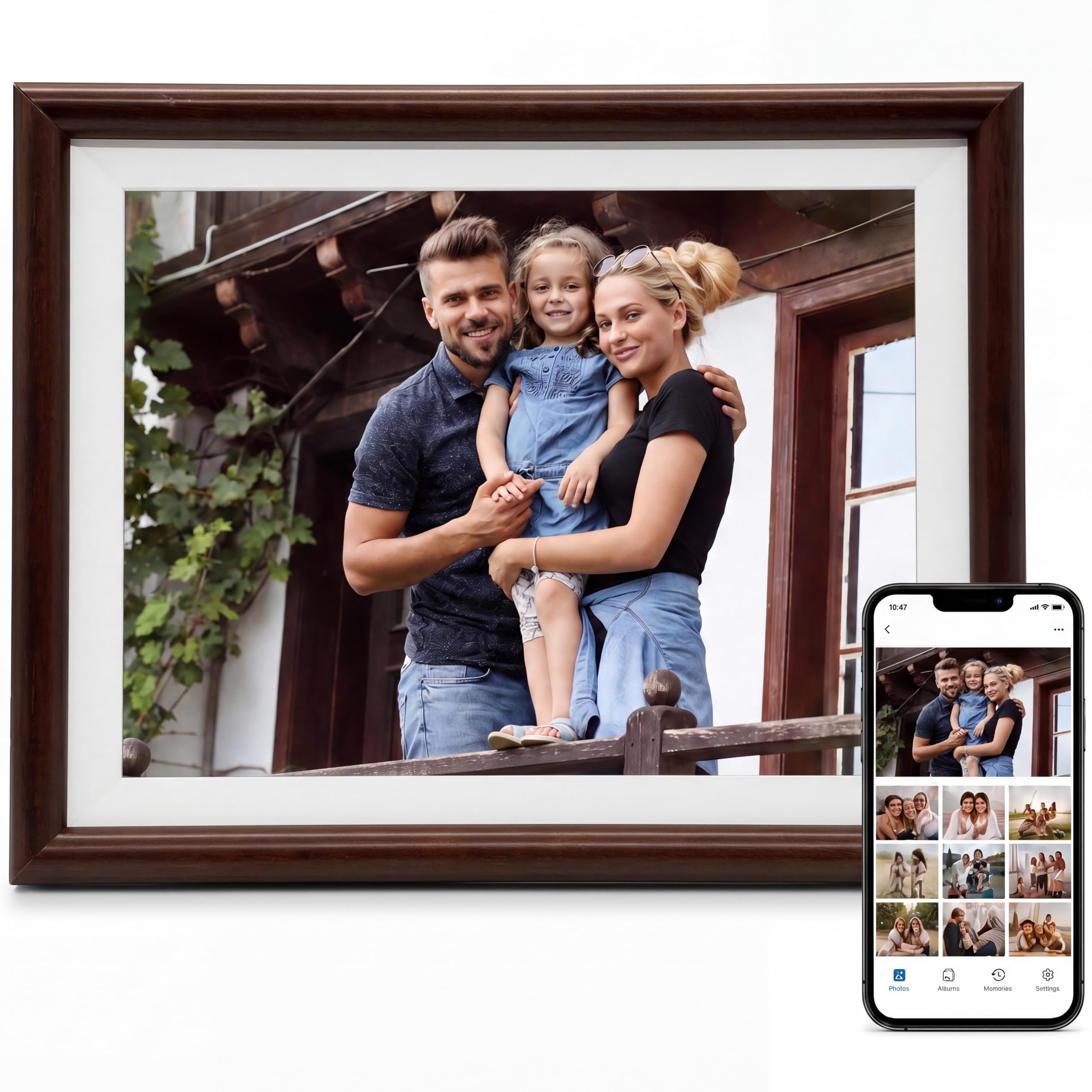
An 8-inch frame in genuine pine, sized for a bookshelf rather than a whole wall.
This is the smallest screen on the list, and that is the point. It measures 9 by 6 inches and sits on a desk, shelf, or side table without dominating. The screen is 8 inches at 1280 x 800 on an IPS touchscreen — the identical pixel count to the 10.1-inch models, squeezed into a smaller panel, so it looks tighter and sharper up close. The comparison is stark: this 8-inch panel carries the same resolution as the 10.1-inch Canupdog, while the Canupdog’s panel stretches 10.1 inches against this frame’s 8 inches.
The built material is 100% real premium pine wood, not a veneer, and it ships in a gift-ready box. Storage is 16GB built in, expandable with a MicroSD card (FAT32 format only) or via USB-C from a PC. Setup runs through the free Uhale app over 2.4GHz WiFi — or you can skip WiFi entirely and play locally from a card, which is a rare option in this price tier. Auto-rotate handles portrait or landscape automatically.
Support is the quiet win. There is a 1-year manufacturer warranty, extended to 3 years if you register within 30 days, and the maker promises a 24-hour response time on questions. Given this is a newer listing, that warranty coverage is the reassurance you lean on. The white-and-brown finish reads warm rather than techy.
What makes it worth a look
- Genuine pine wood construction at a small-frame price
- 1280 x 800 on an 8-inch panel, so images look crisp up close
- Works with the Uhale app or fully offline from a card
- Warranty extends to 3 years with 30-day registration
Where it pulls up short
- 16GB storage is half the 32GB of the top pick
- MicroSD expansion demands FAT32 formatting
Made for: the desk that does not have room for a 10-inch slab of glass.
Not for you if: you want one grand statement piece in the living room — go bigger.
5. Canupdog WiFi 10.1 Inch Digital Frame

The most-reviewed frame here, and the one with the deepest set of owner reports to learn from.
Start with the screen spec, because it is the reason this frame is widely liked: 10.1 inches at 1280 x 800 on an IPS touchscreen, with a 1.78:1 aspect ratio that fits widescreen shots cleanly. The touchscreen is described as friendly for older users and non-techies, and that is the design choice that makes it a common gift. The distressed wood frame blends into living rooms, bedrooms, and offices, and auto-rotation keeps photos the right way up whether you hang it or stand it.
Storage is 16GB built in, expandable with a Micro SD card up to 128GB (not included). Critically, the app lets you upload an unlimited number of photos without any fee, so the storage ceiling is not the real limit — the cloud library is. That is the standout value here: your photo collection grows without you ever needing to buy a card. Dimensions run 10.4 by 7.2 inches, and it can be wall mounted if you want it off the tabletop.
The buyer consensus centres on quality and ease of use — those are the two things people mention most by a wide margin. Photos come through with clear detail, setup is straightforward, and it makes a strong gift for grandparents. The fair caveat is reliability, which draws mixed feedback: most frames run well, but some buyers report early failures. The maker backs it with a 24-month warranty and 24/7 support, which is the cushion against that risk.
The case in one line: unlimited free photo uploads plus a 1280 x 800 touchscreen make this the easiest frame to keep stocked with new pictures.
Don’t overlook: reliability is the mixed part of the picture — the 24-month warranty is why that stays manageable rather than deal-breaking.
Buy it if: you expect to keep adding photos indefinitely and want the cloud library to absorb the volume.
skip it if: you want a brand-new model with a spotless service history — this frame has a long track record, mixed results included.
6. KODAK 10.1 Inch WiFi Digital Frame (1920×1200)
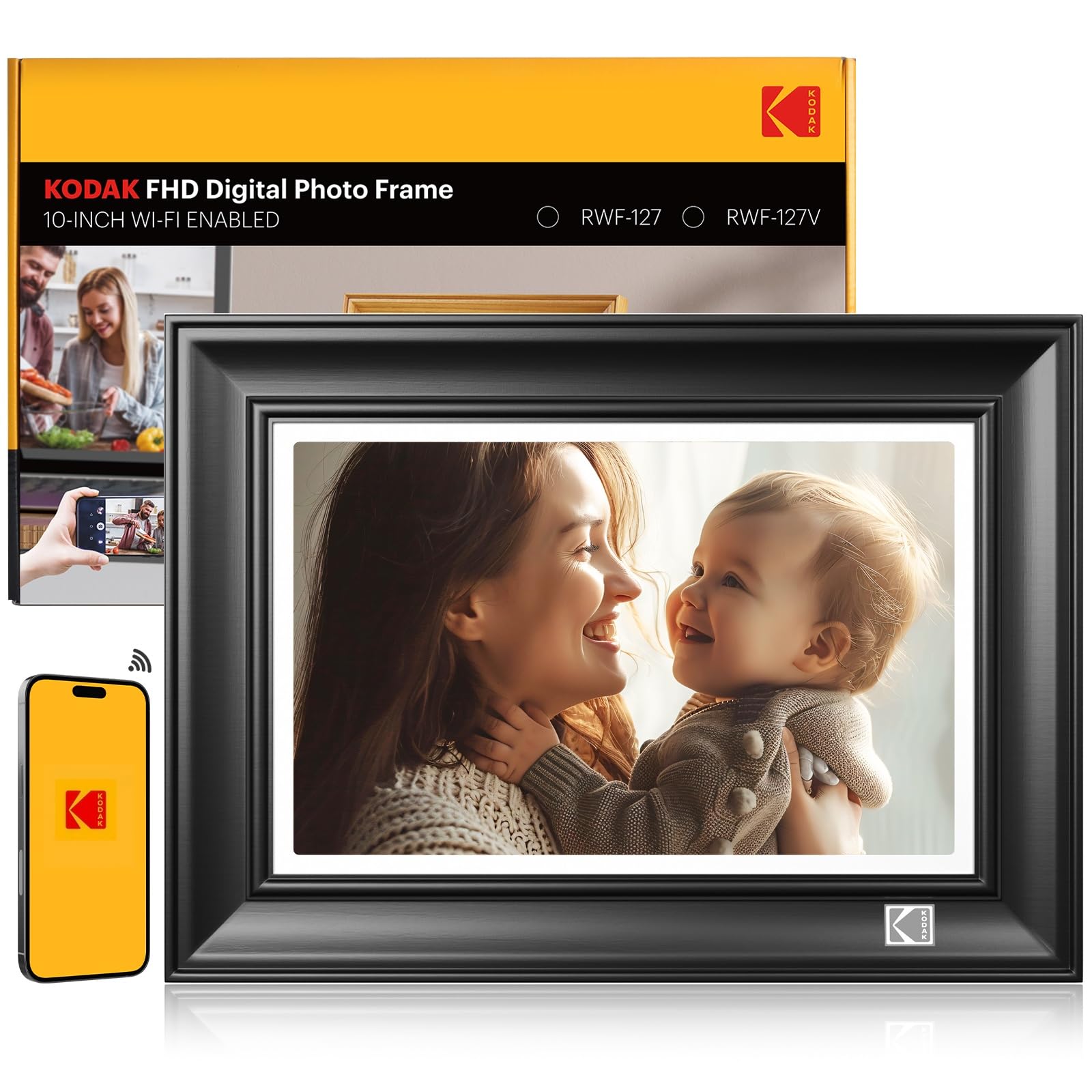
Full HD on a 10.1-inch panel, with the fastest wireless standard in this lineup.
If you are chasing the sharpest picture, this is where the numbers separate clearly. The display runs 1920×1200 Full HD on a 10.1-inch touchscreen — that is a meaningful jump over the 1280 x 800 frames that make up most of this list. On a mantel viewed from a few feet away, faces in portrait shots hold their detail instead of blurring into a smear. The panel sits at a 16:10 aspect ratio.
Behind the screen sits a quad-core 1.5GHz CPU with DDR4 2GB of RAM. That hardware is why the interface feels quick and photos load without lag. Wireless is the genuinely modern part: WiFi 6 with dual-band 2.4GHz and 5GHz support, so this frame can live on the faster band that most of the cheaper picks cannot see. Sharing runs through the app, Google Photos, email, PC link, USB drive, or SD card, and you can bulk upload up to 120 photos at once or a 2-minute video.
The frame itself is 100% premium natural ash wood — the listing makes a point of contrasting it with plastic and dense MDF board, and it claims durability against bumps and scratches. There is also an AI art feature in the companion app that turns phone photos into stylised art before upload, plus a 3-day weather forecast and an adjustable-angle stand. This is a newer listing, so there is less owner history to draw on than the Canupdog — the hardware and display specs are the stronger evidence here than review volume.
Why it earns a spot: 1920×1200 on a 10.1-inch touchscreen is the sharpest mainstream size-and-resolution pairing on this list, and WiFi 6 dual-band future-proofs the connection.
What to weigh: the AI art and rich app features add value only if you will actually use them — for a plain slideshow, the top pick covers the job for far less.
Best for: the buyer who will notice the difference between 1280 x 800 and 1920 x 1200 and wants full HD in natural ash wood.
Otherwise consider: the BIHIWOIA if you want 32GB and Frameo simplicity with a track record behind it.
7. KODAK FHD 10″ Black Solid Wood Digital Picture Frame
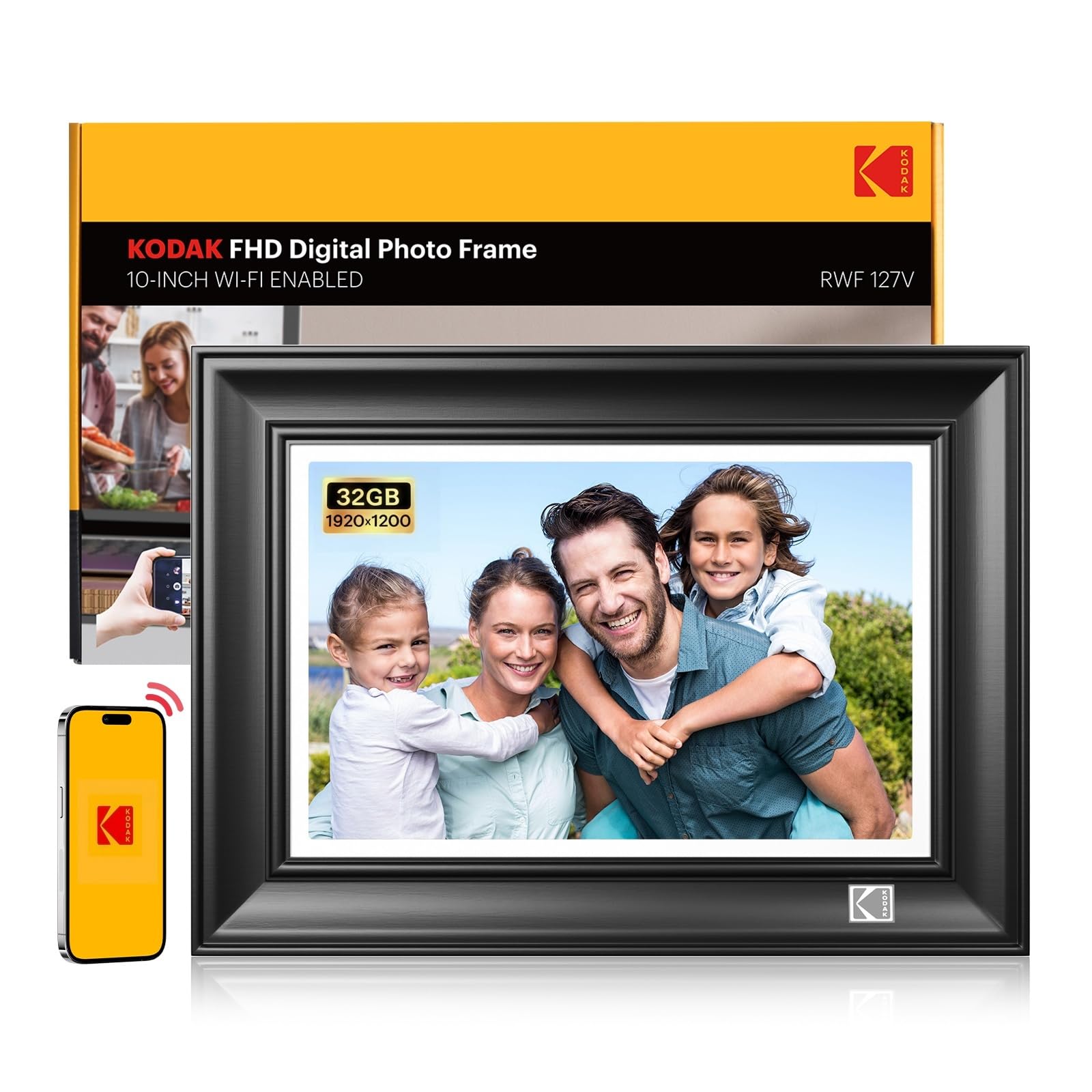
The black ash wood frame is the draw — it looks like furniture first and a screen second.
The 10.1-inch 1920×1200 FHD IPS touchscreen is the same sharp spec as the KODAK model above, and here it is dressed in black solid wood that the listing describes bluntly: plastic was not invited. That matters if the frame is going on a shelf next to real furniture, because a plastic bezel gives the game away instantly. Swipe and touch control handles the interface, and the screen reads cleanly across a room.
Performance runs on DDR4 2GB of RAM and a quad-core CPU, which keeps swiping through albums smooth. This is where the head-to-head with the Canupdog is worth spelling out: this KODAK packs a 1920 x 1200 panel against the Canupdog’s 1280 x 800, and it connects on WiFi 6 at both 2.4GHz and 5GHz versus 2.4GHz alone. On pure display and wireless specs, the KODAK leads.
Sharing is unusually flexible: Google Photos, the KODAK Digital Frame app, email, computer, USB, or SD card — six routes in total, so even the relative who only sends email attachments can contribute. You can send up to 120 pictures per transfer and play videos up to 2 minutes. Gift Mode supports voice and video messages, and Sleep Mode lets the screen rest at bedtime for a nightstand setup. Storage is 32GB.
The attraction: a 1920 x 1200 panel in genuine black ash wood, with more ways to send photos than any other pick here.
A fair caution: this is a fresh listing, so owner history is thin — the specs carry the argument, not a long review trail.
Pick this one to: pair a sharp screen with a frame that belongs on real furniture.
Look past it if: you would rather buy on proven popularity than fresh specifications.
8. 21.5″ Large Wood Digital Frame (FANGOR)
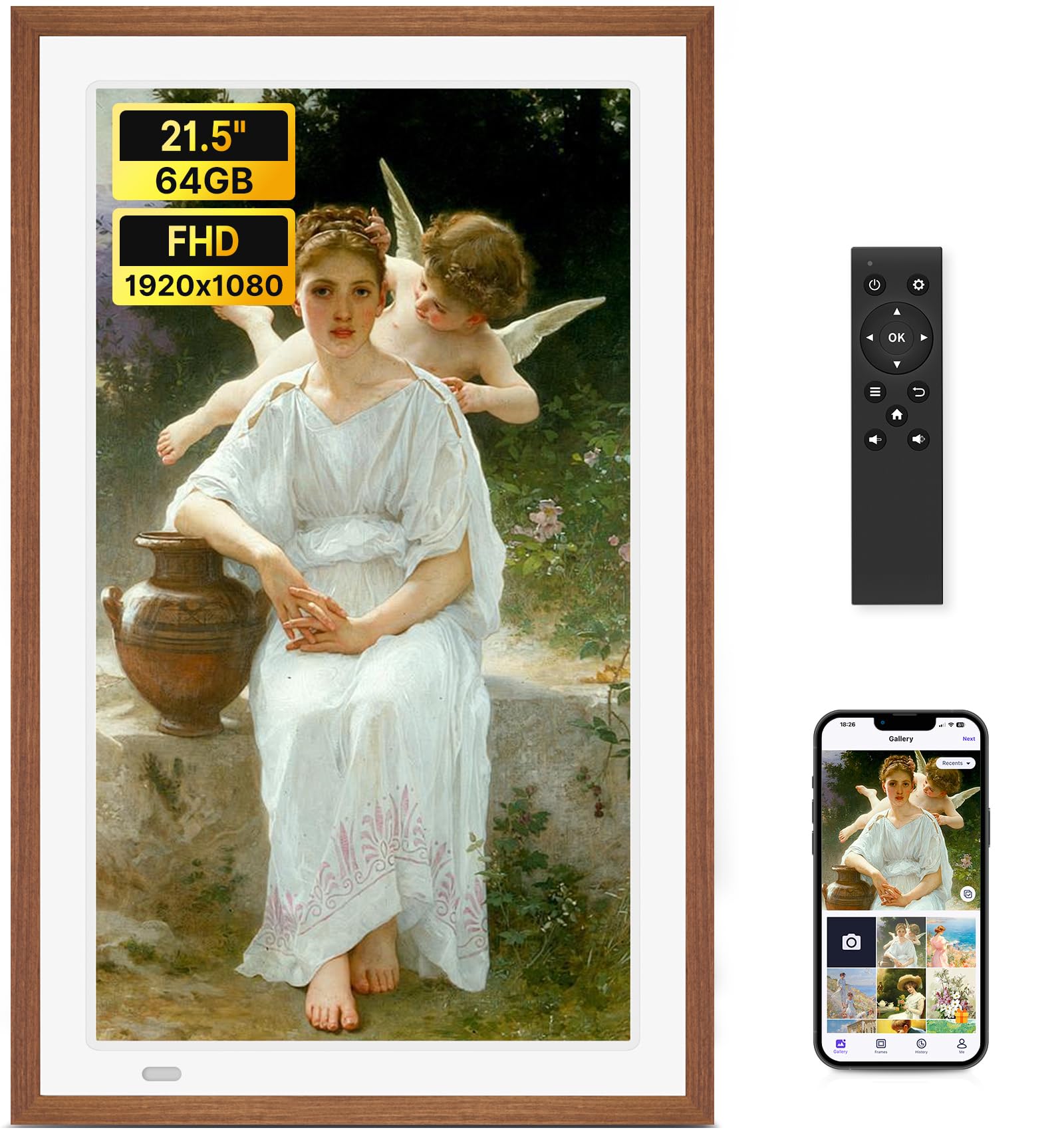
A 21.5-inch wall piece that also plays video with sound, in a solid wood frame.
At 21.5 inches, this is not a dresser frame — it is wall art. The display runs 1920×1080 Full HD with automatic colour calibration and a 178° viewing angle, so the image holds up from across a living room. The panel is deliberately matte and anti-glare, which matters on a big screen facing a window. Supported formats include JPG, JPEG, BMP, PNG, and MP4 videos.
Storage is the headline number: 64GB built in, which the maker rates for up to 100,000 photos, plus SD card and USB drive support up to 128GB each. Importing happens over Uhale PC web, SD, or USB, and you can send up to 100 photos at once through the dual-band 2.4G+5G WiFi. The frame uses a remote rather than touch — a deliberate choice, given a screen this size, and one that makes it simple to navigate for anyone.
The trade-offs are worth naming honestly. There is no touchscreen at all, so every control comes through the remote or the app. Videos uploaded through the Uhale app are limited to 2 minutes, though card and USB uploads have no time limit. Reliability draws mixed reports — most frames work well, and a portion stop early. The frame measures 15 by 24 inches, so plan wall space before you buy, and it suits commercial display as readily as a home.
Standout advantages
- 64GB built in holds up to 100,000 photos without a card
- Matte anti-glare panel with a 178° viewing angle
- Plays video with sound, not just stills
- Solid wood frame in a genuinely large format
Trade-offs to accept
- No touchscreen, so the remote is your primary control
- App video uploads capped at 2 minutes
- Mixed reliability reports, and a 15 by 24 inch footprint to plan for
Suits you if: you want a big, quiet wall display that doubles as a video player.
Not the frame for: a bedside table or a small apartment wall.
Know the Specs
Resolution versus screen size
Resolution is the number of pixels across the screen; the more pixels packed into fewer inches, the sharper it looks. A 1280 x 800 panel on an 8-inch frame looks tight and crisp, while the same 1280 x 800 on a 10.1-inch screen is still fine from across the room but less crisp up close. Step up to 1920 x 1200 and portraits hold fine detail even at arm’s length. If a large panel like the 21.5-inch or 32-inch FANGOR and KODAK use 1920×1080, the pixels spread thinner — best for viewing at distance, not right up against the glass.
Storage and the cloud library
Storage is measured in gigabytes (GB) — 32GB is roughly double 16GB, and more room means fewer photos deleted to make space. But onboard storage is not the whole picture. A WiFi frame that lets you upload an unlimited number of photos to a free cloud library, as the Canupdog does, effectively removes the ceiling. SD and USB expansion (some frames accept cards up to 128GB) matters most on frames that do not lean on a cloud, like the non-WiFi Aluratek or the card-playing FANGOR.
WiFi bands and touchscreen
WiFi runs on bands — 2.4GHz travels further and through walls, while 5GHz is faster but shorter-range. A 2.4GHz-only frame will not see a 5GHz-only network, so check your router before buying. Dual-band support on the KODAK frames gives you both. A touchscreen is a panel you swipe directly; a remote-only frame like the FANGOR trades touch for a simpler control scheme, which some households genuinely prefer.
Common Questions
Do I need WiFi for these wooden digital photo frames to work?
Is the Frameo app really free with no subscription?
Can a WiFi frame connect to a 5GHz network only?
What resolution do I need for a family photo frame?
Will an SD card or USB drive work in every frame here?
Is real wood or a wood finish on these frames?
Can a digital frame play video as well as photos?
How much storage is enough for thousands of photos?
Can the frame hang on a wall or does it need a table?
Are these frames a good gift for grandparents who are not tech-savvy?
The Bottom Line
For most people, the wooden digital photo frame that makes the least work of the decision is the BIHIWOIA 10.1-inch Frameo. It carries 32GB of storage, a 1280 x 800 IPS touchscreen, and a free app with no subscription — and it has been through enough households to be a genuinely safe gift. If sharpness is what you are after, the KODAK 10.1-inch FHD takes the display lead with 1920×1200 and WiFi 6 dual-band. And if the person receiving the frame will never open an app, the Aluratek distressed wood frame is the card-and-slideshow route that asks nothing of them — load a drive and let it run.
How we choose
We do not accept paid placement. Every pick is matched to a real buyer and a real use-case; we do not hands-on test units.
Sources
Specifications: manufacturer listings and product documentation. Review insights: verified customer reviews, as of November 2026. Pricing: not shown on this page (it changes often); check the current price via the retailer link.
As an Amazon Associate, Tactical Gear Guy earns from qualifying purchases. This does not affect which products we feature.