Specs are compiled from manufacturer listings and verified buyer reviews and can change over time — please confirm the key details on the product page before buying.
Buying a machine for machine learning is mostly a memory decision, not a brand decision. Your models have to fit somewhere, and if the GPU memory or the shared memory pool is too small, the training run simply stops or slows to a crawl. The nine systems below all have real graphics hardware or a very large unified memory pool, so the question becomes which one matches the size of the models you actually run.
This guide is built by comparing the manufacturers’ published specifications and the patterns across verified customer reviews, so you get each pick’s real strengths and trade-offs instead of marketing spin.
You will see the split between machines with a dedicated professional graphics card and compact boxes that share one big memory pool between processor and graphics. That single difference decides which models you can load, which is why this guide focuses on it above every other spec. Here is how to pick the right workstation for machine learning.
Top Picks
How To Choose The Best Workstation for Machine Learning
Start with the size of the model you plan to run, not with the processor name. Model weights have to sit in memory while they run, so a box with more usable graphics memory can load bigger models. A machine with a small memory pool runs small models quickly and stops cold on large ones.
Two memory approaches, two different buyers
A dedicated graphics card has its own VRAM, which is fast and predictable for training and inference. A compact box with unified memory shares one large pool between the processor and graphics, so it can address far more total memory but at lower bandwidth. Pick the dedicated card if you train regularly; pick unified memory if you mostly run large models locally.
Match core count to your pipeline
Data loading, preprocessing and compiling all lean on the processor cores. The Intel Core i9-13900F here runs 24 cores and 32 threads, while the Ryzen AI Max+ 395 chips run 16 cores and 32 threads. Either way you want threads, because a model pipeline that stalls waiting on data wastes the graphics card beside it.
Check the ports before you fall in love
A multi-monitor desk needs the right outputs. Look at whether the machine drives four displays or two, and check that the USB ports run at 40Gbps if you plan to move large datasets to external drives. Networking matters too — a 2.5Gb or 10Gb network port keeps large files moving between your workstation and a NAS.
Side-by-Side Comparison
| Model | Best For | Graphics | VRAM / Memory | Storage | Amazon |
|---|---|---|---|---|---|
| ACEMAGIC G3A AI Workstation★ Best Overall | Professional 3D and AI inference | NVIDIA RTX 2000 Ada | 16GB GDDR6 | 1TB PCIe 4.0 | Amazon |
| Dell Tower DesktopBest Value | Entry-level ML with future headroom | NVIDIA RTX 5060 | 8GB | 1TB SSD | Amazon |
| iBUYPOWER ElementTop Performer | Gaming-first with AI ready label | NVIDIA RTX 5070 | 12GB GDDR7 | 1TB NVMe | Amazon |
| GMKtec EVO-X2 | Big local models on a small desk | Radeon 8060S | 128GB LPDDR5X | 1TB PCIe 4.0 | Amazon |
| BOSGAME M5 AI PC | Running 120B models at the desk | Radeon 8060S | 128GB LPDDR5X | 2TB SSD | Amazon |
| GMKtec EVO-X3 | Local AI plus external GPU later | Radeon 8060S | 128GB LPDDR5X | 2TB PCIe 4.0 | Amazon |
| MINISFORUM MS-S1 Max | Five 8K outputs and dual 10G LAN | Radeon 8060S | 128GB LPDDR5 | 2TB PCIe 4.0 | Amazon |
| MINISFORUM MS-S1 MAX (320W) | Cluster builds and rack deployment | AMD Radeon RDNA 3.5 | 128GB LPDDR5X | 4TB PCIe | Amazon |
| GMKtec NEO-X1 PRO | Gaming and inference in one box | GeForce RTX 5070 | 12GB GDDR7 | 2TB SSD | Amazon |
Detailed Reviews
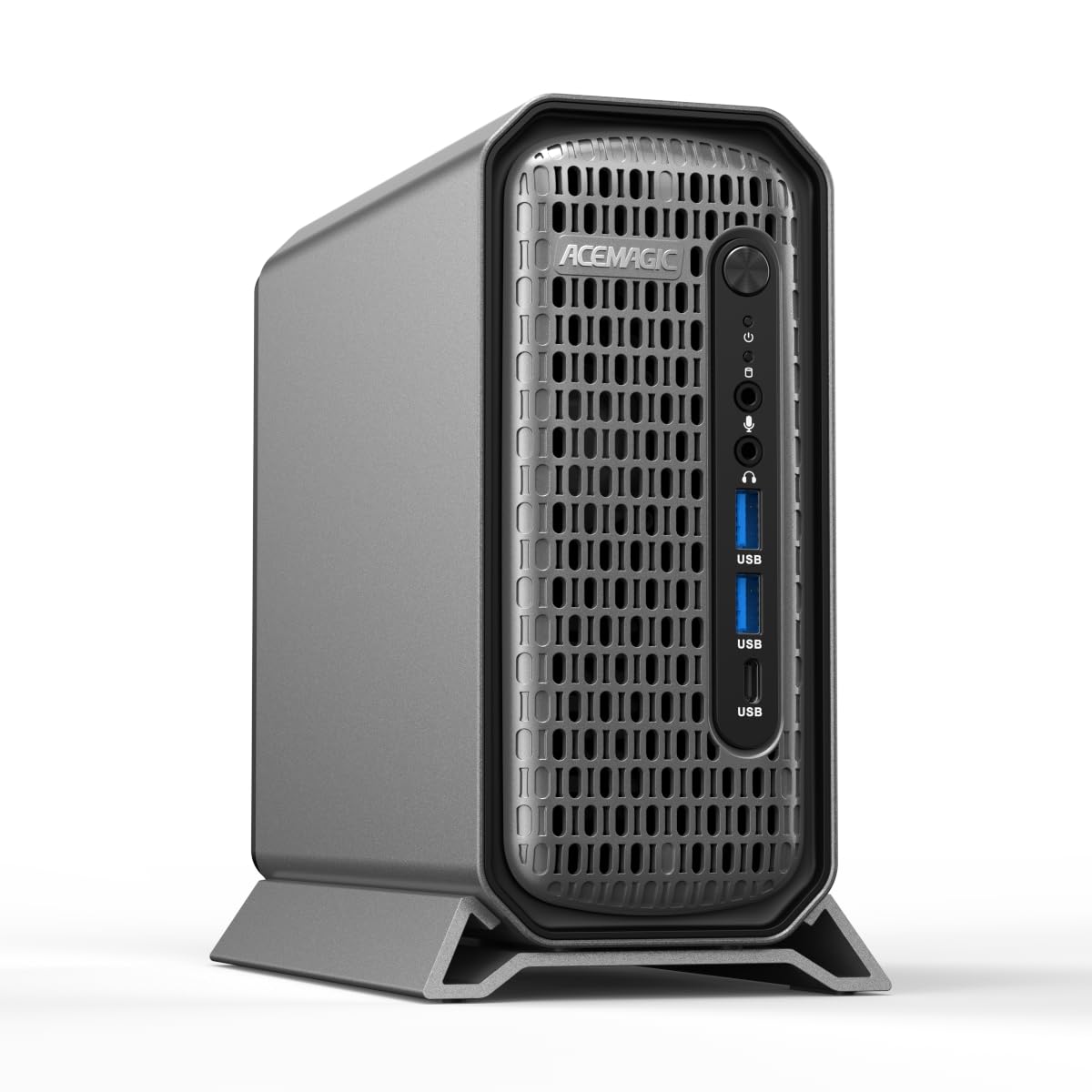
1. ACEMAGIC G3A Mini PC
Our pick — 4.5+★ from 250+ verified ratings; the strongest balance of quality and price.
The only pick here with a certified professional graphics card standing behind its AI claims.
The G3A pairs a desktop-class Intel Core i9-13900F (24 cores, 32 threads, up to 5.6GHz) with the NVIDIA RTX 2000 Ada, and that second name is the one that matters. It is a workstation-grade graphics card with 16GB of GDDR6 VRAM — the memory that holds your model while it runs — so a mid-size model fits on the card instead of spilling into slower system memory. The card is also rated at 191.9 TFLOPS of Tensor performance, which is the math throughput that AI inference leans on.
Professional drivers are the quiet advantage. The RTX 2000 Ada ships with certified drivers for AutoCAD, SolidWorks, Adobe Creative Cloud and Blender, so a rendering job in Blender does not hit the driver snags a consumer gaming card can produce. Memory is 32GB of DDR5 at 5600MHz, upgradable to 96GB, with a 1TB NVMe PCIe 4.0 SSD and an extra M.2 slot plus a 2.5-inch SATA bay for later storage. The chassis is a compact 3.5L, with front intake and rear exhaust designed to hold steady under a sustained 65W TDP — the processor’s rated continuous heat output.
Here is the honest trade-off: 16GB of VRAM is a real ceiling. It handles inference and development work comfortably, but a large model that needs more than 16GB will not fit on the card, full stop. That is why the unified-memory machines further down exist. Compare it with the Dell below, which carries 8GB of graphics memory — the RTX 2000 Ada gives you 16GB against that tower’s 8GB.
Where the G3A pulls ahead
- Certified professional drivers for CAD and 3D suites — the kind of stability consumer cards do not carry
- 16GB GDDR6 VRAM (against the Dell’s 8GB) holds mid-size models on-card
- 32GB DDR5 5600MHz, upgradable to 96GB, plus an extra M.2 and a 2.5-inch SATA slot for storage growth
- Four independent 4K displays through 4x Mini DP 1.4a for a serious multi-monitor desk
The boundaries worth knowing
- 16GB VRAM caps the largest models — they simply will not load on the card
- Sustained 65W TDP is modest next to the compact AI boxes that peak far higher
- Quad Mini DP means adapters or Mini DP cables for most monitors
Reach for this if: you do 3D, CAD or inference work that benefits from certified drivers and on-card VRAM up to 16GB.
Look elsewhere if: your workflow needs to load models larger than 16GB of graphics memory.
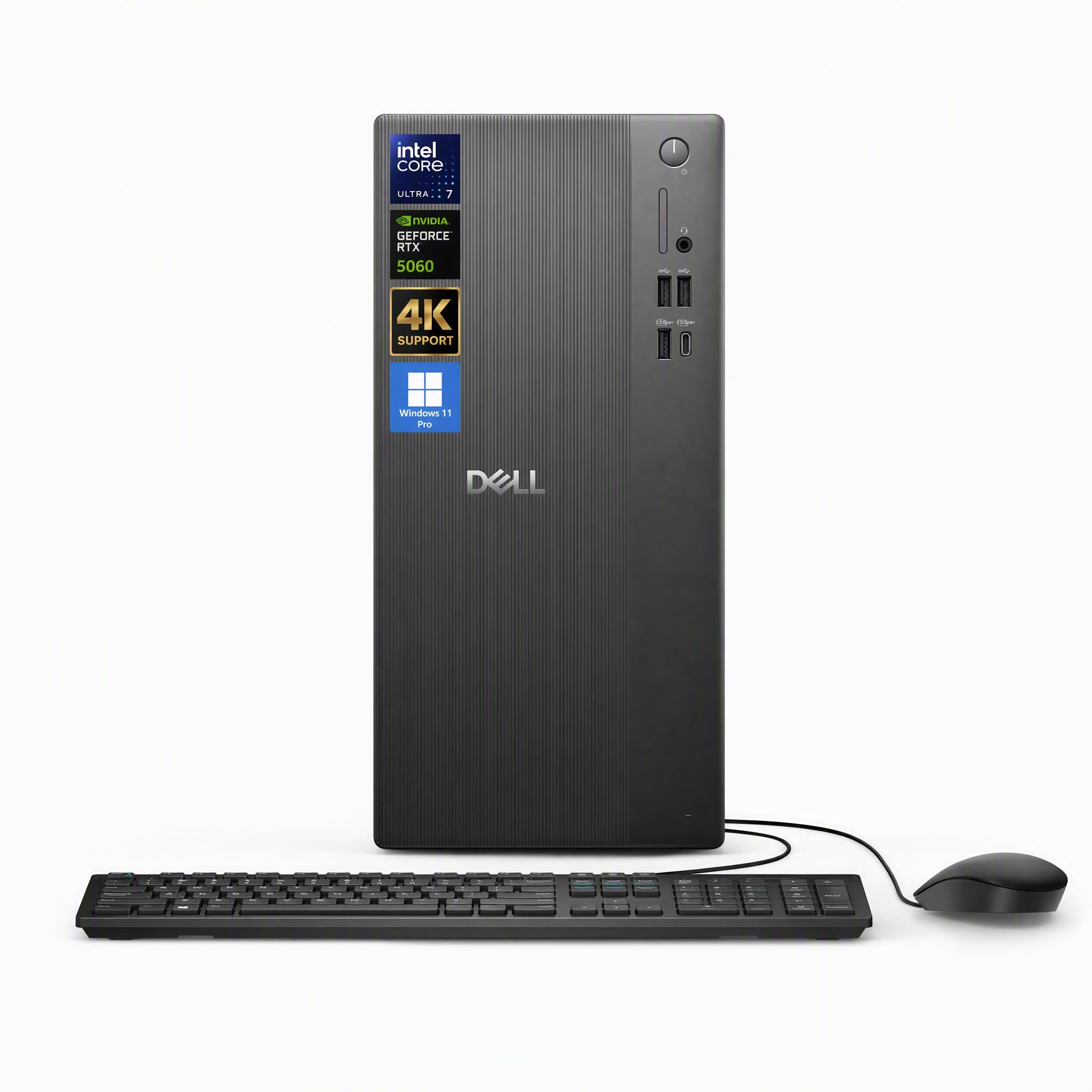
2. Dell Tower Desktop Computer
The lowest entry point here into a full tower with a real dedicated graphics card inside.
Owner reviews back this Dell tower’s value story. The Intel Core Ultra 7 265F runs 20 cores with a max turbo of 5.3GHz, and the NVIDIA GeForce RTX 5060 sits beside it on a GDDR7 memory interface. It is the most accessible way here to get a brand-name tower with dedicated graphics and Windows 11 Pro already installed.
The catch, and it is a real one, is the 8GB of graphics memory on the RTX 5060. That is the tightest VRAM ceiling on this list, well below the 16GB the ACEMAGIC carries. A tighter memory pool means smaller models fit on the card before the software has to look elsewhere. It is a fine fit for learning the workflow, running small inference jobs, and building pipelines you will later scale up.
What balances the small VRAM is 32GB of DDR5 RAM for juggling virtual machines, browser tabs and design software at once, plus a 1TB SSD for fast boots. Ports include HDMI 2.1, an array of USB and Wi-Fi 6, and the box arrives with a Dell Pro 5 keyboard and mouse. Think of this one as the sensible first workstation — a full tower with real graphics hardware that leaves room to learn before you commit to a bigger card.
Where it shines: 32GB DDR5 and a 1TB SSD at this tier keep everyday ML development and multitasking smooth without bottlenecking.
What to accept: 8GB of VRAM is the smallest pool on the list, so plan on small to mid-size models rather than the largest.
The right pick for: a first ML machine or a developer who wants a dependable tower with room to grow the pipeline, not the model size.
Not the one for: running large models that need more than 8GB of graphics memory.
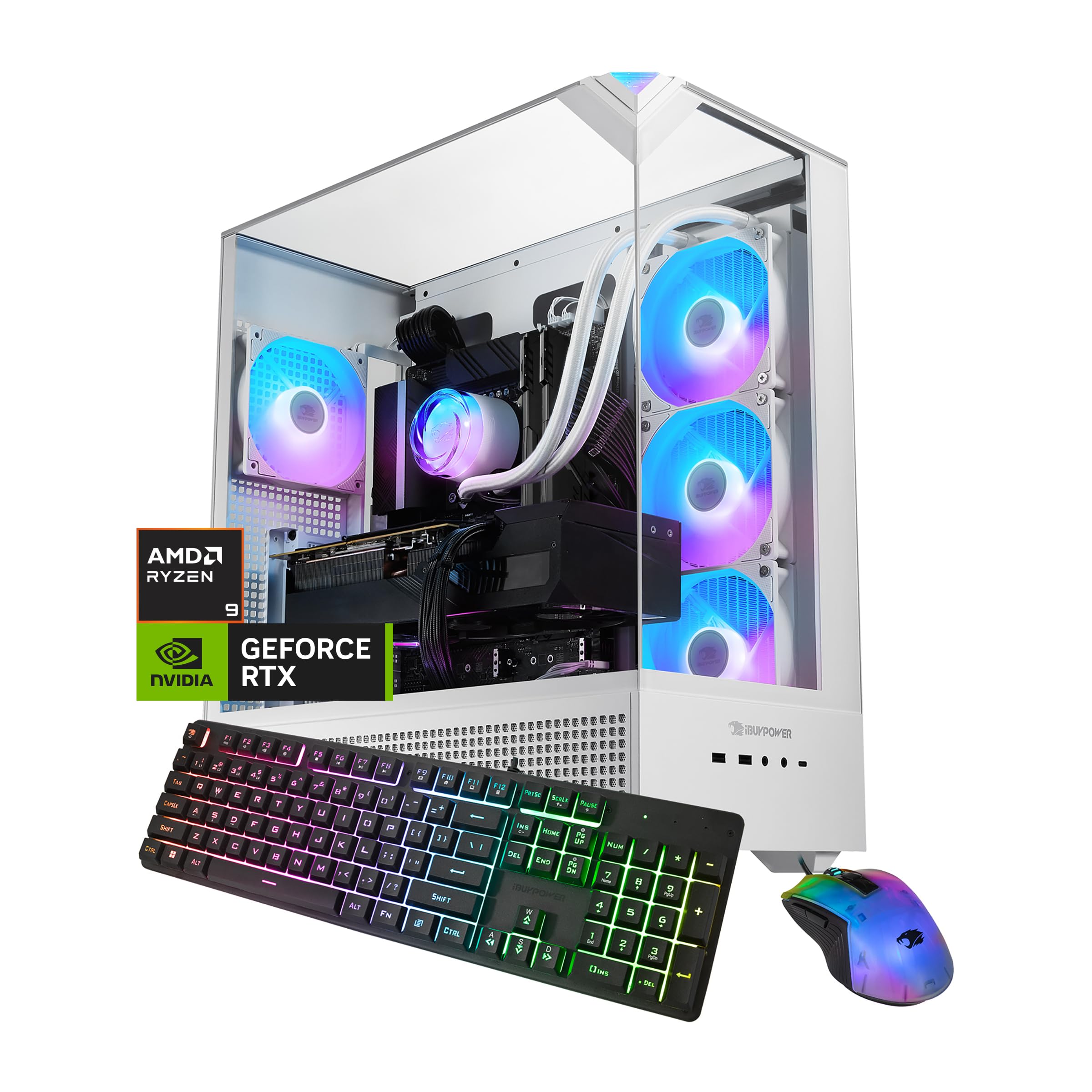
3. iBUYPOWER Element Gaming PC, AMD Ryzen 9 7900X with RTX 5070
The gaming-first tower that uses its 12GB of GDDR7 graphics memory to bridge into AI work.
This is the unit with the most owner history in the guide, and its performance reputation is the loudest thing about it. The AMD Ryzen 9 7900X tops out at 5.6GHz, matching the Core i9-13900F. The NVIDIA GeForce RTX 5070 with 12GB of GDDR7 sits behind it, and 32GB of DDR5 RGB at 4800MHz keeps the multitasking honest. One owner noted it “runs Bannerlord flawlessly at high settings with massive siege battles.”
For machine learning, the 12GB of graphics memory is the number that matters. It sits between the Dell’s 8GB and the ACEMAGIC’s 16GB, which opens the door to more inference work than the Dell allows while still falling short of the professional card’s ceiling. When the 5070 is not enough, external GPU docks and cloud options pick up the slack. At 5.6GHz the 7900X also boots through data prep and compilation quickly, which is where a lot of ML time actually goes.
The honest tension is reliability and storage capacity being points where owner sentiment splits — the review pages are not unanimous on long-term dependability. Treat it as a high-powered gaming rig that happens to run AI models well, and keep real backups of your checkpoints and datasets. If your main goal is model training on huge datasets, the professional card in the ACEMAGIC is steadier ground. If you want one box for gaming nights and local AI experiments, this hits a smart middle.
Standout strength: 12GB GDDR7 with a 5.6GHz processor gives you fast preprocessing plus room for mid-size model inference.
Fair caveat: dependability and storage capacity are where owner feedback is less settled, so redundancy matters.
Go with it when: you want a gaming tower that doubles as a capable AI development and inference machine.
Pass if: you need professional-grade driver certification or the largest on-card memory pool.
4. GMKtec EVO-X2 Gaming Mini PC

A desk-sized box whose 128GB memory pool handles models no graphics card here can fit.
This is a different approach to ML hardware. The AMD Ryzen AI Max+ 395 packs 16 Zen 5 cores, 32 threads, a 3.0GHz base clock and up to 5.1GHz boost, with 80MB of combined L2 and L3 cache. The real headline is 128GB of LPDDR5X-8000 unified memory — one large pool shared between the processor and the Radeon 8060S graphics, so a model is not boxed in by a graphics card’s VRAM ceiling. The XDNA 2 NPU (a dedicated AI engine) adds up to 50 TOPS, and the full processor reaches up to 126 TOPS across CPU, GPU and NPU.
The comparison to the ACEMAGIC tells the story: this box holds 128GB of memory to that machine’s 32GB, which lets it address far larger local models. Cooling is serious for the footprint — a vapor chamber, three heat pipes and two large CPU fans, with a mode button switching between Silent 54W, Balanced 85W and Performance 120W. Storage is a 1TB PCIe 4.0 SSD, and the chassis measures roughly 7.60 x 7.31 x 3.03 inches, so it takes the corner of a desk rather than the floor.
One thing to understand before buying: the Radeon 8060S is integrated graphics paired with a large memory pool. It runs big models that need memory, but it is not a training card with dedicated VRAM. The other trade-off is the fan-based cooling — the 120W mode moves real heat and you will hear it. What wins people over is the size, since 128GB of usable memory in a box this small is rare. Four-display output over HDMI 2.1 and DisplayPort 1.4 reaching up to 8K, plus dual 40Gbps USB4, rounds it out.
Why the EVO-X2 earns its place
- 128GB unified LPDDR5X memory lets large local models load where VRAM-limited cards cannot
- Three power modes (54W / 85W / 120W) let you trade noise for speed on demand
- Dual 40Gbps USB4 ports handle fast external storage and 4K displays
- Compact footprint at roughly 7.60 x 7.31 x 3.03 inches
What to weigh first
- Integrated Radeon 8060S graphics is not a dedicated training card
- Fan cooling in Performance mode is audible during long runs
The fit for: developers running big local models who need massive memory in a small footprint.
Think twice if: you need a dedicated graphics card for sustained training workloads.
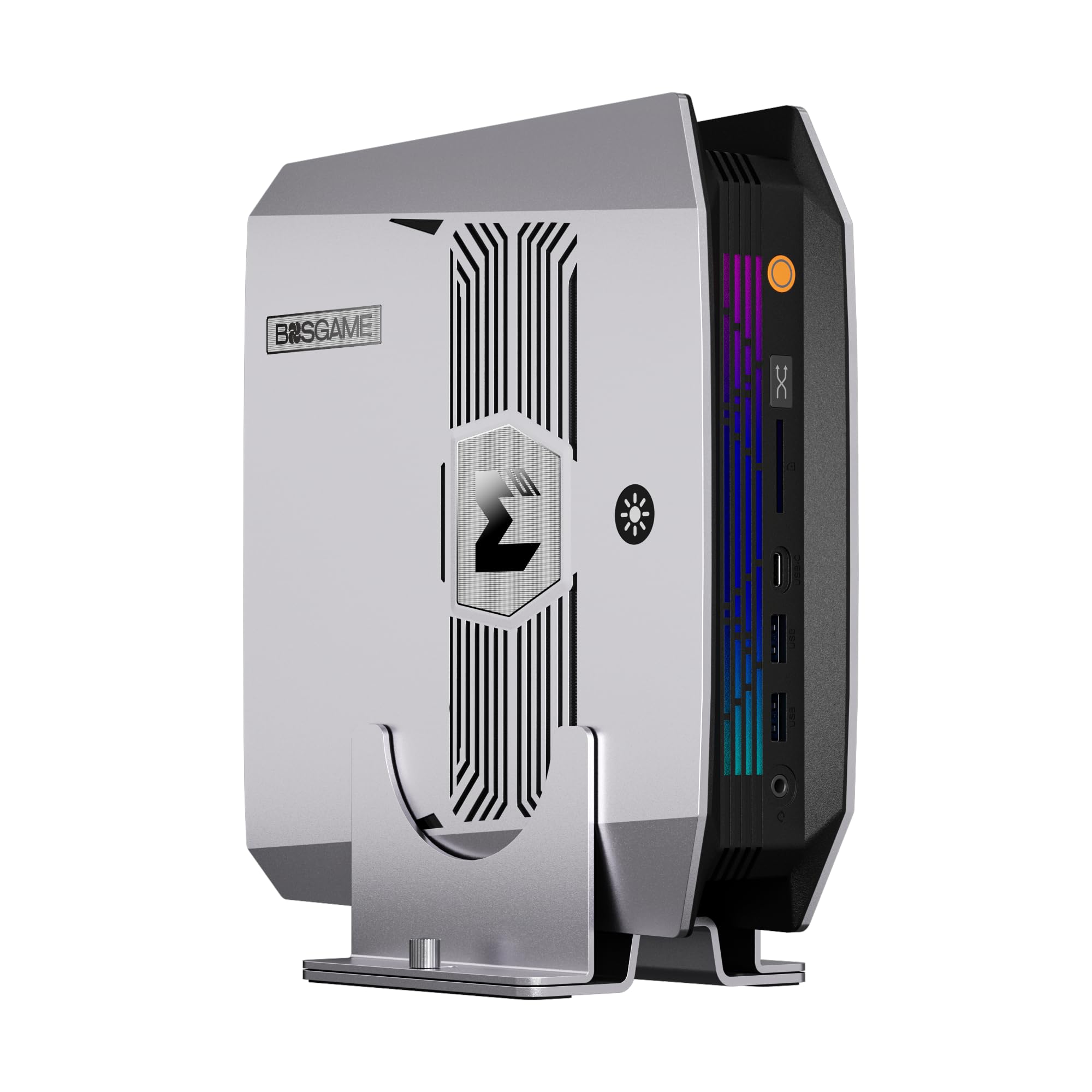
5. BOSGAME M5 AI PC, Ryzen AI Max+ 395 with 128GB LPDDR5X
The compact AI box that lets you push 96GB of its memory into graphics use.
The BOSGAME M5 stands out because of how it uses memory, not just how much it has. It runs the AMD Ryzen AI Max+ 395 — 16 cores, 32 threads, up to 5.1GHz, 80MB cache — with 128GB of LPDDR5X at 8000MT/S. what separates it is AMD Variable Graphics Memory, which lets you allocate up to 96GB of that pool as dedicated VRAM (video memory for the graphics engine). That is the lever for loading big quantized models locally, and the maker claims it runs 128B models like GPT-OSS-120B at over 40 Tokens/s and 235B MoE models at 15 Tokens/s right on the desk.
Storage and ports keep up. Two USB4 Type-C ports move data at 40Gbps, a front SD 4.0 slot reads high-speed SDXC cards up to 300MB/s for photographers and videographers, and networking runs Wi-Fi 7, Bluetooth 5.4 and a 2.5G RJ45 Ethernet port. The VGM allocation is the useful part for ML: when you want to devote almost the entire memory pool to running a model, the option is there.
The recurring caveat is the same one that follows any unified-memory box — the memory is fast but shared, so training throughput does not match a dedicated training card. Buyers report it holds up across several displays and AI tasks alike. If you run local inference instead of training large models from scratch, this is the sort of machine that makes a large model feel like a local app. The 128GB pool combined with the VGM allocation is the reason to choose it.
Pull factor: allocable memory up to 96GB as VRAM is the highest ceiling here for loading large quantized models.
Real limit: shared memory bandwidth trails a dedicated training card when you step up to heavy training runs.
Best match for: local inference of large models where a big allocable memory pool beats a small dedicated card.
Stick with a dedicated card if: training large models from scratch is your daily job.
6. GMKtec EVO-X3 AI Mini PC
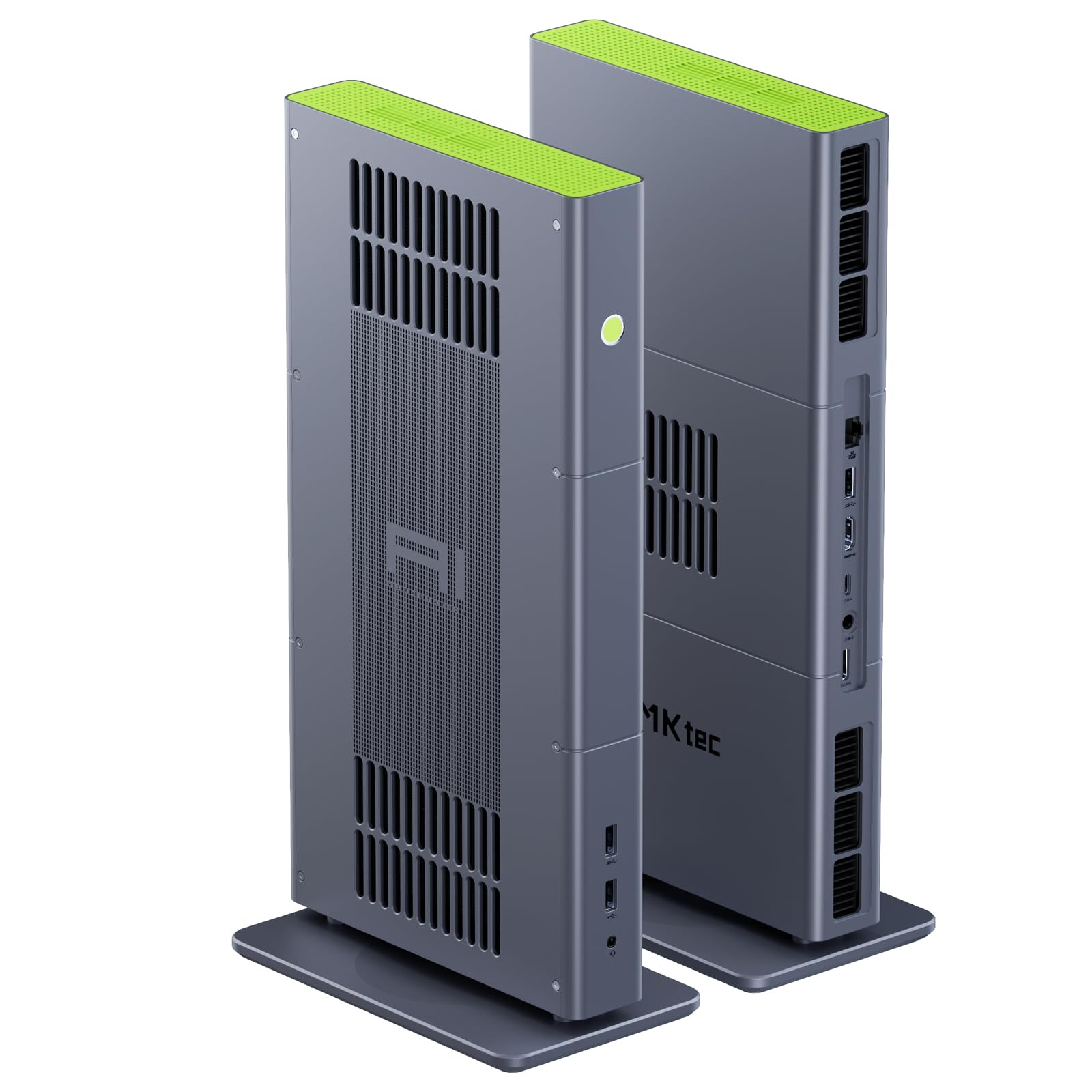
The mini workstation that lets you bolt on an external graphics card when the job outgrows it.
The EVO-X3 shares the Ryzen AI Max+ 395 with the two boxes above — 16 cores, 32 threads, Zen 5, up to 5.1GHz, with a 64MB L3 cache and up to 126 TOPS across the chip. Its defining feature is the built-in OCuLink PCIe Gen4 x4 interface, a port that lets you connect an external GPU dock and add dedicated graphics later. That makes it the flexible option: start with the integrated Radeon 8060S, then add a desktop GPU when you need more training power. The maker notes OCuLink needs the machine powered off before you connect or disconnect — it does not hot-swap.
Memory and speed are generous. 128GB of LPDDR5X at 8000MT/s gives a large unified pool for models, and the maker states the memory runs 1.5x faster than DDR5 SODIMMs. Storage is 2TB on PCIe 4.0, against the 1TB in the EVO-X2. The Radeon 8060S with 40 compute units reaches up to 2900MHz, and the triple-fan cooling with three copper pipes drives three modes (Silent 54W, Balanced 85W, Performance mode up to 140W peak). Outputs run HDMI 2.1 and USB4, reaching up to 8K, with USB4 delivering 40Gbps data and PD 3.0 input up to 100W.
The honest note is that a lot of buyers wish the footprint were even smaller, since the metal CNC chassis is bigger than a typical mini PC. Weigh the OCuLink port against that — it is the reason someone picks this over the EVO-X2, and it means the upgrade path to dedicated graphics does not require a whole new machine. For a home or studio setup where you might scale up later, that single port justifies the choice.
Why the upgrade path stands out
- OCuLink PCIe Gen4 x4 port lets you add an external GPU later instead of replacing the box
- 2TB PCIe 4.0 SSD, against the EVO-X2’s 1TB
- 128GB LPDDR5X at 8000MT/s with flexible unified allocation
Worth accepting going in
- Bigger than expected for a mini PC — the metal chassis has real presence
- OCuLink does not hot-swap, so power down before connecting a dock
Suits you if: you want 128GB of local memory now and a clean path to external graphics later.
Skip if: desk space is tight and its larger-than-expected body is a deal-changer for you.
7. MINISFORUM MS-S1 Max Mini Workstation
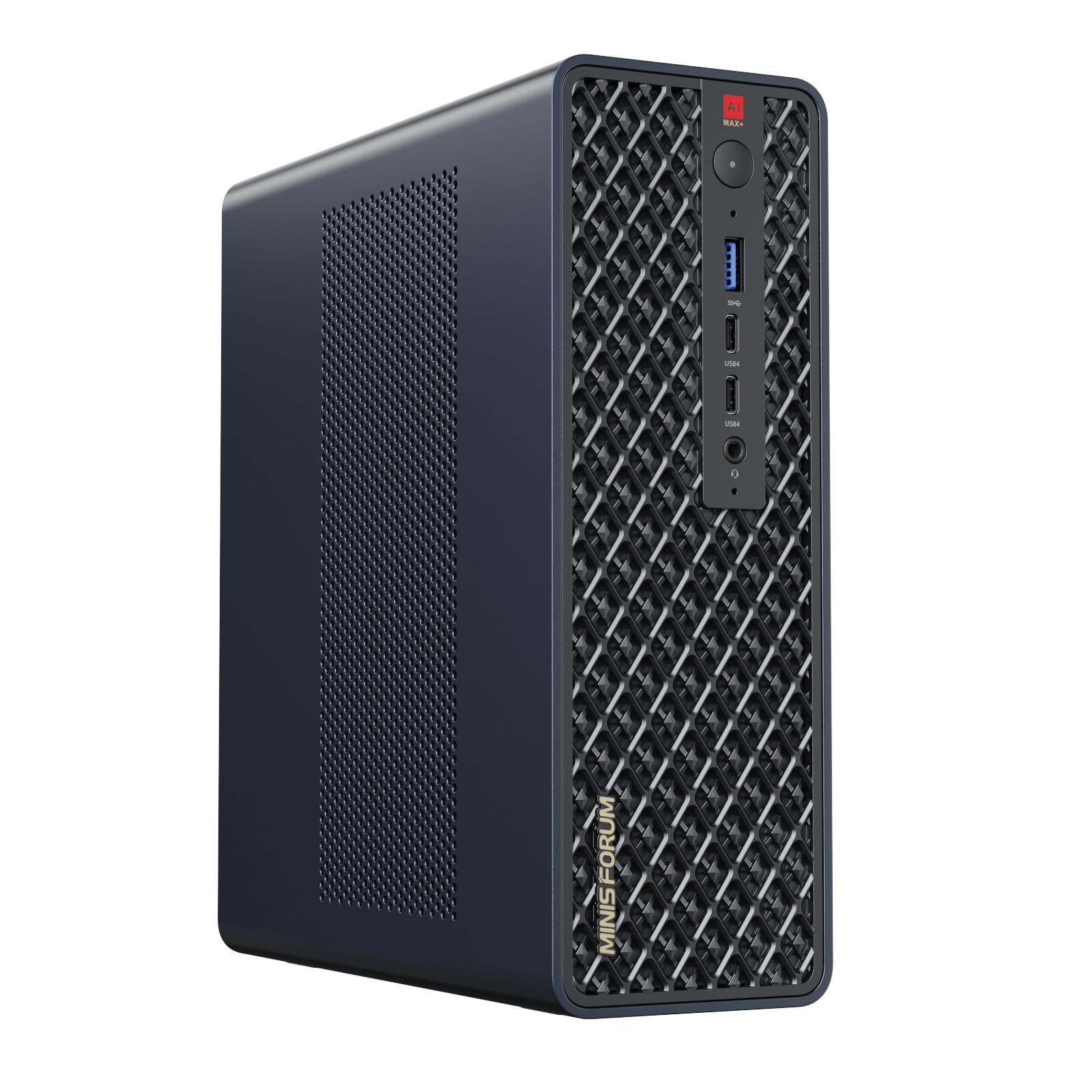
Five video outputs and dual 10G networking turn this into a small command center.
This MS-S1 Max is built for the desk that drives a lot of screens and moves a lot of data. It carries the AMD Ryzen AI Max+ 395 — 16 cores, 32 threads, up to 5.1GHz, up to 126 TOPS overall and a 50 TOPS NPU — with 128GB of LPDDR5-8000MHz memory and a 2TB PCIe 4.0 SSD. The graphics is the Radeon 8060S at up to 2900MHz, sharing the unified memory pool for model work and rendering.
The connection story is where it separates itself. There are five video outputs: one HDMI at 8K@60Hz, two USB4 at 40Gbps and two USB4 V2 at 80Gbps, all supporting Alt DP2.0. Two 10G LAN ports plus Wi-Fi 7 and Bluetooth 5.4 give you wired bandwidth the other boxes here do not match. For a worker running multi-monitor dashboards, rendering on one screen and watching training logs on another, this port selection is the point.
Storage is flexible too — a second PCIe 4.0 SSD slot supports up to 8TB, both slots can run RAID 0 or RAID 1, and a standard PCIe x16 slot sits inside. Cooling uses a large copper substrate, six heat pipes and two turbine fans, with 130W sustained and 160W peak. What the owner feedback shows is steady, reliable performance under long runs. The catch to weigh is that this is still shared memory without a dedicated training card, so extreme training throughput belongs to the GPU towers, not this one.
What stands out: five outputs plus dual 10G LAN make it the most connectable machine here for a busy multi-screen desk.
Where it stops short: unified memory, not a dedicated training card, so the heaviest training throughput is not its game.
Pick it for: a multi-monitor setup with heavy networking, backed by a 128GB memory pool.
Look past it if: your real need is a dedicated GPU for large-scale training.
8. MINISFORUM MS-S1 MAX Mini AI Workstation PC
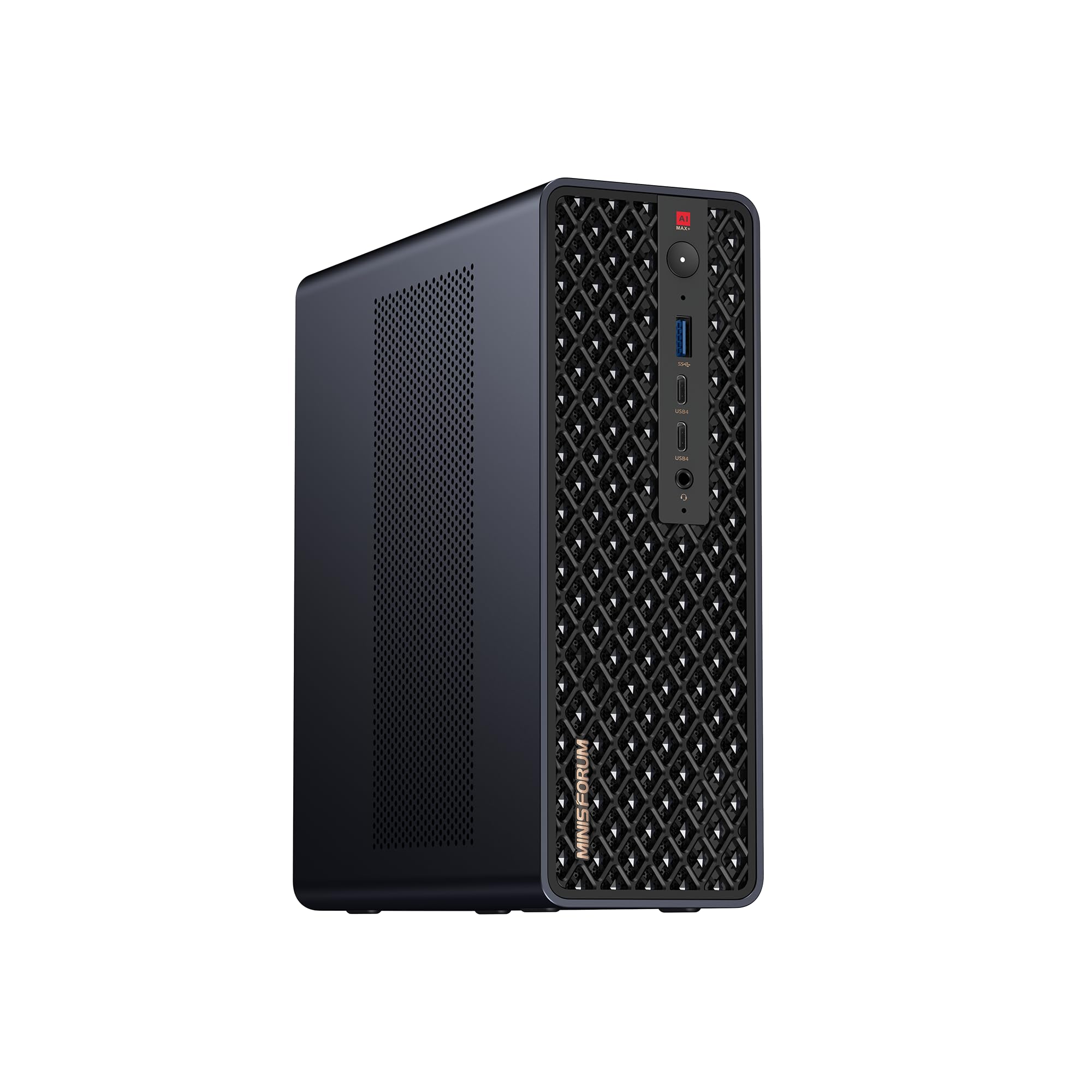
The one that scales sideways — link two and it runs a 235B model at the desk.
Where this MS-S1 MAX differs from the unit above is its cluster design. Two units can be clustered to run a 235B Q4 model locally at 10.87 tok/s, and the maker states four units ran a DeepSeek-R1 671B Q4 model. That is the angle for someone who plans to grow, not just fill a single desk. Under the hood it is the Ryzen AI Max+ 395 again — 16 cores, 32 threads, up to 5.1GHz, 64MB L3 cache, a 50 TOPS NPU, up to 126 TOPS total.
Memory and storage are larger than the sibling: 128GB of LPDDR5X at 8000MT/s unified memory shared between CPU and GPU, and a 4TB PCIe SSD — against the 2TB on the other MS-S1 Max. A full-length PCIe x16 expansion slot and dual M.2 slots support up to 16TB RAID 0/1. Power is a built-in 320W supply rated for 130W continuous and 160W peak, and the slide-out design makes upgrades and maintenance easier than cracking a sealed mini chassis.
Honest sizing on the memory: the shared pool is huge, but the review signal is mixed on how it handles the very largest AI models straight from the start. The cluster path is the real fix for that, and it is why someone picks this over a single-box solution — build out when you need more. It also ships with multiple industrial certifications and 2U rack support, which points to a buyer planning beyond a desk.
Design intent: dual-unit clustering and 2U rack support make it a foundation for growing a local AI setup over time.
Straight talk: handling the very largest models on a single unit is the point where some owners have reservations.
The one for you if: you plan to cluster units or rack-mount them into a small local AI setup.
Overkill if: a single desk with mid-size models is all you need.
9. GMKtec NEO-X1 PRO Gaming PC, Ryzen 9 9955HX3D with RTX 5070
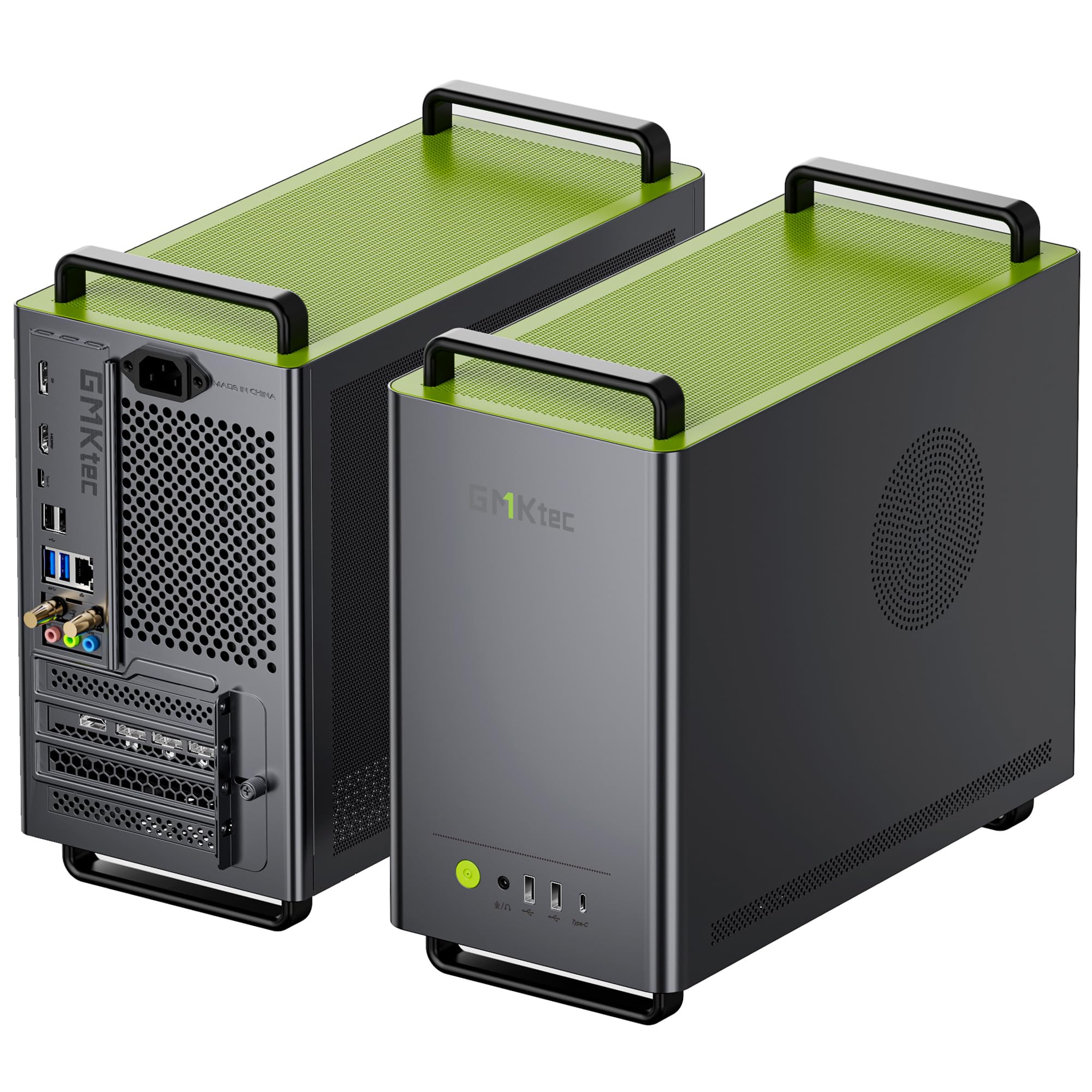
A full desktop-class RTX 5070 squeezed into a compact liquid-cooled case for gaming and inference.
The NEO-X1 Pro packs a soldered AMD Ryzen 9 9955HX3D (16 cores, 32 threads, 5.4GHz boost, 128MB of 3D V-Cache) with a full desktop-class GeForce RTX 5070 12GB on a 192-bit GDDR7 interface, all inside a 14.6-liter chassis with liquid cooling and an 850W Gold PSU. For ML work, the 12GB of GDDR7 VRAM is the number to know — it sits level with the iBUYPOWER’s 12GB and well below the 96GB you can allocate on the BOSGAME. It is a gaming card at heart that tops a lot of realistic inference and small-scale training.
The processor is an unusual part, and owners home in on speed. It pairs a 5.4GHz mobile gaming chip with a desktop GPU, and the maker claims the 3D V-Cache adds up to 44% higher FPS than competing flagship mobile chips. Owners mention AI inference faster than expected, with large LLM models running well alongside games. 64GB of DDR5-5600 memory, and it sits in SO-DIMM slots upgradable to 96GB.
The honest limit is noise and storage. Fan noise is the split point in owner experience, and storage capacity gets mixed notes — so treat it as a loudish performer that wins on power. Do not confuse its 12GB GDDR7 with the big unified pools above; this is a discrete card, so model-size headroom tracks that 12GB figure. If you want a compact machine that games at 1440p and runs local models well, the 850W Gold PSU and liquid cooling make this a serious option, but do not expect it to train models that need more than 12GB of VRAM.
Core strength: a desktop-class RTX 5070 12GB GDDR7 plus a 5.4GHz 3D V-Cache chip handles gaming and local inference at once.
The trade-off: fan noise and storage headroom are the points where owner opinion splits.
Worth it for: gamers who also want fast local inference and 64GB of RAM in a compact liquid-cooled box.
Not ideal if: you need silence under sustained load or want to train models larger than 12GB of VRAM.
Know the Specs
VRAM and unified memory
VRAM is the memory attached directly to a graphics card, and it is the hard ceiling on the models you can load. Unified memory is one large pool shared between a processor and its graphics, so it can be much bigger but at lower bandwidth. Dedicated cards like the RTX 2000 Ada’s 16GB are fast and predictable for training; unified pools like the 128GB on the Ryzen AI Max+ 395 boxes let you fit bigger models that would not load on a small card.
TOPS and Tensor performance
TOPS is a measure of how many AI-calculation operations a chip can run per second, and it is mostly a marketing number unless a specific workload uses that engine. Tensor performance works the same way for graphics cards — the RTX 2000 Ada is rated at 191.9 TFLOPS of it. Match these figures to the exact software you run rather than comparing the headline numbers across different architectures.
Processor cores and threads
Cores and threads decide how fast your data prep, compilation and background tasks run. A 24-core, 32-thread Intel Core i9-13900F handles a heavy pipeline differently than a 16-core, 32-thread Ryzen AI Max+ 395, and more threads generally keep the graphics card fed with data instead of stalling. Clock speed helps short bursts — the AMD Ryzen 9 7900X reaches up to 5.6GHz on its fastest core.
Networking and storage
Datasets and models are large files, so the pipes matter. A 2.5Gb or even 10Gb Ethernet port keeps large transfers moving to a NAS, and 40Gbps USB4 moves external storage quickly. On the storage side, PCIe 4.0 NVMe drives keep model loading fast, and dual M.2 slots with RAID support let you build capacity up to 16TB on the MS-S1 MAX.
Common Questions
Does machine learning need a dedicated GPU or does unified memory work?
How much VRAM do I need to run a large language model locally?
Can a mini PC with integrated graphics train a model?
What does the TOPS number actually tell me?
Is a professional graphics card better than a consumer one for AI work?
Will an external GPU work with the GMKtec EVO-X3?
Do I need 128GB of memory or is 32GB enough?
What does clustering two mini workstations achieve?
Can I upgrade the storage and memory later?
Will a compact AI box fit on a small desk?
The Bottom Line
For most people building a workstation for machine learning, the ACEMAGIC G3A AI Workstation is the one to start with because it is the only pick here with a certified professional graphics card — the RTX 2000 Ada with 16GB of GDDR6 — and that gives you stable drivers in CAD and 3D tools plus 16GB of VRAM against the Dell’s 8GB card. If your real goal is loading very large models locally, the BOSGAME M5 AI PC is the smarter move, since it lets you allocate up to 96GB of its 128GB pool as graphics memory. And if you want one box that games at 1440p and runs local inference beside it, the GMKtec NEO-X1 PRO pairs a desktop-class RTX 5070 with 64GB of DDR5 in a compact liquid-cooled chassis.
Decide on model size first and the rest falls into place. The Dell, the iBUYPOWER and the NEO-X1 PRO cap you at 8GB to 12GB of graphics memory. The unified-memory boxes open the door to models no card here can fit. The ACEMAGIC sits in the middle with a certified 16GB card. Pick the memory ceiling your work needs, and the shortlist narrows fast.
How we choose
We do not accept paid placement. Every pick is matched to a real buyer and a real use-case; we do not hands-on test units.
Sources
Specifications: manufacturer listings and product documentation. Review insights: verified customer reviews, as of November 2026. Pricing: not shown on this page (it changes often); check the current price via the retailer link.
As an Amazon Associate, Tactical Gear Guy earns from qualifying purchases. This does not affect which products we feature.