Specs are compiled from manufacturer listings and verified buyer reviews and can change over time — please confirm the key details on the product page before buying.
Your Xbox Series X can push 4K at 120 frames per second, and a screen that cannot accept that signal gives you none of it. The short answer: buy the LG 32GX850A-B if you want an OLED picture with deep blacks and a dual-mode switch for fast shooters, and pick a curved VA or a 27-inch IPS if your budget is tighter. Every pick below clears two hard tests — 4K resolution and 120Hz or higher — because those are the specs that decide whether your console looks sharper or just larger.
This guide is built by comparing the manufacturers’ published specifications and the patterns across verified customer reviews, so you get each pick’s real strengths and trade-offs instead of marketing spin.
One thing to know before you scroll: a few picks here are 27-inch, some curve, and one is a 55-inch TV — all of them meet the same 4K-and-120Hz bar in a different shape. So the size you pictured may not appear exactly; the closest same-type panel covers the same job. Here is honest guidance on the xbox series x screen that fits your room and your games.
Top Picks
How To Choose The Best Xbox Series X Screen
The console side of this is simple: Microsoft’s box wants a display that talks HDMI 2.1, because that is the cable standard with enough room to carry 4K at 120Hz. A screen without it will still show 4K — but at 60Hz, so fast turns feel softer and your aim trails. Once HDMI 2.1 is settled, the rest is preference: panel type, size, and how much you care about black levels.
Start with the port, not the panel
HDMI 2.1 is the input that lets 4K video run at 120 frames per second in one pass. On the screens here it shows up as one or two full-speed ports, and the rest are often slower. That matters because you want your console on the fast port and your streaming stick on a slower one. Check the port count before you buy — a 4K 120Hz panel with only one fast input forces you to unplug things.
Match the panel to your room and your games
OLED panels switch each pixel on and off individually, so black scenes go truly dark — a big deal in horror games and night maps. VA panels trade a little dark-scene precision for a strong 3000:1 contrast ratio and a deep curve that wraps your view. IPS panels hold their colors when you sit off to the side, which helps a couch setup where two people share the screen.
Understand dual mode before you pay for it
Several picks here can drop to a lower resolution to hit a much higher refresh rate with one hotkey press. In a shooter that means less blur and faster on-screen reactions; in a story game you switch back to full 4K detail. If you only play slow cinematic titles, you will rarely touch dual mode; if you split time between shooters and adventures, it earns its keep.
Do not ignore the stand
Height, tilt, swivel, and pivot adjustments decide whether the screen sits at eye level on your desk or forces you to look up. A fixed stand forces you to look up or down all day; height, tilt, and swivel adjustments keep the screen at eye level. A few picks here skip height adjustment entirely, so measure your desk before you commit.
Side-by-Side Comparison
| Model | Best For | Resolution | Max Refresh | Panel Type | Amazon |
|---|---|---|---|---|---|
| LG 32GX850A-B 32″ UltraGear OLED★ Best Overall | Best overall picture | 3840 x 2160 | 165Hz (330Hz FHD) | OLED | Amazon |
| ZZA 32 Curved Gaming MonitorBudget Immersion | Budget curved immersion | 3840 x 2160 | 160Hz | VA | Amazon |
| ASUS TUF Gaming VG27UQ1ADesk Favorite | Fast IPS on a desk | 3840 x 2160 | 160Hz | Fast IPS | Amazon |
| LG 27G810A-B 27″ UltraGear | Dual-mode speed | 3840 x 2160 | 180Hz (360Hz FHD) | IPS | Amazon |
| AOC U27G4XM Mini-LED | Bright HDR punch | 3840 x 2160 | 160Hz (320Hz FHD) | Mini-LED IPS | Amazon |
| iFFALCON 55U85 MiniLED TV | Couch gaming room | 3840 x 2160 | 144Hz | Mini-LED | Amazon |
| Alienware AW2725QF | Dual-resolution flexibility | 3840 x 2160 | 180Hz (360Hz FHD) | IPS | Amazon |
| MSI MAG 321UP QD-OLED | Big-screen OLED contrast | 3840 x 2160 | 165Hz | QD-OLED | Amazon |
| LG 32GX870A-B 32″ UltraGear OLED | Fastest big OLED | 3840 x 2160 | 240Hz (480Hz FHD) | OLED | Amazon |
| MSI MPG 321URXW QD-OLED | Premium all-rounder | 3840 x 2160 | 240Hz | QD-OLED | Amazon |
Detailed Reviews
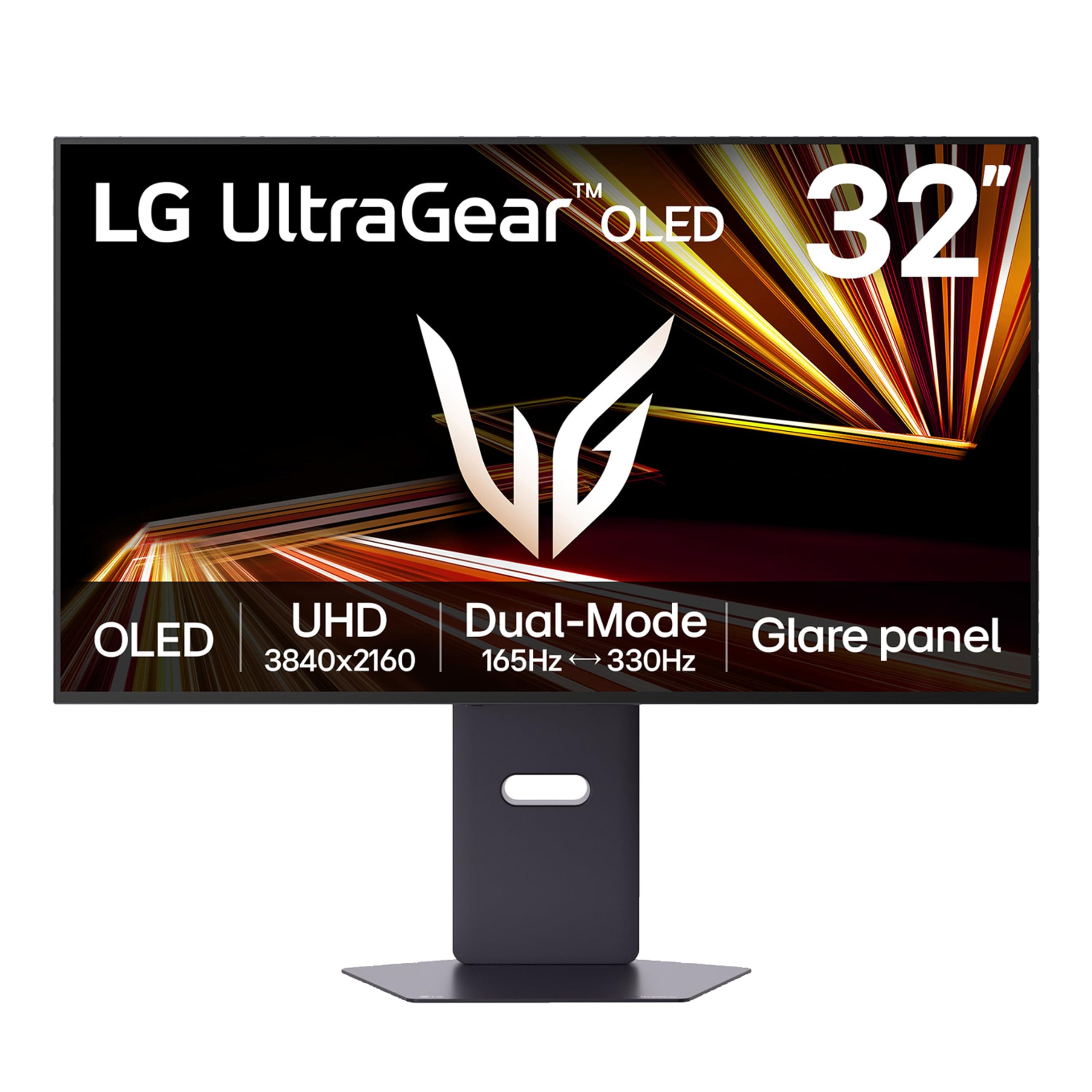
1. LG 32GX850A-B 32″ UltraGear 4K OLED
Our pick — 4.5+★ from 150+ verified ratings; the strongest balance of quality and price.
The 32-inch OLED that gives your console real blacks and a 330Hz escape hatch.
This is the pick that makes the strongest case for OLED on a console: a 32-inch 4K UHD panel at 3840 x 2160 with a glossy finish, so bright highlights in a dark garage level actually pop instead of washing into grey. Its contrast ratio is listed at 1500000:1 — the same figure the MSI QD-OLEDs carry — and it lands against the ASUS TUF’s 1000:1, which is the practical difference between black bars that disappear and black bars that glow. The crowd favorite here sits at 4.5+ stars across 150+ ratings, and the review pages agree on the same thing: the display quality is what wins people over, with picture quality running a close second.
What you get for fast games is a 0.03ms GtG response time — GtG meaning the time a pixel takes to change from one shade of grey to another, so motion blur barely registers. The LG 27G810A-B’s IPS panel is rated 1ms GtG versus this panel’s 0.03ms GtG, but an OLED pixel switching off is a different animal entirely. The dual mode is the real party piece: run 4K at up to 165Hz for story-driven games, or press the hotkey and drop to Full HD at up to 330Hz for shooters. Both NVIDIA G-SYNC Compatible and AMD FreeSync Premium Pro are on board, so screen tearing stays out of the picture on either camp’s hardware.
Three UL certifications cover anti-glare, flicker-free operation, and low blue light, and the stand does height, tilt, swivel, and pivot, so getting it to eye level on a desk is straightforward. The honest catch is brightness: the panel runs a typical 275 nits with Micro Lens Array+, and the glare complaints in rooms with a window behind you are real. This is a room you can dim, not a sunlit lounge. Tune the picture settings and it rewards you.
What earns the top spot
- 1500000:1 contrast ratio — the kind of black that makes night maps readable.
- 0.03ms GtG response time keeps fast pans clean.
- Dual mode: 4K at 165Hz, or Full HD at 330Hz with one hotkey.
- G-SYNC Compatible plus FreeSync Premium Pro covers both console-adjacent GPUs.
- Full height, tilt, swivel, and pivot adjustability.
Worth knowing before you buy
- Typical 275 nits brightness means glare is a problem in a bright room.
- Glossy finish reflects a window that sits behind your seating.
- Flickering has been reported on some units — test yours early.
Reach for this if: you game in a room you can control the light in and you want OLED blacks at 32 inches with a fast-mode switch.
Look elsewhere if: your setup faces a bright window, because the 275-nit typical brightness will fight you.
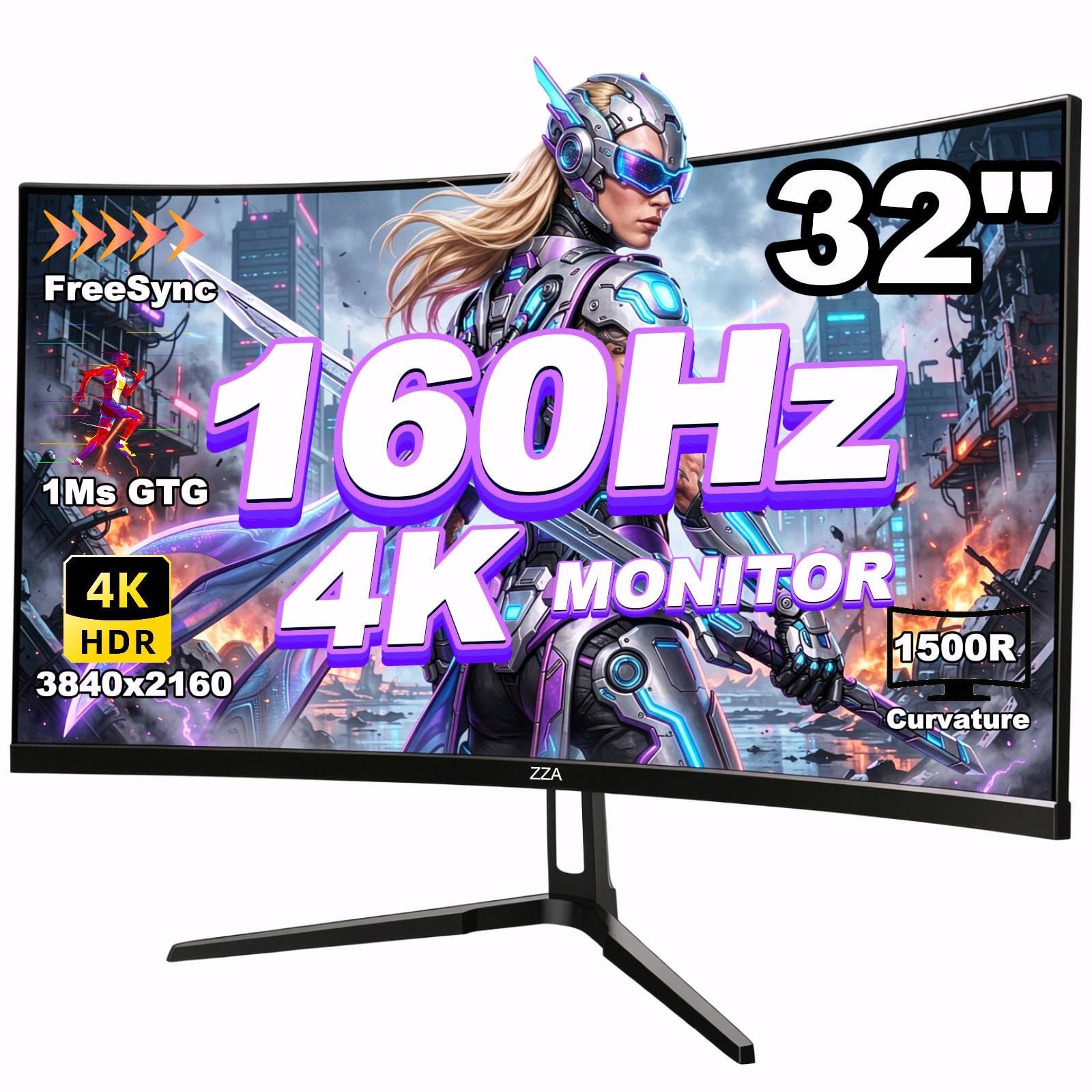
2. ZZA 32 Curved Gaming Monitor, 4K VA
A 32-inch panel that bends around your view — and the cheapest route into 4K 120Hz.
If you sit close and want the screen to fill your peripheral vision, the 1500R curve here does exactly that: 1500R is the radius of the bend in millimetres, and tighter curves wrap your field of view more. This is also the largest panel in the budget tier at 32 inches — the ASUS TUF in this list runs 27 inches, so you are buying a wider canvas for less. Its 120% sRGB color gamut is a different gamut standard from the ASUS TUF’s 95% DCI-P3 coverage, though a VA panel’s color punch and an IPS panel’s color punch read differently in person.
The specs that matter for the console are all present: 3840 x 2160 resolution, a 160Hz refresh rate that beats the MSI PRO MAX 271UPX12G’s 120Hz, HDMI 2.1 and DisplayPort 1.4 inputs, and AMD FreeSync Premium to keep frames in step. Brightness is listed at 330cd/m² with a 3000:1 contrast ratio, which is why dark scenes hold up better than a budget IPS panel would manage. A 75x75mm VESA mount lets you hang it on an arm and reclaim desk space.
The trade-off is consistency. Panel variance is the recurring theme — some units arrive sharp and some arrive blurry, and the picture quality verdict sits in mixed territory rather than unanimous praise. Buy from a seller with a straightforward return window, check yours in the first week, and this is a lot of curved 4K for the outlay.
The value read: 32 inches of curved 4K with HDMI 2.1 and FreeSync Premium is a genuinely aggressive package for an entry-level budget, and the curve earns its place in racing and cockpit-style games.
The fit note: expect to verify your panel on arrival — quality control varies enough that a quick check beats discovering a soft image a month later.
Pick this one when: you want maximum screen size and a wrap-around curve without stretching the budget.
Pass it over when: you need color accuracy for editing work, where a VA panel and mixed panel consistency will frustrate you.
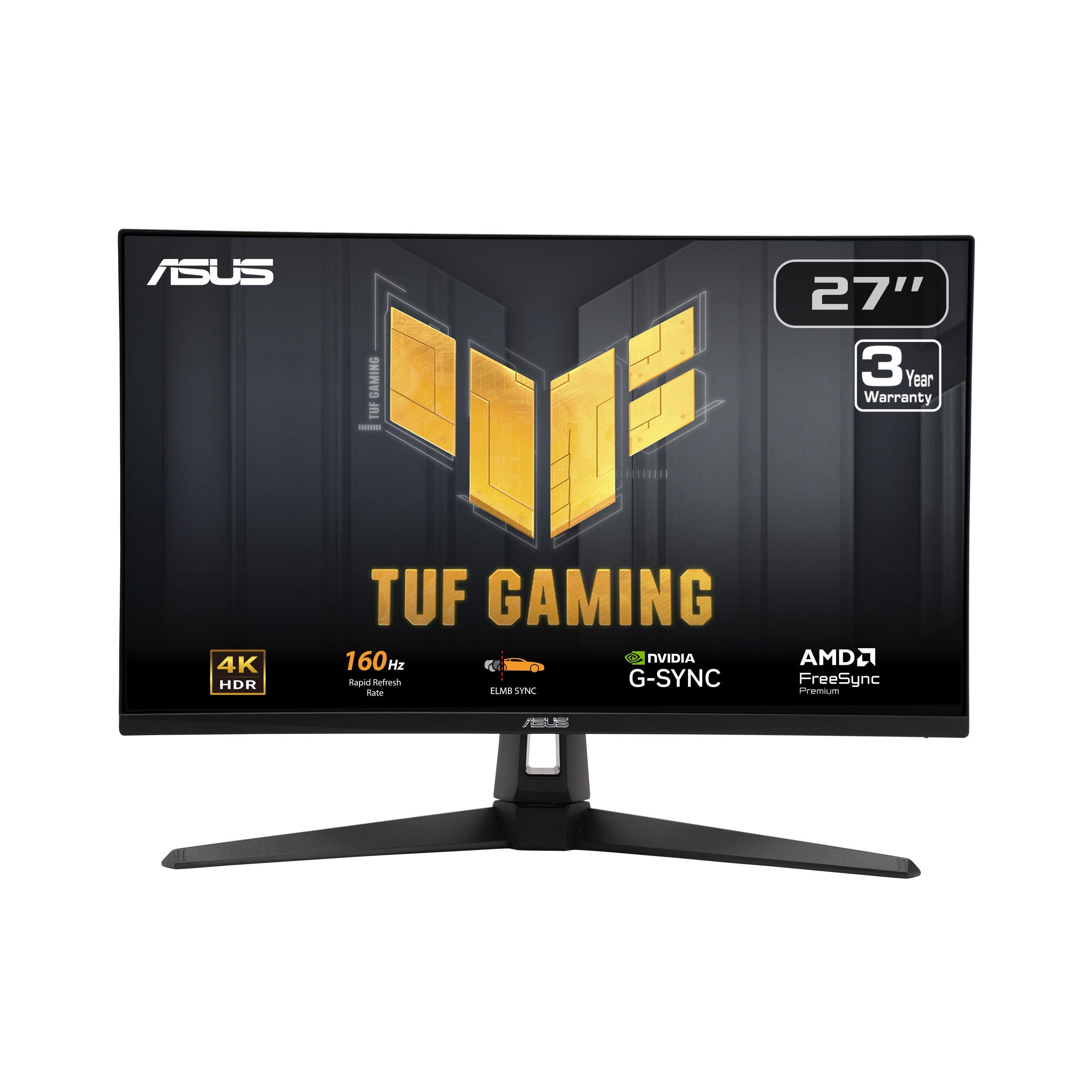
3. ASUS TUF Gaming VG27UQ1A 27″ 4K
The 27-inch workhorse that takes a full 4K 120Hz console signal without cutting corners.
ASUS spells out the console case plainly: this panel supports up to 4K 120Hz over HDMI 2.1 without chroma subsampling. Chroma subsampling is a shortcut that shrinks color data to save bandwidth, and it softens fine text and thin edges — so the fact that this one skips it means your console’s 4K signal arrives intact. Add a 160Hz refresh rate and a 1ms Fast IPS response time, and you have a screen built for a desk rather than a living room.
The 95% DCI-P3 color gamut and HDR support give it real color range, and ELMB Sync lets the blur-reduction tech run alongside variable refresh rate instead of forcing you to pick one. G-SYNC Compatible and FreeSync Premium both appear, plus a Variable Overdrive feature that tunes pixel response on the fly. Build quality carries a 3-year warranty with advanced replacement — a genuine reassurance on a multi-year purchase.
The color story is where it sits below the OLED picks: a 1000:1 contrast ratio against the LG 32GX850A-B’s 1500000:1 means dark scenes read as dark grey rather than black. That is the physical limit of IPS, not a defect. The monitor is also the one durability question mark in the list — reliability is a mixed note in owner feedback, so register the warranty the day it arrives and keep the receipt close.
Where it beats the field: a no-subsampling 4K 120Hz console path plus a 160Hz refresh and 1ms Fast IPS response is a sharp, responsive desktop setup, and the 3-year advanced-replacement warranty backs it.
The honest limit: 1000:1 contrast means night levels sit at grey, so OLED remains the upgrade if true black matters.
Built for: the desk gamer who splits time between the console and a PC and wants both at 4K with no color compromise on text.
Not the pick if: you chase black-level drama — an OLED panel will show you what you are missing.
4. LG 27G810A-B 27″ UltraGear 4K IPS
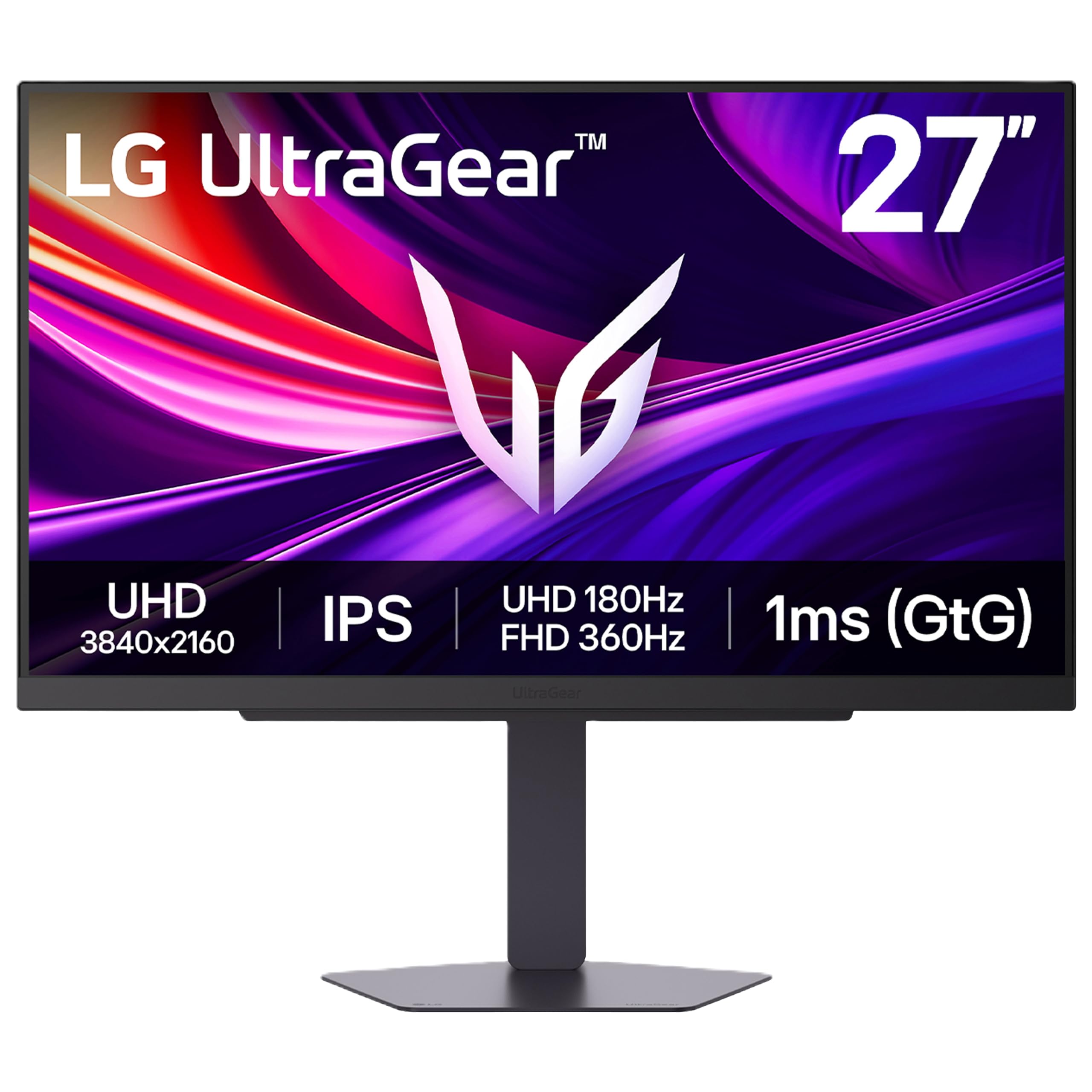
Two monitors in one chassis: 4K at 180Hz for story, Full HD at 360Hz for speed.
Where the top pick switches modes at 165Hz and 330Hz, this LG pushes the same trick harder: 4K at 180Hz, or Full HD at 360Hz via hotkey. On a 27-inch IPS panel at 3840 x 2160, that 180Hz is also a jump over the MSI PRO MAX 271UPX12G’s 120Hz, which matters in any game where you track a moving target. The 1ms GtG response time is not OLED-fast — the 32-inch LG OLED in this list runs 0.03ms — but on an IPS panel it keeps motion tidy, and the fast mode is where this screen earns its money.
Color coverage reaches 95% DCI-P3 with VESA DisplayHDR 400, so HDR highlights get a visible lift without OLED’s per-pixel drama. AMD FreeSync Premium and NVIDIA G-SYNC compatibility both handle frame sync, and Dynamic Action Sync trims input lag while Black Stabilizer lifts shadow detail in dark corners — useful when a night map hides an opponent. A 4-pole headphone jack pairs stereo and mic in one cable, and DTS Headphone:X spatial audio feeds game sound straight to your headset.
The review pages flag two things worth sizing up. Color quality leans dull on some units, so budget time to tune the picture presets. And responsiveness earns a mixed verdict rather than a clean sweep. The height, tilt, swivel, and pivot stand is a bright spot — adjustability is one of the things buyers call out with approval, and it lets you drop the panel low enough for a small desk.
Why the dual mode matters
- 4K at 180Hz for detail, Full HD at 360Hz for shooters and racing games.
- DisplayHDR 400 and 95% DCI-P3 round out the color side.
- Height, tilt, swivel, and pivot adjustments suit a tight desk.
- 4-pole jack with DTS Headphone:X handles headset audio and chat.
Where it gives ground
- Colors can read dull from the start before you calibrate.
- Responsiveness feedback is mixed rather than glowing.
- 1000:1 contrast keeps black levels at grey, not OLED black.
Suits the player who: wants one screen for both cinematic 4K and competitive speed without buying two panels.
Think twice if: you expect color to pop untouched — plan on spending twenty minutes in the settings menu.
5. AOC U27G4XM 27″ 4K Mini-LED
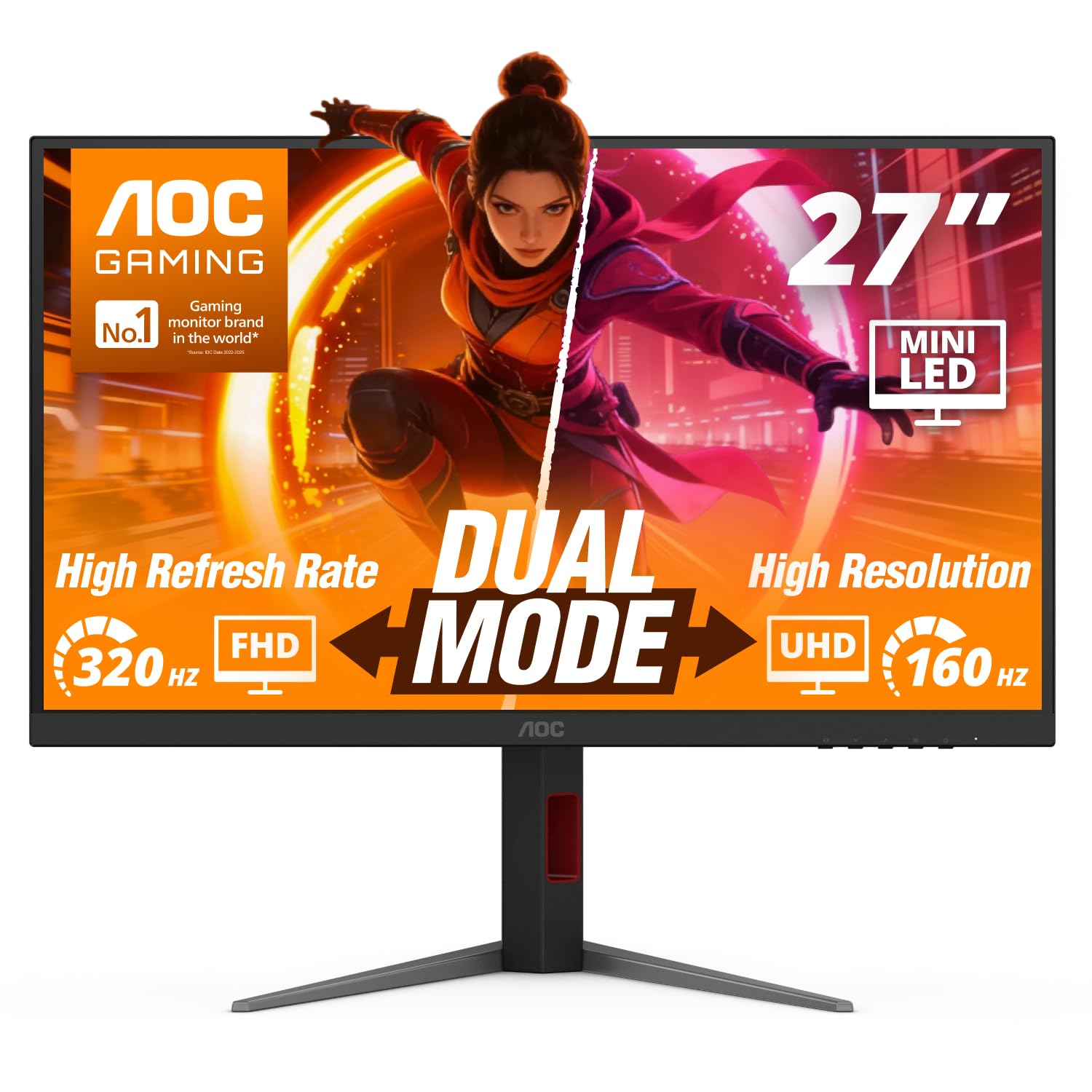
1,152 dimming zones turn HDR highlights into actual light instead of a flat glow.
Most backlights in this list illuminate the whole panel at once. This AOC splits the light into 1152 local dimming zones behind a mini-LED backlight, so a bright explosion can glow hard while the black around it stays black. It carries VESA Certified DisplayHDR1000 — a brightness tier none of the IPS picks here reach — and pairs it with an IPS panel that holds color when you sit slightly off-center.
Speed is covered twice over: 160Hz at 4K, or a drop to Full HD at 320Hz in a single press, with a 1ms GtG response time to keep motion crisp. HDMI 2.1 and DisplayPort 1.4 both accept the console’s 4K 120Hz signal, and NVIDIA G-SYNC Compatible support smooths frame delivery. A USB 3.2 hub adds ports you would otherwise have to crawl under the desk to reach, and the stand does height, swivel, pivot, and tilt with VESA mounting as an option.
Here is the fair warning on this one: it is a newer listing with a small base of feedback compared to the OLEDs and IPS panels around it, so the long-term record is still being written. The spec sheet is the argument — HDR1000, mini-LED, dual mode, and a full ergonomic stand in the mid-range band is a lot of panel for the tier.
The headline: 1152 local dimming zones and DisplayHDR1000 deliver the brightest, punchiest HDR in this list’s mid-range group, and the 160Hz-to-320Hz dual mode keeps it quick.
Realistic expectation: a lighter track record than the established picks makes this a bet on the specs rather than a long review history.
Best matched to: a bright room or a big HDR library where punch beats pitch-black.
Choose something else if: you want a proven history behind the panel, in which case the MSI and LG OLEDs have more road behind them.
6. iFFALCON 55U85 55″ 4K MiniLED Smart TV
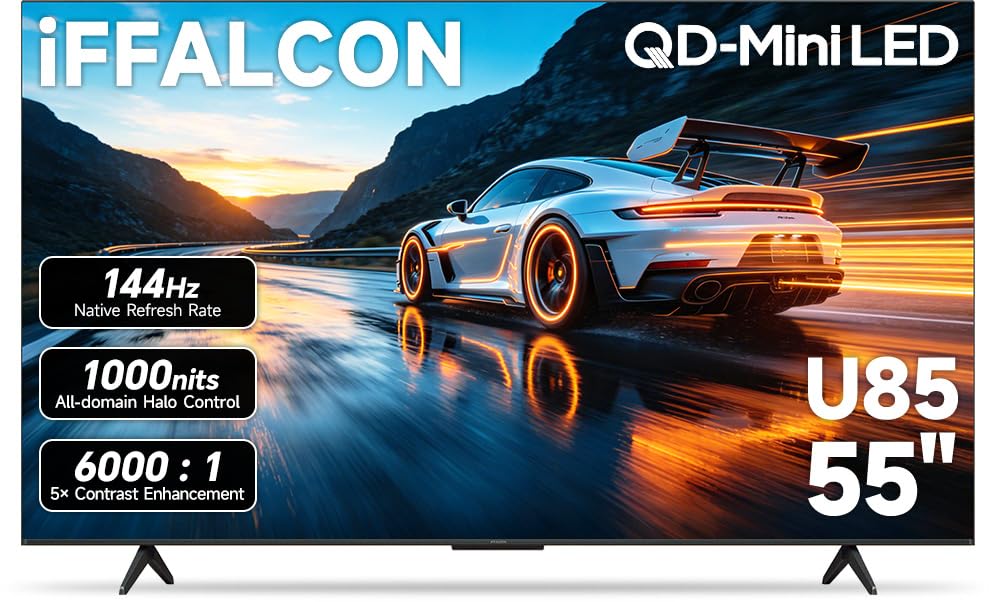
Four HDMI 2.1 ports and a 55-inch MiniLED screen for the living room, not the desk.
If your Series X lives under a TV, this is the size that makes the most sense: 55 inches of 4K with a native 144Hz MiniLED panel, versus the 27- and 32-inch monitors that dominate this list. Four HDMI 2.1 ports matter more than they sound — two run 4K at 144Hz for the console and a gaming PC, and two more handle 4K at 60Hz for a streaming box or Blu-ray player. Auto Low Latency Mode flips the TV into game mode the moment the console wakes, with no menu diving.
The panel side is genuinely strong on brightness: up to 1000 nits of HDR luminance with local dimming and a 6000:1 contrast ratio, so black skies stay dark and neon city scenes burn bright. Dolby Vision IQ reads the light in your room and adjusts — and Dolby Vision Gaming switches on for the console with zero setup. IMAX Enhanced certification adds director-approved visuals on supported streaming titles, and the 50W 2.1-channel audio (2 x 15W tweeters plus a 20W woofer) with Dolby Atmos passthrough means you can skip a soundbar for a while.
Quality is clearly the thing buyers talk about most with this set, with picture quality right behind it, and the overall read is a satisfied room. One piece of housekeeping: the spec sheet is written for a streaming-and-hospitality TV, so it lists a battery type for the remote rather than panel dimensions — read the game-mode and port details, not the sheet’s odd fields. Also budget for the wall or a stand that suits a 55-inch panel, since this is not a desk object.
The living-room case: four HDMI 2.1 ports, 144Hz VRR, and 1000-nit MiniLED HDR make this the most console-ready big screen in the group.
The setup reality: 55 inches changes your furniture plan, and a smart TV needs a stable network and an account before the first game boots.
Made for: the couch gamer who wants a big MiniLED picture and enough 2.1 ports to keep every device plugged in.
Wrong tool if: you sit close to a desk — 55 inches at that distance demands head-turning.
7. Alienware AW2725QF 27″ 4K

Dolby Vision, sub-2 Delta E color, and a FHD mode that hits 360Hz.
Native 4K at 3840 x 2160 with a 180Hz overclocked mode up top, and a true 1920 x 1080 mode at 360Hz below — this panel is aimed at the player who refuses to choose between sharp adventure games and fast shooters. Dolby Vision and VESA DisplayHDR 600 push dynamic range beyond what the plain HDR picks offer, and 95% DCI-P3 coverage with Delta E<2 calibration means color lands where the developer intended it. If you also edit photos or video on the same desk, that accuracy is a real second job for the panel.
NVIDIA G-SYNC Compatible and VESA AdaptiveSync certification cover tear-free play in both modes, and the 0.5ms GTG figure in Extreme Mode (1ms otherwise) keeps motion clean. Connectivity spans DisplayPort and HDMI plus a USB 3.2 Gen 1 hub, so a keyboard, mouse, and headset can hang off the screen itself rather than your console.
Where to be careful: this is the frankest trade-off in the group, because the panel quality and reliability stories are mixed rather than settled. Picture quality is the most-discussed topic and it lands in mixed territory — some units arrive clean, others show dead pixels, and a smaller share report the display stopping altogether. Read the return policy first and test the panel within the window. A clean unit rewards the effort with 4K at 180Hz and Full HD at 360Hz from one panel.
What you are paying for: Dolby Vision, 95% DCI-P3 with Delta E<2, and a switchable 360Hz FHD mode put this among the most flexible panels in the list.
The condition: mixed reliability means the first week of ownership is a real test — verify pixels and stability before the return clock runs out.
For the buyer who: wants dual-resolution speed plus color accuracy for creative work on one desk.
Ask yourself first: are you comfortable doing a pixel check on arrival? If not, the safer panels in this list are a calmer choice.
8. MSI MAG 321UP QD-OLED 32″
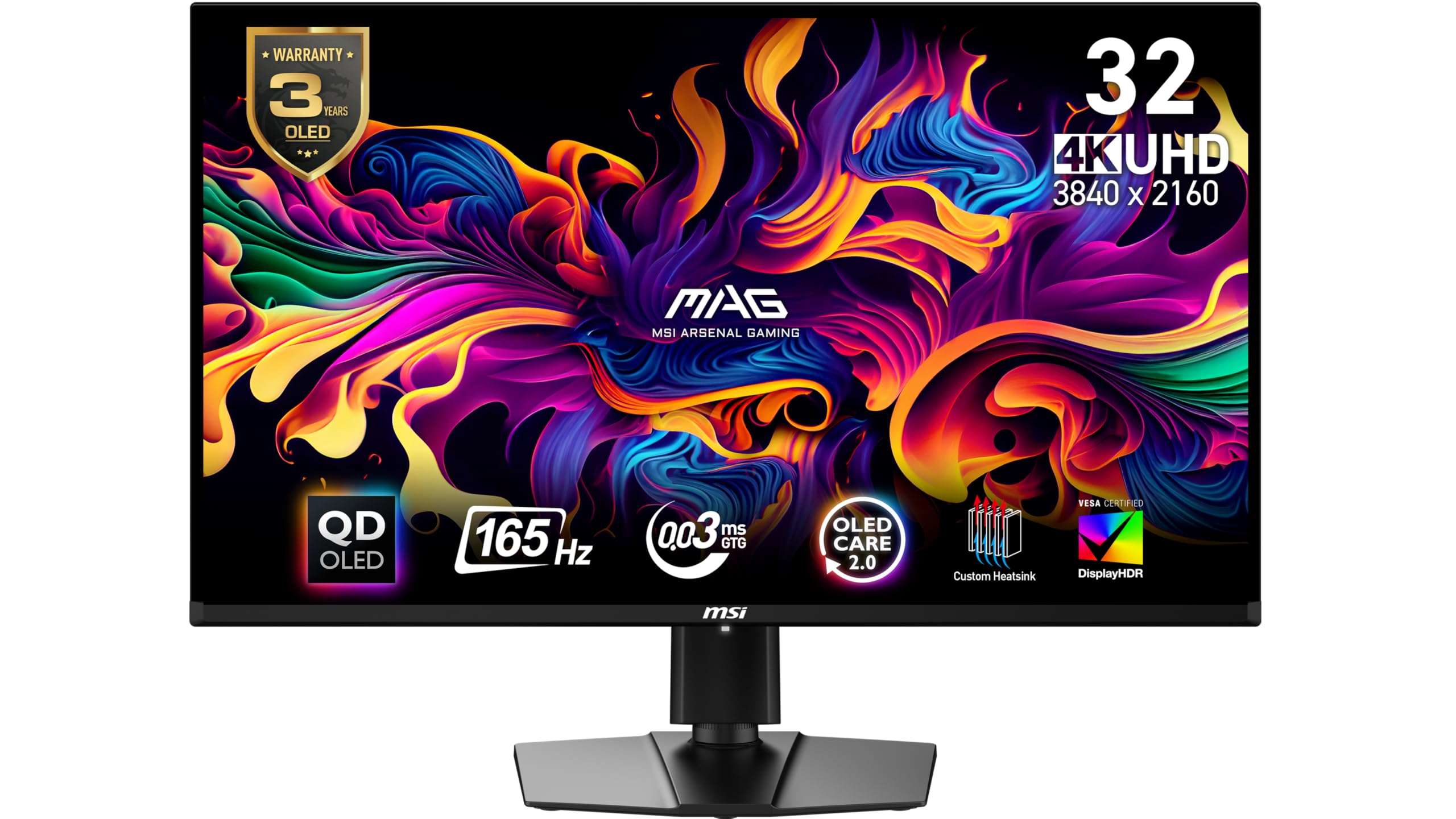
A 32-inch QD-OLED that pairs 165Hz with the same 0.03ms snap as the top pick.
Thirty-two inches of QD-OLED at 3840 x 2160 is the configuration most console players picture, and this MSI does it with a 165Hz refresh rate and a 0.03ms GtG response time — the identical response figure the LG OLED at the top of this list claims. What it adds is proven staying power: the MSI OLED Care 2.0 suite is built to lower the risk of burn-in, which is the one long-term worry that follows every OLED panel into a living room. Delta E≤2 color accuracy and VESA DisplayHDR True Black 400 round out the picture.
FreeSync Premium Pro handles frame sync, and HDMI 2.1 plus DisplayPort 1.4a give the console its full-speed path. The stand tilts and adjusts height for proper eye level, and VESA mounting is available if you would rather use an arm. In real use the thing buyers mention most is the monitor quality itself, with color pulling the second-largest share of praise — which lines up with what an OLED panel does best: deep blacks and saturated color that flat panels cannot reach.
Two honest limits. Response and connectivity feedback is mixed — the connectivity note being that there is no built-in USB hub, so your accessories keep their own cables. And glare is the other mixed point, because a QD-OLED panel in a room with strong reflections can show them. Neither changes the core verdict: this is the safest 32-inch OLED for a console player who wants true blacks below the top price tier.
The winning trait: 0.03ms GtG and 165Hz at 32 inches gives you OLED motion and size together, with OLED Care 2.0 working against burn-in.
Plan around: no built-in USB hub and a glare-prone surface — keep the desk facing away from a window.
For you if: you want a 32-inch OLED and prioritize proven burn-in protection over the fastest refresh in the group.
Not for you if: you need a built-in USB hub to keep peripherals tidy.
9. LG 32GX870A-B 32″ UltraGear OLED
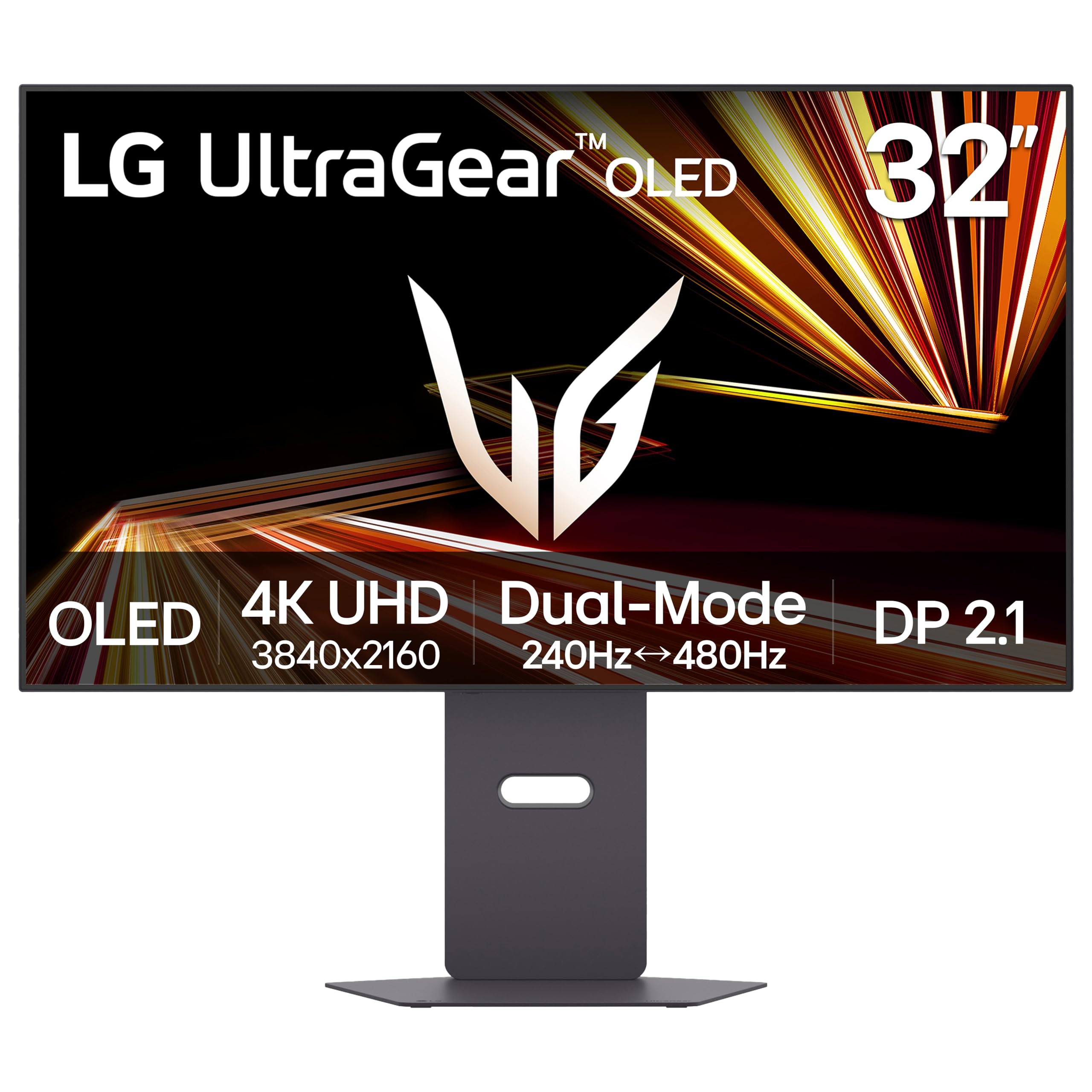
4K at 240Hz, Full HD at 480Hz, and the brightest OLED LG makes.
Take the top pick and turn every dial up: this panel runs 4K at up to 240Hz or drops to Full HD at up to 480Hz with a hotkey press, both on a VESA Certified Dual Mode panel. The 0.03ms GtG response time is unchanged, but the frame rate is the story — 240Hz at 4K is a full step above the 165Hz LG at the front of this list, and it changes how a fast shooter feels under your hands. Micro Lens Array+ pushes peak brightness up to 1300 nits with a 275-nit typical figure, making this the brightest OLED in the UltraGear line.
Contrast sits at 1500000:1 with VESA DisplayHDR True Black 400, and the anti-glare, low-reflection coating tackles the one weakness OLEDs usually carry into a lit room. Both NVIDIA G-SYNC Compatible and AMD FreeSync Premium Pro handle sync. Built-in speakers with bass and a 4-pole headphone jack running DTS Headphone:X take care of audio without extra gear, and the Switch app can split the screen into up to six sections or hop between your PC and the built-in webOS streaming platform.
The durability question gets a direct answer here: a 2-year limited warranty covers the OLED panel, and OLED Care tools like pixel cleaning keep it sharp over time. The performance verdict is mixed rather than unanimous, with a small share noting a display that stopped working. Size the risk with the warranty and you get the fastest large OLED in this lineup.
Speed and light: 240Hz at 4K, a 480Hz Full HD mode, and up to 1300 nits peak brightness set this apart from every other OLED here.
The safety net: panel coverage runs 2 years with pixel-cleaning tools built in — register the monitor on day one.
Worth it for: the player who wants the absolute fastest 32-inch OLED and a bright anti-glare screen for a lit room.
Consider the cheaper OLED if: 165Hz is enough for your games and you would rather bank the difference.
10. MSI MPG 321URXW QD-OLED 31.5″

99% DCI-P3 on a 10-bit QD-OLED at 240Hz — the do-everything desk panel.
Start with the color: 99% DCI-P3 coverage and 1.07 billion colors on a 10-bit Quantum Dot OLED panel, with Delta E≤2 accuracy and VESA DisplayHDR True Black 400 at a 1500000:1 native contrast ratio. That 99% figure edges past the 95% panels lower in this list on paper, and the sub-pixel arrangement is tuned to sharpen text edges — a detail that matters when you drop out of a game and read a spreadsheet. Up to 1000 nits peak brightness gives HDR real headroom.
Gaming specs land at 240Hz with a 0.03ms GtG response and a VESA ClearMR 13000 rating, which is a motion-clarityscore that quantifies how clean fast motion looks rather than how fast the panel claims to be. MSI GI software bundles OLED Care 2.0 for burn-in protection, Smart Crosshair, console modes, and Game Assistance, while KVM 1.0 and PiP/PbP let two machines share one screen. A fanless graphene heatsink handles cooling without a fan spinning up mid-match.
Connectivity is the deepest here: DisplayPort 1.4a, HDMI 2.1 with CEC, and USB Type-C with 98W power delivery, plus a USB hub carrying one Type-B and two Type-A ports. That 98W over USB-C means a laptop runs off the monitor’s cable instead of its own brick. Quality is what buyers praise most on this panel, with picture quality right behind it, and the 240Hz refresh rate comes up repeatedly as the reason it suits both work and play.
The catch sits with performance consistency, which reads mixed rather than settled, and the white finish is a taste call rather than a neutral one. Neither undoes the spec sheet — this is the most complete single-screen setup in the lineup if you want color, speed, and connectivity in one box.
Why it tops the premium tier
- 240Hz with 0.03ms GtG and a VESA ClearMR 13000 motion rating.
- 99% DCI-P3, 10-bit color, and Delta E≤2 accuracy.
- USB-C at 90W plus a USB hub and KVM 1.0 for two-machine setups.
- Fanless graphene heatsink keeps the panel cool without noise.
What to weigh
- Performance consistency lands mixed rather than uniform.
- The white chassis is a strong style choice, not a subtle one.
- Fewer ratings than the established OLEDs, so a shorter track record.
The one-screen answer for: a desk that runs a console, a laptop, and creative work through the same 240Hz QD-OLED panel.
Weigh the finish first: if a white monitor clashes with your setup, the black MSI MAG is the same family in a quieter shell.
Know the Specs
HDMI 2.1 — the port that carries 4K 120Hz
HDMI 2.1 is the cable standard with enough bandwidth to send a 4K picture at 120 frames per second in one pass. Without it, the console still shows 4K, but the frame rate caps at 60Hz and fast motion looks softer. A port count of four on the iFFALCON TV versus one or two on the monitors tells you how many devices can run at full speed at once. Put the console on a 2.1 port and everything else on the slower ones.
Refresh rate and VRR — why the two travel together
Refresh rate is how many times per second the panel redraws, so 165Hz means 165 redraws every second. Variable refresh rate, or VRR, lets the screen match its refresh to the console’s frame output moment to moment, which is what removes tearing and stutter. G-SYNC Compatible and FreeSync Premium are the two flavors of that tech, and several picks here carry both. A high refresh rate without VRR still tears; the pair working together is what makes a fast turn feel clean.
Response time in ms — the blur number
Response time is how long a pixel takes to change shade, measured in milliseconds, and lower is cleaner. An OLED at 0.03ms GtG swaps shades almost instantly, while a 1ms IPS panel is fast but not quite at that level. This is the figure behind ghosting — the faint trail that follows a moving object. If you track fast targets in shooters, it matters more than a bigger number on the brightness spec.
Contrast ratio and panel type — what black looks like
Contrast ratio compares the brightest white to the darkest black. A figure like 1500000:1 on an OLED means blacks go essentially off, so night scenes read as night. A 1000:1 IPS panel shows dark grey instead, and a 3000:1 VA sits between the two. Mini-LED takes a third path, splitting the backlight into hundreds of zones so bright highlights and dark surroundings can coexist. Pick the trade-off that matches the games you play most.
Dual mode — trading detail for speed
Dual mode lets a panel run full 4K detail at one refresh rate or drop to Full HD at a much higher one, switched with a hotkey. This list spans 165Hz/330Hz, 180Hz/360Hz, 160Hz/320Hz, and 240Hz/480Hz pairs. The lower-resolution mode is not a downgrade in a shooter — fewer pixels at a higher frame rate often reads faster. If you split time between cinematic and competitive titles, dual mode saves you buying two screens.
Brightness in nits and HDR tiers
A nit is a measure of screen brightness, and it decides whether HDR highlights actually glow. The OLEDs here run a typical 275 nits with peaks well above that, while the Mini-LED AOC carries a DisplayHDR1000 rating and the iFFALCON TV reaches up to 1000 nits. Higher is not automatically better in a dark room — a 275-nit OLED in a dim space looks richer than a bright panel fighting a window reflection. Match the brightness tier to the light in your room.
Common Questions
Does my Xbox Series X need HDMI 2.1 to hit 4K at 120Hz?
Is a 27-inch or 32-inch screen better for the Series X?
Will a curved 1500R monitor distort the picture?
What does dual mode actually change on a gaming monitor?
Are OLED monitors at risk of burn-in from game HUDs?
Do I need a soundbar if I buy a monitor instead of a TV?
Is Mini-LED better than OLED for a bright living room?
How many HDMI 2.1 ports do I need for a console, PC, and streamer?
Does a higher refresh rate matter if my games only run at 60fps?
Can I mount these screens on a wall or monitor arm?
The Bottom Line
For most people, the xbox series x screen to buy is the LG 32GX850A-B — a 32-inch 4K OLED with a 1500000:1 contrast ratio, a 0.03ms GtG response, and a dual mode that swings from 165Hz at 4K to 330Hz at Full HD. It gives you the deepest blacks and the widest speed range in one panel, and the picture quality is what wins its owners over.
If you would rather spend less and still want curve and size, the ZZA 32 curved VA delivers 4K at 160Hz with HDMI 2.1 for the entry tier. For a desk setup where color accuracy has to be right for editing as well as gaming, the MSI PRO MAX 271UPX12G with its Delta E<2 QD-OLED panel is the precise pick. And if the console lives under a TV rather than on a desk, the iFFALCON 55U85 gives you 55 inches, four HDMI 2.1 ports, and 144Hz in one go.
One last nudge worth acting on: the LG 32GX850A-B is the highest-rated 32-inch OLED here and the one whose display quality draws the most consistent praise from its owners — so if your room lets you control the light, that is the one to shortlist first.
How we choose
We do not accept paid placement. Every pick is matched to a real buyer and a real use-case; we do not hands-on test units.
Sources
Specifications: manufacturer listings and product documentation. Review insights: verified customer reviews, as of November 2026. Pricing: not shown on this page (it changes often); check the current price via the retailer link.
As an Amazon Associate, Tactical Gear Guy earns from qualifying purchases. This does not affect which products we feature.