Specs are compiled from manufacturer listings and verified buyer reviews and can change over time — please confirm the key details on the product page before buying.
You want to say “Hey Google, turn off the lamp” and have it actually happen. That is the whole job of a smart plug that works with Google Home — it puts any dumb lamp, fan, or holiday string under voice control without a hub in the middle. The trick is picking one that pairs cleanly with Google, holds its Wi-Fi connection, and doesn’t fight you on setup. Below are eight plugs that do exactly that, sorted by what each one is genuinely good at.
This guide is built by comparing the manufacturers’ published specifications and the patterns across verified customer reviews, so you get each pick’s real strengths and trade-offs instead of marketing spin.
Setup friction is the real dividing line here — some of these pair in under a minute, others need a specific app first. The picks below cover both, with the honest catch on each one spelled out so you know exactly what you’re walking into before you buy any Works with Google Home Smart Plug.
Top Picks


How To Choose The Best Works with Google Home Smart Plug
A smart plug is a tiny relay switch in a plastic shell. You plug it into the wall, plug your lamp into it, and the plug decides whether power flows. Google Home is the voice layer on top — you speak, Google sends the command, the plug clicks. The deciding factors are how that handshake happens and how reliably it keeps happening.
Matter versus the manufacturer’s own app
Matter is a shared smart-home language (a common standard so devices from different brands can talk to the same platform). A Matter-certified plug can be added straight to Google Home without installing the maker’s app first. A non-Matter plug usually needs you to register in the brand’s app, then link that account to Google Home. Both work. Matter is fewer steps and fewer apps on your phone.
2.4GHz only versus dual-band
Most budget smart plugs talk only on 2.4GHz Wi-Fi, the slower, longer-range band your router broadcasts alongside 5GHz. That is fine for a plug sending tiny on/off commands. The catch is that you must be on that band during setup, and some mesh routers hide it. A handful of plugs here support 5GHz too, which removes that setup headache — useful if your router treats the two bands as one network.
Amps, watts, and what you can safely plug in
Every plug on this list is rated 15A (amps, the current it can carry). Some also list a watt figure. A 15A rating at standard US wall voltage is generous enough for high-draw appliances like a space heater or electric kettle, not just lamps. Check the rating before you put a heater or a big motor load on a plug — a lamp load is nothing by comparison.
Side-by-Side Comparison
| Model | Best For | Amps | Connectivity | Pack Size | Amazon |
|---|---|---|---|---|---|
| Kasa Smart Plug HS103P2★ Best Overall | Most buyers | 15 A | Wi-Fi | 2-pack | Amazon |
| SwitchBot Smart Plug MiniBest for Energy Data | Energy tracking | 15 A | Wi-Fi + Bluetooth | 1-pack | Amazon |
| EIGHTREE 5GHz Smart PlugBest on 5GHz | 5GHz networks | 15 A | Wi-Fi + Bluetooth | 1-pack | Amazon |
| Linkind Matter Smart Plug | Apple Home crossover | 15 A | Matter, 2.4GHz Wi-Fi | 2-pack | Amazon |
| Tapo P110M | Matter plus energy data | 15 A | Matter, Wi-Fi | 2-pack | Amazon |
| EIGHTREE Smart Plug 4-Pack | Whole-home coverage | 15 A | Wi-Fi + Bluetooth | 4-pack | Amazon |
| Kasa Matter Outdoor Plug EP40M | Outdoor lights | 15 A | Matter, 2.4GHz Wi-Fi | 1-pack, dual outlet | Amazon |
| GE Cync Smart Plug | Multi-platform homes | 15 A | Matter, Wi-Fi + Bluetooth | 3-pack | Amazon |
Detailed Reviews
1. Kasa Smart Plug HS103P2
Our pick — 4.5+★ from 150,500+ verified ratings; the strongest balance of quality and price.
Two plugs, one box, and the pairing routine that most people already know by heart.
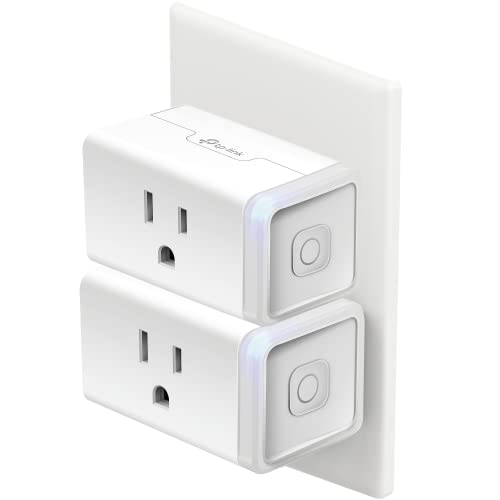
The HS103P2 is a two-pack of Kasa’s mini Wi-Fi plug, and the number that matters is 15 A — the current it can carry. That is enough headroom for a lamp, a fan, a humidifier, or a Christmas string without you thinking twice about it. Each plug carries its own side button that toggles the connected appliance by hand, so you never lose physical control when the internet acts up.
What wins people over is the setup: plug it in, open the Kasa app, and follow the prompts on 2.4GHz Wi-Fi. Once paired, you add the Kasa service inside Google Home and your voice commands route through. Scheduling lives in the same app, with timers and countdowns for lamps and fans. The whole thing is UL certified for safety, and Kasa states the design came out of Silicon Valley with more than four million users behind it.
The recurring gripe is long-term lifespan — a slice of the review pages describes a plug going quiet inside a year, and the 4.5+ star average is honest about that being real rather than rare. Sized against the whole picture, most owners are plainly happy. If you want a two-plug starter set that pairs once and stays paired, this is the lowest-risk pick here for most Google Home households.
Where It Wins
- 15 A rating handles lamps, fans, and small heaters alike
- Kasa app handles scheduling and voice setup in one place
- Side button gives you manual on/off without the phone
- Two plugs in the box covers two rooms in one buy
Where It Falls Short
- 2.4GHz Wi-Fi only — no 5GHz support at setup
- Lifespan is the one recurring complaint on the review pages
Go here first if: you want a proven two-plug starter set that pairs with Google Home without drama.
Give it a pass if: your router hides its 2.4GHz band or you need 5GHz support to pair reliably.
2. SwitchBot Smart Plug Mini
The plug that tells you exactly what a washer or dryer is drawing — every single second.
Most smart plugs just switch power. This one measures it. The SwitchBot Mini tracks real-time power draw and refreshes it every second, then lets you export that data for longer-term analysis. That refresh rate is the whole pitch: it is fast enough to catch an appliance finishing its cycle, which is why the company points to washers and dryers as the natural use case.
Connectivity is the second trick. Setup runs over Wi-Fi, but Bluetooth stays on as a fallback so you can still reach the plug if your network drops. It works with Google Assistant alongside Alexa, Siri, SmartThings, and Home Assistant. The 15 A rating matches the rest of this list, and it carries UL and cUL listings.
Where it sits versus the Linkind pick above: Linkind ships two plugs to this one’s single plug — a two-to-one gap in the box. If you need to know what your garage fridge is costing you, nothing else here offers per-second readings.
Pick this one when: you are chasing a phantom power drain and want second-by-second data to find it.
Think twice if: you only need an on/off switch — you are paying for monitoring you may never open.
3. EIGHTREE 5GHz Smart Plug
Built for the mesh-router household where 2.4GHz setups keep failing.
Here is the pain this plug solves: most budget smart plugs need a 2.4GHz-only Wi-Fi band during setup, and some mesh routers either hide that band or refuse to separate it. The EIGHTREE supports both 5GHz and 2.4GHz. You connect your phone, turn on Bluetooth, open the Smart Life app, and the plug pops up automatically to be added. No band switching, no “device not found” loop.
It is also physically compact — the mini shell lets you run two plugs in a single wall outlet at once. It carries ETL and FCC certification, ships with a two-year customer-service commitment, and handles 15 A. Voice control runs through Google Home, Alexa, and SmartThings, with scheduling and timers for lamps and fans.
Reliability is what the review pages keep coming back to — it is the most-praised aspect of this plug by a clear margin, followed by connectivity. Value for money is the one place sentiment splits, so if you are purely hunting the cheapest plug, this one reads as a mid-tier buy rather than a bargain. The 5GHz support is what you are paying the small premium for.
The 5GHz advantage: dual-band support is the standout feature here. It removes the single most common setup failure in the whole category, and it lets two plugs share one outlet at once.
The honest caveat: value-for-money sentiment on this one is split in the reviews, so budget-only shoppers should look at the Kasa two-pack instead.
Reach for it if: your router pushes 5GHz only and every other plug on this list has refused to pair.
Look past it if: you are chasing the lowest sticker on the shelf and 2.4GHz setup has never been a problem for you.
4. Linkind Matter Smart Plug

A two-pack that speaks Matter, so iPhone and Android households share one plug.
The Linkind two-pack earns its spot on the Matter badge alone. Matter is the shared language that lets one plug appear inside Apple Home, Alexa, Google Home, and SmartThings without you downloading four separate apps. You pair it once to a Matter controller — HomePod, Echo Dot, Nest, or SmartThings Hub — and it shows up on every platform you have linked.
There is a real resilience story underneath: once the plug is set up on your local network, it can still talk to other Matter devices even if your internet goes offline. Control stays local instead of routing through the cloud. Physically it is a compact shell with fire-resistant materials, FCC certified, and rated 15A / 1800W. It covers the standard appliance load you would throw at it.
Compatibility is the single most-discussed strength on this plug’s review pages by a wide margin, with build quality running second. The catches worth knowing: it needs a Matter-certified hub or controller for the Apple Home, Alexa, Google, and SmartThings platforms (the AiDot app works without one), and it runs on 2.4GHz Wi-Fi only. Connectivity is also the aspect reviewers are most mixed on — some say it pairs cleanly, others hit pairing trouble with Alexa. Pair it on 2.4GHz with a Matter controller in range and it stays connected.
Standout Strengths
- Matter pairing covers Apple Home, Google Home, Alexa, and SmartThings in one setup
- Local network control keeps working when the internet drops
- 15A / 1800W rated with fire-resistant materials and FCC certification
- Compact shell leaves room in a shared outlet
What to Watch
- Needs a Matter-certified controller for the major platforms (AiDot app runs hub-free)
- 2.4GHz Wi-Fi only at the radio level
- Connectivity is the most mixed aspect in the reviews
Best fit for: mixed-device homes where one person has an iPhone and the other an Android phone.
Wrong pick if: you have no Matter hub in the house and want pure hub-free Google setup.
5. Tapo Smart Plug P110M
Matter pairing and a full energy dashboard, plus a cutoff switch for overcharging.
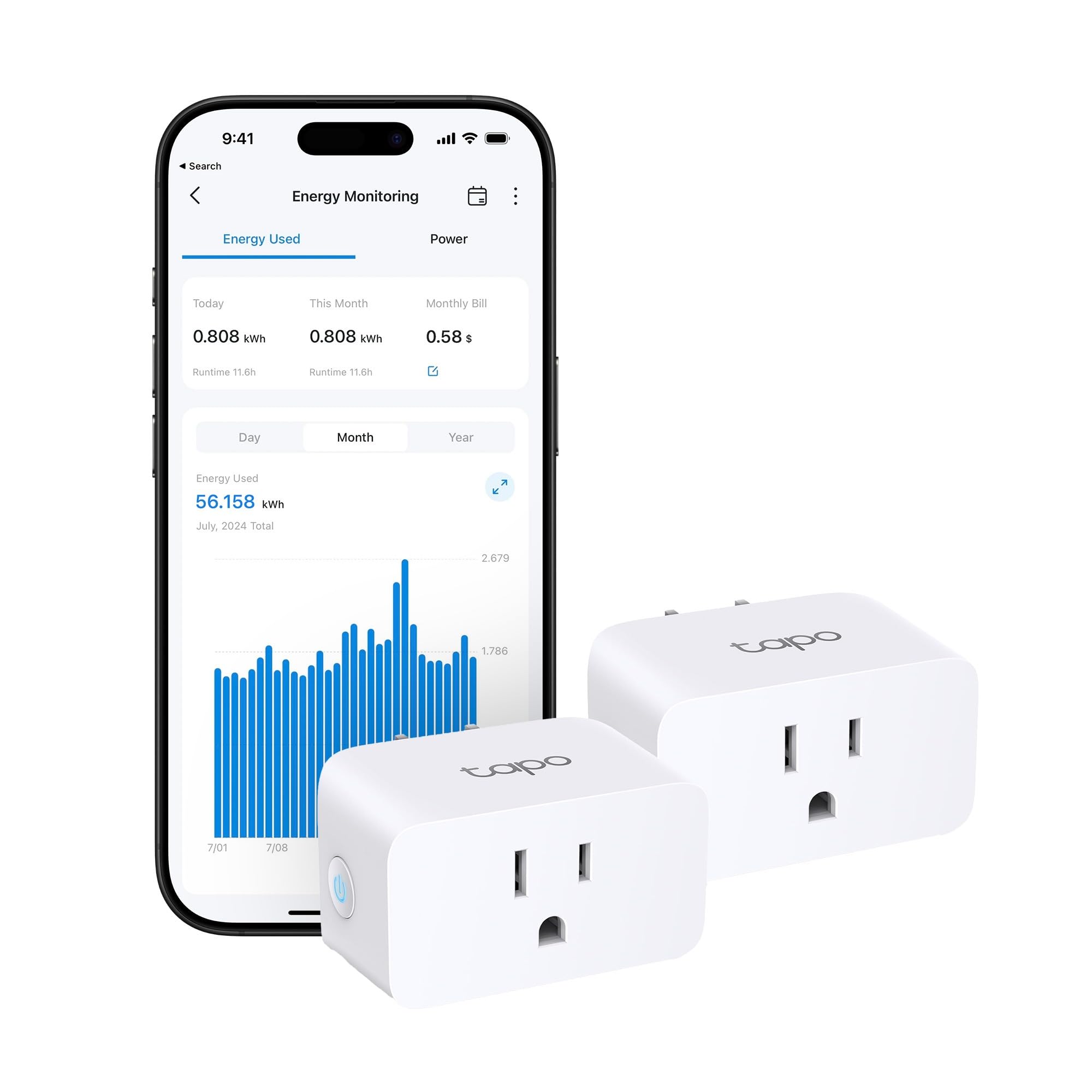
Two plugs, 15 A, and the rare combination of Matter certification and built-in energy tracking. The P110M shows in-depth consumption statistics with clear visuals, estimates your bill, and lets you schedule heavy devices into off-peak hours. There is also an overcharge prevention feature — you set a threshold and a duration, and the plug cuts power once either is reached, which protects the connected device from overcurrent.
Matter means it slots into Google Home, Apple Home, Alexa, or Samsung SmartThings regardless of which brand you have already built around. It runs on Wi-Fi and is rated IP20 (that rating means it is for indoor, dry use only, not outdoor splashing). Voice control through Alexa and Google Assistant covers the basic on/off commands.
What owners keep coming back to is the power monitoring — it is the one feature that keeps showing up in the feedback, and it genuinely changes how you use the plug. Track a garage fridge, find that one charger drawing power overnight, and schedule around it. Scheduling itself runs alongside the monitoring, so the two features reinforce each other rather than sitting in separate apps.
What makes it different: energy tracking with per-bill estimates and an overcharge cutoff is unusual at this size — most monitoring plugs stop at a graph.
The one limit to know: IP20 means indoor use — do not put it on a patio or near water.
Take this one for: a garage, basement, or home-office setup where you want to know exactly what each appliance costs.
Skip it for: outdoor outlets or anywhere water might reach it.
6. EIGHTREE Smart Plug 15A 4-Pack
Four plugs in one box, so every lamp in the house joins Google Home at once.
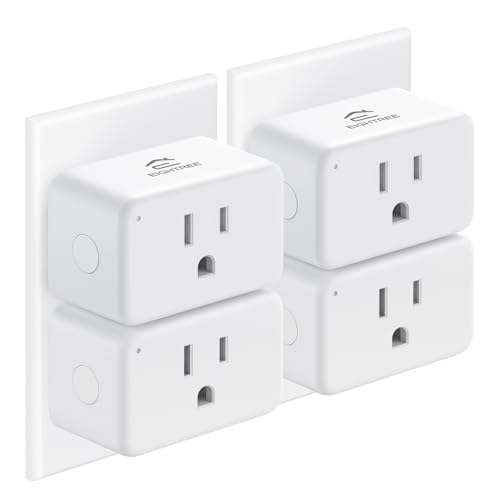
The math here is straightforward: four plugs against the single plug the SwitchBot ships with — a four-to-one gap in the box. If you are smartening a whole apartment in one go, that coverage is what you actually need. Group control lets you tie multiple appliances into one command, and sharing lets other family members take control from their own phones.
Each plug is a mini shell that fits two into one standard outlet, and it handles 15A / 120V with ETL and FCC certification plus fire-resistant materials. High-draw appliances like an electric kettle are inside its range. Setup runs on 2.4GHz Wi-Fi through the SmartLife app with Bluetooth helping discovery, and once it is added you route voice commands through Google Home, Alexa, or SmartThings.
The catch worth knowing: it does not support IFTTT, and 5GHz Wi-Fi is not supported at setup — 2.4GHz only. If you want the full set of pro-style triggers, this is not that plug. If you need four Google-controlled outlets at the lowest per-plug price here, this 4-pack is the cheapest way to cover a whole apartment.
Made for: a whole-home rollout where you want four Google-controlled outlets in one purchase.
Not for you if: you depend on IFTTT recipes or your router refuses to hand out a 2.4GHz band.
7. Kasa Matter Smart Outdoor Plug EP40M

Weatherproof, dual-outlet, and built to sit outside from the depths of winter to peak summer.
Most smart plugs stop at the wall inside the house. The EP40M is built for the porch. It carries an IP64 weatherproof rating — that number means dust-tight and resistant to water splashes — and its stated outdoor temperature range stretches from -4°F to 122°F. Rain, snow, heat, and dust are all inside its stated tolerance, and it hangs off a 6-inch cable with a clamp and screw in the box.
Two individual outlets mean you can set separate schedules for each side — timer for the porch light, separate timer for holiday string, different times all around. Matter certified, so it shows up in Google Home, Apple Home, Alexa, or SmartThings. If you are already in Kasa’s app, you also get one-tap integration with the Tapo app now, so there is no hardware change needed on an existing setup.
Reliability is the most-discussed strength on this plug — it earns the most consistent praise by a wide margin, with setup close behind. Weather resistance is the one area where sentiment splits: an occasional outdoor unit quits because of moisture ingress, so mount it where it can drain rather than pool. Mount it where water drains away rather than pools, and the IP64 housing holds up through rain and snow. Weighs 8.48 ounces, so it hangs off your wall without much strain.
Right choice for: porch lights, holiday displays, or any outdoor load you want on a Google Home schedule.
Skip if: you only have indoor outlets — the IP64 build is wasted money on a lamp inside.
8. GE Cync Smart Plug 3 Pack

Three plugs with Matter, so one box covers Google, Alexa, Apple, and SmartThings at once.
Matter is the point here: one certification covers Google Assistant, Amazon Alexa, Samsung SmartThings, and Apple Home. You pair once and any of those platforms can command it. The slim shell is a smaller detail that matters — it leaves the second outlet in a standard wall plate free for another device, so a single duplex receptacle can still hold two things.
Scheduling runs through the Cync app for fans, curling irons, and holiday lights, and the plug is rated 15A for the usual appliance loads. Three plugs in the box means a bedroom and a hallway and a living room get covered at once. Away-from-home control lets you check and toggle anything on the network.
Here is the honest picture: functionality is the aspect that earns the most positive mention on this plug, with setup close behind. But connectivity is the most-mixed aspect on the review pages, with drops and app friction showing up in the feedback. Quality also gets the most negative sentiment on this plug, so it is not the reliability pick on this list. For a home running Google, Alexa, and Apple side by side, its Matter certification covers all three from one pairing. For a plain lamp you switch daily, the Kasa or Tapo holds a connection with less fuss.
Where it earns its keep: Matter plus three plugs covers a whole apartment across four platforms — Google, Alexa, Apple, and SmartThings — from one box.
Where it needs care: connection drops and app complaints show up in the feedback, so this is a pick for a Matter-first home, not a set-and-forget lamp switch.
Reach for it if: your house spans more than one smart platform and you want a single plug that works on all of them.
Look elsewhere if: you want the steadiest possible lamp plug — the Kasa or the Tapo will hold a connection with less fuss.
Know the Specs
Amps and Watts
Amps measure the current a plug can carry, and every plug on this list is rated 15A. At standard US wall voltage that is plenty for high-draw appliances like a space heater or electric kettle, not just lamps. If a plug also lists watts, that is a second way of stating the same ceiling — the Linkind plugs list 1800W alongside 15A. Check the rating before you plug in a heater or a motor-driven tool, because a lamp draws a fraction of that.
Matter and Hub Requirements
Matter is a shared smart-home standard that lets a plug show up on any major platform — Google, Alexa, Apple, SmartThings — without a separate manufacturer app. Some Matter plugs still need a Matter-certified hub or controller (a HomePod, an Echo Dot, a Nest, or a SmartThings Hub) in range to work with those platforms. Others offer a hub-free app path. Read the fine print: the Linkind plug requires a controller for the big platforms but runs hub-free through its own app.
IP Ratings and Where You Can Put the Plug
An IP rating is a two-digit code telling you how well a housing resists dust and water. The first digit is dust, the second is water. IP00 and IP20 mean indoor, dry use only — a splash of water is a real risk. IP64, like on the Kasa outdoor plug, means dust-tight and protected against water splashes, and it is paired here with a stated temperature range of -4°F to 122°F. Never put an IP20 plug outside, no matter how sheltered the spot looks.
2.4GHz, 5GHz, and Bluetooth Setup
Wi-Fi broadcasts on two bands: 2.4GHz, which is slower but travels farther, and 5GHz, which is faster over shorter distances. Most budget smart plugs only accept 2.4GHz at setup, which trips people up on mesh routers that merge both bands. A dual-band plug like the EIGHTREE 5GHz model will pair on either, and Bluetooth is often used as the discovery handshake so the app can find the plug without you hunting through Wi-Fi settings. Bluetooth on the SwitchBot also works as a fallback when the network is down.
Common Questions
Do I need a Google Nest speaker to use these plugs?
Will a Google Home smart plug work without Wi-Fi?
Can I plug a space heater into a 15A smart plug?
Why does my smart plug fail to pair on 2.4GHz Wi-Fi?
What does Matter certification actually change for a Google Home user?
Can a smart plug track my electricity use?
Can I use an indoor smart plug outside on a covered porch?
Will a smart plug still let me turn the lamp on by hand?
How many plugs do I need for a one-bedroom apartment?
Do smart plugs add to my electricity bill?
The Bottom Line
For most people, the works with google home smart plug winner is the Kasa Smart Plug HS103P2 — two plugs, 15A capacity, and the pairing routine that just works, backed by a huge pool of happy owners. If you want energy data and Matter support together, the Tapo P110M gives you both. And if your router pushes 5GHz and every other plug has refused to pair, the EIGHTREE 5GHz plug is the one that finally clicks.
One nudge: the Kasa’s 149,500+ ratings mean this plug has already been stress-tested by a very large pool of Google Home owners. Start there unless one of the specific features above points you elsewhere.
How we choose
We do not accept paid placement. Every pick is matched to a real buyer and a real use-case; we do not hands-on test units.
Sources
Specifications: manufacturer listings and product documentation. Review insights: verified customer reviews, as of November 2026. Pricing: not shown on this page (it changes often); check the current price via the retailer link.
As an Amazon Associate, Tactical Gear Guy earns from qualifying purchases. This does not affect which products we feature.