Specs are compiled from manufacturer listings and verified buyer reviews and can change over time — please confirm the key details on the product page before buying.
Your video calls, spreadsheets and browser tabs should still feel fine in three years, and two specs decide that: 16GB of RAM (memory that keeps many apps open at once) and a full HD screen (1920 x 1080 pixels) or better. A cheap machine with 4GB of memory and a 1366 x 768 panel will feel tired long before its warranty runs out. Below are the machines that hold up for home work, sorted from the ones that only look like a bargain on the listing page.
This guide is built by comparing the manufacturers’ published specifications and the patterns across verified customer reviews, so you get each pick’s real strengths and trade-offs instead of marketing spin.
You will see exactly which screen, processor and memory combinations survive a full working day at the kitchen table. Every pick below is scored on the same few things that matter for a home desk. The shortlist that follows is the closest thing to a no-regrets set of working laptop for home options you can buy today.
Top Picks

How To Choose The Best Working Laptop for Home
A home work laptop has one job above all others: it must stay responsive while you do several ordinary things at once. That means a video call running in one window, a spreadsheet in another, and a dozen browser tabs in the background. The specs below are the ones that decide whether that scene stays smooth or starts to stutter.
Memory is the first thing to get right
RAM (random access memory, the short-term workspace your laptop uses while apps are open) is what most budget machines skimp on. With 4GB, opening a call, a document and a few tabs can push the machine into slowdowns. With 16GB, you have comfortable headroom to keep everything open at once, which is exactly how a home working day runs.
Screen resolution and shape
Resolution (the number of pixels across and down the screen) decides how much you can read before things look soft or cramped. A 1920 x 1080 panel gives you a genuinely readable spreadsheet and sharp video calls. A 1366 x 768 panel is noticeably tighter and will feel limiting on long documents. The aspect ratio (the screen’s width-to-height shape) matters too: a 16:10 screen is taller than a 16:9 one, so you see more lines of a document without scrolling.
Processor and storage explained simply
The processor (the chip that does the actual computing) is measured by its core count and its turbo speed in GHz. More cores and higher turbo speeds generally mean apps open faster and multitasking stays fluid. Storage comes in two main types here: an SSD (solid-state drive, fast flash storage) and UFS (Universal Flash Storage, a phone-style flash chip that is cheaper and slower than a full SSD). A larger SSD, like 512GB or 1TB, means you keep your files on the machine instead of reaching for an external drive.
Side-by-Side Comparison
| Model | Best For | Memory (RAM) | Storage | Screen | Amazon |
|---|---|---|---|---|---|
| Dell Inspiron 16 Plus 7640★ Best Overall | Heavy multitasking at a home desk | 16GB LPDDR5 | 1TB SSD | 16″ 2.5K, 120Hz | Amazon |
| Acer Aspire 14 AI Copilot+ PCTop Performer | AI-assisted work and creative tasks | 16GB LPDDR5X | 1TB Gen 4 SSD | 14″ WUXGA touch | Amazon |
| Dell 16 Laptop DC16250Big-Screen Pick | A big-screen business machine with onsite service | 16GB | — | 16″ FHD+ touch, 16:10 | Amazon |
| Lenovo IdeaPad Slim 3 (Ryzen 7) | Multitasking on a touchscreen | 16GB DDR4 | 512GB SSD | 15.6″ FHD touch | Amazon |
| HP OmniBook 3 17.3″ | A large screen for desk work and calls | 8GB LPDDR5 | 512GB SSD | 17.3″ FHD IPS | Amazon |
| Lenovo IdeaPad Slim 3i (N150) | Portability and rugged handling | 8GB DDR5 | 128GB | 15.6″ FHD, 60Hz | Amazon |
| Acer Aspire Go 15 | Budget multitasking workhorse | 8GB DDR5 | 128GB UFS | 15.6″ FHD IPS, 60Hz | Amazon |
| HP 15.6″ Slim Laptop | Light everyday tasks and Office work | 4GB LPDDR5 | 128GB UFS | 15.6″ HD, 1366 x 768 | Amazon |
| VIGSENUP 15.6 FHD | The tightest budget for basic tasks | 8GB | 256GB SSD | 15.6″ FHD IPS | Amazon |
Detailed Reviews
1. Dell Inspiron 16 Plus 7640
Our pick — 4.5+★ from 350+ verified ratings; the strongest balance of quality and price.
A 16-inch 2.5K panel with the muscle to keep twenty tabs and a call running together.
If your home working day is really a pile of open windows, this is the one to beat. Its Intel Core i7-13620H chip tops out at 4.9 GHz — against the 3.4 GHz ceiling of the VIGSENUP budget model. You will feel it when a video call, a spreadsheet and a browser full of tabs are all fighting for the same machine.
The screen is where this pick earns its keep. The 16-inch panel carries a 16:10 shape (taller than the standard widescreen ratio), so a document shows more lines before you touch the scroll bar. The 2.5K resolution on the 120Hz display — 120Hz meaning the picture refreshes 120 times a second — keeps motion smooth and text crisp. Owners consistently praise the speed, and the tall 2.5K screen is the reason many stopped using a second monitor.
Memory and storage are the practical bits that matter in a few years’ time. You get 16GB of LPDDR5 memory, so keeping Office, Teams and a couple of dozen browser tabs open at once is normal, not a strain. The 1TB SSD gives you a huge amount of room for files and photos without reaching for an external drive. Battery life lands at 964 minutes, Dell quotes 16 hours of standby, and the 100W USB-C adapter is included in the box. The spec sheet also lists Wi-Fi 6E and Bluetooth 5.3 support — the laptop is quietly future-proofed for faster home routers.
Where it pulls ahead
- The 4.9 GHz i7 chip is the speed leader here — the same machine happily runs a call and heavy multitasking.
- 16:10 tall screen plus 2.5K resolution means real document space, not constant scrolling.
- 16GB memory and a 1TB SSD mean you do not touch the internals for years.
- 1 year of onsite service, so Dell comes to you if warranty work is needed.
The honest trade-offs
- This is the premium end of the group — you pay for the screen and chip combination.
- It is the biggest and heaviest pick, so it lives best at a fixed desk rather than a daily commute.
Built for spreadsheets and calls: if you sit at the same desk every day and want one machine that never hesitates, this is the pick.
Pass if you travel daily: the 16-inch frame and premium cost are wasted on a bag you carry everywhere.
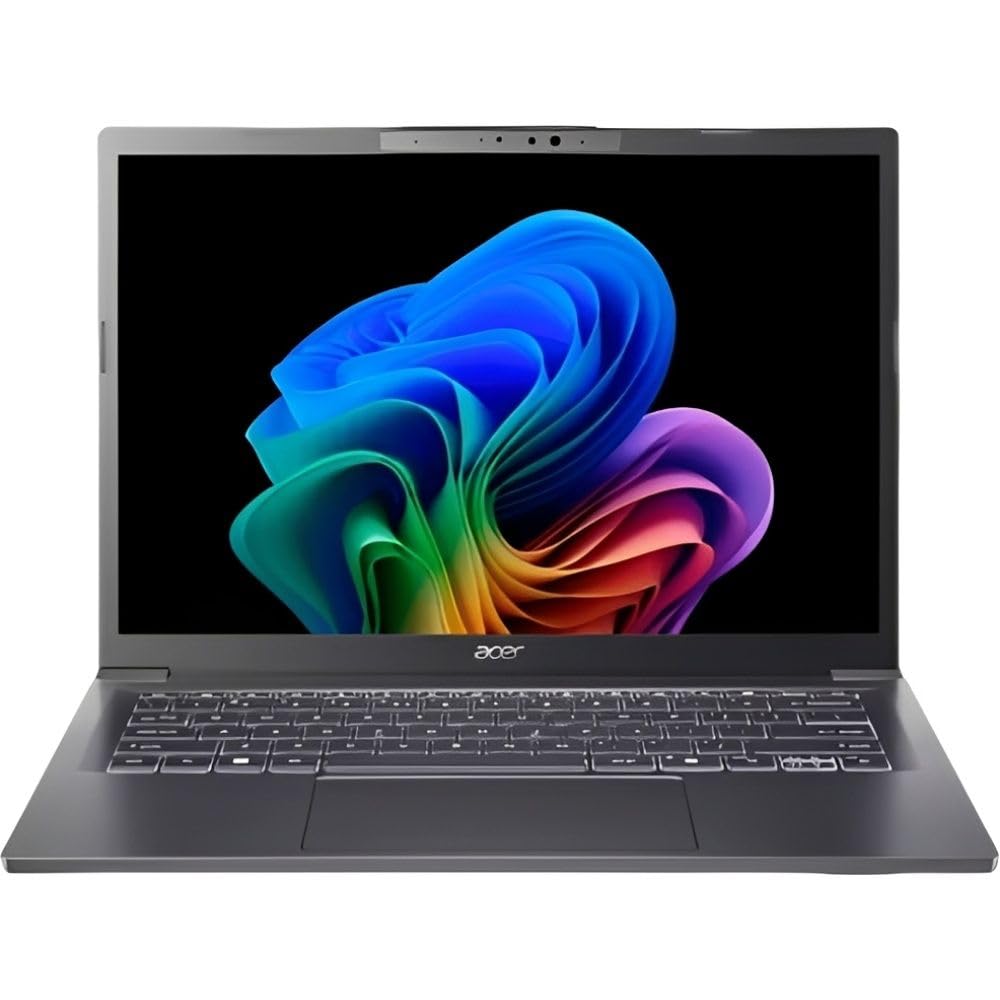
2. Acer Aspire 14 AI Copilot+ PC
The AI-ready 14-inch that runs a full working day on a single charge.
Battery life is the headline for anyone whose laptop leaves the desk during the day. Acer quotes up to 22 hours of video playback, measured under specific test settings. Real-world use will not hit that figure, but it is comfortably the longest battery pitch in this group — the VIGSENUP lists 5 hours by comparison. If you work away from a wall socket, that is the difference between one charge and two.
The 14-inch WUXGA panel runs at 1920 x 1200 with a taller-than-standard shape and adds touch input. The Core Ultra 5 226V processor tops out at 4.5 GHz, paired with 16GB of LPDDR5X memory and a 1TB Gen 4 SSD. That memory and storage pairing means the machine handles a video call, a document and a browser of tabs without needing to swap to a slow drive. Owners single out the speed, and the AI features — Live Captions and Recall — are built straight into Windows rather than added.
There is a real honesty note to add here. The extra AI hardware and the aluminium chassis are what you are paying for, so this sits at the top of the premium band. It is also a 14-inch screen — for a home desk you may find yourself leaning in more than you would on the 16-inch Dell above. If those two things are fine, the battery rating alone makes it the strong pick.
The case for the AI pick
- Up to 22 hours of quoted video playback — the longest battery figure in this article.
- 16GB LPDDR5X memory and a 1TB Gen 4 SSD mean no upgrade pressure for years.
- Touch input on a 1920 x 1200 display is a feature none of the budget picks offer.
- Wi-Fi 6E and Bluetooth 5.3 support keep it current with modern home routers.
What to weigh first
- The AI features and aluminium build put it at the top of the premium band.
- A 14-inch panel feels tight for heavy spreadsheet work compared with a 16-inch machine.
Go here if: you want a compact, genuinely all-day machine with AI features baked in and have the budget for it.
Think twice if: you work at a fixed desk and want maximum screen real estate for long documents.
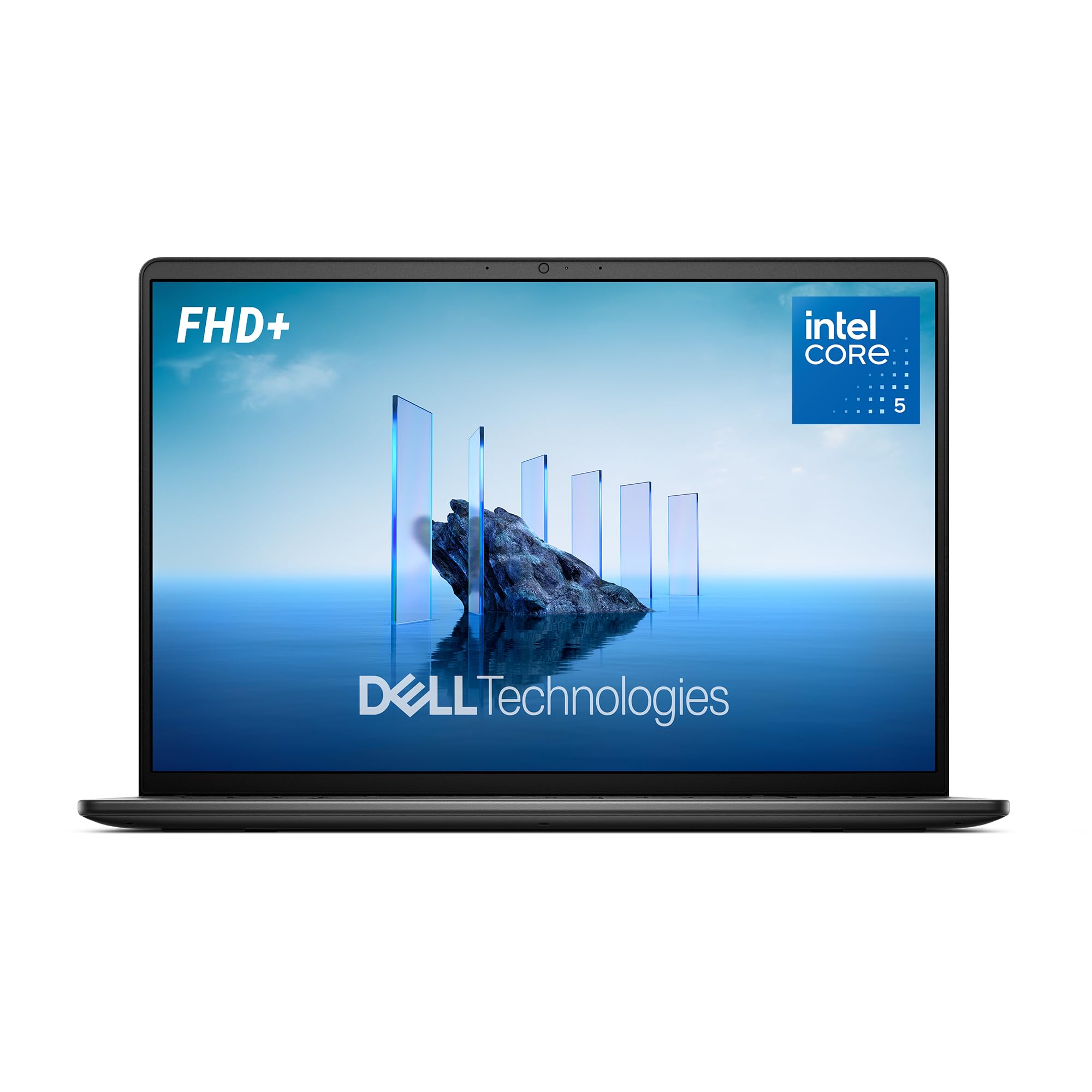
3. Dell 16 Laptop DC16250
A 16-inch touch screen with the memory headroom to keep a home office running all day.
The reason to pick this one is the combination of a 16-inch display with a 16:10 shape and touch input, plus 16GB of RAM. Working through a long document on a screen that tall means fewer page-downs and less eye fatigue. The Intel Core 5 120U processor tops out at 5 GHz, which puts it right at the front of the pack on paper.
Dell built this one for home-office use in particular. The ComfortView Plus feature is a TÜV Rheinland certified hardware solution that reduces blue light while keeping colour accurate, which matters if you stare at a spreadsheet for six hours. Adaptive thermals sense when the laptop is on a stable surface and adjust power to run more efficiently. The HD camera includes wide dynamic range and temporal noise reduction, so backlit rooms do not wash out your video calls.
You log in with a PIN or password, because there is no fingerprint reader — that is the trade-off. Buyers report smooth running and good value, and most say they would buy it again. The onsite service adds confidence: for the first year, Dell comes to your home if a warranty fault cannot be resolved remotely.
Memory and screen first: 16GB of RAM is the right call for a home machine, and the 16-inch touch panel gives you room to spread a spreadsheet out.
Where it gives something up: no fingerprint reader, and the 65W adapter means a slower top-up than the 100W unit on the Inspiron above.
The right fit: a home desk worker who wants a big, comfortable touch screen and a year of Dell onsite service.
Hold off if: you need biometric login or a lighter bag on the move.
4. Lenovo IdeaPad Slim 3 (Ryzen 7)

Eight cores and a touchscreen make this the multitasking pick that never feels crowded.
The processor here is the story for anyone who lives in more than one app at once. An AMD Ryzen 7 5825U with eight cores running up to 4.5 GHz gives you the core count to keep a call, a browser and a spreadsheet genuinely separate. Pair that with 16GB of DDR4 memory and a 512GB SSD, and you have a machine that opens apps fast and keeps them open.
The 15.6-inch FHD touchscreen runs at 1920 x 1080 with a 60Hz refresh rate, so text stays sharp and the touch layer means you can scroll a long document without reaching for the mouse. Wi-Fi 6 and Bluetooth 5.2 cover the wireless side. Owners speak highly of the speed, and the 16GB of memory is why it holds its pace through a full working day.
One detail catches people out, and it is worth saying clearly: the listing mentions Word, Excel and Outlook, yet owners mention the machine does not arrive with Microsoft Office as they expected. Check what software is genuinely included before you buy, and budget for a subscription if you need Office. Owners rate it well on performance and value, so as long as you know that going in, it is a strong home machine.
Speed that holds up: eight cores at 4.5 GHz with 16GB of DDR4 memory is why this one keeps pace even when you have five apps open.
The software caveat: the Office expectation on the listing does not match what arrives — confirm it before buying.
Reach for it if: you are a multitasker who wants eight cores, 16GB of memory and a touchscreen at a mid-range price.
Look elsewhere if: you need Office included and do not want to buy a separate subscription.
5. HP OmniBook 3 17.3″
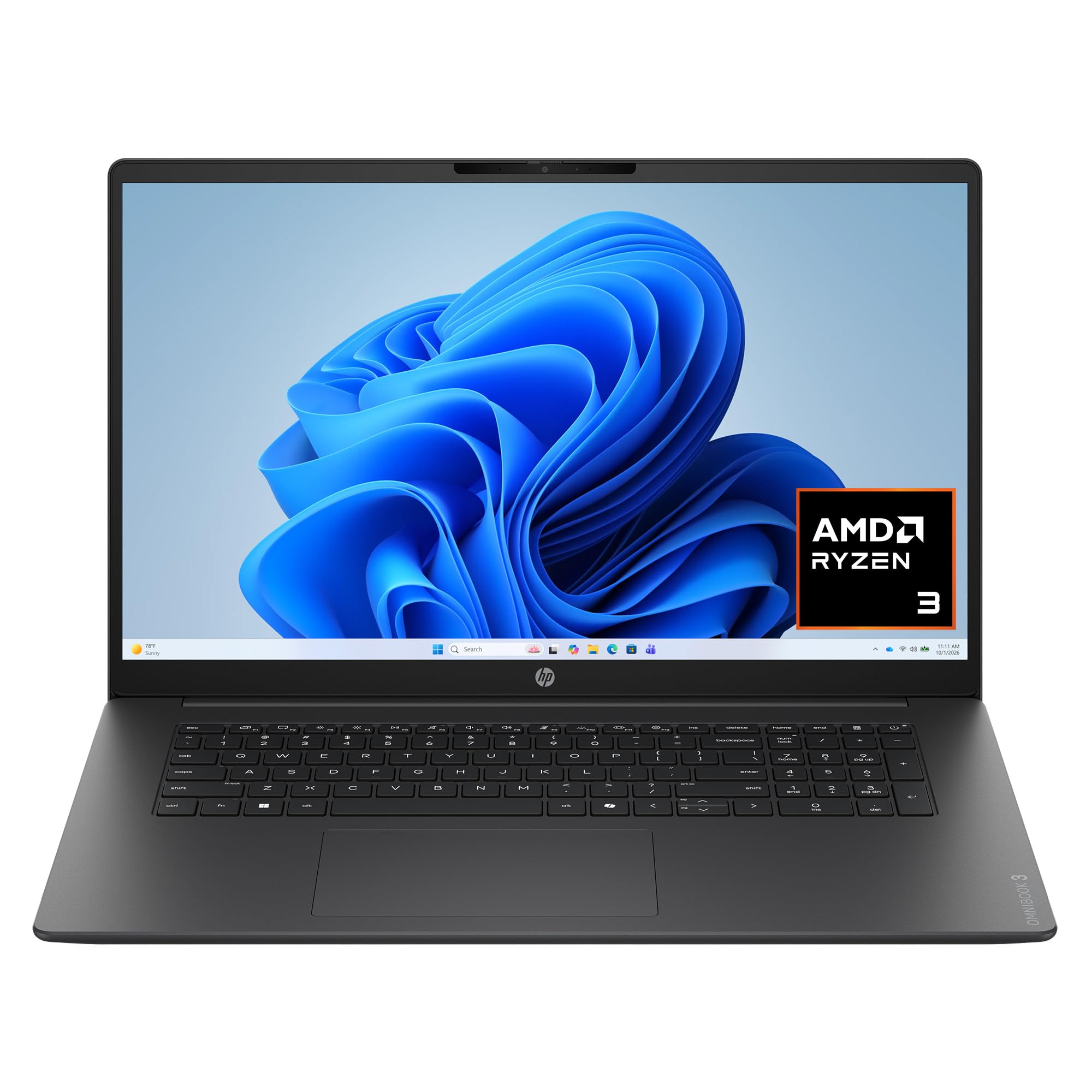
A 17.3-inch full HD screen that turns a kitchen table into a proper home office.
If you do not need to carry your laptop anywhere, the screen size here is the obvious draw. A 17.3-inch FHD IPS panel with 178-degree viewing angles means you can sit off to one side and still see the picture clearly, and it is the biggest display in this group. The AMD Ryzen 3 30 processor runs up to 4.1 GHz with AMD Radeon 610M graphics, which is plenty for video calls, streaming and documents.
Battery life is quoted at up to 14 hours and 15 minutes, and HP Fast Charge restores the battery from 0 to 50% in roughly 45 minutes. You get a 512GB PCIe NVMe M.2 SSD, so full-size files and photos stay on the drive and open quickly, plus 8GB of LPDDR5 memory. The FHD camera with HDR auto-switch balances contrast and colour, even when you are backlit by a window. Advanced AI Noise Reduction tracks only your voice and filters out other speakers.
The honest trade-off is the memory. 8GB is workable for everyday tasks, but owners do split on speed — some find it faster than expected, others call it slow. For a big-screen home machine that mostly handles calls and documents, it is a sensible buy.
Why the big screen sells it
- 17.3-inch FHD IPS display with 178-degree viewing angles — the biggest panel in this group.
- Up to 14 hours and 15 minutes of battery, with fast charge to 50% in roughly 45 minutes.
- 512GB NVMe SSD keeps files fast and roomy; AI noise reduction handles calls cleanly.
What to keep in mind
- 8GB of LPDDR5 memory is the smaller side for heavy multitasking.
- Speed opinions vary — heavy tab users will notice the difference next to a 16GB machine.
Best for a fixed desk: a big-screen home office where the laptop stays put and calls and documents fill the day.
Not the one for you if: you routinely run a dozen heavy browser tabs and want extra memory headroom.
6. Lenovo IdeaPad Slim 3i (N150)

A 3.42 lb workhorse built to survive a backpack and a commute.
You can carry this one around easily: at 3.42 lbs and 0.70 inches thin, it is one of the lighter machines in the group. It is also built to take knocks — Lenovo puts it through testing in line with the MIL-STD-810H standard (a military durability test spec covering drops and rough handling). The 15.6-inch HD display runs at 1920 x 1080 with a 60Hz refresh rate (the screen redraws 60 times a second) and an anti-glare coating, so bright kitchen windows do not wash out the screen.
The N150 processor runs up to 3.6 GHz with 8GB of DDR5 memory and 128GB of storage, which is fine for documents, calls and browsing. The 128GB capacity is on the smaller side — if you keep a lot of photos or video, plan on an external drive or cloud storage. Ports are generous: one USB Type-C, two USB Type-A, HDMI 1.4b, an SD card reader and a headphone/mic combo jack.
Owners talk about build quality most, and many come back and recommend it. Performance splits opinion — some love it, others find it not quick enough for heavier work. If your day is email, documents and the odd video call, this is a fine, tough little machine. If it is heavy multitasking, go up to a 16GB model.
Rugged and light: 3.42 lbs with MIL-STD-810H testing means it handles a commute better than most of this list.
The storage limit: 128GB fills up fast with photos and video — plan for an external drive.
Pick it for: students and commuters who need a light, durable machine for documents and calls.
Skip if: you need heavy multitasking or a lot of on-board storage.
7. Acer Aspire Go 15
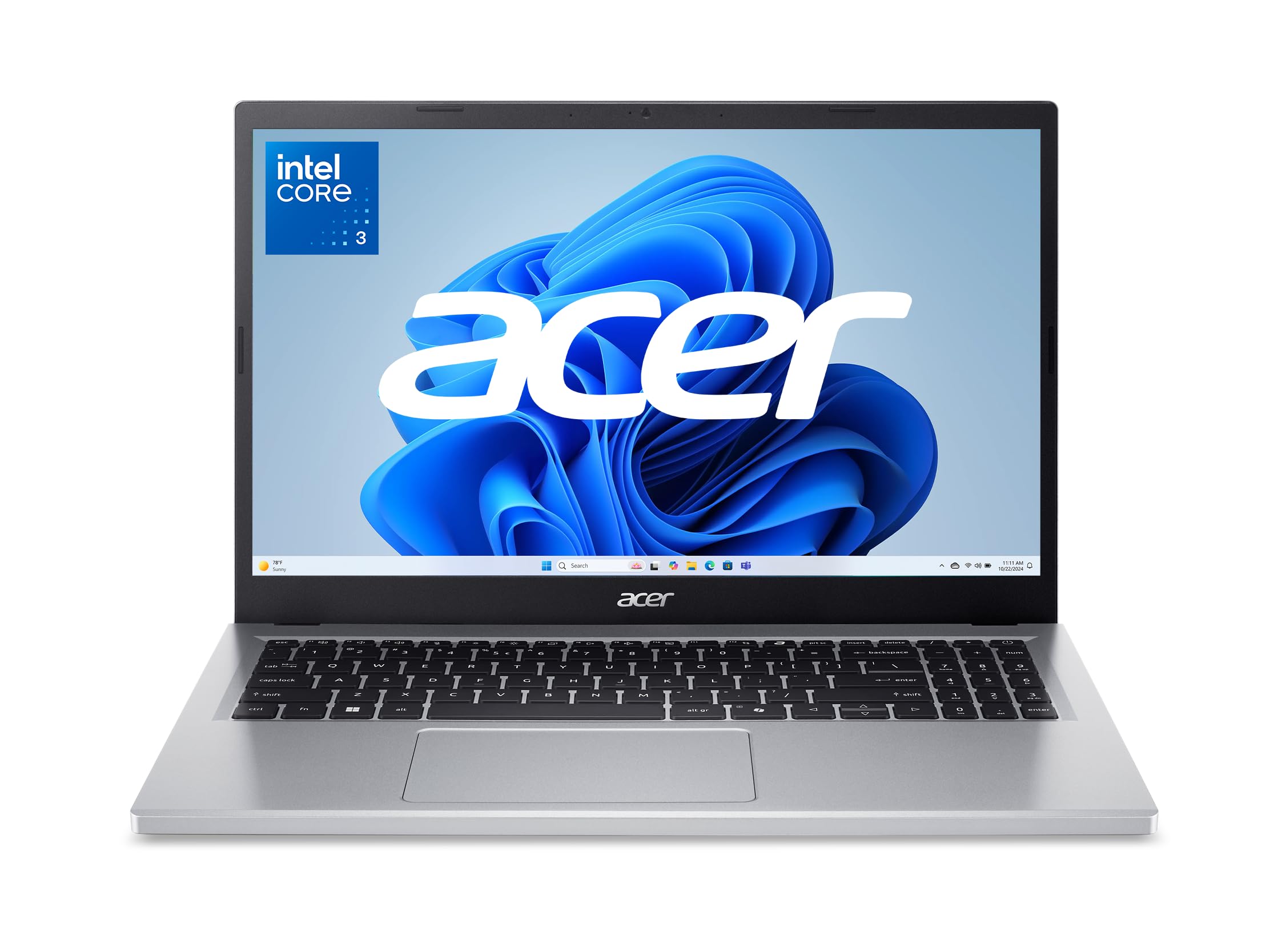
An eight-core budget machine with a full HD IPS screen — unusual at this tier.
Budget machines usually make you choose between a decent screen and a decent chip. This one sidesteps both compromises. An 8-core Intel Core 3 N355 runs up to 3.9 GHz, and the 15.6-inch display is a full 1920 x 1080 IPS panel with narrow bezels. That resolution is genuinely unusual at this end of the market.
The screen is the real story. A 1920 x 1080 panel gives you 1920 x 1080 pixels against the 1366 x 768 on the HP 15.6 inch Slim below, so text is sharper and you see more of a document at once. Acer BluelightShield lowers blue light output, and the 720p webcam uses Acer TNR technology to improve low-light calls, paired with PurifiedVoice for noise reduction.
The honest part: battery life is the weak spot. Acer quotes 12.5 hours, but the reviews split — some say it runs for hours, others report it discharging quickly. The 128GB of UFS storage is also on the smaller side and slower than a full SSD. Owners praise the eight-core performance and the value, and it holds up as a genuine workhorse for a budget machine.
Screen at this tier: a full HD IPS panel with 60Hz refresh makes budget work feel far less cramped.
Battery is the gamble: quoted at 12.5 hours but opinions split — treat it as a desk machine and keep the charger nearby.
The budget winner: eight cores and a full HD IPS screen for buyers who want a real screen without the premium price.
Not for you if: you need long unplugged runtime and 128GB of storage is not enough.
8. HP 15.6″ Slim Laptop
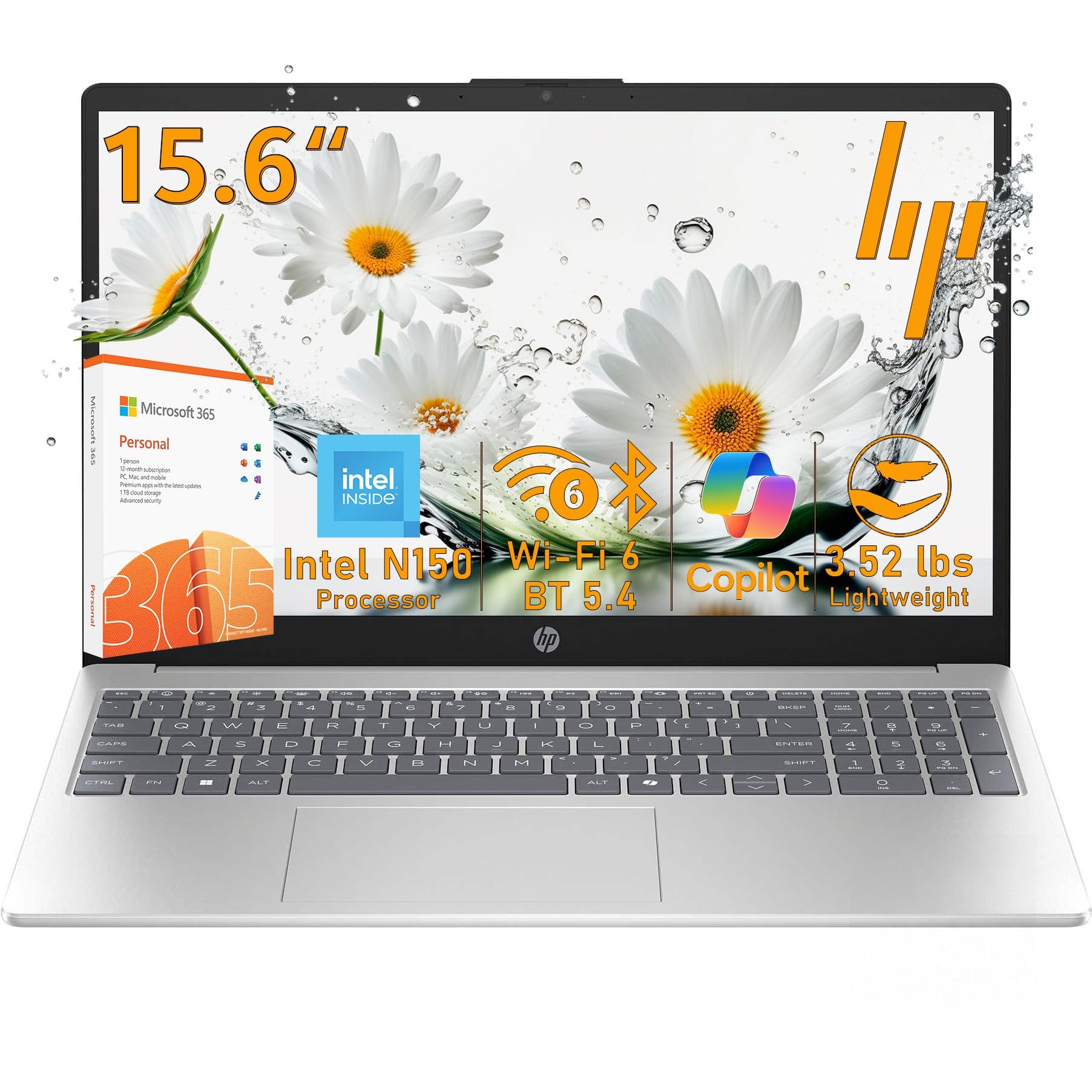
A slim everyday machine with a year of Microsoft 365 baked into the deal.
If your home work is documents, email and video calls, this slim silver machine covers it. An Intel N150 processor with four cores runs up to 3.6 GHz, paired with Intel UHD graphics. The real draw is the software: a 1-year Microsoft 365 Personal subscription with 1TB of cloud storage is included, plus a dedicated Copilot key for the Windows AI assistant.
The maker quotes up to 8 hours 15 minutes of mixed use, or up to 11 hours 45 minutes of video playback — a realistic pairing against the 12.5-hour figure quoted for the Acer Aspire Go 15 above. The 15.6-inch anti-glare display runs at 1366 x 768 with 250 nits brightness (a measure of screen brightness) and an 85% screen-to-body ratio, so the frame stays slim. For video calls, the 720p camera adds noise reduction and a privacy shutter (a physical cover for the lens). Wi-Fi 6 and Bluetooth 5.4 handle the wireless side.
The screen and memory are where you feel the budget. 4GB of LPDDR5 memory is on the lean side, and 1366 x 768 is the lowest resolution in this group. That is fine for one task at a time but cramped for a dozen tabs. At 3.52 lbs and built for light tasks, it suits a student or a home user who mostly writes and browses.
What you get included
- A 1-year Microsoft 365 Personal subscription with 1TB of cloud storage — no extra software bill at the start.
- Up to 8 hours 15 minutes of mixed use, or up to 11 hours 45 minutes of video playback.
- Wi-Fi 6 and Bluetooth 5.4, plus a privacy shutter and mic mute key.
Where the budget shows
- 4GB of memory is tight once several tabs and a call are open at once.
- The 1366 x 768 screen is the lowest resolution in this group.
The light-task pick: students and home users who want Office included and mostly write, browse and take calls.
Not ideal if: you keep many tabs open or want a sharp screen for detailed work.
9. VIGSENUP 15.6 FHD Laptop
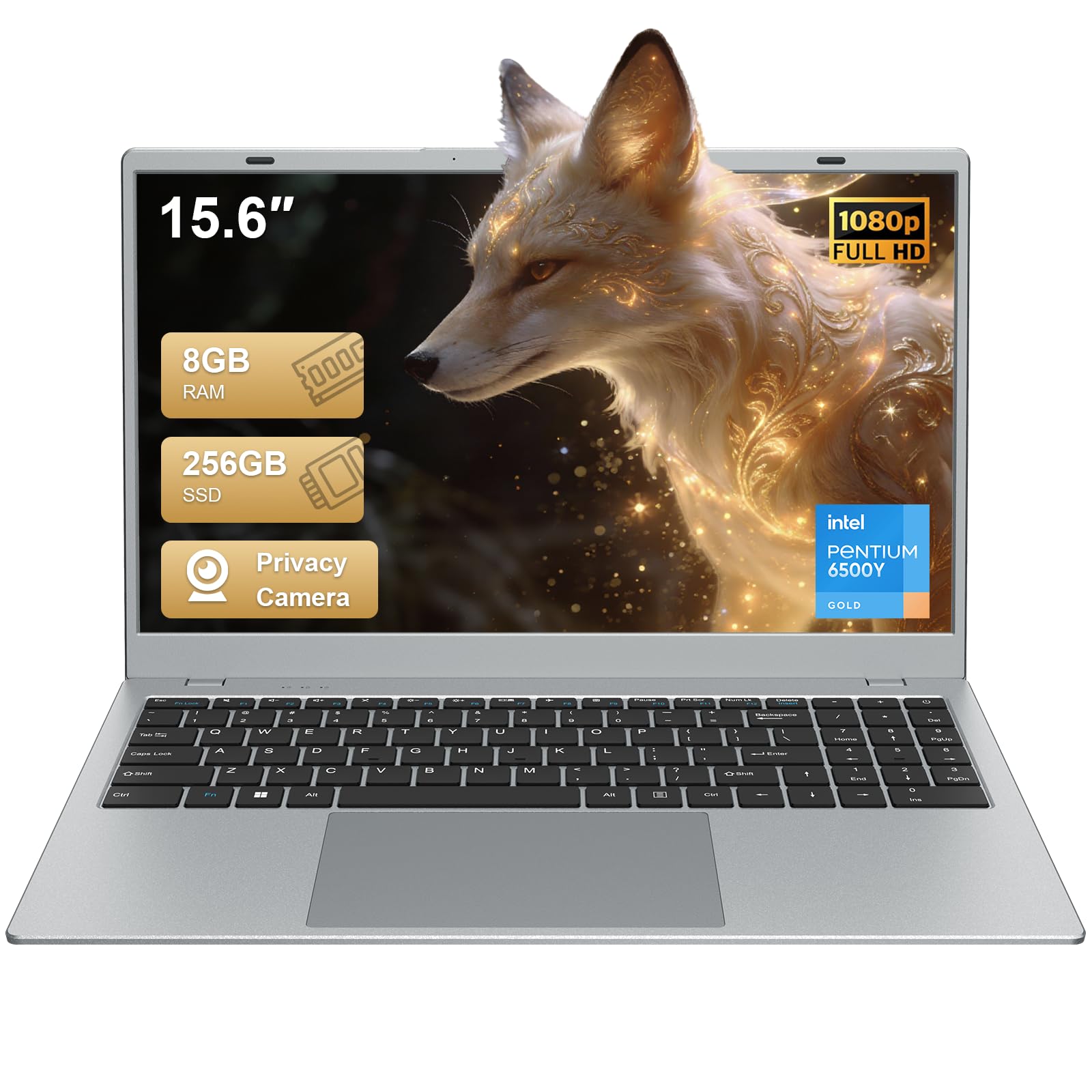
A full HD screen and a privacy shutter at the tightest budget in the group.
This is the simplest way to put a working laptop on a kitchen table without spending much. A dual-core 6500Y processor runs up to 3.4 GHz — the lowest turbo speed here, well below the 4.9 GHz in the Dell Inspiron 16 Plus — so expect basic documents and calls rather than heavy multitasking. The 15.6-inch FHD IPS display (a panel type with wide viewing angles) keeps text readable for documents and calls. The central front camera includes a physical privacy shutter, a thoughtful touch for a shared home desk.
You get 8GB of RAM and a 256GB M.2 SSD, so apps open quickly and there is room for everyday files and study materials. The machine is 21mm thin and 1.7kg, light enough to move between rooms. Connectivity covers Wi-Fi 5 and Bluetooth 5.0 with two USB 3.2 ports, one HDMI 1.4, a USB 2.0, a headphone jack, a TF card reader and a Kensington lock slot.
The honest limits are the ones you would expect at this price. Battery life is listed at 5 hours — the shortest here — so a full day away from a charger is not realistic. The dual-core chip is fine for email, documents and streaming but not for heavy multitasking. Owners mostly praise the performance and the value, and it is a sensible entry point if your work is light.
What you get for the money: a full HD IPS screen, 8GB of RAM and a 256GB SSD with a privacy shutter on the camera.
The honest limit: a 5-hour battery and a dual-core chip cap it to light, desk-bound work.
The starting point: light home work on a tight budget where a full HD screen and privacy shutter matter more than raw power.
Move up if: you need all-day battery or genuinely quick multitasking.
Know the Specs
Memory and storage
RAM is the workspace your apps use while open, and storage is where your files live. 4GB of RAM is fine for one task at a time but runs out of room with a call and many tabs open. 16GB gives you real headroom for a working day. For storage, an SSD opens files fast, while a 128GB SSD or UFS chip fills up quickly — 512GB or 1TB keeps your photos and documents on board without an external drive.
Processor speed and cores
The processor speed in GHz reflects how fast each core runs, and the core count reflects how many tasks it can juggle at once. A dual-core chip at 3.4 GHz suits email and documents; an 8-core chip or a higher turbo figure handles a call, a browser and a spreadsheet together. Core count and turbo speed together tell you more than either number alone.
Screen resolution and ratio
Resolution is the pixel count across and down the screen. 1920 x 1080 gives sharp text and real document space; 1366 x 768 is noticeably tighter. The aspect ratio describes the screen’s shape — a 16:10 panel is taller than a 16:9 one, so you see more lines before scrolling, which matters on long documents and spreadsheets.
Battery life figures
Battery ratings are measured under specific test conditions, so treat them as an upper bound. A quoted 12.5 hours or 22 hours of video playback reflects best-case use; mixed real-world work will land lower. If your laptop stays at a desk, a shorter rating is less of an issue than the charger reach.
Common Questions
How much RAM do I actually need for a home work laptop?
Is a 1366 x 768 screen good enough for spreadsheets?
What does the 16:10 aspect ratio mean in plain terms?
How long will the battery really last on a work day?
Is an SSD or UFS storage better for saving files?
Do these laptops come with Microsoft Office included?
Will a dual-core laptop be too slow for working from home?
What is the difference between a touchscreen and a regular display?
Is Wi-Fi 6 or Wi-Fi 6E worth having for a home machine?
Can I upgrade the RAM or storage later?
The Bottom Line
For most home workers, the working laptop for home winner is the Dell Inspiron 16 Plus 7640, because 16GB of LPDDR5 memory (fast, low-power RAM), a 1TB SSD (solid-state storage) and that 4.9 GHz i7 chip cover a full day of multitasking without hesitation. If you want all-day battery and AI features in a compact frame, the Acer Aspire 14 AI Copilot+ PC is the pick. For a generous budget setup with a big-screen feel, the Acer Aspire Go 15 delivers a full HD IPS panel and eight cores without the premium tag. Whichever you choose, buy the memory and storage you need up front — those are the two specs that decide how the machine feels in three years.
How we choose
We do not accept paid placement. Every pick is matched to a real buyer and a real use-case; we do not hands-on test units.
Sources
Specifications: manufacturer listings and product documentation. Review insights: verified customer reviews, as of November 2026. Pricing: not shown on this page (it changes often); check the current price via the retailer link.
As an Amazon Associate, Tactical Gear Guy earns from qualifying purchases. This does not affect which products we feature.