Specs are compiled from manufacturer listings and verified buyer reviews and can change over time — please confirm the key details on the product page before buying.
Finding a yellow PC case is easy. Finding one that keeps your graphics card cool, fits your motherboard, and does not fight you during the build is the real job. The short answer: the Thermaltake Tower 300 Bumblebee is the safest all-round pick for most builders, while the Okinos Aqua UNO is the smarter budget move for air-cooled builds. The rest of this list covers the compact, portable, and high-airflow options, so you can match a yellow case to the parts you already own.
This guide is built by comparing the manufacturers’ published specifications and the patterns across verified customer reviews, so you get each pick’s real strengths and trade-offs instead of marketing spin.
Yellow is a hard colorway to shop, because most sellers treat it as a limited edition and list the important numbers last. I have laid out the bay counts, GPU clearances, and radiator limits so you can stop guessing. yellow pc case shopping gets much easier once you know which number to check first.
Top Picks


How To Choose The Best Yellow PC Case
The yellow paint is the easy part; the measurement sheet is what decides whether a case works. What actually decides whether a case works is the measurement sheet behind it: how long a graphics card it swallows, how tall a CPU cooler it clears, and how much radiator it takes. Get those three wrong and a beautiful yellow box becomes a paperweight for your parts.
Start With GPU Length, Not Color
Your graphics card is usually the longest part in the build, so the case’s maximum GPU length is the first number to check. The Thermaltake Tower 600 lists 400mm of GPU clearance, and the C28 carries a 335mm limit that the maker says covers most mainstream models. If your card is longer than the case allows, the build simply will not close, so match this number first.
Decide if you need Radiator Support
A liquid cooler needs a radiator, and a radiator needs mounting space. Several picks here support a 420mm radiator, which is a large three-fan unit. The Okinos Aqua UNO is built for air cooling only and clearly states it does not support radiator installation — so if you already own an AIO, that one is out before you start.
Check the Motherboard Form Factor
Micro-ATX cases take micro-ATX and mini-ITX boards. Mid towers here typically stretch to E-ATX and ATX. Buying a micro-ATX yellow case when your parts bin holds a full-size ATX board is a common and expensive mistake, so confirm the board size before you fall for the paint.
Side-by-Side Comparison
| Model | Best For | Max GPU Length | Radiator Support | Motherboard Fit | Amazon |
|---|---|---|---|---|---|
| Thermaltake Tower 300 Bumblebee★ Best Overall | Most builders wanting a safe all-rounder | — | Up to 420mm | Micro-ATX / Mini-ITX | Amazon |
| Okinos Aqua UNOBest Value | Budget air-cooled first builds | 309mm | None (air only) | Micro-ATX | Amazon |
| Geometric Future M5 GlassTop Performer | Showing off the build through glass | 460mm | Up to 420mm | E-ATX / ATX | Amazon |
| Geometric Future M5 Five-Fan | Builders who want fans included | 460mm | Up to 420mm | E-ATX / ATX | Amazon |
| Thermaltake Tower 600 Bumblebee | Full ATX builds with hidden cables | 400mm | Up to 420mm left / 360mm right | ATX | Amazon |
| Mechanic Master C28 | Carrying a small build between desks | 335mm | 240mm AIO | Micro-ATX | Amazon |
| Mechanic Master C34Pro | Portable ATX rigs with a 360 AIO | 335mm / 400mm depending on PSU | 360mm AIO | ATX / E-ATX / MATX / ITX | Amazon |
Detailed Reviews
1. Thermaltake Tower 300 Bumblebee Micro-ATX Case
Our pick — 4.5+★ from 250+ verified ratings; the strongest balance of quality and price.
The octagonal tower that stands apart on your desk and swallows a huge radiator.
The Tower 300 is the pick that suits the widest range of builders, and the reason is the cooling headroom. It fits a radiator up to 420mm — a large three-fan unit — or three 120/140mm fans, so you are not boxed into air cooling. That octagonal chassis (eight-sided rather than a plain rectangular box) is the thing that wins people over, since it puts the build on show from more than one angle.
Two 140mm CT fans come in the box, so the case is not an empty shell you have to finish paying for. It takes micro-ATX and mini-ITX motherboards and gives you four internal bays for 3.5-inch drives — enough for a boot drive plus storage. The frame is SPCC steel with tempered glass, which is what keeps the panel clear and the structure solid rather than flimsy.
Buildability is the second thing that earns praise: many parts come apart with ease, so a first-timer can strip the case down and refit it without hunting for hidden screws. Cable management is a fair caveat and a mixed point with owners — it works, but you will need to plan the runs rather than stuff them. It holds 4.5+ stars across 200+ owner reviews, a strong signal that the octagonal design and interior space hold up in real builds.
What earns it top spot
- Radiator support up to 420mm or 3 x 120/140mm fans keeps cooling options open.
- 2 x 140mm CT fans included, so it runs from the start.
- Four internal 3.5-inch bays for a boot drive and extra storage.
- Parts strip down easily, which makes a first build less stressful.
Where it asks more of you
- Cable management is a mixed point — plan the runs, do not stuff them.
- Horizontal display and the LCD screen kit both cost extra.
- Micro-ATX and mini-ITX only, so a full ATX board will not fit.
Go for this if: you want one yellow case that handles a big radiator and a first build without surprises.
Look elsewhere if: your board is full-size ATX — this chassis stops at micro-ATX.
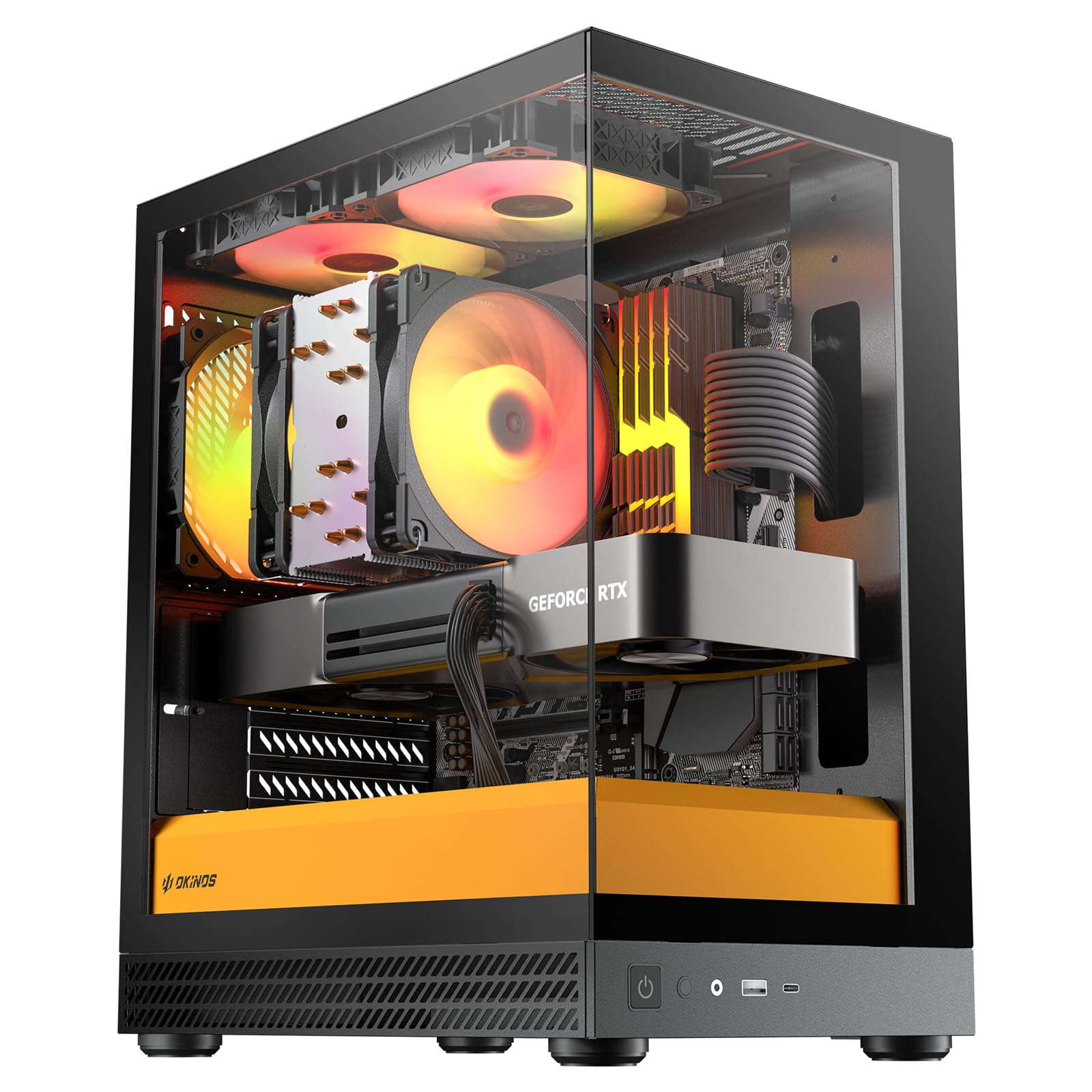
2. Okinos Aqua UNO Micro ATX Case (Black & Yellow)
Three ARGB fans and a canary-yellow panel for a first build that lights up.
If you are building your first PC and running air cooling, this is the yellow case to start with. Three 120mm ARGB fans (addressable RGB, meaning each one can show its own color) come pre-installed, so the lighting and airflow are already handled. The RGB hub throws multiple shades of yellow and orange, which means the glow can actually echo the case paint instead of fighting it.
The limits are honest and worth knowing up front. It takes a graphics card up to 309mm and an air CPU cooler up to 165mm tall, and it is built for air cooling only — no radiator goes in. Above the power supply shroud there is no room for extra fans, so your airflow plan is the three that ship with it. On the plus side, removable dust filters sit on the top, side, and bottom panels, which keeps dust buildup down over the long run.
You get more case than the entry tier usually delivers, starting with a front USB Type-C 5Gbps port that moves a 10GB file in roughly 16 seconds. Cable room measures 32mm at the front and 24mm at the rear, enough to tuck thick 24-pin and GPU cables without bulging. Velcro straps and dedicated routing paths for the CPU, GPU, 24-pin, and fan cables keep everything tidy. The glass panels are tool-free stud-mounted, so you pop them off without screws. Buyers report the money-to-quality ratio as the top strength, with case quality a close second.
The honest catch: no radiator support means an AIO liquid cooler is off the table, so this is a pick for air-cooled builds only. If you already own a liquid cooler, cross this one off and look at the Geometric Future M5 further down.
Size reality: the compact footprint suits a small desk, and the look leans on that black-and-yellow two-tone, so the yellow reads as accent rather than a solid yellow tower.
Right for a tight budget: a first-time builder running a mainstream GPU and an air cooler who wants yellow and lighting on day one.
Not for liquid cooling: the design states no radiator support, so an AIO build needs a different case.
3. Geometric Future M5 Tempered Glass Mid Tower
A 460mm graphics card fit and a display window for your power supply.
This is the case for the builder who wants the graphics card to be the star. It holds a GPU up to 460mm — long enough for the biggest cards on the market — and still takes a 420mm radiator, so air or liquid both work. The E-ATX motherboard support means a full-size board drops in without a fight. The screwless tempered glass side panels come off with a pull, which matters because you will be opening this case often on a showcase build.
The steel frame runs 0.8 to 1.2mm thick, so the chassis feels firm rather than tinny. There are 10 internal bays for 3.5-inch drives, and a PSU shroud with a display window so your sleeved cables or custom power supply get seen. The screwless panels are also a practical win: fewer fasteners to lose and faster access when you swap a fan or reseat a cable.
The trade-off that shows up: the interior is roomy for parts but tight for cable management, and that is the one thing to plan around. Owners mention a 420 AIO and an E-ATX board fit together, so if you are packing both, budget extra time for tidying the runs.
Bottom line: a showcase mid tower for a large, visible build — long GPU, big radiator, full board.
Give yourself time: cable management needs planning, so set aside an evening rather than a rushed hour.
Pick this when: your graphics card is long and you want it visible through clear glass.
Think twice if: cramming several drives and a thick cable bundle into a tight run is a dealbreaker.
4. Geometric Future M5 with 5x ARGB PWM 140mm Fans
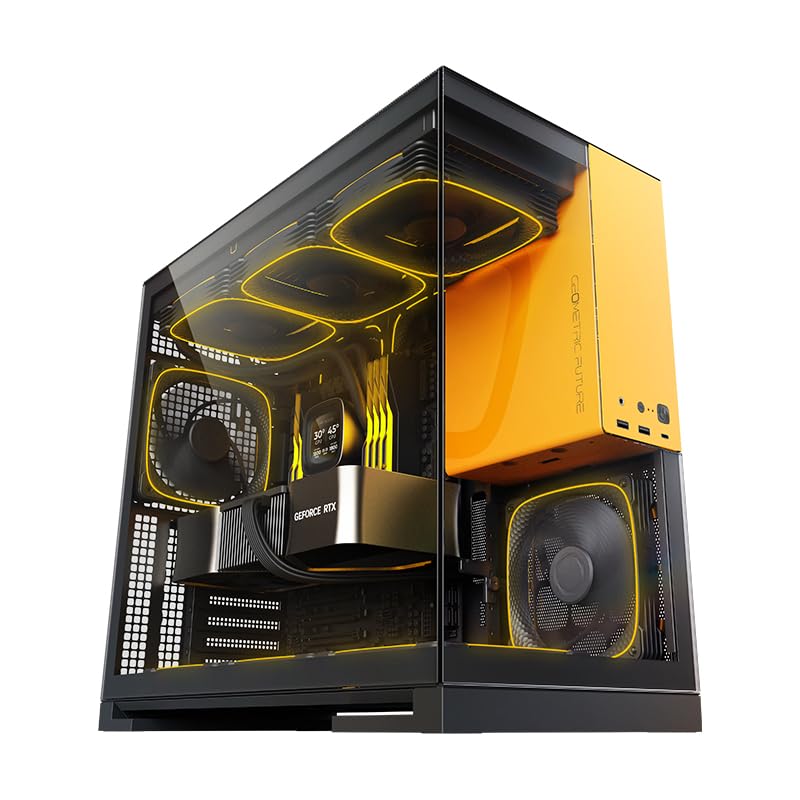
Five fans already mounted, so the light show starts on the first power-on.
Here is the M5 with the fan work already done. Five 140mm ARGB PWM fans are pre-installed — PWM means the speed is controlled by the motherboard, so they ramp up only when the build heats up. The ARGB lights sync with major motherboard ecosystems, so the color scheme is yours to set. It matches the glass M5 on the big numbers: a GPU up to 460mm, a 420mm radiator, and E-ATX board support.
The look is the whole reason this one stands out, and buyers agree — appearance is the runaway favorite thing about it. The screwless tempered glass panels and the display-window PSU shroud do the same showcase job as the other M5 models. The steel frame runs 0.8 to 1.2mm thick, and the internal bay count sits at 2, so this favors a clean look over a drive library.
The honest side: space and cable management both draw mixed feedback, and assembly splits buyers — some find it straightforward, others hit tight spots and fiddly steps. At 11.34 kg it is a heavy case, and it wants a PSU up to 160mm. Build room and airflow are generous once it is together, so a patient build rewards you. This is the M5 to pick when the five fans and the glow are exactly what you came for.
Worth knowing: the five fans save you a separate fan purchase and a wiring session, so the price buys convenience as much as airflow.
The friction point: tight spaces during assembly and cable runs mean slower build time, so plan the order of parts before you start.
Ideal for: a builder who wants a lit, fan-filled glass tower and would rather not buy fans separately.
Skip the rush: if you want a fast, roomy install with no tight spots, the assembly friction will annoy you.
5. Thermaltake Tower 600 Bumblebee Mid Tower
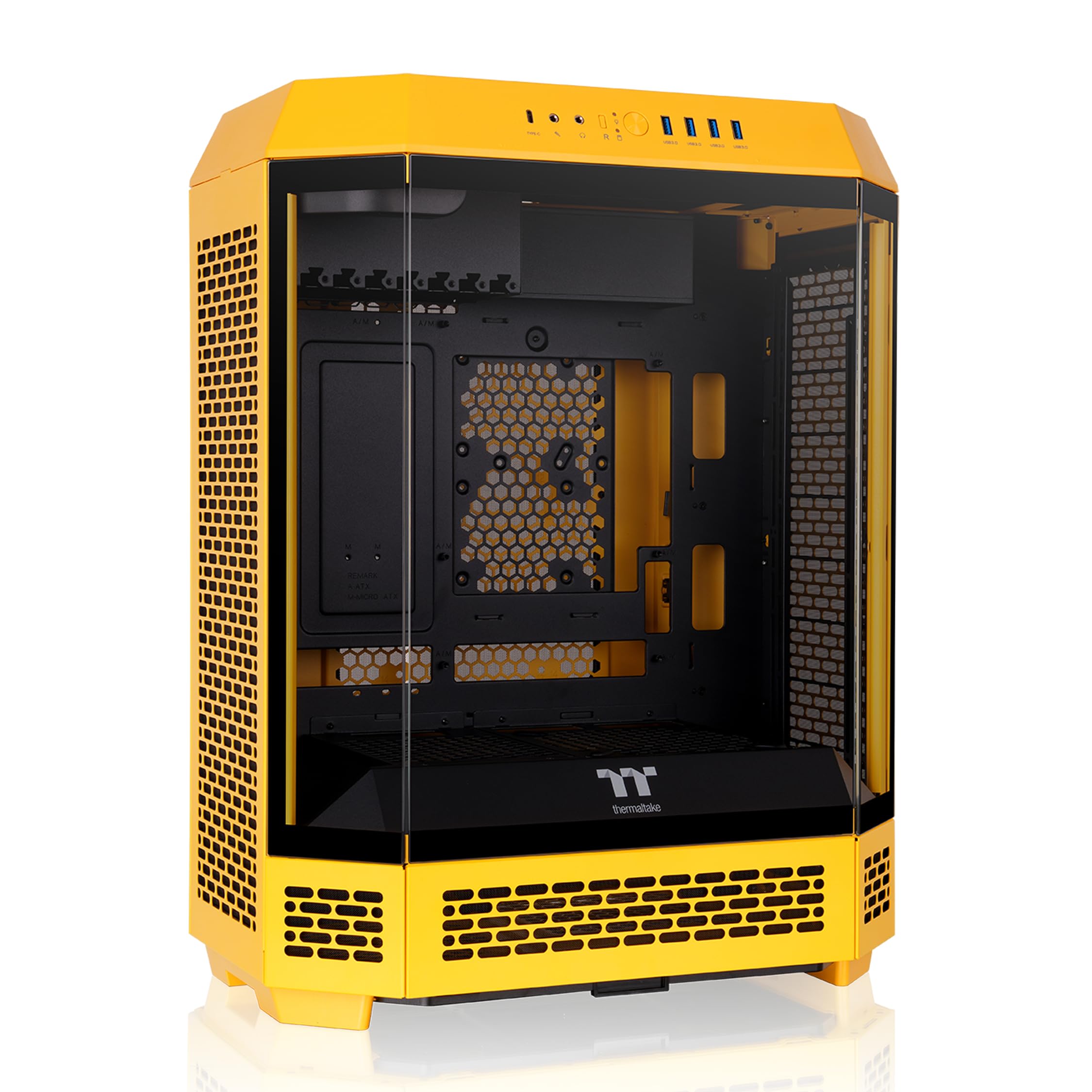
The octagon big brother that takes a full ATX board and hides your cables.
Where the Tower 300 stops at micro-ATX, the Tower 600 goes full ATX — so if your motherboard is a standard ATX size, this is the Thermaltake to pick. It fits GPUs up to 400mm, air coolers up to 210mm tall, power supplies up to 220mm, and radiators up to 420mm on the left and 360mm on the right. Two 140mm CT fans come pre-installed as exhaust at the top, and the chassis can hold up to 9 x 140mm or 13 x 120mm fans.
Hidden-connector support is what sets this apart from most yellow cases: extra cutouts line up with boards like ASUS BTF, MSI PROJECT ZERO, and GIGABYTE PROJECT STEALTH, so you can tuck cables behind the motherboard for a cleaner front. The same eight-sided presentation shape as the Tower 300 carries over. A stand kit and a 3.9-inch LCD display (both sold separately) let you reposition the case or add live readouts later.
Build quality is why this one holds up in owners’ hands: fan trays simplify installation and maintenance, panels come off easily, and there is real room for upgrades. The caveat is the value read — some find it a fair buy, others feel the price asks a lot for what you get. At 26 pounds it is a heavy tower you place once. For a full ATX build that wants a clean cable-free front and a yellow frame, it earns the spot.
The ATX advantage
- Takes full ATX boards with 400mm GPU and 210mm cooler clearance.
- Hidden-connector cutouts for BTF, PROJECT ZERO, and PROJECT STEALTH boards.
- 2 x 140mm CT fans pre-installed, with room for up to 13 x 120mm.
The trade
- Value is a split view — some feel it asks a lot for the build.
- Heavy at 26 pounds, so it stays put once placed.
- Stand kit and LCD display are sold separately.
The one for ATX: full-size board builders who want hidden cables and a roomy, fan-friendly octagon.
Check the budget: if every dollar must go to parts, the value question is the one to weigh.
6. Mechanic Master C28 Compact MATX Portable Case
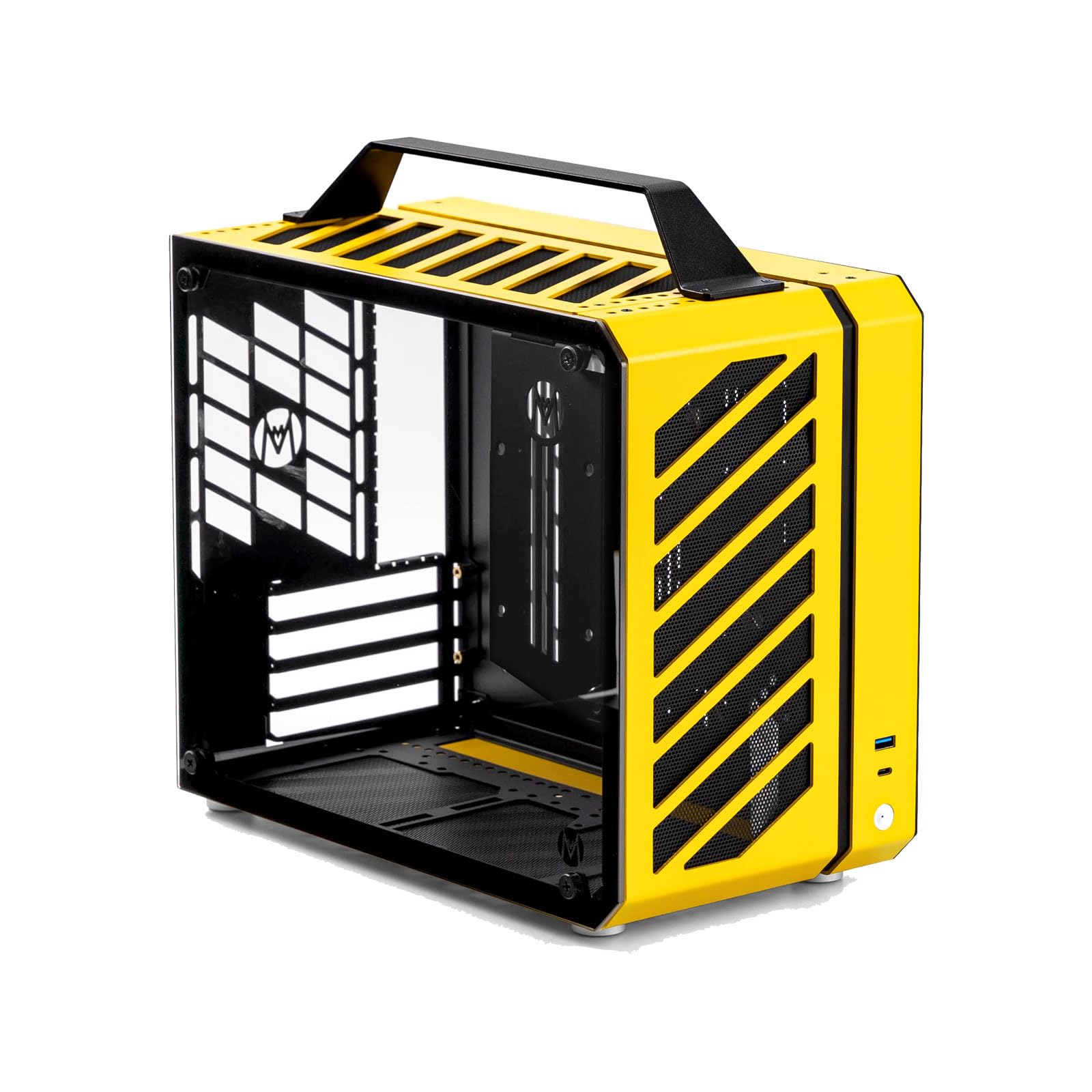
A 17.9L yellow box with a handle, built to travel between desks.
This one is about the carry handle. The chassis is a 17.9L ulta-compact frame with a top handle, so moving the whole build between desks or rooms is a one-hand job. It takes micro-ATX boards and fits a graphics card up to 335mm, which the maker says covers most mainstream models. The aluminum panels give it a clean, minimalist look that sits well in an office or living room without screaming gamer.
Cooling gives you a choice: a 240mm AIO (with RAM height kept to 44mm or less) or a large air cooler, and it takes an ATX 14cm power supply or an SFX/SFX-L unit. Storage is handled with four internal bays. The compact footprint is the point — it is small enough to tuck on a desk while still taking real parts.
The plain read: this is the only pick here built around lifting and carrying, so portability is the reason to choose it. The 335mm GPU limit and 44mm RAM cap are the numbers to check against your parts before you buy.
A fair caveat: a small chassis always means tighter clearances inside, so measure your card and cooler rather than assuming they drop in.
For the mover: anyone who carries a small build between places and wants yellow with a handle.
Skip if: your graphics card runs longer than 335mm — this case stops there.
7. Mechanic Master C34Pro Portable Compact ATX/E-ATX Case

A portable ATX frame that squeezes a 360mm AIO into a desktop footprint.
The C34Pro is the case for someone who wants a full-size board and a big liquid cooler without a tower that dominates the room. It supports a 360mm AIO with 48mm RAM clearance. The graphics card fit depends on where you mount the power supply: with the PSU at the bottom you get a GPU up to 335mm, and with a center-mounted PSU you can stretch to 400mm.
The flexibility runs through the whole chassis. A 5-slot mode improves micro-ATX and mini-ITX compatibility, and a top PSU position takes a unit up to 160×150×86mm with a GPU up to 400mm, which suits air coolers and 240mm AIOs. It handles ATX, mATX, and ITX boards. The net weight is 6.5kg, so it is far easier to shift than the big towers here, and the compact footprint keeps it desktop-friendly.
What buyers appreciate most is the build quality, and the compact size is the close second — it manages to cram larger parts into a relatively small chassis. The one thing to go in eyes-open on is assembly: some find it easy, others describe it as genuinely difficult. Treat it as a careful, instruction-following build and the payoff is a portable ATX case with a 360 AIO in a small space.
Who it serves: a builder who needs ATX or E-ATX plus a 360mm AIO and refuses to give up a small footprint.
The honest caution: assembly can be tough, so read the manual and place the PSU with the GPU length limit in mind.
Choose it for: full-board builds with a 360 AIO that still need to move or fit a small desk.
Be ready to work: assembly difficulty splits opinions, so give the build proper time.
Know the Specs
GPU Clearance (the length that decides your build)
This is the longest graphics card the case accepts, measured front to back in millimeters. A 309mm limit on the Okinos Aqua UNO suits a mainstream card; a 460mm figure on the Geometric Future M5 leaves room for the biggest cards. If your card is longer than the case allows, the build simply will not close, so match this number first.
Radiator Support (how big a liquid cooler fits)
A radiator is the finned panel that cools liquid before it returns to the CPU. It is sized by length — 240mm, 360mm, or 420mm — and several picks here take up to 420mm. The Okinos Aqua UNO is air-only and states no radiator support. Match the radiator size on your cooler to the case’s listed maximum before you buy.
Common Questions
Will a yellow PC case fit my existing graphics card?
Do any of these yellow cases support a 360mm AIO?
Is a mesh front yellow case louder than a glass one?
Can I move a compact yellow case between desks without damaging it?
Do these yellow cases come with fans included?
What motherboard sizes will a yellow PC case take?
Is cable management harder on a compact yellow case?
Can I put a large power supply in a two-tone yellow case?
Do I have to buy the LCD screen and stand separately?
Will a yellow case show dust more than a black one?
The Bottom Line
For most builders, the yellow pc case winner is the Thermaltake Tower 300 Bumblebee because it handles a 420mm radiator, ships with two fans, and strips down easily for a first build. If you are running air cooling only and want the best value, the Okinos Aqua UNO delivers three ARGB fans and a Type-C 5Gbps port in a compact two-tone shell. And if you need a full ATX board with hidden cables, the Thermaltake Tower 600 is the one to reach for. The single nudge: if you are only buying once, the Tower 300’s octagonal design and solid build quality make it a strong place to land.
How we choose
We do not accept paid placement. Every pick is matched to a real buyer and a real use-case; we do not hands-on test units.
Sources
Specifications: manufacturer listings and product documentation. Review insights: verified customer reviews, as of November 2026. Pricing: not shown on this page (it changes often); check the current price via the retailer link.
As an Amazon Associate, Tactical Gear Guy earns from qualifying purchases. This does not affect which products we feature.