Specs are compiled from manufacturer listings and verified buyer reviews and can change over time — please confirm the key details on the product page before buying.
Fiber internet is only as good as the box you plug into it. If your Ziply Fiber service feels slower than the speed you are paying for, the weak link is usually the router sitting behind the ONT (the box on your wall that brings the fiber line in). The picks below are all gigabit-capable routers — meaning they have the gigabit Ethernet ports fiber needs — so you can replace a rental unit and actually use the bandwidth you bought.
This guide is built by comparing the manufacturers’ published specifications and the patterns across verified customer reviews, so you get each pick’s real strengths and trade-offs instead of marketing spin.
What follows separates the routers that genuinely push a fiber line from the ones that just have a fast-sounding number on the box. Every pick here has a gigabit WAN port, and the best Ziply Fiber Router for your home depends on how much square footage and how many devices you need to cover.
Top Picks


How To Choose The Best Ziply Fiber Router
A fiber router has one job before anything else: it must not bottleneck the line coming into your house. Get the ports right first, then worry about wireless reach. Here is what actually decides whether a router keeps up.
Start with the WAN port, not the antenna count
The WAN port is the single Ethernet jack that connects your router to the fiber box on the wall. If that port is gigabit, it can pass through a gigabit plan. If your plan goes beyond a gigabit, you want a 2.5G port — a port rated for 2.5 gigabits per second — which leaves headroom so the wired side is not the choke point. The GL.iNet Beryl AX and the TP-Link Deco 7 BE23 both pair a 2.5G WAN port with a Wi-Fi standard that can use it.
Match wireless reach to your floor plan
A single router covers an open, single-story home far better than a closed-off multi-story one. Coverage figures like 2,000 square feet assume open layouts, and walls and floors cut that down. If your house has thick interior walls or more than one floor, a mesh system — two or more units sharing one network name — handles the dead spots better than a single box with big antennas.
Wi-Fi 6 versus Wi-Fi 7: buy for the devices you own
Wi-Fi 7 is the newer standard and adds features like Multi-Link Operation (MLO), which lets a device hold more than one band at once for a steadier link. But the speed gain only shows up on devices that support it. Every router here is backward compatible, so older phones and laptops still work — you just will not see the newer standard’s top speeds until your devices catch up.
Side-by-Side Comparison
| Model | Best For | Wireless Speed | Coverage | Multi-Gig Ports | Amazon |
|---|---|---|---|---|---|
| GL.iNet GL-MT3000 Beryl AX★ Best Overall | Travel and VPN use | 3000 Mbps | 100 meters | 1 x 2.5G WAN | Amazon |
| TP-Link Deco 7 BE23Top Performer | Whole-home mesh | 3600 Mbps | 2500 sq. ft. | 2 x 2.5G WAN/LAN | Amazon |
| NETGEAR Nighthawk RAX30Everyday Pick | Everyday home coverage | Up to 2.4 Gbps | 2,000 sq. ft. | 4 x 1G Ethernet | Amazon |
| Amazon eero 6+ | Simple app-led setup | Up to a gigabit | 1,500 sq. ft. | — | Amazon |
| TP-Link Archer AX72 Pro | Heavy streaming and gaming | 5.4 Gbps | Extensive coverage | 1 x 2.5G WAN/LAN | Amazon |
| NETGEAR Nighthawk RS100 | Wi-Fi 7 on a budget | 3.6 Gbps | 2,000 sq. ft. | — | Amazon |
| Amazon eero 7 | Future-proof mesh | Up to 1.8 Gbps | 2,000 sq. ft. | 2 x 2.5G | Amazon |
| GL.iNet Flint 2 (MT6000) | Gaming and VPN throughput | 6000 Mbps | Wide coverage | 2 x 2.5G | Amazon |
| ASUS RT-BE88U | 10G wired networks | 7200 Mbps | 3000 sq. ft. | 1 x 10G SFP+ and 1 x 10G WAN/LAN | Amazon |
Detailed Reviews
1. GL.iNet GL-MT3000 Beryl AX Wi-Fi 6 Travel Router
Our pick — 4.5+★ from 5,500+ verified ratings; the strongest balance of quality and price.
A palm-sized router that punches a full fiber line through from a hotel desk.
Here is the pick that earns the top slot on the strength of what it does rather than how big it looks. The Beryl AX puts a 2.5G WAN port — a wired intake rated for 2.5 gigabits per second — on a body you can slip into a laptop bag. That means a fiber plan feeds it without the wired side choking, and its dual-band radios cover 574Mbps on 2.4GHz and 2402Mbps on 5GHz for your devices. The built-in Retractable antenna type and 100-meter coverage figure make it a genuine travel box for an apartment or a second home.
The software side is where it separates itself. It runs OpenWrt 21.02 firmware, the open platform that supports more than 5,000 ready-made plug-ins — so you browse and install packages from a no-code admin panel instead of typing commands. OpenVPN and WireGuard clients come pre-installed and work with 30+ VPN providers, with a top VPN speed of 150 Mbps on OpenVPN and 300 Mbps on WireGuard. What wins people over is the built-in VPN routing: buyers report setting it to automatically push all traffic through a chosen service, achieving 200 to 300 Mbit per second throughput on the go. A dedicated toggle switch flips VPN or AdGuard Home on and off once you set it up in the panel.
Its one honest limit is reach. A single compact unit with 100-meter coverage is not built to blanket a large multi-story home the way a mesh set does, so treat it as a travel and small-space router first. The 3000 Mbps rated data transfer rate also lives mostly on the 5GHz side, so wired and wireless speeds will depend on the VPN you route through. If you want a router that travels, keeps your traffic encrypted, and still feeds a fiber connection at home, this is the one.
What Makes It The Leader
- 2.5G WAN port and a 1G LAN port so it feeds on a fast fiber line without a wired bottleneck
- Pre-installed OpenVPN and WireGuard, with 30+ VPN providers supported from the start
- OpenWrt 21.02 firmware with more than 5,000 plug-ins and a no-code admin panel
- Compact 4.17″ x 3.27″ x 1.3″ body that packs into a travel bag
Where It Falls Short
- Single-unit 100-meter coverage is not meant for a large multi-story home
- VPN throughput tops out at 150 Mbps on OpenVPN, so routed traffic will not match the raw line
Reach for this if: you travel, need VPN routing built in, and still want a real fiber-class WAN port.
Look elsewhere if: you need to blanket a big house — a mesh system covers more rooms.
2. TP-Link Deco 7 BE23 WiFi 7 Mesh Wi-Fi Router
The mesh box that turns a fiber line into one roof-wide network.
Start with the number that jumps off the page: 3600 Mbps of rated wireless throughput, split as up to 2882 Mbps on the 5GHz band and 688 Mbps on 2.4GHz across 4 streams. That beats the GL.iNet Beryl AX on that figure — 3600 Mbps versus 3000 Mbps — because Wi-Fi 7 adds Multi-Link Operation, Multi-RUs, and 4K-QAM to push more out of the same air. Each unit carries two 2.5 Gbps WAN/LAN ports, so you can feed it from a multi-gig modem and still plug a fast wired device straight in. Coverage lands at 2500 square feet per this spec sheet.
For a house, the mesh piece is the whole point. Deco mesh runs one network name across units and uses AI-Roaming to hand you between them as you walk, and the design supports simultaneous wireless and wired backhaul (the link between units) for a steadier connection. Owners mention speeds up to 950mbps both upstream and downstream, and the picture across reviews is a setup that goes quickly and signal that holds. HomeShield adds a Private IoT Network on a separate SSID with WPA3 encryption, which keeps smart plugs off your main network.
A fair caution: coverage figures assume open space, and 2500 square feet from one unit will not fight through thick walls in a rambling floor plan — plan on a second Deco if that is your layout. The VPN client and server support is there, but it is not the deep OpenWrt-level customization the GL.iNet offers. If your fiber modem is multi-gig and your house is the priority, this is a strong centerpiece.
Signal and setup: the two things buyers talk about most line up — this is an easy system to bring online that holds a strong signal, helped by AI-Roaming and dual backhaul.
The multi-gig angle: two 2.5 Gbps ports mean a fiber plan above a gigabit can actually pass through, not just look good on a spec label.
Best fit: a multi-gig fiber plan in a house where one box leaves rooms stuck.
Think twice if: your walls are thick enough that one unit’s 2500 square feet will not carry — add a second Deco.
3. NETGEAR Nighthawk RAX30 WiFi 6 Router
A straight-ahead fiber router for a normal house and a normal pile of devices.
The RAX30 declares compatibility with any internet service provider up to 1Gbps — cable, satellite, fiber, and DSL — which is exactly the lane a standard gigabit fiber plan sits in. Its AX2400 rated speed and 5-stream dual-band radios are built for steady streaming, HD gaming, and video calls rather than chasing the newest standard. The coverage number is 2,000 square feet with room for 20 devices, and four 1G Ethernet ports take care of consoles and desktops. Plug it into your existing modem and it replaces the router.
What carries this one is straightforward reliability. The performance people report is the steady kind — this is the router that just streams movies without drama, and the general read across reviews is that it stands among the better ones people have owned. Setup is called out as easy, and reception improves over whatever older box was in place. NETGEAR builds in automatic firmware updates and includes a 30-day trial of NETGEAR Armor for hacker, malware, and identity-theft protection.
The catch sits on the wired side: its four Ethernet ports are 1G, so a fiber plan above a gigabit gets capped at the port. Connectivity experiences are also mixed across reviews, meaning a small share of owners hit connection hiccups. For a standard gigabit fiber line and a household that mostly streams, this is a dependable workhorse.
Why It Earns A Spot
- Works with any ISP up to 1Gbps, fiber included, and replaces your router when plugged into your modem
- Ax2400 dual-band with 5 streams and coverage up to 2,000 square feet for 20 devices
- Automatic firmware updates plus a 30-day Armor protection trial included
Keep In Mind
- 1G Ethernet ports mean a plan above a gigabit is capped on the wired side
- Some customers note connection hiccups, so it is not the most bulletproof option
Suits you if: you have a standard gigabit fiber plan and want plug-and-play reliability.
Pass if: you are paying for multi-gig fiber — the 1G ports hold it back.
4. Amazon eero 6+ mesh wifi router 1-pack
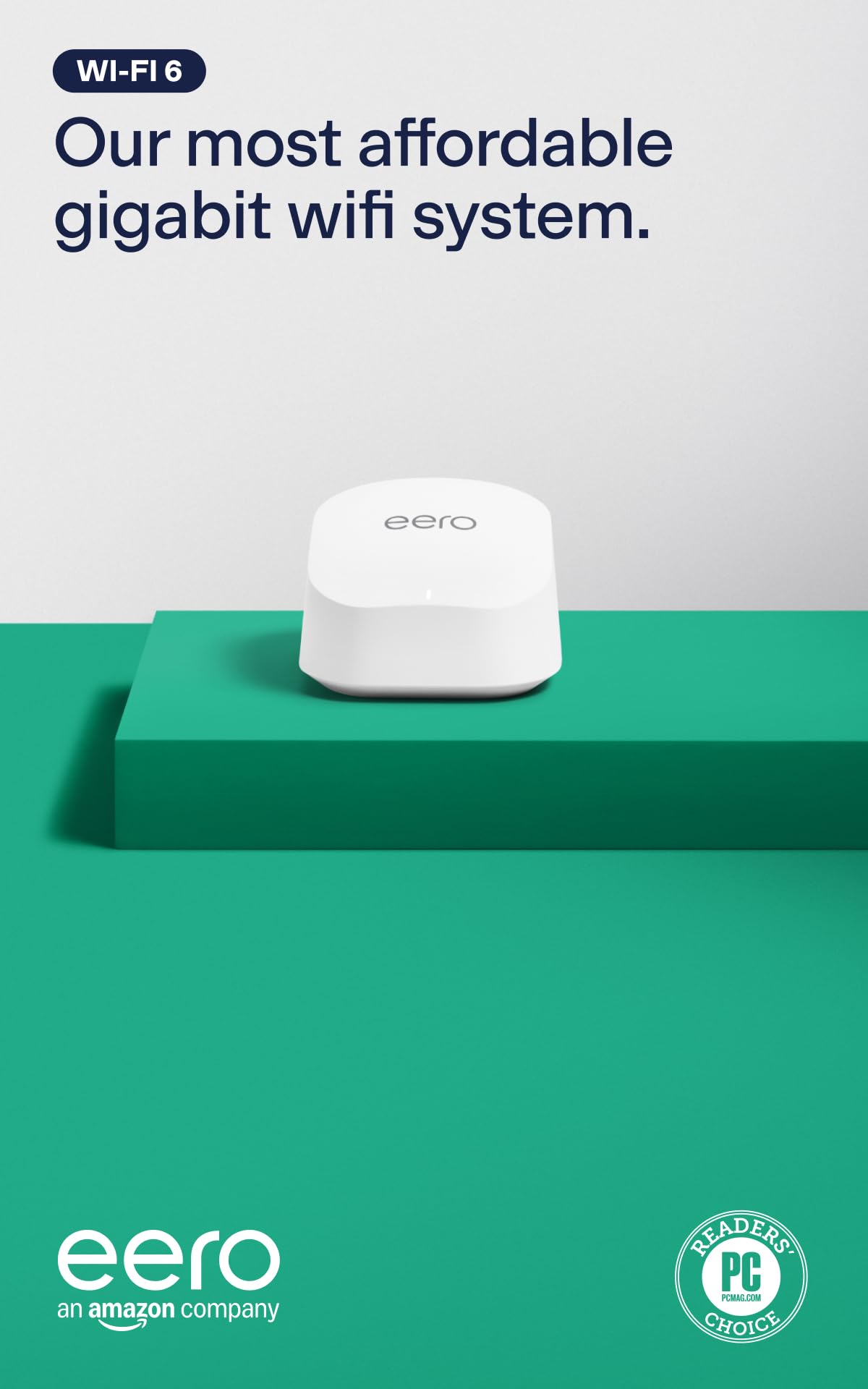
The router you set up from your phone and then stop thinking about.
If the part you dread is the setup, this is the box built to remove it. It supports wifi speeds up to a gigabit and adds the 160 MHz radio channel (a wider lane that carries more data at once), enough for a family to work, stream, and video chat at the same time. Coverage runs to 1,500 square feet with support for 75+ devices, and a single eero can act as your gateway or slot into an existing eero network to extend reach.
You get a working network in minutes, not an afternoon, because the eero app walks you through bringing it online and then lets you manage it from anywhere — buyers praise setup more than anything else about this router. eero’s TrueMesh software routes traffic to cut drop-offs, so video calls hold up as you move between rooms. The box also doubles as a smart home hub: it connects compatible Thread and Zigbee devices (two low-power wireless standards for smart gadgets) with Alexa, so you can skip a separate hub.
Be clear-eyed about two things. Its 1,500 square feet is the smallest coverage figure among these picks, so a big house needs more than one eero. And the reliability and connectivity feedback across reviews is mixed — the picture is mostly solid with a slice of owners reporting disconnections. For an apartment or a smaller home that wants dead-simple app control, it is a clean fit.
The app is the product: guided setup and remote management from the eero app are the reason this one lands with people who do not want to think about networking.
Hub built in: Thread and Zigbee support means your smart home devices can skip a separate hub, and TrueMesh keeps them connected.
Pick this when: you want a small-home network running from your phone in minutes.
Skip if: your home is large or you have hit disconnection issues on mesh gear before.
5. TP-Link AX5400 WiFi 6 Dual Band Router (Archer AX72 Pro)

Six antennas and a 2.5G port aimed squarely at heavy streamers and gamers.
You can wire up a whole desk of gear without a switch, because this router spreads the connections around where most fiber routers offer a couple of ports. It has a 2.5 Gbps WAN/LAN port (2.5 Gbps means 2.5 gigabits per second, a fast fiber-class connection) plus a gigabit WAN/LAN port and three gigabit LAN ports — so one port pulls in a fast fiber line while four more feed wired gear like a PC and a console. The dual-band AX5400 radios (AX5400 is the combined speed rating) push up to 4804 Mbps on the 5GHz band and 574 Mbps on 2.4GHz, so downloads and 4K streaming stay smooth. Six high-performance antennas with Beamforming (which aims signal at the device that needs it) work to cover a whole house. It lists 5.4 Gbps as its rated data transfer rate.
The throughput features are the reason a gamer or heavy streamer should care. MU-MIMO talks to several devices at once across multiple data streams, and OFDMA shares one stream between devices to lift efficiency — together they keep a crowded network from stumbling. You also get VPN client and server support so home devices can reach remote VPN servers without installing software on each, plus Alexa and Google Assistant voice control for the guest network.
The honest note is length of track record: connectivity and reliability feedback is mixed here, so it is not the most proven box on the list, and setup is what people talk about most rather than long-term durability. The six antennas are also a footprint — this is a fixed, desk-standing router, not a travel piece. For a busy home that needs wired ports and streaming headroom, it does the job.
The Case For It
- 2.5 Gbps WAN/LAN plus a gigabit WAN/LAN and three gigabit LAN ports for wired gear
- Up to 4804 Mbps on 5GHz and 574 Mbps on 2.4GHz with MU-MIMO and OFDMA
- Six antennas with Beamforming to aim signal at devices; VPN client and server built in
The Trade-Off
- Connectivity feedback is mixed, so reliability is not as proven as the top picks
- A fixed six-antenna design that sits on a desk rather than traveling
Built for: gamers and heavy streamers who want a 2.5G port plus plenty of wired connections.
Not ideal if: you need a proven reliability record or a router that moves between places.
6. NETGEAR Nighthawk RS100 WiFi 7 Router

Wi-Fi 7 without Wi-Fi 7 pricing, for a home that wants room to grow.
You get the newest wireless standard in a normal home without replacing your older gadgets. It delivers up to 3.6 Gbps across 2.4GHz and 5GHz, which the maker claims is 1.2x faster than WiFi 6, and it stays backward compatible with WiFi 6 and earlier devices so nothing in your house gets left out. Coverage lands at 2,000 square feet in open layouts for up to 50 devices — enough room for phones, cameras, and smart-home gadgets without hitting a wall.
It pairs with your existing modem or gateway over Ethernet and works with most cable, fiber, DSL, and satellite providers, which keeps the switch simple. The Nighthawk app runs guided setup and lets you manage WiFi, run speed tests, pause devices, and spin up guest networks from anywhere. Setup and quality are the aspects people bring up most, and the read on both is positive, with reception strong across a house and support for a 500Mbps internet plan noted in reviews.
Size is where you should be honest with yourself. The spec sheet says 2,000 square feet in open layouts and that walls and floors cut into that — for a larger or multi-story home, NETGEAR itself points to an Orbi mesh system. There is no 2.5G port listed either, so a fiber plan above a gigabit has no multi-gig wired lane here. For a single-story home ready to step onto Wi-Fi 7, it is a sensible buy.
Forward-looking wireless: Wi-Fi 7 with backward compatibility means you can buy once and let newer devices benefit as they arrive, capped at 3.6 Gbps and 50 devices.
Manage from your phone: the Nighthawk app covers setup, speed tests, device pausing, and guest networks, so day-to-day control lives on your phone.
Worth it for: a single-story home that wants Wi-Fi 7 without stretching its reach.
Hold off if: you have multi-gig fiber or a multi-story house the 2,000 square feet will not cover.
7. Amazon eero 7 dual-band mesh Wi-Fi 7 router

The mesh router that takes a 2.5 Gbps fiber plan and spreads it room to room.
Support for internet plans up to 2.5 Gbps is the headline that makes this one fiber-ready in a way the eero 6+ is not. Two auto-sensing 2.5 GbE ports let the line flow in and out without a gigabit ceiling, and wireless speeds reach up to 1.8 Gbps. Coverage runs to 2,000 square feet (the maker frames it as a 25 foot radius) with support for 120+ devices, so a house full of gadgets still has air to breathe.
Your devices stay connected as you walk around the house, because the mesh software does the work. Patented TrueMesh, paired with TrueRoam and TrueChannel, actively keeps each device on the best available connection as you move — reviewers bring up reliability more than anything else, and setup lands in about 15 minutes with coverage across 2,000 square feet. It adds Wi-Fi 7 features like multi-link operation (MLO), which lets a device hold more than one band at once for steadier throughput. It is backward compatible with all earlier eero generations and with eero Built-in on select Echo devices.
Two trade-offs deserve a mention. Connectivity experiences are mixed across reviews, with a share of owners reporting disconnections, so it is not a guaranteed smooth ride for everyone. And the 1.8 Gbps wireless ceiling is below what the 2.5 Gbps wired ports can carry — you pay for the future-proofing more than raw wireless top end today. For a home that wants a single readable network and room to grow into Wi-Fi 7, it is the safe bet.
Why It’s A Keeper
- Two auto-sensing 2.5 GbE ports support fiber plans up to 2.5 Gbps
- 2,000 square feet and 120+ devices with TrueMesh, TrueRoam, and TrueChannel keeping connections optimal
- Backward compatible with all earlier eero generations and select Echo devices
What To Weigh
- Wireless speeds top out at 1.8 Gbps, below what the 2.5 GbE ports can move
- Some reviewers point out disconnections, so reliability is not universal
The right call for: a 2.5 Gbps fiber home that wants one mesh network and Wi-Fi 7 headroom.
Consider another if: you need every drop of wireless speed to match your wired ports.
8. GL.iNet GL-MT6000 Flint 2 Wi-Fi 6 Gaming Router

Built for the gamer who also runs the network, speed and controls together.
Two 2.5G ports and a 6 Gbps Wi-Fi 6 rating put the Flint 2 in a faster bracket than almost anything here on the spec sheet. The 8-stream Wi-Fi 6 radios split across 1148 Mbps and 4804 Mbps, and behind them sit DDR4 1GB of memory and 8GB of eMMC storage — enough to handle over a hundred devices and to install extra plug-ins. It runs pre-installed OpenWrt, so the controls are deep if you want them.
Your game traffic stays fast even through a VPN, because WireGuard reaches up to 900Mbps and OpenVPN up to 880Mbps (both are VPN protocols, or encrypted tunnels for your traffic). That means routing your games through a VPN does not kneecap your fiber line the way a basic router would. AdGuard Home support blocks tracking and ads at the network level through a web interface, so every device on the network gets the benefit. Reviewers single out performance most, then reliability — the read is a router that delivers speeds up to 800 Mbps with better coverage, and setup that takes minutes to configure VLANs (separate virtual networks) and guest networks.
The one recurring note is the firmware: the maker asks you to update it on first setup, because the newer firmware is what brings out the router’s best performance. Skip that step and you are not getting what you paid for. It is also a wired-first product, so the two 2.5G ports reward a setup with fast gear behind them. If gaming latency and VPN speed are your priority, this is the pick.
The gaming edge: dual 2.5G ports plus up to 900Mbps WireGuard and 880Mbps OpenVPN headroom keep a fast fiber plan and a VPN running side by side.
Heads-up: update the firmware the moment it is set up — the maker flags that it is what open up the router’s performance.
The clear winner for: gamers who want OpenWrt control and fast VPN routing on a fiber line.
Think again if: you want a set-and-run box with no firmware wrangling.
9. ASUS RT-BE88U WiFi 7 Router

The top of the heap — 10G ports and a 7.2 Gbps Wi-Fi 7 ceiling for a wired-heavy home.
Nothing else on this list touches its wired capacity. The RT-BE88U brings one 10G SFP+ port and one 10G WAN/LAN port, rated to push wired capacity up to 34G — the kind of headroom a fiber line and a lot of wired gear never strain. Its Wi-Fi 7 radios rate up to 7200Mbps using Multi-Link Operation and 4096-QAM, and behind it all sits a quad-core 2.6GHz 64-bit CPU to drive demanding Wi-Fi 7 and 10G applications. Coverage reaches 3000 square feet per the spec sheet.
You keep a strong connection across the house, since reviewers call out signal strength and speed as the standouts — they note full bandwidth signal and coverage, plus a full 1GB speed test on WiFi. The software keeps pace: AI WAN detection helps hold always-on internet, a USB port is ready for 4G LTE and 5G mobile tethering as a backup, and Guest Network Pro sets up to five SSIDs (separate network names) for IoT devices, instant VPN connections, and parental controls. AiProtection Pro, powered by Trend Micro, adds one-tap security scanning and site-to-site VPN, and AiMesh lets you add units later for whole-home coverage.
This is a flagship, and the honest trade-off is that you are paying for wired capacity and bleeding-edge Wi-Fi that most homes will not fully use yet. If your fiber plan sits in the gigabit range and your devices are Wi-Fi 6, a lot of that 10G hardware stays idle. For the buyer who runs a wired NAS, a home lab, or a line well above a gigabit, though, this is the router that will not be the bottleneck.
The Flagship Case
- 10G SFP+ and 10G WAN/LAN ports rated to push wired capacity up to 34G
- Wi-Fi 7 up to 7200Mbps with MLO and 4096-QAM, backed by a quad-core 2.6GHz CPU
- AiProtection Pro, site-to-site VPN, 4G/5G tethering via USB, and AiMesh expansion
The Honest Catch
- 10G ports and 7.2 Gbps wireless only pay off with matching gear and a fast plan
- For a standard gigabit fiber home, much of the hardware sits unused
Made for: wired-heavy setups — NAS, home lab, or a fiber line well past a gigabit.
Overkill if: you run a standard gigabit plan on Wi-Fi 6 devices.
Know the Specs
WAN and LAN Ports
The WAN port is the intake that ties your router to the fiber box on the wall, and LAN ports feed your wired gear. A gigabit port passes a gigabit plan; a 2.5G port leaves extra room. Look at the port speed before the antenna count — a Wi-Fi 7 router with gigabit ports still caps a multi-gig fiber line on the wired side.
Wireless Standard: Wi-Fi 6 vs 7
Wi-Fi 6 and Wi-Fi 7 are the generations of the wireless standard. Wi-Fi 7 adds features like Multi-Link Operation, which lets a device hold more than one band at once for a more stable link. Newer devices see the gain; older ones still connect because every router here is backward compatible. Buy for the devices you own and plan to add.
Rated Throughput (Mbps and Gbps)
Mbps is megabits per second, the measure of how fast data moves. A 3600 Mbps rating splits across bands rather than landing on one device, so treat the total as a ceiling, not a guaranteed per-device speed. Real speeds depend on your plan, walls, and how many devices share the air at once.
Coverage In Square Feet
Coverage figures in square feet assume open layouts, and walls and floors reduce them. A single router rated for 2,000 square feet can leave rooms dark in a walled-off or multi-story home. That is where a mesh system — two or more units on one network name — takes over from a single box.
VPN Support
A VPN router can encrypt traffic for every device on the network, not just one. Some here offer client and server support, letting home devices reach remote VPN servers without software on each; the fastest handle several hundred Mbps of VPN throughput. Check the VPN speed figure, since routed traffic moves slower than a raw fiber connection.
Common Questions
Will a Ziply Fiber Router work with my fiber service if I am replacing the rental unit?
Do I need a 2.5G port to keep up with a fiber plan?
Is Wi-Fi 7 worth it over Wi-Fi 6 for a fiber home?
How much square footage will one router actually cover?
Can a fiber router run a VPN for the whole network?
Do I need a modem with a fiber router?
What is the difference between a mesh system and a single router?
Will an older Wi-Fi 6 router slow down a faster fiber plan?
Does a gaming router actually lower lag on a fiber connection?
The Bottom Line
For most people, the best ziply fiber router is the GL.iNet GL-MT3000 Beryl AX — it pairs a fiber-class 2.5G WAN port with pre-installed OpenVPN and WireGuard, so it feeds a fast line and keeps your traffic encrypted whether you are at home or on the road. If covering the whole house matters more and your modem is multi-gig, the TP-Link Deco 7 BE23 spreads Wi-Fi 7 across the rooms with two 2.5 Gbps ports behind it. And for a wired-heavy setup with a NAS (network storage) or a line well above a gigabit, the ASUS RT-BE88U brings 10G ports and a 7.2 Gbps ceiling that nothing else here matches. Pick the one whose port speed and coverage fit your plan and floor plan, and your fiber line will finally do the job you are paying for.
How we choose
We do not accept paid placement. Every pick is matched to a real buyer and a real use-case; we do not hands-on test units.
Sources
Specifications: manufacturer listings and product documentation. Review insights: verified customer reviews, as of November 2026. Pricing: not shown on this page (it changes often); check the current price via the retailer link.
As an Amazon Associate, Tactical Gear Guy earns from qualifying purchases. This does not affect which products we feature.