Specs are compiled from manufacturer listings and verified buyer reviews and can change over time — please confirm the key details on the product page before buying.
You want a door that locks itself, opens with a code, and still works when the internet drops. That is exactly why Z-Wave door locks exist — they pair with a hub over a low-power radio link instead of Wi-Fi, so the deadbolt keeps working locally when the internet drops. The catch most buyers miss is that “smart lock” on a box does not mean Z-Wave at all; plenty of popular models are Bluetooth-only or Wi-Fi-only and will never join your SmartThings or Ring Alarm system. Every pick below is confirmed to run the Z-Wave protocol, so your real job is matching door thickness, backset, code count, and finish to your door.
This guide is built by comparing the manufacturers’ published specifications and the patterns across verified customer reviews, so you get each pick’s real strengths and trade-offs instead of marketing spin.
Z-Wave is a low-power radio standard (a short-range wireless language) that lets your lock whisper to a hub instead of shouting across your home network. Once paired, the deadbolt joins your hub’s scenes and schedules, and you can check its lock status from a phone. The picks below sort out which z-wave door locks actually hold up on a real front door.
Top Picks


How To Choose The Best Z-Wave Door Locks
Start with the hub you already own, because a Z-Wave lock only exposes remote control and automation through a compatible controller. A lock that lists SmartThings, Ring Alarm, Vera, or Wink in its compatible controllers will accept remote commands from that system. One that names none of them will sit there as a dumb keypad. Check the compatible-controller list on the box before anything else.
Match the lock to your door, not the other way around
Most deadbolts here replace an existing one without new holes, but only inside a stated door thickness range. Kwikset’s Home Connect 620, for instance, fits doors between 1-3/8 inch and 1-3/4 inch thick. Yale’s Assure SL line goes wider, covering 1-3/8 inch to 2-1/4 inch. Measure your door edge before ordering, then check the backset (the distance from the door edge to the center of the bolt hole).
Decide between a keyed backup and a fully key-free cylinder
A key-free lock has no keyway to pick or bump, which is the tamper-proof argument Yale makes for its Assure SL. The trade-off is you are fully dependent on battery power and your codes. A lock with a physical key and a hidden keyway, like the Schlage and Kwikset SmartKey models, gives you a way in if the electronics quit. Decide which failure worries you more: a picked cylinder or a dead battery.
Count the codes you actually need
Code capacity ranges from small household numbers up to 250 unique PINs on Kwikset’s Home Connect 620 and HomeConnect Long Range. For a rental, dog walker, or cleaning crew, high code capacity plus single-use codes means you never re-key the cylinder. For a two-person home, 30 codes on the Kwikset SmartCode 916 is plenty and easier to manage.
Side-by-Side Comparison
| Model | Best For | Connectivity | User Codes | Type | Amazon |
|---|---|---|---|---|---|
| Schlage FE469NX ACC 716 CAM | Built-in alarm security | Z-Wave | — | Touchscreen deadbolt | Amazon |
| Alfred DB1-C-BL | Bluetooth plus Z-Wave entry | Bluetooth, Z-Wave | 20 | Keypad deadbolt | Amazon |
| Kwikset Home Connect 620 | High-capacity code management | Z-Wave | 250 | Keypad deadbolt | Amazon |
| Kwikset SmartCode 916 | Balanced all-rounder | Z-Wave | 30 | Touchscreen deadbolt | Amazon |
| Yale Assure SL YRD256-ZW2 | Fully key-free pick | Z-Wave | — | Key-free touchscreen | Amazon |
| Kwikset Smartcode 912 | Lever-style entry | Z-Wave | 30 | Keypad lever deadbolt | Amazon |
| Yale Assure SL Z-Wave Brass | Brass finish option | Z-Wave | — | Key-free touchscreen | Amazon |
| Schlage BE469ZPVCAM619 | Anti-pick tamper protection | Z-Wave | — | Touchscreen deadbolt | Amazon |
Detailed Reviews
1. SCHLAGE FE469NX ACC 716 CAM Touchscreen Deadbolt
A deadbolt that shouts when someone rattles the door — alarm built right in.
The standout on this Schlage is that the alarm lives inside the deadbolt itself, so a forced or tampered door sets off a siren right at the lock. That is a second layer of protection you do not have to wire, arm, or pay a monitoring service for. It talks to Amazon Alexa, SmartThings, and Vera through Z-Wave, and the fingerprint-resistant touchscreen wipes clean instead of clouding over with smears.
What wins people over is the build — the fit, finish, and feel of the hardware are the thing owners keep coming back to, with reliability a close second. That lines up with the 4.5+ stars across 750+ ratings that make this the crowd favorite on the list. Installation gets consistently good marks too, and the keyless entry is a clear relief for anyone tired of fishing for keys with an armful of groceries.
The honest limit is smart-home connectivity, which draws the most mixed feelings in the reviews. Pairing tends to reward patience and a hub that plays nicely with older Z-Wave devices. Battery life is the other item to watch — keep the four AA batteries fresh and the alarm stays ready. Weigh that against an armored, alarm-equipped deadbolt and it is an easy call for a security-first front door.
Where It Earns Its Place
- Built-in alarm alerts you to tampering right at the door
- 4.5+ stars across 750+ ratings — the strongest score of the group
- Fingerprint-resistant touchscreen stays clean
- Works with Alexa, SmartThings, and Vera over Z-Wave
What To Weigh First
- Connectivity draws the most mixed feedback in reviews
- Battery life is a watch item — feed it fresh AAs
Worth it for: a home where you want the lock itself to sound the alarm, no separate system required.
Think twice if: you demand instant, easy hub pairing and dislike any setup fiddling.
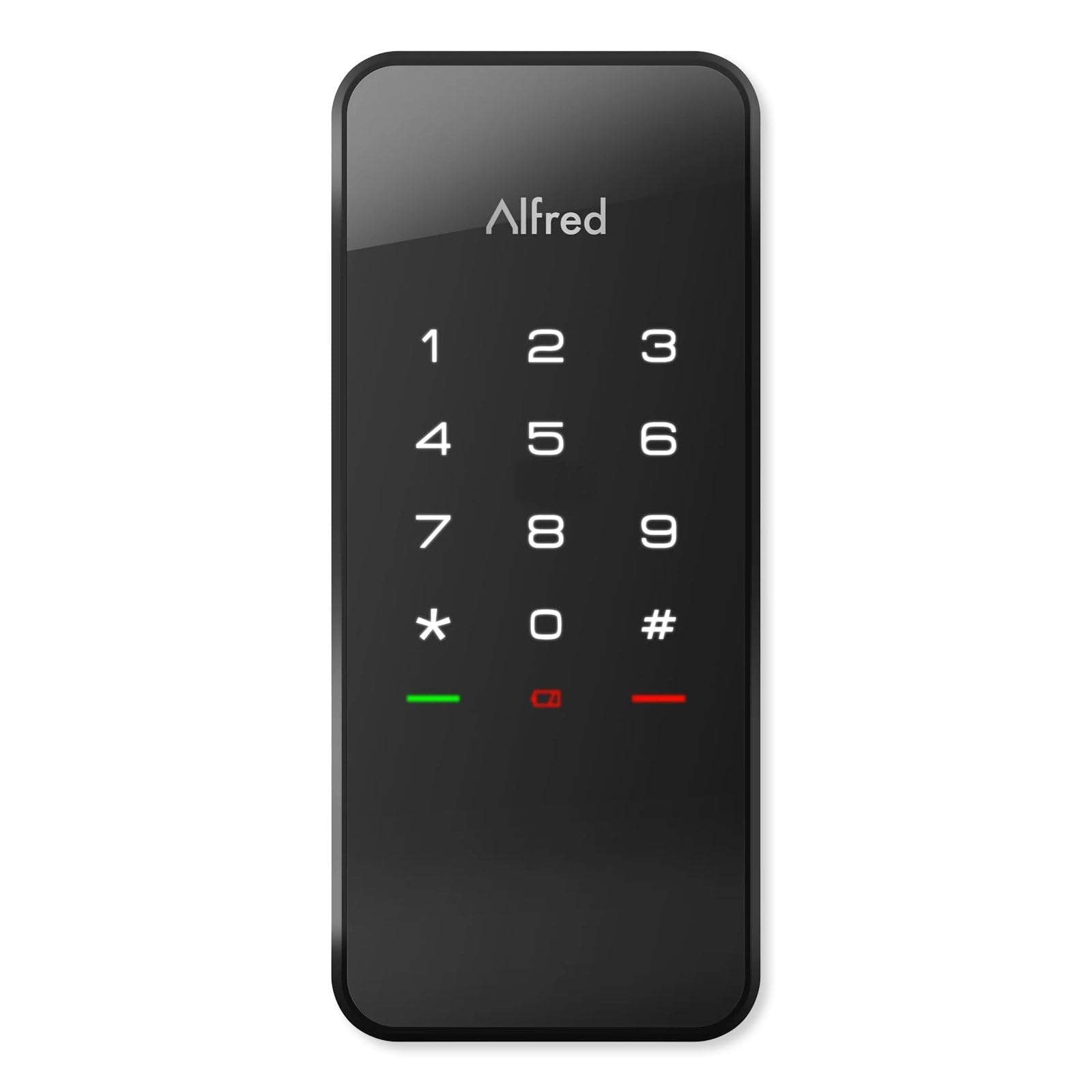
2. Alfred DB1-C-BL Smart Door Lock
Two ways to get in — Bluetooth auto-open up when you walk up, Z-Wave when you are away.
Alfred’s pitch is one-touch entry: with Bluetooth on and your phone nearby, the bolt retracts as you approach. Away from home, it hops onto your Z-Wave network to SmartThings or Vera so you can program and audit the door remotely. You get 20 unique, single-use, or timed PIN codes, which is a clean setup for a guest or a contractor who needs one visit. Four AA batteries run it, and a micro USB emergency port means a dead battery will not strand you outside.
Physically it is a compact metal deadbolt. Its body measures 6.75 x 3.75 x 4 inches, which is larger than the slim Kwikset Home Connect 620 at 2.8 x 1.25 x 4.6 inches — worth knowing if your door hardware is tight. Fitting is friendly: standard 2-1/8 inch hole, an adjustable latch for 2-3/4 inch or 2-3/8 inch backset, three faceplates, and support for 35–50mm thick doors.
Now the trade-off, stated plainly: the biggest theme in buyer feedback is whether the deadbolt fully engages every time, and the keypad gets a split reaction. Some swear by the touchscreen feel; others find it fussy. This is a fit note, not a dealbreaker — it suits a door that is well aligned and a buyer who likes the Bluetooth-walk-up trick. If your strike plate needs a shove to seat a bolt, look at a firmer mechanical lock instead.
The Bluetooth bonus: auto-open up on approach is a genuinely different feel from code-only rivals, and the dual Bluetooth + Z-Wave radios give you phone-proximity entry plus hub control.
Alignment is everything: the motorized bolt needs a square, unobstructed strike — get that right and the single-touch experience is the whole reason to own it.
Best for: tech-comfortable owners who love walking up to an open up door and also want hub control from elsewhere.
Skip if: your door has never seated a deadbolt without a nudge — the motor wants clean alignment.
3. Kwikset Home Connect 620 Smart Lock Deadbolt
Hand out 250 codes and never re-key a cylinder again — a host’s dream.
If you run an Airbnb or rent a room, code capacity is the whole ballgame, and this Kwikset wins it. You can mint up to 250 user codes, which dwarfs the 30 on the Kwikset SmartCode 916 — an 8.3x gap in how many people can hold their own PIN. The SmartKey system lets you re-key the physical cylinder yourself in seconds, so a departed tenant’s key stops working the moment you turn the tool.
It runs on the Z-Wave 700 chipset (a newer radio generation) and comes with a back-lit keypad, one-touch locking, and auto-lock you can schedule. It talks to Google Assistant, Alexa, and SmartThings, and Ring Alarm compatibility is an option through a Ring-compatible hub. The four AA batteries ship in the box and Kwikset rates them at 12 months or longer. Installation is a screwdriver job on doors from 1-3/8 inch to 1-3/4 inch thick.
The recurring note is that this is a motorized deadbolt, so it wants a clean door fit — bind the bolt and the motor works harder. Get the door true and the quiet, fast throw is exactly what guests never notice, which is the point.
The Host’s Advantage
- Up to 250 user codes for big households or rentals
- SmartKey re-keying in seconds, no locksmith
- Auto-lock schedules and one-touch exit locking
- Batteries included and rated 12 months or longer
Set It Up Right Or Else
- Needs a square door fit for smooth bolt travel
- A Z-Wave hub is required for any remote feature
Reach for this if: you cycle codes between tenants, guests, or a rotating cast of helpers.
Not your pick if: a two-person home where managing dozens of codes is overkill.
4. Kwikset HomeConnect 620 Keypad Smart Lock
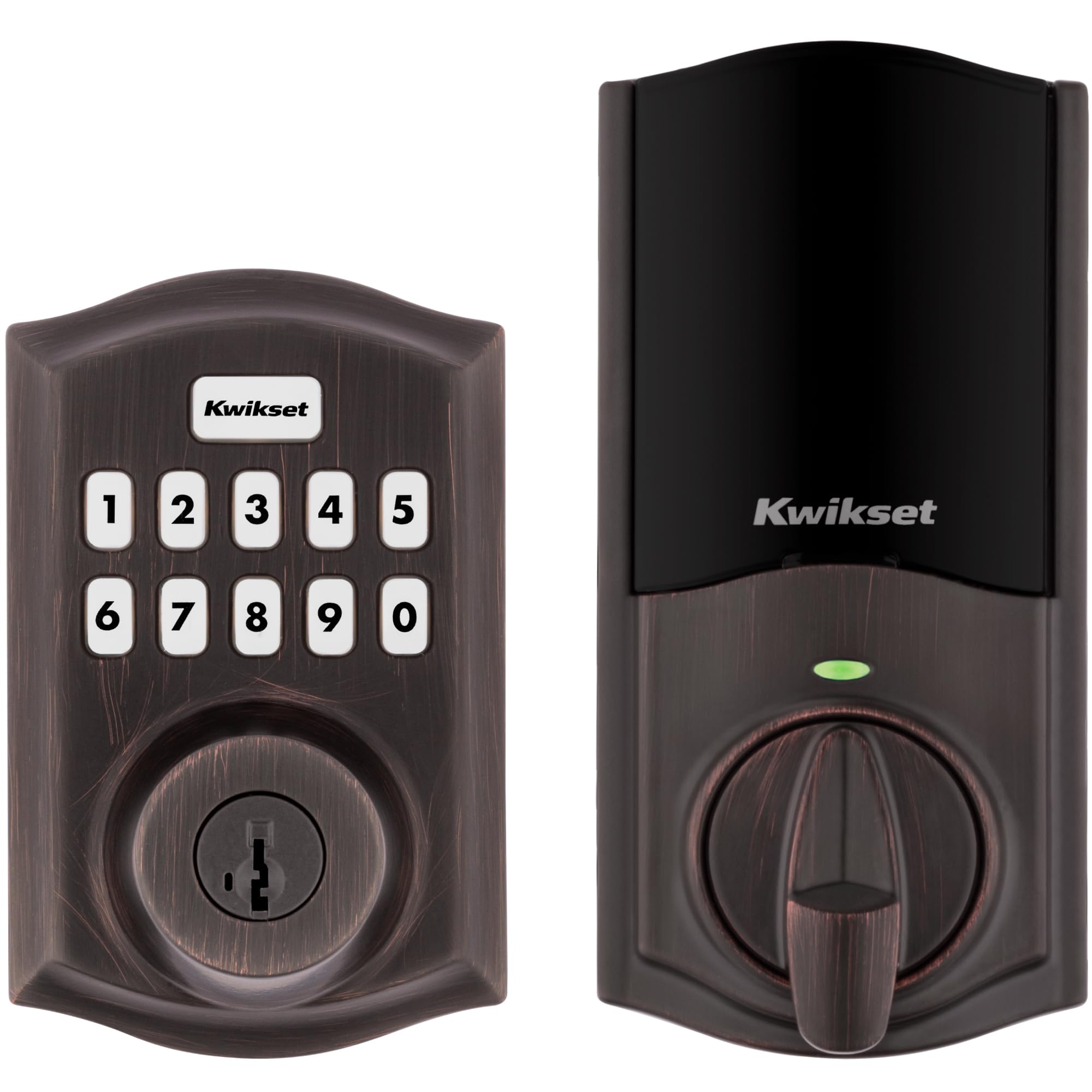
The steady middle ground — 30 codes, a quiet motor, and a lifetime mechanical warranty.
This is the version most homes actually need. Thirty unique codes cover family, a dog walker, and the occasional guest without drowning you in PIN management. The motorized deadbolt throws quietly, the illuminated touchscreen lights up so you can enter a code at night, and one-touch locking sends you off with a tap. Auto-lock handles the rest on a 30-second timer.
Quality and installation are the two things buyers praise most here, and the fit-and-finish holds up over time. It runs on four AA batteries rated 12 months or longer, installs with a screwdriver on doors 1-3/8 inch to 1-3/4 inch thick, and carries a lifetime mechanical and finish warranty plus a one-year electronics warranty. SmartThings compatibility is the spot that draws mixed feedback, so a newer hub helps.
Battery life and key-code entry are where the gripes cluster, and that is fair to acknowledge — the touchscreen rewards a dry fingertip and a little patience. Size that against the warranty and the easy DIY install, and it is a solid pick for a standard front door that does not need to be a command center.
Why It Fits Most Homes
- 30 user codes cover a full household plus help
- Lifetime mechanical and finish warranty
- Quiet motorized bolt and illuminated touchscreen
- Screwdriver install on standard door thicknesses
The Honest Watch-Outs
- Battery life and touchscreen response draw the most complaints
- SmartThings pairing is the shakier of the integrations
Right for: a normal family door where code access and a quiet bolt matter more than deep automation.
Look elsewhere if: you want a huge code list — the 620 doubles the capacity.
5. Kwikset 99160-002 916 SmartCode Touchscreen Deadbolt
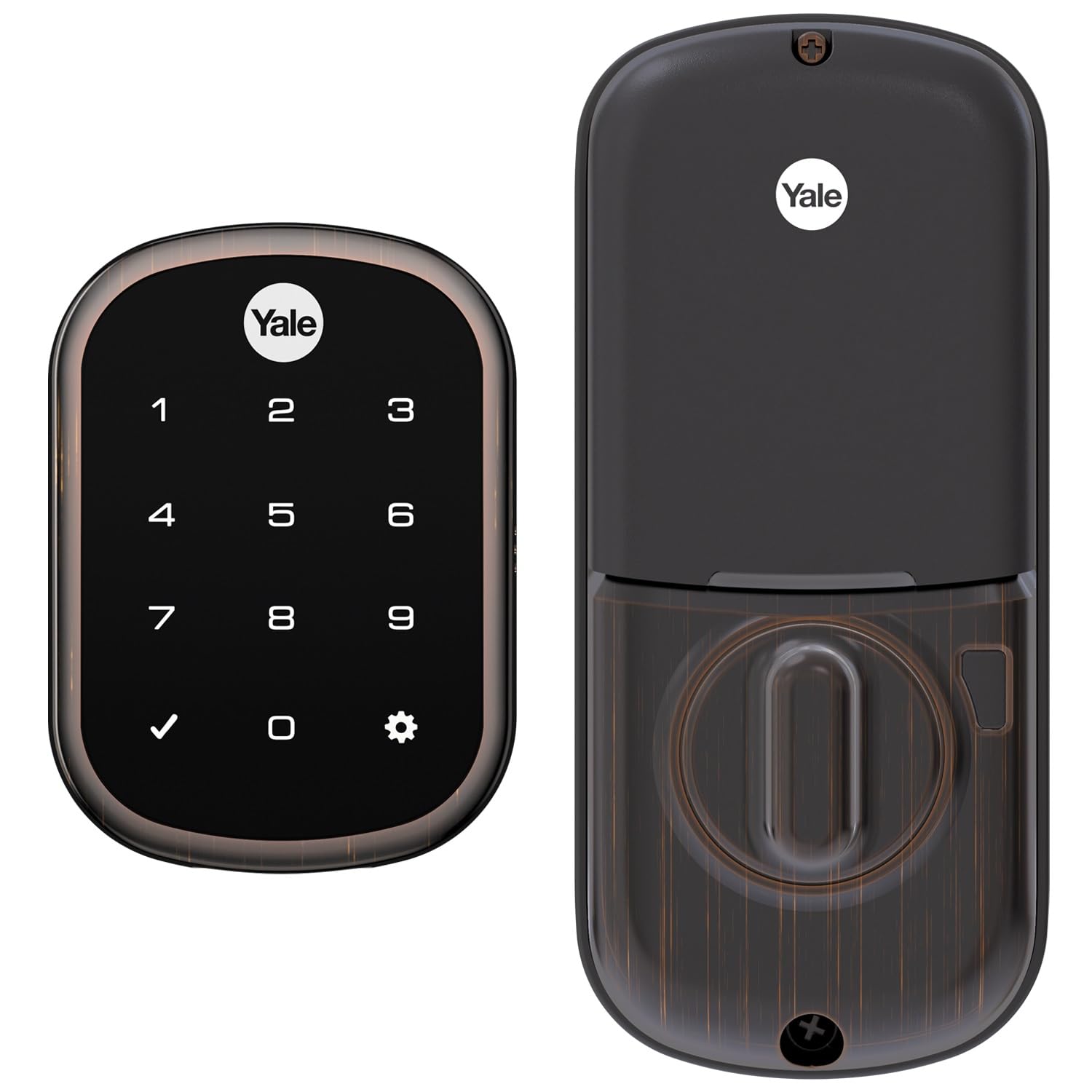
No keyway to pick, no key to lose — the Assure SL is a cylinder-free deadbolt.
Yale built this one fully key-free, which means no lock cylinder to pick, bump, or drill, and no spare key under the mat. You open up on the backlit keypad and lock by pressing any button or switching on auto relock. That is the whole appeal: one less mechanical weak point and one less key to keep track of. It carries an IP-relevant temperature range of -22F to 140F, so a cold front door or a hot one does not faze it.
It joins SmartThings, Ring Alarm, Wink, Vera, and Nexia over Z-Wave, and Alexa voice control works through a compatible hub. No Yale app is used — your smart-home system does the controlling. Installation is a screwdriver job on standard doors 1-3/8 inch to 2-1/4 inch thick with no new holes, and the four AA batteries and mounting hardware ship in the box. A 9V battery terminal gives you a way in if the AA cells die.
Here is the balanced part: setup is praised as straightforward, but reliability draws real caution in the reviews, with reports of the lock quitting without warning. Compatibility with SmartThings is strong; Alexa gating is the rockier edge. This is a superb fit for a renter or homeowner who prizes the key-free cylinder and keeps a hub they trust.
The no-key logic: a fully key-free design kills an entire class of lock attacks — nothing to pick, nothing to copy at the hardware store.
Keep a plan B: reliability reports make a hub you can trust and a charged 9V backup terminal worth checking before winter.
Best for: key-free believers who want the cleanest tamper profile and already run a solid hub.
Think twice if: you want a physical key backup — this lock has none by design.
6. Kwikset Smartcode 912 Keypad Lever Deadbolt

A lever instead of a knob — easier on hands and it comes with a keypad deadbolt.
Some doors call for a lever handle, and the 912 bundles one with a smart deadbolt on the Z-Wave Plus protocol. The reversible Tustin levers are ambidextrous, so the same set works on a left- or right-hand swing. You get a back-lit keypad, one-touch locking, and 30 programmable user codes for family, friends, and the dog walker. Auto-lock handles the closing on a 30-second timer.
You get voice control through Alexa and Google Assistant over Z-Wave, and the lock is rated for 12 months or longer on four AA batteries, so you are not hunting for chargers. Installation is a screwdriver job, and the lifetime mechanical and finish warranty plus a one-year electronics warranty cover the parts that wear and the parts that think. Buyers consistently rate it easy to install and easy to use with Alexa, and it plays well with Home Assistant if you like to tinker.
The thing to plan for is the lever fit — it is designed for doors from 1-3/8 inch to 1-3/4 inch thick, and lever hardware needs clean clearance so the handle does not bind. Set that up and you get a matching lever-plus-smart-lock set that does not demand a second purchase.
The one-box lever play: a smart deadbolt plus an ambidextrous lever from the same box saves matching finishes by hand — a lever door gets its smart upgrade in one purchase.
Clearance matters: lever handle travel needs breathing room, so check the door edge before you commit.
Suits you if: your door uses a lever and you want the smart lock and handle matched.
Skip if: you only need the deadbolt — the knob-style 916 is the leaner call.
7. Yale Assure Lock SL Z-Wave Touchscreen Deadbolt

The same key-free Assure SL, dressed in brass for a warmer front door.
Functionally this is the key-free Assure SL — backlit code entry, lock by tapping any button, auto relock, and Z-Wave control through SmartThings, Ring Alarm, Wink, Vera, and Nexia. What changes is the finish: brass, for the door that wants a classic warm tone instead of brushed nickel. It installs on standard doors 1-3/8 inch to 2-1/4 inch thick with a screwdriver and no new holes, and the four AA batteries ship included. The 9V terminal on the outside keeps you covered if the AAs die.
The well-made build is what buyers appreciate most, with the straightforward install close behind. Ring Alarm pairing works smoothly when it works. Where it wobbles is a familiar story for this line — the function draws mixed feedback, with reports of it stopping for no clear reason, and connectivity needs the right module. Value is the other sore point for some buyers. Treat it as a finish-first pick and you will be happy.
Finish first: if brass is the look you committed to, this is the wiring-light way to get it — no Yale app, just your existing hub.
Module awareness: a couple of buyers report needing an extra Z-Wave Plus smart module for full control — factor that in before you order.
Right for: the buyer who loves the brass look and already has a compatible Z-Wave hub.
Look elsewhere if: the front door finish does not matter — the nickel version is the same lock.
8. Schlage BE469ZPVCAM619 Connect Camelot Touchscreen

Grade 1 hardware and an anti-pick shield — this one is built like a vault door.
Security spec is the reason to look at this Schlage. It carries a BHMA grade of best in security, durability, and finish — rated ANSI grade 1, the top tier. An anti-pick shield blocks tampering attempts at the cylinder, and a built-in alarm sounds when someone tries the door. This is the lock for a front door that gets treated like an entry point, not just a convenience. It fits a universal deadbolt on 2-3/8 inch or 2-3/4 inch backset and doors 1-3/8 inch to 1-3/4 inch thick.
On the smart side, it runs Z-Wave to Alexa, Nexia, SmartThings, and Wink, so remote locking and code entry work through your hub. The durable resistive touchscreen has a matte finish that resists fingerprints, so night-time entries stay simple and the panel keeps looking clean.
The honest counterpoint is that function and value are where buyer feeling gets sharpest — when it works, it works, but the reliability stories deserve your attention before you commit. Pair it with a hub you trust and treat installation as a careful job, and this is a serious security-first deadbolt.
The security case: ANSI grade 1 plus an anti-pick shield is the kind of physical hardening most smart locks skip entirely.
Know the risk: functionality is the most-discussed and most-split trait here — a great lock when it behaves, an occasional headache when it does not.
Choose it when: physical hardening and a built-in alarm matter more than a spotless app experience.
Reconsider if: you want the least fuss — a simpler lock with a steadier track record may serve you better.
Know the Specs
Z-Wave and Z-Wave Plus vs. Long Range
Z-Wave is a low-power radio language that lets a lock talk to a hub instead of your router. Standard Z-Wave hops through the mesh at short range. Z-Wave Plus is the newer generation with better battery and range behavior. Z-Wave Long Range (as on the Kwikset HomeConnect 620 Long Range) gives one lock a direct link back to a compatible hub across the house — but only if your controller speaks Long Range. Every pick here needs a hub; none connect straight to Wi-Fi.
User Code Capacity
A user code is a PIN you hand out so someone can open up without a key. Capacity runs from a small household number up to 250 unique codes on the Kwikset Home Connect 620 and HomeConnect Long Range, versus 30 on the SmartCode 916 and 912, and 20 on the Alfred. More capacity suits rentals and busy households; it also means more codes to manage. Single-use and timed codes (found on the Alfred) let one code expire on its own.
Door Fit: Thickness and Backset
Two measurements decide whether a lock drops into your existing holes. Door thickness is the edge-to-edge depth, and most picks here cover 1-3/8 inch to 1-3/4 inch, while the Yale Assure SL goes up to 2-1/4 inch. Backset is the distance from the door edge to the center of the bolt hole — the Schlage BE469 fits either 2-3/8 inch or 2-3/4 inch. Measure both before ordering.
Keyed Backup vs. Key-Free
A key-free lock (the Yale Assure SL line) has no cylinder (the keyhole barrel a thief could pick), but you rely entirely on codes and battery power. A lock with a keyway and a SmartKey cylinder (Kwikset models) lets you re-key yourself and still get in with a physical key if the electronics fail. Neither is wrong — it depends on whether your bigger fear is a picked cylinder or a dead battery.
Battery Life and Auto-Lock Timers
Most picks here run on four AA batteries. Kwikset rates its 620, 916, and 912 at 12 months or longer. Auto-lock timers range from a fixed 30-second fire on the 916 and 912 up to a tunable 30-second to 10-minute window on the HomeConnect 620 Long Range. A motorized bolt that fights a poorly aligned door drains batteries faster, so a clean door install protects your runtime.
Security Grading and Encryption
ANSI/BHMA grade is the physical-hardening rating — Schlage’s BE469 carries grade 1, the top-tier mark for security, durability, and finish. On the wireless side, S2 encryption on the HomeConnect 620 Long Range protects the signal in transit. An anti-pick shield (on the BE469) hardens the cylinder itself. These are the specs to compare if a door is a real security concern rather than a convenience gadget.
Common Questions
Do all of these Z-Wave door locks work without a hub?
Will a Z-Wave door lock work with my SmartThings or Ring Alarm system?
What is the difference between Z-Wave and Z-Wave Long Range on a door lock?
How long do the batteries last in a Z-Wave door lock?
What door thickness will these Z-Wave deadbolts fit?
Is a key-free lock more secure than one with a physical key?
Can I program a temporary code for a guest or dog walker?
Do these Z-Wave locks still work if the power or internet goes out?
What is the difference between 30 and 250 user codes on a smart lock?
Can I install a Z-Wave door lock myself on an existing deadbolt door?
The Bottom Line
For most doors, the winner is the Schlage FE469NX. It packs a full alarm and a fingerprint-resistant touchscreen into one armored deadbolt, and it holds the highest score of the group at 4.5+ stars. If you run a rental or a rotating cast of guests, the Kwikset Home Connect 620 hands out up to 250 codes and re-keys itself in seconds — exactly the flexibility a host needs. For the cleanest tamper profile, the key-free Yale Assure SL removes the cylinder entirely. And if you are starting from nothing, the mid-range Kwikset SmartCode 916 gives you 30 codes, a quiet bolt, and a lifetime mechanical warranty without overbuying. Pair any of them with a hub that matches its controller list, and measure your door thickness and backset (the distance from the door edge to the center of the keyhole) first. Then you have a front door that locks itself and opens with a code — the whole reason z-wave door locks are worth the upgrade.
How we choose
We do not accept paid placement. Every pick is matched to a real buyer and a real use-case; we do not hands-on test units.
Sources
Specifications: manufacturer listings and product documentation. Review insights: verified customer reviews, as of November 2026. Pricing: not shown on this page (it changes often); check the current price via the retailer link.
As an Amazon Associate, Tactical Gear Guy earns from qualifying purchases. This does not affect which products we feature.