Specs are compiled from manufacturer listings and verified buyer reviews and can change over time — please confirm the key details on the product page before buying.
You want a light switch you can stick on a wall, pair with your hub, and use without calling an electrician. That is exactly what a Zigbee wireless switch does — it talks to your lights over Zigbee (a low-power radio standard many smart hubs already speak) instead of running new wires through your wall. The short answer: buy the Philips Hue Wall Tap Dial if you already own a Hue Bridge, and buy the SONOFF MINI Duo-L if you want to make an ordinary wall switch smart without neutral wiring, or the Shelly 1 Mini Gen4 for a hub-free relay that speaks Wi-Fi, Matter, and Zigbee. The rest of this page explains, in plain English, which Zigbee switch fits your home, your hub, and how you actually press buttons.
This guide is built by comparing the manufacturers’ published specifications and the patterns across verified customer reviews, so you get each pick’s real strengths and trade-offs instead of marketing spin.
Some switches here are battery-powered buttons you mount anywhere, and others are tiny relays that hide behind your existing switch plate. Both count as a zigbee wireless switch, and both are covered below, pick by pick.
Top Picks
How To Choose The Best Zigbee Wireless Switch
Start with one question: do you want to press a button on the wall, or do you want your existing wall switch to become smart? A battery-powered scene button (like the Hue Wall Tap Dial or the THIRDREALITY Smart Button) mounts anywhere with adhesive or a magnet, so it is the easiest option for renters. An in-wall relay (like the SONOFF MINI Duo-L or Shelly 1 Mini Gen4) hides behind your current switch plate and keeps the switch you already know.
Check your hub before anything else
A Zigbee switch is a radio device, not a complete system. It needs a Zigbee hub to translate your button press into an action. The Philips Hue models need a Hue Bridge. The SONOFF Fusion works with SONOFF ZBBridge-P, ZBBridge-U, NSPanel Pro, iHost, SmartThings (via Aeotec Smart Home Hub V3), Home Assistant (ZHA), and Zigbee2MQTT. The THIRDREALITY button works with SmartThings, Aeotec, Hubitat, Home Assistant, and the Third Reality hub. If your hub is not on a model’s list, that model will not pair.
Decide whether you have a neutral wire
Old homes often run only a live wire to the switch, with no neutral return. That rules out most in-wall smart switches. The SONOFF MINI Duo-L is built for exactly that case — it needs no neutral wire. The SONOFF ZBMINIL2 also works without a neutral. If you are unsure what is inside your wall box, have someone qualified look before you buy an in-wall relay.
Count the actions you need
A plain on/off is fine for one lamp. A scene controller is better for routines. The SONOFF Fusion maps up to 16 scene triggers across its four buttons — single, double, triple, and long press on each. The THIRDREALITY button offers three control types (pressed, double pressed, held). Match the action count to how many routines you actually run.
Side-by-Side Comparison
| Model | Best For | Type | Buttons | Hub Needed | Amazon |
|---|---|---|---|---|---|
| Philips Hue Wall Tap Dial★ Best Overall | Hue homes wanting a dial | Battery button + dial | 4 | Hue Bridge | Amazon |
| Shelly 1 Mini Gen4Top Performer | One relay, many ecosystems | In-wall relay | — | No hub required | Amazon |
| Philips Hue Smart ButtonBest for Hue | Simple one-touch Hue control | Battery button | 1 | Hue Bridge | Amazon |
| Aeotec SmartThings Button | Temperature sensing on a button | Battery button | 1 | SmartThings hub | Amazon |
| SONOFF ZBMINIL2 (2 Pack) | Tight wall boxes, two switches | In-wall relay | — | Zigbee hub | Amazon |
| SONOFF Fusion SNZB-01M | 16 scene triggers on four buttons | Battery button | 4 | Zigbee hub | Amazon |
| THIRDREALITY Smart Button | Budget AAA-powered button | Battery button | 1 | Zigbee hub | Amazon |
Detailed Reviews
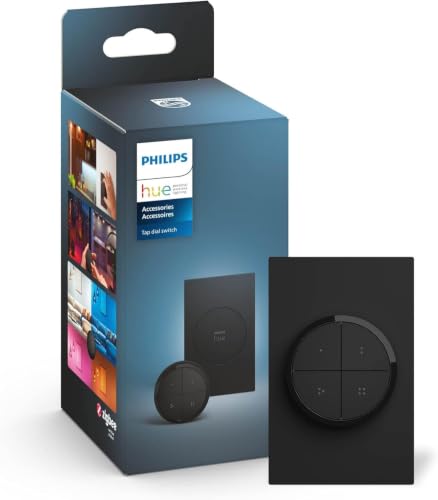
1. Philips Hue Wall Tap Dial Light Switch
Our pick — 4.5+★ from 950+ verified ratings; the strongest balance of quality and price.
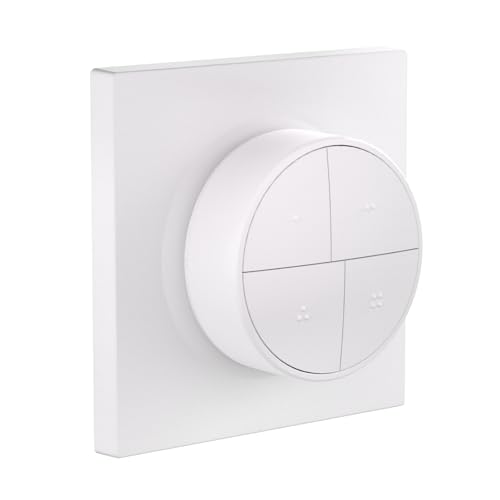
A twist dial plus four buttons that hands you your whole Hue setup from the wall.
The reason this one sits at the top is the dial. Most scene buttons only let you press; this one has a rotary actuator (a twist dial) so you can roll the brightness up and down with a thumb instead of tapping a dim button five times. Add the four programmable buttons and each one can be assigned to its own Room or Zone, with its own light setting. You choose which scenes each button fires, including 24-hour scenes that shift through the day. That blend of dial plus four scene keys is why it wins — the crowd backing it is 4.5+ stars from 900+ owners.
Owners consistently praise its build quality and long-term reliability, and it mounts as a permanent wall fixture rather than a gadget you keep re-sticking. Mounting is genuinely flexible: an adhesive backing for the wall, or park it on any magnetic surface and carry it around like a remote. The box includes the switch and one CR2032 coin battery, so it works the moment you pair it. A Hue Bridge is required, though — this is not a Wi-Fi device and will not talk to your router directly.
The honest catch is the bridge lock-in and a mixed word on connectivity. This switch lives inside the Hue ecosystem, so it obeys Hue lights and scenes rather than any Zigbee device you happen to own. If you already run a Hue Bridge, that is a feature; if you run Home Assistant with generic Zigbee bulbs, look further down this list instead. It is a superb first switch for a Hue house and the wrong switch for a mixed-brand hub.
What earns the top spot
- Rotary dial gives smooth brightness control, not just taps
- Four programmable buttons, each mapped to its own Room or Zone
- No-wire install: adhesive backing or magnet mount
- Battery included, pairs straight to a Hue Bridge
Where it holds you back
- Requires a Hue Bridge and works with Hue lighting, not any Zigbee bulb
- Connectivity feedback is mixed in the review pages
Reach for this if: you run Hue lights and a Hue Bridge and want a tactile dial on the wall.
Look elsewhere if: your hub is Home Assistant or SmartThings and your bulbs are not Hue.
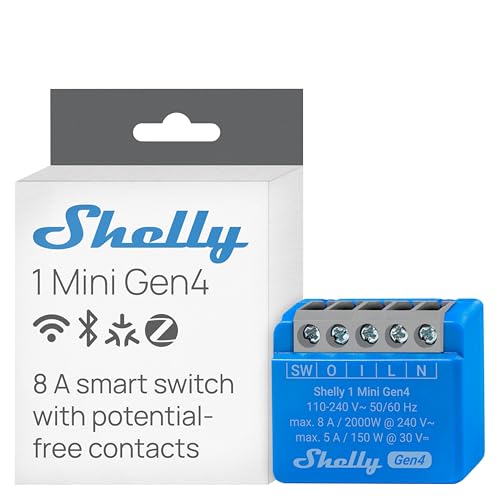
2. Shelly 1 Mini Gen4 Smart Relay Switch
One tiny relay that speaks three languages — Wi-Fi, Matter, and Zigbee — with no hub.
Here is the number that matters: this relay handles loads up to 8A, which covers lights, appliances, and office equipment, and it does it without a hub in the loop. That is the widest compatibility on this list — Wi-Fi, Zigbee, and Matter all in one device. For a small relay, that load headroom is what lets it sit behind real switches rather than just lamps.
Owners consistently point to functionality and build quality, and the setup pain point is refreshingly absent — connecting to Wi-Fi is described as simple. The compact size is the sleeper feature: it tucks behind an existing light switch or even inside a garage door opener, so you are not hunting for a wall box with spare room. Dry contacts mean you can wire it to a door motor or a coffee maker just as readily as a lamp. The upgraded processor and 8 MB of memory keep the automations responsive.
The trade-off is that this is a relay, not a button. You wire it in, which means mains voltage and a screwdriver, and it does not give you a tactile press unless your existing switch does. If you rent or do not want to touch wiring, a battery button further down is the safer start. For anyone comfortable wiring a switch box, no other relay here matches its 8A load, Matter plus Zigbee support, and hub-free operation.
Why it earns this slot: 8A capacity, three protocols including Matter and Zigbee, and no hub required — it converts almost any small appliance or light into a smart one.
The one thing to know: it is an in-wall relay, so installing it means working with live wiring behind your switch plate.
The confident verdict: the most flexible relay here if you can handle mains wiring and want Matter plus Zigbee in one unit.
Think twice if: you want a pressable button rather than a hidden relay.
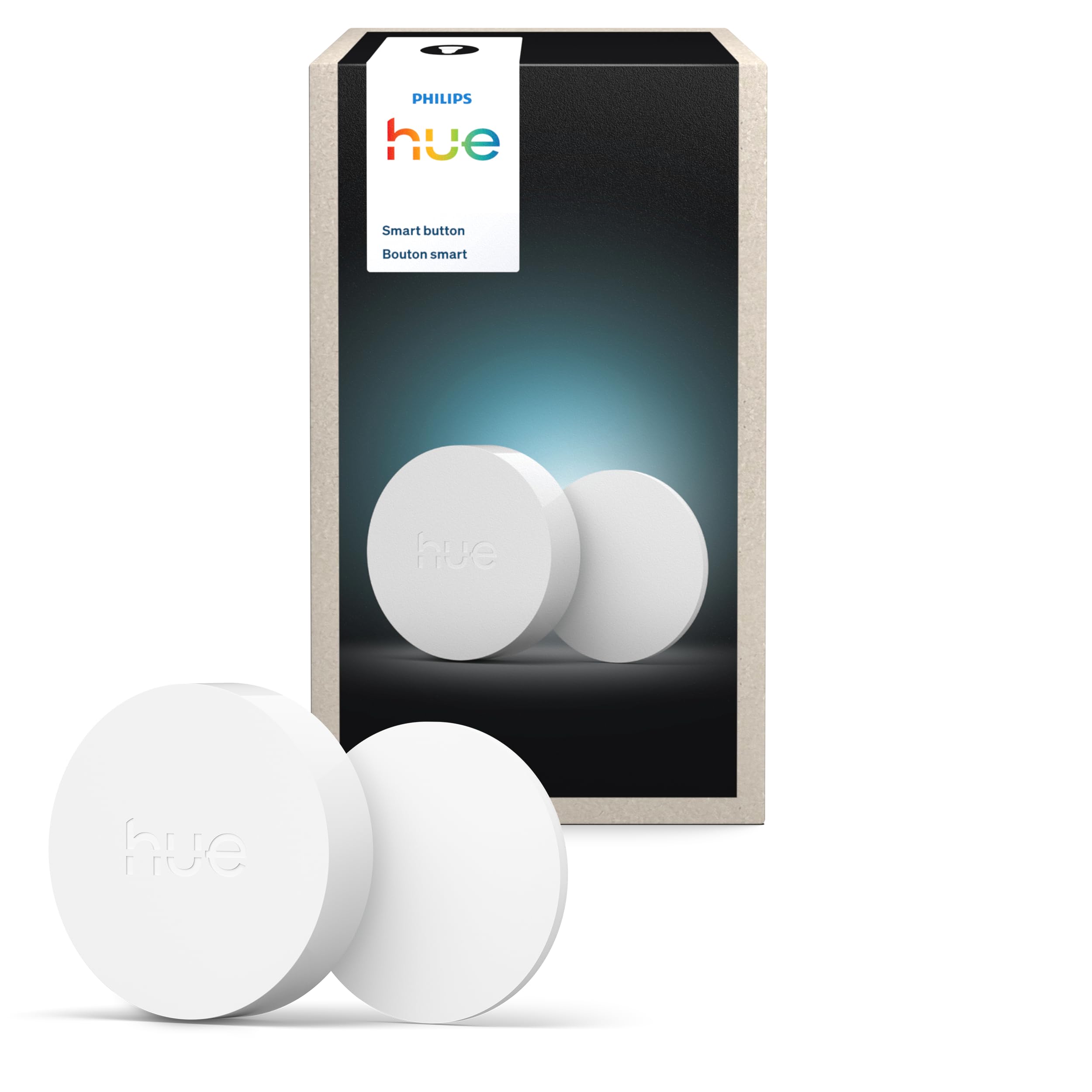
3. PHILIPS Hue Wireless Smart Light Switch Button
The stripped-down Hue button: one press, one scene, dim with a hold.
If the Wall Tap Dial felt like too much hardware, this is the same Hue idea with a single key. Press once to turn lights on and off or cycle through scenes, and hold to dim or brighten the room. By default it runs the Time-based light function, which hands you the light the Hue app thinks fits the moment — warm in the evening, brighter in the day. You set which Room or Zone it controls and which scenes fill each time slot inside the Hue app. It also starts and stops automations from the Automations tab with one press.
Owners single out its reliability and build quality — it is a one-press Hue button you mount once and stop thinking about. The footprint is small and it mounts with the included adhesive or on any magnetic surface, so a bedside table or a hallway wall both work. Integration with Home Assistant and Zigbee2MQTT is a plus buyers call out, which widens its reach beyond a pure Hue household. Its 4.5+ star rating reflects the same story: one press, one scene, and a Hue Bridge pairing that takes minutes.
What you give up is the dial and the extra buttons — this is one key, not four. The magnetic attachment is also the recurring gripe, since the button can slide down its pad after a press; the fix is to press it more from the middle or mount it flat. It requires the Hue Bridge just like the Tap Dial. For a single room or a bedside, that simplicity is exactly the point.
Best for: a bedside or hallway Hue press point where you want one obvious button.
Not for: anyone who wants a dial or multiple scene keys in one unit.
4. Aeotec SmartThings Button, Zigbee Remote Control
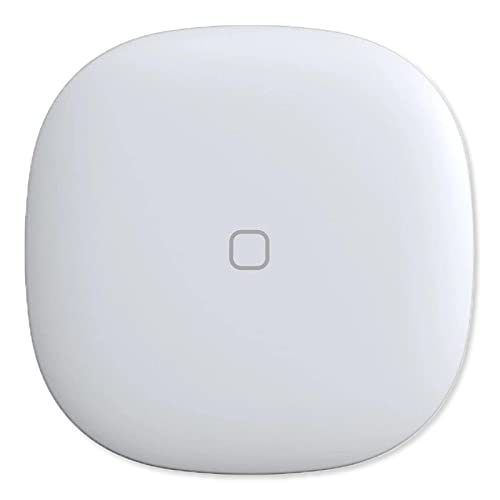
A single Zigbee button that moonlights as a room temperature sensor.
The differentiator here is a sensor buried in a button. This Aeotec unit has an integrated temperature sensor alongside its single press key, so you can park it in a room and use it to trigger automations based on how warm or cold that room has gotten. It controls compatible lights, appliances, and other Smart Home devices at the touch of a button, and it works across Hue, Ring, Arlo, EcoBee, Honeywell, and Bose through a SmartThings hub. If you want one device doing double duty as a scene trigger and a thermostat readout, this is the pick.
Owners note the build quality and the SmartThings setup, and it pairs cleanly with a Rinnai water heater in one reported case — a sign it reaches beyond lighting into appliance control. Mounting is as easy as it gets: a magnet or a 3M adhesive strip, with no wiring and no box. The compact, simple design means it disappears on a fridge door or a bedside table. Battery is one CR2 cell, which is a less common size than the AAA cells on some buttons here — worth stocking a spare when you buy.
The fit note is battery life and responsiveness, both mixed in the review pages — some report it very responsive, others want more runtime out of the CR2. Value is also a talking point, since this is not the cheapest single button on this page. For a SmartThings household that triggers automations on room temperature, though, the built-in sensor justifies the higher price than a press-only button. Just plan on replacing the CR2 periodically rather than expecting AAA convenience.
Reasons it stands out
- Integrated temperature sensor adds automation data most buttons lack
- Contrasts with the SONOFF Fusion and THIRDREALITY buttons, which are press-only
- Magnet or 3M adhesive mounting, no wiring
- Works across Hue, Ring, Arlo, EcoBee, Honeywell, and Bose via SmartThings
What to weigh first
- Battery life and responsiveness are mixed in owner feedback
- Uses a CR2 battery rather than common AAA cells
Right for you if: your automation logic depends on room temperature as well as a button press.
Pass on it if: you want the cheapest, most widely stocked battery type.
5. SONOFF Zigbee Smart Light Switch ZBMINIL2, 2 Pack

Two tiny no-neutral relays for two switches, made for cramped EU-style boxes.
Size is the argument here. This is pitched as the tiniest Zigbee smart switch in the lineup, small enough to fit the smallest EU-type, 86-type, or 120-type mounting box. It also needs no neutral wire, and it works with different external switches — a rocker or a push-button wall switch — so you keep the plate you already like. As a Zigbee 3.0 device it joins a hub to form a local network, so a dropped internet connection does not stop local control. That local reliability is the reason it earns a spot.
Two details matter for real homes. First, it can drive loads as low as 3W without an anti-flicker module, which is the fix for LED bulbs that tend to buzz or blink on cheaper relays. Second, it handles two-way control for things like a staircase light, and it takes countdown and scheduled timers. Functionality and ease of installation are the positives here, and the compact size is a repeated theme. This is a two-pack, so one order covers two switches in your home.
The fair caveat is the mixed noise around reliability and connectivity. Some setups pair cleanly and others need patience, which is common when a hub and a relay disagree on firmware. Note that ZBMINIL2 is a Zigbee End-Device — it reports to the hub rather than routing other devices — so it is not a mesh extender. Compatibility is also mixed across hubs, so confirm your model is supported before installing two of them. Once paired, it is a compact no-neutral relay that handles LED loads down to 3W without an anti-flicker module.
Where it fits: a house with small EU-style boxes and two no-neutral switches to modernize, with a 3W-equipment-friendly floor for dim LED loads.
Where it can frustrate: connectivity and reliability are uneven across hubs, and it is an End-Device rather than a mesh router.
Your move: grab the two-pack if tiny boxes and no-neutral wiring are your reality and you can check hub compatibility first.
Hold off if: you need your switch to extend the Zigbee mesh for other devices.
6. SONOFF Fusion Zigbee Smart Scene Button SNZB-01M
Four buttons, four press types each — sixteen scenes from one palm-sized controller.
Count the possibilities. Four programmable buttons each support single, double, triple, and long press — up to 16 customizable scene triggers total. That blows past the one-key buttons on this page, and even past the THIRDREALITY button’s three control types, by a wide margin on flexibility. You can control lights, routines, and appliances from one compact Zigbee scene controller. For a household that runs a lot of routines — movie time, bedtime, arriving home — the trigger count is the reason to buy it.
Two features separate it from ordinary scene keys. First, the buttons support Zigbee Binding, which lets each key directly control Zigbee devices or groups without relying on the hub for processing — faster response and local control even if the hub is busy. Second, TouchLink pairs it with compatible lights for instant on/off and smooth dimming, with a long press to adjust brightness, no cloud needed. The magnetic base is a real convenience: use it handheld, drop it on a desk, stick it to metal, or mount it on the wall with screws, adhesive, or an 86-type wall box. It runs on a Zigbee hub, with the SONOFF ZBBridge models, NSPanel Pro, iHost, SmartThings via Aeotec V3, Home Assistant via ZHA, and Zigbee2MQTT all supported.
The honest limit is connectivity consistency. The setup itself is smooth, and mapping four actions to each button is a repeated positive, but the connection to Home Assistant is uneven — some get it working through ZHA or Z2M, and a few cannot. IP00 also means no protection from dust or liquid, so do not place it in a kitchen splash zone or a damp garage. If your hub is Home Assistant, treat it as a pairing project rather than a plug-and-play key.
The standout draw: up to 16 scene triggers across four buttons, with Zigbee Binding for hub-independent local control and TouchLink dimming.
Worth knowing: Home Assistant connection is inconsistent across owners, and its IP00 rating means it stays away from damp or splashy spots.
Ideal owner: a routine-heavy home with a SONOFF or SmartThings hub that wants more scene keys than anyone else on this list.
skip it if: you need it mounted somewhere damp or you expect zero setup friction on Home Assistant.
7. THIRDREALITY ZigBee Smart Button, 3-Way Remote Control

The entry-level Zigbee button that runs on two AAA cells instead of coin batteries.
The spec that wins favor here is the battery type. This button runs on 2 AAA alkaline cells, which the maker rates to last around 3 years in normal use — a big convenience win over CR2032 or CR2 cells, since AAA is the battery you already keep in a drawer. As a Zigbee 3.0 device it pairs with SmartThings, Aeotec, Hubitat, Home Assistant, and the Third Reality hub, and it can reach Apple HomeKit through the Smart Bridge MZ1 (sold separately). It weighs 1.44 ounces, so it is light enough to hang on tape with no sag.
Three control types do the work: pressed, double pressed, and held. That is enough to turn on a light with one press, fire a fan or humidifier with a double press, and shut everything down with a hold. Mounting is genuinely fuss-free — double-sided tape for the wall, or magnetic strips to stick it to a fridge, both included. It takes OTA software updates so the firmware can improve over time. Buyers rate it for being easy to configure and build automations with, especially alongside a Hubitat Elevation (C-7) hub.
Where it asks for a little patience is range and hub pickiness. Maximum range is 10 meters, so a distant corner may need a Zigbee router between the button and the hub. It is a single button, not a multi-key pad, so a routine-heavy home will want the SONOFF Fusion above instead. It is the cheapest real Zigbee button here, and for a simple “one press, one light” job at that price, it is the sensible starting point.
Why budget buyers like it
- 2 AAA cells rated around 3 years, no coin cells to hunt down
- Pressed, double pressed, and held for three actions per key
- Magnetic strips and double-sided tape included
- Works with SmartThings, Hubitat, Home Assistant, and Smart Bridge MZ1
Bounds to respect
- 10-meter range needs a Zigbee router for far corners
- One button only — no multi-key scene pad
The entry pick: a first Zigbee button for a simple press-to-light job on a budget.
Upgrade when: you need several buttons on one device or coverage beyond 10 meters.
Know the Specs
Current Rating and Load
The current rating is how much electrical load a switch can carry, measured in amps. A relay rated 8A like the Shelly 1 Mini Gen4 can switch a coffee maker or a light circuit, while a battery scene button like the SONOFF Fusion is a trigger and carries no mains load at all. Match the amp number to what you are actually switching, and never exceed it.
Neutral Wire Requirement
A neutral wire is the return line in a circuit. Many old wall boxes have only a live wire at the switch, so a “no neutral” relay like the SONOFF MINI Duo-L or ZBMINIL2 is what fits. If you have a neutral, standard in-wall relays open up.
Zigbee Hub and Protocol
Zigbee is a low-power radio standard, and a hub translates switch presses into actions. Zigbee 3.0 is the current version, and pairing support for Home Assistant, ZHA, and Zigbee2MQTT varies by model — always check the compatibility list on the product you buy.
Press Types and Scene Triggers
A press type is how you touch the button: single press, double press, triple press, or long hold. Each type can fire a different scene. The SONOFF Fusion maps up to 16 triggers across four buttons; simpler buttons offer one key with three press types.
Common Questions
Do I need a hub for a Zigbee wireless switch?
What does “no neutral wire” mean and which switches here support it?
Will the SONOFF Fusion scene button work with Home Assistant?
Can a Zigbee button turn on more than just lights?
How long do the batteries last on a Zigbee button?
Are in-wall relays or battery buttons better for renters?
What is Zigbee Binding and why does it matter on the SONOFF Fusion?
Does a Zigbee switch work if my internet goes down?
Can I mount a Zigbee button on metal or a fridge?
What does the button quantity spec tell me before I buy?
The Bottom Line
For the best best zigbee wireless switch fit in most homes, the Philips Hue Wall Tap Dial is the one to reach for, because its rotary dial plus four programmable buttons give you dimming and scenes from one wall plate. If you are comfortable in a switch box and want one relay that speaks Wi-Fi, Matter, and Zigbee, the Shelly 1 Mini Gen4 is the more versatile upgrade. And for old wiring with no neutral, the dual-channel SONOFF MINI Duo-L is the practical pick. Whichever you choose, confirm your hub is on the compatibility list before you buy — that single check is what keeps a Zigbee switch from sitting in a drawer.
How we choose
We do not accept paid placement. Every pick is matched to a real buyer and a real use-case; we do not hands-on test units.
Sources
Specifications: manufacturer listings and product documentation. Review insights: verified customer reviews, as of November 2026. Pricing: not shown on this page (it changes often); check the current price via the retailer link.
As an Amazon Associate, Tactical Gear Guy earns from qualifying purchases. This does not affect which products we feature.