Specs are compiled from manufacturer listings and verified buyer reviews and can change over time — please confirm the key details on the product page before buying.
Most smart-home gadgets stall for one boring reason: the hub that is supposed to talk to them either does not support them, or it takes the commands on a slow round trip through a server in another state. A good Zigbee hub is the small box that sits on your shelf, holds the mesh together, and answers in a blink. This guide sorts the real contenders so you can pick the one that fits your lights, your sensors, and how much cloud you are willing to hand over.
This guide is built by comparing the manufacturers’ published specifications and the patterns across verified customer reviews, so you get each pick’s real strengths and trade-offs instead of marketing spin.
The one thing that trips up almost everybody is the hub not matching the bulbs and buttons already in the house. That is why each entry here notes its device limit, its radio mix, and the app you are signing up for. By the end you will know which hub runs your gear locally and which one wants a subscription you will never use. The shortlist below is built around those three checks — device limit, radio mix, and app — so you don’t end up buying a second hub six weeks later.
Top Picks

How To Choose The Best Zigbee Smart Home Hub
The hub is rarely the expensive part of a Zigbee setup. What costs you time is discovering, after the box arrives, that half your devices speak a protocol it ignores, or that the app wants a login for every routine. Read the four points below before you buy anything, and the shortlist becomes an easy pick.
Match the radios to the devices you already own
A Zigbee hub is only as useful as the sensors it can see. Some gateways only accept devices from their own brand, which is fine if you are starting clean. Others, like the multi-protocol gateways, take Bluetooth mesh and Zigbee together — handy when you have a Bluetooth door lock next to a Zigbee switch. The rule: check the box’s radio list against your existing bulbs and buttons first, and only then compare price or app.
Count your child devices, not your rooms
Every hub publishes a child-device ceiling — the number of lights, plugs, sensors and switches it can hold at once. Those ceilings run from 40 on the small Matter bridges up to 128 on the larger Aqara and Tuya-style gateways. If you plan to grow past a dozen Zigbee devices per floor, pick a hub with headroom, because a hub at its limit starts dropping sensors off the network.
Decide how much cloud you can tolerate
The difference between a cloud hub and a local one is what happens when the internet dies. A cloud hub waits for a server to approve the command. A local hub runs the automation on its own processor, so the light still comes on at dusk. If your routines matter to you — arrival scenes, door locks, alarm arm-and-disarm — prioritise local processing over a slicker app.
Pick the ecosystem you actually use
Alexa, Google Home and Apple HomeKit each play differently with hubs. A hub that works with HomeKit natively needs the Apple Home hub on the same network as both router and phone. A Matter bridge lets a Zigbee-only hub show up in other ecosystems without extra hardware. Write down which assistant you already use — Alexa, Google Home or HomeKit — and buy a hub that supports it natively.
Side-by-Side Comparison
| Model | Best For | Protocols | Child Device Limit | Connection | Amazon |
|---|---|---|---|---|---|
| Philips Hue Bridge★ Best Overall | Hue households | Zigbee, Matter | 50 lights and accessories | LAN cable | Amazon |
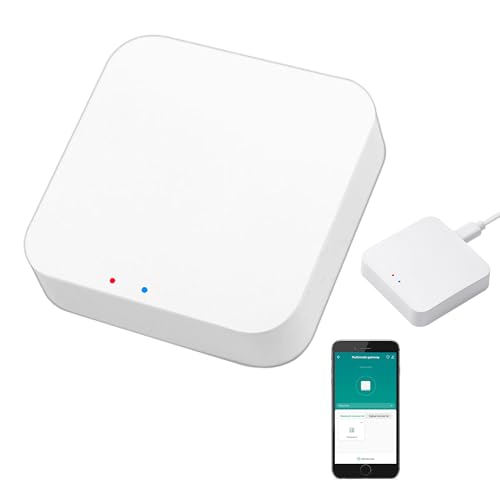
| Smart Multi-Mode GatewayBest Value | Tuya budget builds | Zigbee 3.0, Bluetooth mesh | 128 Tuya devices | 2.4GHz Wi-Fi | Amazon |
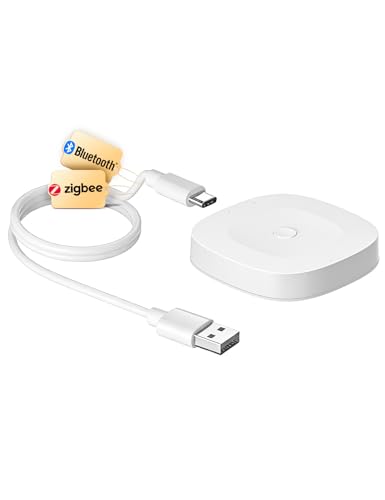
| MOES ZigBee & Bluetooth GatewayMost Compact | Local Tuya scenes | Zigbee 3.0, Bluetooth mesh | 128 Tuya devices | 2.4GHz Wi-Fi | Amazon |
| Zigbee 3.0 USB Dongle Plus-E | Home Assistant DIY | Zigbee 3.0 | 40 direct, 100+ expanded | USB 2.0 | Amazon |
| AduroSmart ERIA Hub | Mixed-brand bulbs | Zigbee | — | LAN cable | Amazon |
| Aqara Hub M1S Gen 2 | HomeKit alarm nightlight | Zigbee 3.0 | 128 Aqara devices | 2.4GHz Wi-Fi | Amazon |
| Aqara Smart Hub M200 | Matter and Thread bridge | Zigbee, Thread, Wi-Fi, IR | 40 Zigbee and 40 Thread | PoE or dual-band Wi-Fi | Amazon |
| SMLIGHT SLZB-06U | Remote Zigbee over Ethernet | Zigbee 3.0 (Matter-over-Thread experimental) | — | Ethernet, USB or Wi-Fi | Amazon |
| Hubitat Elevation C-8 Pro | Whole-home multi-protocol | Zigbee 3.0, Z-Wave 800, Matter, Bluetooth | 1,000+ devices across 100+ brands | Ethernet | Amazon |
Detailed Reviews
1. Philips Hue Bridge
Our pick — 4.5+★ from 11,000+ verified ratings; the strongest balance of quality and price.
The quiet box that keeps your lights alive when the internet is not.
If your house is already full of Hue bulbs, this is the brain they have been waiting for, and it is the pick with the deepest owner base on this whole list — 4.5+ stars across 11,000+ owners. The hardware is a small white puck, 8.3 ounces, that plugs into your router with the included LAN cable. It talks to your lights over Zigbee, a low-power wireless mesh built for lighting, so the bulbs answer without leaning on your Wi-Fi.
The reason it earns the top spot is the local brain. Hue lights keep working when your Wi-Fi goes down, because the bridge talks to them directly instead of routing the command through a server. That matters in a power cut or a router reboot: your hallway still lights up. The cap is 50 lights and accessories on one bridge, which covers a full house and a garden of outdoor fixtures. It also brings Hue lights into Matter, the cross-brand standard, so other smart-home platforms can see them.
What wins people over is the quality of the connection and the setup — the bridge pairs with bulbs fast, and owners describe full control over individual rooms, scenes and groups of lights. The gen-1 Hue bulbs are the one thing it will not talk to, and older lights from the first generation need replacing before the bridge is useful to you. The middle ground of opinion sits on value and lighting control, where owners wish the app-side features went further. Group control and out-of-home access both work, and voice control through Alexa and HomeKit is on the box.
The catch is the brand lock. It pairs with Hue lights and accessories well, but it is not a general Zigbee hub for every sensor you own — the Zigbee radio is there for Hue gear. If you want one hub to run budget sensors from six different brands, this is not that hub. If you want a lighting system that simply works and keeps working offline, this is the safest buy on the page.
What sets the bridge apart
- Zigbee radio keeps Hue lights on when your Wi-Fi drops
- Room for 50 lights and accessories on a single bridge
- Matter support lets other platforms see your Hue lights
- Automatic updates arrive without you doing anything
Where the bridge stops
- Will not work with the original gen-1 Hue bulbs
- Sync to movies and music needs the separate HDMI Sync Box
- Built for Hue gear, not as a catch-all Zigbee hub
Reach for this if: your house already runs on Hue bulbs and you want the full automation layer.
Look elsewhere if: you need one hub to herd mixed-brand sensors.
2. Smart Multi-Mode Gateway (ZigBee 3.0 + Bluetooth Mesh)
One tiny box that speaks Zigbee and Bluetooth at the same time.
The core of this thing is a two-in-one trick: Zigbee 3.0 and Bluetooth mesh (SIG) share one gateway, so you add devices from both radios to the same 2.4GHz network. That means a Bluetooth door lock and a Zigbee window sensor can sit in the same app. It holds up to 128 Tuya smart home devices, which is a lot of sensors for a small puck that weighs 1.76 ounces.
The function here is the thing that lands: the gateway handles what it is asked to, and owners who have paired Bluetooth door locks and Wi-Fi gear report it just working. Quality and ease of use sit right behind that. You control everything through the Smart Life or Tuya app, add and reset devices there, and group them so a single tap hits a whole room. Voice control covers Alexa and Google Home for lights and plugs.
The honest limit is the ecosystem. This gateway only supports Tuya and Smart Life devices — it will not take a Hue bulb or an Aqara sensor. The connection experience splits both ways, with some owners finding it steady and others hitting dropouts. A limited number of devices means the setup leans on the app, so a phone with a clean connection is one more thing to keep happy.
The arithmetic that matters: 128 devices in one gateway is the largest ceiling on this list outside the full Z-Wave hubs. Pair a Bluetooth sensor and a Zigbee plug to see the value: one box, two radios, one app.
What to know going in: Tuya and Smart Life only. If your devices are branded otherwise, they will not join this mesh.
The right home: a Tuya or Smart Life household that wants a cheap two-radio bridge.
The wrong home: a mixed-brand pile of sensors from outside the Tuya world.
3. MOES ZigBee & Bluetooth Mesh Gateway
Same 128-device ceiling as its cheaper twin, but with a local brain.
MOES runs the same 2-in-1 recipe — Zigbee 3.0 and Bluetooth mesh (SIG) on one gateway, wired into the 2.4GHz network — and takes up to 128 Tuya smart home devices. The difference is what it does on the box: local scenario support and local automation. Routines run on the hub itself, so a motion sensor firing a lamp does not need to call a server first.
For the price, the setup is the star. Owners describe it as quick and easy with no wiring and no technical skill needed — you add, reset and group devices over the MOES or Smart Life app. A sound and light alarm ride along, and the hub slots into the Tuya Security SaaS platform for anyone who wants a siren without a separate alarm system. Voice control covers Alexa and Google Assistant.
Be realistic about the crowd this sits in. The connectivity count is the highest in this product’s review record, and it is mixed — some buyers report it working great, others that it will not connect to the recommended app. That is a fit issue as much as a hardware issue: a clean 2.4GHz signal and the right app version matter. If Tuya and Smart Life are your world and you want local scenes, this is the version with the extra features.
Why it beats the plain gateway
- Local scenes and local automation on the hub itself
- 128-device headroom on a small plug-in box
- Sound and light alarm built in
- Quick setup with no wiring
The honest caveats
- Tuya and MOES devices only
- Connectivity reports split both ways
- App pairing is the make-or-break step
Pick it when: you want Tuya devices to run scenes with no internet round trip.
Think twice when: your gear comes from brands outside the Tuya family.
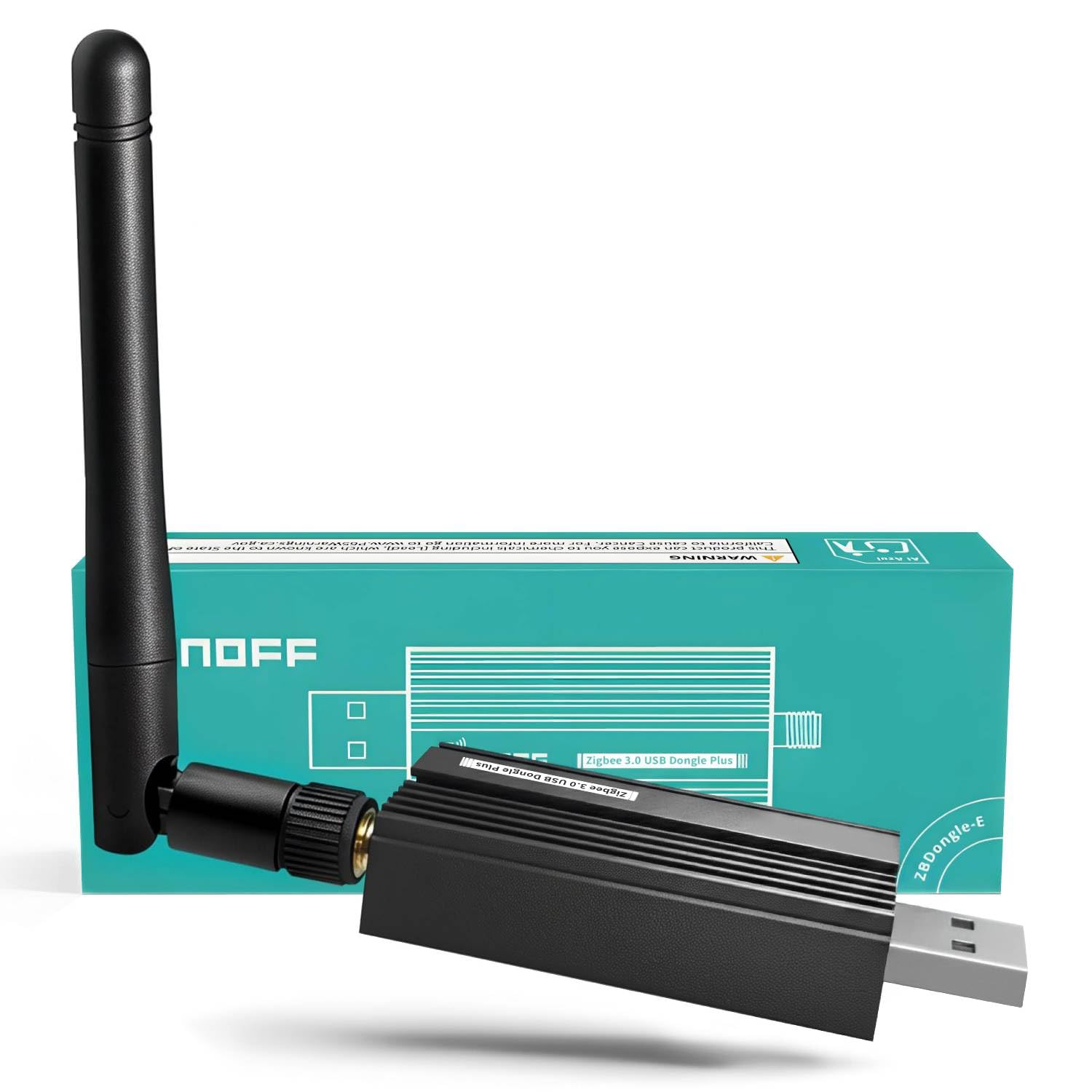
4. Zigbee 3.0 USB Dongle Plus-E (ZBDongle-E)
A stick the size of a thumb drive that turns Home Assistant into a Zigbee brain.
This is not a box with an app — it is a USB coordinator that plugs into a Raspberry Pi, a small NUC or a PC and gives your own software a Zigbee radio. It ships pre-flashed with the official EZNet 6.10.3 coordinator firmware, so Linux and Raspberry Pi OS recognise it on plug-in without a config hunt. At 1.44 ounces and 4.41 inches long, it disappears next to a laptop.
The radio is the reason people buy it: an EFR32MG21 chip with +20dBm output gain. In plain terms, that is a strong transmitter, and the aluminium housing shields it from Wi-Fi interference so the signal stays clean. It holds 40 direct child devices from the start and expands to 100+ with a router, which is plenty for a house of sensors and smart plugs. Cross-brand compatibility is what earns it the most praise — it works with SONOFF ZBMINIR2 and SNZB-02D sensors, and with Home Assistant, Zigbee2MQTT and openHAB.
Here is the weight difference the spec sheet hides: 1.44 ounces for the dongle versus 8.3 ounces for the Philips Hue Bridge, yet it also has no app, no cloud account, and no external power brick. Everything runs on your own network, which is exactly why owners who want privacy pick it. The trade-off is the manual part — Windows and macOS need a quick USB-to-serial driver install before it works, and firmware guidance lives in the listing documents, not in a box.
Reliability you can feel: discovery is fast enough that a roomful of Zigbee sensors shows up in minutes, and it holds through reboots without re-pairing. That is the whole point of a coordinator — no dropouts, no re-adding devices at 11pm.
Who should not buy it: anyone who wants a phone app and a customer support line. This is a piece of hardware for a system you build yourself.
Perfect fit: Home Assistant or Zigbee2MQTT users on Linux who want a clean local radio.
Poor fit: anyone who wants a hub with an app and a cloud login.
5. AduroSmart ERIA Smart Home Hub

The hub that will shake hands with six bulb brands and three lock brands.
If your house is a museum of Zigbee bulbs from different makers, the ERIA is the hub built for that mess. It takes Zigbee devices across lights, sensors, plugs, thermostats, blinds and locks, and lists compatibility with ERIA, Hue, Sylvania, Cree, Tradfri, GE and Sengled bulbs. Sensors from ERIA, Centralite, Iris, Sylvania, Sengled and SmartThings fit, plugs from a long list, and locks from Yale, Schlage and Kwikset.
Control runs through the ERIA app and the ERIA hub, with voice commands from Alexa or Google Assistant. The plug-in box weighs 9.6 ounces and sits on Ethernet with the included cable. Add Zigbee lights and you get color picking, brightness, stored scenes and timers. Add Zigbee sensors and the hub will alert your phone when something wants attention. The list of supported lock brands is the standout — remote lock control is a rare thing in a hub at this size.
The caution is plain on the box: this is a Zigbee hub only, and it does not work with Z-Wave devices. Setup and function get a split reception across owners, with some finding it easy and steady with Hue bulbs, and others hitting rough patches. The ERIA app is the surface you will live in daily, so try it before you commit to a whole house of devices.
The compatibility story: seven bulb brands and three lock brands on one hub is the broadest pairing list here. That is worth real money if you already own a few of them.
The app is the question mark: the hardware pairs broadly, but the daily experience runs through ERIA, so check that app’s reputation for your region.
Best for: a house of mixed-brand Zigbee bulbs and smart locks.
Skip if: you have Z-Wave devices in the mix — they simply will not join.
6. Aqara Hub M1S Gen 2

A hub, an alarm, and a nightlight rolled into one white puck.
Aqara built this to be seen. Inside the 3.14-inch white shell there is a 2-watt speaker and a built-in RGB light with 18 LEDs and a diffuser, so it can chime for a doorbell, blare as an alarm, or glow as a nightlight. It also has an illumination sensor that can trigger automations through the Aqara Home app — a routine that reacts to the room getting dark.
The radio is Zigbee 3.0, and each M1S Gen 2 can link with up to 128 Aqara devices, with Aqara Zigbee repeaters carrying the signal to the far corners. That is the largest device ceiling of the Aqara hubs here, and plenty for a house of contact sensors, motion detectors and buttons. The 2-watt speaker backs all four HomeKit alarm modes through the Aqara Alert System, and the whole thing talks to HomeKit, Google Assistant, Alexa and IFTTT.
There are network rules to respect. The hub needs a secure 2.4GHz Wi-Fi connection, and Aqara says to turn off the 5GHz band while you are using dual-band Wi-Fi — Wi-Fi 6 is not supported. The hub needs to sit within 400 inches of the router and on the same local area network. It works only with Aqara Zigbee devices, not third-party Zigbee gear. Setup and ease of use are praised all over the Aqara ecosystem, but a few owners mention it stops working after a stretch of months, which is worth knowing if you plan to make it your only alarm brain.
Why the M1S earns a spot
- 128 Aqara devices on one hub
- 18-LED RGB nightlight and 2-watt speaker in one shell
- Works with HomeKit, Alexa, Google Assistant and IFTTT
- Illumination sensor feeds the Aqara Home app
What to plan around
- No third-party Zigbee devices
- 2.4GHz Wi-Fi only, and Wi-Fi 6 is out
- Must sit within 400 inches of the router
The natural pick: a HomeKit household that wants an alarm chime, a nightlight and a sensor bridge in one device.
Pick another hub: if your sensors are from brands outside Aqara.
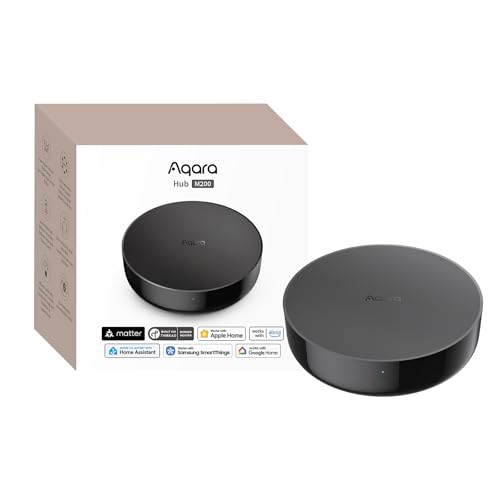
7. Aqara Smart Hub M200
The hub that speaks Zigbee, Thread, Wi-Fi and infrared in one box.
This is the most radio-dense hub on the shortlist. The M200 works as a Matter Controller, a Thread Border Router and a Matter Bridge, and it also sends infrared. Those are three different jobs: it lets a Zigbee sensor into the Matter world, it gives Thread sensors like locks and bulbs a way onto your network, and it lets the hub fire old remote-only gear like an air conditioner. The device ceiling is 40 Aqara Zigbee devices and 40 Thread devices.
The M200 holds local automations — Zigbee and Matter routines run on the hub itself, so a motion-triggered light keeps working with the router unplugged. It also brings a 360° IR blaster with feedback, which can detect when the original remote is used and reflect that status in the app. Pair it with an Aqara Temperature and Humidity Sensor and it can act as an AC thermostat. The bridge side pushes Aqara-only features into Home Assistant, Apple HomeKit, Alexa and Google Home.
What owners prize here is the multi-protocol reach — one box that catches devices other hubs ignore. Value sits right behind that, given the radio count. The setup and the connection to Google Home and SmartThings are the two places opinion splits, so plan for a patient first afternoon. You will also want a 2A USB power adapter, which the box does not include, if you are not running it off PoE. One hitch: third-party Zigbee devices are not supported here, so the Zigbee side stays in the Aqara family.
The Matter bridge is the headline: it lets your Aqara Zigbee devices show up in other ecosystems, which is a top-end feature dropped into a mid-range box. The PoE port is a small bonus that keeps the hub on even if the power drops, provided you have PoE on your switch.
The fine print: one IR air conditioner can be exposed to Matter at a time, so a two-AC house will need a different plan.
Made for: households building around Matter, Thread and Aqara sensors.
Not the one for: a pile of generic Zigbee sensors, which it will not join.
8. SMLIGHT SLZB-06U Zigbee Gateway

The Zigbee radio that can live in the garage while your server stays upstairs.
Most hubs have to sit near your smart-home computer. The SLZB-06U breaks that rule because it can speak Zigbee over Ethernet, USB or Wi-Fi — pick the mode through the firmware or a button. That means you can run the radio wherever the signal is best, even a detached shed, and let your Home Assistant or openHAB server sit anywhere on the network. It can be powered by PoE or by USB-C.
Inside there is a CC2652P Zigbee chip with a Cortex M4F running at 48MHz and 88kB RAM, next to the most powerful version of the ESP32 chip with 2 cores at 240MHz and 16Mb memory. That chip pair is what makes the three-mode design possible. Both the Zigbee radio and the core firmware update over the web interface in one click, and the radio firmware can be updated remotely, so you do not have to walk to it with a cable.
Range is where it earns its keep — owners point to coverage that reaches a detached shed, and reliability is the trait that comes up most. The connection side has its splits, with some reporting rock-steady links and others working through drops, which is normal for a radio that has to be configured to its network. It also flashes into a Zigbee router if you want a repeater. The Matter-over-Thread support is labelled experimental, so treat it as a bonus, not a reason to buy. ESPHome support is there for the DIY crowd.
The headless trick: remote radio updates over Ethernet are a real convenience when the hub lives in the attic. It is a small detail until the first firmware bug, and then it is the whole reason you bought this.
The price of flexibility: you have to configure it. This is a radio for someone already running Zigbee2MQTT or ZHA, not a plug-in-and-forget box.
Right home: a large or multi-building property where the radio belongs away from the server.
Wrong home: someone who wants an app and a one-tap setup.
9. Hubitat Elevation C-8 Pro

Four radios, two antennas, and a rule engine for people who want everything on one box.
This is the last hub you buy if your house runs on every protocol at once. The C-8 Pro carries Matter 1.5, Z-Wave 800 Series with Long Range, Zigbee 3.0 and Bluetooth on one box, with two dedicated external antennas — one for Z-Wave and one for Zigbee — to push the signal through bigger homes. It is compatible with 1,000+ devices across 100+ brands, and it is compact at 3.23 x 2.95 x 0.67 inches and 0.16 lb.
The reason it costs what it does is the local engine. Automations run on the hub’s own processor, not on a server, so lights, locks and thermostats keep working when the internet drops. The AI-assisted routine builder suggests automations from your connected devices, and Rule Machine handles multi-condition logic — a geofenced arrival can open up the door, raise the pathway lights and nudge the thermostat in one sequence. It also works with Alexa, Google Home and Apple HomeKit, plus Ring cameras.
Versatility is what owners point to, with a single hub driving devices across Zigbee and Z-Wave at once, and the automation options described as endless. The counterweight is the learning curve: this is a platform with a rule engine, not a quick-pair app, and the first week rewards patience. There is no subscription for full platform functionality, which is unusual at this end of the market, and continuous updates since 2018 have kept older hardware current.
The one-hub promise: Zigbee 3.0, Z-Wave 800, Matter and Bluetooth on one box is the widest radio menu on this page. Your old Z-Wave locks and your new Zigbee sensors can finally live in the same dashboard.
The honest cost of that reach: a rule engine to learn and documentation to read. If you want to be up and running in ten minutes, this is the wrong shelf.
The one to buy: a device-dense house that wants Zigbee, Z-Wave, Matter and Bluetooth in one local brain.
Not the one to buy: a small flat where a single-protocol hub covers everything.
Know the Specs
Child Device Limit
The child-device limit is how many lights, sensors, plugs and buttons the hub can hold on its network at the same time. It is the number that decides whether your system grows. A hub with a 40-device ceiling is fine for a flat with a dozen sensors; a house with a room-by-room setup will want 128. A hub running near its ceiling starts dropping devices off the mesh, and the fix is a second hub or a repeater, not a bigger antenna.
Local Processing
Local processing means the hub runs your automations on its own processor, so a motion-triggered lamp still turns on when the internet is out. A cloud hub sends the command to a server and waits for an answer. The practical difference shows up on a bad Wi-Fi day: local hubs are unaffected, cloud hubs lag or stall. If you have locks, alarms or arrival scenes, local processing is the spec that matters most to you.
Protocols and the Matter Bridge
The protocols are the languages your hub speaks — Zigbee 3.0, Thread, Z-Wave, Bluetooth and Wi-Fi. A hub that only speaks Zigbee will not see a Thread lock or a Z-Wave thermostat. A Matter bridge is the part that lets your Zigbee-only devices show up in other ecosystems, so a sensor can trigger a scene in a different app. Check the protocol list against the gear you already own before you look at anything else.
Power and Placement
Power and placement change where the hub can live. A plug-in hub with a LAN cable lives next to the router. A PoE hub draws power and data through one Ethernet cable, so it can sit in the attic or a detached garage. A USB coordinator runs off the host computer’s port. Placement often decides the hub for you: a Zigbee radio in the wrong corner of the house gives you a weak mesh no firmware can fix.
Common Questions
Will a Zigbee hub work with my existing Hue bulbs?
Do I need a hub if my sensors are already Zigbee?
What happens to my automations when the internet goes down?
Can one hub run Zigbee and Z-Wave devices together?
How many devices can a Zigbee hub hold?
Is a USB dongle as good as a standalone hub?
Does the Aqara Hub M1S work with 5GHz Wi-Fi?
Which hubs support Matter?
Can I move a hub to a room with weak signal?
Does a Zigbee hub need a subscription?
The Bottom Line
For most people building on Hue lights, the zigbee smart home hub winner is the Philips Hue Bridge, because it keeps your lights on when the Wi-Fi drops and holds 50 lights and accessories on one box. If you want one hub to catch Zigbee, Z-Wave, Matter and Bluetooth at once, grab the Hubitat Elevation C-8 Pro. For a Home Assistant build on a tight shelf, the Zigbee 3.0 USB Dongle Plus-E is the one to reach for — pre-flashed firmware and native Linux recognition means it works the moment you plug it in.
One last nudge: the Hue Bridge carries the largest owner base on this page by a wide margin, and the Dongle Plus-E sits at 4.5+ stars with a small but loyal crowd. If you are still torn, buy on the device ceiling and the protocol list, not on the brand on the box.
How we choose
We do not accept paid placement. Every pick is matched to a real buyer and a real use-case; we do not hands-on test units.
Sources
Specifications: manufacturer listings and product documentation. Review insights: verified customer reviews, as of November 2026. Pricing: not shown on this page (it changes often); check the current price via the retailer link.
As an Amazon Associate, Tactical Gear Guy earns from qualifying purchases. This does not affect which products we feature.