Specs are compiled from manufacturer listings and verified buyer reviews and can change over time — please confirm the key details on the product page before buying.
Buying a Zigbee remote is easy to get wrong, because the remote itself is the cheap part — the hub is the part that decides whether it actually works in your home. A button that only speaks to one brand’s hub will sit useless if you later move to Home Assistant, while a button that binds directly to your bulbs keeps working even when your hub is offline. That single question — which hub, and can it work without one — is what separates a remote you keep for years from one that ends up in a drawer.
This guide is built by comparing the manufacturers’ published specifications and the patterns across verified customer reviews, so you get each pick’s real strengths and trade-offs instead of marketing spin.
I have grouped these six buttons by what they ask of your setup, from Philips Hue’s wall dial to the budget-friendly Sonoff scene button, so you can match one to the hub you already own. Every pick below is a genuine Zigbee device, and each entry explains the hub requirement up front so you can choose the right zigbee remote control without a return trip.
Top Picks

How To Choose The Best Zigbee Remote Control
The mistake most people make is buying the button first and checking the hub second. Zigbee is a mesh radio protocol — a low-power wireless language that lets devices talk to each other — and every remote here needs something to translate its presses into action. Get that pairing right and the rest is detail.
Start with the hub you already own
A Zigbee hub (sometimes called a coordinator or bridge) is the box that holds your device list and runs your automations. Philips Hue buttons want a Hue Bridge. Sonoff’s scene button prefers Sonoff’s own bridges but also lists SmartThings, Home Assistant and Zigbee2MQTT. MOES asks for a MOES hub. Buying outside your ecosystem is where returns come from, so read the compatibility line on the listing before anything else.
Count the actions, not the buttons
A single button that reads single press, double press and long press gives you three separate commands from one physical key. A four-key panel with those same three modes gives you twelve. Sonoff goes further with a triple-press option, which is how it reaches sixteen triggers on four buttons. If you plan to run movie scenes, bedtime routines and a fan from one wall plate, the trigger count matters more than the button count.
Decide between battery types and mounting styles
Coin cells like CR2032 and CR2430 sit flush but need a fresh cell sooner. AAA cells add a little bulk and last far longer — Third Reality rates its button at 3 years on 2 AAA batteries. Mounting is the other daily factor: adhesive tape, a magnetic base, or a magnetic back that grabs a fridge door all change where the remote can live.
Side-by-Side Comparison
| Model | Best For | Buttons | Hub Required | Battery | Amazon |
|---|---|---|---|---|---|
| Philips Hue Wall Tap Dial★ Best Overall | Dial dimming on a wall plate | 4 plus rotary dial | Hue Bridge | CR2032 | Amazon |
| Third Reality ZigBee Smart ButtonLongest Battery Life | Long battery life on a budget | 1 | Zigbee hub | 2 AAA | Amazon |
| Sonoff SNZB-01M Scene Button | Most scene triggers per button | 4 | Zigbee hub | — | Amazon |
| MOES Smart Scene Switch | Multi-room scene control | 4 | MOES hub | CR2430 | Amazon |
| Philips Hue Smart Button | One-tap Hue control | 1 | Hue Bridge | — | Amazon |
| Aeotec SmartThings Button | SmartThings routines plus temperature | 1 | SmartThings hub | 1 CR2 | Amazon |
Detailed Reviews
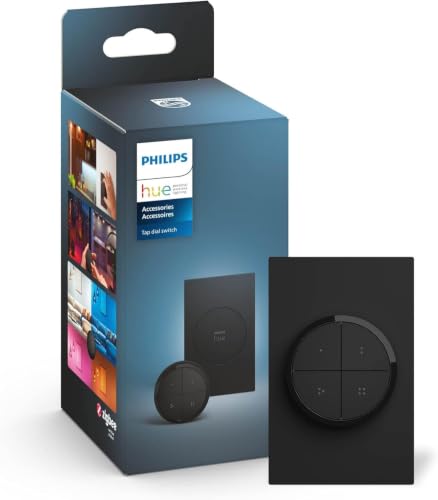
1. Philips Hue Wall Tap Dial
Our pick — 4.5+★ from 950+ verified ratings; the strongest balance of quality and price.
Four buttons for your scenes and a rotary dial for smooth dimming, all on one black wall plate.
This one earns the top slot because of its dial. A rotary actuator (a knob you twist rather than press) lets you dim a room by turning instead of tapping a brightness button ten times. Four separate buttons sit around it, and each one can be assigned its own Room or Zone in the Hue app, so one plate runs your kitchen lights, your hallway and a reading lamp without you touching a phone.
What wins people over is how solid it feels and how rarely it drops off the network — quality and reliability are the two things this remote gets praised for above all else. It ships with one CR2032 coin cell, and mounting needs no wiring at all: an adhesive backing sticks it to a wall, or you park it on any magnetic surface and carry it around. The catch is the Hue Bridge, which is sold separately, and this is a Hue-only remote — it will not manage a mixed-brand Zigbee mesh for you.
That bridge dependency is worth sizing honestly. The people who love this have already built their lighting around Hue, and for them the wall plate becomes the most-used switch in the house. The mixed word on value comes from people who wanted a universal Zigbee remote instead. Buyers back that up with 4.5+ stars across 900+ ratings.
Worth Twisting For
- A rotary dial for real dimming, plus four assignable buttons for scenes and rooms
- Works as a wall-mounted plate with adhesive or a handheld remote on a magnetic surface
- Built around the Hue Bridge for automations and a connection that holds steady
Before You Commit
- The Hue Bridge is a separate purchase and this remote will not run other brands
- Coin-cell power means a quicker battery swap than AAA buttons use
Pick this one: you have a Hue Bridge and want a wall switch that dims by feel instead of by menu.
Look elsewhere: you want one bargain remote to boss a mixed-brand Zigbee network — this is a Hue household tool.
2. THIRDREALITY ZigBee Smart Button
One little puck, three press styles, and a rated three years between battery changes.
This button pulls ahead on power. It runs on 2 AAA batteries rated to last 3 years in normal use, so you swap cells far less often than with a coin-cell button. You also get an extra command out of a single key, because it reads single press, double press and long press as three separate actions — one tap for the ceiling light, a double for the fan and humidifier, a hold to shut them both off. Compared with the MOES panel below, that is 3 actions to 4 buttons but the same single-button simplicity.
Setup is where this thing wins friends — the automation-building is straightforward and it plays nicely with Hubitat Elevation, SmartThings, Aeotec, Home Assistant and Third Reality’s own hub. It is light at 1.44 ounces, so it sticks happily to a fridge with the included magnetic strips or to a wall with the double-sided tape. Zigbee radio range reaches up to 10 meters.
Two honest limits. It needs a Zigbee hub in the box’s absence — that hub is sold separately — and Apple HomeKit access only arrives through the Smart Bridge MZ1, which is another separate buy. If your phone is an iPhone and HomeKit is the whole plan, factor that in before you order.
Small-button, big-value read: three actions from one key, AAA power, magnet and tape in the box — the practical entry point into Zigbee buttons.
Where it pinches: it works as a remote for smart home devices and groups, but it is a single-button unit, so a wall that needs four separate scenes is better served by a multi-gang panel.
Reach for this if: you want one dependable tap point — a bedside lamp, a garage light — with the longest battery gap in the bunch.
Skip the hassle if: you do not own a compatible Zigbee hub yet or you need HomeKit without buying the Smart Bridge MZ1.
3. SONOFF Fusion Zigbee Smart Scene Button SNZB-01M
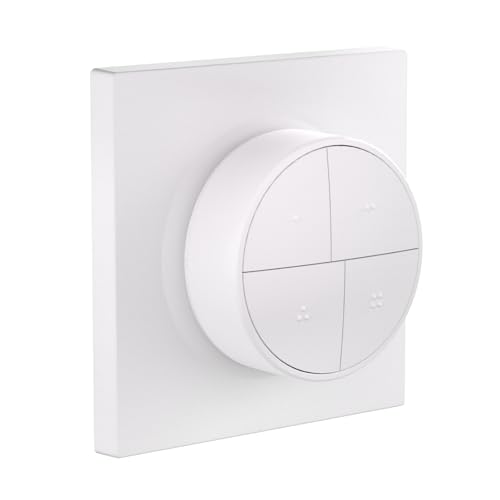
Four keys that each read single, double, triple and long presses — sixteen commands in a square smaller than a coaster.
The number to remember here is 16. Four programmable buttons, each taking single, double, triple and long-press actions, gives you 16 customizable scene triggers from one compact panel. That is the most command density on this list, and it is the reason Sonoff’s button layout is the thing buyers single out most — the four-action mapping is genuinely easy to keep straight. At 1.97 x 1.97 x 0.88 inches it is also the tightest square of the group, a big drop from the MOES panel’s 3.94 x 3.94 x 0.79-inch face.
what separates it technically is Zigbee Binding — a mode where the button talks directly to Zigbee bulbs or groups without the hub doing the thinking. Run it in Home Assistant via ZHA or Z2M and presses land locally and fast. TouchLink adds on/off and smooth dimming straight to compatible lights, and the magnetic base means it can be a desk remote, a fridge button or a screwed-on wall plate.
The catch is compatibility breadth. It leans on Sonoff bridges first — ZBBridge-P, ZBBridge-U, NSPanel Pro and iHost — and while SmartThings, Home Assistant and Zigbee2MQTT are all listed, the connectivity feedback is mixed and compatibility is the one area that draws criticism. Check the pairing guide for your exact hub before buying.
Why Button-Counters Love It
- 16 triggers from four keys using single, double, triple and long presses
- Zigbee Binding drives lights directly for local, hub-free response
- Magnetic base plus screw, adhesive or 86-box mounting — no wiring
The Trade-Off
- Best experience lives inside the Sonoff ecosystem; other hubs need a compatibility check
- IP00 rating means no dust or water protection — keep it dry and indoors
Go here if: you are building scenes in Home Assistant or Zigbee2MQTT and want maximum triggers from minimum wall space.
Think twice if: your hub is not on Sonoff’s supported list — the pairing friction is the real risk, not the hardware.
4. MOES Wireless Smart Scene Switch Button

Twelve scenes from a four-gang plate you tape to the wall and never wire.
This is a full wall plate rather than a puck — a 3.94 x 3.94 x 0.79-inch square, next to the Sonoff button’s 1.97 x 1.97 x 0.88 inches, and the natural fit for a hallway or entryway switch position. Its four buttons each carry three pairing modes, so one plate reaches 12 scenes: away mode, home mode, movie mode and nine more you define in the app. What earns it praise above all is compatibility, and directly behind that, how much it actually does for the money.
It pairs with Home Assistant and Zigbee2MQTT, and the maker explicitly points you at a MOES Zigbee hub for the out-of-box route. Power is a CR2430 coin cell that comes in the box. The plate is rated IP54, which is a light splash and dust resistance level — enough that a damp cloth wipe is not a worry, though it is not a bathroom-shower device.
Read the fine print on this one: the listing says outright that it does not support Alexa, Echo, Google Home or Siri. If voice control is part of your plan, that is a hard stop, and it is also the honest explanation for the split feedback on connectivity — some people pair to Home Assistant instantly, others find their hub is simply not supported. Buy it for MOES devices and Home Assistant, and it behaves.
What the four keys give you: 12 scene slots, a coin cell that ships installed, and tape-on mounting with no electrician in sight.
Fair warning: this is a MOES-first device with a no-voice-control limit — your hub choice decides everything.
Best matched to: a MOES or Home Assistant home that wants one wall plate running scene after scene across rooms.
Walk on by if: you want Alexa or Siri in the mix, because this switch does not speak those languages.
5. PHILIPS Hue Wireless Smart Light Switch Button
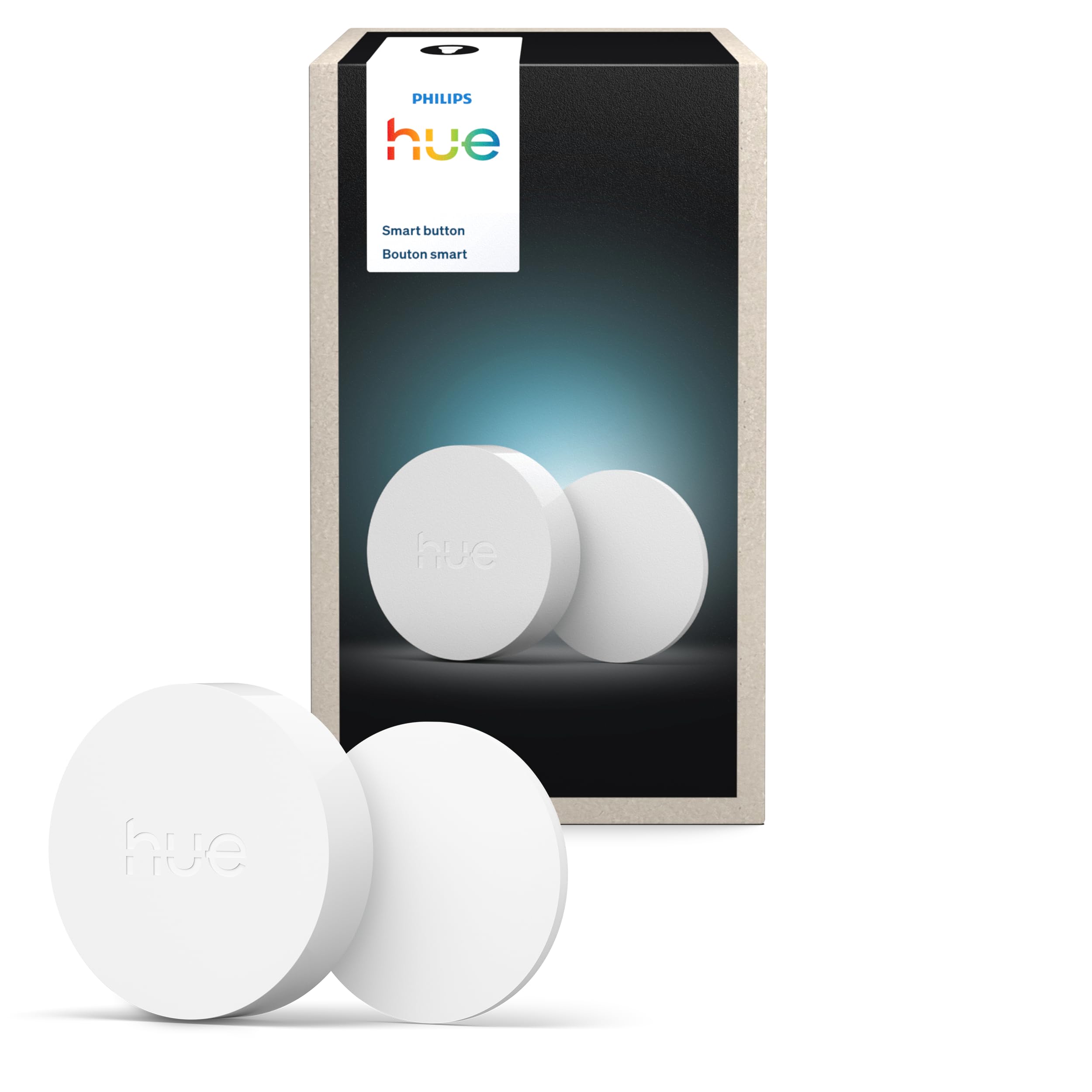
One tap for on and off, a hold to dim, and it ships primed for time-based light.
Philips built this one around a single touch. Tap to switch lights on or off and cycle scenes; press and hold to dim or brighten. from the start it runs the Time-based light function, which shifts the light’s colour temperature through the day so morning reads crisp and evening reads warm — a set of presets you would otherwise have to program yourself.
At 1.77 x 1.77 x 0.51 inches it is the smallest remote on this list, and it mounts two ways: the included adhesive fixes it to a wall, or the magnetic back grabs any metal surface. Reliability is what it is known for, and its convenience and lighting control are the other recurring strengths. You will need a Hue Bridge, which is separate, and the setup lives in the Hue app where you assign it to a Room or Zone or use it to start and stop an automation.
Here is the detail worth knowing before you stick it to anything: the magnetic attachment draws mixed feedback, with reports that the button can slip down the pad after a press. Snap the adhesive bracket on properly and the issue fades; rely on the magnet alone on a smooth wall and you may be nudging it back up.
What It Does Well
- One-touch on/off, scene cycling and press-and-hold dimming
- Time-based light presets work the moment it is paired
- The smallest footprint here, with adhesive and magnetic mounting both included
Worth Knowing
- Hue Bridge is required and sold separately
- The magnet alone can let the button slide — mount it with the adhesive instead
For you if: your whole home is already Hue and you want the smallest, dumbest-simple tap to control a room.
Pass if: you need multiple scenes from one key — this remote gives you one command at a time.
6. Aeotec SmartThings Button
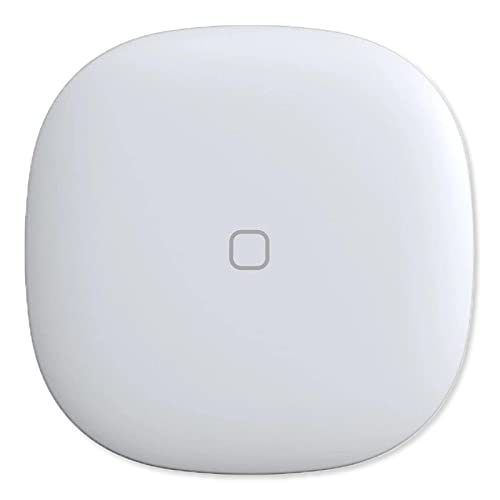
A tap-and-go button with a thermometer tucked inside it — rare on a remote this small.
The feature no other button here shares is the integrated temperature sensor. That means the remote can report room temperature into your hub, so a single tap point doubles as a data source for a heating or cooling routine. It controls compatible lights, appliances and other Smart Home devices on a press, and it lists a genuinely wide reach — Philips Hue, Ring, Arlo, EcoBee, Honeywell and Bose.
Its build is what earns the most goodwill, with connectivity to SmartThings close behind, and it pairs cleanly with a SmartThings hub — Rinnai water heaters come up as one real-world device people wire it to. Mounting is either a magnet or a 3M adhesive strip, so wall or fridge both work. Power comes from one CR2 battery.
Two things temper the picture. The battery life draws mixed reports, and value is the aspect people push back on hardest — so buy this for the temperature sensor and the SmartThings fit rather than as a budget button. It is a single-key unit, so it is the wrong tool if you want a multi-scene plate.
The standout: temperature data plus button control in one compact body, with magnet and adhesive mounting both in the box.
The honest catch: you pay for the sensor, and battery drain is the recurring gripe — plan a spare CR2.
Right for you if: you run a SmartThings hub and want a button that also reports room temperature.
Not the one if: you need multiple scenes per device or you want the cheapest route in — value is where this button loses ground.
Know the Specs
Connectivity Protocol
Zigbee is a low-power wireless mesh standard — devices relay signals through each other rather than going straight to your router. That is why a remote can sit at the far end of the house and still respond, provided there are enough Zigbee devices in the mesh. It also means you need a Zigbee hub, or in some cases Zigbee binding, to turn a press into action.
Scene Triggers
A trigger is one recognized gesture that fires one automation. Single, double, triple and long presses each count as a trigger, so a four-button panel with four press modes reaches sixteen. More triggers mean fewer remotes on your wall, but they only help if your hub’s app lets you assign all of them.
Battery Type
Coin cells (CR2032, CR2430) keep a remote thin but need more frequent swaps. AAA cells add a little depth and last far longer — Third Reality rates 3 years on 2 AAA cells. Aeotec’s CR2 is a less common size, so keep one spare on hand.
Zigbee Binding
Binding is a direct link between a remote and a light or group, skipping the hub for the actual command. Presses feel faster and keep working when the hub is offline. Sonoff’s SNZB-01M supports it through ZHA and Z2M; not every remote on this list does.
Common Questions
Do I really need a Zigbee hub to use one of these remotes?
Will a Philips Hue remote work with Home Assistant or Zigbee2MQTT?
Can I control more than one room from a single button?
What is the difference between a scene button and a plain on/off switch?
Do these remotes need to be wired into my wall?
How long does a Zigbee remote’s battery last?
Can I use these remotes without Alexa or Google?
What does Zigbee binding mean for a remote?
Can these remotes be taken off the wall and carried around?
Is a Zigbee remote better than a Wi-Fi one?
The Bottom Line
For most people building a Zigbee-controlled home, the zigbee remote control winner is the Philips Hue Wall Tap Dial — the rotary dial and four assignable buttons make it the most genuinely useful wall remote of the group, and its reliability feedback backs that up.
If you want the longest gap between battery changes from a single tap point, get the THIRDREALITY Smart Button which is rated for 3 years on AAA cells. And for the most scene triggers in the smallest footprint, the SONOFF SNZB-01M is the one to reach for — sixteen commands from four keys, provided your hub is on its supported list.
How we choose
We do not accept paid placement. Every pick is matched to a real buyer and a real use-case; we do not hands-on test units.
Sources
Specifications: manufacturer listings and product documentation. Review insights: verified customer reviews, as of July 2026. Pricing: not shown on this page (it changes often); check the current price via the retailer link.
As an Amazon Associate, Tactical Gear Guy earns from qualifying purchases. This does not affect which products we feature.