Specs are compiled from manufacturer listings and verified buyer reviews and can change over time — please confirm the key details on the product page before buying.
Buying a Zigbee plug is easy. Getting it to actually switch on when you press the button is the part that trips people up. Every plug on this list needs a Zigbee hub (a separate box that talks to your plugs over a low-power radio signal instead of your WiFi) — and the hub you already own decides which of these you can even use.
This guide is built by comparing the manufacturers’ published specifications and the patterns across verified customer reviews, so you get each pick’s real strengths and trade-offs instead of marketing spin.
Sorting by hub first, then by amp rating and energy monitoring, narrows eight strong Zigbee plugs down fast. Here is how to pick the right one for your own setup.
Top Picks


How To Choose The Best Zigbee Plug Control
Most people buy a Zigbee plug expecting it to work like a WiFi plug — plug it in, open an app, done. It does not work that way. A Zigbee plug has no internet connection of its own. It whispers to a hub, and the hub does the talking. Get the hub wrong and the plug is a dumb outlet with a blinking light.
Start with the hub you already own
Your hub is the deciding factor, not the plug. If you run SmartThings, you have a wide field. If you run Home Assistant with a Zigbee radio stick, almost everything here works. If you are on Apple HomeKit, your options narrow sharply — the Aqara plug is built for that world, and the others mostly are not. Check the hub compatibility line on each plug before you fall in love with its other features, because a plug that will not pair is a plug you will return.
Match the amp rating to what you are actually switching
A 15A (amp) rating tells you the maximum current the plug is built to pass through. A 10A plug handles a lamp, a fan, or a phone charger without complaint. A 15A plug can also take a space heater or a window air conditioner. If you plan to automate anything that heats a room, buy the 15A rating — and check the wattage ceiling too, because one plug here tops out at 1800W and says plainly it is not for air conditioners or microwaves.
Decide if you want to see your power use
Energy monitoring means the plug reports how many watts the thing plugged into it is drawing. That is genuinely useful for a space heater you suspect is eating your electricity bill, or a TV on standby all night. It is close to pointless for a table lamp. Not every plug here includes it, so decide up front if you want the data or just the on/off switch.
Side-by-Side Comparison
| Model | Best For | Connection | Amp Rating | Energy Monitoring | Amazon |
|---|---|---|---|---|---|
| THIRDREALITY ZigBee Smart Plug 4 Pack★ Best Overall | Whole-home automation on a budget | ZigBee 3.0, hub required | 15 A | Yes | Amazon |
| Shelly Smart Plug US Gen4Most Versatile | Mixing Zigbee with Matter and WiFi | Wi-Fi, Matter, Bluetooth, Zigbee | 15 A | Yes | Amazon |
| Aqara Zigbee Smart PlugBest for HomeKit | Apple HomeKit households | Zigbee, Aqara hub required | 15 A | Yes | Amazon |
| Sengled Smart Plug 4-Pack | Large multi-plug Zigbee networks | Zigbee, hub required | 15 A / 1800W | Yes | Amazon |
| Greencycle Zigbee Plug with Remote | A bedside switch you can hold | Zigbee 3.0 / Tuya gateway | 15 A | — | Amazon |
| NineLeaf Zigbee Remote Outlet | Long-range rooms and garages | Zigbee 3.0 / 2.4GHz hub | — | — | Amazon |
| DOGAIN Zigbee Smart Plugs 2-Pack | Simple Alexa-only setups | Zigbee / Alexa hub | — | — | Amazon |
| CMARS Zigbee Mini Outlet 2-Pack | Tight outlet pairs and mesh building | Zigbee / hub required | 10 A | — | Amazon |
Detailed Reviews
1. THIRDREALITY ZigBee Smart Plug 4 Pack
Our pick — 4.5+★ from 850+ verified ratings; the strongest balance of quality and price.
Four plugs, real energy metering, and a shape that leaves the second socket free.
Four plugs for the price of one premium outlet is where this pack earns its place at the top. Each one is a ZigBee 3.0 smart plug rated at 15A, and each carries real-time energy monitoring — the plug reports how many watts whatever is plugged into it is actually drawing. It is ETL certified, which is a third-party electrical safety mark, so the housing and wiring have been checked by someone other than the brand.
The practical benefit of the space-saving body is bigger than it sounds: you can stack two of these in a standard double wall socket without one blocking the other. Setup with a compatible Echo is as plain as it gets — plug it in, say “Alexa, discover my devices,” and the plug announces itself. Home Assistant, SmartThings, Hubitat, Aeotec, Homey Bridge and the Echo fourth-generation models are all on the compatibility list, so you are unlikely to be locked out.
It is the crowd favorite here, and the numbers back it — 4.5+ stars across 800+ owners. What wins people over is reliability paired with genuine integration, especially for Home Assistant users running the ZHA or ZigBee2MQTT stacks. The one thing to know before ordering: energy monitoring is not universal across hubs. It is supported through Home Assistant, SmartThings, Hubitat and the THIRDREALITY hub, but not every hub out there will surface the wattage figures. Check yours first.
Why four beats one
- Four 15A plugs with energy monitoring in a single pack
- Real-time watt readings so you can spot a power-hungry appliance
- Works as a Zigbee repeater, strengthening the mesh as you add plugs
- Slim body keeps the neighbouring socket usable
Where it needs a check
- Energy monitoring depends on your hub — confirm support before relying on it
- Restore-state-after-power-cut only works on the THIRDREALITY hub Gen2 and Home Assistant
Reach for this if: you run Home Assistant or SmartThings and want four monitored outlets in one shot.
Think twice if: your hub is not on the compatibility list — this pack is only worth it when your hub can read it.
2. Shelly Smart Plug US Gen4
One plug that speaks four protocols, so your hub choice never holds you hostage.
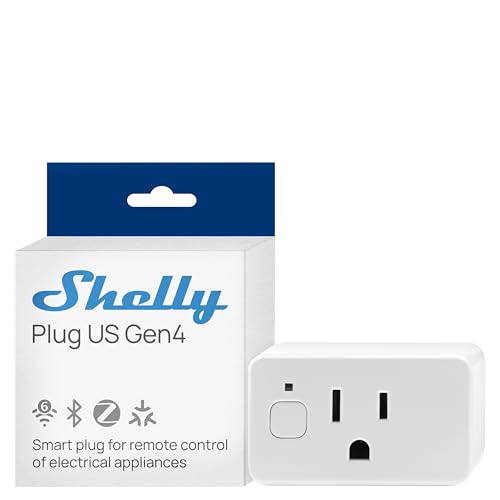
Most Zigbee plugs lock you to a single protocol. This one does not. The Shelly Plug US Gen4 carries Wi-Fi, Matter, Bluetooth and Zigbee in the same 15A body — so if you are still deciding whether your smart home will run on Matter or Zigbee, you have not burned a purchase. Matter is the cross-brand standard designed so devices from different makers can share one app, which is exactly the kind of breathing room a plug should give you.
It is UL certified and measures real-time power draw, then shows the number on a multicolor LED plus an ambient light sensor, so the plug itself tells you how hard an appliance is working. There is a built-in timer and local schedule memory, which is the honest answer to “did I leave the iron on” — the plug shuts the outlet off on its own. Home Assistant owners describe it integrating without friction, and the local web interface and API give tinkerers something to poke at.
The plumbing is where the thought went. It has a protective socket cover, and the app lets you build scenes that tie the plug to other Shelly devices in one system. On the practical side, though, the LED and light sensor are a nicety rather than a reason to buy — if you just want a lamp to switch, you are paying for flexibility you may never use. This is the pick for the person who is protocol-curious, not protocol-committed.
Best part of the design: four connection types in one plug plus a 3-year warranty is a rare combination, and local schedules mean automations keep running even when your internet does not.
The honest catch: its richest features — the API, the local web interface, the fine-grain metering — reward people who like fiddling. A plug-and-forget buyer is paying a small premium for a Swiss Army knife and will only use the blade.
Pick this one: if you want to hedge between Zigbee, Matter and Wi-Fi without buying three different plugs.
Leave it: if a dead-simple on/off plug is all you need and you do not care about metering or APIs.
3. Aqara Zigbee Smart Plug
The one on this list that plays nicely with Apple HomeKit, at 15 amps.
Apple households get a thinner field in Zigbee plugs, and the Aqara is the one that clears the bar. It runs on Zigbee and needs an Aqara hub sold separately — that is the crucial gate here, because the plug is not useful without one. Once paired, it shows up in the Aqara Home app and, importantly, in Apple HomeKit alongside Alexa and Google Assistant, so a mixed household with an iPhone user and an Android user can both drive it.
Three things make it punch above its size. It monitors power consumption so you can see what an appliance actually costs to run. It supports schedule, timer and scene routines through the Aqara app. And it handles up to 15 amps, which is the rating that lets it switch a window air conditioner or a space heater rather than just a lamp.
There is a second life built in: it works as a signal repeater, extending your Zigbee mesh to sensors, lights and locks that sit on the far side of the house. The recurring honest note is the hub requirement — it wants an Aqara hub specifically, not a generic one, so the true cost is plug plus hub. And the Wi-Fi spec for the hub itself is fussy: 2.4GHz only for some models, 2.4/5GHz for higher ones. Read the fine print before you buy.
The HomeKit advantage
- Works with Apple HomeKit, Alexa and Google Assistant once paired
- 15A rating covers space heaters and window ACs
- Doubles as a Zigbee repeater to fill dead zones
- Energy monitoring plus schedule, timer and scene support
What to budget for
- An Aqara-brand hub is required and sold separately
- Hub Wi-Fi band requirements differ by model — check yours
The deciding factor: if your household lives in Apple Home, this is the plug that actually connects to it.
skip it if: you have no Aqara hub and no plans to buy one — a hubless plug is a paperweight.
4. Sengled Smart Plug 4-Pack

Four plugs that scale to 64 on one hub without dropping offline.
This is the plug for the person who is going to buy a dozen of them. The Sengled system handles up to 64 smart plugs on a single hub, which is the single biggest number on this list and the reason it earns a premium slot. It is a 15A socket with an 1800W ceiling, it monitors energy use, it remembers its last state after a power cut, and it is certified UL, ETL and FCC — a trio of safety and electromagnetic checks.
The oval body is deliberately shaped to fit two plugs in one standard double receptacle, so a pair of these occupies the same wall space as one bulky plug. Pairing goes straight to a compatible hub — Sengled’s own, SmartThings, Wink or Hubitat — and if you own an Echo Plus or an Echo Show second-generation, you do not need a separate hub at all. Energy monitoring and custom schedules are handled through the Sengled app.
Here is the honest limit, stated by the maker: despite the 1800W rating, it is not meant for air conditioners, microwave ovens or induction cookers. That is worth repeating because a 15A number can tempt you into the wrong appliance. Also note the hub requirement is real — with an Echo Dot or Google device, you need an additional hub. The value is strongest when you are building a Zigbee mesh out, not when you want one lonely monitored outlet.
Where it shines: the 64-plug ceiling turns this quad pack into the backbone of a whole-house Zigbee network rather than a one-off gadget purchase.
Fine print worth knowing: high-wattage heating appliances are explicitly off-limits despite the 1800W rating, so this is for lamps, fans and electronics, not the space heater.
Buy it when: you are automating a whole home and want room to grow to dozens of plugs on one hub.
Look elsewhere when: you want to switch a heater or an AC — Sengled says this plug is not for those.
5. Greencycle Zigbee Plug with Detachable Wireless Wall Switch
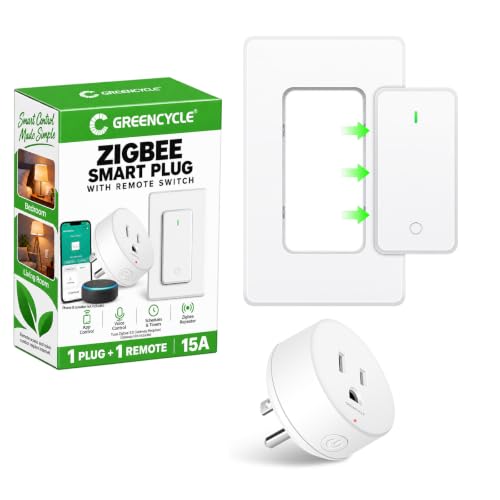
A lamp plug with a physical switch you can peel off the wall and carry.
A physical button on the wall has one thing going for it that no app can match: it works without open up your phone. This Greencycle plug pairs a Zigbee outlet with a detachable remote switch — mount it beside the bed, the sofa or the doorway with the included tape or screws, or pull it off and use it handheld. For a bedside lamp you want off at midnight, that beats reaching for your phone.
The outlet is rated to 15A, carries overload protection, tamper-resistant receptacles and a flame-resistant housing, and is TUV listed. It runs on Zigbee 3.0 and wants a Tuya gateway for the smart side, which is the part to check before you buy — the Smart Life or Tuya Smart app drives it, and Alexa or Google Assistant voice control only works through a supported gateway with a linked account. Pairing is a held button and a green indicator; the red indicator pairs the remote instead.
Where it fits best is a house with more than one person in it. The remote lets a partner or a guest switch the light without installing an app, which is a real quality-of-life detail most smart plugs miss. The trade-off is that its intelligence lives entirely in the Tuya ecosystem: no energy monitoring is listed, and gateway compatibility is a must-check. It is a lamp and appliance switch first, not a data collector.
The reason to choose it: the detachable switch solves the “everyone in the house needs the app” problem, which is the quiet headache of most Zigbee plug setups.
What it is not: there is no energy monitoring here, and it leans on a Tuya 3.0 gateway — confirm your gateway works before pairing day.
Sweet for: bedrooms and living rooms where a wall switch should stay a wall switch.
Not for: data hounds who want to see their power draw — this plug does not report it.
6. NineLeaf Zigbee Remote Outlet
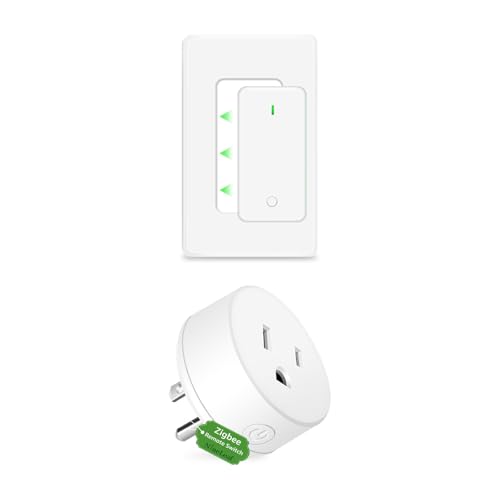
Built for the plug you need to reach across a garage, not across a room.
Outdoor areas and detached garages are where Zigbee setups usually give up. This NineLeaf outlet claims a 500FT range in open space — a distance figure measured with no walls in the way, so treat it as a best case. The point is that the Design is aimed at long, stable connections rather than dense apartment living, and it comes with a remote so you can switch a device on from inside the house.
It runs Zigbee 3.0 and explicitly does not use cloud dependency, which means faster response and better privacy — your commands travel to the hub rather than through a manufacturer’s server. It needs a 2.4GHz Zigbee hub and plays with the common ones: Echo devices with built-in Zigbee, SmartThings and Home Assistant. Alexa and Google Assistant handle voice, and the app gives you timers and schedules so a light can come on at dusk or an appliance can shut itself off.
What the remote adds, beyond convenience, is access for people who will never open an app — an older parent, a kid, a visitor. That dual-control design — remote plus app — is the heart of this plug. The honest limit is that the range headline only holds in open space; through walls you get normal Zigbee distances, so plan for a repeater if the garage is far from the hub.
Standout spec: the 500FT open-space range is what separates it from the short-range plugs above, and the no-cloud Zigbee 3.0 path keeps response times quick.
Fair warning: range shrinks with walls, so a distant garage may still need a repeater, and no amp or watt figure is published — check before using it on a heater.
Made for: garages, sheds and far rooms where other plugs lose the signal.
Hold off if: you plan to switch a high-draw heater — no amp rating is published to confirm it.
7. DOGAIN Zigbee Smart Plugs 2-Pack

Plug it in, say discover devices, and skip the second app entirely.
For a lot of people, the second app is the deal-breaker. Say “Alexa, discover devices” and you are done — no third-party app, no granting a stranger’s software access to your phone. For a simple lamp or fan, that frictionless start matters more than any metering feature.
Compatibility is the standout: it pairs with SmartThings, and with Echo Plus, Echo Show second-generation, Echo Plus second-generation and Echo Studio. The build is compact enough to sit without dominating the outlet, and there is a 12-month warranty plus lifetime technical support; the housing is ABS plastic and it carries an IP40 rating, which only means it is protected against objects larger than a fingertip, not water. Do not put it somewhere damp.
The honest caution is longevity. Some units stop working within a couple of years, and reliability is the weak point in owner reviews. That does not make it a bad plug — it makes it a plug for low-stakes jobs. Switch a lamp with it. Do not build your whole home’s heating schedule around it, and you will get along fine.
What sells it
- Truly plug-and-play through Alexa discovery
- Broad hub support across SmartThings and Echo Plus/Studio
- Compact body and a 12-month warranty with lifetime support
Know before you commit
- Not built for HomeKit
- Reliability is the recurring weakness — fine for lamps, not mission-critical gear
- IP40 means no water resistance at all
Works well for: a first smart plug on an Alexa or SmartThings setup, where simple beats clever.
Keep in mind: low-stakes switches only — treat it as a lamp plug, not a long-term backbone.
8. CMARS Zigbee Mini Smart Outlet 2-Pack

The small plug you buy to stop your Zigbee signal dying in the back room.
Two of these, placed where your signal starts getting weak, turn a shaky Zigbee network into a stable one. The outlet doubles as a range extender, which is the useful part of a mini plug for anyone with sensors, bulbs or locks on the far side of the house. Build-wise it uses a PC fireproof material with double insulation and a flame-retardant rating claimed at 750℃.
What people end up valuing most is the connectivity: it links reliably to SmartThings hubs and Home Assistant, and works with the Echo Show and Echo family alongside Hubitat. Those are the plugs to lean on if you are running a mesh and want more nodes.
Two things to weigh. First, this is a 10A plug, not a 15A one, so it is for lamps, fans, chargers and small electronics — not space heaters or big kitchen appliances. Second, the ecosystem has real edges: it does not work with first-generation smart hubs, Tuya, or SonoFF, and some owners find responsiveness varies. It is a good-value node in a growing network rather than a hero plug on its own.
Why it earns a spot
- Acts as a range extender to strengthen your Zigbee mesh
- Fits two-across in a standard double receptacle
- Fire-retardant housing with double insulation for confidence
Where it stops short
- Only 10A — keep heaters and heavy appliances off it
- Does not work with first-gen smart hubs, Tuya hubs or SonoFF hubs
- Responsiveness is uneven for some owners
Your move: grab it if you are extending a SmartThings or Home Assistant mesh and want cheap, compact nodes.
Pass on it: for anything drawing serious current — 10A is a lamp-sized rating.
Know the Specs
Zigbee vs Wi-Fi
Zigbee is a low-power radio signal that runs on its own network, separate from your home Wi-Fi. A Zigbee plug talks to a hub, and the hub talks to your phone or router. That takes the plug off your crowded router, which is why plugs here are pitched as the answer to a straining Wi-Fi network. The cost of that separation is the hub: no hub, no Zigbee. Wi-Fi plugs skip the hub, but they compete for router bandwidth with phones, laptops and TVs. If your router is already overloaded, Zigbee plus a hub is the steadier choice.
Amp and Watt Ratings
Amps measure the current a plug can pass through; watts measure the power the appliance draws. A 15A plug handles bigger loads than a 10A plug, and a watt ceiling tells you the absolute limit. One plug here is rated 15A and 1800W and still says it is not for air conditioners — that is a reminder that a rating is a ceiling, not a green light for any appliance. Match the rating to what you will actually plug in, and leave headroom rather than running at the limit.
Energy Monitoring
Energy monitoring means the plug reports how much power the connected device is using. On the plugs here, that data appears through a compatible hub and app, so support varies. It is useful for spotting a device that draws more than you thought, or for confirming a lamp is really off. It is not a power bill in a box — think of it as a live readout that helps you catch waste, not an accounting tool.
Mesh and Repeaters
Zigbee devices can pass signals to each other, forming a mesh network. A plug that works as a repeater strengthens the mesh for other Zigbee devices nearby. Place a repeater plug between your hub and a weak spot — a back room, a garage — and the devices on the far side get a better connection. Some plugs list repeater function explicitly; others do not, so check before counting on one to stretch your range.
Common Questions
Do Zigbee smart plugs need a hub to work?
Will a Zigbee plug work with my Echo Show?
Can a Zigbee plug control a space heater or air conditioner?
What does energy monitoring on a smart plug actually tell me?
How many Zigbee plugs can one hub handle?
Is a Zigbee plug better than a Wi-Fi plug?
What is a Zigbee repeater and do I need one?
Do Zigbee plugs work with Apple HomeKit?
How do I set up a Zigbee plug for the first time?
Can I use a Zigbee plug outdoors?
The Bottom Line
Four plugs, 15A outlets, real-time energy monitoring and a shape that leaves the second socket free — the THIRDREALITY Zigbee Smart Plug 4-Pack is the package that covers the most ground for most homes, on any hub from Home Assistant to SmartThings. If you want Apple HomeKit, grab the Aqara Zigbee Smart Plug. And if you are still hedged between Zigbee, Matter and Wi-Fi, the Shelly Smart Plug US Gen4 keeps every door open. The honest nudge: four monitored plugs outweigh one clever one, so buy the pack and use the spare on the lamp you keep forgetting to switch off.
How we choose
We do not accept paid placement. Every pick is matched to a real buyer and a real use-case; we do not hands-on test units.
Sources
Specifications: manufacturer listings and product documentation. Review insights: verified customer reviews, as of November 2026. Pricing: not shown on this page (it changes often); check the current price via the retailer link.
As an Amazon Associate, Tactical Gear Guy earns from qualifying purchases. This does not affect which products we feature.