Specs are compiled from manufacturer listings and verified buyer reviews and can change over time — please confirm the key details on the product page before buying.
Your smart-home gadgets drop off the hub as soon as they cross the garage or reach the far end of the hallway. The fix is not more devices — it is a hub or controller that speaks Z-Wave Long Range, a radio mode that reaches much farther than regular Z-Wave. This guide covers seven devices that officially support it, from USB sticks that plug into a Home Assistant box to in-wall relays and switches that wire straight into your lighting circuit. You’ll see which ones reach across a big property, which ones only repeat a mesh signal, and which ones need a specific hub before they’ll show up at all.
This guide is built by comparing the manufacturers’ published specifications and the patterns across verified customer reviews, so you get each pick’s real strengths and trade-offs instead of marketing spin.
The short version: Z-Wave Long Range is a point-to-point radio mode — device talks straight to controller instead of hopping through neighbors — and it only works when both ends are Long Range-ready. The picks below split cleanly into USB controllers that create that link and in-wall hardware that uses it, so you can find the best Z-Wave Long Range devices for the layout you actually have.
Top Picks

How To Choose The Best Z-Wave Long Range Devices
Start by deciding which side of the link you’re missing. If you already own Long Range sensors and locks but your hub is old, you need a USB controller with an 800-series radio. If your controller is fine and the problem is a specific device — a garage door, a far shed, an outdoor light — you need in-wall or inline hardware that supports Long Range itself. Buying the wrong side of that link is the most common wasted purchase here.
Confirm your hub is on the supported list — not just “Z-Wave”
Plenty of hardware says “Z-Wave” and still won’t give you full control on your system. The Zooz relays here state plainly that they need an open hub to display correctly, and that they’re tested with Hubitat, Home Assistant and SmartThings (with a custom driver). They also warn that alarm panels such as Ring, Vivint, Wink and Alarm.com offer only partial control. Read that line before you buy, because a relay that only switches all three outputs as one group is a very different device from one you can automate channel by channel.
Neutral wire, load and line — the wiring reality check
In-wall switches need a neutral wire to power their radio, and the Zooz ZEN32 says so directly. The ZEN76 is built for boxes where load and line sit in different locations, and it works with ordinary existing on/off switches in a 3-way or 4-way setup — no add-on switch to buy. Pull a switch plate off and look at what’s actually in the box before you commit to any in-wall model.
Match the relay to the load it will switch
Dry-contact relays are rated by the current they can pass. The ZEN16 carries three relays rated 15 A, 15 A and 20 A and handles 1-240 V devices up to 20 A. The ZEN17 uses one normally-closed 10 A relay and one normally-open 20 A relay, plus two inputs for monitoring. A garage door opener, a sprinkler valve and a gas fireplace all draw differently, so match the channel to the job rather than maxing everything onto one unit.
Decide if you want a stick or a desktop antenna
A USB stick is small and moves easily between machines, but it sits in the metal-and-noise soup of a PC’s USB ports. The Z-Stick and the Home Assistant adapter both take the opposite approach. The Aeotec has a slim body that doesn’t block neighboring ports, so you keep your other USB slots free. The Nabu Casa unit is a standalone antenna on a cable, so you can lift the radio away from the machine. Where you put the radio often decides whether Long Range delivers in a real home.
Side-by-Side Comparison
| Model | Best For | Device Type | Radio / Chip | Stated Range | Amazon |
|---|---|---|---|---|---|
| Zooz ZEN16 800LR MultiRelay★ Best Overall | Three independent dry contacts | Inline relay | 800 series, ZWLR ready | — | Amazon |
| SONOFF Z-Wave 800 Dongle PlusBest Value | Budget USB controller | USB stick | EFR32ZG23, ZWLR | — | Amazon |
| HomeSeer SmartStick G8Easiest Migration | Migrating an old network | USB stick | 800 series, ZWLR | Up to 1 mile | Amazon |
| Enbrighten 800 Series On/Off Switch | Alarm-panel households | Wall switch | 800 series, ZWLR | Up to 1,300 ft. | Amazon |
| Zooz ZEN32 800LR Scene Controller | One-touch scene control | Wall controller (hub required) | 800 series, ZWLR | — | Amazon |
| Aeotec Z-Stick 10 Pro | Two radios in one stick | USB stick | EFR32ZG23 + EFR32MG21 | Up to 1 mile | Amazon |
| Home Assistant Connect ZWA-2 | Home Assistant purists | Desktop antenna | 800 series, ZWLR | — | Amazon |
Detailed Reviews
1. Zooz Z-Wave Long Range MultiRelay ZEN16 800LR
Our pick — 4.5+★ from 500+ verified ratings; the strongest balance of quality and price.
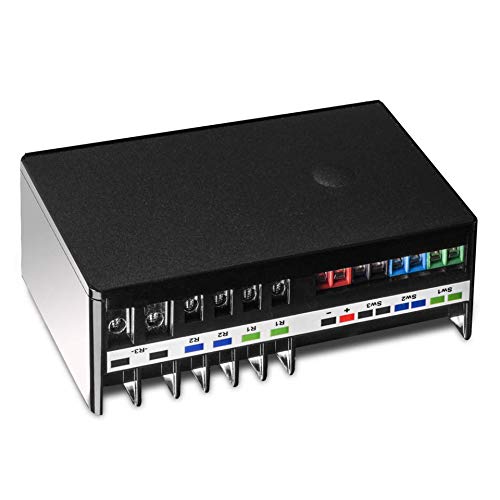
One small box, three separate relays, so a garage, a sprinkler zone and a fireplace each get their own command.
The whole point of the ZEN16 is independence. Three dry-contact relays sit on one Z-Wave device, rated 15 A, 15 A and 20 A, and each one switches on its own. That means your gas fireplace, your sprinkler valve and up to three garage doors can each live under a separate automation instead of being lumped into one on/off group. It handles any 1-240 V device up to 20 A, which covers the odd jobs that never fit a normal smart plug.
Power comes from a standard USB C cable with a 5V supply or a 12-24 V AC/DC source — a power adapter or USB cable is not in the box, so budget for one. It’s ETL certified and conforms with North American safety standards. It also remembers and restores its on/off status after a power failure, which matters for a fireplace or a pump, and it can act as a signal repeater for your mesh. Z-Wave Long Range kicks in only if your hub supports ZWLR, and it carries the latest S2 security and SmartStart pairing.
What wins people over is how much it covers without multiplying boxes — buying three separate relays to do this job is the alternative. The honest catch is the hub list. It works best with the Z-Box Hub and was tested with Hubitat and Home Assistant, while SmartThings needs a custom edge driver from Zooz’s support page. Ring, Vivint, Wink and Alarm.com panels only give partial control, and a smart speaker is not a hub. The company’s own customers describe the setup as reliable across SmartThings, Home Assistant and Hubitat, with the programmable momentary pulse feature called out as a practical extra for doorbell and gate wiring.
Where it earns its place
- Three relays on one device — 15 A, 15 A and 20 A — each controlled independently.
- Handles 1-240 V devices up to 20 A, from a pool pump to landscape lights.
- Restores on/off state after a power cut and repeats Z-Wave signal for the mesh.
- USB C or 12-24 V AC/DC power with wall-mount ready housing.
Read this before ordering
- Power adapter and USB cable not included, and jumper wires not included either.
- SmartThings wants a custom edge driver; alarm panels like Ring and Vivint give only partial control.
- Never power it from 110 V, and never put voltage on the switch input terminals.
Reach for this if: you have several dry-contact jobs — garage doors, sprinklers, a gas fireplace, a whole-house fan — and want one Z-Wave device handling all of them separately.
Look elsewhere if: you run a closed alarm-panel system with no open hub, because you’ll only get grouped control with no access to the advanced settings.
2. SONOFF Z-Wave 800 Dongle Plus (Dongle-PZG23)
The cheapest way into Long Range — a USB stick with a screw-on antenna and no subscription in sight.
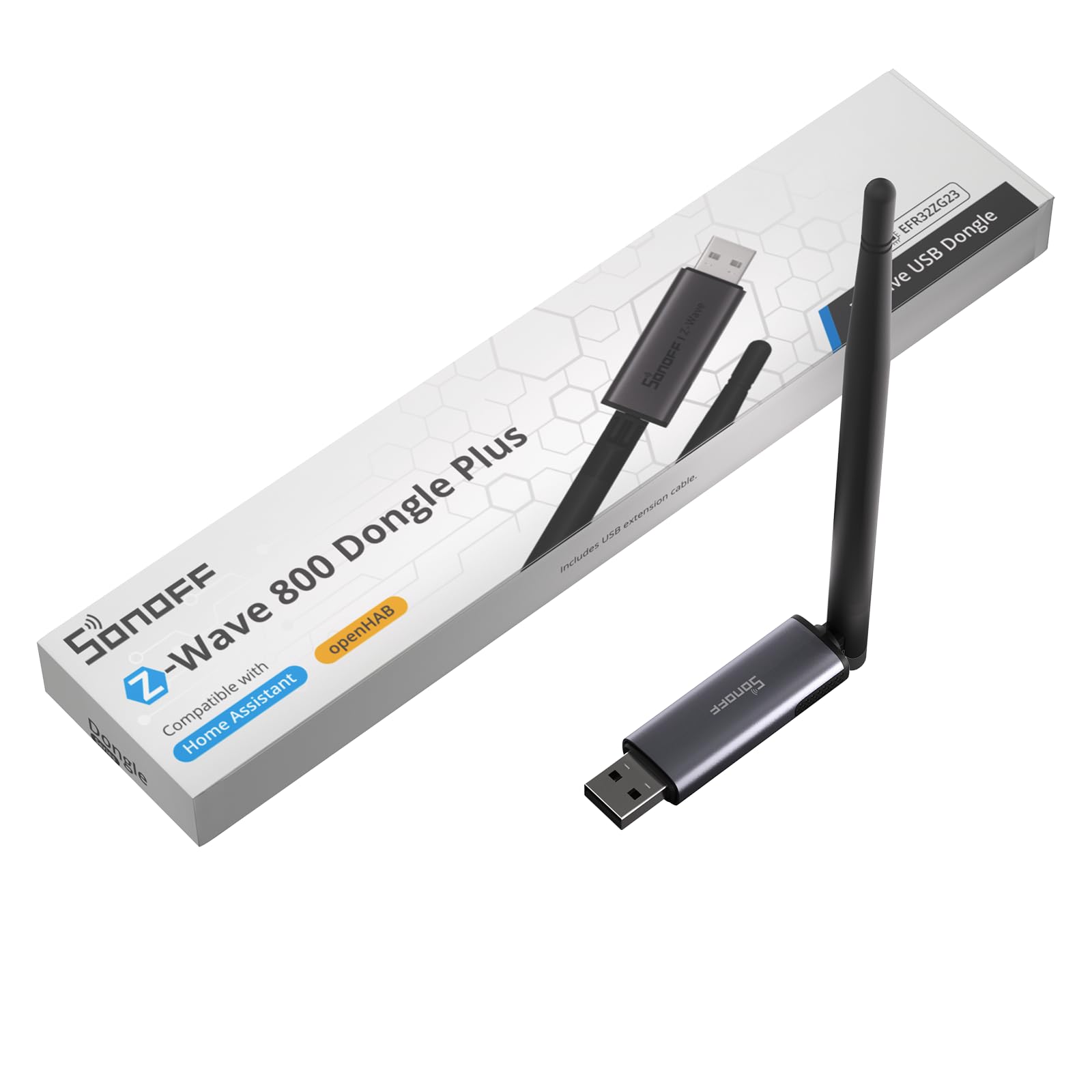
This dongle is the entry ticket for anyone building a Home Assistant or openHAB setup from scratch. It runs the 800-series EFR32ZG23 chip with S2 security, and it supports Z-Wave Long Range for direct point-to-point talk with distant devices instead of relying on a chain of repeaters. The 2dBi external antenna has adjustable angles, so you can tilt it away from the metal of your PC case. A USB extension cable is included, which lets you move the radio to a port with less electromagnetic clutter nearby.
Setup is close to plug-and-play. It talks to Home Assistant and openHAB, and it’s compatible with most Z-Wave frequencies worldwide. The published operating system list is unusually specific — Debian 10.0 Buster through Debian 12.0 Bookworm, Ubuntu 18.04 through 24.04, several Linux Mint releases, Mac OS 10.12 Sierra through 15 Sequoia, and Windows 10 and 11. Compatibility is clearly the thing that wins people over here, since it’s the single quality the company’s own customers bring up most, followed by straight functionality. At 0.07 kg it’s light enough to pocket.
The trade-off is a hard one-radio limit. This stick speaks Z-Wave only — no Zigbee, no Thread. If you also run Zigbee bulbs or sensors, you’ll be buying a second dongle or stepping up to the Aeotec Z-Stick 10 Pro, which carries both. Check your Z-Wave frequency before ordering if you’re outside North America.
Plain value read: you’re getting an 800-series radio with an external antenna and a USB extension for less outlay than almost anything else on this list — the cheapest sensible route into a Home Assistant Z-Wave setup.
What you give up: Long Range reach depends entirely on your software supporting it and your end devices also being LR, so the antenna is only half the story.
Best fit: a first-time Home Assistant builder who wants Z-Wave and nothing else on the shopping list.
Consider the upgrade instead: if you already own Zigbee gear, the dual-radio Aeotec stick saves you a second USB port and a second purchase.
3. HomeSeer SmartStick G8
Built for people carrying a decade of paired devices on their back, not people starting clean.
Most Z-Wave sticks assume you are building a fresh network. The SmartStick G8 assumes you already have one. It supports the 800-series Long Range technology (the newer Z-Wave chip family) with wireless coverage stated up to 1 mile, so a sensor at the far end of a large yard can still reach the hub. It can run standard mesh devices and Long Range devices at the same time, so you mix them in one home rather than choosing. That alone makes it the friendlier option if half your switches are older mesh gear and half are new.
The migration path is the real feature. If you’re coming off a 500, 700 or 800 series controller, you move the network across using Z-Wave JS UI v9.9.0 or later. The manufacturer is explicit that you should not use other methods like PC Controller for the migration, because those can make the stick unusable. Firmware arrives at version ZDK 7.22.2 as of 10/25/24 and can be updated as new versions ship. It’s small and light — 1.13 ounces — so it travels in a laptop bag without a thought.
Long Range needs compatible software on the other end: Z-Wave JS UI v9.10.0 or later paired with HomeSeer or Home Assistant, and your end devices have to support LR and be added as LR devices. It’s not a standalone hub, so a computer or a Z-Wave-compatible hub like a HomeTroller or a Home Assistant Green has to be running. Buyers rate its effectiveness as the standout quality, with connectivity close behind — the pairing speed is the bit people tend to remark on.
The migration argument: a documented, version-pinned upgrade route from an older controller is worth more to a long-time Z-Wave household than any single spec on a fresh stick.
Where it gets fiddly: the migration must go through Z-Wave JS UI — stray to another tool mid-move and you risk bricking the stick.
Pick this when: you’re moving an established Z-Wave network onto an 800-series radio and want the official migration path.
Not for you if: you want a self-contained hub — this is a radio, and it needs software running somewhere else.
4. Enbrighten Z-Wave Long Range On/Off Switch, 800 Series

The switch that plays nicely with the alarm panel you already pay for, instead of demanding you rip it out.
Here’s the number to focus on: up to 1,300 ft. from compatible Z-Wave LR hubs. In Z-Wave Classic mode that drops to up to 150 ft., so the Long Range upgrade is the whole reason to buy this paddle. It’s an on/off switch rated 15 A, and it handles single-pole installs, up to four Enbrighten add-on switches, or a single standard three-way switch.
The hub compatibility list is the widest here. It names certified hubs from SmartThings, Ring Alarm, ADT, Honeywell, HomeSeer and Ezlo, and it supports voice control through Amazon Alexa and Google Assistant. If you’re the sort of household that already has ADT or Ring on the wall, this is the in-wall hardware that meets you where you are. The QuickFit design cuts housing depth by 20% for packed electrical boxes, and the SimpleWire terminals auto-detect line and load to save time on wiring.
Cosmetics are handled properly too: white and light almond rocker paddles both come in the box, and the LED guide light can be set to eight colors across four operating modes. The recurring honest note is the outlay — people who buy this tend to say it isn’t cheap for a plain on/off switch. Reliability is what carries it, and that’s what the review pages lean on most, followed by build quality.
Why it holds its position
- Up to 1,300 ft. Long Range reach from compatible LR hubs.
- Named compatibility with SmartThings, Ring Alarm, ADT, Honeywell, HomeSeer and Ezlo.
- QuickFit housing sits 20% shallower in crowded boxes.
- Two paddle colors and an eight-color LED guide light in the box.
The cost of owning it
- Buyers routinely flag the outlay as high for a non-dimming on/off switch.
- It won’t give you dimming — this is strictly an on/off paddle.
Made for: households already committed to ADT, Ring Alarm or a similar panel who want Long Range reach without swapping ecosystems.
Think twice if: you want a dimmer rather than a straight on/off switch, or you’re price-sensitive about a single wall plate.
5. Zooz 800 Series Z-Wave Long Range Scene Controller ZEN32 800LR

A smart switch with four extra buttons that end the phone-fumbling before bed.
One switch face, five controls. The main button can drive a 120 V light fixture up to 150 W for LEDs, or act as wireless-only with up to seven button triggers available. The four smaller buttons program to scenes or other devices in your network, so a single press can fire an “Away” routine or kill every light in the house on the way to bed. If you’ve ever wanted a wall panel that behaves like a remote without looking like one, this is the shape.
Under the cover it’s the 800-series chip with Long Range support alongside a traditional mesh network, S2 authenticated security and SmartStart pairing. It also solves three-way switching directly — no add-on switch, as long as neutral is present, and it works the same as a single-pole. The body is 1.1 inches deep with no side tabs, so shallow and crowded boxes are fine. Current rating is 15 A, and it’s ETL certified.
The one thing to be strict about is the hub. Zooz says plainly not to buy this if your hub isn’t on the list — SmartThings (with a custom driver), Hubitat, Home Assistant and HomeSeer — because basic Z-Wave systems aren’t advanced enough to program scene control at all. Buyers report it is easy to configure and quick to install, often finishing in a quarter of an hour, and they highlight the press, hold and double-tap behavior as the useful part. You also need a neutral wire. Register the device and the 1-year warranty extends to 5 years.
What it does for a wall
- Five controls on one face: a main 120 V switch plus four programmable scene buttons.
- Direct three-way solution with no add-on switch when neutral is present.
- 1.1 inches deep with no side tabs for shallow boxes.
- Range test tool, instant status updates and replaceable paddles available.
What will trip you up
- Basic Z-Wave hubs can’t program scene control at all — check the supported list first.
- Neutral wire required, and the replacement paddles sell separately.
- SmartThings needs a custom driver before it’s recognized correctly.
The right buyer: a Home Assistant or Hubitat household that wants physical buttons for scenes rather than opening an app in the dark.
Skip the purchase if: you’re on a bare-bones Z-Wave hub or you have no neutral in the box.
6. Aeotec Z-Stick 10 Pro
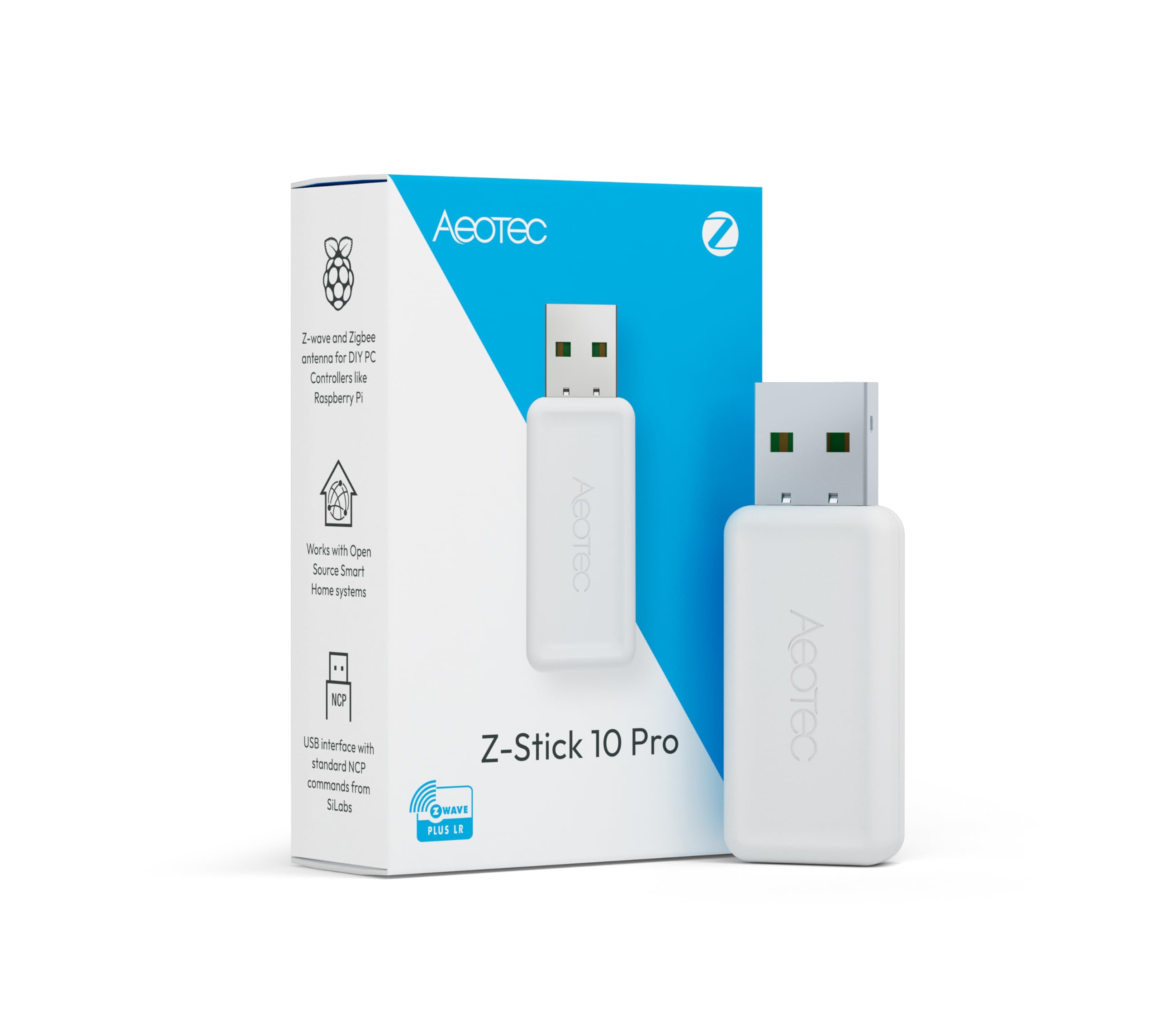
Two separate radios in one slim body, so one USB port covers both your Z-Wave and Zigbee gear.
The Z-Stick 10 Pro carries two chips. The Z-Wave side is the 800-series EFR32ZG23 with Long Range support stated up to 1 mile of radio range. The Zigbee side is the EFR32MG21 running Zigbee 3.0.
Software coverage is wide: HomeAssistant, Zigbee2MQTT, Z-Wave JS and Open Z-Wave all get named, and it’s stated to work with more than 8,000 devices across the biggest smart-home ecosystems. There’s no cloud requirement — it runs locally on compatible systems with Windows 10 or higher, Linux, and OSX. It uses USB 2.0 Type A as the hardware interface, weighs 0.03 kg, and comes with a manual. Compatibility is what stands out in the owner experience, followed by setup and day-to-day functionality, and people note that devices pair up without drama and respond faster than they used to.
Long Range has a caveat you should know about before buying. Range is the one aspect where the feedback splits, and that’s fair — LR only reaches its stated distance when your controller software enables it and your end devices are also added in Long Range mode. The stick can’t dial that up on its own. If your end devices are old 500-series mesh gear, expect the classic mesh experience rather than a mile of coverage.
Two-in-one arithmetic: a Z-Wave 800 stick and a Zigbee 3.0 stick separately would take two ports and two setup steps — this collapses both into one purchase and one device in a HomeAssistant list.
Set expectations on: Range results vary because Long Range depends on software configuration and LR-capable end devices, not on the stick alone.
For the mixed household: anyone running both Z-Wave locks and Zigbee sensors who wants one controller on a local, cloud-free setup.
skip it if: you only own Z-Wave gear and don’t need the Zigbee half — the SONOFF dongle costs less and does the single-radio job.
7. Home Assistant Connect ZWA-2
A radio you can lift off the desk and sit anywhere — because the PC case was never a good antenna.
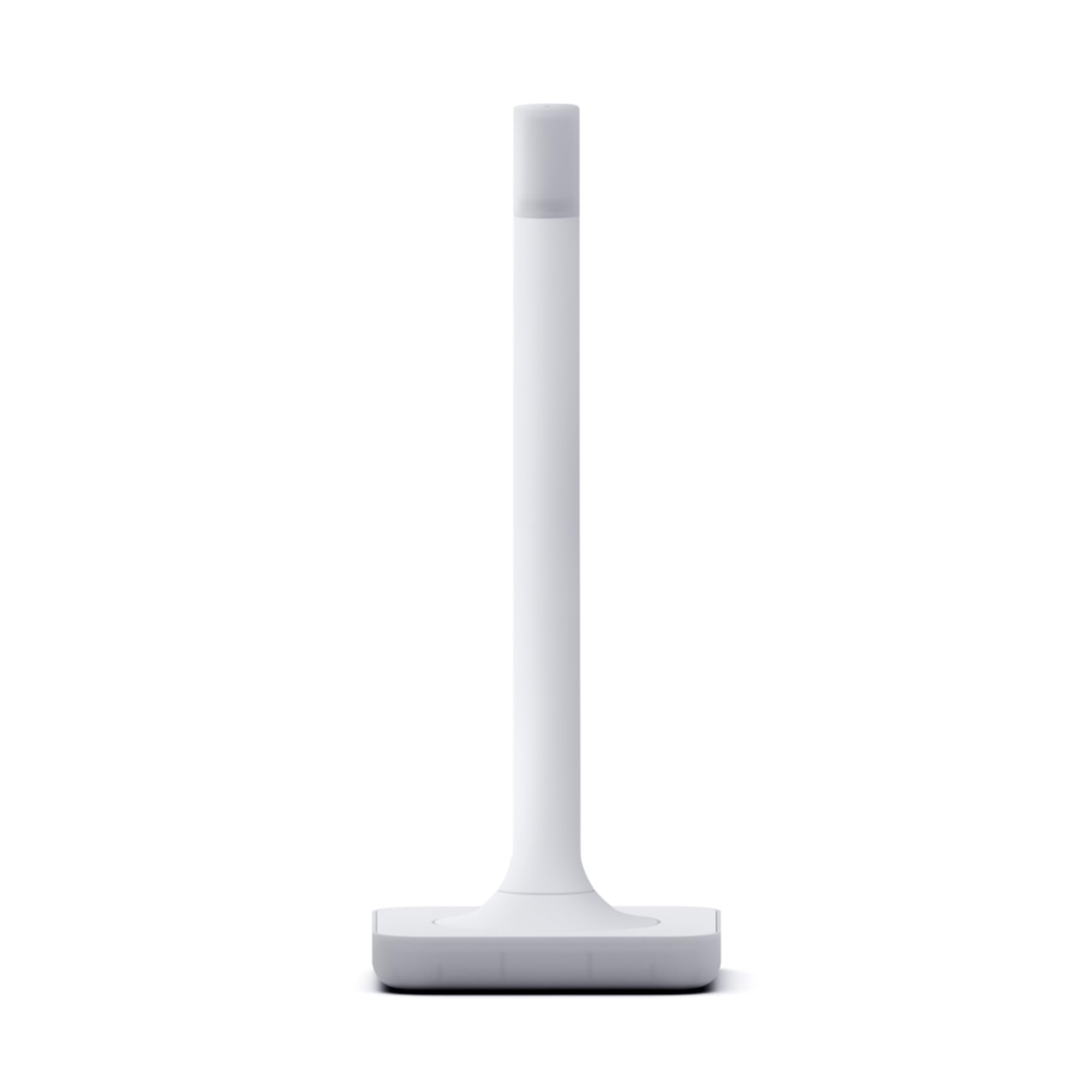
Every other controller in this list plugs straight into a USB port. This one doesn’t, and that’s the feature. The ZWA-2 is a desktop antenna on a 4.9 ft USB cable, with the base and antenna tuned to Z-Wave’s own wavelength and working together to hold the connection and push range. Part of the appeal is simply putting the radio away from a metal case and its EMI soup. Made by Nabu Casa, designed by the team behind Home Assistant and Z-Wave JS, and driven by the 800-series chipset.
It speaks Z-Wave and Z-Wave Long Range only — no Zigbee, no Thread radio. Nabu Casa calls Long Range mode more reliable and more responsive to far-away devices, with better battery life. Z-Wave runs on its own frequency, which Nabu Casa says cuts through thick walls and dodges interference in busy areas. Migration from most other adapters is stated to take a couple of clicks, and there’s a startup wizard with one-click firmware updates, which covers the boring part of a hub swap.
The standout traits here are performance, then ease of use, then range — and range is the one that lands hardest for people who’ve struggled to reach a shed or a garage. If what you want is a stable link to a device that’s two rooms and a wall away, this is the whole point of the purchase. The one honest gripe is physical size: it’s a desktop object, not a hidden plug-in, so confirm it fits the surface you have in mind. Setup is also tied to Home Assistant, so a non-HA household should look at the HomeSeer or SONOFF sticks instead.
The design argument: putting a radio on a cable away from the computer is a real performance choice, not a cosmetic one, and the wavelength-tuned antenna and base back that up.
Who should pass: anyone not running Home Assistant, and anyone short of desk or shelf space — the size is the recurring trade-off.
The pick for: a Home Assistant household that wants range and stability handled properly, with firmware updates and migration kept simple.
Not the right choice if: your hub isn’t Home Assistant, or the visible footprint of a desk antenna doesn’t fit your setup.
Know the Specs
Z-Wave Long Range (ZWLR)
ZWLR is a separate radio mode from classic Z-Wave mesh. In mesh mode, signals hop from device to device to reach the hub, which is reliable but can bottleneck at a crowded hoop. In Long Range mode, a device talks directly and point-to-point with the controller — so a shed at the end of the property doesn’t need a repeater chain. The catch: both the controller and the end device have to support ZWLR, and your software has to enable it. A “ZWLR-ready” switch in your hand is only half of the deal.
800-Series vs Older Chips
The 800-series is the newer Z-Wave radio generation. In practice that means more range and faster communication than 500 and 700-series hardware. It also brings S2 authenticated security and SmartStart, which is instant pairing from a QR code instead of a manual inclusion dance. If you’re building a Z-Wave network now, starting from the 800 series avoids a rebuild next year — the older controllers still work, but the newer hardware is the better long-term base.
Dry Contact Relays Explained
A dry contact relay is a plain switch with no voltage of its own — it closes and opens a circuit that your device supplies. That’s what lets a ZEN16 or ZEN17 control a garage door opener, a sprinkler valve, a fireplace, or a pool pump, since each of those has its own power source. The rating on the relay (15 A, 20 A, 10 A) tells you how much current it can pass, so match the relay to the load rather than the biggest number available.
The Hub Is Not Optional
None of these devices creates a smart-home network on its own unless it’s a USB controller plugged into software. A dry-contact relay or an in-wall switch needs an open Z-Wave hub or a software platform — the Z-Box Hub, Hubitat, Home Assistant, HomeSeer, or SmartThings with a custom driver. A smart speaker like Alexa or Google Assistant is not a Z-Wave hub, and alarm panels such as Ring, Vivint and ADT Pulse typically offer only partial control. Read that list before you buy anything else.
Common Questions
Will a Z-Wave Long Range switch work with my existing Z-Wave hub?
Do I need a neutral wire for the Zooz ZEN32 or ZEN76?
What’s the difference between the ZEN16 and the ZEN17 relay?
Can a smart speaker control these devices directly?
Which Z-Wave controller works with Home Assistant?
Why does my Long Range device still show poor range?
Can I move my existing Z-Wave network to a new controller?
Do these relays work with an ADT, Ring or Vivint alarm panel?
Is a USB dongle enough to start a Z-Wave network?
What can a scene controller do that a plain smart switch cannot?
The Bottom Line
For most homes, the z-wave long range devices winner is the Zooz ZEN16 800LR MultiRelay because it delivers the widest coverage of jobs per device — three independently controlled dry contacts at 15 A, 15 A and 20 A, state memory after a power cut, mesh repeating, and ZWLR support in one wall-mount box. If what you actually need is the radio that creates the Long Range link in the first place, the Aeotec Z-Stick 10 Pro is the one to reach for, since it carries both the Z-Wave 800 and Zigbee 3.0 radios and won’t crowd out your other USB ports. And for a far corner or a detached outbuilding where range is the whole problem, the Home Assistant Connect ZWA-2 earns its premium by putting the antenna on a 4.9 ft cable where you decide it sits.
One last nudge before you buy: check your hub on the supported list before you order anything else. Nearly every device here asks you to confirm that, and it’s the difference between a smooth install and a return.
How we choose
We do not accept paid placement. Every pick is matched to a real buyer and a real use-case; we do not hands-on test units.
Sources
Specifications: manufacturer listings and product documentation. Review insights: verified customer reviews, as of November 2026. Pricing: not shown on this page (it changes often); check the current price via the retailer link.
As an Amazon Associate, Tactical Gear Guy earns from qualifying purchases. This does not affect which products we feature.