Specs are compiled from manufacturer listings and verified buyer reviews and can change over time — please confirm the key details on the product page before buying.
If you want a front door you can open with a code and lock from your phone, the short answer is this: buy a Z-Wave deadbolt that talks to a hub you already own. A Z-Wave deadbolt is a motorized lock that speaks a low-power wireless language (Z-Wave) so it can join a smart-home hub. That hub lets you lock, open up, and hand out codes from anywhere. The catch most buyers miss: the lock has no smart features on its own — remote control requires a compatible hub, sold separately. Pick a lock that doesn’t speak your hub’s protocol and the keypad never talks to your alarm system.
This guide is built by comparing the manufacturers’ published specifications and the patterns across verified customer reviews, so you get each pick’s real strengths and trade-offs instead of marketing spin.
Below you’ll find door-thickness fits, backset ranges, and battery timelines spelled out so nothing surprises you at the drill. Every pick here is a real Z-Wave lock you can pair with a hub — which is the whole point of shopping for the best z-wave deadbolt.
Top Picks


How To Choose The Best Z-Wave Deadbolt
A deadbolt that speaks Z-Wave only becomes smart once it joins a hub. So the first question isn’t which lock looks best — it’s which hub sits in your house. Ring Alarm, Samsung SmartThings, Wink, Vera, Nexia, and Home Assistant all use Z-Wave, and every lock on this list names the controllers it works with. Match that list to your hub before you fall in love with a keypad.
Check your door before anything else
Deadbolts only fit doors within a stated thickness range. Some locks here take doors from 1-3/8″ to 1-3/4″ thick, while others stretch to 2-1/4″. Measure your door and your backset (the distance from the door edge to the center of the bolt hole) with a tape measure. Skip this step and the new bolt won’t line up with your existing hole.
Keypad versus touchscreen
A keypad has physical buttons you press, while a touchscreen is a flat glass panel that lights up. Touchscreens look cleaner and resist fingerprints on a matte finish. Keypads tend to keep working when fingers are wet or gloved. Both let you set codes; the difference is how they feel at the door in the rain.
How many codes do you actually need?
Code limits range widely on this list — from 20 programmable pins on one lock to 250 user codes on another. A couple living alone needs two or three. A rental with a cleaner, a dog walker, and rotating guests benefits from a high code ceiling plus single-use or timed codes. More codes mean more bookkeeping, so buy to your real traffic.
Side-by-Side Comparison
| Model | Best For | Connectivity | User Codes | Power / Weight | Amazon |
|---|---|---|---|---|---|
| Yale Assure SL (Black Suede)★ Best Overall | Key-free front door | Z-Wave | — | 4 AA / 3.5 lb | Amazon |
| Alfred DB1-C-BLBudget Champion | Budget smart entry | Bluetooth + Z-Wave | 20 | 4 AA / — | Amazon |
| Kwikset Home Connect 620Whole-Home Range | Ring Alarm homes | Z-Wave | 250 | 4 AA / 3.4 lb | Amazon |
| Kwikset SmartCode 916 (B07F3FBRXH) | Touchscreen convenience | Z-Wave | 30 | 4 AA / — | Amazon |
| Yale Assure SL (Oil Rubbed Bronze) | Key-free with bronze finish | Z-Wave | — | 4 AA / 3 lb | Amazon |
| Alfred DB1-B-BL | Backup key entry | Bluetooth + Z-Wave | 20 | 4 AA / 16 oz | Amazon |
| ULTRALOQ Bolt Z-Wave | Weather and durability | Z-Wave / Z-Wave LR | — | 4 AA / 2.6 lb | Amazon |
| Schlage BE469ZPVCAM619 | Built-in alarm | Z-Wave | — | 4 (incl.) / 4 lb | Amazon |
Detailed Reviews
1. Yale Assure SL Deadbolt Lock with Z-Wave, Black Suede
Our pick — 4.0+★ from 150+ verified ratings; the strongest balance of quality and price.
A keyless slab of matte black that hands you a code instead of a keyring.
The Yale Assure SL is completely key-free, which means there is no keyhole to pick and no key to lose. You punch a code on the backlit keypad, or press any single button on the way out to lock the door behind you. If auto-relock is switched on, the bolt throws itself after the door closes. It fits standard doors from 1-3/8″ to 2-1/4″ thick and swaps your old deadbolt with a screwdriver — no extra holes.
Smart control comes from pairing it to a Z-Wave hub like SmartThings, Ring Alarm, Wink, or Nexia. The lock has no Yale app of its own, so every remote command runs through your hub’s app. That keeps one app in your pocket, but it also means the lock’s remote side is only as capable as your hub. The included Z-Wave smart module and 4 AA batteries arrive in the box, so you can set codes the same afternoon.
Dead batteries won’t strand you. The design has a backup charger so a 9V battery pressed to the terminals gives the lock enough power to accept your code. That 9V terminal is why it takes the top spot: a dead battery never means a locksmith call. The 3.5-pound build reads solid in the hand, though it is the heaviest of the keypad locks here, and it is a full 1.2 pounds heavier than the ULTRALOQ Bolt below. At 4.0+ stars it is the crowd favorite in this group, with 100+ ratings behind it. The honest catch: with no keyhole, the 9V battery terminal is your only fallback if the electronics fail.
What earns it the top slot
- 100% key-free body — nothing to pick, nothing to lose
- Backlit keypad and one-touch locking on exit
- 9V backup power prevents a dead-battery lockout
- Works with SmartThings, Ring Alarm, Wink, Nexia, and Vera
The fine print worth knowing
- No Yale app — you need a compatible hub for every smart feature
- No key fallback if the electronics ever fail
- The heaviest keypad lock on this list at 3.5 pounds
Made for: the buyer who wants a clean, key-free front door tied into an existing Z-Wave hub.
Think twice if: you still want a physical key as a backup — the oil-rubbed version below shares the same key-free design.
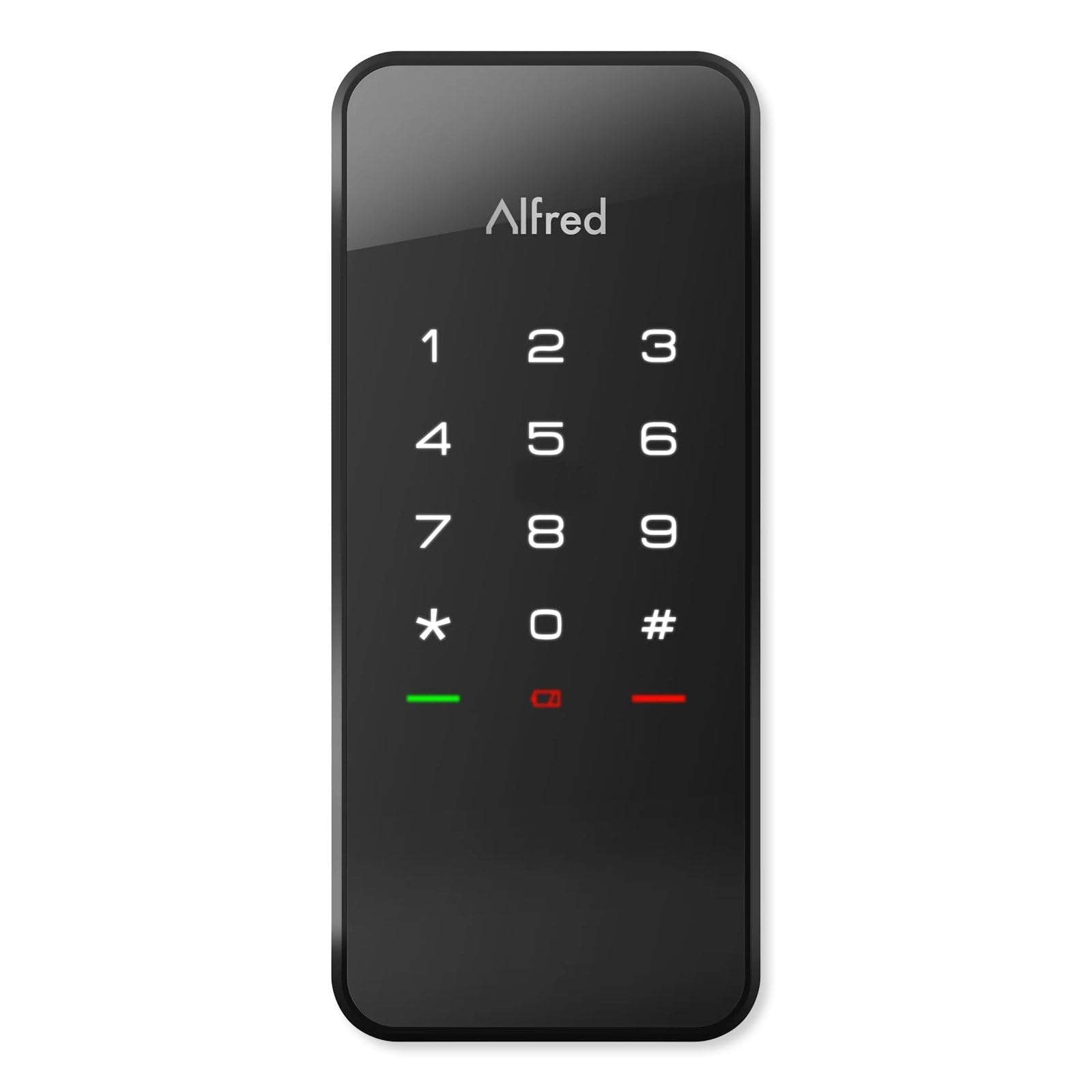
2. Alfred Touchscreen Keypad DB1-C-BL
The cheapest way onto this list to get both touch entry and a Z-Wave brain.
Two radios in one lock is the pitch. Bluetooth lets Alfred open up with a single tap when your phone is close, while the built-in Z-Wave Plus radio connects it to hubs like SmartThings and Vera for remote control. You can program 20 unique, single-use, or timed pin codes through the Alfred app. Four AA batteries run it, and an emergency micro USB port on the outside gives you a power top-up if the cells die with you on the wrong side of the door.
Installation is standard deadbolt work. The DB1-C fits a 2-1/8″ hole with an adjustable latch bolt at 2-3/4″ or 2-3/8″ backset, three faceplates included, for doors 35-50mm thick. It is a compact unit compared with the chunky 4.6-inch-tall Kwikset Home Connect 620 — the Alfred measures 6.75 x 3.75 x 4 inches against that lock’s 2.8 x 1.25 x 4.6 inches.
Here is the trade-off you have to weigh. Reliability is mixed across the review pool, and the deadbolt not fully throwing is the recurring note — treat a slow, deliberate install and a clean strike alignment as part of the job. At 3.5+ stars it sits below the Kwikset Home Connect 620’s 4.0+. You are buying value and two radios here, not the most proven unit on the page. The matte black body does look good on a modern door, and single-use codes make it handy for a short-term rental.
Where it wins: 20 codes, Bluetooth tap-to-open, and an emergency micro USB port put real smart features in a budget shell.
The realistic caveat: mixed reliability reports mean this is a lock to install carefully and align the strike the first time.
Best fit: the price-conscious renter or flipper who wants Z-Wave and Bluetooth without a big outlay.
Look elsewhere if: you want the most proven reliability record — the Home Connect 620 has the better track.
3. Kwikset HomeConnect 620 Z-Wave Long Range Keypad Smart Lock
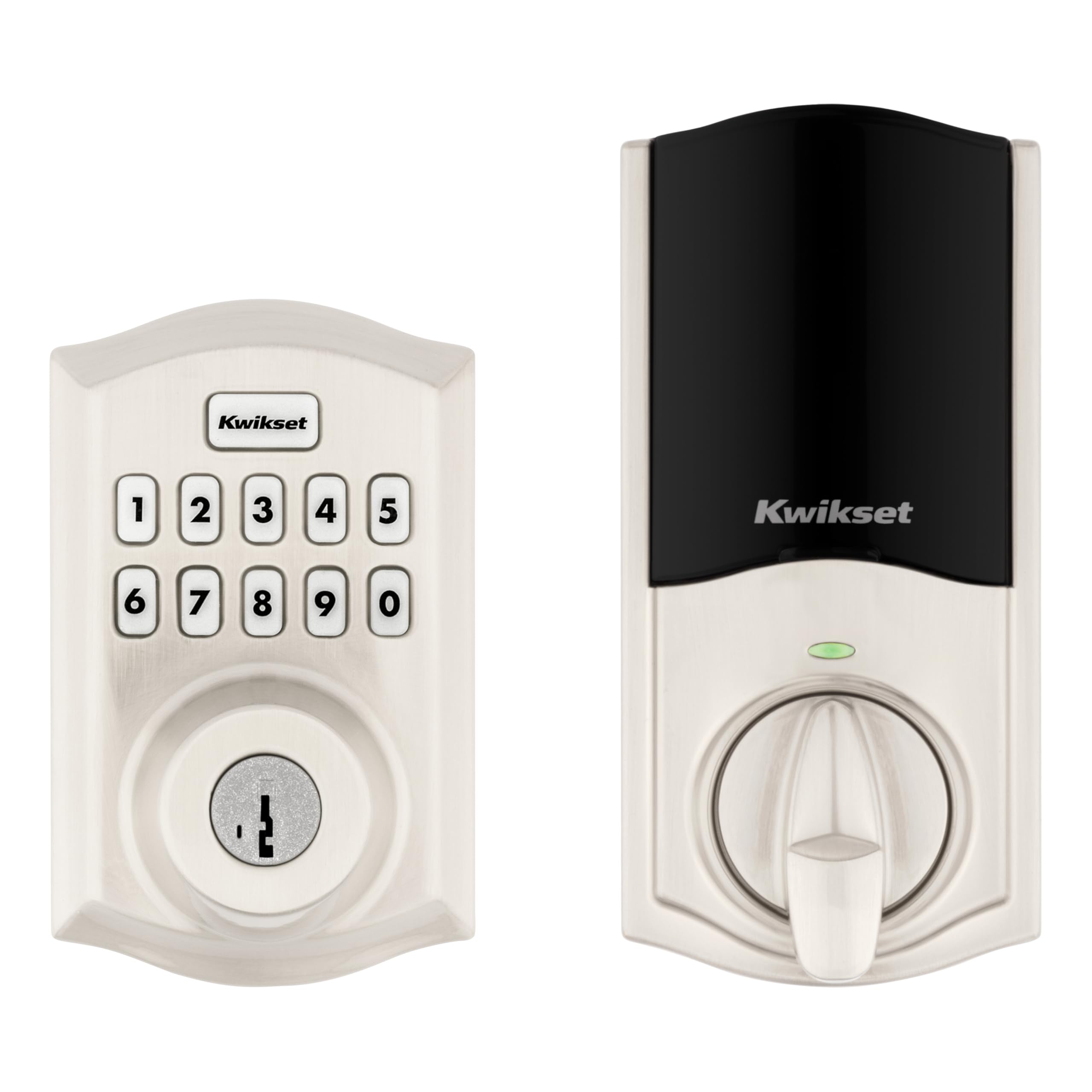
The workhorse 620 that gives Ring Alarm owners app control from the start.
This is the traditional-design original of the 620 family, and its whole role is wireless control from a hub. It talks to Ring Alarm, SmartThings, Wink, and Amazon Alexa through a compatible Z-Wave hub. The motorized deadbolt is fast and quiet, and the illuminated keypad gives keyless entry with one-touch locking on the way out. You can set it to auto-lock after entry or exit on multiple time settings — handy when your arms are full.
The details are practical. It fits doors 1-3/8″ to 1-3/4″ thick, takes 4 AA batteries (included) rated for 12 months or longer, and supports up to 250 user codes. SmartKey security lets you re-key the lock yourself in seconds, so a lost tenant key doesn’t mean a new cylinder. At 4.0+ stars it has the largest review base of the popular Z-Wave locks here, and what wins people over is day-to-day functionality — the keyless entry working quietly and the Ring integration doing what it should.
That same profile is the caveat. The recurring gripe across the pool is reliability, with a stretch of owners reporting the lock stops working after a while, so treat your hub pairing and firmware as something to maintain rather than forget. Still, if you already run a Ring Alarm system, this is the least-fuss bridge between your alarm app and your front door. It is a touch taller-ish frame than the compact Alfred, but the fitting range is standard.
Why Ring households gravitate here
- Native Ring Alarm control through the Ring app
- 250 user codes and multi-setting auto-lock
- SmartKey re-key in seconds
- 12-month battery rating on 4 AA cells
What to keep an eye on
- Mixed reliability reports over the long run
- Z-Wave hub required for every smart feature
- Installation clarity draws some gripes — read the manual twice
Who it suits: you already run a Ring Alarm or SmartThings system and want keyless entry you can control from your phone.
Not ideal if: you want zero hub dependency — every smart feature here runs through one.
4. Kwikset SmartCode 916 Z-Wave Smart Lock, Touchscreen
A glass touchscreen deadbolt that turns locking into a tap and a 30-second countdown.
The 916 trades physical buttons for an illuminated touchscreen. A fast, quiet motorized deadbolt does the work, and a 30-second auto-lock counts down after entry or exit so the door secures itself behind you. Programming is straightforward: up to 30 unique user codes for family, friends, or a dog walker. It works with Z-Wave security and home-automation systems and cooperates with Alexa and Google Assistant through a hub, which is required.
Fitting follows the standard Kwikset pattern — doors 1-3/8″ to 1-3/4″ thick, install in minutes with a screwdriver, and 4 AA batteries rated for 12 months or longer. The warranty splits nicely: lifetime mechanical and finish coverage, plus a 1-year electronics warranty. That lifetime mechanical coverage is the strongest hardware backing on this list.
What buyers like best is the build quality, with installation close behind — it goes on easily and feels like a well-made piece of hardware. Where it gets tricky is the touchscreen over time: touch sensitivity and battery life are the recurring frustrations, and SmartThings compatibility draws a split verdict. So if a crisp, always-responsive glass panel is the priority, budget for occasional tweaks and a spare set of cells. The 30-code ceiling is also modest — the HomeConnect 620 above offers far more code slots if you need rental-scale access.
What the reviews favor: a sturdy touchscreen deadbolt that clicks together fast at install.
The honest limit: touch sensitivity and battery life can wear thin — plan on periodic attention to the glass panel.
Choose this if: you want a glass touchscreen, a tight 30-second auto-lock, and a lifetime mechanical warranty.
Not the one if: you need dozens of codes or the most reliable touch response.
5. Yale Assure SL Deadbolt Lock with Z-Wave, Oil Rubbed Bronze
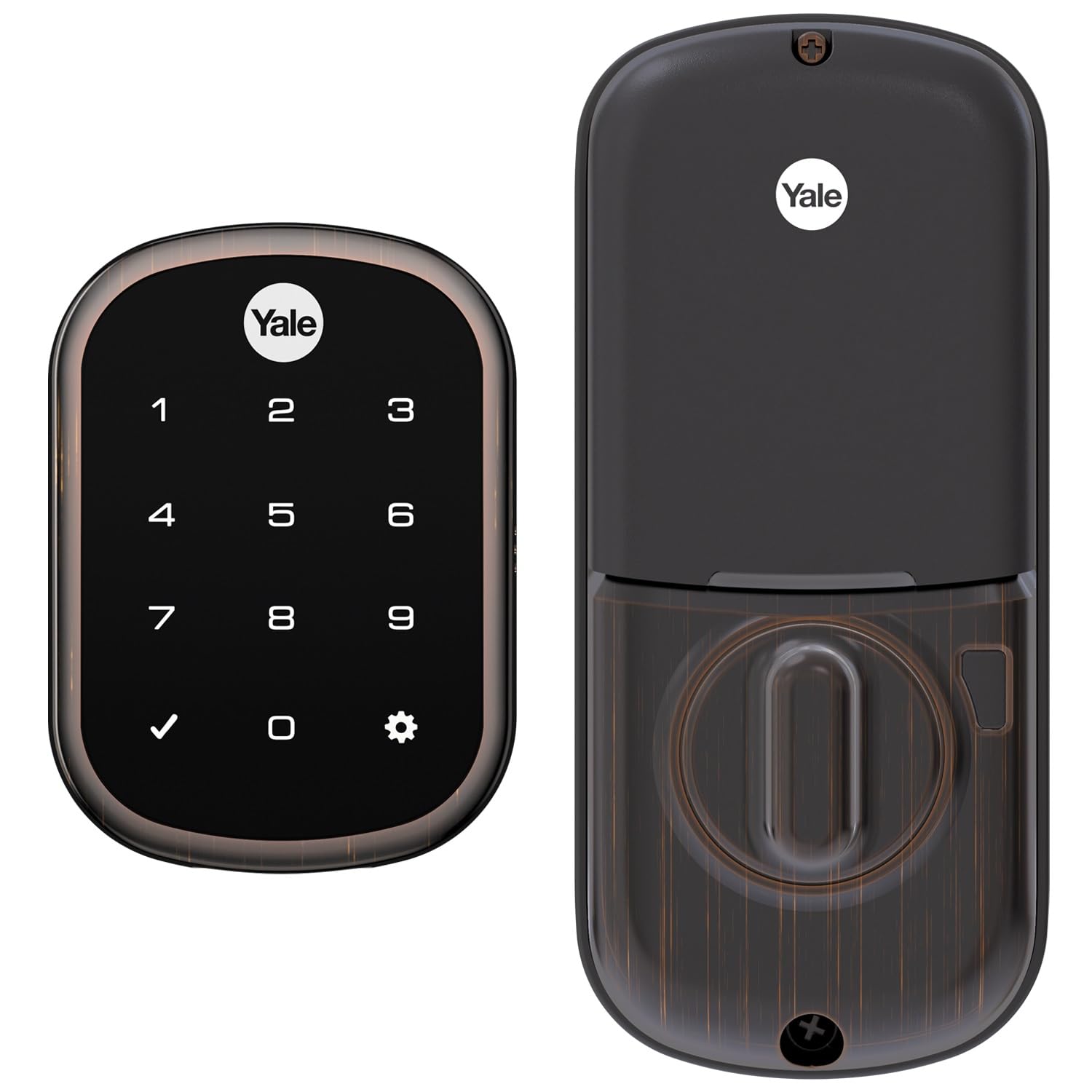
Same key-free Yale body as the winner, dressed in oil-rubbed bronze for the front porch.
If the black finish of the top pick didn’t suit your door, this is the colorway answer. It is the same 100% key-free design — punch a code on the backlit keypad, or press any button to lock behind you, with auto-relock available. It pairs to Z-Wave hubs like SmartThings, Ring Alarm, Wink, Nexia, and Vera for remote lock and open up. A 9V battery terminal at the front backs up the 4 AA cells, so a dead battery doesn’t become a locksmith call.
Two things set it apart from the black Suede version. First, it is lighter — 3 pounds against that lock’s 3.5, so this one weighs the same as the lightest handling on this list feels. Second, it takes doors 1-3/8″ to 2-1/4″ thick with no extra holes, same as its sibling.
The trade-offs mirror the top pick. No phone app of its own, so remote control is only as good as the hub. And the electronics carry some mixed reliability reports over time, so mounting clean and keeping firmware current matters. What the reviews favor most is how easy it goes on and how straightforward the programming is — you can set codes without a manual marathon. At 4.0+ stars it is a close cousin to the winner, and the bronze finish is the reason to pick it.
The decisive feature: an oil-rubbed bronze finish on a proven key-free body, rated -22F to 140F.
The caveat to size: no key fallback and no native app — plan on a hub and the 9V backup.
Pick it when: your entry hardware leans bronze and you want keyless entry with hub control.
Pass if: black hardware is your look — the Suede version sits at the top of this list.
6. Alfred Touchscreen Keypad DB1-B-BL
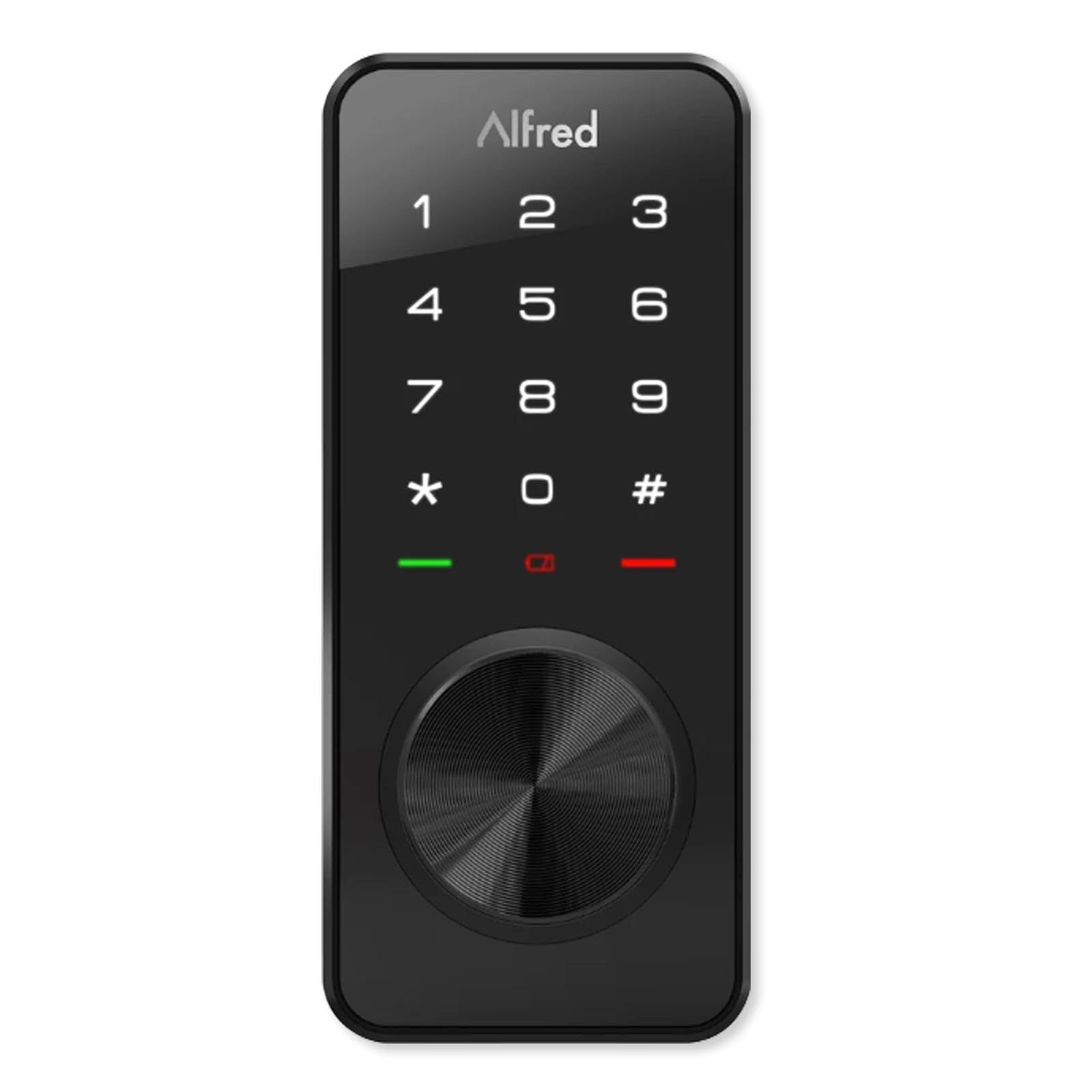
The Alfred that hands you a real key back — plus Bluetooth, Z-Wave, and a USB rescue port.
This is the DB1-B, and the B stands for the key. It adds a physical keyed-entry cylinder to the same tough motorized deadbolt body as its DB1-C sibling. That means you get a key fallback the key-free locks here can’t offer. Bluetooth gives single-touch open up when your phone is nearby, the built-in Z-Wave Plus radio pairs to SmartThings and Vera for remote control, and the Alfred app handles 20 unique, single-use, or timed pin codes. A micro USB emergency port covers a dead-battery moment.
Fit is standard deadbolt: 2-1/8″ hole, adjustable latch at 2-3/4″ or 2-3/8″ backset, three faceplates, and doors 35-50mm thick. It comes in at 16 ounces, so it is a light unit to hang on the door. At 4.0+ stars it is well-reviewed, though fewer ratings sit behind it than the popular Kwikset 620 models.
The honest catch is the same as the DB1-C. Reliability reports are mixed, so a careful install with a clean strike alignment makes a real difference. Two radios plus a key cylinder also means more to configure — set your codes and hub pairing in one session so you’re not chasing settings later. For a rental where you want a master key plus guest codes, this balances convenience with the reassurance of a physical key.
what separates it: one lock gives you a keyed cylinder (a physical key backup), Bluetooth tap-to-open (open up from your phone up close), Z-Wave remote control (open up from another room through your hub), and a micro USB rescue port (a backup battery boost if the batteries die).
The trade-off: mixed reliability reports mean a precise install is your best defense.
Ideal for: an owner who wants smart entry but refuses to give up a real key.
Second-guess it if: you’d rather have the most proven track record and don’t need a key.
7. ULTRALOQ Bolt Z-Wave Deadbolt
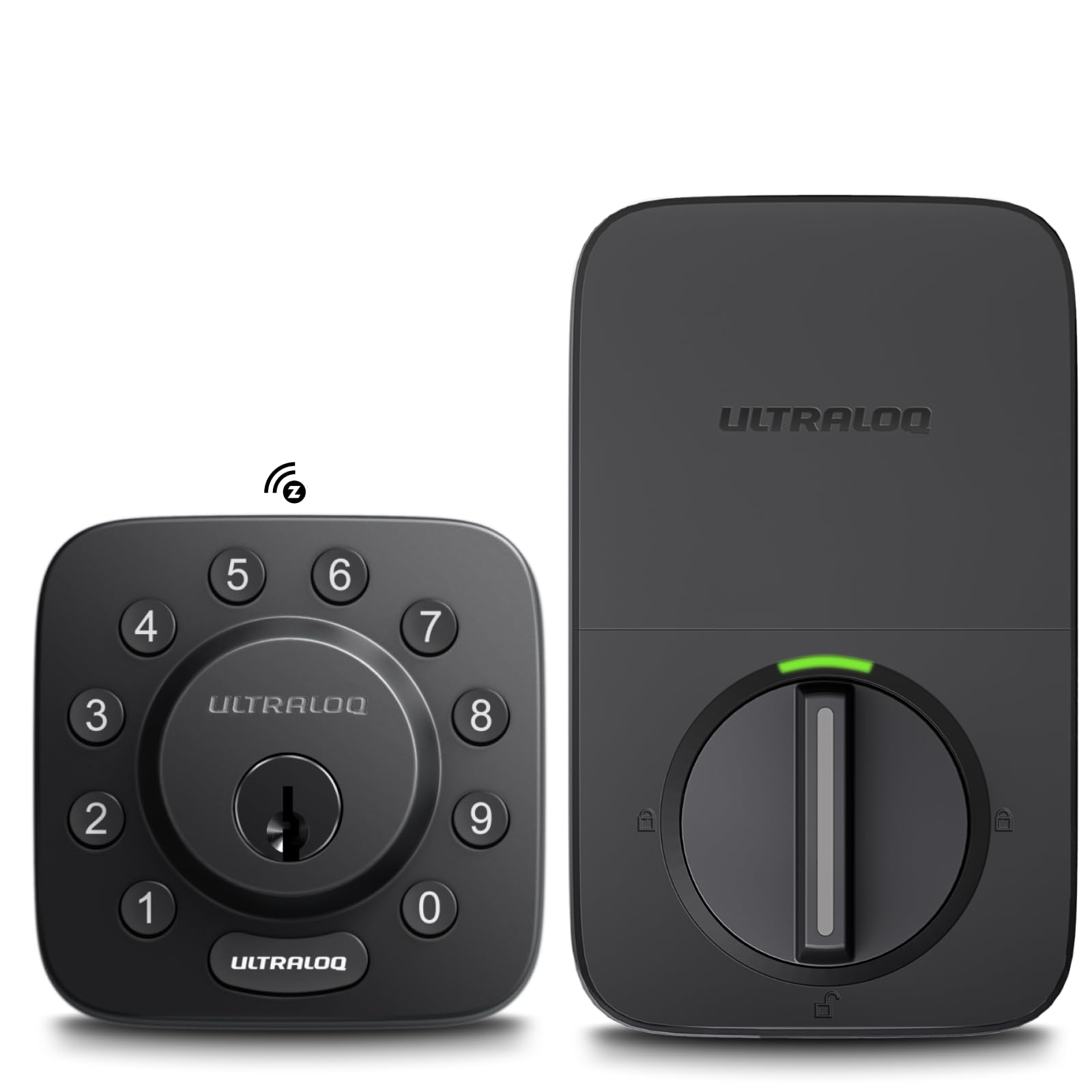
The lock built to shrug off rain, heat, and cold on a door that takes a beating.
Weather and durability are the headline here. The Bolt is IP65 rated, which means it’s sealed against dust and water spray, and it carries BHMA Grade 1 certification — the top grade for security hardware. Premium zinc alloy construction backs that up, built for front doors, garage entry doors, and high-traffic rentals. A Silicon Labs ZG28 chip drives 800 Series Z-Wave Long Range, giving dependable extended coverage for larger homes, detached garages, and guest houses.
Smart control runs through Alarm.com, Home Assistant, or SmartThings with a compatible Z-Wave hub. You can remotely lock and open up, manage user codes, get real-time activity alerts, and build automations with lights and sensors. Keypad entry, auto lock, and auto open up cover daily use. Four AA batteries power it, and the listing describes long battery performance, especially with lithium cells. Install takes about 10 minutes with just a screwdriver — no wiring, no drilling.
The spec that separates this from every keypad lock above is the weight. At 2.6 pounds it is the lightest keyed lock on this page — the Yale Assure SL in bronze is 3 pounds and this ULTRALOQ sits below the 3.5-pound Suede model. Less weight on the door means the motorized bolt throws with less strain. The warranty covers lifetime mechanical and 18 months on electronics, with lifetime phone support. At 4.0+ stars it matches the popular Home Connect 620’s score. The catch to weigh: Long Range coverage still needs a compatible Long Range hub, and the smart features don’t exist without one.
Built for harsh doors
- IP65 weather resistance for rain, heat, and cold
- BHMA Grade 1 certification — the top security grade
- Lighter than the keypad locks at 2.6 pounds
- Lifetime mechanical and 18-month electronic guarantee
What it asks of you
- Compatible Z-Wave hub required for all smart features
- Long Range benefits need a Long Range-ready hub
- Remote automations depend entirely on your hub’s ecosystem
The target buyer: a garage, rental, or exposed door that needs weather resistance and top-grade security hardware.
Reconsider if: your hub can’t use Z-Wave Long Range — you’ll still get Z-Wave, just not the extra reach.
8. Kwikset 916 Z-Wave SmartCode Deadbolt

A touchscreen deadbolt that sounds its own alarm when someone tampers with it.
Schlage’s Camelot is the only lock on this list with a built-in alarm that alerts you to potential security threats. That physical alarm, not the app, is the reason to consider it. It also carries an anti-pick shield to protect against lock tampering and a BHMA graded best (ANSI Grade 1) rating for security, durability, and finish. It fits doors 1-3/8″ to 1-3/4″ thick with a universal deadbolt for 2-3/8″ or 2-3/4″ backset, and it’s guaranteed to fit existing standard pre-drilled doors.
Smart control comes from a Z-Wave connection to Alexa, Nexia, SmartThings, or Wink, which adds remote capability. From the outside the deadbolt retracts automatically when you enter a valid access code. The touchscreen uses a durable resistive panel with a matte finish that resists fingerprints and smudges, so it stays cleaner-looking than a glossy glass face.
The honest limit is reliability. Some buyers report it working exactly as intended, while a stretch find it stops behaving properly over time, and value draws a split verdict. That lands it at 3.5+ stars, so weigh the built-in alarm and the anti-pick shield as the real reasons to choose it over the sturdier-rated picks above. It is also the heaviest unit together with the 918 at 4 pounds. If on-door tamper alerting is worth a bit of risk to you, this is the one lock that gives it without adding a separate sensor.
The one-of-a-kind feature: a built-in alarm plus an anti-pick shield, with ANSI Grade 1 hardware.
The catch: functionality draws mixed owner verdicts, so buy it for the alarm and treat reliability as a watch item.
Right for: the buyer who wants on-door tamper alerting and top-grade security hardware in one piece.
Not for: anyone who values the most consistent reliability record above all else.
Know the Specs
Z-Wave and Z-Wave Long Range
A hub is the small brain that lets your phone reach the lock — Z-Wave is the radio language between them. Standard Z-Wave covers a typical home. Z-Wave Long Range uses newer chips, like the Z-Wave 700 in the Kwikset 620 family or the 800 Series in the ULTRALOQ Bolt, to reach further into larger homes and detached garages. Long Range still needs a Long Range-ready hub to take effect, so check your hub’s specs before you pay extra for it.
User Codes and Auto-Lock
A user code is a pin you type to open up the door, and the limit tells you how many people or roles you can serve. They range from 20 on the Alfred locks to 250 on the Kwikset 620 and 918. Auto-lock is a timer that re-throws the bolt after entry or exit — often across several fixed intervals. A busy rental benefits from many codes and a short auto-lock timer; a single household may only need a few codes and a longer window.
Common Questions
Do I need a hub for a Z-Wave deadbolt to work?
Will a Z-Wavelock work with my Ring Alarm system?
How thick can my door be for these deadbolts to fit?
What happens if the batteries die while I’m outside?
How long do the batteries usually last in a Z-Wave deadbolt?
Can I set a code for a dog walker and delete it later?
What is Z-Wave Long Range and do I need it?
Which locks let me use a physical key as a backup?
Can I re-key the lock myself if a key goes missing?
Do these locks support Alexa or Google Assistant?
Is a touchscreen or a button keypad better on a Z-Wave deadbolt?
The Bottom Line
For most people, the best z-wave deadbolt is the Yale Assure SL in Black Suede, because it pairs a fully key-free backlit keypad with a 9V backup that gets you in even on dead cells. If you run a Ring Alarm home and want generous code management, grab the Kwikset Home Connect 620, which supports 250 user codes through the Ring app. And for a garage or exposed door that faces rain and heat, the ULTRALOQ Bolt Z-Wave is the one to reach for, thanks to IP65 weather resistance and BHMA Grade 1 hardware.
Two honest reminders before you buy. First, check that your hub speaks Z-Wave and, if you want Long Range, that it supports it — the lock alone cannot reach your phone. Second, measure your door thickness and backset and match them to the listed fit range. Do those two things, pick the finish and keypad style you like, and you’ll have a front door that opens with a code and locks itself behind you.
How we choose
We do not accept paid placement. Every pick is matched to a real buyer and a real use-case; we do not hands-on test units.
Sources
Specifications: manufacturer listings and product documentation. Review insights: verified customer reviews, as of November 2026. Pricing: not shown on this page (it changes often); check the current price via the retailer link.
As an Amazon Associate, Tactical Gear Guy earns from qualifying purchases. This does not affect which products we feature.