Specs are compiled from manufacturer listings and verified buyer reviews and can change over time — please confirm the key details on the product page before buying.
Your Z Fold 7 has a soft inner screen, and the wrong pen tip can mark it for good. That is the whole buying decision here: pick a stylus built to glide on the flexible panel without scratching it, and skip anything with a hard plastic nub. The three pens below all list Z Fold 7 support, and they differ most in weight, warranty, and how much Bluetooth extras you pay for.
This guide is built by comparing the manufacturers’ published specifications and the patterns across verified customer reviews, so you get each pick’s real strengths and trade-offs instead of marketing spin.
None of these pens ship with a spare nib that fits the crease perfectly, so check the tip shape before you buy. Below you will find the shortlist of the z fold 7 stylus options worth your time, ranked by fit, weight, and real owner feedback.
Top Picks
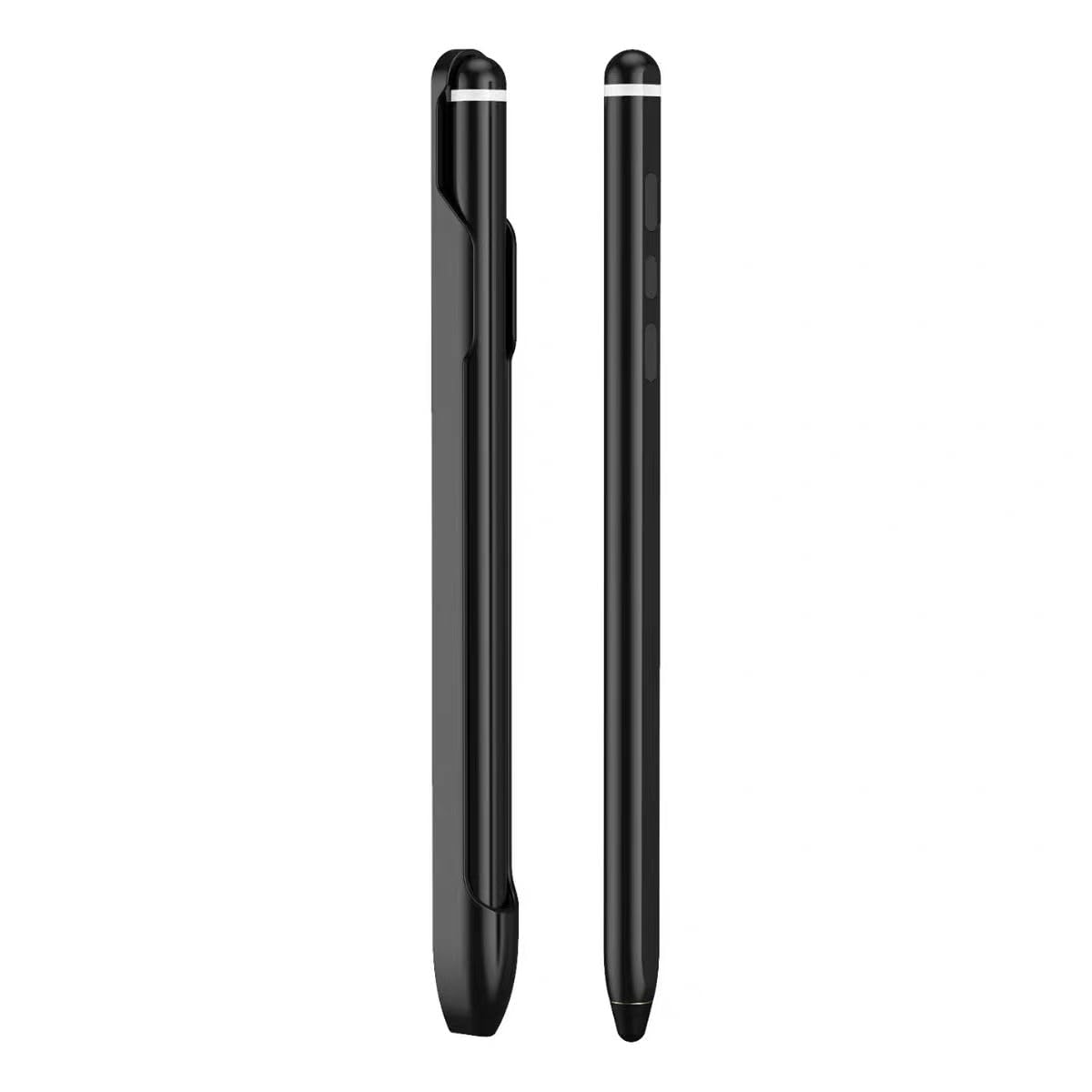
How To Choose The Best Z Fold 7 Stylus
A pen that works great on a glass tablet can damage the soft, flexible inner screen of your Z Fold 7. So the first filter is not brand or Bluetooth. It is the tip. The second filter is weight, because a heavy pen wears out your hand during a long meeting or sketch session. Everything else, like charging cables and pen slots, is convenience you can judge once the basics are right.
Tip Material And Screen Safety
A soft, scratch-resistant tip spreads your writing pressure across a wider area instead of digging into the flexible panel. On the Z Fold 7’s flexible display layers, that matters more than pinpoint accuracy. A pen with a blunt plastic nub can leave a permanent mark near the hinge. Look for wording like “soft tip” or “scratch-resistant” in the listing, and treat a cheap pen with no tip description as a gamble you probably should not take.
Weight And Balance In The Hand
Pen weight is listed in grams, and small differences add up over a long writing session. A 40 g pen and a 30 g pen feel different by the end of an hour of note-taking. Heavier pens tend to feel steadier for slow handwriting. Lighter ones tire your wrist less during quick jots and drawing. There is no universal winner here, so match weight to how you plan to use the pen.
Bluetooth Features And Charging
Bluetooth styluses add remote camera control and air-command gesture support, but they need power to do it. Most come with a magnetic charging cable, which snaps onto the pen instead of plugging in. If you only want to write and tap the screen, a Bluetooth-free pen saves you from charging and pairing. If you want to trigger the camera shutter from across a room, the Bluetooth extras earn their keep.
Side-by-Side Comparison
| Model | Best For | Pen Weight | Warranty | Bluetooth | Amazon |
|---|---|---|---|---|---|
| Z Fold 8 Ultra S Pen WithBluetooth★ Best Overall | Long writing sessions | 40 g | 150 days | Yes | Amazon |
| S Pen -Bluetooth for Samsung Galaxy Z Fold 8 | Screen-safe precision | 40 g | 90 days | Yes | Amazon |
| Fold 8 Ultra S Pen WithBluetooth | Lightest carry | 30 g | 180 days | Yes | Amazon |
Detailed Reviews
1. Z Fold 8 Ultra S Pen WithBluetooth
A 150-day warranty and Bluetooth extras make this the safest first pen to buy.
The number you should care about here is 150 days. That is the warranty term on this Maybufly stylus, and it beats the 90-day term on the yelzoolny pen lower down. For a pen that lives loose in a bag and gets tapped thousands of times, that extra coverage is the real reason it sits at the top. It weighs 40 g, so it has a bit of heft and feels steady when you write slowly on the inner screen.
Bluetooth is the other headline. You can pair the pen to your phone and turn PPT pages, trigger air-command touch-free control, and fire the camera shutter or start video recording without touching the screen. For a Fold owner who props the phone open on a table and shoots video, that is genuinely useful. The box includes the pen, one replacement tip, a charging cable, and a pen slot, so you have a spare nib and somewhere to park it from day one.
The honest catch is that “all touch screen devices” in the listing is a broad claim, and the Bluetooth pairing is what makes it a Fold 7 companion rather than a plain stick. If you never plan to use remote camera control, you are paying for circuitry you will not switch on. The pen is plastic, so treat the clip and body with normal care and it will hold up.
What Earns It First Place
- 150-day warranty is the longest of the three pens here
- Bluetooth lets you turn PPT pages and fire the camera from across a room
- 40 g body sits steady in the hand for slow handwriting
- Includes a replacement tip, charging cable, and pen slot
Where It Gives Ground
- Weighs 40 g, so it is heavier than the 30 g pen below for long sessions
- Bluetooth adds charging and pairing steps you skip on a basic stylus
Reach for this if: you want the longest warranty and plan to use Bluetooth camera and page-turning tricks with your Fold 7.
Look elsewhere if: you only want to write and tap the screen and would rather not keep a pen charged.
2. S Pen -Bluetooth for Samsung Galaxy Z Fold 8

The one that names its soft tip first, which is exactly what a foldable screen wants to hear.
Most stylus listings bury the tip in the fine print. This yelzoolny pen leads with it: a scratch-resistant soft tip designed to protect the Z Fold 7’s flexible display layers. It is also built to work across the screen hinge area, which is the spot where a hard nub does the most damage. For a first-time Fold owner worried about marking the crease, that wording is the reassurance to look for.
Weighing 40 g, this pen carries the same heft as the Best Overall pick above, so it feels planted when you draw or write slowly. The difference between the two is warranty and tip framing. This one covers 90 days versus 150 days on the Maybufly pen, a clear gap if you like knowing a replacement is covered. It runs Android 13.0 or newer and pairs over Bluetooth with remote camera shutter support.
The accessory kit is where this pen separates itself. You get a USB magnetic charging cable for fast top-ups, plus interchangeable high-conductivity tips and a custom adhesive pen slot that sticks to your device or case. That solves the loose-pen-in-the-bag problem, though the adhesive slot is only as strong as the surface you stick it to.
What stands out: the pen is deliberately marketed around screen protection, with a soft tip and hinge-area accuracy called out by name. The magnetic charging cable means you are not hunting for a port.
Keep in mind: the 90-day warranty is the shortest of the three pens here. If you want the longer coverage, the pen above runs 150 days.
Pens down best for: Fold 7 owners who draw or take notes near the hinge and want the tip called out explicitly.
Weigh first: the warranty stops at 90 days, shorter than the other two on this list.
3. Fold 8 Ultra S Pen WithBluetooth

At 30 g it is the lightest pen here, and its 180-day warranty is the longest.
Two numbers define this Factemory pen. The first is 30 g, which makes it the lightest of the three on this list — 10 g lighter than the 40 g pens above. The second is 180 days of warranty, which is double the 90-day coverage on the yelzoolny pen. If you keep a stylus in a pocket all day and want it to disappear in the hand, the lighter body is the reason to pick this one.
It still carries Bluetooth, so you get the same remote page-turning and camera tools as the pens above. It runs Android 13.0 or newer, ships in a single-count pack, and comes with one replacement tip, a charging cable, and a pen slot. The listing is blunt about quality control, noting each unit is checked for appearance, touch, colour, and function before shipping.
Here is the trade-off to weigh. Lighter does not always mean steadier, and some writers find a 30 g pen drifts more during slow, careful lettering than a heavier one. If you fill pages of notes by hand, the extra heft of a 40 g pen may suit you better. For quick jots, on-the-go scribbles, and pocket carry, the lighter build wins the day.
The light-carry argument: 30 g is the lowest weight in this group, so the pen sits easy in a pocket and does not drag your hand down during quick notes.
The fine print: it pairs over Bluetooth like the others and comes with a replacement tip and pen slot, but there is no detail on how the lighter body feels for long handwriting sessions.
Pick this one when: you want the lightest pen and the longest warranty in this shortlist, both of which sit on this model.
Think twice if: you write slowly by hand for long stretches and prefer a heavier, more planted pen.
Know the Specs
Pen Weight (Grams)
Weight tells you how the pen will feel over the course of a writing session. A 30 g pen tires your wrist less during quick notes and sits lighter in a pocket. A 40 g pen feels more planted for slow handwriting and drawing. Neither is wrong, so match the number to how you plan to use the pen. If you mostly jot quick reminders on the cover screen, go lighter. If you sketch or write letters by hand on the inner screen, the heavier body may help your lines stay steady.
Warranty Days
Warranty length is the clearest sign of how much confidence a seller has in a small accessory. On this list you will see 90 days, 150 days, and 180 days. A pen that lives loose in a bag and gets tapped thousands of times will eventually wear its tip or clip. A longer term means a replacement or a fix is covered for more of that life. Read the warranty line before you buy, because it is often the only real difference between two pens with the same weight and Bluetooth features.
Bluetooth And Remote Control
A Bluetooth stylus pairs with your phone to add tools a plain pen cannot offer. That includes remote camera shutter control, air-command touch-free gestures, and page turning in a slide deck. The cost is power. Bluetooth pens need charging, usually through a magnetic cable that snaps onto the pen. If you want to fire the camera from across a room or turn slides without walking back to your laptop, Bluetooth earns its place. If you only write and tap, a Bluetooth-free pen saves you the charging routine.
Tip Material And Screen Safety
The Z Fold 7’s inner display is soft and flexible, so the tip is the single most important spec. A soft, scratch-resistant tip spreads pressure instead of digging in, protecting the flexible display layers and the hinge area. A hard plastic nub can leave a permanent mark on the flexible panel. Look for a listing that names the tip material and mentions hinge-area accuracy. A pen with no tip description is a risk you probably should not take on a screen this delicate.
Common Questions
Will a Bluetooth stylus work on the Z Fold 7’s inner screen without scratching it?
What is the difference between the 30 g and 40 g pens on this list?
Do these pens need charging to write on the Z Fold 7?
Can a stylus for the Z Fold 7 mark the crease near the hinge?
How long is the warranty on each of these Z Fold 7 styluses?
Can I use these pens on the Z Fold 7 cover screen as well as the inner display?
Do I need a screen protector before using a stylus on the Z Fold 7?
What comes in the box with these stylus pens?
Can I turn PPT pages or shoot video with these pens from a distance?
How do I know a pen is really built for the Z Fold 7 and not a generic touch-screen stylus?
The Bottom Line
Start with the Maybufly Z Fold 8 Ultra S Pen for most buyers. Its 150-day warranty beats the 90-day term on the yelzoolny pen, and it ships with a spare tip and pen slot, so you get a backup tip and a place to store the pen. Want the lightest pen here and the longest coverage? The Factemory pen weighs 30 g and carries 180 days of warranty. If you mostly draw or write near the hinge, the yelzoolny pen states its soft scratch-resistant tip and hinge-area accuracy outright.
The one honest nudge: these are small accessories that wear at the tip, so pick the pen whose warranty matches how hard you plan to use it. A longer warranty term is the cheapest protection you can buy for a pen that wears at the tip.
How we choose
We do not accept paid placement. Every pick is matched to a real buyer and a real use-case; we do not hands-on test units.
Sources
Specifications: manufacturer listings and product documentation. Review insights: verified customer reviews, as of November 2026. Pricing: not shown on this page (it changes often); check the current price via the retailer link.
As an Amazon Associate, Tactical Gear Guy earns from qualifying purchases. This does not affect which products we feature.