Specs are compiled from manufacturer listings and verified buyer reviews and can change over time — please confirm the key details on the product page before buying.
You want a giant screen you can carry in a jacket pocket, and the honest answer is that brightness decides whether you will actually use it. A pair that looks dim in daylight or washes out over a bright window ends up in a drawer within a week. The picks below are the XR Display Glasses worth your money, sorted by who they genuinely suit — the movie-first crowd, the handheld gamer, the traveller who wants a private screen on a plane.
This guide is built by comparing the manufacturers’ published specifications and the patterns across verified customer reviews, so you get each pick’s real strengths and trade-offs instead of marketing spin.
Every pair here is a wearable display you plug straight into your phone, laptop or handheld, so the big question is which optical trade-off you can live with. These are the XR Display Glasses that hold their picture in real rooms, not just a dark demo booth.
Top Picks
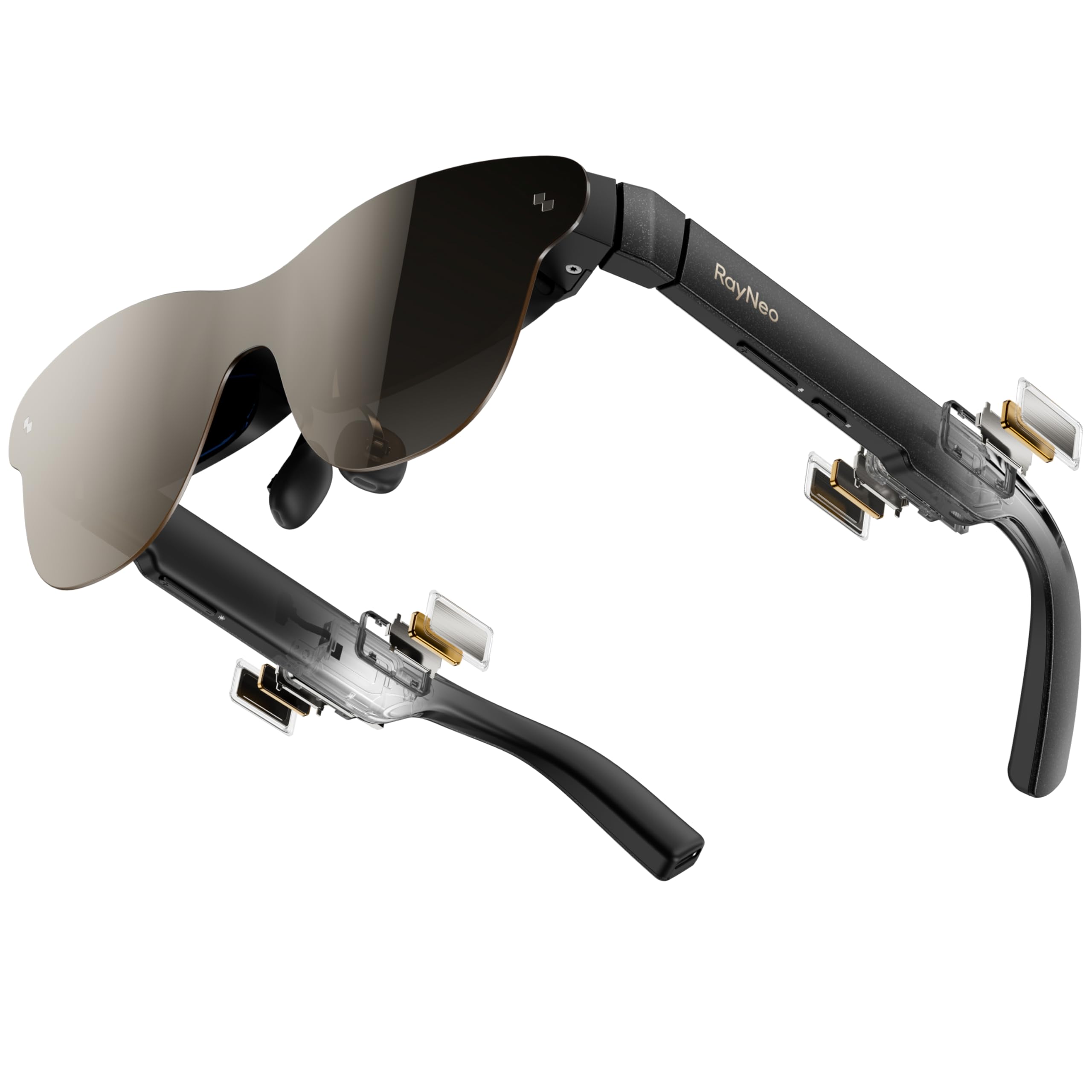
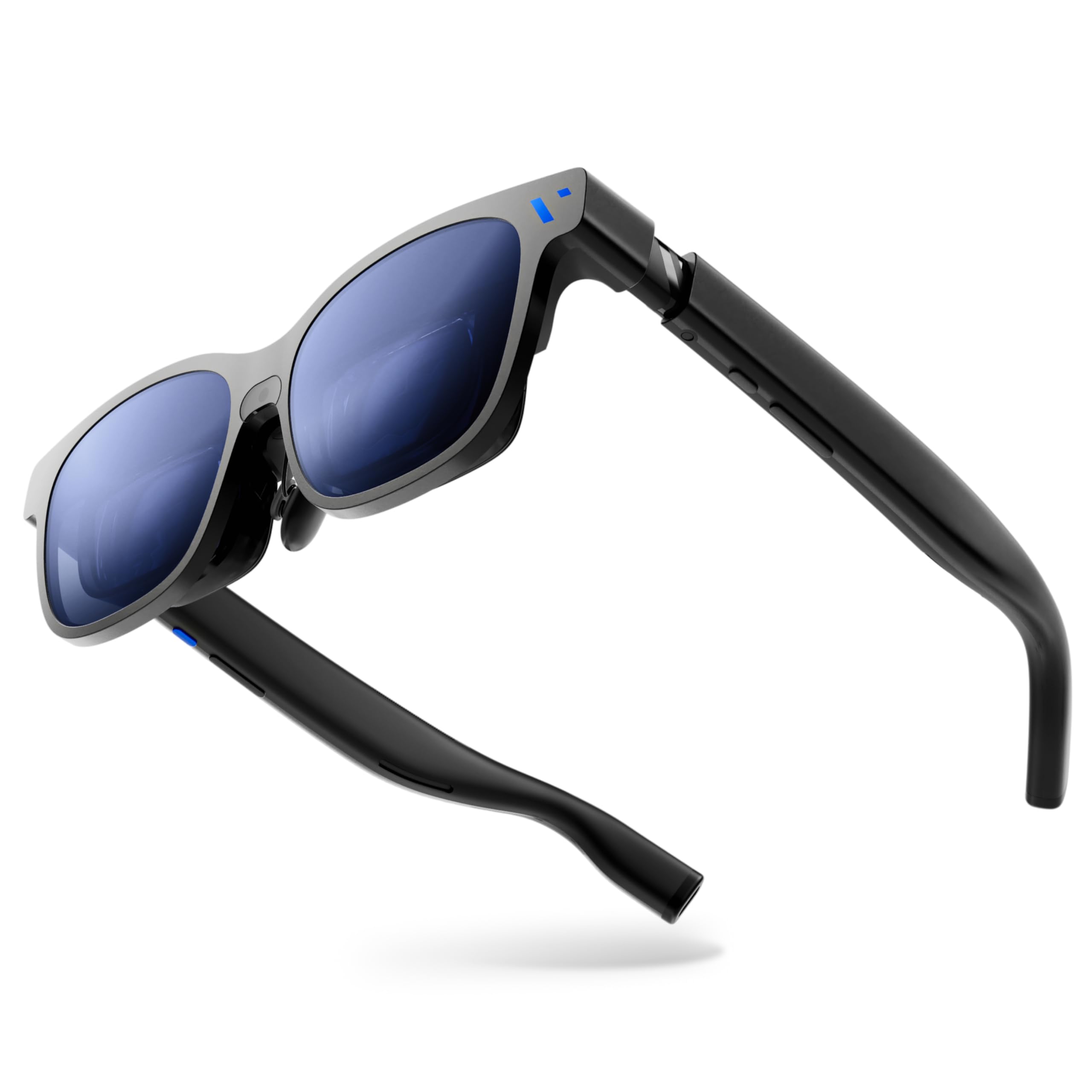

How To Choose The Best XR Display Glasses
These are not headsets that render a whole world around you. They are see-through panels that float a screen in front of your eyes while your phone or laptop does the actual work. That single fact decides everything about how you shop for them.
Brightness is the first spec that will bite you
Brightness is measured in nits, and it tells you how well the picture fights a lit room. A dim pair looks fine in a dark bedroom and turns into a washed-out ghost near a window or on a plane with the shade up. If most of your watching happens in daylight or a bright office, weight brightness heavily over screen size. One thing to know: some listings quote a peak figure and a separate eye-level figure, so read both. The TOZO quotes 1800 nits at maximum with 800 nits at eye level, for example.
Field of view decides whether the screen feels big
Field of view, written in degrees, is the slice of your vision the screen fills. A wider number makes the picture feel more cinematic and less like a small window floating in front of you. The RayNeo GT Max lists 59°, the XREAL One Pro and 1 Pro+ list 57°, and the Rokid Max2 lists 50°. A few degrees is a real difference in how wrapped-around the image feels.
The refresh rate question
Refresh rate in Hz is how many times a second the image redraws. 120Hz motion looks smoother than 60Hz, which matters most for gaming and sports. Every one of the premium picks here lists 120Hz, so treat it as a baseline rather than a luxury once you move up the range.
Will it work with your phone
These glasses need a device that outputs video over USB-C DisplayPort. Most recent iPhones and many Android phones do. Older phones and some consoles need an adapter or dock, so check yours before you buy rather than after. None of the models here carry a battery — they sip power from whatever you plug them into.
Side-by-Side Comparison
| Model | Best For | Peak Brightness | Virtual Screen | Field Of View | Amazon |
|---|---|---|---|---|---|
| RayNeo Air 3s Pro★ Best Overall | Bright picture, long sessions | 1200 nits | 201 inches | — | Amazon |
| VITURE BeastTop Performer | Smart dimming and software | 1250 nits | 174 inches | 58° | Amazon |
| XREAL One ProBest For Work | Multi-monitor work and play | 700 nits | 171 inches | 57° | Amazon |
| TOZO VIZO V1 | Budget entry, nearsighted users | 1800 nits | 118 inches | — | Amazon |
| Rokid Max2 | Simple plug-in cinema | 600 nits | 215 inches | 50° | Amazon |
| RayNeo Air 4 Pro | HDR movies and 3D | — | 201 inches | — | Amazon |
| XREAL 1S | Built-in chip, no app setup | — | 500 inches | 52° | Amazon |
Detailed Reviews
1. RayNeo Air 3s Pro AR/XR Glasses
Our pick — 4.0+★ from 550+ verified ratings; the strongest balance of quality and price.
The brightness-first pick that keeps faint stars visible instead of crushing them into black.
If you will mostly watch movies and shows rather than game, start here. The RayNeo Air 3s Pro pushes 1,200 nits to your eye, and that figure is what lets dark scenes keep their detail instead of turning muddy. RayNeo calls it the brightest in its class — a maker claim, but 1,200 nits is enough to hold contrast with the curtains open.
The panel itself is a 5.5th-gen tandem Micro-OLED (a layered OLED screen that can push more light without losing colour), rated 200,000:1 contrast and 98% DCI-P3 (a wide colour range used for film). Put plainly, shadows stay deep and colours stay rich across a 201-inch virtual screen. Six viewing modes let you shift the picture to suit a film, a game or a bright room. Gamers get 120Hz, which keeps fast motion from smearing.
TÜV SÜD low blue light and flicker-free certification plus 3,840Hz PWM dimming are what make a long binge easier on the eyes. It holds TÜV SÜD Low Blue Light and Flicker-Free dual certification (independent lab marks for reduced blue light and no visible flicker), plus 3,840Hz high-frequency PWM dimming (a fast backlight pulse that hides the flicker your eye can catch) and 20-level brightness control, so a long binge stays comfortable. If you are nearsighted or astigmatic, take the included prescription lens sample to a local optician and have lenses made to slot in.
The catch is the sound. Spatial audio impresses, but the volume ceiling sits low, so quiet dialogue in a loud room is the weak spot. Budget for that, or bring earbuds for anything where every word counts. Owners back it up: 4.0+ stars across 600+ reviews, and it is the pick most people should start with.
What earns the top spot
- 1,200 nits of brightness keeps movie detail alive in a lit room
- Dual eye-comfort certification and 3,840Hz dimming for long sessions
- 201-inch virtual screen at a 6m viewing distance
- 120Hz refresh rate for smoother gaming motion
Where it asks you to compromise
- Speaker volume runs low at max, so quiet dialogue struggles in noisy spaces
- Nearsighted users need a trip to an optician to fit the prescription lenses
Made for: the movie-first buyer who wants the most usable picture in a normal room.
Think twice if: loud built-in audio is a must — you will want earbuds for dialogue-heavy content.
2. RayNeo GT Max AR/XR Glasses
A smart-glass frame that blacks itself out with one tap, so you can block the world without an app.
This is the pair for someone who wants the glasses themselves to do the thinking. Nine levels of electrochromic dimming (a lens tint that darkens electronically) let you shift between a see-through AR view and a full cinematic blackout with a single tap. Auto Transparency then flips between immersion and awareness on its own — bright office, dim cabin, dark room, it adapts. No software, no dongles.
The panel is Sony’s latest Micro-OLED pushing 1200p per eye across a 174-inch screen at 58° field of view and 120Hz. Brightness reaches 1250 nits, which is what makes daylight use realistic. The frame is aluminum-magnesium alloy and weighs 88 g, so it feels solid rather than plasticky. Two sizes cover up to 70 IPD and up to 74 IPD, and there is real-time 2D-to-3D conversion built in. What wins people over most is that the software simply works — pin, resize and lock a screen mid-air with no setup steps.
HARMAN AudioEFX handles sound, and the comfort holds up through a long workday or a full flight. The honest caveat is fit and price tier — it sits in the premium bracket, and larger heads need the Large size, so check your IPD. Get that right and it is one of the smartest pairs on this list. VITURE’s own note that it has been used in research and surgical-guidance settings is a maker claim, not your reason to buy.
Why it stands out: hardware-level dimming and auto-transparency mean you never reach for a phone app to control the picture.
Check before you commit: confirm your IPD against the Regular or Large size, because this frame is built to a specific fit.
The one for you if: you want smart, self-contained controls and a metal frame that survives travel.
Not the first pick if: you are unsure of your IPD and want the simplest possible fit.
3. XREAL One Pro AR Glasses
A productivity-first pair that turns any seat into a multi-monitor desk.
If spreadsheets and small text fill your day more than films, this is the one to shortlist. The X1 spatial computing chip holds native 3DoF with 3ms motion-to-photon latency, so the picture stays steady even when you move your head quickly. Sony’s 0.55-inch Micro-OLED panel and 120Hz keep it smooth. The 57° field of view puts a 171-inch screen in front of you, and the Optic Engine-X-Prism optics stay slim while letting you see your surroundings clearly.
Fit is unusually well handled. Two IPD sizes — M for 57-66mm and L for 66-75mm — cover over 95% of users per XREAL, and there are three-stage adjustable arms plus zero-pressure nose pads in three sizes. Brightness reaches 700 nits, and electrochromic dimming lets you dial the tint. Sound comes tuned by Bose engineers in a dedicated chamber, so calls and movies are clear without extra earbuds.
Buyers report getting through full workdays of small text and spreadsheets on it. Pair the optional XREAL Eye and you get 6DoF spatial anchoring, so a screen stays fixed in the room as you move. The trade-off is brightness: 700 nits is comfortably bright indoors, but below the 1200-nit picks if you plan to work in direct sun.
The workhorse angle: dual IPD sizes plus three nose-pad options make this the most fit-adjustable pair here for all-day desk use.
The honest gap: at 700 nits it trails the brightest picks, so outdoor use in full sun asks more of it.
Suits you if: you want a private big-screen desk for spreadsheets, calls and streaming.
Not for you if: you plan to use it mostly outdoors in bright sunlight.
4. XREAL 1S AR Glasses

The largest virtual screen here, with the chip doing the setup so you can just plug in.
Half a thousand inches is the headline, and it is yours the moment you plug into a USB-C DisplayPort device. The XREAL 1S throws a screen up to 500 inches, with the X1 chip delivering native 3DoF so there is no app or setup step. The field of view is 52°, a touch narrower than the 57° of the One Pro and 1 Pro+, so the giant screen feels a little more contained.
Look at the panel and the polish shows. It runs 120Hz in 3DoF mode with a 90Hz global refresh, and XREAL individually colour-tunes each unit. XREAL’s own figure puts the redesigned optical engine’s clarity gain at 9%, and there is REAL 3D spatial tech that turns any content into 3D at up to 30fps with 90-100ms latency. Five viewing modes cover work and play. TÜV Rheinland certification covers low blue light, flicker-free viewing and 100% UV protection. Its 59.5-70.5mm IPD range covers roughly 95% of users per XREAL.
Sound is co-developed with Bose, with custom AR-grade drivers and a dedicated chamber. The frame weighs 80 g, light enough for long sessions. 3ms motion-to-photon latency at 120Hz keeps the screen locked to your head. The one to weigh: this is a self-contained spatial system, so the 500-inch number is the draw and the narrow field of view is what you trade for the chip and the simplicity.
Why it fits a first-timer: plug-and-play with the chip on board means no app to install and no external box to carry.
What you give up: a 52° field of view is the most contained of the wide-angle picks, so the huge screen feels slightly boxed.
Built for: anyone who wants the biggest number and zero setup friction.
Consider the alternatives if: the widest possible wrap-around view matters more to you than a 500-inch figure.
5. RayNeo Air 4 Pro AR/XR Glasses
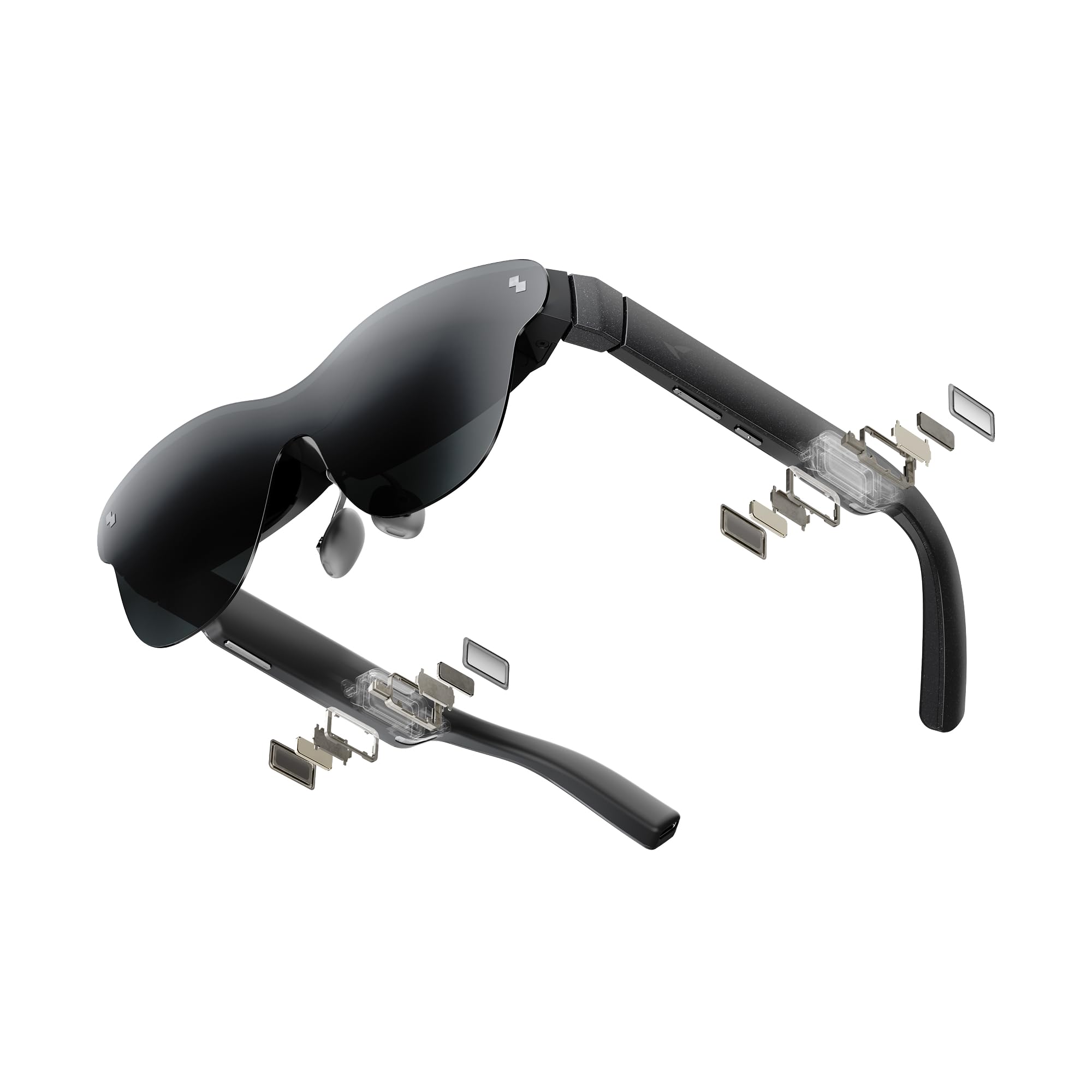
A film-first pair that leans on HDR10 colour and a Vision 4000 chip to lift the picture.
Ten billion colours is what HDR10 brings, and it is the reason to look here. A 201-inch virtual screen with HDR10 deepens blacks and raises highlights, so a movie night in bed or a hotel room reads like a real cinema. The Vision 4000 chip, built with Pixelworks, handles AI SDR-to-HDR upscaling in real time for content that is not already HDR. That keeps older shows and streams looking richer rather than flat.
Fast games stay sharp, because 120Hz (120 screen refreshes per second) cuts motion blur. Four precision speakers tuned by Bang & Olufsen create 360° spatial audio, and the open-ear design keeps you aware of the room. An optional Sound Tube channels audio into your ears for more clarity, sold separately. The frame weighs 2.72 ounces, and there is no internal battery — it runs off whatever USB-C device you plug in, so it is genuinely plug-and-play with an iPhone 17/16/15, an Android phone, a MacBook, an iPad or a Steam Deck.
Be honest about the display trade-off. Picture sharpness draws mixed feelings, and edge blur shows up for some viewers, with one note calling it unusable on a particular device. Compatibility is also a real question — it works well on a Samsung Galaxy S25+ per one buyer, but check your exact model first. Buy it expecting HDR colour and audio rather than edge-to-edge crispness, and match it to a device you know outputs video.
The HDR500 note: 10+ billion colours and AI upscaling make ordinary streams look better, which is the point of this model.
Do this first: confirm your phone or laptop pushes DisplayPort over USB-C, because compatibility is the make-or-break spec here.
Made for: movie lovers who want HDR colour and B&O sound at a mid-tier point.
Look to the One Pro or 1 Pro+ if: edge-to-edge clarity is your top priority.
6. TOZO VIZO V1 AR Glasses
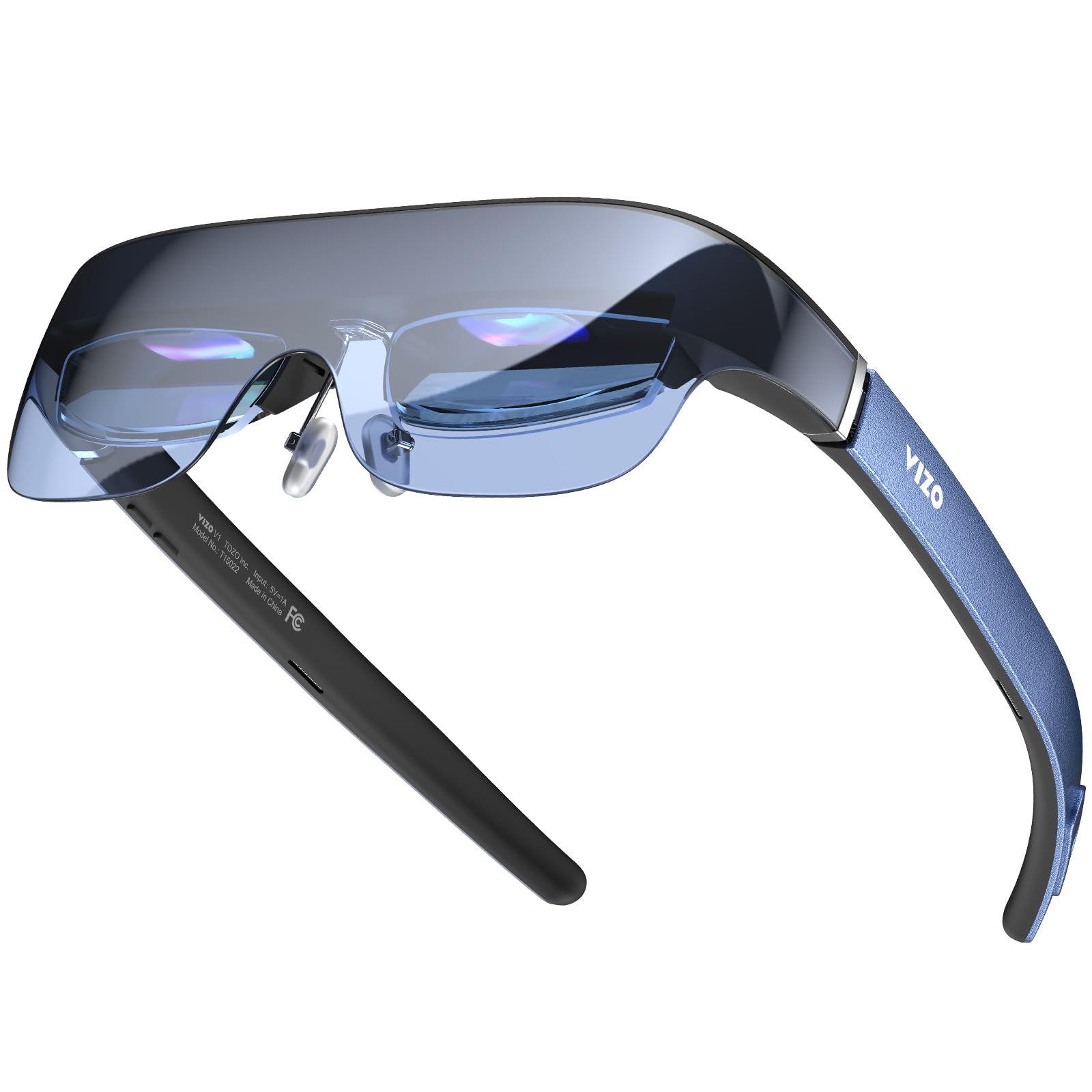
Adjustable focus on the glasses themselves, so nearsighted buyers skip the optician trip.
Built-in diopter correction is the feature that makes this pair worth a look. A dial adjusts focus from 0-500° so you can sharpen the picture without wearing your own glasses — a relief for nearsighted buyers who would otherwise need prescription lenses made. The screen is 118 inches, the smallest here, and the picture tops out at 1800 nits maximum with 800 nits at eye level. That brightness suits indoor and near-window viewing well.
You get a 2D/3D switch for depth-enhanced content, and the nose pads use premium nitinol memory wire (a superelastic metal that bends and keeps its shape) with soft silicone for grip. TOZO rates the nitinol nose pads for 12+ hours of screen time. There is no battery, so it runs from a phone, tablet or computer with DP output over USB-C. The included case, cable and manual cover the basics.
This is the value entry, and the trade-offs are real but sized. The 118-inch screen is the most modest of the group, and some Android and laptop models are not on the compatibility list, so check yours. As a first pair for a nearsighted buyer who wants a big private screen indoors, it removes the optician step and gets you watching.
The reason to start here
- 0-500° adjustable diopter correction, no prescription lenses needed
- 1800-nit maximum brightness with 800 nits at eye level
- 2D/3D mode switching for depth-enhanced viewing
What you accept
- 118-inch screen is the most modest here
- Check your phone and laptop against the compatibility list before buying
Start here if: you are nearsighted and want a first pair without the optician step.
Step up if: you want a far bigger screen and broader device support.
7. Rokid Max2 AR Glasses

The lightweight plug-in pair that stays put on your nose and keeps screen mirroring simple.
At 75 grams, this is one of the lighter frames here, and it is built to fit faces up to 16cm wide. The cushioning nose pad design resists slipping and eases pressure during long wear, which is what you notice first on a long flight. The virtual screen runs 215 inches at a 6m distance, on a Micro OLED panel with a 120Hz refresh rate for smooth motion.
Brightness is an adjustable 600 nits, and the field of view is 50°, the most contained on this list. A dial on top fine-tunes myopia up to 600 diopters, so many nearsighted buyers can sharpen the picture without extra lenses. Astigmatism and presbyopia are not supported, and anyone past 600 diopters needs prescription lenses bought separately. There is no battery — power comes over USB-C from a compatible phone, laptop, iPad since 2020 or Mac, and it supports HDCP for protected streaming.
Screen fit adjusts by swapping the included nose pads, and mirroring from a phone is a single cable. The catch is the narrower view and lower brightness: 600 nits and 50° suit dark rooms and flights rather than a sunlit window seat. For a simple, light plug-in cinema that fits a range of faces, it delivers without fuss.
Where it wins: 75 grams and a non-slip cushioned nose pad make it easy to keep on for a whole flight.
Where it trails: 600 nits and a 50° view are the most modest combo here, so dim lighting suits it best.
Pick it for: light, fuss-free mirroring on a plane or in bed.
Choose a brighter pair if: you watch in daylight or want the widest wrap-around image.
Know the Specs
Nits (brightness)
Nits measure how much light the display throws, and it decides whether the picture survives a lit room. A dimmer pair looks fine in the dark and washes out near a window. Some listings give a maximum figure and a separate eye-level figure, so compare the number you are quoted carefully. Higher nits generally mean more usable daylight viewing.
Field of view (degrees)
Field of view, in degrees, is the slice of your vision the screen fills. A wider number feels more cinematic; a narrower one reads as a floating window. 57-59° wraps more than 50°, and that gap is noticeable on a plane seat. It is the number that most decides how big the virtual screen actually feels.
Diopter / IPD adjustment
Diopter dials adjust focus for near- or farsighted eyes without your own glasses. IPD (interpupillary distance, the gap between your pupils) sets how the optics line up with your eyes. Matching both means edge-to-edge clarity instead of a blurry rim. Check your IPD against the listed size ranges before you commit.
USB-C DisplayPort and refresh rate
These glasses need a device that sends video over USB-C DisplayPort. Most recent iPhones and many Android phones do; older phones and some consoles need an adapter. Refresh rate in Hz is how often the image redraws — 120Hz motion looks smoother than 60Hz. None of these models carry a battery, so they draw power from your source device.
Common Questions
Do XR display glasses work with my iPhone?
Will these glasses work if I’m nearsighted?
Do XR glasses need a battery or charging?
What’s the difference between 3DoF and 6DoF on these glasses?
How big a virtual screen will I actually see?
Can I use these glasses for work like spreadsheets and email?
How bright do these glasses need to be for daylight use?
Will these glasses fit if I have a wide head or large IPD?
Can I connect these to a Steam Deck or games console?
Do these glasses block out the room around me?
The Bottom Line
For most people, the winner among these xr display glasses is the RayNeo Air 3s Pro because 1,200 nits and dual eye-comfort certification make it the most usable picture in a normal, lit room. If the widest possible view and head-tracked anchoring matter more, grab the RayNeo GT Max with its 267-inch screen and 59° field of view. And for spreadsheets, calls and streaming from a laptop or phone, the XREAL One Pro is the one to reach for. The one nudge that matters: brightness is what keeps these out of the drawer, so buy the brightest pair your budget tier allows.
How we choose
We do not accept paid placement. Every pick is matched to a real buyer and a real use-case; we do not hands-on test units.
Sources
Specifications: manufacturer listings and product documentation. Review insights: verified customer reviews, as of November 2026. Pricing: not shown on this page (it changes often); check the current price via the retailer link.
As an Amazon Associate, Tactical Gear Guy earns from qualifying purchases. This does not affect which products we feature.