Specs are compiled from manufacturer listings and verified buyer reviews and can change over time — please confirm the key details on the product page before buying.
Your XPS 15 9530 is a power-hungry laptop, and the wrong USB-C brick will either crawl while you work or slacken off the moment you open a browser tab. The quick answer: buy a 130W brick with 20V/6.5A output and a USB Type C tip, not a 100W or 65W one, and check the model list on the listing before you pay. That single decision separates a charger that keeps your battery topped while you render video from one that quietly trickles.
This guide is built by comparing the manufacturers’ published specifications and the patterns across verified customer reviews, so you get each pick’s real strengths and trade-offs instead of marketing spin.
A good charger only matters if it matches your port, your wattage, and your desk. Below you get nine real options sorted by fit, output and cord length so you can stop guessing and just plug in a xps 15 9530 charger that actually delivers.
Top Picks
How To Choose The Best XPS 15 9530 Charger
The XPS 15 9530 charges over USB-C (the small oval port, officially called USB Type-C), so the connector shape is the easy part. The hard part is wattage. Your laptop will accept a lower-wattage brick and simply charge slower, but it will not magically pull more than the adapter can give. That mismatch is where most buyers get burned.
Match the wattage, then match the amps
130W is the number to aim for, delivered as 20V at 6.5A. A 100W adapter (20V at 5A) will still charge the 9530, but it runs the laptop closer to its ceiling. If you edit video, run an external monitor, or keep dozens of browser tabs open, the lower-wattage brick is the one that leaves you watching the battery percentage instead of your work. A 65W or 90W adapter is fine as a light travel backup, not as your only charger.
Check the model list, not the brand name
Every listing here names the XPS 15 9530 in its compatibility text, but the fitment lists differ enormously in length. Longer lists mean more of your other Dell laptops will share the brick. Shorter lists are narrower but easier to verify. Either way, read the exact model line before you pay, and match the part numbers if you are replacing an original Dell adapter.
Decide how the cable length fits your life
Cord reach decides whether the brick sits on your desk or dangles from a wall socket behind the sofa. Short cords are fine for a fixed desk setup. Long cords matter for meeting rooms, hotel rooms, and coffee shops where the outlet is never where you want it. Measure the run from your usual outlet to your usual seat before you assume.
Weigh GaN against plain convenience
GaN (gallium nitride, a semiconductor material that runs cooler and smaller than older silicon designs) makes a brick easier to pack. It is not required. A standard adapter with good protection circuitry charges the 9530 just as fully. Choose GaN when portability is the priority, and choose a well-protected standard brick when you mostly stay put.
Side-by-Side Comparison
| Model | Best For | Output | Amperage | Cord Length | Amazon |
|---|---|---|---|---|---|
| S SKSTYLE Replacement 130W USB-C★ Best Overall | Desk and travel all-rounder | 130W | 6.5 A | 8.8 ft | Amazon |
| KUANTEN 130W GaN SlimPack-Light Pick | Packing light | 130W | 6.5 A | — | Amazon |
| INEDARAT 130W USB-CBraided Cord Pick | Braided-cord durability | 130W | 6.5 A | — | Amazon |
| PULINA 130W USB-C | Long-cord desk freedom | 130W | 6.5 A | 10.83 ft | Amazon |
| HSXIRQA 130W USB-C | Heat-resistant build | 130W | 6.5 A | — | Amazon |
| YURCIPWE 100W GaN | Light secondary charger | 100W | 6.5 A | — | Amazon |
| VUOHOEG 130W USB-C PD | Full-speed 9530 charging | 130W | 5 A | — | Amazon |
| Dell DA130PM170 Original | OEM replacement | 130W | 6.5 A | 3 ft | Amazon |
| Dell GAN HA130PM170 | OEM GaN for 9520/9530 | 130W | 6.5 A | 3 ft | Amazon |
Detailed Reviews
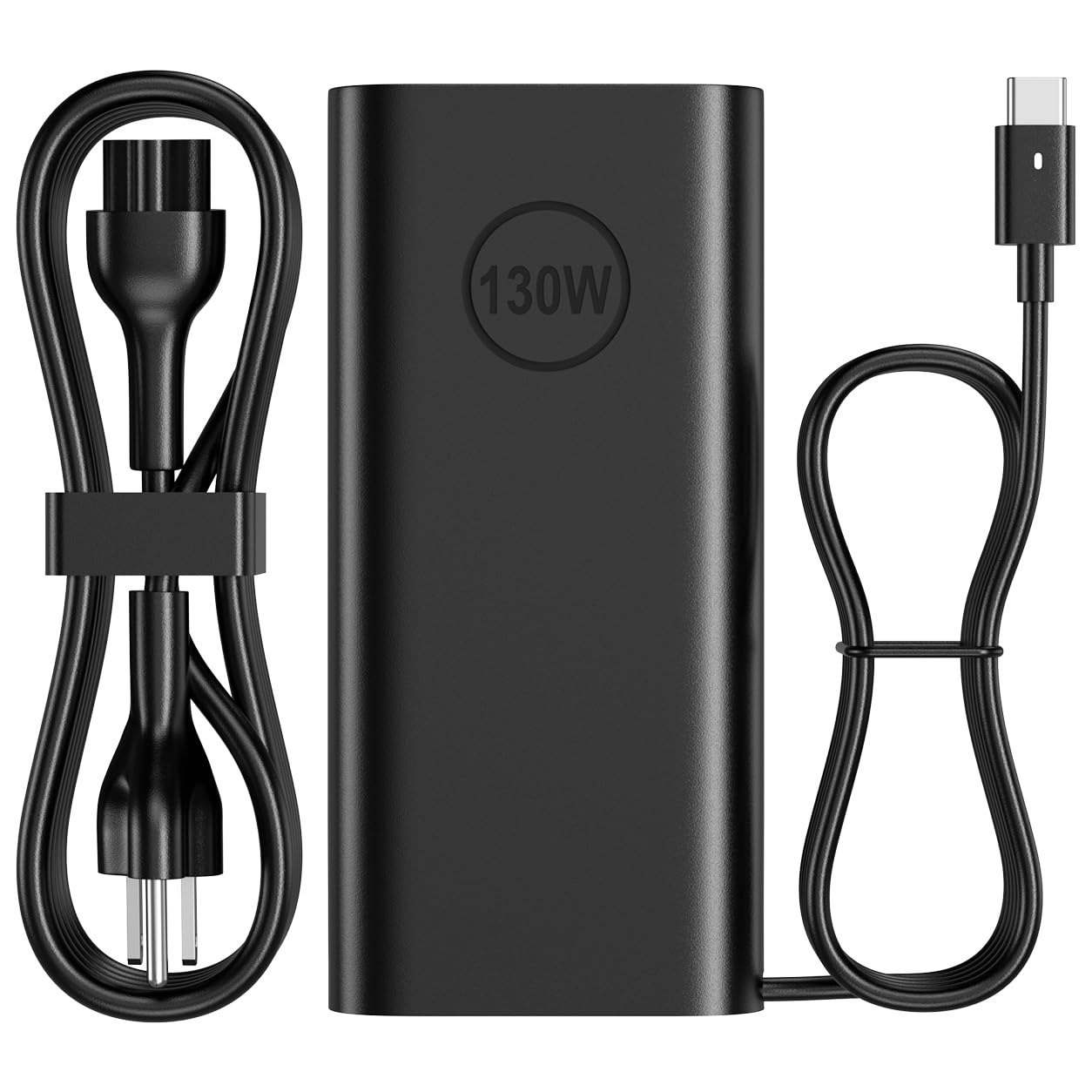
1. Dell Laptop Charger USB C 130W
Our pick — 4.5+★ from 2,500+ verified ratings; the strongest balance of quality and price.
The cord reaches across the room so your brick stays where you put it.
Most XPS 15 9530 chargers hand you a stubby cable and a wall socket you cannot reach. This one runs 8.8FT (a little under nine feet), which is long enough to leave the adapter on the floor behind your desk and still sit wherever you want. It is a small thing that quietly fixes the most common daily annoyance with laptop power bricks.
For power it is a full 130W adapter over USB Type C, the oval connector your 9530 uses. The fitment list covers the XPS 15 9530 (2023), the rest of the XPS 15 9500 through 9530 line, XPS 17 9700 through 9730, and a long stretch of Precision and Latitude models. If you own more than one Dell laptop, this brick likely covers the whole family. It also lists replacement part numbers K00F5, CT1P3, 7MP1P and MW1G8, so you can cross-check against the label on your original adapter.
One thing to get straight before you order: this is a full power adapter, not a bare AC cord, and it will not replace a round-tip Dell charger. It is USB-C only. Some buyers with older Dell machines on barrel plugs are the ones who get caught out, so open your laptop’s spec page and confirm your port shape first.
Why this one wins the desk
- 8.8FT cord — the adapter can live on the floor while you sit at the desk
- 130W over USB Type C matches what the XPS 15 9530 expects
- Very broad Dell compatibility, from XPS 15 through Precision and Latitude
- Replacement references for K00F5, CT1P3, 7MP1P and MW1G8 make cross-checking simple
Where you should pause
- USB-C only — it is not a replacement for a round-tip Dell barrel charger
- Standard plastic brick, not a GaN travel design
- Plastic enclosure means it stays warm during long charging sessions
Made for: anyone whose charger lives on a desk or in a bag and needs reach plus full 130W output.
Think twice if: your Dell still uses a round-tip barrel connector, because this adapter will not fit it.
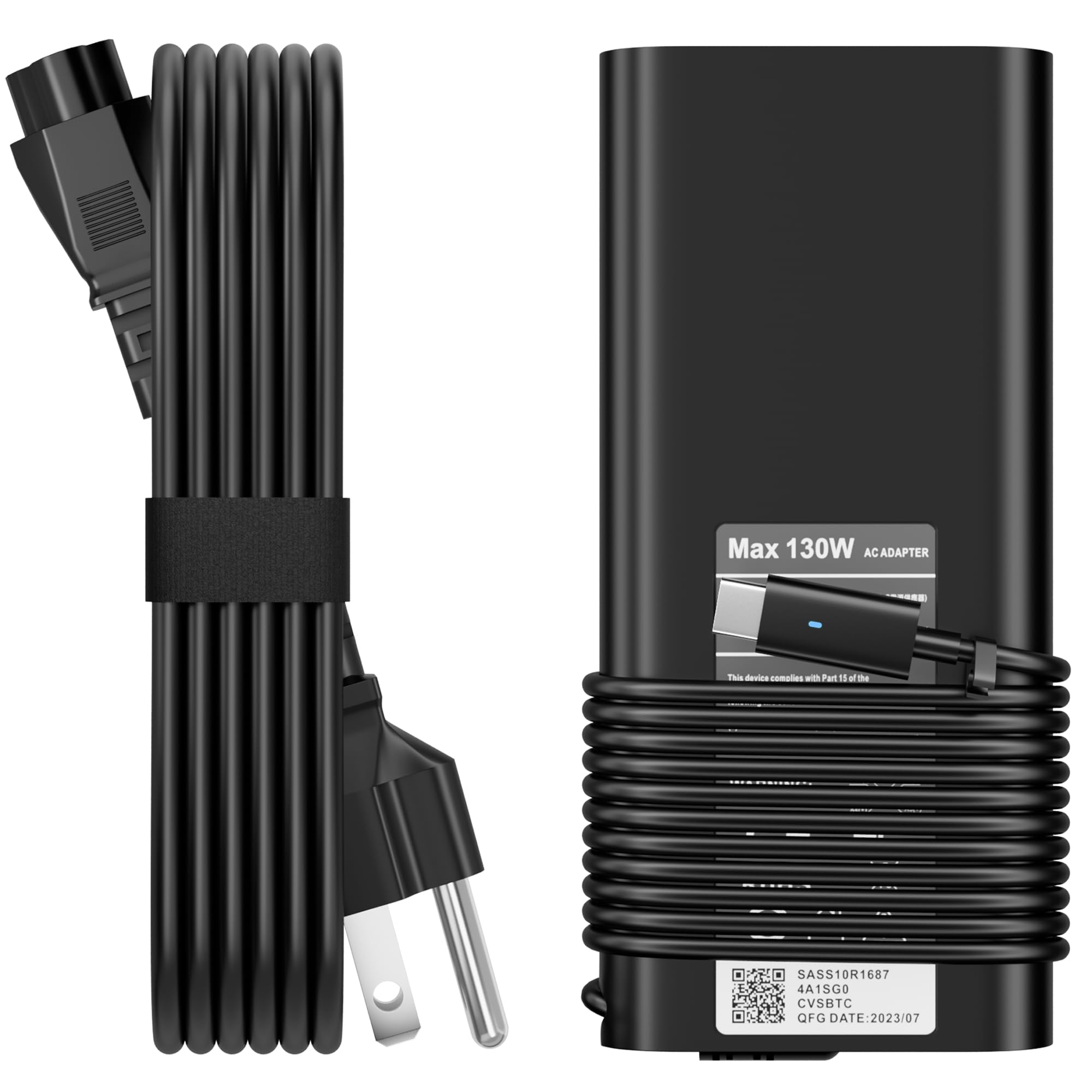
2. Dell 130W Laptop Charger USB C
A slim GaN brick that treats the 9530 as one of many models it can feed.
This adapter leans on GaN (gallium nitride) technology, which the maker says cuts heat and size while raising efficiency. In practice that means a brick that is easier to slide into a laptop sleeve. It weighs 15.5 ounces, so you feel it in a bag but you are not hauling a metal brick. It takes 100-240V input, so a hotel outlet in another country works with the same adapter.
The output is adjustable across 5V, 9V, 15V and 20V, topping out at 6.5A and 130W through the USB-C tip. That 6.5A figure is what the 9530 needs for full-speed charging, and it is the same amperage the S SKSTYLE above delivers. The compatibility list runs the XPS 15 9530, 9500, 9510, 9520 and 9575 2-in-1, plus XPS 17 9700 through 9730, Alienware X14 and X14 R2, and a spread of Precision and Latitude machines.
The maker also bundles protection against short circuits, overvoltage, overcurrent and overheating, and backs it with a 12-month quality guarantee. That is a fair floor for a replacement adapter. The honest catch is the thinner review history: this is a newer listing with far fewer buyers behind it than the broader names here, so you are leaning more on the published spec than on a long track record.
Where it earns its place: the slim GaN body plus 100-240V input makes it the one to grab for a work trip or a flight, and full 6.5A output keeps the 9530 charging properly rather than trickling.
The fair caveat: the listing is young, so there is less owner history to weigh than the top pick carries.
Reach for this if: portability is your priority and you want full 130W in a bag-friendly shape.
Look elsewhere if: you would rather buy on a deep track record than on a slim body.
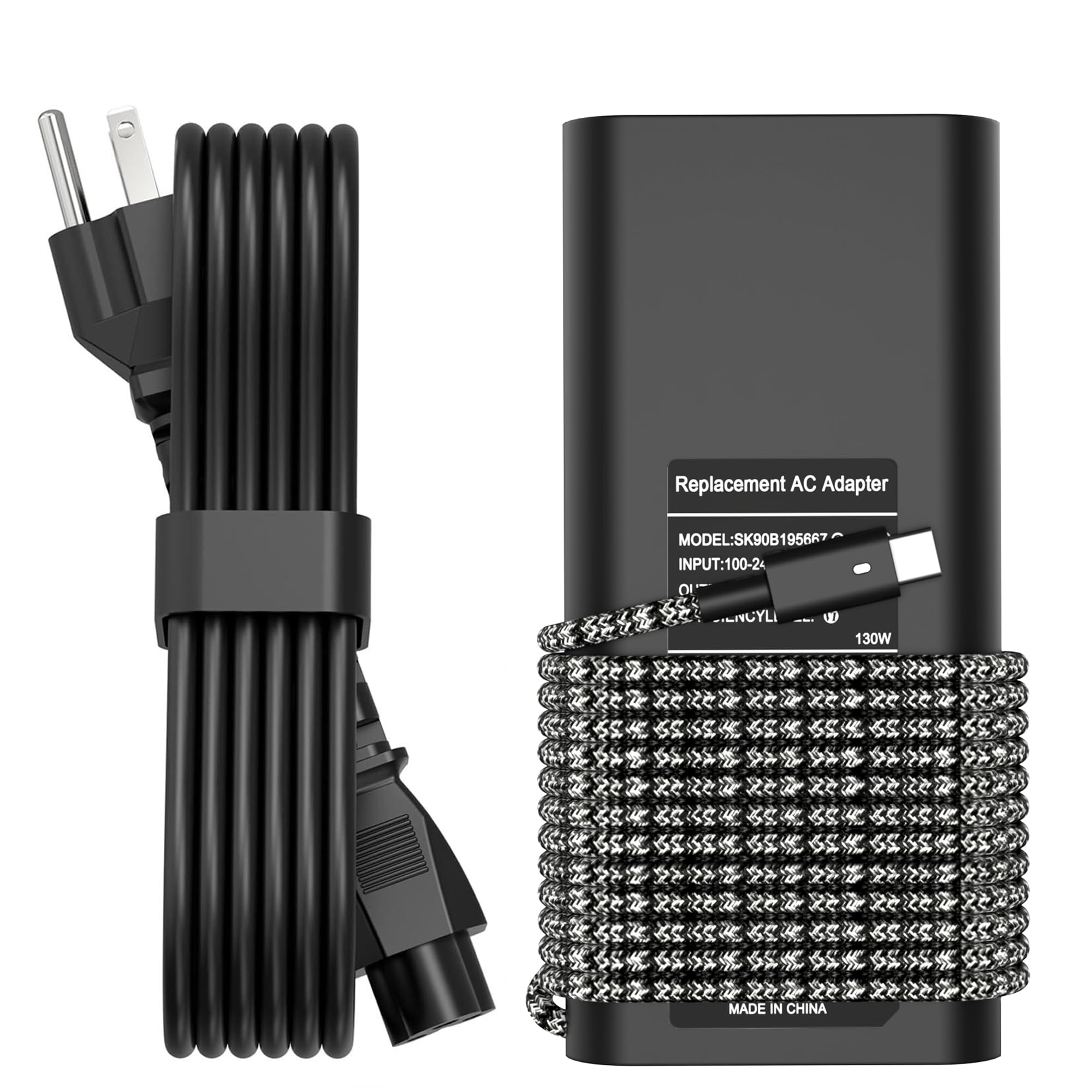
3. 130W USB C Laptop Charger
Braided cable, wide model list, and a brick that copes with a long workday.
The cord on this one is braided rather than plain rubber, which is the part that wears first on a charger you coil and uncoil every day. It takes 100-240V at 50-60Hz for worldwide use and outputs up to 20V at 6.5A over the USB Type C connector. It also steps down to Dell’s 90W and 65W machines, so one brick can cover a mixed fleet of laptops in the house.
The compatibility text here is one of the longest on this list. It names the XPS 15 9500 through 9530, XPS 17 9700 through 9730, XPS 16 9640, Precision 5470 through 5770, and a deep run of Latitude models from the 5000, 7000 and 9000 families, plus Inspiron 16 and Alienware M17 R3 and X14 variants. Part-number coverage runs T4V18, K00F5, M0H25, 7MP1P, 450-AHOM, DA130PM170, HA130PM170, 0TDK33 and 0Y2XGV.
What wins people over here is that it simply works — a long line of buyers run it as their everyday replacement brick and report it clicking straight into the port with no fuss. The honest split is on charging speed and heat. Some buyers find it charges quickly while others say it did not deliver; the brick also runs warm during a long session, which is normal for a compact 130W adapter but worth knowing if you work on a soft surface. Treat it as a solid daily driver rather than a cool-running travel specialist.
Build note worth knowing: the braided power cord is the standout, because cable fray is the usual death of a laptop charger, and this design is built for regular coiling and storage.
Choose this: if you want a replacement brick that plugs in and works across several Dell laptops.
Pass on it: if you need a charger that stays cool to the touch through a full workday.
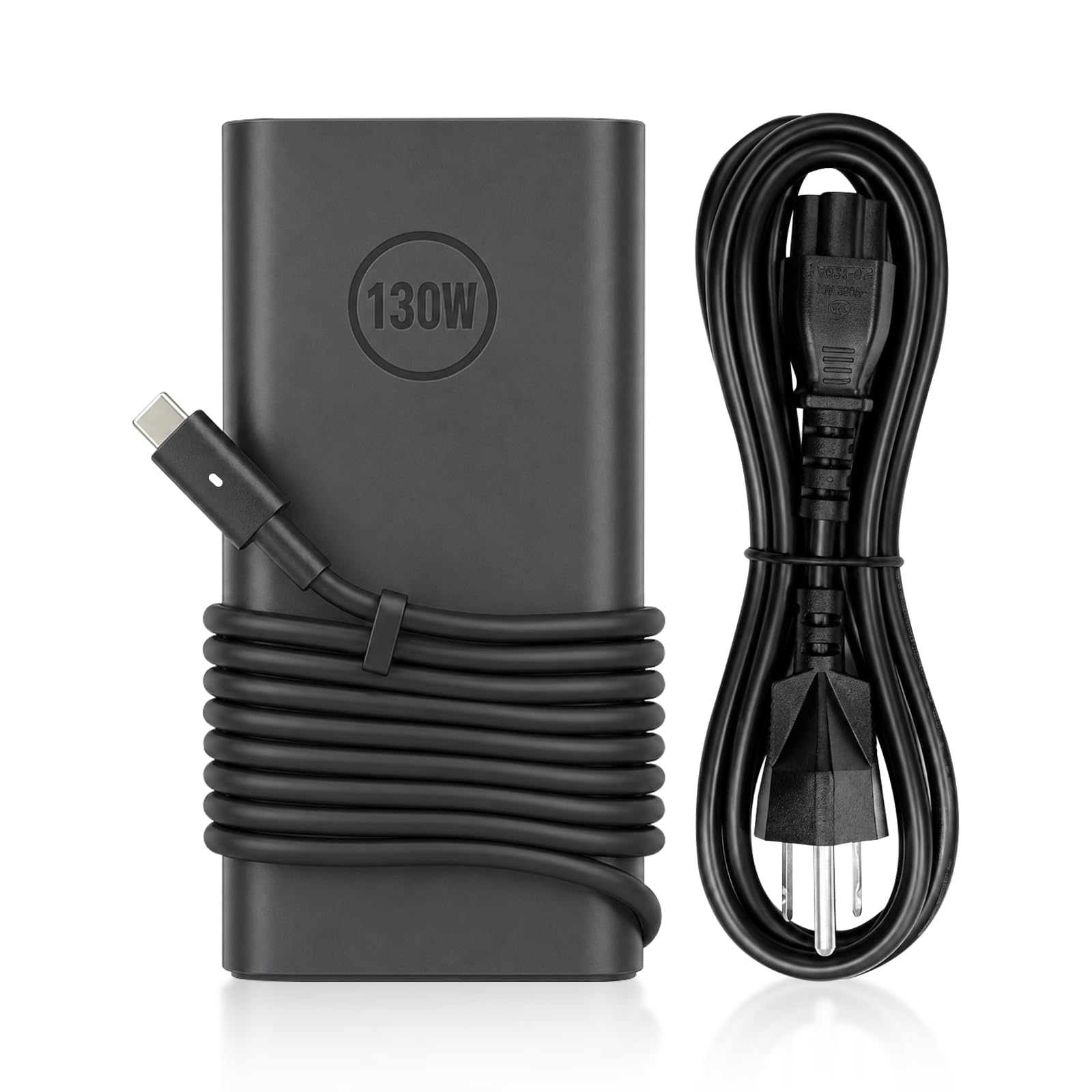
4. PULINA 130W USB C Laptop Charger
Ten feet of cable turns any wall socket into a usable outlet.
The PULINA states its output as 20V/6.5A and 130W, which is the full-speed spec the XPS 15 9530 wants, and the INEDARAT above lists the same 20V/6.5A output. That is the number to weigh if you have been burned by a thin brick before.
The cable is the headline: a total 10.83ft of pure copper. In a conference room or a hotel desk where the outlet sits behind the furniture, that difference is the whole reason you bought a second charger. The brick is UL Listed and FCC Certified and includes smart protection against over-voltage, over-current, short-circuit and over-heating. There is an LED on the USB-C connector so you can see at a glance that power is flowing. It is backed by a 2-year limited warranty.
The reliability story is the strongest signal here — buyers running it daily report it keeps working, and it charges fast enough to keep up with a working laptop. Two honest notes: it is a gloss-black plastic brick rather than a compact travel design, and a few owners say it will not talk to every laptop they own, so confirm your exact model before ordering. Neither of those is unusual for a 130W adapter, but they are the reasons to check the fitment list rather than assume.
Best for: meeting rooms, hotel desks, and any setup where the socket is far from where you sit.
Skip if: you want a charger that guarantees a handshake with every USB-C laptop in the house.
5. HSXIRQA 130W USB-C Charger

Built around heat and fire resistance first, speed second.
If you charge on a bed, a sofa or a carpet, the material the brick is made from stops being a footnote. This adapter is built with heat-resistant parts and a flame-retardant, fire-resistant housing, and a built-in chip adjusts power based on the laptop’s temperature and battery state. In plain terms: it throttles itself rather than pushing through a hot spell. Output is a full 130W at 20V/6.5A, and it also feeds 100W, 90W, 65W and 45W laptops.
The fitment list reaches the XPS 15 9530, 9500, 9510, 9520 and 9575 2-in-1, XPS 17 9730 down to 9700, XPS 16 9640, XPS 14 9440, and a wide set of Precision, Latitude, Inspiron and Vostro machines. Input runs 100-240V at 50-60Hz for travel. The build is heat-resistant plastic with a compact footprint, so it packs down easily for a trip.
Here is the trade-off you should weigh honestly. The reliability record is split, and the value question splits too — a portion of buyers find it stopped working within a couple of months, while others report it doing its job without complaint. The heat-resistant design is real, but it is not a guarantee against early failure. If you want the safest bet on long-term survival, look at the top pick; if a fire-resistant housing and self-adjusting power are the priority, this earns a look.
What it is built to do: the temperature-aware chip and flame-retardant housing make it a reasonable choice for charging somewhere soft or crowded.
What to hold in mind: the longevity record is genuinely mixed, so weigh that against the heat protection.
Good fit: if you charge on soft furniture and want extra heat and fire safeguards built in.
Less ideal: if you want the strongest long-term reliability signal on this list.
6. YURCIPWE 100W USB Type C Laptop Charger

A 100W brick for the days you want a second charger, not your only one.
This is the outlier on the list and it is worth being blunt about. It outputs 20V at 5A, for 100W total, against the 130W and 6.5A that the top picks deliver. The 9530 will accept it and charge, but it is not the adapter you want as your primary brick if you push the laptop hard. Where it fits is as a lighter second charger for travel, or as a spare that lives in a bag.
It uses GaN technology for a smaller body, which is why it packs down easily. Input is 100-240V at 50-60Hz, so it works abroad. The fitment text names the XPS 15 9500, 9510 and 9520, XPS 17 9700 through 9730, and a long run of Precision, Latitude and Inspiron models. It is rated for fast charging on USB-C devices up to 100W.
The pattern buyers describe is consistent on quality: it looks and behaves like the original charger it replaces, and functions exactly as expected. That is a strong signal for a replacement part, because most failures show up immediately as a brick that will not handshake. The main downside is the 100W ceiling. Pushing a 9530 through a demanding workload on a 100W adapter is the scenario where owners tend to notice the difference. Value opinions are split, so treat this as a supplemental charger rather than a bargain primary.
Where it makes sense
- GaN body packs down small for a bag or carry-on
- 100-240V input works on overseas outlets
- Buyers report it looks and works like the original it replaces
- Broad Dell model coverage across XPS, Precision and Latitude
Where it gives ground
- 20V/5A and 100W output is below the 130W and 6.5A the 9530 wants
- Not the pick for heavy workloads on your only charger
- Value opinions among buyers are mixed
Reach for this if: you want a light spare to keep in a bag for travel days.
Look elsewhere if: you need one charger that keeps the 9530 at full speed during heavy use.
7. VUOHOEG 130W USB C Laptop Charger
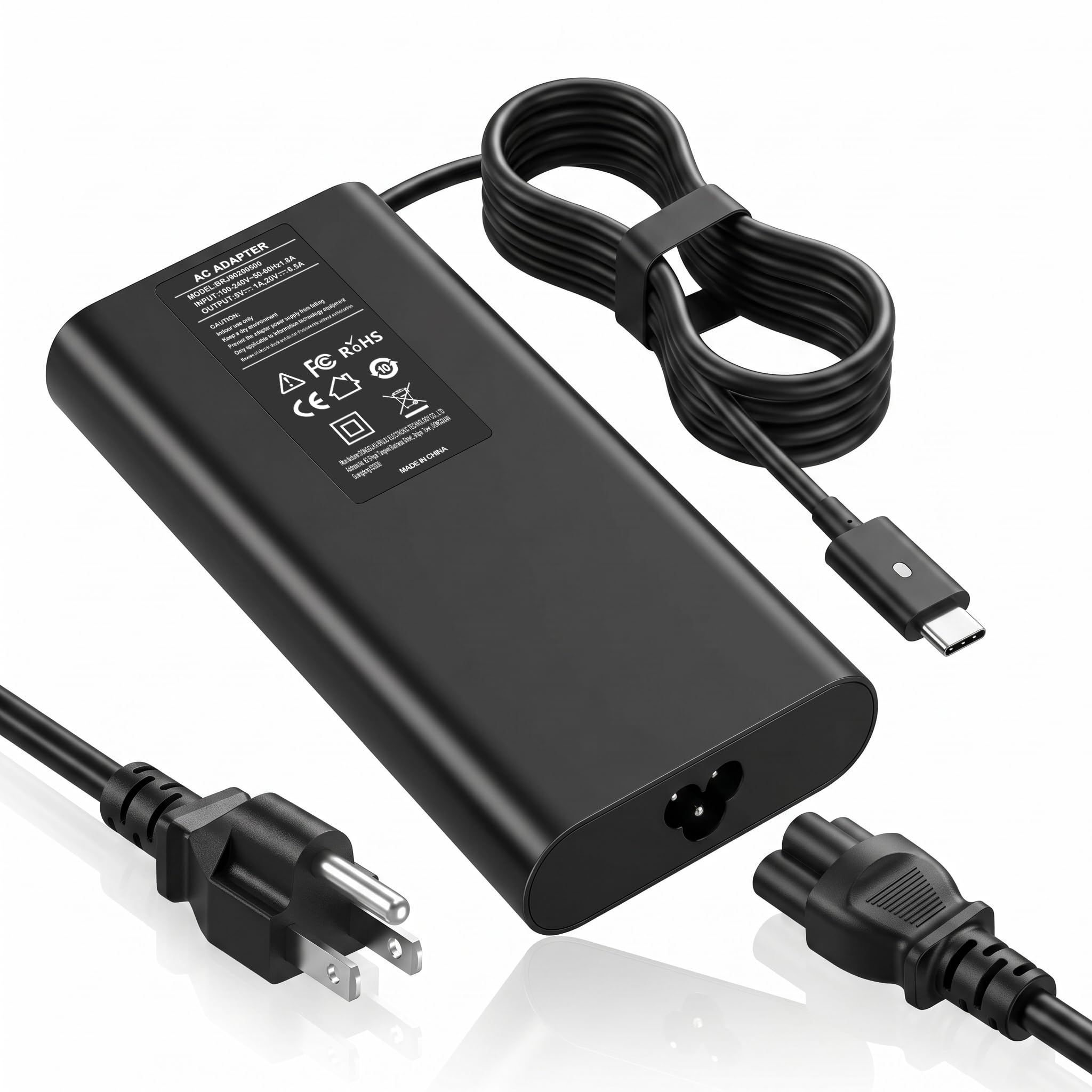
Built around the 9530 first, then expanded to the rest of the Dell line.
This listing leads with your model by name. It states up to 130W over USB-C for the XPS 15 9530 and XPS 17 9730 at full speed, then steps down to 90W, 65W or 45W for lighter Dell laptops. That intelligent step-down means one brick covers the whole Dell USB-C family in a house or office without pushing a smaller laptop past what it can take.
Safety is handled by a multi-guard chipset that watches over-voltage, over-current, short-circuit and temperature in real time, and cuts power when it notices a fault. Input is 100-240V, so a New York or Tokyo outlet works without an extra adapter. The package includes a 5A E-Marker USB-C cable, which is the cable type rated to carry this much current cleanly. The fitment list reaches XPS 15 9500 through 9530, XPS 16 9640, XPS 17 9700 through 9730, Precision 5530 through 5760, Latitude 7410 through 9520 and Inspiron 16 Plus 7640.
The catch is the track record, or rather the lack of one. This is a brand-new listing with almost no buyer history behind it, and the published spec is the main thing you have to go on. The spec is strong. On paper it belongs near the top for a 9530 owner who wants a dedicated brick. If you would rather buy on a proven base, the top two picks carry more history.
The 9530 argument: a stated 130W for the XPS 15 9530 at full speed, plus a 5A E-Marker cable included, is exactly the package this laptop asks for.
The honest gap: a new listing with minimal owner feedback means you are trusting the spec sheet rather than a record.
Worth it for: a 9530 owner who wants a stated 130W at full speed and a matching cable in the box.
Not for: buyers who will not order a charger until plenty of other people have tried it first.
8. Dell Laptop Charger 130W USB C Type C AC Adapter, DA130PM170

The official Dell part, in a box-free non-retail package.
When you buy a genuine Dell adapter, you are buying a known quantity: 130W output at 20V/6.5A with a USB Type C tip, the exact spec the XPS 15 9530 was built to accept. This one ships in non-retail packaging, which is how Dell supplies replacement parts. The fitment list names the XPS 15 9500 through 9530 and XPS 17 9700 through 9730, and it cross-references part numbers 0K00F5, 0CT1P3, 0M0H25, 07MP1P and 0MW1G8 plus factory models DA130PM170, HA130PM170 and DA130PM200.
The cord is 3 feet. That is the trade-off for a genuine part: you get the official build and the official spec, but the reach is short. On a desk where the outlet is right beside you, it is fine. In a meeting room or a hotel where the socket is across the room, it is a problem, and you will need an extension cord or a longer replacement.
The reliability record on this listing is genuinely mixed, with some buyers reporting it works well for high-power laptops and others finding it stops working within a few months. That is worth sizing correctly: it is the official part, and most buyers get what they paid for, but this listing does not carry the same day-in, day-out consistency as the top pick. Buy it for the genuine Dell build and the exact spec, not for a long cord or a long warranty story.
Choose it for: the genuine Dell part and the exact 20V/6.5A spec with no third-party guesswork.
Weigh before buying: the 3FT cord is short for rooms where the outlet is not beside the desk.
9. Dell Laptop Charger GAN 130W USB C

Dell’s own GaN brick, for the buyer who wants the official part in a smaller shell.
This is the GaN version of Dell’s own adapter, which means the same 130W output at 20V/6.5A over a USB Type C tip, in a housing built around gallium nitride. It weighs 1.1 pounds and ships in a bulk pack, which is how Dell distributes replacement parts. The fitment list is narrower than most of the third-party options here and names the XPS 15 9520 and 9530 plus the XPS 17 9720 and 9730, so confirm your model before ordering.
The GaN build is the reason to pay attention. Gallium nitride runs cooler and packs smaller than older silicon designs, which matters if you carry the brick every day or work with it on a lap. It uses the same part-number cross-reference as the other Dell adapter above: 0K00F5, 0CT1P3, 0M0H25, 07MP1P and 0MW1G8.
Two limits to know before you order. The cord is 3 feet, the same short reach as the other OEM pick, so a desk with a far socket is not its home. And this listing carries almost no buyer history to weigh, so you are buying on the Dell name and the published spec. That is a reasonable bet for an official part, but it is a bet, not a sure thing. The plug type is a Type A 2-pin North American connector, which is worth checking if you plan to use it abroad.
What recommends it
- Genuine Dell GaN build with 130W at 20V/6.5A
- 1.1 lb and a smaller GaN shell for daily carry
- Cross-references the standard Dell part numbers
- Type A 2-pin North American plug for US outlets
What to accept going in
- 3FT cord is short for rooms where the outlet is not beside you
- Fitment list names only XPS 15 9520 and 9530 plus XPS 17 9720 and 9730
- Almost no owner history to weigh against the Dell name
For the buyer who: wants a genuine Dell GaN brick for a 9530 and will sit near the outlet.
Second thoughts if: you need long reach or a fitment list that covers older Dell laptops.
Know the Specs
Watts and amps on a USB-C charger
Wattage is the headline number, but amps decide whether the laptop actually gets it. A 130W adapter at 20V and 6.5A is the full-speed spec for the XPS 15 9530. A 100W adapter at 20V and 5A will charge, but it runs the laptop closer to its ceiling and starts to feel slow under load. If the listing gives both numbers, check that the amperage matches the wattage — a 130W label with a low amp figure is a red flag worth pausing on.
GaN versus a standard adapter
GaN (gallium nitride) is a semiconductor material that lets a charger run smaller and cooler than an older silicon design at the same wattage. It does not make the laptop charge faster by itself — watts and amps do that. What GaN changes is the brick in your bag and the heat under your hand. If you mostly charge at a fixed desk, a standard adapter is fine. If you carry the charger every day, the smaller shell earns its keep.
Cord length and real desk reach
Cord length is a practical spec, not a cable-nerd detail. A 3FT cord suits a desk where the outlet is right beside you and struggles anywhere else. A cord around 8.8FT or 10.83FT lets the brick sit on the floor or across the room. Before you buy, measure the run from your usual outlet to your usual seat. If you travel for meetings or work from hotel desks, the longer reach saves you from hunting for a socket behind the furniture.
Protection circuitry and part numbers
The protection a charger lists is worth reading: over-voltage, over-current, short-circuit and over-heating protections are the standard set, and some adapters add a temperature-aware chip that adjusts power as the laptop heats up. Part numbers matter for fitment. Every Dell adapter carries a factory model code (DA130PM170, HA130PM170, DA130PM200) and a reference number (K00F5, CT1P3, M0H25), and matching one of them against the label on your original adapter is the most reliable way to confirm the replacement will fit.
Common Questions
Will a 100W USB-C charger work on an XPS 15 9530?
Why does amperage matter as much as wattage?
Does a replacement charger have to be genuine Dell?
What is GaN and do I need it?
How long a cord do I need for a meeting room?
Can one charger serve my XPS 15 9530 and my older Dell laptop?
Is it normal for a 130W charger to run warm?
Will the charger’s USB-C cable carry the full 130W?
What part numbers should I match when replacing my Dell charger?
Can I charge a phone or tablet from this laptop charger?
The Bottom Line
The strongest pick for most XPS 15 9530 owners is the S SKSTYLE Replacement 130W USB-C, because it pairs full 130W USB-C output with an 8.8FT cord and a fitment list that covers the whole XPS and Precision line. If you want a smaller brick for a bag, the KUANTEN GaN Slim trades a little history for a body that packs down. And if your problem is a far-off wall socket at a meeting or hotel desk, the PULINA puts 10.83ft of cable between you and the outlet. One honest nudge: owners on the S SKSTYLE replacement adapter keep coming backto the same brick, which is the whole point of a replacement — you plug it in once and stop thinking about it.
How we choose
We do not accept paid placement. Every pick is matched to a real buyer and a real use-case; we do not hands-on test units.
Sources
Specifications: manufacturer listings and product documentation. Review insights: verified customer reviews, as of November 2026. Pricing: not shown on this page (it changes often); check the current price via the retailer link.
As an Amazon Associate, Tactical Gear Guy earns from qualifying purchases. This does not affect which products we feature.