Specs are compiled from manufacturer listings and verified buyer reviews and can change over time — please confirm the key details on the product page before buying.
Your XPS 13 still feels fast and looks great, but the machine barely survives a lunch break away from the wall. That is the moment most owners start shopping for a replacement cell. The single most important rule is this: the battery must match your exact XPS 13 generation, not just the “XPS 13” badge on the lid. A battery built for the 9350 will not work in a 9300, and a 7390 2-in-1 needs a different part than a plain 7390. This guide lays out six verified options grouped by which XPS 13 each one actually serves, so you can match the model, swap the cell, and stop hunting for outlets.
This guide is built by comparing the manufacturers’ published specifications and the patterns across verified customer reviews, so you get each pick’s real strengths and trade-offs instead of marketing spin.
Below you will find the fit list, the capacity, and the honest trade-offs for each option, so you can pick the right cell for your machine without ordering the wrong shape twice. This is the practical path to a proper xps 13 battery replacement.
Top Picks

How To Choose The Best XPS 13 Battery Replacement
The XPS 13 has been built in several internal layouts over the years, and each one takes a physically different battery. A 9365 2-in-1 cell will not drop into a 9370, and the 9300 uses a different pack again. Before you read a single spec, flip your laptop over and find the service tag or model number on the bottom. That number decides everything else on this page.
Match the generation before you match the watt-hours
Watt-hours (Wh) tell you how much energy the pack stores — a bigger number means more runtime per charge. The 52Wh packs here belong to the 9370/9380 family and the 9350 family, while the 9365 2-in-1 uses a 46 watt-hour pack. Buying the biggest number you can find is pointless if the connector and screw holes are in the wrong places. Fit comes first; capacity is the tiebreaker between two cells that both fit.
Look for the tool kit and the cycle rating
These cells sit under the bottom cover, held by small screws. A kit that ships screwdrivers saves you a trip to the hardware store. Also scan for a cycle rating — some packs here are rated for 1000+ cycles, others up to 500 charge cycles. A higher cycle count means the cell is built to keep accepting a charge through more full drain-and-refill sessions.
Expect a wake-up period on a fresh cell
A brand-new lithium pack can report odd percentages for the first few days. One maker suggests discharging to 10-20% (not 0%) and then charging three to four times to let the cells settle. That is normal behavior, not a faulty battery, so do not panic-refund before the pack has had a few cycles.
Side-by-Side Comparison
| Model | Best For | Capacity | Fits XPS 13 | Weight | Amazon |
|---|---|---|---|---|---|
| DXGH8 7.6V 52Wh★ Best Overall | All-round pick for 9370/9380 | 52Wh | 9370, 9380 (2019) | 10 ounces | Amazon |
| 46Wh NNF1C2-in-1 Specialist | 9365 2-in-1 owners | 46Wh | 9365 2-in-1 | 300 g | Amazon |
| 6375mAh 52TWH | 7390 2-in-1 budget fit | 51Wh/6375mAh | 7390 2-in-1 | 9.6 ounces | Amazon |
| JD25G 7.4V 52Wh | Older 9343/9350 machines | 52Wh | 9343, 9350 | 300 g | Amazon |
| 722KK 52Wh 6800mAh | 9300/9310/9380 (2020) | 52Wh/6800mAh | 9300, 9310, 9380 (2020) | 230 g | Amazon |
| 52TWH BOWEIRUI | 7390 2-in-1 with full tool kit | 51Wh/6375mAh | 7390 2-in-1 | 12 ounces | Amazon |
Detailed Reviews
1. DXGH8 7.6V 52Wh Battery for Dell XPS 13 9370 9380 2019
Our pick — 4.0+★ from 7,500+ verified ratings; the strongest balance of quality and price.
The 52Wh pack most 2019-era 9370 and 9380 owners settle on.
If your XPS 13 carries a 9370 or 9380 (2019) badge, this is the pack the crowd has already vetted. It stores 52 watt-hours (Wh) of energy across a 4-cell lithium-ion build, which is the standard capacity figure for that generation. The most-cited strength is that the laptop powers on and behaves normally after the swap. Owners also report it drops cleanly into the original cavity without modification.
Two free screwdrivers and an instruction sheet ride along in the box, so you can open the bottom cover without scavenging a toolkit. The pack is compatible with part numbers DXGH8, 0H754V, H754V, V48RM and a long list of P113G/P114G/P115G/P82G chassis codes, which means a wide slice of that generation is covered. At 7.6V it runs the same voltage as the 722KK 52Wh pack, so the numbers line up cleanly across the 2019 and 2020 families. One hard rule: this 52Wh cell is not for the 7390 2-in-1, the plain Inspiron 7390, or the 7391.
Where it gets honest: battery life and charging are the two areas that split opinion. Some buyers report the pack lasts exactly as expected and charges to full, while others find it does not hold a charge. That is the usual mixed picture for third-party lithium cells, and it is why the return window and warranty matter as much as the sticker. Install it, run it through a few full cycles, and you will know within days which camp your unit falls into.
What earns its keep
- 52 watt-hours across 4 cells — the standard capacity for the 9370/9380 generation
- Drops into the original compartment without modification
- Two screwdrivers and an instruction sheet included
- Covers a long list of part numbers, from DXGH8 through the P82G chassis codes
Where to set expectations
- Not compatible with the 7390 2-in-1, Inspiron 7390, or Inspiron 7391
- Charge retention varies unit to unit, so test it early
- 10 ounces is slightly heavier than the lightest 7390 2-in-1 pack here
Best matched to: anyone with a 9370 or 9380 (2019) who wants the most broadly proven cell in this group.
Keep in mind: the 7390 2-in-1 is a different pack entirely — confirm your chassis code before ordering.
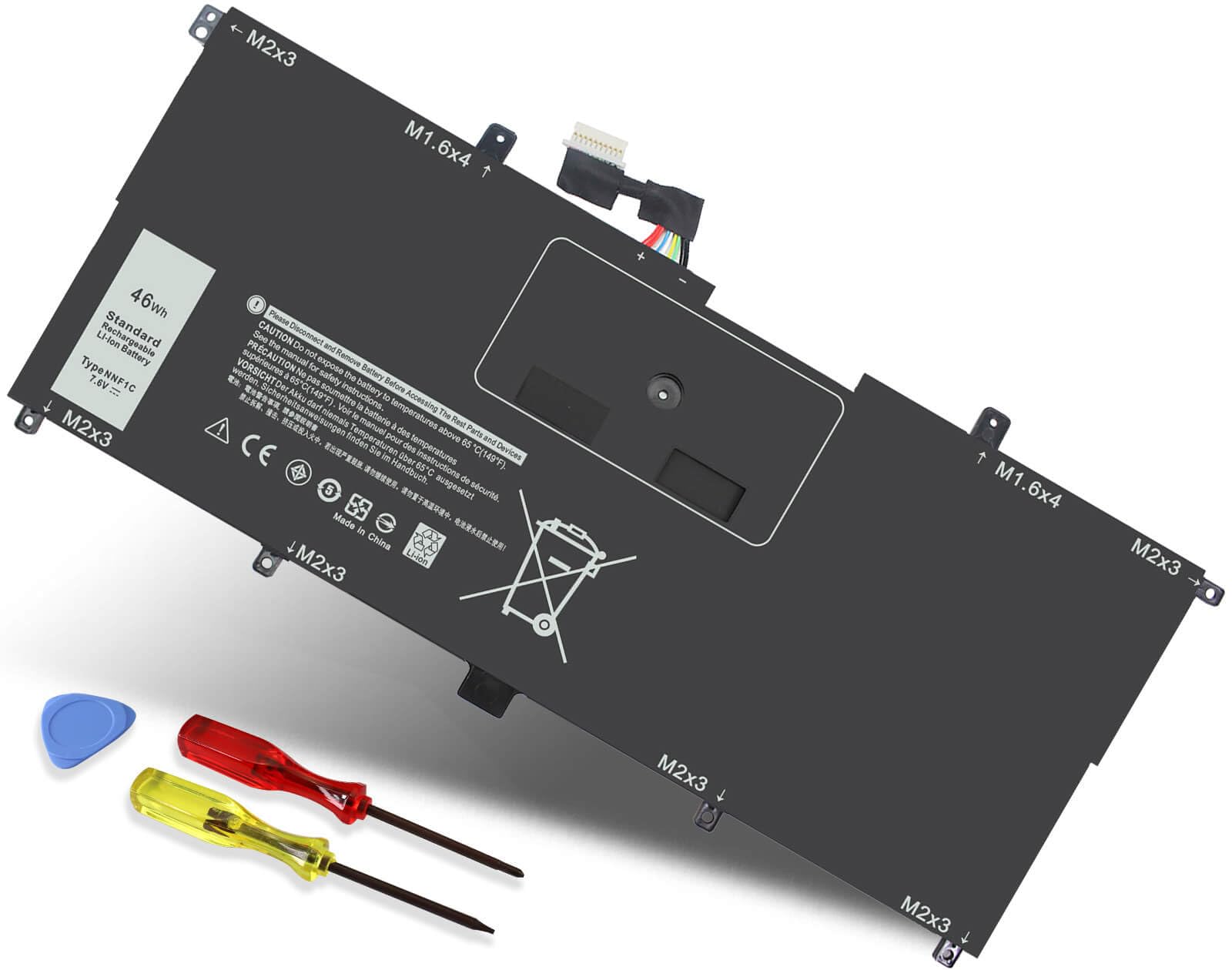
2. NNF1C Laptop Battery for Dell XPS 13 9365
Built for the hinge-flipping 9365, with the cycle count and warranty spelled out up front.
The 9365 2-in-1 is a different animal inside, and this pack is cut for it. It holds 46 watt-hours (Wh) at 7.6V across 4 cells — 13% less capacity than the 52Wh DXGH8 above, which is the trade-off you accept for the 2-in-1 chassis. Those numbers matter if you carry the laptop every day, but they are the price of a pack shaped to fit the convertible body.
The engineering notes are where this one pulls ahead of the anonymous cells. It uses Grade A cells and carries a 1000+ cycle rating — double the 500-cycle life the older JD25G pack claims. A smart chip guards against overcharge, overheat, and short circuits, which is the safety layer you want sitting an inch under your palms. The maker backs it with a 12-month warranty and a 60-day return policy, plus two screwdrivers in the box.
Compatibility is specific: NNF1C, HMPFH and 0NNF1C part numbers, and the 9365 chassis codes from D1605TS through D4605TS. The catch to plan around is lifespan. Battery life is the mixed signal here, with several reports that the pack quits after less than two years. That is not unusual for third-party cells, but it does mean the 60-day window is your friend — run it hard early and confirm it holds before the window closes.
Who this is cut for: 9365 2-in-1 owners who want a documented cycle rating and a real warranty rather than a bare cell. The fit is purpose-built, the tools ship in the box, and the return policy is longer than most.
The honest caveat: plan on roughly a two-year service life rather than a decade, and treat the early weeks as your test period.
Reach for this if: you own the 9365 convertible and want the pack with the deepest cycle-rating paperwork.
Look elsewhere if: your laptop is a standard clamshell — the 9365 cell will not seat in it.
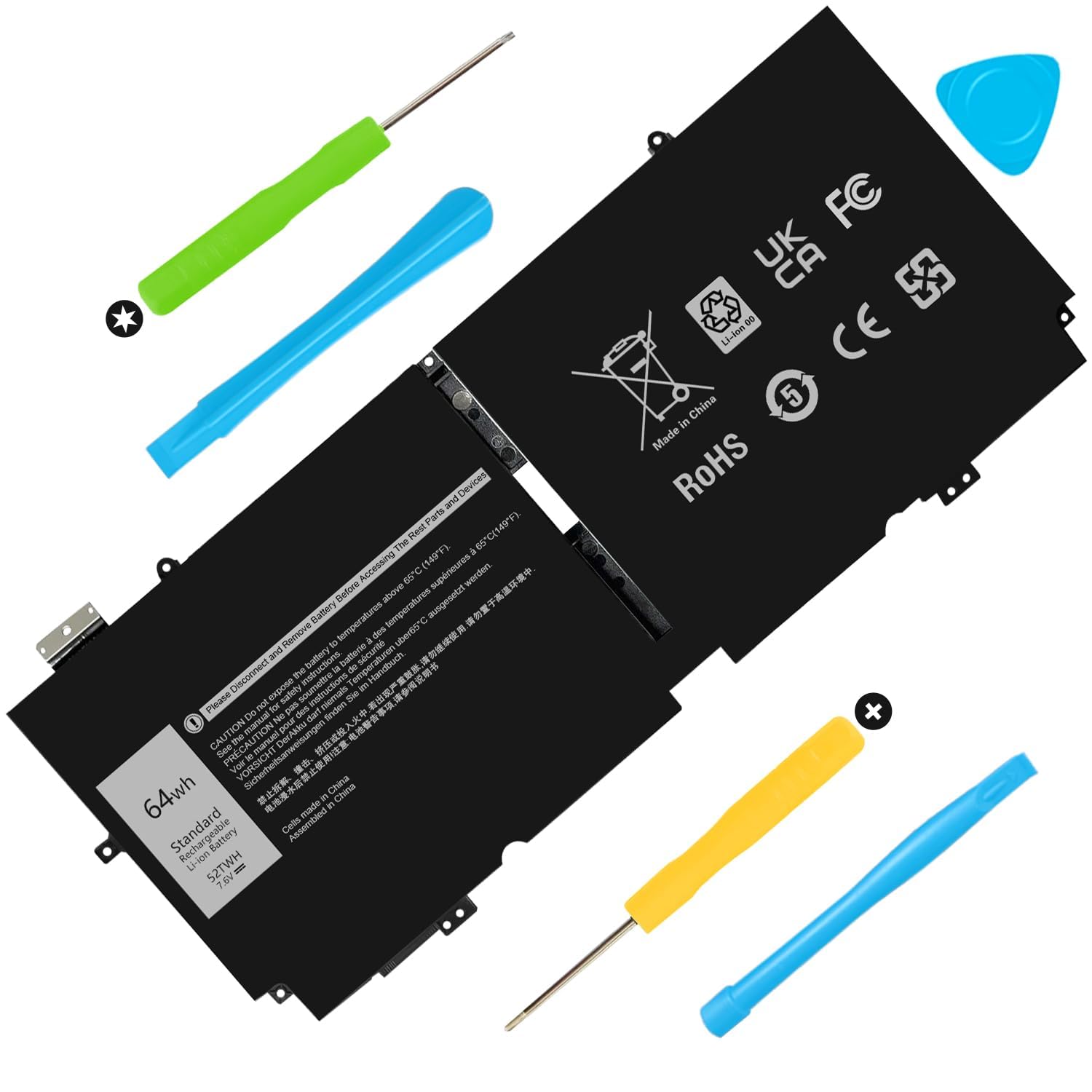
3. 52TWH Laptop Battery for Dell XPS 13 7390 2-in-1
The lightest 7390 2-in-1 pack here, and the one that tells you how to wake it up.
For the 7390 2-in-1 crowd, this is the leanest option on the page. At 9.6 ounces it is 4% lighter than the 10-ounce DXGH8 above, and it packs 51Wh/6375mAh at 7.6V in a 4-cell lithium-polymer build. The capacity sits 2% below the 722KK’s 52Wh/6800mAh, so you give up a sliver of runtime for a slightly easier carry. Model numbers covered are 52TWH, MM6M8, 0MM6M8, XX3T7 and 0XX3T7 across the P103G, P103G001 and P103G002 chassis.
You get install notes that walk you through the scary part. If the new battery is not recognized on the first boot, the maker tells you to reseat it and check the connector. Then discharge to 10-20% (not 0%), charge, and cycle three to four times to wake the cells. Follow that and you avoid the “dead on arrival” scare that spooks most first-time swappers. A 12-month warranty and 7 x 24 support (help any hour of the day) back it up. Offices refreshing a fleet can use the B2B bulk option.
Newer listing, thinner track record — that is the one thing to weigh. Plan on treating the first week as a trial, and keep the packaging until you are sure it charges clean.
Reasons it earns a slot
- 9.6 ounces — the lightest 7390 2-in-1 pack in this group
- Clear wake-up instructions spelled out in the listing
- 12-month warranty with 7 x 24 support and a B2B option
What to weigh first
- 51Wh/6375mAh sits just under the 52Wh/6800mAh 722KK pack
- Limited owner history compared with the older listings here
The fit: 7390 2-in-1 owners who want the lightest cell and a maker that explains the first-boot quirks.
The caution: budget for a proper test period before you rely on it for travel.
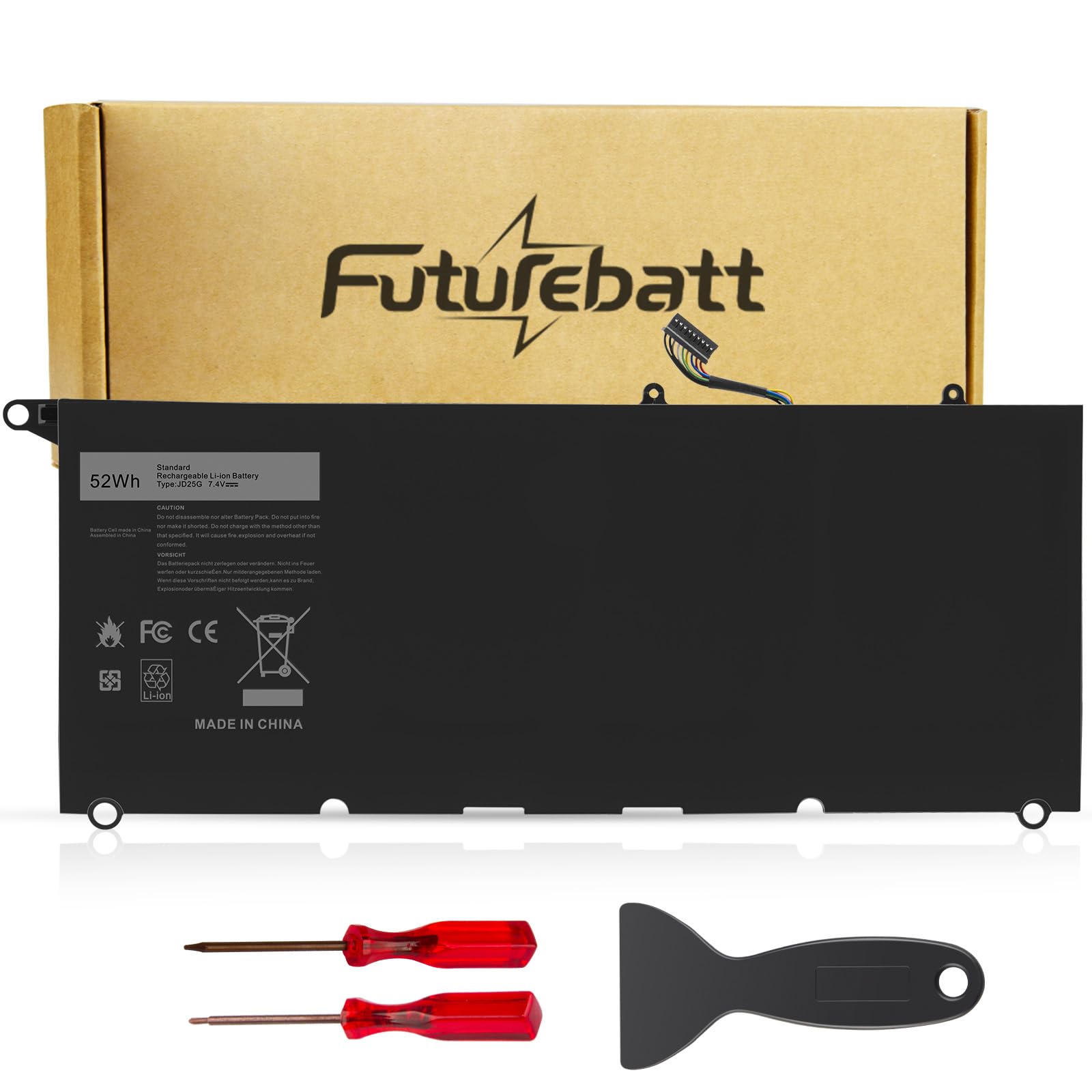
4. JD25G Battery Replacement for Dell XPS 13 9350 JHXPY 5K9CP
For the older 9343 and 9350 machines that need a 7.4V pack, not a 7.6V one.
Older XPS 13 laptops run at a lower voltage, and that single figure rules this one in or out. The JD25G delivers 52 watt-hours at 7.4V — 3% lower voltage than the 722KK’s 7.6V, which is why it only suits the 13D 9343 and 9350 series. If your machine is a 9370 or later, this is not your part. It weighs 300 g, matching the NNF1C’s 300 g but heavier than the 230 g 722KK.
Owners mention a straightforward install and a fit that lands where it should. A small toolkit is included so you are not hunting for the right driver. On the safety side, the pack carries overcharge and overdischarge circuit protection, over-temperature and short-circuit protection, and is built on high-quality boards rated for up to 500 charge cycles. A 30-day refund and 12-month replacement policy round it out.
The honest read: longevity is the open question. Battery life draws split feedback — some find it lasts far longer than expected, while others see it fail after around three months. Pair that with the 500-cycle ceiling and it is clearly a stopgap to keep an older machine running, not a forever fix. Test it inside the refund window.
The real value: correct 7.4V voltage and a 52Wh capacity for machines newer packs no longer serve. Straightforward install, tools in the box, solid safety circuitry.
The trade-off: older-laptop economics — expect to replace it again sooner than a premium cell, and confirm the model fit twice.
Suits: owners keeping a 9343 or 9350 alive who need the right 7.4V pack and nothing fancier.
Not for: any 9370-and-later XPS 13 — the voltage and connector are wrong for those bodies.
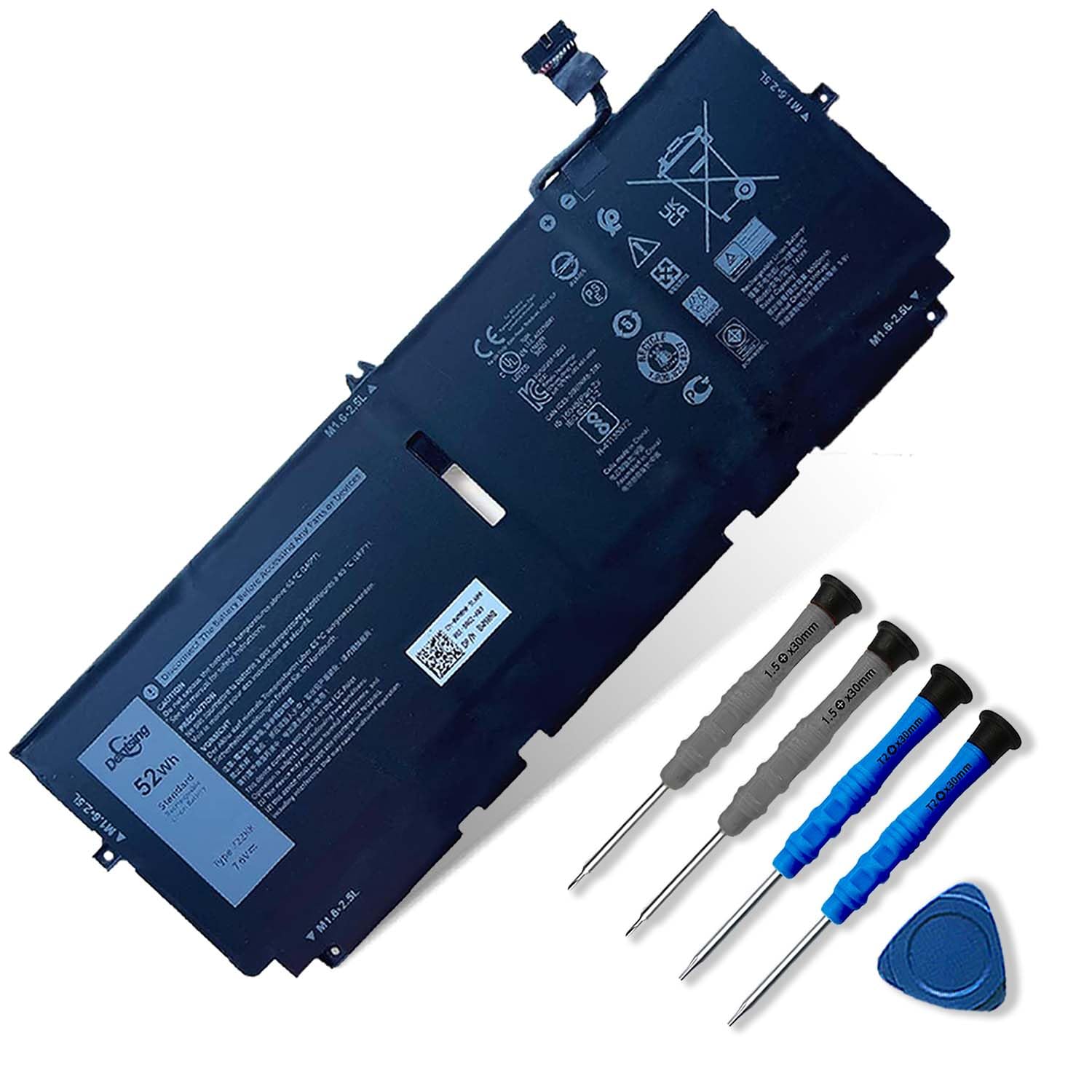
5. 722KK Laptop Battery for Dell XPS 13 9300
The lightest 52Wh pack of the bunch, cut for the 2020-era 9300, 9310 and 9380.
At 230 g, this is 30% lighter than the 300 g JD25G, and it still packs 52Wh/6800mAh at 7.6V — 2% more capacity than the 51Wh/6375mAh 6375mAh 52TWH below. If you own a 9300, 9310 or 9380 (2020 Edition), this is the exact-match pack. It reads as an exact replacement for the original, and it seats snugly in the compartment. The tools ship in the box, and the value lands well for a premium-tier cell.
The fine print is the whole game with this one. It explicitly does not fit the XPS 13 OLED 9310 2-in-1 (2021) series, nor the 9380 (2019) 13.3-inch model — both are easy to confuse with the 9300 family. Open the back cover and confirm the battery shape and model code before you order. Refund runs 30 days and the warranty 12 months, and the seller line stays reachable even after Amazon’s one-month window closes.
Durability is the split note here: the included tools are the repeated weak point, and they can break mid-install. Bring your own screwdriver if you have one you trust. Capacity and fit are the headline; the free toolkit is a convenience, not a guarantee.
Why it earns premium billing
- 230 g — the lightest 52Wh pack in this lineup
- 52Wh/6800mAh, a hair above the 6375mAh 52TWH
- Snug fit and exact-match replacement feel
- 12-month replacement warranty with direct seller contact
Watch-outs
- Will not fit the OLED 9310 2-in-1 (2021) or the 9380 (2019) 13.3-inch
- Included tools can break, so have a spare driver handy
Pick this one for: a 9300, 9310 or 9380 (2020) that needs a light, exact-match cell and a warranty you can reach.
Double-check first: your chassis is not the OLED 2-in-1 or the 2019 9380 — both look close and fit neither.
6. 52TWH Laptop Battery Replacement for Dell XPS 13 7390

The 7390 2-in-1 pack that arrives with a full matching tool set and 500-cycle rating.
This is the fully kitted pack for the 7390 2-in-1, one of two in this guide. It stores 51Wh/6375mAh at 7.6V (watt-hours and milliamp-hours: how much charge it holds), a 2% step under the 722KK’s 52Wh/6800mAh. The 4-cell lithium-ion build is rated for up to 500 recharge cycles (full charge-and-drain rounds). At 12 ounces it is the heaviest pack here, heavier than the 9.6-ounce 6375mAh 52TWH and the 10-ounce DXGH8. So you trade a few ounces for a complete kit.
The kit is the draw: a matching installation tool set plus printed instructions mean you can do the swap without borrowing anything. Customers note a snug fit, an easy install, and charging that starts right away. It is built to match the original 52TWH, meets CE/FCC/ROHS/UL standards, and includes built-in circuit protection. Model coverage is 52TWH, MM6M8, 0MM6M8, XX3T7 and 0XX3T7 across the P103G, P103G001 and P103G002 chassis.
The one trap: the 7390 2-in-1 is not the plain 7390. This battery will not work in the standard 7390 clamshell, and the maker flags the difference plainly. Confirm the “2-in-1” word on your machine before buying, and you will be fine. Value lands strong for a kit-complete cell, but check your model one last time.
What makes it stand out: a full matching tool set and instructions in the box, so the install is a one-package job. Fit and charging behavior are exactly what owners want — snug, immediate, no drama.
What to keep in mind: it is the heaviest cell here and only serves the 7390 2-in-1 — the plain 7390 takes a different part.
Choose it if: you have a 7390 2-in-1 and want everything needed for the swap in a single box.
skip it if: your machine is the standard 7390 — the 2-in-1 designation is the dividing line.
Know the Specs
Watt-hours (Wh) and milliamp-hours (mAh)
Watt-hours measure the actual energy a pack stores, which is the number that translates into hours of runtime. Milliamp-hours describe the same capacity in a different unit — 51Wh/6375mAh and 52Wh/6800mAh are the two ways these listings express near-identical packs. When two cells fit the same laptop, the slightly higher watt-hour number buys you a little more time between charges.
Voltage (V) must match the chassis
Voltage tells you which generation the cell is built for. The 9343/9350 machines take a 7.4V pack, while the 9370/9380/9300 families run at 7.6V. A 3% voltage mismatch, like the JD25G’s 7.4V versus the 722KK’s 7.6V, sounds small — but it means the two are not interchangeable. Match voltage to your model first, then compare capacity.
Cell chemistry and cycle ratings
These packs are lithium-ion or lithium-polymer, and both are rechargeable. The cycle rating tells you how many full fill-and-drain sessions the cell is built to handle — the NNF1C claims 1000+ cycles, while the JD25G and 52TWH claim up to 500. A higher count suggests a longer useful life before capacity fades.
Tools, screws and the first boot
Swapping a cell means lifting the bottom cover with small screws. A kit with screwdrivers and printed instructions saves time. Expect a new pack to need a few charge cycles before it reports accurately — the usual advice is discharge to 10-20%, charge, and repeat a few times, then judge.
Common Questions
How do I know which XPS 13 battery fits my exact model?
Is the XPS 13 7390 battery the same as the 7390 2-in-1 battery?
Will a 7.4V battery work in a laptop that takes 7.6V?
How long should a replacement XPS 13 battery last?
Will the replacement battery come with the tools I need?
Why does my new battery report a strange percentage at first?
Is a 52Wh battery better than a 46Wh one?
Are these batteries safe to install myself?
Does a heavier battery mean better build quality?
Will the 722KK fit a 9310 OLED 2-in-1?
The Bottom Line
Most XPS 13 owners should start with the DXGH8 52Wh Battery. It covers the widest spread of 9370/9380 part numbers, ships two screwdrivers, and carries 4.0+ stars across 7,000+ ratings. Own the 9365 2-in-1? Reach for the NNF1C 46Wh pack instead, with its 1000+ cycle rating and real warranty. For the 7390 2-in-1, the BOWEIRUI 52TWH delivers the full kit in one box. And if your machine is a 9300, 9310 or 9380 (2020), the light 230 g 722KK 52Wh is the exact-match call. Confirm your model code, buy the pack built for it, and you are back to full days on a single charge.
How we choose
We do not accept paid placement. Every pick is matched to a real buyer and a real use-case; we do not hands-on test units.
Sources
Specifications: manufacturer listings and product documentation. Review insights: verified customer reviews, as of November 2026. Pricing: not shown on this page (it changes often); check the current price via the retailer link.
As an Amazon Associate, Tactical Gear Guy earns from qualifying purchases. This does not affect which products we feature.