Specs are compiled from manufacturer listings and verified buyer reviews and can change over time — please confirm the key details on the product page before buying.
Your Comcast Business line is only as good as the box you plug into it. Buy the wrong modem and you pay for a speed tier you never actually see — dropped calls on the shop phone, invoices that crawl to the cloud, a card terminal that times out on a busy Friday. The fix is picking a DOCSIS 3.1 modem that your provider actually certifies for your plan, with enough Ethernet ports and upstream headroom to run real business traffic. That is what this list covers.
This guide is built by comparing the manufacturers’ published specifications and the patterns across verified customer reviews, so you get each pick’s real strengths and trade-offs instead of marketing spin.
Every box here is a modem only — you pair it with the router you already trust — and each one is built for cable service, not fiber or DSL. Below you get the straightforward answer on which of these is worth buying for your business line and why: these are the best Xfinity Business Modem options you can actually register on your account.
Top Picks


How To Choose The Best Xfinity Business Modem
A business modem has a different job than a home one. It has to stay up through a full working day, feed a card terminal and a back-office PC at the same time, and hold a steady upload for calls and cloud backups. Three specs decide almost everything: the DOCSIS standard, the number of Ethernet ports, and how much upstream speed the box can carry.
Start with DOCSIS 3.1, not 3.0
DOCSIS is the cable-industry standard that sets how your modem talks to the provider’s network. DOCSIS 3.1 is the current generation and the one that open up gigabit and multi-gig plans. A DOCSIS 3.0 modem is the older generation and will hold your line back no matter what tier you pay for. Every box on this list is DOCSIS 3.1.
Count your Ethernet ports before you buy
A modem with one Ethernet port feeds exactly one device — normally your router. If you also want a wired printer, a POS terminal, or a backup handoff, you either buy a modem with extra ports or add a switch. Ports are listed in the table as 1 Gig or 2.5 Gig, and a 2.5 Gig port is what lets a multi-gig plan actually arrive at your router.
Match the box to your plan speed
A modem rated above your plan is not wasted — it just runs cooler and leaves room to upgrade. What hurts is a modem rated below your plan. Check your provider’s certified-device list for your exact tier before ordering, because activation is handled by the provider and an unlisted model can stall the process.
Plan for the router you already own
None of these boxes create Wi-Fi. Each one hands the connection to a separate router over Ethernet. If your current router only has a 1 Gig port, a 2.5 Gig modem will negotiate down to 1 Gig until you upgrade the router too — worth knowing before you blame the modem.
Side-by-Side Comparison
| Model | Best For | Rated Downstream | Rated Upstream | Ethernet Ports | Amazon |
|---|---|---|---|---|---|
| Motorola MB8600★ Best Overall | Most business lines | 6 Gbps | 1 Gbps | 1 × 1 Gig | Amazon |
| NETGEAR CM1200 NighthawkPort Powerhouse | Multiple wired devices | 2000 Mbps | 1000 Mbps | 4 × 1 Gig | Amazon |
| ARRIS SB8200Compact Pick | Compact installs | 5 Gbps | 262 Mbps | — | Amazon |
| NETGEAR CM1000 | Gigabit plans on a budget | 1 Gbps | — | 1 × 1 Gig | Amazon |
| Hitron CODA56 | Fastest Xfinity tiers | 2500 Mbps | 700 Mbps | 1 × 2.5 Gig | Amazon |
| ARRIS S34 | Next-gen upload | 2500 Mbps | 444 Mbps | 1 × 2.5 Gig + 1 × 1 Gig | Amazon |
Detailed Reviews
1. Motorola MB8600 DOCSIS 3.1 Gigabit Cable Modem
Our pick — 4.5+★ from 10,000+ verified ratings; the strongest balance of quality and price.
The boring-in-the-best-way box that most business lines should just buy and forget.
You want the modem that creates the fewest support calls, and that is what this one does: 6 Gbps downstream and 1 Gbps upstream of rated throughput, which is headroom well above a standard business tier so the box is never the bottleneck. It runs DOCSIS 3.1 with DOCSIS 3.0 32×8 bonding (32 downstream and 8 upstream channels bonded together), so on an older provider network it still holds a steady line. It is approved by Comcast Xfinity and Xfinity X1, Cox, and CableOne for all speeds including Comcast Gigabit and Cox Gigablast.
Two things separate it from the crowd. First, Active Queue Management — a traffic-shaping feature that shortens the queue of waiting data packets — cuts latency across both DOCSIS 3.1 and 3.0 service. In plain terms, a video call stops stuttering when someone else on the network starts a large upload. Business buyers report activation completing in well under a minute once the provider recognizes the modem, with throughput jumping the moment it came online. There is also a 10/100/1000 Gigabit Ethernet port, and you can pair it with any router you like, mesh included.
The honest limit is what it is not: no built-in Wi-Fi and no telephone port. You supply the router, and if your business still runs a landline over the cable line, this box cannot do it. It is also physically the larger unit here — 7.25″L x 2.25″W x 7.88″H against the SB8200’s 5.13″L x 1.75″W x 5.25″H — so give it real shelf space rather than tucking it behind a monitor. Quality is the thing that wins people over most, and reliability and connectivity draw a more mixed read, which is the usual pattern for any modem tied to a provider’s line quality.
What earns it the top slot
- 6 Gbps downstream and 1 Gbps upstream of rated throughput clears any standard business tier with room to spare
- Active Queue Management cuts latency so calls and terminals stay responsive under load
- Approved for Comcast Xfinity X1, Cox, and CableOne across all speed tiers
- Pairs with any router, including mesh systems, so you keep the Wi-Fi gear you trust
Where it stops short
- No Wi-Fi and no voice port — router and any landline hardware are on you
- Larger footprint than the compact ARRIS boxes on this list
- One Ethernet port only, so more than one wired device means adding a switch
Reach for this if: you run a normal business cable tier and want the least fussy, most widely approved modem on the page.
Look elsewhere if: you need a phone line off the modem or you are chasing a 2.5 Gig port for a multi-gig plan.
2. NETGEAR Nighthawk Cable Modem CM1200
Four Ethernet ports on a modem is the quiet feature small offices actually feel every day.
Most modems give you one jack, which means one device. This one gives you four (4) Gigabit Ethernet ports, so your router, a wired printer, a card terminal, and a back-office PC can all connect without a switch in the middle. It also does link aggregation — combining two 1G ports into one 2G port — for faster wired throughput to a router that supports it. Under the hood it runs DOCSIS 3.1 with 32×8 channel bonding and OFDM 2×2 (a modulation scheme that packs more data into the same cable spectrum).
The upstream here is the part worth pausing on. It is rated at 1000 Mbps up against the ARRIS SB8200’s 262 Mbps, and its 800 Mbps data transfer rate sits well past that same box’s 262 Mbps. If your business sends large files, runs cloud backups, or hosts video calls, that ceiling matters more than headline download numbers. Owners mention working download speeds around 1000 Mbps and upload around 50 Mbps on Xfinity service, which tracks with a properly provisioned gigabit plan. Rated downstream capacity is 2000 Mbps.
What to weigh against it: connectivity draws the more mixed reactions on this model, with reports of connection drops in some setups — often a provisioning or cabling issue rather than the box, but worth knowing if you are quick to blame hardware. It is also not compatible with bundled voice service, so a modem-plus-phone arrangement is out. At 2.2 pounds and 6.1″L x 3.4″W x 10.3″H it stands upright, which suits a cramped rack shelf better than a flat unit.
The port math: four Gigabit jacks and a 2G aggregation link make this the pick for a counter with several wired devices and no room for extra networking gear.
The caveat to plan around: no voice support, and the connection stability depends heavily on a clean coax run and correct provider provisioning.
Worth it when: your office has three or four things that need a cable, and you would rather not buy a switch.
Think twice when: your plan includes a business phone line through the modem.
3. ARRIS Surfboard SB8200 DOCSIS 3.1 Cable Modem
The smallest box here with a genuinely large downstream ceiling tucked inside it.
Space is the whole story with the SB8200. It measures 5.13″L x 1.75″W x 5.25″H and weighs 1.6 pounds, so it slides onto a shelf behind a monitor or stands beside a terminal without eating counter space. That is 41% less bulk than the Motorola MB8600’s 7.25″L x 2.25″W x 7.88″H footprint — a real difference on a back-office shelf where every inch is already spoken for.
The rated downstream is 5 Gbps against the NETGEAR CM1000’s 1 Gbps, so on a fast tier this box has far more ceiling than the entry-level NETGEAR unit. Signal quality is what earns it praise in the field, with buyers reporting steady connections past 600 Mbps in real setups. Setup is straightforward: connect the coax, power it, activate with your provider, then feed your router from the Ethernet port.
The trade-off is upstream. This model is rated at 262 Mbps up, which is the lowest up figure on this list — the NETGEAR CM1200’s 1000 Mbps up sits far above it. If your business uploads big files or runs a lot of two-way video, that is the number to check against your plan. It is also the least-reviewed box on this page — a smaller, more recent ratings base than the flagship Motorola and NETGEAR units — so the picture of long-term field behavior is thinner than the crowd favorites.
Why it earns a spot: compact size, a 5 Gbps downstream ceiling, and steady signal in a package that disappears into a shelf.
Read this before ordering: the 262 Mbps upstream rating is the lowest here — check your plan’s upload tier against it.
The fit: tight install spots and download-heavy work where counter space is the constraint.
The mismatch: upload-heavy work or a fresh device with a thin ratings history you want more proof behind.
4. NETGEAR Cable Modem DOCSIS 3.1 (CM1000)

A plain, honest single-port modem for a standard business tier — no frills, no surprises.
The reason small operators buy this one is simple: it is certified for the services they actually run. That means Spectrum and Cox up to 1Gbps, and Xfinity up to 950Mbps — the slightly lower Xfinity certification figure is note if your Comcast tier runs right at gigabit, because the modem is the hard cap. It carries a 1 Gbps rated downstream and a single Gigabit Ethernet port for your router.
Customers note download speeds up to 998 Mbps with 56-60 Mbps upload on Comcast/Xfinity, which lines up with a correctly provisioned gigabit tier. The setup routine is the same as everything else here: coax in, power on, activate, router into the Ethernet port. It pairs with any router you like, so a Wi-Fi 6 or mesh system you already own stays in service.
The one thing to be clear on: it is not compatible with Verizon, AT&T, CenturyLink, DSL, DirecTV, DISH, or any bundled voice service. It is a cable-data box, full stop. And if you ever want two wired devices at the modem, there is only the one port — a switch or a router with extra LAN ports solves that. At 2.1 pounds and 6.3″L x 2.4″W x 6.3″H it is a small, upright unit that takes little room.
The case for it: certified Xfinity gigabit compatibility, a familiar NETGEAR setup, and full DOCSIS 3.1 so you are not stuck on 3.0 hardware.
The known limit: the 950Mbps Xfinity certification and the single Ethernet port top out what this box can hand you.
The short answer: pick it if your business tier sits at or below the gigabit Xfinity certification line.
Move on if: you run a Comcast tier at the full gigabit or want multi-gig downstream later.
5. Hitron CODA56 Cable Internet Modem
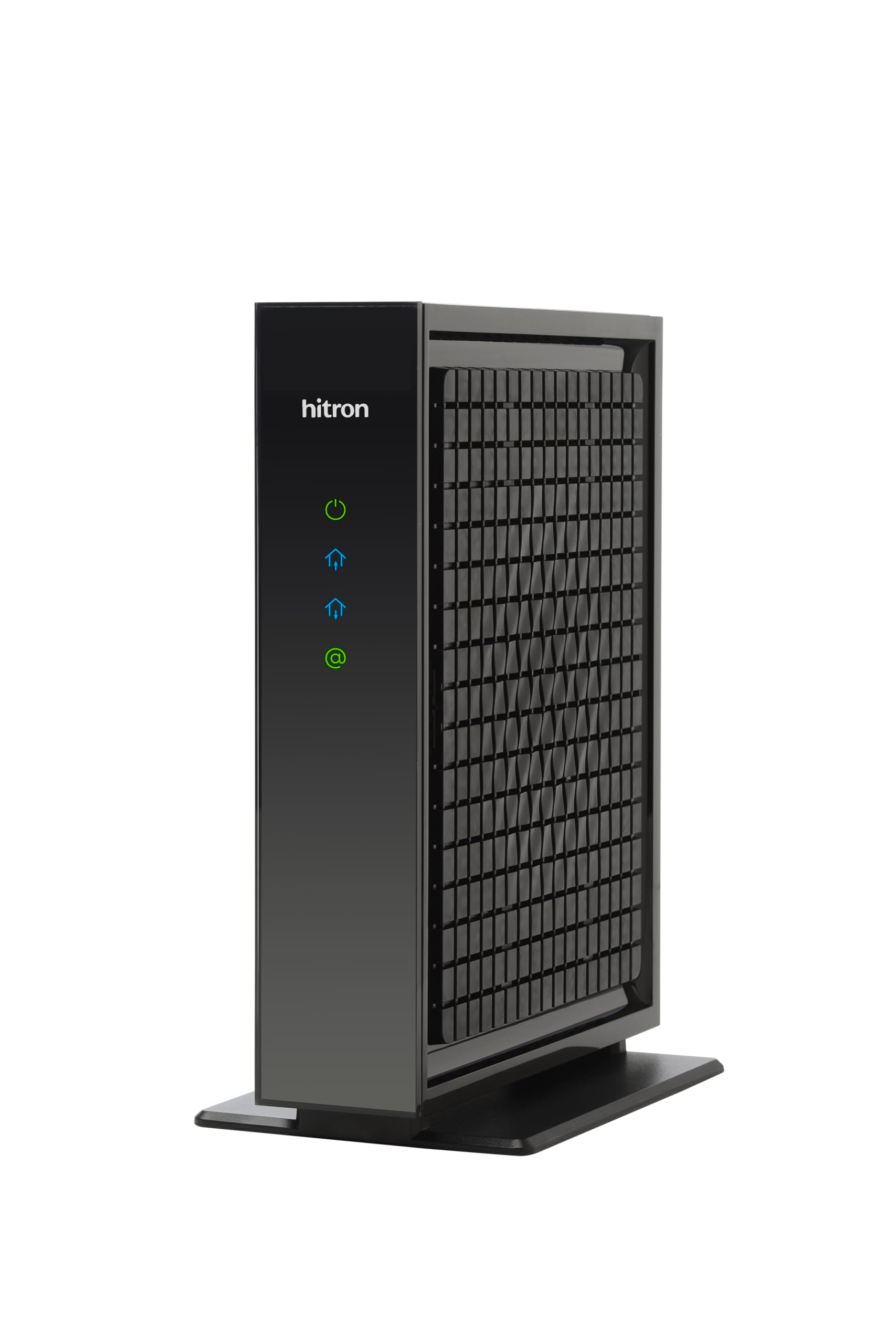
A 2.5 Gig port for Comcast’s fastest tiers — provided you have the router to use it.
The rated numbers here are big and specific: 2500 Mbps downstream and 700 Mbps upstream, on a 2.5 Gbps Ethernet port. That downstream rating beats the smaller Surfboard S33’s entry on this list, though its 444 Mbps upstream is its own separate figure. The provider list is the useful part — Xfinity up to 2.33 Gbps, Spectrum 1 Gbps, Cox 2 Gbps — so on a Comcast Gigabit Extra or higher tier this is one of the few boxes that can deliver the speed you are paying for.
Read the fine print before you click buy, though, and the listing says it plainly: this is a modem only. It creates no Wi-Fi, and without a router only one device can connect by cable. You also need a router with a 2.5 Gbps port to get the full speed — feed it from a router’s 1 Gig port and you are back at 1 Gig. Setup is cable in, power on, ISP activation, then router into the port. In practice that means a short install once the provider recognizes the modem on your account. Most reviewers point out the modem online and downloading within ten minutes, with real-world speeds topping out around 1.3 Gbps.
The one mixed signal worth flagging is connectivity — some setups report good connections and others hit router compatibility issues, which is why having the right 2.5 Gig router matters. Heat comes up occasionally too, though not as a dominant theme. With 30+ years of networking history behind the brand and support available seven days a week, it is a confident pick for a fast cable plan, provided you are honest about your provider and your plan speed before ordering.
Why fast-tier users pick it
- 2.5 Gbps port handles Xfinity up to 2.33 Gbps, Cox 2 Gbps, and Spectrum 1 Gbps
- Rated 2500 Mbps downstream and 700 Mbps upstream — real headroom for multi-gig plans
- Signal quality draws consistent praise from buyers running fast tiers
- 7-day technical support and warranty coverage
Where it stops
- No Wi-Fi at all — a separate router is mandatory
- Full speed requires a router with a 2.5 Gbps port
- Some setups report router compatibility issues and occasional heat
Reach for it if: your Xfinity tier runs past 1 Gbps and your router has a 2.5 Gig port ready.
Look past it if: you are on a 1 Gbps plan or a router with only 1 Gig ports — you will not see the speed.
6. ARRIS Surfboard S33 DOCSIS 3.1 Multi-Gig Cable Modem

Built for Comcast’s next-generation upload tiers — the number to check first is the one pointing up.
Upload speed is where most cable boxes quietly fail a business. This one is designed around 444 Mbps upstream, with support for the next-generation upload speed tiers cable providers are rolling out. Rated downstream is 2500 Mbps, and it carries both a 2.5 Gig port for your router and a 1 Gig port for an additional wired device or backup handoff. If your business lives on cloud uploads, remote support sessions, or scheduled off-site backups, that upstream figure is the spec worth circling.
Speed is what buyers write about — downloads hitting roughly 1.4 Gbps and Xfinity Next Gen upload tiers delivering as intended, which is the whole reason to pick this model over a slower one. Setup is the standard routine of coax, power, and provider activation. It is a longer, flatter unit at 10.55″L x 6.75″W x 2.46″H, so it lies down on a shelf rather than standing upright, and it is CableLabs certified for Cox, Xfinity, and Spectrum.
The honest caveat is the port arrangement — the 2.5 Gig port goes to your router and the 1 Gig is for one additional device, which is fine for most offices but not a substitute for a switch if you have several wired machines. It is also not compatible with fiber, DSL, or satellite service, so this is cable only, and the compact size means it does not have room for a lot of onboard extras. That is exactly what makes it a clean, single-purpose box.
The standout: 444 Mbps upstream and support for next-gen upload tiers make it the pick for upload-heavy business work.
The practical note: one 2.5 Gig plus one 1 Gig port — plenty for a router-plus-device setup, not enough for a pile of wired hardware without a switch.
Go with it if: your Xfinity plan has or will have a next-gen upload tier and you push data out more than you pull it in.
Hold off if: you are on fiber or DSL service, or you need several additional wired ports at the modem.
Know the Specs
DOCSIS Version
DOCSIS is the standard that governs how a cable modem talks to the provider’s network. DOCSIS 3.1 is the current generation and the one that supports gigabit and multi-gig plans. Every box on this list is 3.1, so you are not buying trapped hardware. Check the provider-certified list for your exact plan before ordering, because activation is handled by the provider and a model not listed for your tier can stall setup.
Downstream and Upstream Ratings
The rated downstream is the ceiling the modem can pull from the network; upstream is the ceiling it can push back. For a business, upstream often matters more than the download number. The ARRIS S34’s 444 Mbps upstream and the NETGEAR CM3000’s 1 Gbps upstream are built for sending large files and running live video. The SB8200’s 262 Mbps upstream is the practical floor here, so check that figure against your upload tier.
Ethernet Ports
The port count and speed decide how many wired devices you can connect and how fast. A 1 Gig port caps the feed to your router at gigabit speed. A 2.5 Gig port lets a multi-gig plan actually arrive. Extra ports mean you can skip a switch for a printer or POS terminal. The CM1200’s four 1 Gig ports and the CM3000’s 2.5 Gig plus two 1 Gig ports are the most flexible setups on this page.
Channel Bonding and AQM
Channel bonding is how the modem combines multiple cable channels at once — 32 downstream and 8 upstream is the common configuration — which spreads your traffic and steadies the line under load. Active Queue Management is a traffic-shaping feature that shortens the queue of waiting packets; in plain terms, it keeps a video call smooth when someone else starts a big upload. Both are specs you notice in daily use — steadier calls and fewer stalls — more than you read off a spec sheet.
Common Questions
Will this modem work with my Xfinity Business internet plan?
Why is DOCSIS 3.1 required instead of a cheaper DOCSIS 3.0 modem?
Do I still need my own router with these modems?
Does my router need a 2.5 Gig port to get full speed?
What is the difference between the MB8600 and CM1200 for an office?
Will these modems work with fiber, DSL, or satellite service?
Do these modems support a business phone line?
How long does activation take once I plug it in?
Is a 2.5 Gbps modem worth it on a 1 Gbps plan?
The Bottom Line
The xfinity business modem winner for most business lines is the Motorola MB8600 because it pairs 6 Gbps downstream and 1 Gbps upstream of rated throughput with approval across Xfinity, Cox, and CableOne — the safest bet for a normal business tier. If you run several wired devices and would rather not add a switch, the NETGEAR CM1200 hands you four Gigabit ports and a 1000 Mbps upstream rating. For schedules that live on uploads, the ARRIS S34 carries 444 Mbps upstream and support for next-gen upload tiers. And if your Xfinity plan already pushes past 1 Gbps, the Hitron CODA56 with its 2.5 Gbps port is the one to reach for — the crowd favorite on this page for the MB8600 is well earned, at 4.5+ stars across 10,000+ ratings.
How we choose
We do not accept paid placement. Every pick is matched to a real buyer and a real use-case; we do not hands-on test units.
Sources
Specifications: manufacturer listings and product documentation. Review insights: verified customer reviews, as of November 2026. Pricing: not shown on this page (it changes often); check the current price via the retailer link.
As an Amazon Associate, Tactical Gear Guy earns from qualifying purchases. This does not affect which products we feature.