Specs are compiled from manufacturer listings and verified buyer reviews and can change over time — please confirm the key details on the product page before buying.
If you still have a drawer full of xD-Picture Cards from an old Olympus or Fujifilm camera, the problem is simple: almost nothing made today has a slot that reads them. The fix is a card reader with a dedicated xD slot, and the picks below all have one. The trick is choosing between them, because they differ sharply on how fast they move files, whether they plug into USB-C or the older rectangular USB-A port, and how many other card types they handle alongside xD.
This guide is built by comparing the manufacturers’ published specifications and the patterns across verified customer reviews, so you get each pick’s real strengths and trade-offs instead of marketing spin.
The short answer sits right at the top: one reader here covers USB-C and USB-A in a single body and handles xD alongside four other formats. Everything after that is about matching the slots to the cards you actually own. These are the xd card reader options worth your time, ranked by what they do best.
Top Picks

How To Choose The Best xD Card Reader
An xD-Picture Card is the small, flat format Olympus and Fujifilm used in their cameras before SD took over. Modern laptops and phones have no slot for it, so the reader is the bridge. What separates a good reader from a frustrating one is not the brand name — it is whether the xD slot is actually there, what connector it ends in, and how fast it pushes files across.
Confirm the xD slot before anything else
A reader advertised as “multi-card” may not include xD at all. Read the slot list and look for the words xD Picture Card in the media types. Some readers hide xD inside a shared slot, which means you cannot use that slot for anything else while an xD card is in it. A dedicated xD slot keeps your SD and MicroSD slots free for the cards your current camera uses.
Match the connector to the device you will plug into
Phones and newer laptops want USB-C, the small oval port. Older desktops and laptops want USB-A, the rectangular one. A reader with both connectors in one body saves you hunting for an adapter, and the ones here that carry both are noted for it. If you only ever plug into one machine, a single-connector reader is simpler and often cheaper.
Speed matters most when you are emptying a full card
Transfer speed is listed in Gbps (gigabits per second) or Mbps (megabits per second). A 5 Gbps reader moves a card’s worth of photos in far less time than a 480 Mbps one. If you are pulling a few test shots the difference is invisible. If you shoot hundreds of frames on a trail camera and dump them weekly, the faster reader is worth the look.
Decide if you need slots beyond xD
Your drawer probably holds a mix of cards — xD from an old camera, SD or MicroSD from a newer one. A reader with 5 to 7 slots covers all of them in one device. Reading and writing several cards at once also lets you copy straight from one card to another, with no computer in the middle.
Side-by-Side Comparison
Every reader below has an xD-capable slot. Scan across the three spec columns to see where they split: how many slots each carries, how fast it moves data, and which connector it ends in.
| Model | Best For | Slots | Transfer Speed | Connector | Amazon |
|---|---|---|---|---|---|
| xdgeLoad TypeC Memory Card Adapter★ Best Overall | Phones and USB-C laptops | 5 | 45 MB/s | USB-C | Amazon |
| RayCue 7-in-1 Multi Card ReaderMost Versatile | Most card types at once | 7 | 5 Gbps | USB-C and USB-A | Amazon |
| Rocketek USB3.0 7-in-1 (SK-CR7)Desktop Workhorse | Desktop workstations | 7 | 5 Gbps | USB-A | Amazon |
| ZIYUETEK Aluminum 5-in-1 | Heat and wear resistance | 5 | 5 Gbps | USB-A and USB-C | Amazon |
| Bawanfa Plus 3-in-1 XD Reader | iPhone with Lightning | 3 | 480 Mbps | Lightning, USB-A, USB-C | Amazon |
| Rocketek xD-Picture USB 3.0 Reader | xd-first, everything else second | 7 | 5 Gbps | USB-A | Amazon |
| Togconn 7-in-1 Card Reader | Carrying in a camera bag | 7 | 5 Gbps | USB-C (cables for USB-A) | Amazon |
| Rytaki Pro USB C XD Reader | Olympus and Fujifilm xD cards | 6 | 5 Gbps | USB-C | Amazon |
| onefavor SmartMedia All-in-1 | SmartMedia and legacy formats | 4 | USB 2.0 | USB-A | Amazon |
Detailed Reviews
1. xdgeLoad TypeC Memory Card Adapter (5 Slots)
Our pick — 4.5+★ from 3,000+ verified ratings; the strongest balance of quality and price.
Five slots, a built-in cable, and the one connector your phone already uses.
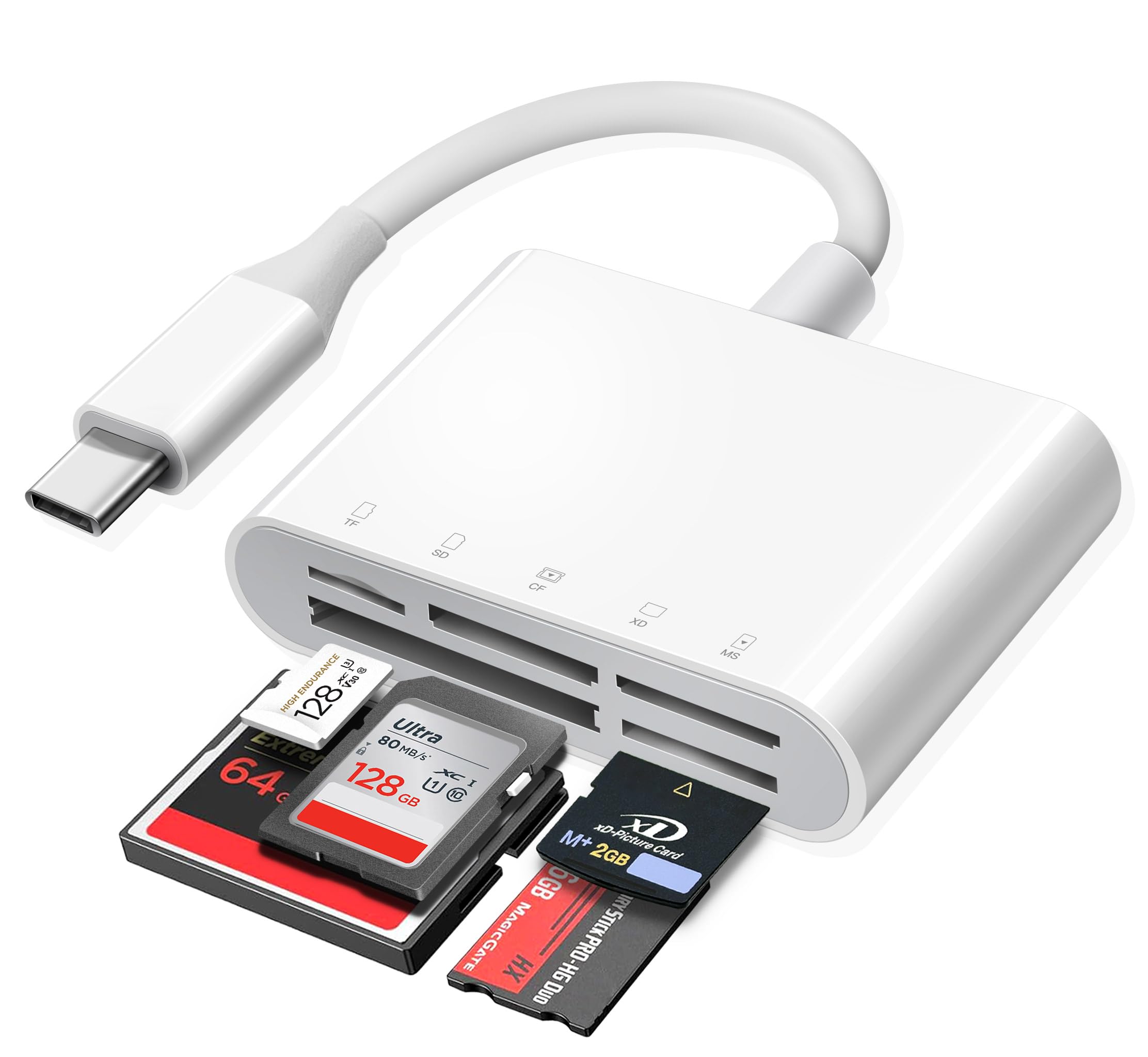
Plug this straight into an iPhone 15, an iPad, or a USB-C MacBook and the xD card from your old Olympus shows up as a folder — no adapter, no app, no driver install. The 5-slot layout covers SD, MicroSD, CompactFlash, Memory Stick, and xD from one small white body with the cord built in, so there is nothing to lose in a camera bag. It is a plug-and-play reader in the strictest sense: you push it in and start copying.
Buyers report it keeps working through repeated trail-camera checks and home photo dumps. Owners also praise how quick the photo transfer feels and how small it is to carry. The listed transfer rate is 45 MB/s (megabytes per second), far from the fastest figure in this guide — so pick it for dependability, not speed.
The catch is compatibility, and it is worth naming plainly. This reader speaks USB-C only, so an older laptop with a rectangular USB-A port needs an adapter to use it. A handful of buyers also hit hiccups with particular devices. If your machine is a decade-old desktop, look at the RayCue or the Rocketek below instead — both carry USB-A natively.
What earns its keep
- Built-in USB-C cord means no lost cable and no dongle for a modern phone or laptop
- Five slots including a dedicated xD slot, so old and new cards live in one reader
- Plug-and-play with no third-party app needed on iOS or macOS
- Compact enough to sit in a pocket or a camera bag permanently
Where it asks you to compromise
- USB-C only — an older USB-A laptop needs an adapter
- 45 MB/s transfer rate trails the 5 Gbps readers further down this list
- A small number of owners mention device-specific recognition trouble
Made for: anyone shooting xD on an old camera who now edits or shares on a USB-C phone, tablet, or Mac.
Think twice if: your only computer is an older USB-A desktop — you will want a reader with that port built in.
2. RayCue 7-in-1 Multi SD Card Reader
The reader that covers every port and nearly every card you own.
Count the slots and the gap opens up: this RayCue carries 7 slots against the 5 on the xdgeLoad above. That is the difference between a reader that fits your current gear and one that fits whatever cards turn up next. You get two SD, two TF (MicroSD), one CF (CompactFlash), one MS (Memory Stick), and one xD slot, and it can read and write five different cards at once. That last part is the practical win — copy straight from an xD card to an SD card with no computer in the middle.
Both connectors are built in, USB-C and the older USB-A, on the same 2-in-1 body. Plug it into a MacBook or an iPhone 15 through the oval port, or a desktop through the flat rectangular one, and it just works across Mac OS, Android, Linux, Chrome OS, and Windows. The rated transfer rate is 5 Gbps, so a full card of photos moves in seconds rather than minutes. The cable is reinforced and the connector is built heat-resistant, which is the sort of quiet build detail that matters when the reader lives in a bag.
The hardware is covered by an 18-month service window. If you want one reader to serve an xD-era camera and a modern phone setup at the same time, this is the one that does both without an adapter in between.
Why it leads on flexibility: 7 slots and two connector types in one body is the widest net in this guide. The 5 Gbps (gigabits per second) rating keeps a full card moving briskly, so a big photo dump does not stall.
The honest trade-off: it is a generalist — if xD is your only concern and you want the smallest possible device, the xdgeLoad or the Bawanfa is a tighter fit.
The reader to grab: a mixed card drawer, two different computers, and no interest in buying adapters.
Pass on it if: you only ever touch xD and want the most compact carry — the extra slots add bulk you would not use.
3. Rocketek USB3.0 7-in-1 Card Reader (SK-CR7)
Seven slots, a fixed USB-A cable, and a desk-friendly shape that stays put.
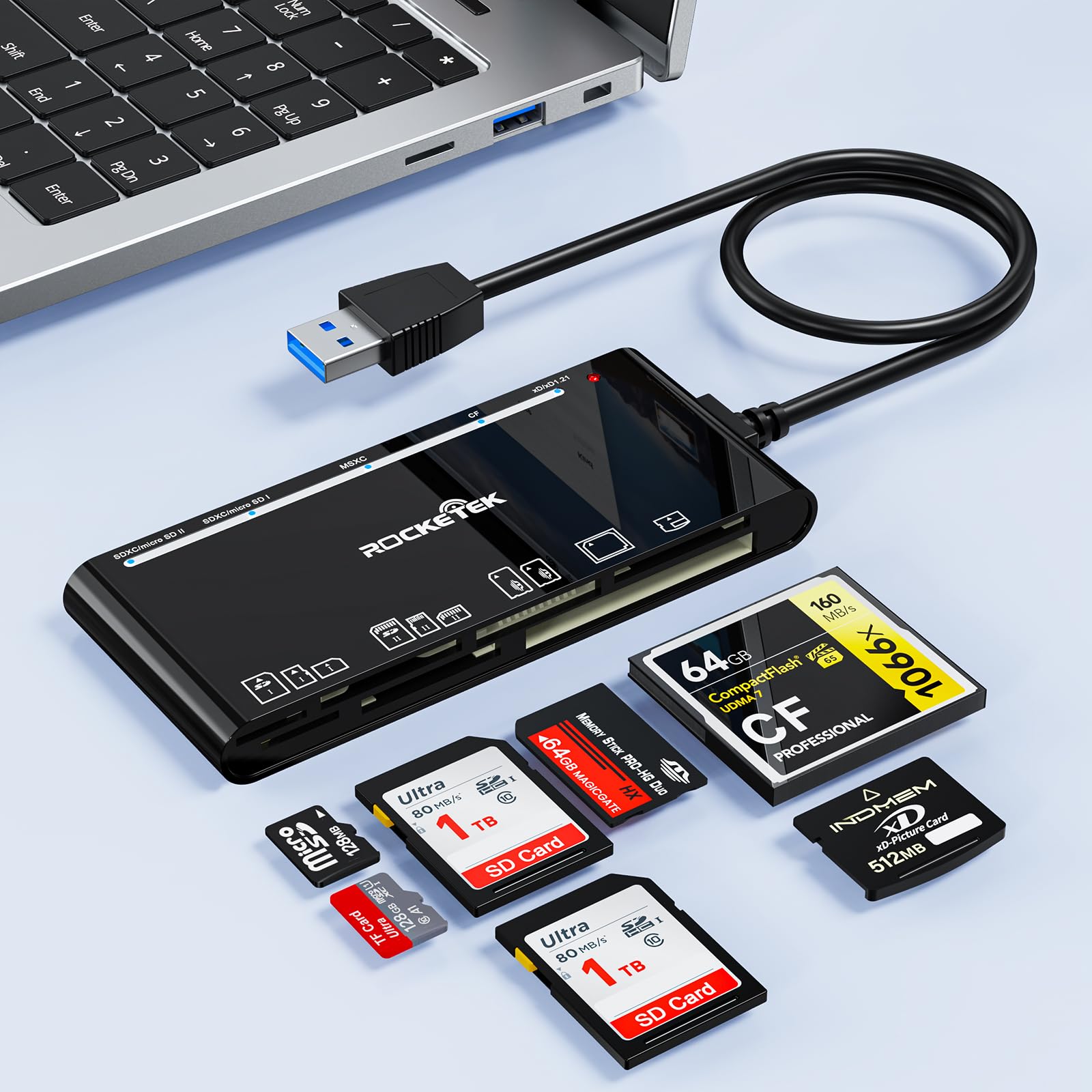
This is the one to buy if your workflow lives on a desktop tower or an older laptop. It ends in a USB-A connector — the flat rectangular plug — and includes a USB 3.0 cable so you are not hunting for one. The 7 slots cover CF, two SD, TF, MicroSD, xD, and MS, and the reader can read and write five cards simultaneously, which is the spec that makes bulk backups quick rather than tedious.
What buyers keep coming back to is that it does exactly what the listing says. Functionality is the loudest note in the feedback, followed by how many card types it swallows without complaint. The 5 Gbps transfer rate is the same headline speed as the RayCue and the Togconn, so a card full of RAW files copies in seconds. It reads SDXC cards up to 2 TB, which covers anything you are likely to own for years yet.
The real complaint is the cable. It is short, and a few buyers found it too short to reach a rear-mounted desktop port comfortably — factor in a USB extension if your tower sits on the floor. Connectivity also drew mixed notes, with a couple of recognition hiccups reported. Small gripes against a device that otherwise just works.
The standout: 5 Gbps across 7 slots for a desktop setup, with simultaneous read-and-write on five cards at once.
What to plan around: the short built-in cable — a cheap USB extension solves it before it becomes an issue.
Right for: a desk-bound photographer emptying cards straight into a tower or older laptop with a USB-A port.
Not for: a USB-C-only phone or tablet — there is no USB-C connector here.
4. ZIYUETEK Aluminum 5-in-1 Card Reader

An aluminum body that shrugs off heat and knocks, with both connectors built in.
The shell is the story here. This reader is machined from aluminum alloy, which does two jobs at once — it pulls heat away from the card while you are copying, and it shields the electronics from interference. That makes it the pick for anyone who has had a cheap plastic reader get flaky after a season in a bag. Five slots handle SD, MicroSD, CF, xD, and Memory Stick, and it can read and write several cards at the same time so you are not swapping one out to access another.
Both connector types sit on the body: USB 3.0 Type-A (the rectangular plug) for a desktop and USB-C (the small reversible plug) for a newer laptop or phone. The rated transfer rate is 5 Gbps (gigabits per second), so a card dump that took minutes on an old reader finishes in seconds. It works across Windows, Mac OS, Linux, and Android — the broadest system list in this guide. The aluminium body also gives it a heft that reads as sturdy rather than cheap.
The one thing to watch is the USB-C adapter. Compatibility drew mixed notes from buyers, with the C-side adapter being the specific spot where a few hit trouble. The flip side is a reader that adapts from USB-A to USB-C for most people without complaint — and an aluminum body that should outlast the plastic alternatives. Note that it leans on a USB 3.0 connector rather than a fixed cable, so keep track of the one you use.
Standout strengths
- Aluminum alloy shell dissipates heat and shields against interference
- Dual USB-A and USB-C connectors on one body for both old and new machines
- 5 Gbps transfer across 5 slots including a dedicated xD slot
- Works across Windows, Mac OS, Linux, and Android
Small trade-offs to know
- The USB-C adapter is the spot where a few customers note trouble
- Uses a USB 3.0 connector rather than a fixed built-in cord
- The aluminum shell weighs more than a plastic reader of the same size
Pick it when: durability matters more than the smallest gadget — a reader that lives in a camera bag and takes knocks.
Look elsewhere if: a plug-and-play cord dangling from the body is what you prefer over a separate connector.
5. Bawanfa Plus 3-in-1 XD Card Reader

Three ports on one body, so an older iPhone with Lightning still works.
If your phone is a Lightning model — anything before the iPhone 15 — this is the reader that connects. It carries Lightning, USB-C, and USB-A on the same body, so the same little device moves an xD card into an older iPhone, a newer Android, or a laptop without a dongle. Three slots cover SD, TF (MicroSD), and xD, which is a tighter set than the 5- and 7-slot readers above but hits the three formats most people actually own.
The transfer rate here is 480 Mbps — the slowest of the multi-slot picks, and worth naming up front. For a few dozen photos it is fine; for a card full of HD video it will feel slow next to the 5 Gbps readers. It handles JPEG and RAW stills plus H.264 and MPEG 4 video, supports exFAT, and takes cards up to 2 TB. Two-way transfer means you can push files from the phone back onto a card as easily as pulling them off, and it needs no third-party app on iOS.
Where the Lightning port is the draw, the slower transfer is the trade. If you shoot a little on xD and mostly share to your phone, the convenience wins comfortably. If you are emptying a full card every week, the 5 Gbps readers will serve you faster.
The reason to choose it: Lightning, USB-C, and USB-A on one body — the only reader here that reaches an older iPhone directly.
What you give up: 480 Mbps transfer and a 3-slot card set, both smaller than the 5- and 7-slot picks.
Best fit: an iPhone with a Lightning port and a small xD card you occasionally want on your phone.
skip it if: you are moving large video files — the slower transfer will test your patience.
6. Rocketek xD-Picture USB 3.0 Reader

A 7-slot reader that puts xD front and center in its name and its build.
Name-checking the xD-Picture Card is more than marketing here — this reader is built around it, with one xD slot, one CF, two SD, two TF, and one MS slot spread across the body. It moves cards at 5 Gbps, the same headline speed as the RayCue and the Togconn, and reads SDXC cards up to 2 TB. Plug-and-play across Mac OS, Linux, Chrome OS, and Windows means no driver step, and it can read and write on multiple cards at once.
The connector is USB-A, the flat rectangular port, so this is the pick for a desktop or an older laptop rather than a phone. It comes with a built-in USB cord plus a compact body that measures just 1.88″ by 4.33″ and 0.51″ thick — small enough to sit on a desk without crowding it. The hardware is backed by a year of replacement cover.
The honest read: this is the least-discussed pick in the guide, and the feedback is thinner than the top entries. What is there is positive — it works with all types of cards, and the build is sound. If you want a dedicated xD reader for a desktop and want it do that one job with 5 Gbps behind it, this does exactly that.
What it does well: a dedicated xD slot paired with 5 Gbps transfer and six other slots for everything else.
The caveat: it ends in USB-A only, and the review base is smaller than the top picks, so you are betting on a cleaner track record.
Reach for it when: xD is the main event on a desktop setup and you want a reader that treats it that way.
Consider another if: you need USB-C for a phone — there is no USB-C connector here.
7. Togconn 7-in-1 Card Reader

Weighs 45 grams and comes with both a USB-A and a USB-C cable in the box.
For a bag reader, the small numbers matter most: this Togconn weighs 45 grams and measures 2.74″ by 1.8″ by 0.5″, so it disappears into a camera pouch. It has 7 slots for SD, MicroSD, MS (Memory Stick), CF (CompactFlash), MMC, xD, SDHC, and SDXC, and reads and writes all seven simultaneously — no swapping cards out to reach another. The body ends in Micro USB 3.0 Type B, and the box includes both a 4ft USB-A cable and a 1ft USB-C cable, so you can plug into a laptop or a phone with whichever lead you already carry.
Transfer is rated at 5 Gbps (gigabits per second), so a card full of stills empties quickly, and it moves files both ways — from card to computer and back. It runs on Windows, Mac OS, Linux, and Chrome OS, and comes with 24 months of free replacement cover, the longest support window here. What wins people over is how well it travels; it is the kind of reader you throw in a pocket and forget until you need it.
The recurring note is connectivity — a few buyers mention that a single USB-C lead does not always reach every device cleanly, so plan to keep both cables handy. That is a small thing to pack around when the trade is a reader that weighs almost nothing and handles seven card types at once.
Why travelers like it
- 45 grams and pocket-sized for a camera bag or jacket pocket
- Both 4ft USB-A and 1ft USB-C cables included in the box
- 7 slots reading and writing simultaneously at 5 Gbps
- 24 months of free replacement cover, the longest in this guide
What to keep in mind
- Connectivity drew mixed notes — keep both included cables handy
- Ends in Micro USB 3.0 Type B rather than a fixed connector
- The 45-gram body feels light in hand, which some buyers read as fragile
Perfect carry: a travel bag or a job that moves between machines — both cables come with it.
Second-guess it if: you want a single fixed connector with nothing to lose — the separate cables are the trade.
8. Rytaki Pro USB C XD Card Reader
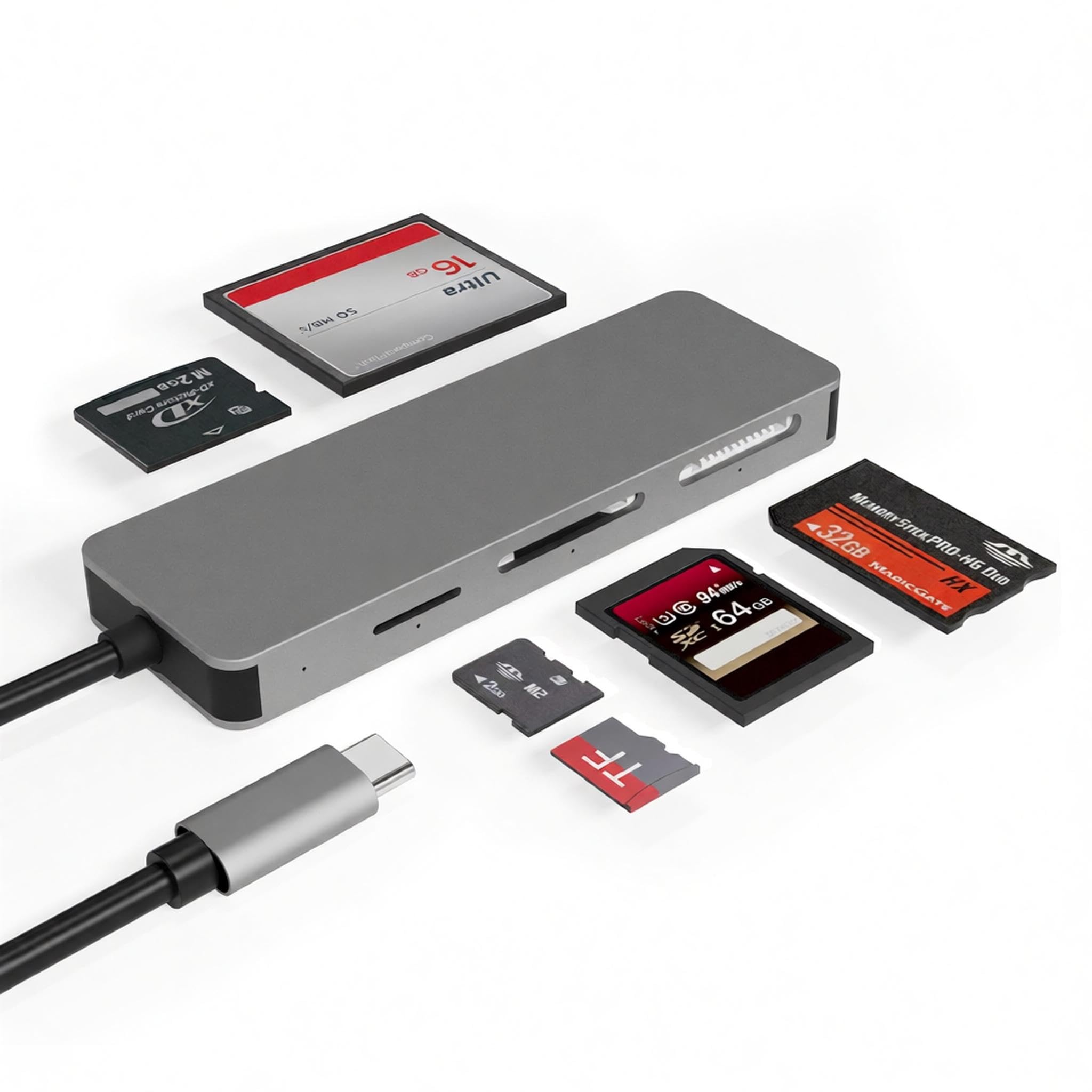
An aluminum reader that names Olympus and Fujifilm xD cards in its spec sheet.
What sets this one apart is the compatibility line: it supports the full series of xD-Picture Cards, including Olympus and Fujifilm cards in 1GB and 2GB sizes — the exact cards left in old cameras that most modern readers ignore. Six slots cover TF (MicroSD), SD, MS (Memory Stick), M2, xD, and CF (CompactFlash), and it reads and writes five of them at once. The connector is USB-C, so it plugs into a newer laptop, tablet, or phone without an adapter.
The body is aluminum, which is oxidation-resistant and handles heat well — the sort of build that keeps a reader honest through years of use. Transfer runs at 5 Gbps, ten times the listing’s USB 2.0 figure, and each slot has its own LED that flashes during a transfer. That light is a small touch that matters: you can see at a glance when a transfer has finished rather than guessing.
The honest caveat is compatibility with particular machines. A few MacBook Air owners found it did not connect reliably, so it is worth checking before you rely on it for a Mac. The external case is aluminum and feels solid; the connector is the spot to treat with care. For xD cards that other readers refuse to read, it earns its place.
The distinctive spec: full xD-Picture Card support including Olympus and Fujifilm 1GB and 2GB cards — the ones older readers skip.
The trade to weigh: mixed reports on MacBook Air connection — verify against your machine before committing.
Designed for: an old Olympus or Fujifilm camera with a small xD card and a USB-C laptop or tablet.
Check first if: you run a MacBook Air — the connection is the one area buyers flagged.
9. onefavor SmartMedia All-in-1 Card Reader

The one reader here that also reads SmartMedia cards — a true legacy rescue tool.
SmartMedia is the even older flat card that predates xD, and very few readers still handle it. This one does, alongside xD, SD, and CF across its 4 slots, which makes it the pick for a drawer of mixed old media rather than a single format. It handles SD, SDHC, SDXC, miniSD, M2, the Memory Stick family, CF, MicroDrive, and MMC, and four card slots can work at once. It is USB-A, running on USB 2.0, so it suits an older computer rather than a phone.
The build is the trade to know. Several buyers describe it as cheaply made, and value is a split note — some call it a good buy for the job it does, others feel it is thin for the same money. Functionality is the strongest theme: it reads the cards, and compatibility across the long list of legacy formats is what wins it customers in the first place.
The included 23-inch cable is enough for a desktop port without an extension, and it is USB-powered so no external supply is needed. A note from the listing worth taking seriously: 4M, 2M, and 1M SmartMedia cards and 5 V cards cannot be read, so check your card version before buying. If you have an old card that nothing else will touch, this is the reader that still tries.
Why it earns a slot: SmartMedia support alongside xD is a combination almost no current reader offers.
What you accept: plastic-heavy build and USB 2.0 speed, plus the listed limit that 4M, 2M, 1M, and 5 V cards will not read.
Buy it for: a box of SmartMedia and xD cards you want offloaded, on an older USB-A computer.
Look past it if: you need modern USB-C speed — the older connection and build are the limits.
Know the Specs
Three numbers decide most of the buying here, and none of them is the brand name. Here is what each one means in plain terms so you can read a listing without guesswork.
Slot Count and the xD Slot
Slot count is how many card formats the reader has a bay for. A 5-slot reader covers the common formats; a 7-slot adds others like CompactFlash and Memory Stick. The one slot you must confirm is xD — a dedicated xD bay keeps your SD and MicroSD slots free. A reader that hides xD in a shared slot ties up that slot while an xD card is in it.
Transfer Speed (Gbps vs MB/s)
Transfer speed is how fast the reader moves files, listed in either Gbps (gigabits per second) or MB/s (megabytes per second). A 5 Gbps reader outpaces a 480 Mbps one by a wide margin when you dump a full card of photos. The card itself can also cap the speed — a slow xD card will not hit the reader’s ceiling — but a faster reader never makes a dump slower.
Connector Types: USB-A vs USB-C vs Lightning
The connector is the plug on the end of the reader. USB-A is the flat rectangular port on older desktops and laptops. USB-C is the small oval one on newer machines and most phones. Lightning is the older iPhone port. A reader with more than one connector reaches more devices without an adapter, and a built-in cable means fewer parts to lose.
Simultaneous Read and Write
This is the ability to use more than one slot at a time. A reader that reads and writes five cards at once lets you copy straight from an xD card to an SD card without routing through a computer. For anyone emptying a trail camera into a laptop-day bag, that saves a whole extra copy step.
Common Questions
Will any of these readers read an xD-Picture Card from a Fujifilm or Olympus camera?
Do I need an app on my phone to use one of these with xD cards?
What is the difference between a 5 Gbps reader and a 480 Mbps reader?
Can I copy files from one card to another without a computer?
Will an older USB-A reader work on a laptop that only has USB-C?
How big a memory card can these readers handle?
Do these readers need a power supply or batteries?
Which reader should I buy for a trail camera?
Will a SmartMedia card read in an xD card reader?
Can I transfer files both ways, from phone to card as well as card to phone?
The Bottom Line
For most people, the xdgeLoad TypeC Memory Card Adapter is the one to buy: its built-in USB-C cord and five slots make it the simplest way to pull an xD card into a modern phone, tablet, or Mac — no adapter, no app, no fuss. Want both USB-A and USB-C plus more card types in one body? The RayCue 7-in-1 carries 7 slots against the xdgeLoad’s 5 and handles both connectors; it is the widest net in the guide. And if you still use an iPhone with a Lightning port, the Bawanfa 3-in-1 is the one reader here that plugs straight in without a dongle.
One last nudge: the crowd favorite here is the xdgeLoad at 4.5+ stars across 3,000+ owners, and the RayCue holds 4.5+ stars across 4,600+ — more reviews, slightly lower score. Both are safe bets. Pick the xdgeLoad for a modern USB-C setup and the RayCue if you need the extra slots and both ports.
How we choose
We do not accept paid placement. Every pick is matched to a real buyer and a real use-case; we do not hands-on test units.
Sources
Specifications: manufacturer listings and product documentation. Review insights: verified customer reviews, as of November 2026. Pricing: not shown on this page (it changes often); check the current price via the retailer link.
As an Amazon Associate, Tactical Gear Guy earns from qualifying purchases. This does not affect which products we feature.