Specs are compiled from manufacturer listings and verified buyer reviews and can change over time — please confirm the key details on the product page before buying.
If you want one wireless keyboard and mouse set that talks to your Xbox without drama, the CHONCHOW G112 TKL combo is the safest place to start. It pairs over a 2.4GHz USB dongle (the little stick you plug into the console), gives you 87 keys on a tenkeyless layout, and it has the highest owner score in this whole group at 4.0+ stars across 400+ ratings. Everything else below is a variation on that same idea — smaller, cheaper, or more flexible — so your real job is matching the size and features to how you actually sit in front of the screen.
This guide is built by comparing the manufacturers’ published specifications and the patterns across verified customer reviews, so you get each pick’s real strengths and trade-offs instead of marketing spin.
The trick with console keyboards is that the dongle, not the brand name, decides whether you get a working game session. Here is what actually holds up when you are shopping for the xbox wireless keyboard and mouse that fits your setup.
Top Picks

How To Choose The Best Xbox Wireless Keyboard and Mouse
The single most important thing you can check before buying is whether the combo uses a 2.4GHz USB receiver. That tiny dongle plugs into a USB-A port, and the console treats it like an ordinary wired keyboard — no pairing menus, no drivers. Bluetooth combos exist in this group too, but they add a pairing step and can be fussier on a console. If your main goal is a keyboard that just works the moment you plug it in, stay with 2.4GHz.
Layout size decides your desk, not your skill
A tenkeyless (TKL) keyboard drops the number pad on the right but keeps the arrow keys and function row. An 87-key TKL like the G112 still feels like a normal keyboard for typing. A 60% layout goes further — it squeezes down to 68 keys and moves the arrows into a function-key combo. That saves real desk space and leaves more room to sweep the mouse, but you will press a modifier key whenever you want an arrow. Pick 60% only if the compact footprint matters more than arrow-key convenience.
Battery capacity in mAh: what the number really tells you
Milliamp-hours (mAh) measure how much charge the battery holds — bigger generally means longer between trips to the charger. In this group keyboard batteries run from 2000mAh up to 4000mAh, and mouse batteries sit around 500mAh to 700mAh. What matters just as much is auto-sleep: a keyboard that dims itself after a minute or two of no input will stretch that same battery much further than one that stays lit. On a console this is the difference between plugging in monthly and plugging in weekly.
Backlight: useful in a dark room, not just decoration
Backlit keys let you find the right key when the room is dark and the screen is bright. The trade-off is that lighting drinks battery, so most of these combos give you brightness steps and a breathing mode you can dial down. Note that some combos in this group are rainbow-only — the color cycles and you cannot lock it to a single shade. If a fixed color matters to you, check that specific detail before you commit, because it varies model to model.
Side-by-Side Comparison
| Model | Best For | Keyboard Battery | Layout | Connection | Amazon |
|---|---|---|---|---|---|
| CHONCHOW G112 TKL★ Best Overall | Best overall balance | 2500mAh | 87-key TKL | 2.4GHz USB | Amazon |
| Redragon 75% Tri-ModePremium Pick | Multi-device flexibility | 4000mAh | 75% TKL | Bluetooth 5.0 / 2.4GHz / USB-C | Amazon |
| Wireless Gaming 87-Key LED Combo | Bigger hands, standard layout | 2000mAh | 87-key | 2.4GHz USB | Amazon |
| 60% RGB Backlit Combo | Small desk, travel bag | 2000mAh | 68-key 60% | 2.4GHz USB | Amazon |
| CHONCHOW 60% LED Combo | Compact on a budget | 2000mAh | 68-key 60% | 2.4GHz USB | Amazon |
| CHONCHOW 2.4GHz Light-Up Set | Full-size with multimedia keys | 2500mAh | Full-size 12 multimedia keys | 2.4GHz USB | Amazon |
Detailed Reviews
1. CHONCHOW G112 Keyboard Mouse
Our pick — 4.0+★ from 400+ verified ratings; the strongest balance of quality and price.
An 87-key tenkeyless board that keeps the arrows and function row while clearing the number pad off your desk.
The G112 is the pick for people who want a keyboard that feels normal. It runs 87 keys in a tenkeyless layout, which means you keep the arrow keys and function row but lose the number pad — an arrangement that saves desk room and gives your mouse more space to sweep. The keyboard carries a 2500mAh rechargeable battery with auto-sleep and a power switch, so it parks itself when the console is idle. Compare that to the 60% combos below and the difference is easy: this one types like a laptop, not a puzzle.
The mouse brings its own 500mAh battery, adjustable DPI (the setting that controls how far the cursor flies per inch of movement), and its own backlighting. Both halves share a single 2.4GHz USB receiver, so setup on an Xbox is plug-in-and-go — no driver, no pairing menu. Lighting is the human-friendly part: breathing, static, and light-off modes, plus three brightness steps so you can dim it in a dark room instead of squinting through a light show.
What owners settle into is the lighting and the overall gaming feel — that is the part that gets talked up most in the reviews. Teen players in particular take to it straight away. The honest catch is battery longevity: the charge behavior gets mixed feedback, with a minority seeing the battery stop taking a charge after a month. Treat the power switch as your habit — flip it off after a session rather than relying on sleep alone. Also worth knowing: CHONCHOW notes the mouse’s battery is rated at more than 200 input-and-output cycles, so the mouse, not the keyboard, is the half to watch.
Where it earns the top slot
- 87-key tenkeyless layout keeps arrows and function keys while clearing desk space
- 2500mAh keyboard battery with a real power switch, not just sleep mode
- One shared 2.4GHz dongle — plug into the console and it works
- Three brightness settings plus static, breathing, and off modes
What to keep an eye on
- Mixed reports on long-term charging; a few say the battery gave out early
- No single-color lock — it runs RGB, not a fixed shade
- The mouse battery, not the keyboard, is the weaker half over time
Grab this one: if you want a console keyboard that types like a normal one and frees up desk space at the same time.
Think twice: if you want a set-and-forget battery — you will need to flip the power switch after sessions.
2. Redragon Wireless Keyboard Mouse Combo
The only combo here with three ways to connect and the biggest battery in the bunch.
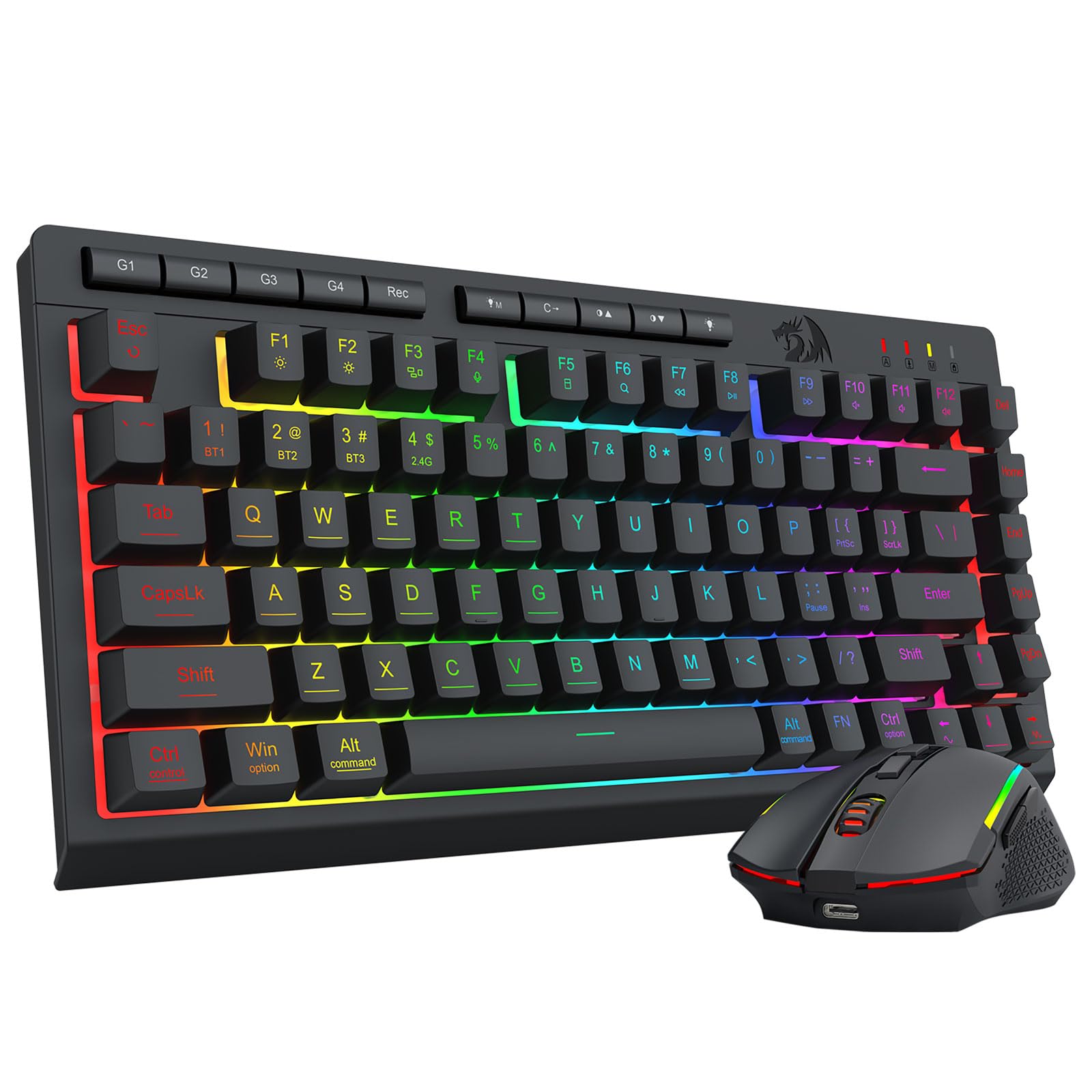
Redragon takes a different approach from every CHONCHOW set on this list: you get Bluetooth 5.0, 2.4GHz wireless, and a USB-C wired mode in one package. On a console the 2.4GHz dongle does the work, but the Bluetooth option means the same board travels to a tablet or phone without the dongle. The 75% TKL body drops the number pad yet keeps a fuller key set than a 60% board. Flip between paired devices with hotkeys and side buttons, and the upgraded 2-in-1 receiver drives the keyboard and mouse at once so your desk stays tidy.
Battery is where this set pulls away. The keyboard holds 4000mAh and the mouse 700mAh — the largest keyboard cell in this group, and the data rates it at up to 50 hours with RGB on and 300 hours with lights off. Auto-sleep kicks in after 2 minutes of inactivity, and any key wakes it. That is a far cry from the 2000mAh combos here, and it means fewer nights where you reach for a charging cable mid-session.
Under the hood there is real tuning room too: 16.8 million RGB colors across 8 dynamic effects, 6 DIY modes, and 7 solid colors, plus 5 brightness and 5 speed levels. The mouse gives you 5 default DPI levels from 400 to 3200, adjustable up to 12800 through the Redragon software, and a 125Hz to 1000Hz polling rate (how often the mouse reports its position to the console). What buyers consistently highlight is setup ease and value — the part that draws mixed feedback is the wireless link and battery, with some finding the connection unreliable. The other thing to plan for: the keyboard is a membrane board with a mechanical feel, so expect quiet mush rather than crisp clicks.
The flexibility win: Nothing else here gives you Bluetooth 5.0, 2.4GHz, and USB-C wired in one combo, and the 4000mAh keyboard battery is the largest of the six.
The honest trade-off: It is the highest-priced set in this group and it is still a membrane board, so you are paying for connectivity and battery, not mechanical switches.
Built for you if: the same keyboard needs to jump between a console, a laptop, and a tablet.
Look elsewhere if: you want a simple dongle-only set with nothing to configure — the three-mode switching adds steps.
3. Wireless Gaming Keyboard Mouse Combo

Same 87-key layout as the top pick, with a fuller-width body and the joint-largest review base here.
If the G112 is the compact version of the 87-key idea, this combo is the full-size riff on it. The keyboard measures 13.5 by 5.5 by 1.2 inches, so it takes more desk width — but the key spacing feels roomier under big hands. Both halves run on built-in batteries (2000mAh keyboard, 500mAh mouse) and share a USB adapter, and they can also be used separately if you only want one of them out. A dedicated charging cable comes in the box, so you never hunt for the right cord.
The backlighting is honest about what it does: rainbow LED, 3 brightness and breathing speeds, and all buttons lit so you can find keys in the dark. Keycap characters are rated not to fade. The mouse is a symmetrical ergonomic shape with a smooth surface, aimed at long sessions rather than flashy design. Sleep timing is on the quicker side — the keyboard naps after 60 seconds, the mouse after 10 minutes — which is your best defense against a dead battery mid-game.
What draws the most praise is the look and the soft backlit glow. The point worth flagging is connectivity, and specifically PS5: the maker’s own note says console support depends on the game’s settings, so verify before you buy if Sony is your console rather than Xbox. One charging rule matters — use only a 5V2A charger, not a fast-charge brick. Get that right and this 13.5-inch, 87-key set is a capable, roomy pick for players who want a standard-width board on the console.
The roomy-feeling choice: 13.5 inches of keyboard width gives bigger hands more space per key than the compact 60% sets, with lighting that is widely praised for its soft glow.
Check before you buy: console compatibility hinges on the game’s own settings, so confirm your title supports keyboard and mouse before committing.
Reach for it if: you want a standard-width 87-key board and a softer, evenly lit backlight.
Pass it by if: your setup is PS5-first — the compatibility caveat is bigger there than on Xbox.
4. 60% Wireless Keyboard Mouse Combo
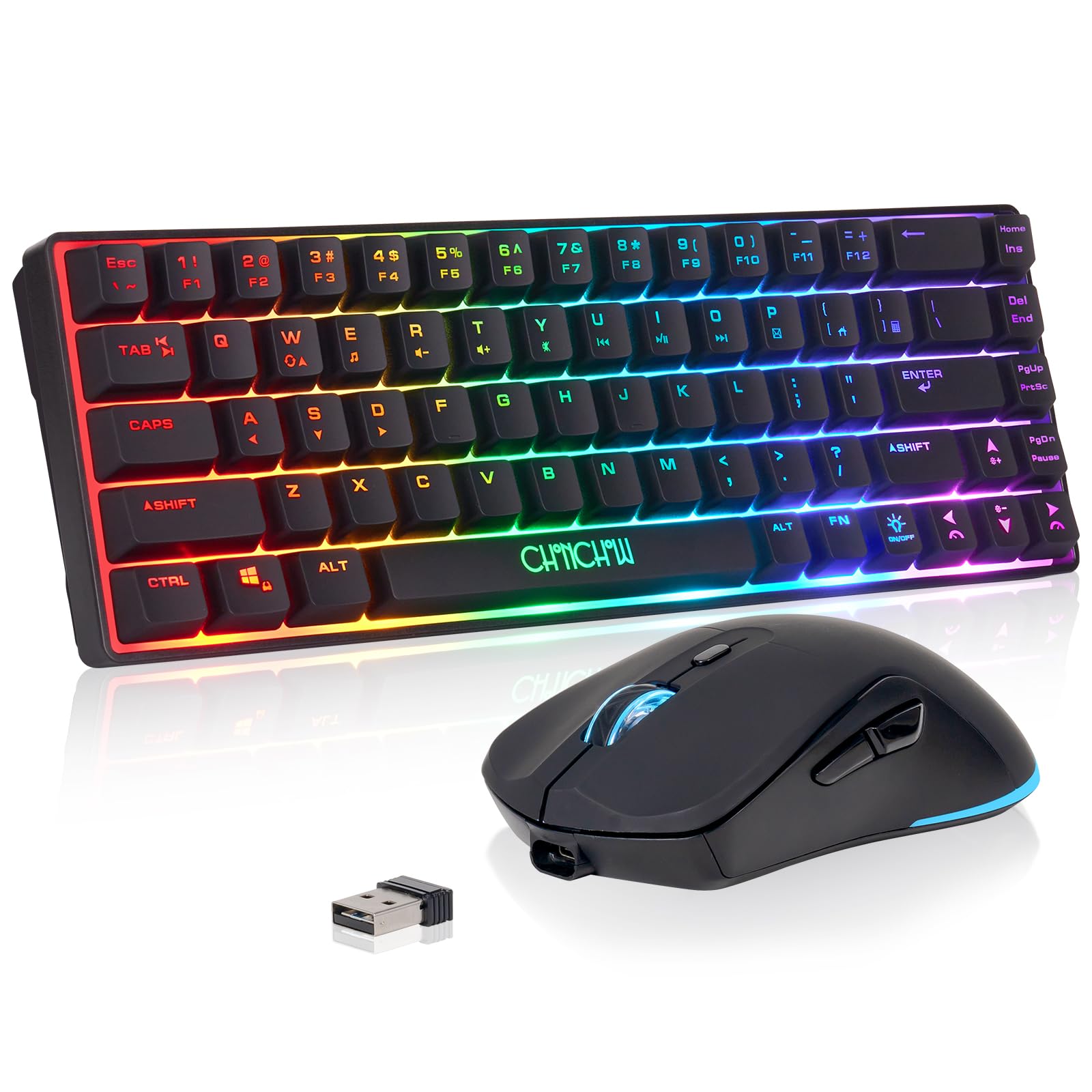
A twelve-inch board that hands your mouse the whole desk back.
This is the set for a small desk or a bag. The keyboard drops to a 68-key 60% layout at 12.44 by 4.09 by 1.54 inches, and the whole combo weighs 1.4 pounds. Compare that to the full-size CHONCHOW light-up set at 2 pounds and the carry difference is obvious — this one slips into a backpack without a second thought. The keyboard carries 2000mAh and the mouse 500mAh, both with energy-saving sleep that any key wakes.
Lighting is the fun part of a 60% board, and this one gives you 4 brightness levels and 3 breathing speeds on the keyboard, with seven colors cycling on the mouse. In USB mode the layout supports 19 key conflict-free function, so quick simultaneous presses register instead of dropping out. Setup is a single 2.4GHz adapter with a 10-meter effective range (about 33 feet), which covers any normal living-room-to-couch distance on a console.
Where this pick asks for patience is consistency. The quality and functionality feedback is genuinely split — some units work cleanly with an Xbox Series X and others stop responding. There is also a reset routine to learn: if the mouse or keyboard loses its link, you hold a key combo for 3 seconds and reinsert the receiver. The upside is that the maker openly documents the fix and backs it with a twelve-month warranty. Read that as a 60% board that may need the 3-second reset routine rather than one you plug in and forget.
Why the small footprint wins
- 1.4 pounds and 12.44 inches wide — genuinely backpack-portable
- 19-key conflict-free typing in USB mode
- 10-meter wireless range with a single shared dongle
- Twelve-month warranty and a documented reset procedure
The patience it may ask for
- Functionality reports are split — some units misbehave on Xbox
- Arrow keys live behind a function combo, not as dedicated keys
- You may need the reset routine if the link drops
Make it yours if: desk space is tight and you want the most portable set in this group.
Skip the gamble if: you want zero troubleshooting — the split functionality reports mean another set is the calmer bet.
5. CHONCHOW 60% Keyboard Mouse Combo

The 60% set that tells you straight up it is a membrane board with a mechanical feel.
Here is a small board that is refreshingly honest about itself. The 68-key layout, the 2000mAh keyboard and 500mAh mouse batteries, and the 10-meter (33-foot) 2.4GHz range all mirror the other compact set above — but CHONCHOW spells out the trade-offs in the listing. The ‘light’ is not true RGB; it is a rainbow backlight with one static and one breathing mode, 3 brightness levels, and 4 breathing rates, and you cannot pick a single color. The mouse cycles through seven colors on its own.
The build details go further than the price suggests. The keys are rated for 10,000,000 keystrokes (a very long life by keyboard standards), the keycaps use two-color injection molding so the legends do not rub off, and the thick frosted metal cover is stated to resist deforming. The board sleeps after 5 minutes idle and wakes on any key. Battery is rated for more than 40 hours of continuous use with the light on, and the mouse offers three DPI steps — 1200, 2400, and 3200.
Buyers do note the reliability and battery side is uneven, and some feel the value falls short of what they expected. The mouse needing frequent charging comes up as the common friction point. So the fair read is this: you are getting durable physical hardware and a documented design, but you may be charging the mouse more than you would like. If you want a compact board with two-color injection keycaps rated for 10,000,000 keystrokes and you don’t mind charging the mouse often, this earns its place. If you want the simplest possible ownership, the full-size sets are the calmer route.
The build-quality story: 10,000,000 keystrokes, two-color injection keycaps, and a frosted metal cover — the hardware durability is the strongest thing about this set.
The charging reality: The mouse, not the keyboard, is the piece that will send you back to the cable, and a few buyers find that routine more frequent than they wanted.
Worth owning if: solid keycaps and a compact metal-topped board matter more to you than a fixed light color.
Consider otherwise if: charging the mouse often would sour the experience — a larger-battery set will suit you better.
6. CHONCHOW Wireless Keyboard Mouse

The full-size desktop board with twelve multimedia keys and a 2500mAh battery.
Not everyone wants to downsize. This CHONCHOW set keeps all the keys, adds 12 multimedia keys and 19 anti-ghosting keys (so close-together presses all register), and carries a 2500mAh keyboard battery. At 2 pounds in total it is the heaviest set in this group — the flip side of a fuller keybed and a bigger frame. Both halves share one tiny USB receiver, and the keyboard keeps RGB backlighting so the glow does not disappear just because you wanted a bigger board.
The extras are aimed at work as much as play. A splash-proof function guards against an accidental spill, a WIN lock stops you from dumping out to the desktop mid-game, and hovering translucent keys help in low light. The keyboard is described as having a mechanical feel, and the maker notes you cannot set it to a single color. Range is a 10-meter effective transmission distance, and the auto-sleep wakes on any key so a full charge stretches for months of ordinary use.
On the reliability front, feedback is genuinely divided — plenty of these run happily for a year or more, while a smaller set run into trouble within a couple of weeks. Durability and overall build quality do draw critical comments too, and the set has the lowest owner score of this group. That does not make it a bad choice; it makes it the one to buy knowing the build is budget-friendly. If you want a full-size keyboard with 12 multimedia keys and 19 anti-ghosting keys for a console-and-desk mixed setup, it covers the basics well.
What the full-size layout gives you
- 12 multimedia keys and 19 anti-ghosting keys for fast simultaneous presses
- 2500mAh battery with auto-sleep and a separate power switch
- Splash-proof function and a WIN lock for gaming sessions
- Hovering translucent keys that stay readable in low light
What to weigh honestly
- 2 pounds makes it the heaviest set here — not a travel pick
- Reliability reports diverge, from year-long use to a short-lived unit
- No single-color lock on the backlight
For the full-size fan: multimedia keys, anti-ghosting, and a splash-proof build make this a sensible desk-and-console board.
Look past it if: you need the toughest reliability record in this group — the compact sets carry cleaner owner scores.
Know the Specs
2.4GHz USB Receiver
That little dongle is the whole reason these combos work on a console. It transmits on the 2.4GHz radio band and plugs into a USB-A port, so the Xbox sees an ordinary keyboard and mouse with no pairing screen. Most sets here reach an effective distance of 10 meters, which is plenty across a living room. A few sets tuck the receiver under the mouse or behind the keyboard, so check there first if you think you are missing it. The trade-off: the dongle is small enough to lose, so plug it in and leave it in.
Keyboard Battery in mAh
Milliamp-hours measure stored charge — a 4000mAh battery holds roughly twice the charge of a 2000mAh one in the same use pattern. That matters most when RGB lighting is on, since lights are the biggest battery drain on a backlit board. Auto-sleep is the other half of the story: a keyboard that naps after 60 seconds saves far more than one that stays lit for 5 minutes. Watch the mouse separately, because mouse batteries here are far smaller than keyboard batteries and will need charging more often.
Layout: TKL, 75%, and 60%
These terms describe how many keys get cut. A tenkeyless (TKL) board drops the number pad but keeps arrows and the function row — 87 keys in the case of the G112. A 75% board cuts a little tighter but keeps a fuller key set than the smallest option. A 60% board goes down to 68 keys and folds the arrow keys into a function combo. Smaller means more mouse room and easier packing; fuller means fewer modifier presses when you type. Decide how many keys you can live without before you pick a brand.
DPI and Polling Rate on the Mouse
DPI (dots per inch) controls cursor speed — higher means the pointer moves further for the same wrist motion. The combos here offer set DPI steps, and the Redragon set lets you tune from 400 to 3200 in presets and up to 12800 with software. Polling rate is how often the mouse reports to the console; Redragon’s adjustable 125Hz to 1000Hz range is the widest in this group. For console gaming, a stable connection at moderate DPI usually beats chasing the highest number on the box.
Common Questions
Will a wireless keyboard and mouse combo really work on an Xbox console?
Does the dongle work if my Xbox only has USB-C ports?
How long does the keyboard battery actually last between charges?
Why does my mouse need charging so much more often than the keyboard?
Can I set the backlight to one solid color?
Is a 60% keyboard worse for typing than a full-size one?
What charger should I use to recharge the keyboard and mouse?
What do I do if the keyboard and mouse lose their connection to the receiver?
Is Bluetooth a better choice than a 2.4GHz dongle on a console?
The Bottom Line
For most console setups, the xbox wireless keyboard and mouse to reach for is the CHONCHOW G112 TKL — an 87-key board that types like a normal keyboard, runs on a 2500mAh battery with a real power switch, and pairs over one 2.4GHz dongle. It also carries the strongest owner score in this group at 4.0+ stars, so it is the pick with the least guesswork. If you need one keyboard that hops between a console, a laptop, and a tablet, the Redragon 75% Tri-Mode is the one to grab — Bluetooth 5.0, 2.4GHz, USB-C wired, and the biggest battery here. And if desk space is the real constraint, the 60% RGB Backlit Combo gives your mouse the most room at just 1.4 pounds. Whichever way you lean, start with the dongle: confirm the combo has a 2.4GHz USB receiver and that your game supports keyboard and mouse.
How we choose
We do not accept paid placement. Every pick is matched to a real buyer and a real use-case; we do not hands-on test units.
Sources
Specifications: manufacturer listings and product documentation. Review insights: verified customer reviews, as of November 2026. Pricing: not shown on this page (it changes often); check the current price via the retailer link.
As an Amazon Associate, Tactical Gear Guy earns from qualifying purchases. This does not affect which products we feature.