Specs are compiled from manufacturer listings and verified buyer reviews and can change over time — please confirm the key details on the product page before buying.
Here is the short answer every Xbox Series X owner needs: most of these drives cannot make a next-gen game load faster. On the Series X, Xbox Series X|S titles run only from the internal drive or the official expansion card. A USB drive you plug into the back is for holding your Xbox One games playable and for archiving next-gen titles you are not using right now. So the real question is not “which is fastest” — it is “how much library do you want off your console, and do you care if moving a game back takes minutes or seconds?”
This guide is built by comparing the manufacturers’ published specifications and the patterns across verified customer reviews, so you get each pick’s real strengths and trade-offs instead of marketing spin.
Some of these drives are spinning mechanical hard drives with moving parts, and some are solid-state drives with no moving parts at all — that single difference decides how quickly a game moves back to your console. Below you will find the honest split between cheap bulk storage and fast working drives, laid out so you can pick the right Xbox Series X External Storage for your own library.
Top Picks


How To Choose The Best Xbox Series X External Storage
Start by accepting one limit. Your Series X treats a USB drive as a shelf, not a second console. You can play Xbox One games straight off it and you can park Series X|S games on it, but a Series X|S game has to move back to the console’s internal storage before it runs. That makes the drive’s real job simple: hold as much of your library as you can afford, and move things back without making you stare at a progress bar.
Decide how much library you want to shelve
Capacity is the number that fixes your problem first. A 1TB drive handles a modest collection, while the 5TB and 6TB drives here are built for people who keep old favorites installed and still buy new releases. If you already juggle uninstalls every month, buy capacity before you buy speed.
The drive type decides your wait
Mechanical hard disks use spinning platters and a moving read head, which makes them the budget-friendly choice for bulk storage. Solid-state drives have no moving parts, so they finish a file transfer far quicker. If you move a game back to the console often, that difference shows up every single time.
Check the Xbox wording before you buy
Some drives ship pre-formatted for Xbox and plug straight in. Others are general-purpose computer drives that work fine once the console formats them. Read the compatibility line on the listing itself, because a drive sold for PC use may need a format step before the console sees it.
Plan for where it lives
If the drive stays parked behind the console, a large desktop-style enclosure is fine. If it rides in a bag between two homes, a slim, pocketable body and a metal shell matter more than a couple of extra terabytes.
Side-by-Side Comparison
| Model | Best For | Capacity | Data Transfer Rate | Drive Type | Amazon |
|---|---|---|---|---|---|
| WD_BLACK 5TB P10 Game Drive★ Best Overall | Bulk library at a fair tier | 5 TB | Up to 130MB/s | Mechanical hard disk | Amazon |
| 1TB USB 3.0 Portable Gaming Drive (Avoluxion)Plug & Play Pick | Plug-and-play starter shelf | 1 TB | 5 gigabits_per_second | Mechanical hard disk | Amazon |
| GAZELLE High-Speed 1TB Ultra SlimDual-Port Pick | One drive for console and phone | 1 TB | 120 megabytes_per_second | Mechanical hard disk | Amazon |
| Toshiba Canvio Gaming 1TB | Quiet everyday game library | 1 TB | 5 gigabits_per_second | Mechanical hard disk | Amazon |
| Seagate Game Drive for Xbox 4TB | Xbox-certified big vault | 4000 GB | 600 megabytes_per_second | Mechanical hard disk | Amazon |
| WD_Black 6TB P10 Game Drive | Most room on one shelf | 6 TB | 130 megabytes_per_second | Mechanical hard disk | Amazon |
| Lexar 2TB SL500 External SSD | Fast sub-budget-driven moves | 2 TB | 2000 megabytes_per_second | Solid State Drive | Amazon |
| Samsung T7 Shield 2TB | Rugged travel SSD | 2 TB | 1050 megabytes_per_second | Solid State Drive | Amazon |
Detailed Reviews
1. WD_BLACK 5TB P10 Game Drive
Our pick — 4.5+★ from 25,000+ verified ratings; the strongest balance of quality and price.
Five terabytes of shelf space is the entire pitch, and for a library this size it holds up.
The 5 TB version of the P10 is the pick that ends the uninstall cycle for most people. Western Digital rates the drive to hold up to 150 games, which means the dozen titles you keep meaning to finish can stay installed while new releases land. It is a 2.5-inch mechanical hard disk, so those platters spin and you will hear them settle when the drive wakes up — normal, not a fault.
Speed sits at up to 130MB/s, which is fine for parking Xbox One games and quick for archiving Series X|S titles you are not touching this week. The spec sheet says it is compatible with Xbox Series X|S for playing and storing Xbox One games and archiving Series X|S games — the exact split you want, and nothing more. The metal-topped shell feels solid enough to sit behind a console without acting fragile, and the package includes the USB Type-A to Micro-B cable so nothing else is needed on day one.
What wins people over is the room: 5 TB holds a big library without a single uninstall. The recurring gripe is speed, because anyone who moves a large next-gen title back and forth will wish it were quicker — that is the mechanical hard disk limit talking, not a defect. Budget-friendly compared with the solid-state picks here, and the strongest all-rounder on this list.
Where It Cashes The Check
- 5 TB holds up to 150 games on the maker’s own estimate
- Up to 130MB/s transfer, quick enough for archiving next-gen titles
- Metal top cover and a cable in the box
- 3-year limited warranty built for gamers
Read This Before Ordering
- Mechanical platters mean moving a big Series X|S game back takes a while
- It stores next-gen games, it does not run them
- Heavier and chunkier than a slim pocket drive
The short version: Buy this if you want the biggest honest shelf for your library without paying solid-state money.
Think twice if: you move large next-gen games back to the console every few days, where the solid-state picks will save you real waiting.
2. 1TB USB 3.0 Portable External Gaming Hard Drive
Arrives pre-formatted for Xbox, so you plug it into a rear port and the console sees it without a formatting menu.
This one cuts a step out of the routine. It shows up pre-formatted on the game console, so you plug it into a rear USB port and the Series X sees it without a formatting menu. The 1 TB mechanical drive connects over USB at a rated 5 gigabits_per_second link speed, and the slim, lightweight body slides into a bag or behind the console without fuss.
The 1 TB drive holds a modest slice of your library — helpful, but nowhere near the multi-terabyte vaults above. Compared with the 5 TB WD_BLACK, you are shelving a fraction of the games, which is exactly what the capacity gap depends on in everyday use. Capacity is the honest limit here, and it is a real one.
The catch worth knowing is reliability on newer hardware. Buyer experiences are genuinely split between drives that work perfectly and drives that will not talk to newer Xbox consoles, and a few found the usable space short of a clean 1 TB. If you have a Series X and want certainty, buy from a listing that names your console plainly and keep the packaging until you confirm the drive mounts. Sold with a 2-year warranty card, and a sensible first shelf if the budget is tight.
Who it suits: someone who wants a cheap, no-format shelf for a handful of Xbox One games and does not mind checking compatibility first.
The honest catch: mixed reports on whether it mounts cleanly on newer consoles — verify on arrival, not after the return window.
Reach for it when: you want pre-formatted simplicity and only need a small overflow shelf.
Look elsewhere when: you have a big Series X library — the 5 TB and 6 TB drives carry far more without the compatibility question.
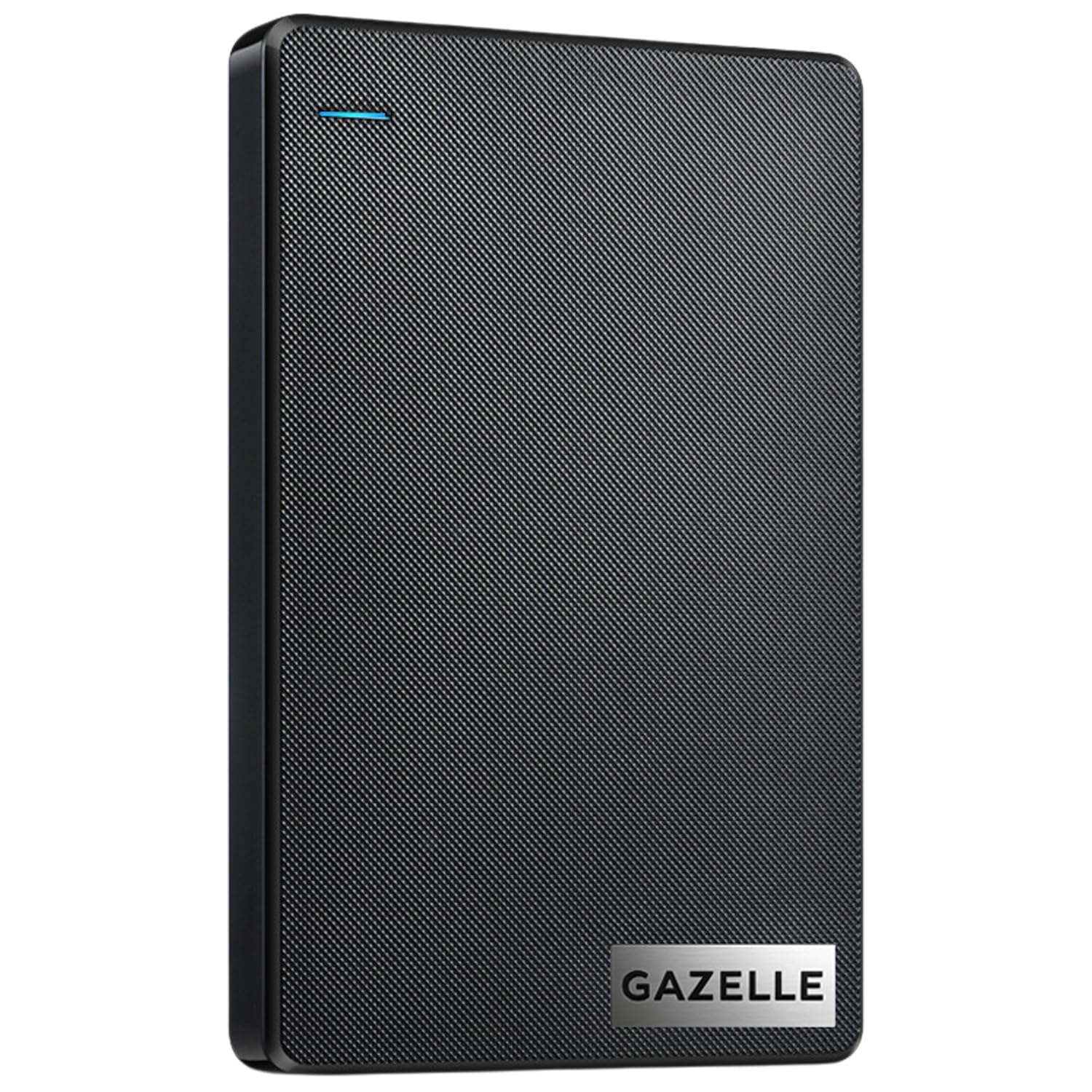
3. GAZELLE 1TB Ultra Slim Portable External Hard Drive
Ships with a USB 3.0 cable and a Type-C adapter, so one drive covers your Xbox and your phone.
You can swap between the console and a laptop, iPad, tablet, or phone without hunting for a dongle, because the GAZELLE ships with a dual interface — USB 3.0 (the standard rectangular USB plug) plus a Type-C adapter (the newer oval connector). It comes with the USB 3.0 cable and the Type-C adapter, so you can move it between devices right from the start. The compact body measures 12 x 7.7 x 1.3 cm and weighs roughly 150g, small enough to ride in a laptop bag or a pocket. An LED indicator shows power and transfer status on any device it is attached to.
Its rated data transfer rate is 120 megabytes_per_second, and plug-and-play means no software install — the console or computer simply reveals the drive. It is listed as compatible with Xbox Series S, Xbox Series X, and PlayStation 4, and it supports Windows, macOS, Linux, and Android. Performance is the thing that lands best with owners, and ease of use sits right behind it as the second most-discussed strength.
Where it needs care is consistency. Speed and connectivity feedback is genuinely mixed, and some users find it disconnects from a PC and reconnects — so treat this as a drive for occasional transfers rather than a permanently mounted workhorse. At 1 TB it is a small shelf next to the 5 TB WD_BLACK, but that dual connector earns it a place on this list for anyone who wants one drive doing two jobs.
What Earns It A Slot
- USB 3.0 cable and Type-C adapter both included
- Roughly 150g and 12 x 7.7 x 1.3 cm — pocketable
- LED indicator shows power and data status
- Plug and play, no setup software needed
What To Weigh Up
- Mixed reports on connection stability over PC sessions
- Rated 120 megabytes_per_second — the slowest drive on this list
- 1 TB limits how much library actually leaves the console
Best fit for: an owner who wants one slim drive sharing games and phone files with two connector types ready in the box.
Not the right call if: you want a big permanent shelf behind the console — capacity and connection steadiness both favor the larger picks.
4. Toshiba Canvio Gaming 1TB Portable External Hard Drive

A firmware-customized “Always-On” mode keeps the drive responsive instead of letting it doze and wake with a pause.
Toshiba built this one with gamers in mind and put a firmware-customized “Always-On” mode on it, which keeps the drive responsive instead of letting it doze and wake with a pause. The drive is rated to store up to 25 games based on a 36 GB per-game assumption, and its 2.5-inch aluminum and glass enclosure is compact enough to move between setups. Rated data transfer is 5 gigabits_per_second over USB, and the box includes the USB cable.
Buyers report that day-to-day performance wins them over, with storage capacity close behind — including plenty of praise for how it handles Xbox game libraries and how little desk space it takes. It is listed for PlayStation 5 (play and store PS4 games, store PS5 games) and for Xbox Series X|S (play and store Xbox One games, store Series X|S games). Compatibility is the one place the record is mixed, and the recurring note is that it will not run PS5 games — which matches every USB drive here, since next-gen titles need the internal drive or the official expansion card.
Speed sits mid-pack against the solid-state options, so a large Series X|S title takes a real moment to move across. Toshiba backs it with a 2-year manufacturer’s limited warranty, and the aluminum and glass shell handles being carried about better than a bare plastic slab. It also beats the GAZELLE on storage reputation while staying a 1 TB drive, so the choice between them is about connectors versus steady performance.
The strongest card: that Always-On firmware mode, which is the difference between a drive that feels responsive and one that makes you wait on wake-up.
Set expectations: 25 games on a 36 GB estimate is a realistic ceiling for 1 TB — modern blockbusters will fill it far sooner than that number suggests.
Go with this one if: you want a well-built 1 TB drive that behaves responsively every time the console calls on it.
Pass if: your library already outgrew 1 TB, in which case the 4 TB, 5 TB, and 6 TB drives on this list are the honest answer.
5. Seagate Game Drive for Xbox 4TB External Hard Drive

Xbox-certified for Series X, Series S, and every Xbox One generation, with 4 TB of Game Vault space and a green LED bar.
Seagate markets this as a Game Vault, and the 4 TB of capacity backs the word up — enough room to keep a long list of titles installed instead of cycling through deletes. It is Xbox-certified for Series X, Series S, and all generations of Xbox One, so the console recognizes it as a game drive rather than a generic disk. The rated data transfer rate is 600 megabytes_per_second over USB 3.2 Gen 1, and it is a 3.5-inch form factor enclosure, so plan for a little more shelf room than a slim 2.5-inch drive needs.
You get noticeably quicker archiving when you shuffle a big next-gen title onto the shelf, because it moves data at 600 megabytes_per_second versus the GAZELLE’s 120 megabytes_per_second. Compare it with the WD_BLACK 6TB P10 and the 4 TB here falls short on raw room — 4 TB against 6 TB — but it arrives with the Xbox certification already in place and a built-in green LED bar that lights your gaming center in Xbox green.
Transfer speed draws split feedback: some find it pretty fast, others want more. That is a 3.5-inch mechanical drive’s honest nature, not a fault. Seagate throws in 3-year Rescue Data Recovery Services plus a 1-year limited warranty, which is the kind of backup that matters when a drive holds a whole library of saves and downloads.
Why It Belongs Here
- Xbox-certified for Series X, Series S, and all Xbox One generations
- 4 TB of Game Vault space
- Rated 600 megabytes_per_second over USB 3.2 Gen 1
- 3-year Rescue Data Recovery Services included
The Fine Print
- 3.5-inch enclosure needs more clearance behind the console
- Speed feedback is split — fast for some, not fast enough for others
- Gives up 2 TB of room to the WD_Black 6TB P10
Solid choice for: an Xbox owner who wants certification, recovery cover, and 4 TB of room in one purchase.
Consider the 6 TB instead if: raw capacity is your deciding factor and the extra shelf depth does not bother you.
6. WD_Black 6TB P10 Game Drive

A 6 TB 2.5-inch drive rated for up to 150 games, so the uninstall screen becomes a rare visit.
Western Digital calls this the world’s first 6TB 2.5-inch portable hard drive, and the number is the reason to look at it. Rated for up to 150 games, it holds a serious library while still leaving room for the next few releases. Against the 1 TB Avoluxion drive, this holds 6 TB versus 1 TB — so the practical difference is dozens of games you simply never have to remove.
It stays a 2.5-inch enclosure with a metal top cover, which means it fits behind a console without the desk footprint the Seagate 3.5-inch drive takes up. Speed is rated up to 130MB/s, and compatibility follows the same rule as the rest of the family: play and store Xbox One games, archive Xbox Series X|S games, with PS4 and PS5 handled the same way. Capacity is what people praise most here, with value for money right behind it.
The honest limits are two. Durability draws mixed feedback, and playability does too, with at least one report of newer games refusing to run from the drive — the mechanical hard disk limit again, since next-gen titles belong on the internal drive. If you want one big shelf and rarely shuttle games back, this delivers the most room on the list.
The one number that sells it: 6 TB — nothing else here holds more in a pocket-sized body.
Be realistic: it archives Series X|S games rather than running them, so a new blockbuster still needs space on the console itself.
Pick it when: hoarding is the goal and you want the largest shelf in a small metal case.
Skip the upsell if: 5 TB already covers your library — the smaller P10 delivers the same speed for fewer terabytes.
7. Lexar 2TB SL500 External SSD

A 2 TB external SSD rated at up to 2000MB/s read over USB 3.2 Gen 2×2 — the quickest drive in this lineup.
This is the drive for anyone who finds the spinning-platter options slow. Lexar rates the SL500 at up to 2000MB/s read and 1800MB/s write over USB 3.2 Gen 2×2, so moving a big game or a folder of captures finishes in a fraction of the time a mechanical drive takes. It is a 2 TB solid-state drive in a thin metal body, light enough to pocket, and its thermal control design is meant to hold temperature even at top speed.
The gap against the hard drives is stark. Seagate’s Game Drive is rated 600 megabytes_per_second and the GAZELLE 120 megabytes_per_second, while this Lexar reaches 2000 megabytes_per_second — so a transfer that drags on a mechanical drive becomes a quick errand here. It also lists wide device support, including Xbox X|S, PS4, and PS5, along with cameras and phones, and the package includes a USB Type-C cable.
One caveat belongs in the same breath as the headline speed: that 2000MB/s figure depends on a host that supports USB 3.2 Gen 2×2, and Lexar itself notes performance may be lower on systems that do not. Performance and speed are the two things owners talk about most, so the fast end is real — just know your port has to cooperate.
Why Speed Fans Choose It
- Up to 2000MB/s read and 1800MB/s write on USB 3.2 Gen 2×2
- 2 TB of solid-state storage with no moving parts
- Thin metal body that slips into a pocket
- Thermal control design for sustained speed
Worth Knowing First
- Top speed needs a USB 3.2 Gen 2×2 host — other ports run slower
- Still cannot run Series X|S games directly
- Costlier tier than the mechanical drives
The right buy for: someone who moves large files often and wants the fastest copy time on this list.
Overkill for: a library that mostly sits still — shelving games does not need 2000MB/s.
8. Samsung T7 Shield Portable SSD 2TB

Built to shrug off dust, rain, and a drop, then still copy fast.
If your drive lives in a bag, this is the one built for that life. The T7 Shield carries an IP65 rating for water and dust resistance, which is a rating for protection against dust ingress and water jets, plus drop resistance for falls up to 9.8 feet. Inside, USB 3.2 Gen 2 carries data at up to 1,050/1,000 MB/s read and write using PCIe NVMe technology, so a heavy file moves in seconds rather than minutes.
Rated 1,050 megabytes_per_second, it falls short of the Lexar SL500’s 2000 megabytes_per_second on paper, but it holds a clear lead on toughness and it is the drive you can take on a trip without a padded case. Compatibility covers PC, Mac, Android devices, gaming consoles, and it is listed for Xbox Series X — plus it supports iPhone 15 Pro Res 4K at 60fps video capture. Samsung Magician software lets you monitor drive health, protect data, and set up LED color combinations.
Where the record is mixed is reliability and value, which is fair to say about a premium drive — the rugged shell and the speed are what you are paying the top tier for. Owners consistently find it small enough to pocket and happy to travel, and storage capacity draws steady approval. If you want the safest drive to carry around, this is it.
What sells it: IP65 water and dust protection plus drop resistance up to 9.8 feet — a level of physical toughness no other drive here claims.
The trade: its 1,050 megabytes_per_second rating trails the Lexar’s 2000, so you are buying durability over outright speed.
Choose it for: a drive that commutes with you, survives the bag, and still copies large files quickly.
Think twice when: the drive never leaves the shelf — the rugged premium buys you little if it never moves.
Know the Specs
Capacity (in TB and GB)
Capacity is how much of your library the drive can hold once it is off the console. A 1 TB drive covers a modest collection, while a 5 TB or 6 TB drive lets you keep a long list of installed titles and still buy new releases. The maker estimates here assume an average game size, so treat any “holds up to X games” figure as a rough guide, not a promise — big blockbusters take far more room than small titles.
Data Transfer Rate
Data transfer rate is how fast files move to and from the drive, usually written in megabytes per second. A higher rate matters most when you move a game back to the console, because that wait is the daily cost of external storage. Mechanical hard disks tend to sit in the low hundreds, while solid-state drives here reach into the thousands — but only if your USB port supports the faster standard.
Mechanical Hard Disk vs Solid State
A mechanical hard disk stores data on spinning platters read by a moving head, which makes it cheaper per terabyte and the budget-friendly way to hold a lot. A solid-state drive has no moving parts, so it transfers faster and tolerates being carried about. Both work the same way on a Series X: they store next-gen games, and those games must move to the internal drive before they play.
Xbox Compatibility Wording
Look for how the listing describes the split: playing and storing Xbox One games, and archiving Xbox Series X|S games. That phrasing tells you the drive is meant for console use. A pre-formatted drive is ready to plug in, while a general computer drive may ask the console to format it first — which erases anything already on it.
Common Questions
Can I play Xbox Series X games directly from an external USB drive?
Is an external SSD faster than an external hard drive on Xbox?
Does a pre-formatted Xbox drive need to be formatted again?
How many games will a 1 TB Xbox drive hold?
Will an Xbox external drive work on a PlayStation or a PC too?
What does the MB/s number on a drive actually measure?
Is a USB 3.2 Gen 2×2 drive worth it for an Xbox Series X?
How should I store an external drive when it is not plugged in?
Does the cable in the box matter for Xbox use?
Can I move my whole library to an external drive and just leave it plugged in?
The Bottom Line
For most Series X owners, the xbox series x external storage to buy is the WD_BLACK 5TB P10 Game Drive, because 5 TB of room ends the constant uninstall cycle at a fair tier and the metal shell holds up behind the console. If certified reassurance and recovery cover matter more than the largest shelf, the Seagate Game Drive for Xbox 4TB carries Xbox certification and 3-year Rescue Data Recovery Services. And if you move games back and forth constantly and hate watching the bar, the Lexar 2TB SL500 at 2000MB/s makes that wait a short one. Pick the capacity that matches your library first, then let speed decide the rest — that order saves you the most frustration.
How we choose
We do not accept paid placement. Every pick is matched to a real buyer and a real use-case; we do not hands-on test units.
Sources
Specifications: manufacturer listings and product documentation. Review insights: verified customer reviews, as of November 2026. Pricing: not shown on this page (it changes often); check the current price via the retailer link.
As an Amazon Associate, Tactical Gear Guy earns from qualifying purchases. This does not affect which products we feature.