Specs are compiled from manufacturer listings and verified buyer reviews and can change over time — please confirm the key details on the product page before buying.
Here is the short answer: on an Xbox Series S, an external drive is a parking lot, not a second garage. You can play Xbox One games directly from a USB drive, but Xbox Series X|S games only live there until you copy them back to the console’s internal storage. So the drive that actually helps you is the one big enough and fast enough to keep a real library parked and ready.
This guide is built by comparing the manufacturers’ published specifications and the patterns across verified customer reviews, so you get each pick’s real strengths and trade-offs instead of marketing spin.
Below you’ll find which drives hold the most games, which one loads Xbox One titles without stutter, and where a plain external drive stops being useful. The real decision for any Xbox Series S Hard Drive is capacity plus how fast you can move a game back, so every pick is judged on those two counts.
Top Picks


How To Choose The Best Xbox Series S Hard Drive
The Xbox Series S ships with a small internal SSD, and modern installs eat it fast. Plugging in an external drive buys you room, but only if you pick the right kind. Two drives with the same 2TB label can behave completely differently on the same console.
Storage versus playable storage
This is the split that trips most people up. An external USB hard drive can play your Xbox One games straight off the cable. For an Xbox Series X|S game, the drive works only as a holding pen — you copy the title back to the console’s internal SSD before it launches. That copy step is far quicker than downloading the same game again, which is the whole point of owning one of these.
Speed: megabytes per second, not marketing labels
Data transfer rate tells you how fast a game moves on and off the drive, measured in megabytes per second. A mechanical hard drive in a USB enclosure sits at a modest figure. A portable SSD using USB 3.2 Gen 2 pushes far higher. That gap is exactly what you feel when you are waiting to swap a 60GB game back onto the console.
Form factor and power
Every drive here is bus-powered, meaning it draws its electricity from the console’s USB port with no wall brick. That matters on a Series S sitting in a small setup. Look at the enclosure too: a metal shell handles heat better during a long copy session than a plastic one.
Side-by-Side Comparison
| Model | Best For | Capacity | Transfer Rate | Drive Type | Amazon |
|---|---|---|---|---|---|
| WD_BLACK 5TB P10 Game Drive★ Best Overall | Parking a huge library | 5 TB | Up to 130 MB/s | Mechanical HDD | Amazon |
| Avolusion 1TB USB 3.0Budget Starter | Plug-and-play on a budget | 1 TB | 5 Gbps | Mechanical HDD | Amazon |
| GAZELLE 1TB Ultra SlimMost Versatile | Moving files across many devices | 1 TB | 120 MB/s | Mechanical HDD | Amazon |
| Avolusion T1 Series 1TB | A clean white console shelf | 1 TB | 5 Gbps | Mechanical HDD | Amazon |
| Seagate 2TB Game Drive for Xbox | Xbox-branded storage | 2 TB | 600 MB/s | Mechanical HDD | Amazon |
| Toshiba Canvio Gaming 2TB | Balanced console storage | 2 TB | 5 Gbps | Mechanical HDD | Amazon |
| Lexar ES3 External SSD 2TB | Fast file shuffling | 2 TB | Up to 1050 MB/s | Solid State | Amazon |
| Storage Expansion Card for Xbox Series X|S | Playing Series X|S games | 1 TB | 3500 MB/s | NVMe SSD | Amazon |
| Samsung T7 Shield 2TB | Rugged travel drive | 2 TB | Up to 1,050 MB/s | Solid State | Amazon |
Detailed Reviews
1. WD_BLACK 5TB P10 Game Drive
Our pick — 4.5+★ from 25,000+ verified ratings; the strongest balance of quality and price.
Five terabytes of parking space for anyone whose Series S keeps hitting the delete button.
This is the capacity play, full stop. At 5 TB it is five times the room of a 1 TB drive, and the manufacturer puts it at up to 150 games. That is the difference between choosing which three titles to uninstall and simply keeping your whole Xbox One collection plugged in and ready. If your problem is “the console is full again,” this solves it in one purchase.
Big games copy over quickly instead of crawling, thanks to a transfer rate the brand claims at 130 MB/s over USB. Inside the 2.5-inch enclosure sits a mechanical drive (a spinning hard drive), so it cannot match the SSD picks further down this list on raw speed. On a Series S, that means an Xbox Series X|S title lives here as an archive you copy back, not a playable install.
The top plate is metal rather than plastic, which helps it survive sitting next to a warm console across long copy sessions. What buyers consistently praise is the storage headroom itself, and the drive gets a broad base of owners behind that verdict — this is the crowd favorite here at 4.5+ stars across 25,000+ ratings. It is also purpose-built for this use, and the Xbox compatibility is spelled out to cover playing Xbox One games and archiving Series X|S ones.
Where It Wins
- 5 TB holds up to 150 games by the maker’s own estimate — room most Series S owners never touch
- Up to 130 MB/s transfers make archiving a library realistic
- Metal top plate handles heat better than a plastic shell
- Explicitly covers playing Xbox One games and archiving Series X|S titles
Where It Trades Off
- Mechanical drive — Series X|S games must be copied to internal storage before they launch
- Slower than any SSD pick on this page, so large copies take longer
The right call if: your library is already large and you want one drive that ends the uninstall cycle.
Think twice if: you mostly play brand-new Series X|S releases, since those only park here rather than run.
2. Avolusion 1TB USB 3.0 Portable External Gaming Hard Drive
It arrives pre-formatted for Xbox, so the console recognizes it the moment you plug in.
The appeal here is zero setup. It arrives pre-formatted on a game console, so it is plug-and-play — no reformatting screen, no guesswork. If you want to stop thinking about storage and just get back to playing, that is a genuine convenience for a first external drive. The 1 TB capacity gives you a second shelf for your Xbox One installs, and it is listed as compatible with Xbox Series S and Series X alongside the Xbox One family.
The USB 3.0 connection is rated at 5 gigabits per second, which is the bus speed rather than the drive’s real throughput. Inside it is a 2.5-inch mechanical drive, so treat it as an archive for the titles you are not actively playing rather than a fast swap drive. Owners find it easy to use and genuinely helpful for adding console storage, which lines up with that plug-and-play pitch.
Be honest about its place in the lineup, though. Reliability is the split point in the feedback — this is a budget drive that earns its keep as a second shelf, not as the sole home for a library you cannot afford to lose. Compare it with the WD_BLACK above and the 1 TB versus 5 TB difference is stark. For a light library or a first step, though, it does the job with a two-year warranty card in the box.
What it is: a pre-formatted plug-and-play drive at the lowest commitment level on this list, with 1 TB and a two-year warranty.
What it is not: a speed pick. The 5 Gbps figure is the USB connection, not an invitation to expect SSD swaps.
Buy it when: you want the simplest possible add-on that the console recognizes immediately.
skip it if: you plan to hoard a large library or need fast copy times.
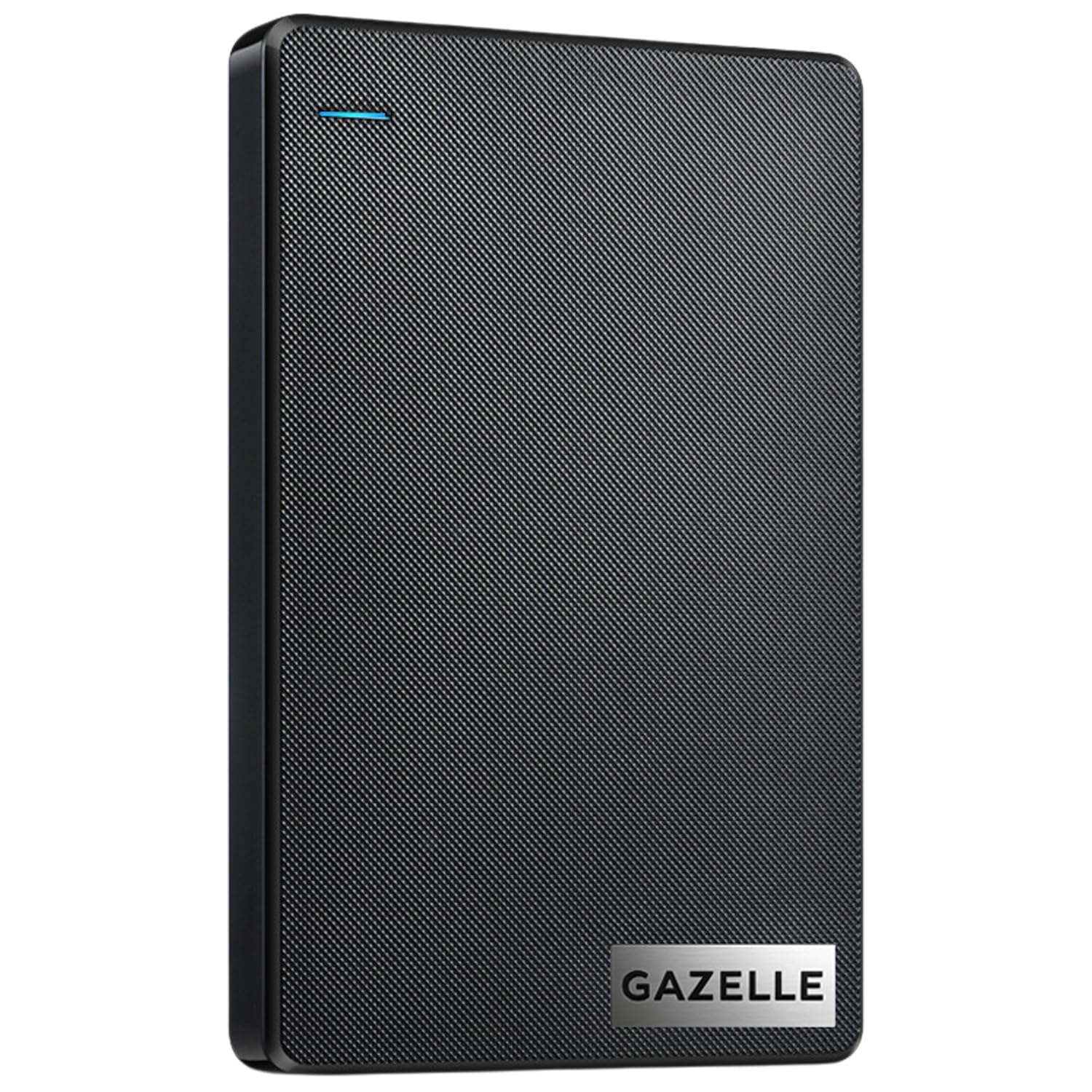
3. GAZELLE 1TB Portable External Hard Drive
One cable, two plugs, and a drive that jumps between your console and your laptop.
This one is for the household where the drive does double duty. It carries both a USB 3.0 connection and a Type-C interface, with a USB 3.0 cable and a Type-C adapter in the box. So it plugs into your Series S, then into a newer laptop or a tablet without a dongle hunt. The 1 TB capacity covers a solid Xbox One library, and it is listed as compatible with Xbox Series S and Series X.
The body is genuinely pocketable — about 150g and slim enough to slide into a laptop bag. There is an LED indicator that shows power and transfer status, which is a small thing until you are troubleshooting why nothing is showing up. Data transfer is rated 120 megabytes per second, and that gap to the Seagate further down this list is wide — 120 MB/s versus 600 MB/s — so the Seagate moves a big game far quicker.
The catch is reliability, and it is the most-discussed point in the feedback. Buyers report the drive can be slow and drop its connection on PC, and compatibility lands mixed depending on the device. That does not make it a bad drive — performance is what owners praise most — but it means you should treat the Type-C flexibility as the reason to buy, not bulletproof dependability.
Why Buyers Pick It
- Dual USB 3.0 and Type-C interface with a Type-C adapter in the box
- Roughly 150g and slim — drops straight into a laptop bag
- LED indicator shows power and transfer status at a glance
- Works across Windows, macOS, Linux, Android, plus iPad and consoles
The Honest Snags
- 120 MB/s rating trails the 600 MB/s Seagate by a wide margin
- Connections are the recurring gripe — some report dropouts on PC
- Compatibility varies by device, so check yours before relying on it
Worth it for: people who want one drive to move game files between console and computer.
Not the one for: anyone who needs a single console-bound drive they never unplug.
4. Avolusion T1 Series 1TB External Gaming Hard Drive

A white drive that sits cleanly beside a white console and spells out exactly what it will and won’t do.
Most drives on this list are black. This one is white, and on a shelf next to the Series S that actually matters to some people. Beyond the finish, it is a 1 TB USB 3.0 drive that arrives pre-formatted for Xbox, so it shows up ready to use on Xbox One, Series X, and Series S.
You get straight answers here, because the listing itself says plainly that Xbox Series X|S games have to play from the internal SSD (the console’s built-in fast storage). So the external drive holds them as a buffer — you copy the game back to the console to play it, which beats re-downloading. Xbox One games, by contrast, run straight off the drive. That is why a drive “works” for some games and not others.
Transfer is rated at 5 gigabits per second over USB, and the drive carries 8 MB of cache. It is mechanical, so speed is modest and some owners find it slower than hoped. Reliability also splits in the feedback, which is fair to keep in mind at this tier. For a neat, budget-friendly second shelf that matches the console, it is a reasonable pick.
The standout detail: the listing tells you outright that Series X|S titles store here but play from internal storage — genuinely useful clarity you rarely get.
The honest limit: mechanical speed and a mixed reliability reputation mean it is a parking spot, not a performance drive.
Reach for this if: you want a drive that blends with the console and sets up with no formatting fuss.
Look elsewhere if: speed or a spotless reliability record is your priority.
5. Seagate 2TB Game Drive for Xbox | USB 3.0
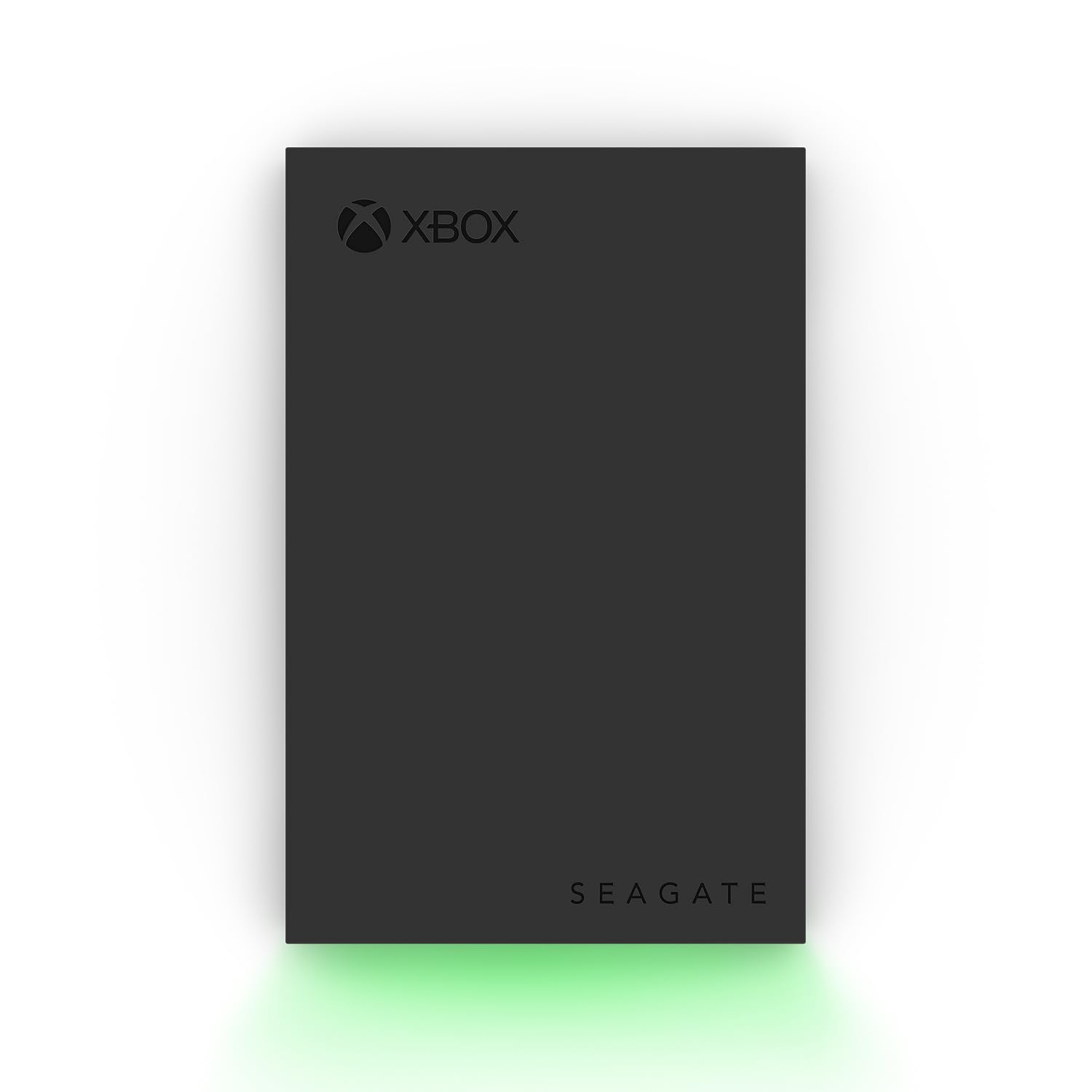
The drive built for the console, down to the green glow on the front.
This is the one that speaks Xbox natively. It is Xbox-certified and listed as compatible with Xbox Series X, Series S, and every generation of Xbox One, so there is no compatibility question to chase. The 2 TB capacity builds a proper game vault, and Seagate’s own design notes say you cannot play games directly off it — same rule as every USB drive here, just stated up front.
On paper the transfer figure is the standout — 600 megabytes per second, which is five times the 120 MB/s of the GAZELLE above. In practice that is a mechanical drive behind a fast interface, so expect real-world copies to feel far more modest than the headline number suggests. The bigger day-to-day win is the design: a built-in LED bar lights your setup in Xbox green, which is a licensed fit rather than a generic black brick.
Owners find the storage room and small footprint the best parts, and it holds a lot of games without eating much desk space. The recurrence worth knowing is speed — some find it plenty quick, others want more. It also ships with a 3-year Rescue Data Recovery Services plan and a 1-year limited warranty on top, which softens the mechanical-drive risk.
The Strong Points
- Xbox-certified for Series X, Series S, and all Xbox One generations
- 2 TB stores a big library; compact body barely takes up space
- Built-in Xbox-green LED bar matches the setup
- 3-year Rescue Data Recovery Services and a 1-year limited warranty
Keep In Mind
- Games cannot be played directly off the drive — storage only
- Mechanical speed draws mixed reactions for big copies
The pick for: buyers who want the Xbox logo on the box and nothing to second-guess.
Pass if: you need SSD-paced copies, since this is mechanical underneath.
6. Toshiba Canvio Gaming 2TB Portable External Hard Drive

A console-tuned 2 TB drive that owners keep coming back to for smooth, lag-free access.
Toshiba’s gaming line adds something the plain drives don’t: a firmware-customized “Always-On” mode, built so the drive stays responsive instead of spinning down between uses. With 2 TB, the maker estimates it holds up to 50 games at a 36 GB-per-game assumption. It covers PlayStation 5, Xbox Series X|S, and PC, so it is a cross-platform shelf rather than an Xbox-only one.
What wins people over here is performance and capacity together. The smooth-access feedback is the loudest signal on this drive, followed closely by how much fits on it. The aluminum-and-glass enclosure also gives it a more finished feel than a plain plastic shell. It is a 2.5-inch mechanical drive, so it still parks Series X|S games rather than running them — same rule as the rest.
Read the compatibility line carefully before you buy. It handles Xbox Series X|S and PS5 storage, but Xbox One games play directly from it while Series X|S games must be copied back. A two-year limited warranty gives you a cushion if something goes wrong. If you want a proven 2 TB console drive with a bit of extra polish, this sits in the balance for value and performance in the middle of this list.
What stands out: the Always-On firmware tuning targets exactly the stutter worry that scares people away from external console drives.
The fine print: it is still mechanical, so pace your expectations for moving large Series X|S titles back and forth.
Best suited to: the buyer who wants a roomy, console-tuned drive that covers both Xbox and PlayStation.
Think twice if: you need SSD-tier transfer speeds for constant large-file shuffling.
7. Lexar ES3 External SSD 2TB

When moving a game back to the console is the wait that annoys you, the SSD is the fix.
Here the spec does the selling. It reads at up to 1050 MB/s and writes at 1000 MB/s over USB 3.2 Gen 2, using a solid-state drive with no spinning platters. That is the difference between a copy that you go make a drink for and one that is done before you sit down. On a Series S, where Series X|S games must be copied back to internal storage to run, that speed directly shortens the annoying step.
The physical package is impressive — a lightweight metal body that tips the scales at 42 grams and is only 10.5 mm thick, small enough to slip into a pocket alongside your phone. It also includes Lexar DataShield 256-bit AES encryption software if you keep other files on it. The 2 TB capacity keeps a healthy library parked.
One caveat to note straight from the listing: if your system does not support USB 3.2 Gen 2, performance drops, so the headline 1050 MB/s needs the right port to show up. Also, unlike a conventional hard drive, this is a solid-state unit — its edge is transfer speed and a silent, shock-friendly design, not the sheer cheap-terabyte math of a mechanical drive. For the buyer whose pain is waiting on copies, that trade is worth it.
Why It Earns A Spot
- Up to 1050 MB/s read and 1000 MB/s write over USB 3.2 Gen 2
- 42 grams and 10.5 mm thin — pocket sized
- DataShield 256-bit AES encryption software included
- 2 TB capacity with no moving parts
Before You Commit
- Full speed needs a USB 3.2 Gen 2 port; older ports cut performance
- Solid-state, so the sheer capacity-per-terabyte math is steeper than a mechanical drive
Choose it for: shortening every game copy with SSD speed in a genuinely pocketable body.
pass on it if: you are chasing the largest library for the least outlay, where the big mechanical drives win.
8. Storage Expansion Card for Xbox Series X|S (1TB)

The only type of drive on this list that plays Series X|S games straight off the card.
This is the category that behaves differently from every USB drive above. It is an NVMe solid-state expansion card that slots into the console’s dedicated expansion port, and the maker says you can play Xbox Series X|S games directly from it without losing graphics, latency, framerates, or load times. No copy-back step. That alone makes it the only true “more console storage” solution here, rather than a parking lot.
The hardware backs up the promise on paper — a 3500 MB/s data transfer rate and an all-aluminum, anti-scratch body just 0.3 inch thick for heat dissipation. The 1 TB capacity doubles your playable space and lets you switch between titles in seconds. It is plug-and-play with no software install needed.
Weigh this one carefully. It is the lowest-reviewed and lowest-rated pick on the list, and reliability is the recurring theme in the feedback — some users say it works great, others say it failed quickly, some report it doesn’t hit the advertised 1 TB, and there are notes about incompatibility with Xbox system updates. For direct-play convenience it has no rival here, but go in with eyes open and keep your console updated.
The one thing no other drive does: plays Xbox Series X|S games directly, at a rated 3500 MB/s, with no copying back to internal storage.
The honest weight: reliability is the biggest question mark in the feedback, alongside reports it can fall short of the advertised 1 TB. So this fits the buyer who values direct-play most and can accept that risk.
Go for it if: playing Series X|S games off expanded storage without copy-backs is worth paying for direct-play convenience.
Hold off if: reliability confidence is your top priority, since the feedback here is genuinely split.
9. Samsung T7 Shield Portable SSD 2TB

A drive you can toss in a bag without babying it, and still get SSD pace.
Most drives live safely on a shelf. This one is built to travel. It carries an IP65 rating for water and dust resistance — that means it is sealed against dust and can shrug off water spray — and Samsung says it survives drops up to 9.8 feet. If your console setup shares space with kids, a backpack, or a cluttered desk, that rugged shell is the reason to pick it over a bare plastic drive.
Under the armor it is a capable SSD. The rated read and write speeds reach up to 1,050 and 1,000 MB/s over USB 3.2 Gen 2. Genuine PCIe NVMe internals drive that, and it packs 2 TB. It also supports iPhone 15 Pro Res 4K at 60fps recording with the included cable — a nice extra if the drive pulls double duty with a phone.
The portability is what owners single out most, with the small footprint and travel-ready size drawing the warmest reactions. Plug it into the Series S and it parks your Series X|S games as an archive just like every USB drive here — no direct-play, that is the expansion card’s job. The real cost to weigh is value: this is the most premium drive on the list, and you are paying for toughness and speed in equal parts.
What you’re paying for: an IP65 rating, drop protection to 9.8 feet, and up to 1,050 MB/s in a 2 TB pocket drive.
Where it lands: fastest tier for transfers, toughest shell on the page, and the priciest spot in this lineup — worth it if the drive leaves the house.
Made for: the gamer who moves a drive between console, laptop, and camera and wants it to survive the trip.
Overkill for: a drive that never leaves the shelf, where cheaper options do the archiving job fine.
Know the Specs
Capacity in TB
Capacity is how much your parked library can grow. More terabytes means fewer delete decisions. A 1 TB drive holds a modest Xbox One collection; 2 TB gives real breathing room; 5 TB is close to a whole generation’s worth parked at once. Remember that some space goes to formatting, so the usable figure is slightly under the label.
Data Transfer Rate
This is how fast a game moves on and off the drive, measured in megabytes per second. It matters most for Series X|S titles, which must be copied back to internal storage to play. A faster rate shortens that copy. Mechanical drives sit at modest rates; USB 3.2 Gen 2 SSDs and NVMe cards push far higher, so pay attention to the MB/s figure, not the interface label alone.
Drive Type: HDD vs SSD vs NVMe
Need cheap space? A mechanical hard drive (a spinning drive with platters inside) gives you the most terabytes for the least outlay. Need speed? A solid-state drive (SSD, with no moving parts) transfers faster and runs quieter. NVMe is a faster solid-state connection used by the expansion card, fast enough to run Series X|S games directly. Match the type to if you need cheap space or speed.
Play vs Store Rules
Every USB drive on this list can play Xbox One games directly. For Xbox Series X|S games, a USB drive stores them for copy-back only. The one exception here is the NVMe expansion card, which plays Series X|S games directly from the card. Knowing this keeps your expectations honest before you buy.
Common Questions
Can I play Xbox Series X|S games directly from an external hard drive on the Series S?
Do Xbox One games play straight off a USB drive?
Does an external drive need a separate power supply?
How many games will a 2TB drive hold?
Is an SSD faster than a hard drive for moving games back to the console?
What does the 5 Gbps figure on some listings actually mean?
Do I need to reformat an external drive before the Series S will use it?
Is the expansion card a better choice than a USB drive?
Will the drive work if my system does not support USB 3.2 Gen 2?
The Bottom Line
For most Xbox Series S owners, the xbox series s hard drive winner is the WD_BLACK 5TB P10 Game Drive because 5 TB at up to 130 MB/s simply ends the uninstall cycle, and it earns the crowd’s trust at 4.5+ stars across 25,000+ ratings. Want a console-tuned drive with a bit of polish? Grab the Toshiba Canvio Gaming 2TB. And for direct-play convenience with no copy-backs, reach for the Storage Expansion Card for Xbox Series X|S, as long as you accept the split reliability feedback.
How we choose
We do not accept paid placement. Every pick is matched to a real buyer and a real use-case; we do not hands-on test units.
Sources
Specifications: manufacturer listings and product documentation. Review insights: verified customer reviews, as of November 2026. Pricing: not shown on this page (it changes often); check the current price via the retailer link.
As an Amazon Associate, Tactical Gear Guy earns from qualifying purchases. This does not affect which products we feature.