Specs are compiled from manufacturer listings and verified buyer reviews and can change over time — please confirm the key details on the product page before buying.
The dock is the cheapest part of your handheld setup and the one most likely to let you down. A good one turns your ROG Xbox Ally X into a proper desk or living-room console: one cable, a big screen, a wired controller that never lags. A bad one drops the signal mid-match, wobbles when you touch the stand, or quietly refuses to feed the handheld enough power to run at full tilt. This guide sorts the good from the merely compatible.
This guide is built by comparing the manufacturers’ published specifications and the patterns across verified customer reviews, so you get each pick’s real strengths and trade-offs instead of marketing spin.
You’ll see why video bandwidth, port count, and power passthrough are the three numbers that decide whether a dock feels invisible or annoying. The short version: this list covers the strongest Xbox ROG Ally X Dock options for desk play, TV sessions, and travel.
Top Picks

How To Choose The Best Xbox ROG Ally X Dock
Your Ally X already does the hard part. The dock’s job is to get out of the way: hold the handheld steady, push a clean picture to your TV or monitor, and pass enough power through that the battery keeps climbing while you play. Get those three right and you stop thinking about the dock entirely.
Video bandwidth is the first thing to check
Refresh rate is how many times per second the screen redraws, and it’s the spec that separates a dock built for today from one built for last generation. A 4K@120Hz dock (4K resolution, 120 refreshes per second) keeps fast shooters and racers fluid on a modern TV. A 4K@60Hz dock caps you at 60 refreshes per second, which is fine for slower games but visibly choppier once a game pushes past that. Look for HDMI 2.1 in the listing — the older HDMI standard cannot carry that much data.
Port count tells you how much desk it replaces
Three USB-A ports is the practical minimum: keyboard, mouse, and a wired controller, all at once. Add an Ethernet port and your online matches stop depending on Wi-Fi. If you plan to move files around, watch for the USB speed rating — 5Gbps ports are the common baseline, and a 10Gbps USB-C port moves big game installs faster.
Power passthrough decides whether Turbo Mode holds
The Ally X charges through the dock, so the dock’s power budget matters. A dock rated for 100W power delivery gives the handheld headroom, but part of that power is consumed by the dock itself. Practically, that means the handheld’s original charger may trigger a low-power warning on a demanding dock. Check what the manufacturer says about charger pairing before you assume your existing brick is enough.
Side-by-Side Comparison
| Model | Best For | Max Video Output | Ports | Power Delivery | Amazon |
|---|---|---|---|---|---|
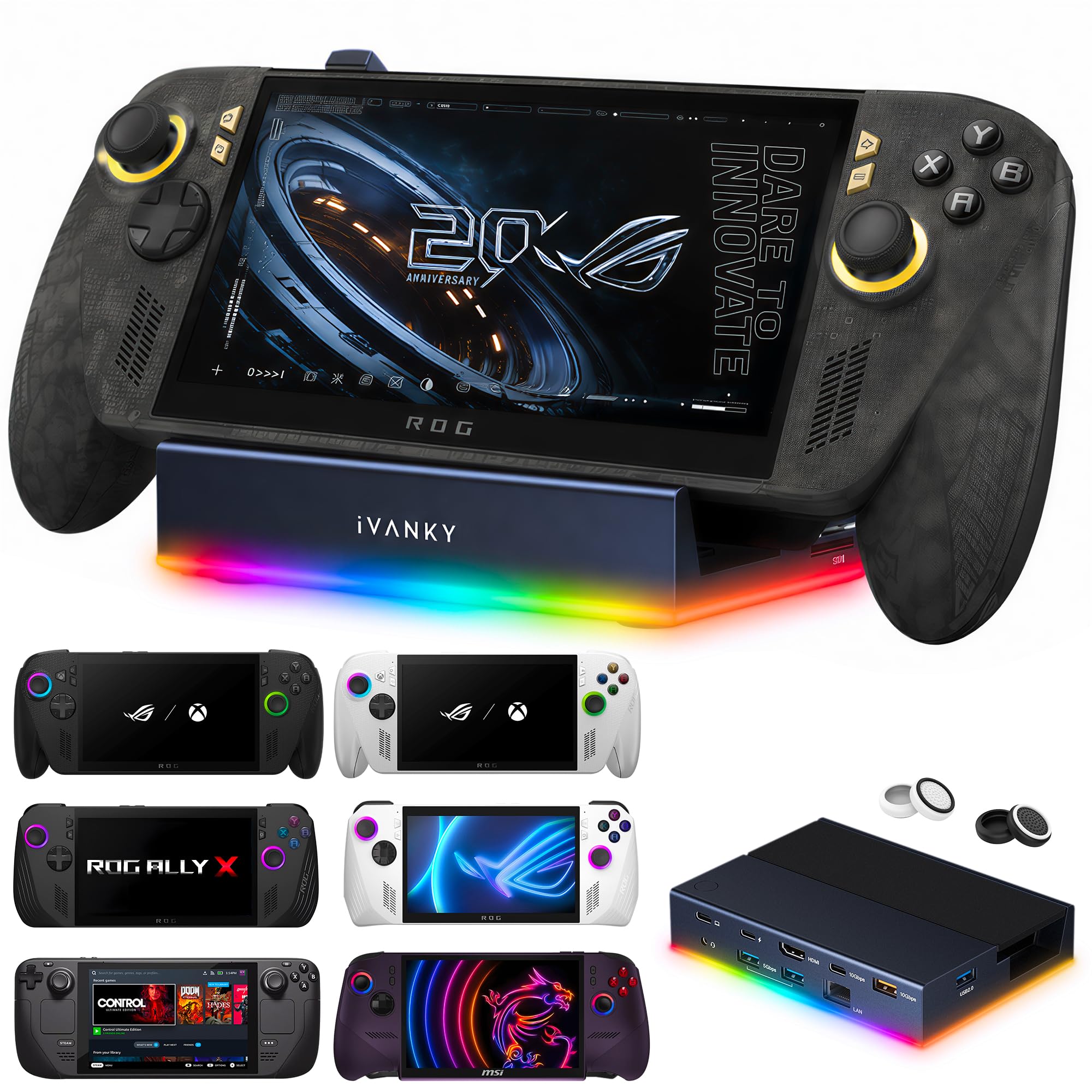
| iVANKY 14-in-1 RGB Docking Station★ Best Overall | Full desktop replacement | 4K@120Hz | 12 | 100W PD | Amazon |
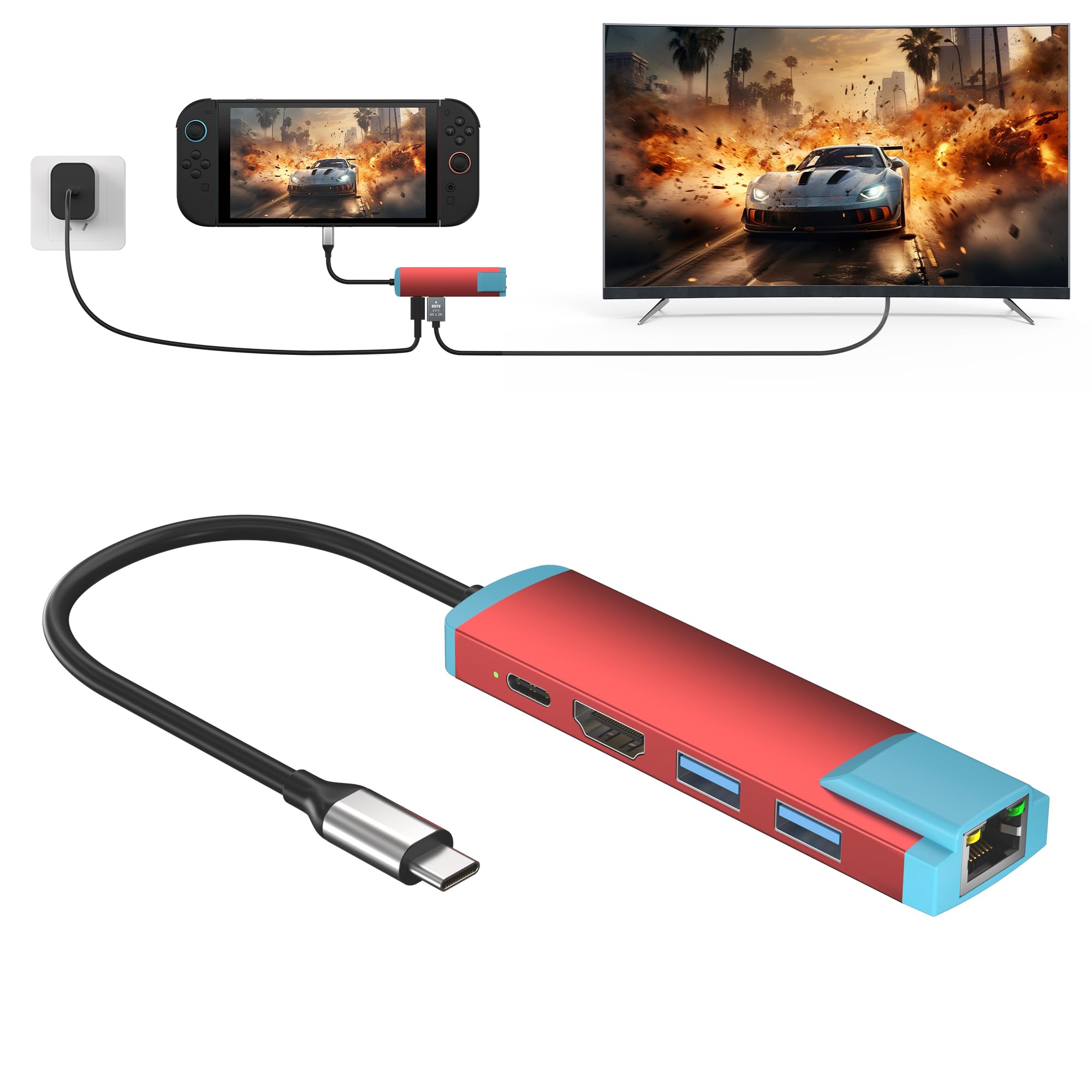
| YEEKRNOW USB C Switch 2 DockPocket Pick | Travel and pocket carry | 4K@60Hz | 5 | 100W PD | Amazon |
| TanReginal 6-in-1 DockTop Performer | Built-in adjustable stand | 4K@120Hz | 6 | 100W PD | Amazon |
| JSAUX 6-in-1 HB0609 White | Detachable stand flexibility | 4K@120Hz | 6 | 100W PD | Amazon |
| iVANKY Upgraded 10-in-1 | Port-heavy multi-device desks | 4K@144Hz | 10 | 100W PD | Amazon |
| JSAUX 7-in-1 HB0705 | Cooling and VRR support | 4K@120Hz / 1080p@240Hz | 7 | 100W PD | Amazon |
Detailed Reviews
1. iVANKY 14-in-1 RGB Docking Station
Our pick — 4.5+★ from 300+ verified ratings; the strongest balance of quality and price.
Twelve ports and a folding stand that keeps the vents clear of your desk.
If you want your Ally X to behave like a small desktop tower, this is the dock to start with. It gives you twelve ports and seven USB-A connections, so a keyboard, mouse, capture card, and a couple of drives can all live on the desk at once. The USB 3.0 hardware interface keeps those transfers quick, and the 1Gbps Ethernet jack gives you a wired line for online play. That is more connectivity than the YEEKRNOW travel dock offers — 12 ports against 5 — and it costs you almost no extra desk space at 5.9 inches long by 3.5 inches wide.
Fast games stay smooth on a modern TV, because the HDMI 2.1 output (the newest HDMI standard, built for high frame rates) runs at 4K@120Hz — 4K resolution at 120 frames per second, so motion looks fluid instead of choppy. What wins people over is how much it does: it is the most-praised dock in this lineup, holding 4.5+ stars across 300+ reviews. Buyers call it the best dock they have owned, and the specs back that up — a dual-foldable stand (two hinged legs that prop the console up) lifts the rear panel away from the vents so heat escapes, plus seven RGB lighting modes (colored LED light settings) if you care how the desk looks.
Here is the honest catch, and it is the most-discussed part of the dock. Reliability feedback splits down the middle: plenty of units run perfectly for months, and a smaller group hits dropouts or connection trouble. Firmware and dock firmware updates are worth doing before you judge it, and iVANKY backs it with a 24-month warranty. Charging tops out at 100W power delivery, with the maker noting the Ally tops out at 65W and the Steam Deck at 45W — enough headroom that the dock itself never becomes the bottleneck.
What earns it the top slot
- Twelve ports with seven USB-A, so the whole desk plugs into one brick
- 4K@120Hz over HDMI 2.1 for smooth high-frame-rate play
- Dual-foldable stand designed to leave the cooling vents unobstructed
- 100W power delivery backed by a 24-month warranty
Worth knowing before you buy
- Reliability reports are genuinely split — some units arrive and misbehave
- Needs a firmware update before the extended display works cleanly
- Seven RGB modes are a taste thing, not a performance thing
Reach for this if: your desk wants one cable, a lot of ports, and a 120Hz picture at the same time.
Look elsewhere if: you want the simplest possible box — twelve ports is more setup surface than some folks want.
2. YEEKRNOW USB C Switch 2 Dock, 4K@60Hz HDMI Adapter
A 45g puck that turns any hotel TV into an Ally X screen.
This dock weighs 45g — about 1.5oz — and slips into a pocket, which is the whole point. Five ports cover the travel case: one 4K@60Hz HDMI output for the TV, two USB 3.0 ports for a controller and a keyboard, a 1000M wired Ethernet jack, and a 100W USB-C power delivery port for charging. Compared to the twelve-port iVANKY at the top of this list it is a fraction of the connectivity, and against the JSAUX HB0612’s three USB 3.0 ports you get two instead. For a bag you carry to a hotel, that trade is the right one.
The video ceiling is 4K@60Hz, or 60 refreshes per second at 4K resolution. On a travel TV that is fine. On a high-refresh gaming monitor at home it will feel like a step down from the 120Hz docks here. Charging is rated to a maximum 100W, though the manufacturer recommends keeping continuous charging within 60W — the original Switch-style 60W charger fills the handheld at full speed in that setup.
The compatibility list is where this one earns its keep. It works with the Ally X, the Steam Deck and Steam Deck OLED, and any USB-C device that supports video output — including Thunderbolt 3 and 4 laptops. One limitation to plan around: the Type-C power delivery port only works with devices that speak the PD charging protocol. A 1-year warranty covers it if the travel life proves rough.
Where it shines: packability. Nothing else on this list disappears into a jacket pocket the way this 45g adapter does.
Fair warning: 60Hz is the hard ceiling here, so this is a travel tool, not a desk anchor.
Pick this one if: you take the Ally X on the road and want a TV connection that weighs nothing.
Leave it if: your home setup runs above 60Hz — you will notice the ceiling.
3. iVANKY 8-in-1 Docking Station for ROG Xbox Ally X
The dock that doubles as a viewing stand for hands-free play.
The built-in foldable stand is the feature that sells this one. It gives you multiple viewing angles, anti-slip padding to keep the handheld put, and full access to the ports and buttons while it sits there. If you play in bed, on a coffee table, or anywhere you want the screen at eye level without a second accessory, that matters more than port count.
The rest of the hardware holds up: 4K@120Hz HDMI output, Gigabit Ethernet, dual USB-A 3.0 ports at 5Gbps, a 10Gbps USB-C port for fast transfers, and 100W USB-C power delivery with overvoltage and overheating protection built in. The 10Gbps USB-C port is the standout — it moves big game files noticeably quicker than the 5Gbps USB-A ports beside it. Seven RGB lighting modes are there for anyone who wants the desk to glow; a long press turns them off when you do not.
It scores 4.0+ stars across 50+ ratings and runs on Windows 10 as a minimum, which matters if you plan to use it for productivity as well as play. Plug-and-play, no drivers required. The main consideration is the port count: six is lean compared to the ten and twelve-port docks further up this list, so if you juggle a lot of accessories you will feel the squeeze.
Why it earns a spot: the adjustable stand turns the dock into a complete viewing setup instead of just a connection box.
The catch: six ports means you plan your peripherals, not pile them on.
Suits you if: you want the handheld propped at a good angle with everything plugged in.
Think twice if: you need double-digit ports or a 144Hz panel.
4. JSAUX 6-in-1 Docking Station HB0609 – White

Detach the base and it becomes a stand you can carry anywhere.
Two products in one, basically. Leave the base attached and it works as a normal dock; detach it and the base becomes a standalone stand for portable play. The included silicone pad keeps the handheld stable and stops it sliding, and the support angle adjusts to suit your setup. For someone who alternates between a desk and a couch, that flexibility earns its keep.
Picture quality runs to 4K@120Hz or 1080p@240Hz over the HDMI output — the 240Hz mode at 1080p resolution is a real option if your monitor prefers frame rate over pixel count. Ports are six: HDMI, Gigabit Ethernet, USB-C PD charging, one USB-C 3.2 Gen 1, and two USB-A 3.2 Gen 1. One hundred watts of power delivery is enough to fill the Ally X, the Steam Deck, or the Legion Go at full speed when paired with the original charger. Quality is the thing buyers notice most, and the 4.0+ star score is backed by 200+ ratings.
The warnings deserve your attention. When the Ally X is docked, the dock itself draws some of the incoming power — with the original 65W charger or lower you may see a low-power message on screen. Gameplay is unaffected, but charging slows. The HB0609 also does not support VRR (variable refresh rate, which matches the TV’s redraw to the game) or ALLM (auto low latency mode); JSAUX points VRR/ALLM shoppers at the HB0705 instead. Compatibility splits: some buyers report flawless play, and a few hit trouble with the Legion Go S.
Selling points
- Base detaches to work as a standalone stand
- 4K@120Hz or 1080p@240Hz HDMI output
- 100W PD plus one USB-C and two USB-A 3.2 Gen 1 ports
- Backed by an 18-month manufacturer warranty
Trade-offs to weigh
- No VRR or ALLM support on this model
- Low-power warning possible with a 65W or lower charger
- Compatibility reports are mixed for the Legion Go S
Go for it when: you want a dock that moonlights as a travel stand.
Pass when: VRR or ALLM is on your must-have list — this dock leaves them out.
5. iVANKY Upgraded 10-in-1 Dock for ROG Xbox Ally X(2025)

The dock with the biggest body of owner experience behind it — and five USB-A ports.
You get the longest track record on this list: 4.0+ stars across 1,600+ ratings, a volume that only builds up over time. The upgraded version of iVANKY’s design raised the base height and added two USB-A ports, bringing the total to five USB-A 3.0 connections (the older, rectangular USB plug, at 3.0 speed). Five is the most USB-A of any dock in this guide, so a controller receiver, keyboard, mouse, headset dongle, and a thumb drive can all stay plugged in without a hub.
The video side is 4K@144Hz over HDMI 2.1, matching the iVANKY 8-in-1 at the top of the 144Hz class. Power delivery runs to 100W, with the maker noting the Ally draws 65W and the Steam Deck 45W. The upgraded base also picks up the ROG Xbox Ally 20X (2026) in addition to the Ally X (2025). A 18-month warranty covers the hardware.
Port selection is where opinions divide. Plenty of people appreciate having a dedicated Ethernet port alongside the five USB-A slots; a smaller group finds the USB arrangement imperfect for their specific setup. Read the port list against your own desk before you commit. The maker also points to BIOS version 323 for 30W Turbo Mode, same as the other iVANKY docks here.
Standout spec: five USB-A 3.0 ports plus a dedicated 1Gbps Ethernet jack (a wired network port at 1 gigabit per second) — the deepest wired desk in this guide, so every accessory stays connected at once.
One honest limitation: you still need to confirm your BIOS version and update the dock firmware before the display side behaves.
Built for: desks with a lot of legacy USB-A peripherals that all need to stay plugged in.
Overkill if: a keyboard, a mouse, and a controller is all you own.
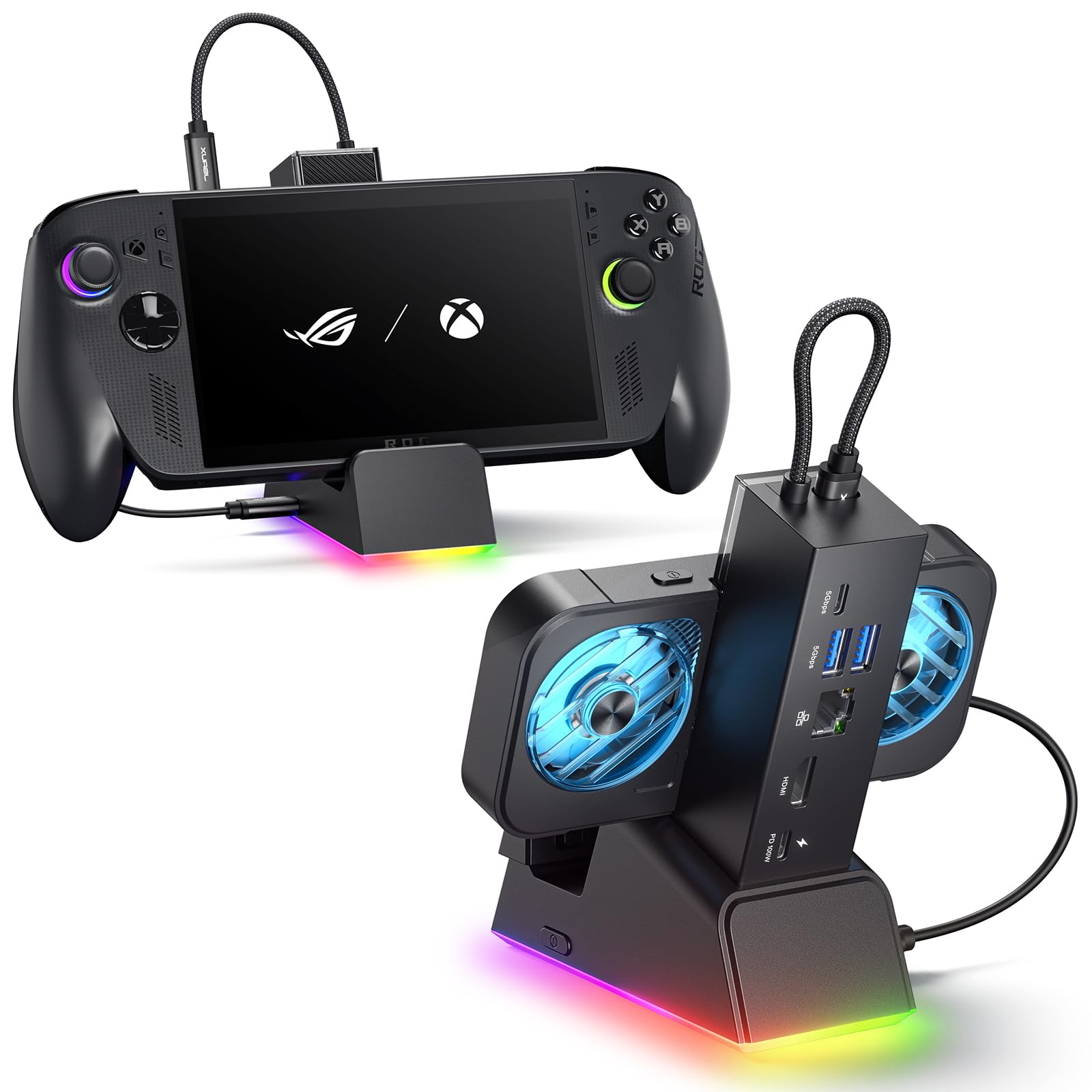
6. JSAUX 7-in-1 Docking Station HB0705 with RGB Cooling Fan
Seven ports, variable refresh support, and a fan that clamps to the vents.
The magnetic RGB cooling fan is the reason to pick this over the HB0609. It is shaped to line up with the Ally’s air intake, attaches securely, and pops off when you do not need it. This is the dock JSAUX points VRR and ALLM shoppers toward, and it supports both — along with HDR and QFT (Quick Frame Transport) — over HDMI 2.1 at 4K@120Hz or 1080p@240Hz. If your TV does variable refresh, this dock can actually use it.
Seven ports in total: HDMI, Gigabit Ethernet, USB-C PD charging, one USB-C 3.0, two USB-A 3.0, and an RGB-powered USB-C port. Power delivery runs to 100W. The base carries five RGB lighting modes while the fan runs a 7-color gradient, and you can slip a custom card into the front slot if that is your thing. The modular base detaches for standalone stand use, same as the HB0609, and a silicone pad keeps things steady. Functionality is the biggest positive theme here, and the 4.0+ star score rests on 100+ ratings.
Where it gets complicated: the fan’s cooling benefit is designed around the Ally’s intake placement, and JSAUX says efficiency drops on other handhelds. The 30W Turbo Mode needs a 100W PD charger plugged in — which is not included — and will not engage without one. Connectivity, lighting, and fan performance all land as mixed in the feedback, so treat this as a dock you buy for the VRR support and the cooling accessory, not for a flawless no-nonsense experience.
What you get for the step up
- VRR, ALLM, HDR, and QFT support over HDMI 2.1
- Magnetic RGB fan aligned to the Ally’s air intake
- Seven ports including a custom card slot
- Modular base detaches into a standalone stand
Where it asks more of you
- 30W Turbo Mode requires a 100W PD charger sold separately
- Fan cooling gain is tuned for the Ally, not other handhelds
- Connectivity and lighting feedback runs mixed
Choose it when: your TV supports VRR and you want the cooling fan in the box.
Hold off when: you do not already own a 100W PD charger.
Know the Specs
Refresh rate and the HDMI standard
Refresh rate is how many times per second the display redraws the image, written as 4K@120Hz or 4K@144Hz. Higher is smoother for fast games. The limiting factor is HDMI 2.1 — the newer HDMI version — which carries enough data for those rates. Older HDMI hardware caps you at 4K@60Hz, which is why a dock’s refresh number tells you more about its internals than any other line on the listing.
Power delivery and the dock’s own draw
Power delivery (PD) is the charging standard that lets a dock pass power through to your handheld. A 100W rating is the ceiling, not what reaches the handheld — the dock consumes some power itself. That is why a demanding dock paired with the original 65W charger can throw a low-power warning. If a game needs the Ally’s 30W Turbo Mode, the maker often requires a 100W charger to be plugged in for that mode to engage at all.
Ethernet versus Wi-Fi for online play
A Gigabit Ethernet port is a wired network socket rated for 1000Mbps. Plugging in gives you a stable connection that does not drop when the house’s Wi-Fi gets busy. That stability is the reason competitive players wire up — not raw speed, but consistency. Every 120Hz dock on this list includes one, so it is not the spec you pay more for.
VRR and ALLM explained
Variable Refresh Rate (VRR) lets the TV match its refresh to whatever the game is producing, which removes tearing. Auto Low Latency Mode (ALLM) tells the TV to switch into its low-lag game mode automatically when a console connects. Not every dock passes both through. If your TV supports them and you care, check the listing before you buy — the JSAUX HB0705 explicitly supports them and the HB0609 explicitly does not.
Common Questions
Will any of these docks work with the ROG Ally as well as the Xbox Ally X?
Do I need a special charger to get 30W Turbo Mode on the Ally X?
Why does my dock show a low-power warning when I use the original charger?
Is 4K@60Hz good enough for the Ally X or do I need 120Hz?
What is the difference between the JSAUX HB0609 and the HB0705?
Will a dock designed for the Ally X fit handhelds with thick grips?
Does a Gigabit Ethernet port actually reduce lag in online games?
Do these docks work with the Lenovo Legion Go and Steam Deck too?
Why does every dock maker tell me to update firmware first?
Can I use these docks for work on a laptop, not just gaming?
The Bottom Line
For most people, the xbox rog ally x dock to buy is the iVANKY 14-in-1 RGB Docking Station, because twelve ports and 4K@120Hz over HDMI 2.1 (4K resolution at 120 frames per second) cover a full desk setup in one box, and it is the most-praised dock in this lineup with 4.5+ stars behind it. It is not the cheapest or the highest-rated by raw score — the YEEKRNOW travel adapter edges it on score with a far smaller review pool — but the port depth and the folding stand make it the one that disappears into a desk and stays there.
Want the highest refresh ceiling without paying flagship money? The iVANKY 8-in-1 hits 4K@144Hz with three USB-A ports and a 1Gbps Ethernet jack. Need your TV’s variable refresh to actually work? The JSAUX HB0705 is the only pick here that carries VRR and ALLM alongside a cooling fan. And if the Ally X lives in a backpack, the 45g YEEKRNOW adapter is the one that goes with it.
How we choose
We do not accept paid placement. Every pick is matched to a real buyer and a real use-case; we do not hands-on test units.
Sources
Specifications: manufacturer listings and product documentation. Review insights: verified customer reviews, as of November 2026. Pricing: not shown on this page (it changes often); check the current price via the retailer link.
As an Amazon Associate, Tactical Gear Guy earns from qualifying purchases. This does not affect which products we feature.