Specs are compiled from manufacturer listings and verified buyer reviews and can change over time — please confirm the key details on the product page before buying.
You want to play your Xbox away from the living room TV, and the hotel set or a spare bedroom wall is not going to cut it. A portable screen solves that: a slim panel that folds into a bag, takes a single cable, and gives you a real 1080p picture in minutes. The decisions that actually matter are size, refresh rate, and whether the screen gets enough power from your console or laptop.
This guide is built by comparing the manufacturers’ published specifications and the patterns across verified customer reviews, so you get each pick’s real strengths and trade-offs instead of marketing spin.
Some of these are purpose-built Xbox attachments; others are general travel panels that happen to accept an HDMI feed from a console. Below you get the specs that decide whether a screen is genuinely playable, sized against what you will actually carry. This is the shortlist for the best Xbox One Portable Screen.
Top Picks

How To Choose The Best Xbox One Portable Screen
Start with the question that decides everything else: are you carrying this screen to a console, or carrying it to a laptop bag and sometimes plugging in a console? A purpose-built attachment lives on the console and travels as one unit. A standalone panel needs its own flat surface, its own stand, and often its own power brick.
Size versus what fits in your bag
A bigger panel gives you more of the game — an 18.5-inch screen shows noticeably more picture than a 15.6-inch one. Weight is the tax you pay, and it ranges from 1.5 lb on the smallest travel panels up to 2.49 lb on the large ones. If the screen rides in a backpack next to a laptop, the lighter end matters more than an extra inch. If it lives on a desk in a rented room, go bigger.
Refresh rate: how much smoothness you need
Refresh rate is how many times per second the panel redraws the image, measured in hertz (Hz). A 60Hz screen redraws 60 times a second — fine for most console output. A 120Hz or 144Hz panel redraws two or more times as often, which makes fast camera pans and racing games look less smeary. Console games do not always output above 60 frames per second, so the extra hertz help most on menus, scrolling, and PC use.
Power is the hidden spec nobody checks
A portable monitor needs electricity, and a single USB-C cable can supply both power and video if your device supports it. Some panels pull enough from the console that you never touch a wall outlet. Others flicker or dim unless you plug in the included adapter. Check whether the screen has a dedicated power input before you assume one cable does it all.
Brightness and glare where you will actually sit
Brightness is measured in nits, and a panel rated around 250 nits can look washed out near a window, while one at 470 or 500 nits holds up better in a bright room. An anti-glare coating matters just as much if you play in a sunny spot. Look for both on the listing, not one or the other.
Side-by-Side Comparison
| Model | Best For | Resolution | Refresh Rate | Weight | Amazon |
|---|---|---|---|---|---|
| cocopar 16 Inch 2.5K QHD★ Best Overall | Best all-round travel panel | 2560 x 1600 pixels | 144Hz | 1.5 lb | Amazon |
| ASUS ZenScreen MB16AHVBest for Travel | Light bag-friendly second screen | 1920 x 1080 pixels | — | 0.9kg listed | Amazon |
| 18.5 Inch Large Portable MonitorBig Screen Value | Big picture on a small budget | 1920 x 1080 | 100Hz | 2.45 lb | Amazon |
| Acer PM191Q | Clean single-cable desk setup | 1920 x 1080 | 100Hz | 2.49 lbs | Amazon |
| MAGICRAVEN 17.3″ | Sharp QHD on a mid budget | 2560 x 1440 | 60Hz | — | Amazon |
| MNN 17.3″ QHD | Fastest panel here | 2560 x 1440 | 165Hz | — | Amazon |
| EVICIV 18.5″ 2.5K | Bright, color-rich large panel | 2560 x 1440 pixels | 120Hz | 2.28 lbs | Amazon |
| G-STORY 12.5″ | Clips to the console itself | 1920 x 1080 | — | — | Amazon |
| kksmart 18.5″ | Big aluminum work-and-play screen | 2560 x 1440 pixels | 120Hz | 2.48 lb | Amazon |
| UPspec Gaming xScreen | True one-piece Xbox Series S rig | 1920 x 1080 | 60Hz | — | Amazon |
Detailed Reviews
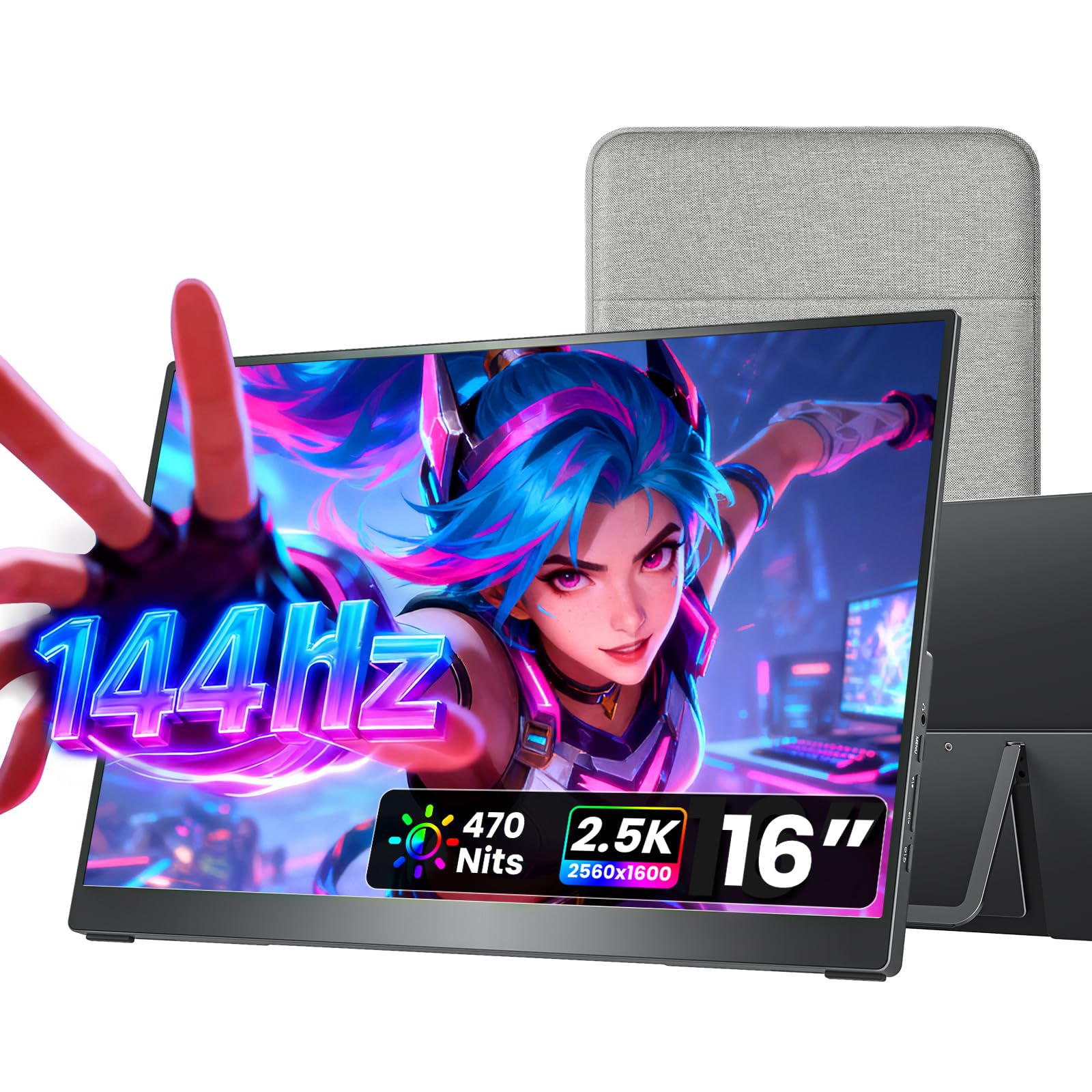
1. cocopar Portable Monitor 16 Inch 2.5K QHD
Our pick — 4.5+★ from 6,000+ verified ratings; the strongest balance of quality and price.
The panel that stays sharp at 144Hz and still disappears into a backpack.
Here is the screen that keeps winning people over: it is 1.5 lb, which is light enough to lean against your laptop lid without dragging it over, and it still pushes a 2560 x 1600 picture at a 144Hz refresh rate. Compare that to the MNN 17.3-inch below, which is a 165Hz panel — the cocopar gives up a little raw speed but wins back a resolution advantage over the ASUS ZenScreen’s 1920 x 1080. If you split the day between a laptop and your Xbox, this is the one that fits both jobs.
Color is where the money goes. A 110% sRGB coverage figure and a 1200:1 contrast ratio mean dark corners in a game stay readable instead of turning into a grey smear. Brightness sits at 470 nits, which is the highest number in the first half of this list, so a sunny room does not wash the picture out. FreeSync support smooths the frame pacing when your console or PC drops frames under load.
Setup leans on its two full-function USB-C ports and one HDMI port. A single USB-C cable carries video and power together, no drivers involved — plug it into a dock or laptop and the desktop extends in seconds. The catch worth knowing: USB-C video only works if your device supports Thunderbolt 3/4/5 or USB-C DisplayPort Alt Mode, and Mac mini or Mac Studio owners need to use the rear ports. The included metal kickstand adjusts from 0 to 90 degrees and the chassis is full metal rather than plastic, which is a real difference in a bag.
Where it pulls ahead
- 2560 x 1600 at 144Hz — sharper and smoother than a 1080p travel panel
- 470 nits holds a usable picture against window glare
- 1.5 lb with a fabric sleeve, so it rides next to a laptop without bulk
- Dual 1.5W speakers cover game audio without a separate speaker
Worth checking first
- USB-C video needs Thunderbolt 3/4/5 or DisplayPort Alt Mode on your device
- VESA mounting means buying an arm or stand separately
My call: the pick for anyone who wants one screen for a laptop by day and a console at night, with no compromise on sharpness.
Hold off if: your laptop’s USB-C port is charge-only — you will need the HDMI route instead.
2. ASUS ZenScreen MB16AHV 15.6 Inch 1080p
A 10mm-slim panel built for café tables and hotel desks, not just bedroom desks.
The ZenScreen earns its place on the road, not on the spec sheet. It measures 10mm at its thinnest and weighs 0.9kg, so it slips into a laptop bag beside your machine. The 15.6-inch 1080p IPS panel carries an anti-glare coating, which is the difference between playing in a bright café and squinting at a mirror. Resolution tops out at 1920 x 1080, so it will not match the cocopar’s 2560 x 1600, but for console output at 1080p the difference is minimal.
Power delivery is the quiet selling point. With 15W running through the cable, one USB-C connection handles both video and charging, and it can charge a connected iPad at the same time — a genuinely useful trick when your console is the thing that needs the outlet. ASUS also adds auto-rotate software that flips between portrait and landscape when you turn the screen. A fold-out kickstand or a tripod socket handles the viewing angle.
The honest trade-off is the stand. Durability is the one area where the review pages split, and the recurring gripe is the fold-out kickstand failing after a month of regular folding and unfolding. Buyers report: “The durability receives mixed reviews, with several customers reporting that the stand broke within a month of use.” Treat the kickstand as the fragile part of an otherwise solid travel panel, or plan to use the tripod socket instead.
What holds up: the anti-glare IPS panel and the 15W single-cable power delivery make this the easiest 1080p screen to live with on the move, backed by a 3-year warranty with advanced replacement.
Reach for this if: you want the slimmest 1080p panel that powers off one cable and survives a carry-on.
Look elsewhere if: you want a big-screen QHD picture — 1920 x 1080 is the ceiling here.
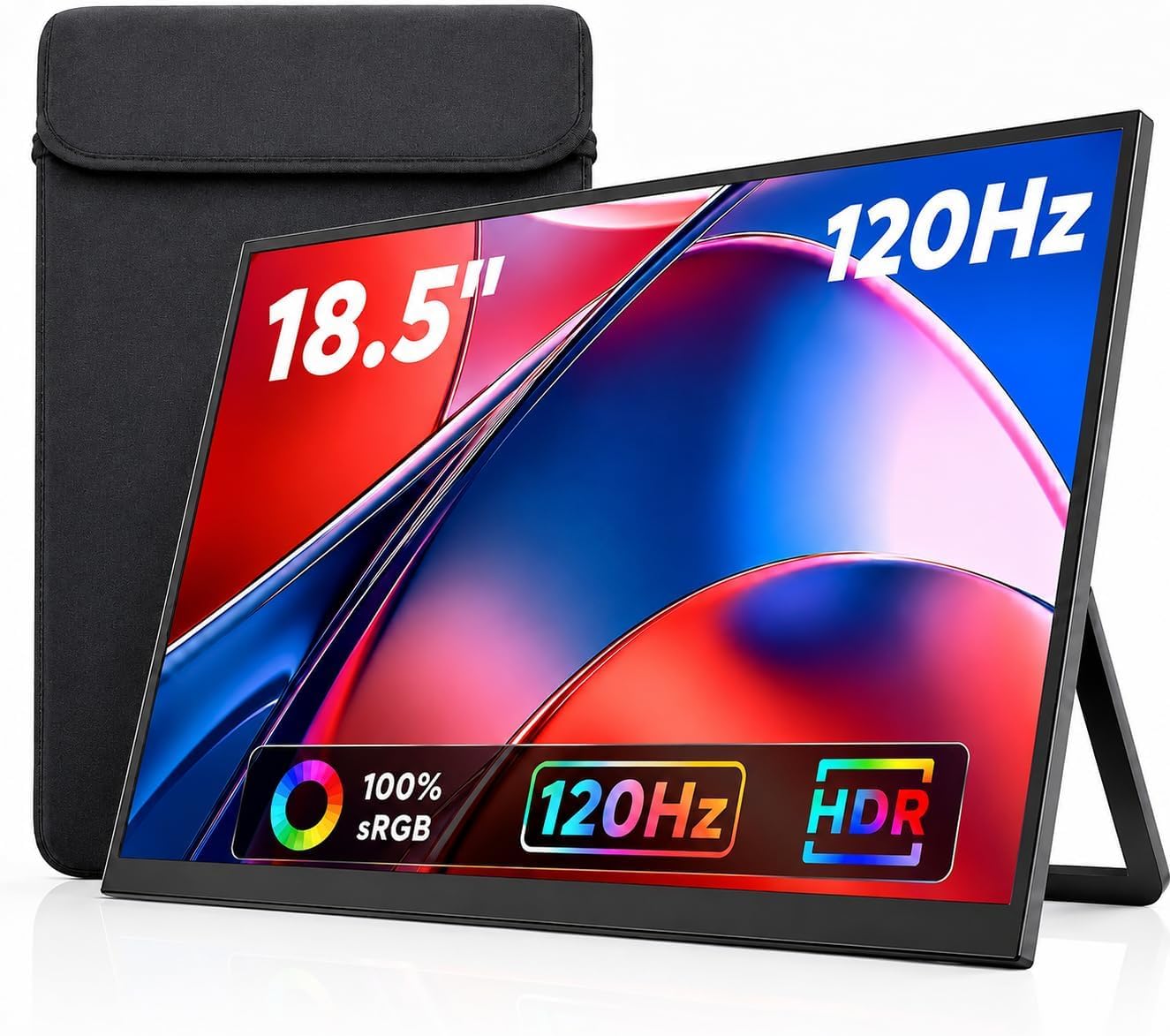
3. 18.5 Inch Large Portable Monitor for Laptop
An 18.5-inch picture that still makes it into a small suitcase.
Screen quality is what wins people over on this one, and the numbers back the feeling: an 18.5-inch FHD IPS panel with a 125% sRGB color gamut and 8-bit color depth covering 16.7 million colors. The refresh rate is 100Hz, which is a step under the 144Hz cocopar but well above a standard 60Hz office panel. It weighs 2.45 lb versus the 1.5 lb cocopar — a real difference if the panel rides in a backpack all week. Owners mention it fits perfectly in small suitcases, which is the whole point of the larger format.
The frame is doing a lot of work here. Three sides are frameless with a 0.59-inch profile, which makes an 18.5-inch screen feel like less bulk in the hand. The built-in kickstand works in portrait or landscape, and the VESA-compatible rear lets you hang it on an arm when you are staying put. Dual speakers cover game and streaming audio without extra gear.
The honest catch: ease of use is the mixed note here, and the cause is power. If the screen flickers, it usually means the device is not feeding enough current, and the fix is to use the included power adapter. That means a second cable in your bag on some setups. Pro tip from the listing: a full-featured USB-C or Thunderbolt 3/4/5 port is required for the single-cable route.
The value read: a big 1080p panel with wide color at the low end of the mid-tier range, and the 100Hz refresh keeps motion cleaner than the typical 60Hz travel panel.
One honest limit: budget for the power brick in your bag unless your device’s USB-C port pushes enough current.
Go here if: you want maximum screen area for the carry weight and do not need QHD sharpness.
Think twice if: you want zero cable clutter — this one may want the adapter plugged in.
4. Acer 18.5in FHD IPS 100Hz PM191Q

An 18.5-inch panel that asks for exactly one cable and nothing else.
Acer’s PM1 Series is the tidy option for someone who hates cable spaghetti. One USB-C cable hooks the screen to a laptop, shares the display, transfers data, and supplies power in one run. At 2.49 lbs and 0.54 inches thin it slides into a bag without ceremony, though it is the heaviest of the large panels here next to the EVICIV’s 2.28 lbs and the kksmart’s 2.48 lb. The 18.5-inch IPS panel runs 1920 x 1080 in a 16:9 frame — customers note it gives meaningfully more space than a 15.6-inch screen, which is the reason to go up a size at all.
Colors hold up better than the resolution might suggest, thanks to a 2000:1 contrast ratio — the darkest blacks in the bunch on paper, which keeps shadowed corners of a game from turning grey. Adaptive-Sync support matches the panel’s refresh to the frame rate of your graphics source, so you get a tear-free image in games and video. The 100Hz refresh rate sits between a standard 60Hz office panel and the 144Hz cocopar above.
What you give up is sharpness and a little flexibility. It cannot match the 2560 x 1440 QHD of the EVICIV or the cocopar, so fine text and tiny on-screen icons show their pixels if you lean in close. There is also no mention of a built-in kickstand in the listing, so plan on the VESA mount or a stand for a stable angle. The box does include an HDMI cable, a USB-C cable, and a power cord, so every connection route is covered out of the gate.
Straight read: the single-cable design plus that 2000:1 contrast makes this the neatest large-screen setup for a laptop-and-console desk, as long as you are content at 1080p.
Worth it for: anyone whose priority is one cable, one screen, and a clean desk in a rented room.
Pass on it if: you want QHD detail or a kickstand in the box.
5. MAGICRAVEN Portable Gaming Monitor 17.3″

A 17.3-inch QHD screen for people who care more about detail than frame rate.
Here is the trade in plain numbers: this panel runs 2560 x 1440 at 60Hz. The MNN 17.3-inch below runs the same resolution at 165Hz for a little more money, so if you are chasing smooth motion, MAGICRAVEN is the one that gives way. If you are playing slower games — strategy, RPGs, sports replays — the 60Hz ceiling bothers you far less, and you still get 100% sRGB color across the 17.3-inch IPS panel.
The rest of the panel spec is solid: a 1000:1 contrast ratio, 300 nits brightness, a 178 degree viewing angle that keeps the picture readable from the side, plus HDR, Low Blue Light, and FreeSync support. An IPS A-grade screen at this size is what makes text sharp and colors even, and the included ports are one HDMI plus two USB-C, so a console, a laptop, and a phone can all find a home.
The honest limit is brightness and speed together. At 300 nits it is dimmer than the EVICIV’s 500 nits and the cocopar’s 470, so a window seat at midday will cost you contrast. And the 60Hz cap means fast pans in a shooter will look less fluid than the 120Hz and 144Hz panels above it. Neither is a fault — it is simply what this panel was built to do at its place in the lineup.
Who this fits: the patient gamer or the creative worker who wants a 17.3-inch QHD picture with accurate color and does not need to push past 60 frames per second.
Choose it when: detail and color accuracy outrank refresh rate on your list.
Skip it when: you play fast competitive shooters and want the higher hertz.
6. MNN 17.3″ QHD 165Hz Gaming Monitor
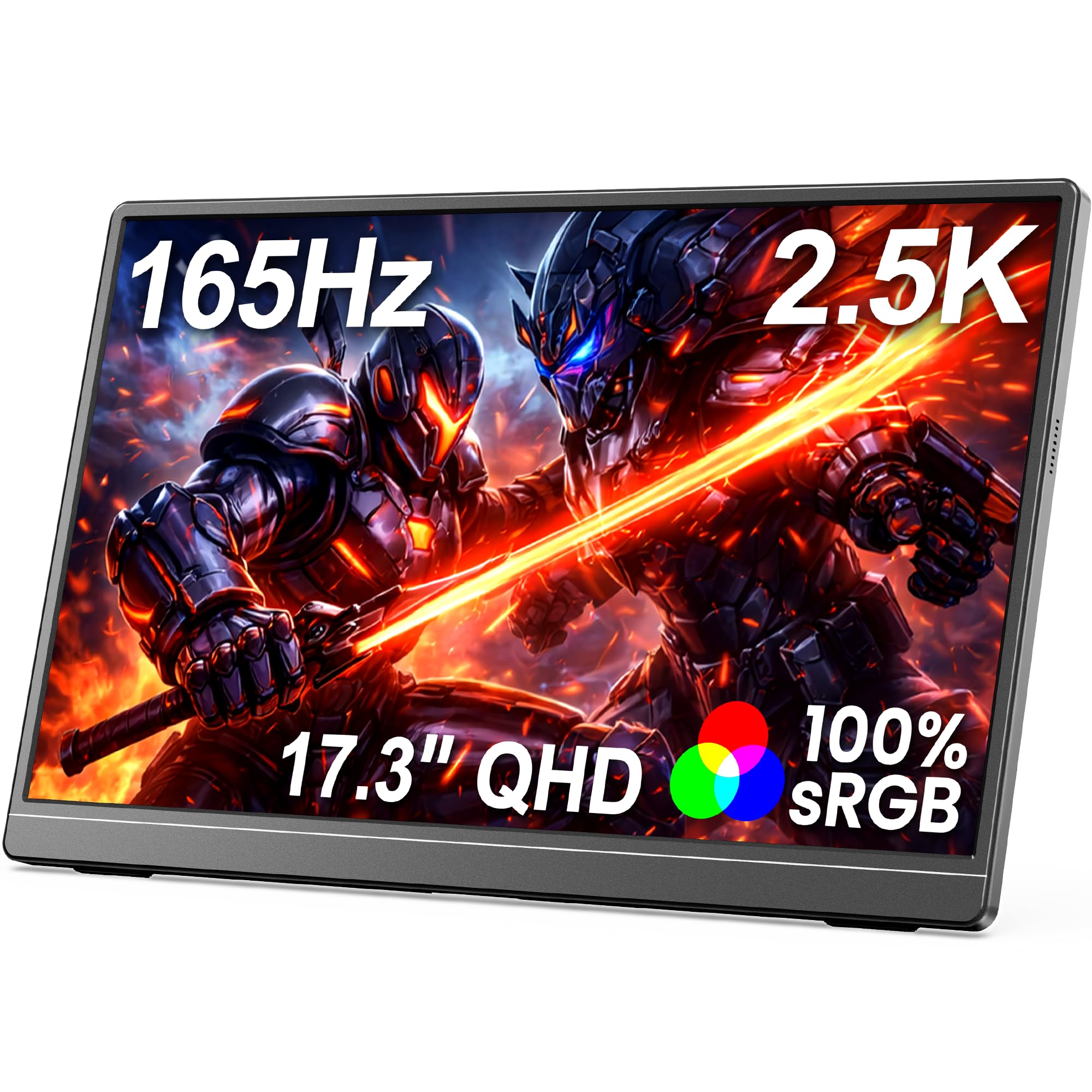
The highest refresh rate on this list, wrapped around a 17.3-inch 2.5K panel.
For a buyer who will notice the difference, the 165Hz number is the whole story. It tops the 144Hz cocopar, the 120Hz EVICIV and kksmart, and leaves the 60Hz MAGICRAVEN well behind. That speed is the reason it makes sense for a console player who also games on a laptop — the same 2560 x 1440 panel gives you both sharp text for work and fluid pans in play. FreeSync support keeps the picture free of tearing when the frame rate dips, and 100% sRGB keeps colors faithful rather than oversaturated.
The body is a slim semi-metal chassis with a built-in single kickstand that holds a stable angle for travel, office, or home use. It connects through full-featured USB-C and HDMI, with no drivers required, and the listing names laptops, MacBook, smartphones, PS5, Xbox, Switch, and Steam Deck as compatible devices. Set up is a strong point — the same “ready to use right from the start” experience shows up repeatedly, and portability comes in close behind it.
The trade-off is brightness. 300 nits and a 1000:1 contrast ratio are respectable but not the brightest here, so midday glare near a window will drag the picture down compared with the 500-nit EVICIV. The single kickstand is also a one-angle-at-a-time solution — no second leg to fine-tune tilt.
The play here
- 165Hz is the fastest refresh rate on the list
- 2560 x 1440 on a 17.3-inch IPS panel keeps text crisp
- Plug-and-play over USB-C or HDMI, no drivers
- Built-in kickstand covers travel and desk use
Before you commit
- 300 nits is mid-pack brightness next to a 500-nit panel
- Single kickstand limits how you tune the viewing angle
Best matched to: the hybrid gamer who wants QHD sharpness and the smoothest motion available here.
Look elsewhere if: you play mostly in bright daylight and need maximum brightness over hertz.
7. EVICIV Portable Monitor 18.5″ 2.5K 120Hz
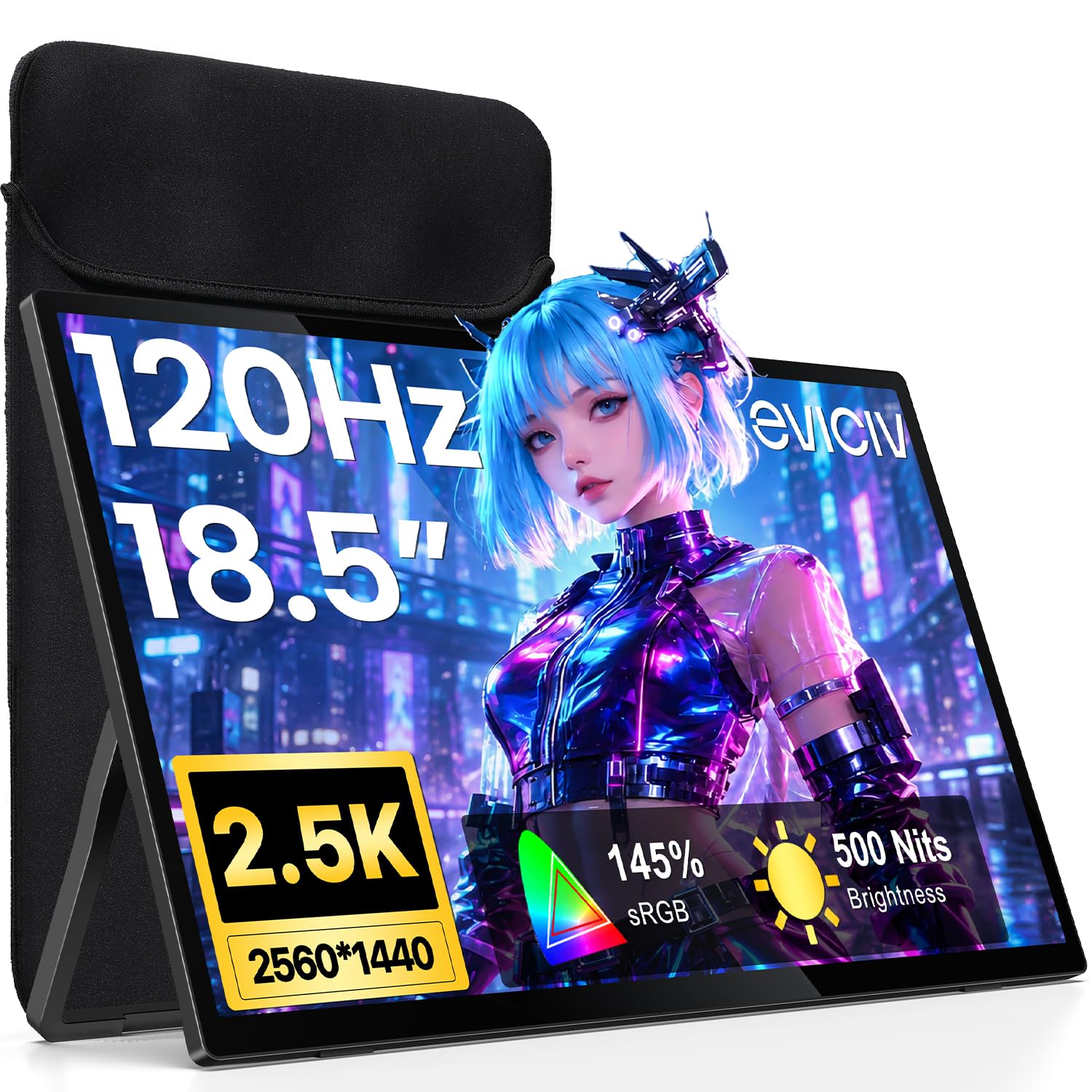
An 18.5-inch QHD panel that stays legible in a sunlit room.
Two numbers separate this screen from the pack: 500 nits brightness and a 145% sRGB color gamut. That brightness is the highest on this list and it is the reason the EVICIV wins the window-seat argument against the 300-nit MNN and the 470-nit cocopar. The 145% sRGB coverage is wider than the 100% sRGB panels here, so saturated game art and color-graded footage look richer. A 2000:1 contrast ratio keeps the darks deep at the same time.
The screen is 18.5 inches at 2560 x 1440, with a 120Hz refresh rate and a three-side narrow bezel that leaves more picture and less frame. At 2.28 lbs it is the lightest of the three 18.5-inch screens on this list — against the Acer’s 2.49 lbs and the kksmart’s 2.48 lb — so the larger format does not cost you extra carry weight. A protective sleeve comes in the box, the kickstand adjusts 0 to 180 degrees, and a 75 x 75mm VESA mount lets you hang it on a stand.
Power is the thing to plan for. The single-cable route works only if your device’s USB-C port supplies enough current; if the screen flickers, the listing tells you to connect the power cable for a stable picture. That is one extra cable to pack. The connection set is a full-featured USB-C port plus a Mini HDMI port, so a console goes in through Mini HDMI, which means you may need an adapter if your console cable is a full-size HDMI plug.
What buyers keep returning to: the display quality and picture resolution, repeatedly described as crisp, across Raspberry Pi, laptop, phone, and desktop setups.
The caveat: pack the power cable — this panel can want more current than a single USB-C port gives.
Point it at: a bright room, a big game, and a buyer who wants color depth over a lightweight bag.
Not the one for: anyone who wants to travel with exactly one cable and no adapter.
8. G-STORY 12.5″ 1080P Portable Gaming Monitor

A monitor built to sit flush against the console, not beside it.
This one plays a different game from everything else here. It is designed to integrate with the Xbox Series S — the console clips in and the whole thing travels as one piece. Reviewers point out it snaps onto the Xbox without needing screws, which is the entire appeal: no desk, no kickstand, no separate screen bag. The 12.5-inch panel runs 1920 x 1080 native resolution, so the picture is fine-grained and detailed at that size, and FreeSync plus HDR handle tearing and contrast during play.
Two HDMI ports make it more flexible than its console-first design suggests. It works with an Xbox Series S, but the second HDMI means it also takes a laptop, an iPad, or a Nintendo Switch. The cable-free attachment uses a USB to DC IN cable, and the listing spells out the limits plainly: with no external power, keep the brightness under 30% and the speaker volume under 50%, or dial the volume down further to raise brightness. The exact adjustment range depends on the game you play.
Picture quality is the reason people keep it — described as beautiful, and the portability is what gets repeated when people talk about traveling with it. The honest limit is size. At 12.5 inches this is the smallest screen here by a wide margin, so split-screen multiplayer or menu-heavy games feel cramped next to an 18.5-inch panel. It is also purpose-built around one console, so a PC-first buyer gets far less from it.
Why it earns a slot: speed. Setup takes seconds and the whole rig travels as one object, which is more than any standalone panel can say.
The buyer this fits: someone with an Xbox Series S who wants the console and screen to become one bag-friendly device.
Not ideal for: a desk setup where screen size and resolution headroom matter most.
9. kksmart 18.5inch 2K QHD Portable Monitor
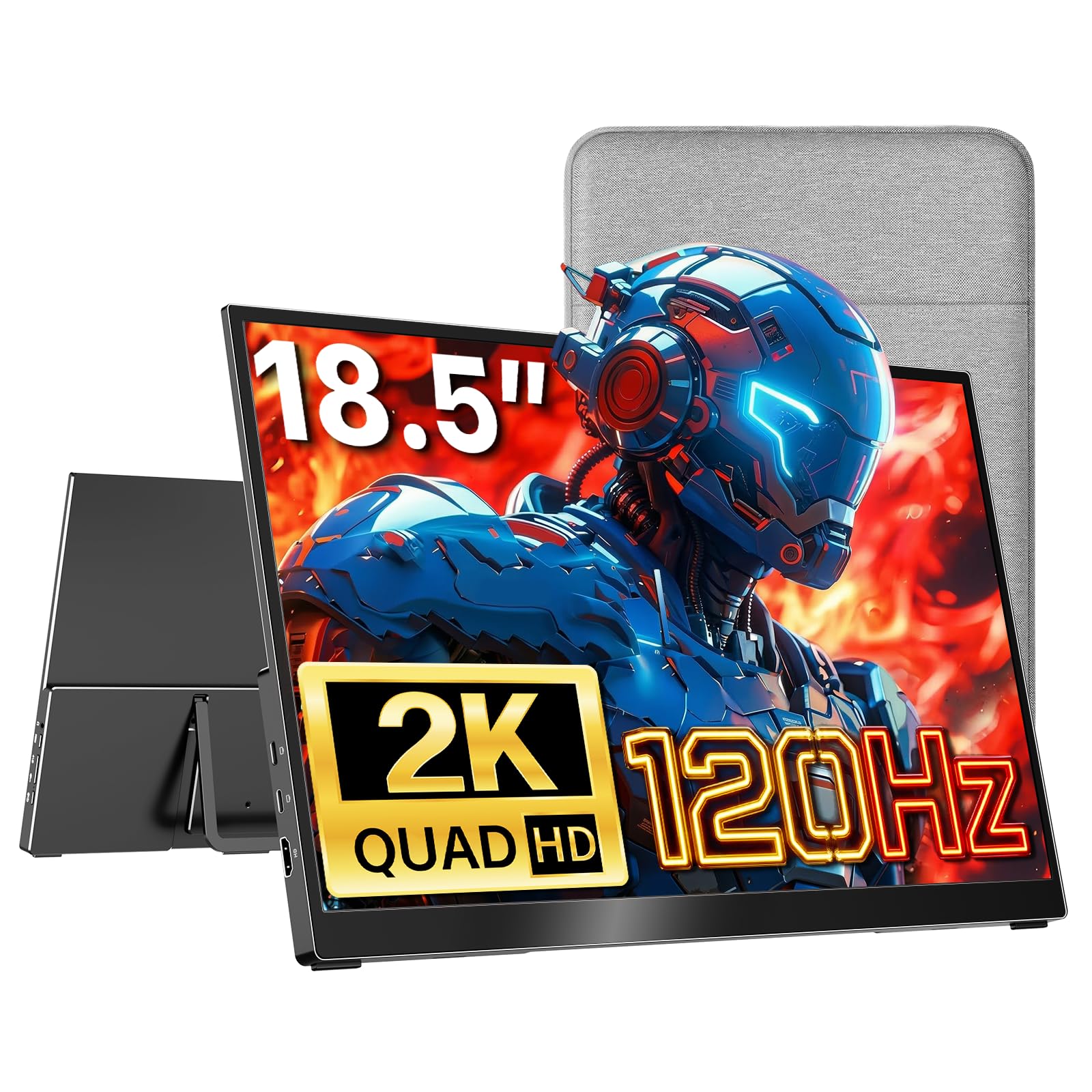
Big aluminum panel that treats a console session like a workstation task.
Twenty-five hundred and sixty by fourteen forty is the number to hold onto, because on an 18.5-inch screen it is what makes small on-screen text legible without leaning in. The chassis is aluminum rather than plastic, with an ultra-slim 0.25-inch top and a 0.5-inch reinforced base, and it weighs 2.48 lb. That puts it right next to the EVICIV’s 2.28 lbs and the Acer’s 2.49 lbs in carry terms — all three are large screens that still fit in a backpack.
The 120Hz refresh rate and FreeSync support keep motion clean during play, and 120% sRGB with 500 nits brightness gives the picture enough punch for a brightly lit room. Connectivity is the practical part: two USB-C ports and one standard HDMI port, so a console plugs into HDMI directly with no adapter hunt, and a laptop takes the single USB-C cable. The listing is clear that USB-C plug-and-play needs Thunderbolt 3/4/5 or DisplayPort Alt Mode on your device. A built-in adjustable kickstand covers the viewing angle.
Quality is the thing that keeps this screen in the conversation — sharp graphics and good resolution come up far more than any other point, with the light weight and the cable set close behind. The catch is the aluminum body: it is a premium finish that will show scratches if you toss it loose into a bag without a sleeve. It is the heaviest-weight feeling option of the QHD group despite its slim edges.
The standout
- 2560 x 1440 on 18.5 inches gives real screen real estate for work and games
- 500 nits and 120% sRGB for bright rooms and rich color
- Standard HDMI port means no adapter for a console
- Aluminum chassis and built-in kickstand for a tidy setup
The honest note
- Aluminum finish shows scuffs if it travels unprotected
- USB-C video depends on your laptop port supporting Alt Mode
Built for: the buyer who splits the day between spreadsheets and a controller and wants one big QHD screen for both.
Consider the EVICIV instead if: you want the same size in a lighter, cheaper-feeling package.
10. UPspec Gaming xScreen for Xbox Series S

The screen that turns a Series S into a laptop you can close.
The xScreen is the only panel here engineered to sit inside the Xbox Series S footprint, so the console and screen become one hinged unit. The USB and HDMI ports are built into the attachment itself — no cables between screen and console, just the original Xbox power cable. That is the reason people describe it as feeling like a mini Xbox laptop they can carry around. The display is an 11.6-inch 1080p IPS panel at 60Hz, which is the smallest and slowest on this list, but it is also the tightest fit to the hardware it serves.
The details show the design intent. Integrated stereo speakers with built-in controls for screen settings, volume, and a crosshair overlay for FPS games round out the handheld-console feel. There is a safety function that powers off the Xbox when the screen is closed, using HDMI-CEC so the console does not overheat in a bag. The 350 nits brightness and 1500:1 contrast ratio are solid for an 11.6-inch panel you hold close.
What you accept for that integration is a smaller, slower picture. At 60Hz and 11.6 inches it cannot compete with the 165Hz MNN or any of the 18.5-inch panels for immersion, and the whole thing only makes sense if you own an Xbox Series S. For that owner, though, it is a mini investment that turns next-gen games into something you play on the go.
The case for it: the cable-free design and built-in HDMI shutdown make this a genuine travel console rather than a monitor you happen to pack.
The catch: it only fits the Series S, and 60Hz is the ceiling.
Pick this if: you own an Xbox Series S and want the whole rig to travel as one object.
Walk on if: you want a larger, higher-refresh picture or own a different console.
Know the Specs
Refresh rate in Hz
Refresh rate is how many times per second the panel redraws the image — 60Hz means sixty redraws a second, 165Hz means a hundred and sixty-five. Higher numbers make fast camera movements and quick reactions look smoother. Console games often cap their output at 60 frames per second, so the extra hertz help most in menus, on PC, and in games that support higher frame rates. A 60Hz screen is still perfectly playable.
USB-C power delivery
A full-function USB-C port can carry video and power over one cable, which is why a single-cord setup is possible at all. Not every port does this — it needs Thunderbolt 3, 4, or 5, or USB-C DisplayPort Alt Mode. If the port only charges, the screen will not get a picture, and if the port feeds too little current the panel may flicker or dim. That is when the included power adapter earns its spot in your bag.
Resolution: 1080p vs 2560 x 1600
1920 x 1080 (called 1080p) is the standard console resolution and looks clean on a 15.6-inch screen. On an 18.5-inch panel, sharper panels at 2560 x 1440 or 2560 x 1600 keep small text and fine detail crisp. The bigger factor is how close you sit: a QHD screen rewards leaning in, while a 1080p panel is fine for couch-distance play.
Brightness in nits and glare
Brightness is measured in nits — a smaller number means the picture can wash out near a window. Panels here run from 250 nits up to 500 nits. An anti-glare coating adds protection the number cannot show, and it is often what makes a mid-brightness screen usable in a bright café. Look for both on the listing before you decide a screen is bright enough.
Common Questions
Will any of these portable monitors work with an Xbox One?
Do I need a separate power cable for a portable monitor?
Is 60Hz good enough for gaming on a portable screen?
What is the difference between the G-STORY and the UPspec xScreen?
Can I use a portable monitor as a second laptop screen too?
How much does screen size change what fits in a bag?
Does a portable monitor need drivers on a console?
Which portable screen is brightest for a sunny room?
Can these screens run off the console’s own power?
Is a VESA mount worth having on a portable monitor?
The Bottom Line
For most people, the xbox one portable screen winner is the cocopar 16 Inch 2.5K QHD because it balances the two things that decide whether a travel screen is worth carrying — a 2560 x 1600 picture at 144Hz and a 1.5 lb body with a fabric sleeve. It is the one screen that works as hard for a laptop as it does for a console, and the 470-nit panel keeps the picture readable in a bright room. If you want a large 18.5-inch picture with the brightest panel here, the EVICIV 18.5″ 2.5K 120Hz earns the nod at 500 nits. And if you own an Xbox Series S and want the console and screen to travel as one object, the UPspec Gaming xScreen is the only panel built to fit that footprint.
One last nudge: the cocopar carries 4.5+ stars across 6,000+ ratings, the strongest crowd signal on this list.
How we choose
We do not accept paid placement. Every pick is matched to a real buyer and a real use-case; we do not hands-on test units.
Sources
Specifications: manufacturer listings and product documentation. Review insights: verified customer reviews, as of November 2026. Pricing: not shown on this page (it changes often); check the current price via the retailer link.
As an Amazon Associate, Tactical Gear Guy earns from qualifying purchases. This does not affect which products we feature.