Specs are compiled from manufacturer listings and verified buyer reviews and can change over time — please confirm the key details on the product page before buying.
If your Xbox One has stopped swallowing discs, spins them with a grinding noise, or sits on the reading screen forever, you probably do not need a new console. You need the right replacement optical drive for your exact model — and the single biggest mistake buyers make is ordering one without checking which drive version is already inside their machine. This guide covers the six replacements worth considering and the model numbers you have to match before you buy.
This guide is built by comparing the manufacturers’ published specifications and the patterns across verified customer reviews, so you get each pick’s real strengths and trade-offs instead of marketing spin.
The good news is that most of these are genuine repair parts, and the crowd favorite in this lineup sits at 4.5+ stars across 38+ ratings. Below you will find the actual model compatibility, the board-swap step most first-timers miss, and honest notes on which units tend to read discs and which ones leave you troubleshooting.
Top Picks


How To Choose The Best Xbox One DVD Drive Replacement
An Xbox One disc drive is not a plug-and-play part, so the buying decision is mostly about matching, not about specs on a box. Get the model right and the repair is a couple of hours with a screwdriver. Get it wrong and you own a paperweight.
Match the model number before anything else
Your console holds one specific drive family, and the replacement has to speak that family’s language. The DG-6M1S, DG-6M1S-01B, DG-6M1S-02B and DG-6M2S-01B labels appear across these units, and they are not interchangeable with One S or One X hardware. Check the label on your existing drive before you order anything.
Plan for the circuit board swap
A new drive deck arrives without the pairing board that ties the optical drive to your console. You move the small board from your old drive into the new one. Without that swap, the console still will not read game discs properly.
Decide deck or lens — they are different failures
A laser that no longer reads but still spins usually points to a lens or lens module fault. A tray that will not accept or load discs at all points to the drive deck itself. Buying the wrong one is the second most common way to waste a repair order.
Be honest about your tool skills
Some of these units ship with the needed screwdrivers; others do not, and none of them include printed instructions. If you have never opened a console, a professional technician is the safer route.
Side-by-Side Comparison
| Model | Best For | Compatible Console | Interface | Tools Included | Amazon |
|---|---|---|---|---|---|
| DG-6M1S Blu-Ray DVD Drive Deck w/ HOP-B150 Laser★ Best Overall | Reliable everyday replacement | Xbox One | SATA 3.0 Gb/s | — | Amazon |
| LeHang Blu Ray Liteon DG-6M1S-01B ModuleTop Performer | Laser-first repair | Xbox One | SATA 3.0 Gb/s | — | Amazon |
| AQIDAP Lite-On DG-6M1S-01B DG-6M1S 6M2S B150 | Multi-model coverage | Xbox One | SATA 3.0 Gb/s | T10 and T8 screwdrivers | Amazon |
| ASHATA DG-6M1S-01B Disk Drive | Metal-enclosed deck build | Xbox One | SATA 3.0 Gb/s | Screwdriver | Amazon |
| LeHang Blu-Ray DVD Disc Drive Deck for One/One S/One X/Series X/S | Widest console compatibility | Xbox One / One S / One X / Series X / Series S | — | — | Amazon |
Detailed Reviews
1. DG-6M1S Blu-Ray DVD Disc Drive
Our pick — 4.0+★ from 70+ verified ratings; the strongest balance of quality and price.
One part, both failure points covered — deck and laser lens arrive together.
Most replacements make you choose between the drive deck and the laser module. This one bundles both: a DG-6M1S Blu-Ray DVD disc drive deck with the HOP-B150 laser lens module already fitted. If you are not sure whether your console’s fault sits in the tray mechanism or the laser, that combination removes the guesswork entirely.
What wins people over is that it reads discs again. Owners consistently describe a drive that simply reads discs again, and the reports include playback across Xbox 360, Xbox One and Series X game discs without fuss. Just as telling is how few people mention needing to solder anything — the install goes in with standard connectors, which is the difference between a weekend repair and a bench job.
The catch is that this ships fragile and bare. There are no instructions in the box, and the manufacturer says plainly to have a professional technician install it. An occasional unit turns up damaged in transit, so inspect yours the day it lands and raise it with the seller immediately if the lens module looks off. What you are buying is a cost-conscious alternative to a whole new console, and at this price it does that job.
What holds up under use
- Concern about disc reading is the thing owners talk about most, and the verdict there is positive
- No soldering mentioned in the install feedback — it connects and goes in
- SATA 3.0 Gb/s interface is the same connector your console already uses, so it drops straight in
- Plays Xbox 360, Xbox One and Series X game discs according to owner experience
What to know before ordering
- No instructions included — professional installation is the stated recommendation
- The assembly is fragile in transit; check it on arrival
- Built specifically for Xbox One, so confirm your model first
Reach for this if: you are not certain which part failed and want a single order that covers the deck and the laser together.
Think twice if: you have never opened a console — the box gives you no instructions and no hand-holding.
2. Liteon DG-6M1S-01B Blu Ray DVD Disc Drive
A part-by-part repair for a console that spins but cannot read.
Here is the most specific spec in the lineup: a 6X Blu-ray read speed, stated right on the listing. That number tells you this is a genuine optical module rather than a generic tray assembly, and it is the figure to compare if read performance is what you care about.
The listing is unusually direct about the important part. If you are replacing the drive in your Xbox, you take the small motherboard out of the old unit and swap it into the new one, because that board is paired to your console for games. The seller’s advice if discs still will not read is to reuse your old board rather than trust the one supplied.
Fair warning on expectations: read performance is the mixed note across this unit’s feedback, with experiences ranging from fully working to a drive that reads basic CDs but not DVDs or Blu-rays. Buy it as a component for a repair you are willing to troubleshoot, not as a guaranteed one-step fix. The listing’s pitch is clear, though — replace the failed Lite-On DG-6M1S-01B module instead of the whole machine.
Owners are split: some end up fully functional, others land on a disc-reading dead end — factor in a return window and test discs early.
Pick it when: you already suspect the module and want the 6X Blu-ray read speed of a replacement Lite-On part.
Play it safer if: you want a repair with the least troubleshooting — an all-in-one deck may suit you better.
3. Lite-On DG-6M1S-01B Blu-Ray Disk Drive

Two screwdrivers and a metal body — the most complete repair kit here.
Count the contents: the disk drive itself, a T10 screwdriver and a T8 screwdriver. Those are the exact torx bits you need to open an Xbox One, so this pick saves you a separate trip. Add the HOP-B150 laser and the fact that this drive steps in for the DG-6M1S-01B and DG-6M1S-02B models, and it covers a lot of ground for a single order.
Where it beats the LeHang module, this one states its model compatibility openly rather than leaving you to guess — the seller names the Lite-On DG-6M1S-01B drives it serves. It also calls out the same board-swap routine: lift the old circuit board from your old drive and seat it in the new one. The listing even points to a video for that step.
The multi-model promise cuts the other way, though. This drive is not built for the One S, One X or any of the 360 family, and the listing makes that clear. Most buyers who hit it right report a smooth install and money well spent, but read performance is a mixed bag — some find it works like new, others still stare at unreadable discs. Check your model label first — that is the whole game here.
Why it earns a spot
- Tools are matched to the job — T10 and T8 torx screwdrivers included
- Metal enclosure and standard optical drive form factor
- Fits the DG-6M1S-01B and DG-6M1S-02B Lite-On drives
- Value and installation both land positive in the feedback
The fine print
- Read performance is mixed — some units play discs, some do not
- No One S, One X or 360 support
- You still have to move the old circuit board over
Worth your order if: you want the drive and the torx bits as one purchase and own a plain Xbox One.
Not the pick for: One S or One X owners, or anyone hoping for a guaranteed first-try read.
4. ASHATA DG-6M1S-01B Disk Drive
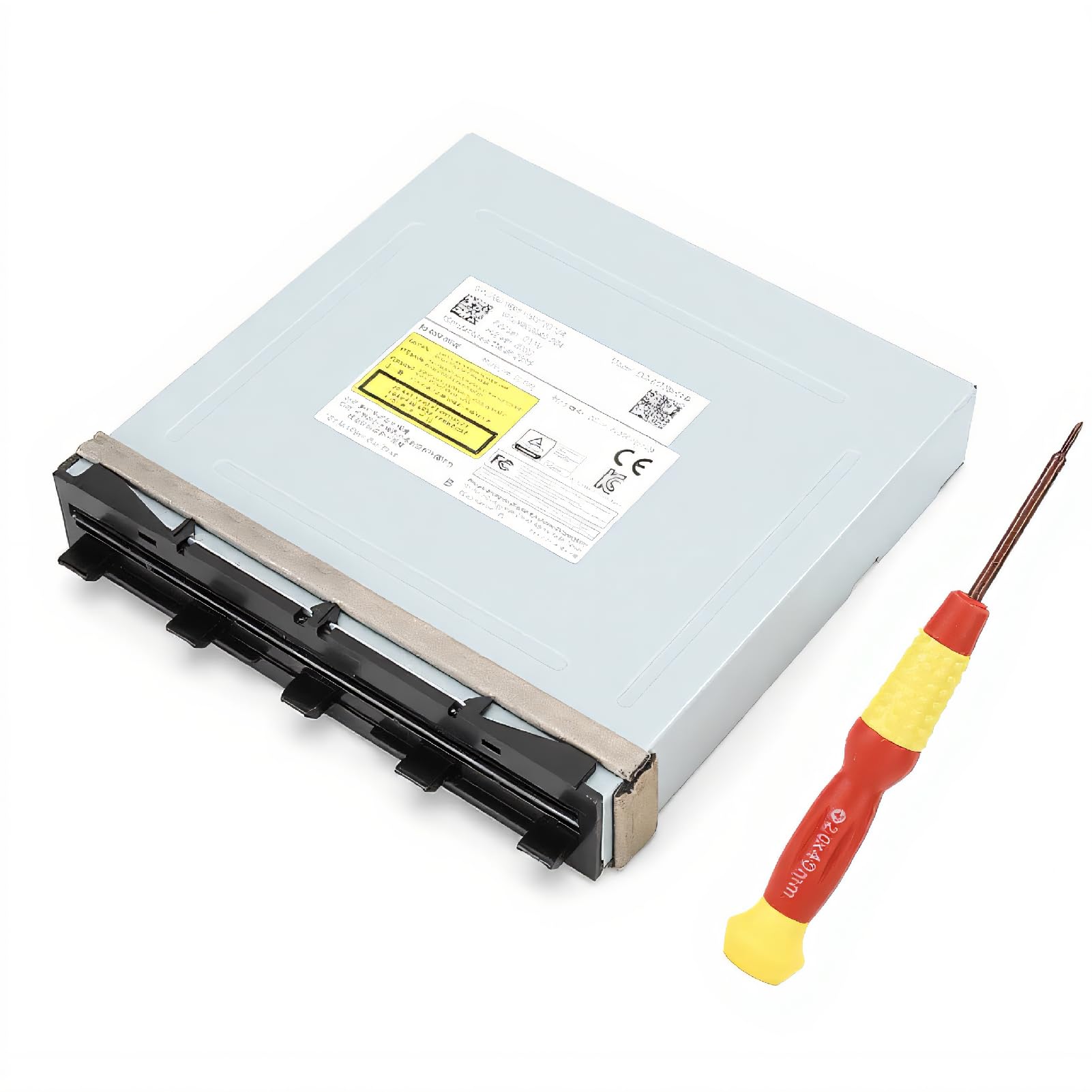
A tidy metal-clad deck for consoles that will not take a disc at all.
The symptom guide is the useful bit here. If your console does not read a disc, takes a while to load, or will not accept the disc at all, the seller points to replacing the drive as the fix. That is a mechanical-tray problem, which is exactly what this drive is built to solve.
Build-wise, it uses a metal enclosure in a compact drive form factor with a SATA 3.0 Gb/s interface, and it ships with a screwdriver. The manufacturer calls the materials environmentally friendly and cites stable performance and high reliability — a claim, not proof. The drive connects the same way the others do, so it drops into the same slot.
Be aware that the compatibility line is the loosest of the group — the listing just says “One console” — so you should verify your own model plate independently before ordering. The manufacturer is also listed under an alternate seller name, which is normal for these parts but worth knowing if you need service later. The DG-6M2S-01B color note on the spec sheet is another reason to check the label carefully.
Where it fits: a dead tray on a plain Xbox One, paired with a screwdriver in the box to get you started.
Good match for: a console that physically refuses discs, with the tools to open it included.
Do your homework first: the model list is thin, so confirm your console matches the DG-6M1S-01B before you buy.
5. Blu-Ray DVD Disc Drive Deck Laser Lens

The only deck here that covers every current Xbox generation.
Every other pick on this page is locked to the original Xbox One. This one lists Xbox One, One S, One X, Series X and Series S — the widest compatibility of the six. If you own a newer console and have been scanning this entire list wondering why nothing fits, this is the one that answers the question.
Functionality is the clear strong suit: the console reads games again instead of stalling. The pattern across the feedback is disc playback that comes back properly, with the console reading games again rather than stalling. It bundles the Blu-Ray DVD disc drive deck with its laser lens module too, so like the DG-6M1S deck above, you get both the deck and the lens in one piece rather than swapping them separately.
Two physical details worth knowing: it weighs 4.2 ounces and measures 3.15 x 1.97 x 1.18 inches, so it is a compact part you will be handling carefully. The box has no instructions, and the seller specifically asks for professional installation. The same transit-fragility warning as the other LeHang deck applies — check the lens on arrival. It only became available in July 2024, so there is less long-term history behind it than the older part numbers, but the response so far has been strong.
Why it stands out: five console generations on one listing is a genuinely useful thing if you are not running the original Xbox One.
The pick for you when: your console is a One S, One X, Series X or Series S and nothing else on this page fits.
Bear in mind: it arrives without instructions and wants a careful, professional install.
Know the Specs
Drive deck versus laser lens module
A drive deck is the whole mechanical tray assembly that pulls a disc in, spins it and hands it to the laser. A laser lens module is only the optical reader inside that deck. If your console spins and grinds but cannot read, the lens is often the culprit; if the tray will not accept a disc at all, you are usually looking at the deck. Buying the wrong element wastes the order, so match the part to the symptom.
Model numbers and the pairing board
The DG-6M1S, DG-6M1S-01B, DG-6M1S-02B and DG-6M2S-01B labels identify which drive family your console holds, and they are not interchangeable with One S or One X hardware. The small circuit board inside your existing drive is paired to your console for game playback, which is why most of these installs require moving that board into the new drive. Skip that step and the console still will not read game discs.
The SATA interface explained
SATA 3.0 Gb/s is the standard internal connector the optical drive uses to talk to the console. You do not need to match a speed rating; you just need the same connector, which is what these replacement parts use. It is a plug-in connection, not a soldered one, which is why the install is described as a screwdriver job rather than a board-level repair.
Read speed and discs
The 6X Blu-ray figure on one of these units is the read speed the optical module is rated for. Higher read speed generally helps a drive keep up with disc data, though the practical result that matters is whether your console loads a game disc without stalling. Test with a Blu-ray or DVD after install, since a drive that reads only basic CDs is not doing the full job.
Common Questions
Will any Xbox One DVD drive replacement work in my console?
Do I need to move the circuit board from my old drive to the new one?
Will a replacement drive for Xbox One fit a One S or One X?
My console spins the disc but will not read it — do I need a whole new drive?
Do these replacements come with installation instructions?
How long does the repair take once the part arrives?
Will the replacement drive play Xbox 360 and older game discs?
What if the replacement arrives damaged?
Can I just replace the laser module instead of the whole deck?
Is there a repair part for the Series X and Series S?
The Bottom Line
For most people repairing a dead optical drive, the xbox one dvd drive replacement that solves the most problems is the DG-6M1S Blu-Ray DVD Disc Drive Deck w/ HOP-B150 Laser, because it puts the drive deck and the laser lens in one part and does not need soldering. If you own a One S, One X, Series X or Series S, grab the LeHang deck for One/One S/One X/Series X/S — it is the only pick on the page that names all five. And if you want the torx bits thrown in so you can open the console the day it arrives, the AQIDAP Lite-On DG-6M1S drive is the one to reach for.
How we choose
We do not accept paid placement. Every pick is matched to a real buyer and a real use-case; we do not hands-on test units.
Sources
Specifications: manufacturer listings and product documentation. Review insights: verified customer reviews, as of November 2026. Pricing: not shown on this page (it changes often); check the current price via the retailer link.
As an Amazon Associate, Tactical Gear Guy earns from qualifying purchases. This does not affect which products we feature.