Specs are compiled from manufacturer listings and verified buyer reviews and can change over time — please confirm the key details on the product page before buying.
If you want the short answer: buy a card that passes a clean signal to your TV while it records, because a capture card that adds delay makes your Xbox unplayable the moment you start streaming. That single behavior — called passthrough — separates a card you keep from one you return. Below you get seven cards that all work with Xbox One, sorted so you can decide fast.
This guide is built by comparing the manufacturers’ published specifications and the patterns across verified customer reviews, so you get each pick’s real strengths and trade-offs instead of marketing spin.
Most people overpay for resolution they never stream at, then wonder why their setup stutters. The cards here are grouped by what they actually do well, so you can match one to your console and your software. Here is the honest read on the best Xbox One capture card.
Top Picks

How To Choose The Best Xbox One Capture Card
You are not shopping for a card that records video. You are shopping for a card that lets you keep playing while it records. That distinction decides everything else on this page.
Passthrough first, capture second
Passthrough is the signal the card sends to your TV or monitor while you play. A card with 4K passthrough sends your Xbox image onward untouched, so your reactions stay sharp. Capture resolution is what lands on your hard drive, and 1080p60 is the standard most streamers actually broadcast at. Pick a card whose passthrough meets or beats your display, then check that its capture side hits what you upload.
Check the USB generation on your own machine
A USB 3.0 port is the minimum for smooth 1080p60 capture. Cards here list USB 3.0 or USB 3.1 Type-C, and the newer Type-C models are the ones built for 4K60 recording. If your laptop only has older USB ports, plan around a 1080p card rather than paying for 4K you cannot feed.
Match the audio path to your commentary setup
A 3.5mm mic input lets you plug a microphone straight into the card, so game sound and your voice record together without a second interface. Headphone monitoring lets you hear the mix live. If you stream without commentary, you can skip both and save your money for a stronger video path instead.
Side-by-Side Comparison
| Model | Best For | Max Capture | Passthrough | Interface | Amazon |
|---|---|---|---|---|---|
| Elgato HD60 S★ Best Overall | Plug-and-play 1080p streaming | 1080p60 | HDMI | USB 3.0 | Amazon |
| SUDTREEV C7Best Value | Budget 4K passthrough loop-out | 1080p60 | 4K@30Hz | USB 3.0 Type-A | Amazon |
| Swudloe C7-01 | Uncompressed YUY2 capture | 1080p60 | 4K@30Hz | USB 3.0 Type-A | Amazon |
| Zeroffi 4K Capture Card | 4K60 HDR passthrough on a budget | 4K60 | 4K60 HDR / VRR | USB 3.1 Type-C | Amazon |
| PORTTA DX20R | High refresh passthrough | 4K60 | 4K60 / 2K144 / 1080p240 | USB 3.0 Type-C | Amazon |
| NearStream CCD30 | Dual-PC and camera workflows | 4K60 | 4K60 / 1440p120 / 1080p240 | USB 3.1 Type-C | Amazon |
| EVGA XR1 Pro | Built-in audio mixer control | 1440p60 / 4K30 | 1440p144 HDR / 4K60 HDR | USB 3.1 | Amazon |
Detailed Reviews
1. Elgato HD60 S
Our pick — 4.5+★ from 25,000+ verified ratings; the strongest balance of quality and price.
A 1080p60 card with zero-lag passthrough — plug in, play, and record without touching a setting.
It is the crowd favorite for a reason: 4.5+ stars across 25,000+ owners, and its zero-lag passthrough means you never think about it mid-match. The HD60 S records at 1080p60 — 1080 pixels tall at 60 frames per second — which is exactly what Twitch and YouTube ingest without downscaling. It passes your Xbox signal to the TV with zero lag, so you play on the same screen you always do while the card quietly records.
Instant Gameview is Elgato’s name for the ultra-low-latency preview that powers your workflow. In plain terms, the picture in OBS moves when you move, not a beat later. Flashback Recording is the sleeper feature: slide the timeline back after something ridiculous happens and save the moment you already lived through. Unlimited capture means hours of footage go straight to your hard drive instead of a memory card.
Know what you are buying into, though. It is a 1080p card on a USB 3.0 interface, so there is no 4K recording path and no HDR. Elgato lists a minimum of Windows 10 64-bit, a 4th-generation quad-core Intel Core i5, NVIDIA GeForce GTX 600 series graphics or better, and 4 GB RAM — older laptops should check that list before committing. At 2.95 x 4.41 x 0.75 inches it is compact, and the Swudloe below measures 3.15 x 3.15 x 0.7 inches; neither is a desk hog.
What earns it the top slot
- 1080p60 capture that matches what streaming platforms actually take
- Zero-lag passthrough keeps your Xbox playable while recording
- Flashback Recording saves moments after they happen
- Unlimited recording straight to your hard drive
Where it stops short
- No 4K or HDR capture path
- Stated PC requirements rule out older laptops
- USB 3.0 only, no Type-C
Buy it if: you stream Xbox at 1080p60 and want the setup to disappear.
Think twice if: you already own a 4K HDR display and want your recordings to match it.
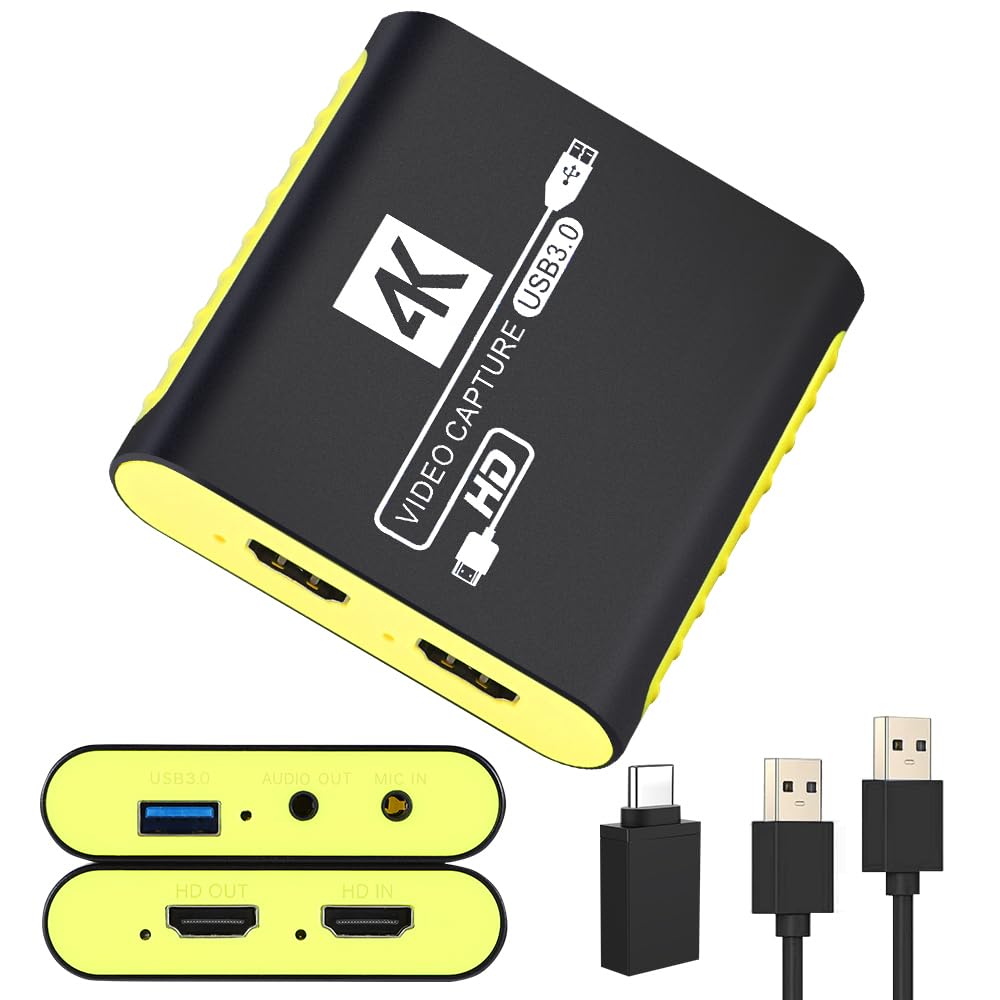
2. SUDTREEV C7 USB 3.0 HDMI Video Capture Card
A 4K@30Hz loop-out on an entry-level card, in an aluminum housing that pulls heat off the chipset during long sessions.
Here is the trick most budget cards miss: you record at 1080p60 while your monitor still receives a full 4K@30Hz signal. That means your Xbox gameplay looks the way it always does on your display, and the card only compresses what goes to your PC. The aluminum alloy housing is not decoration — it pulls heat off the internal chipset, which is what keeps long recording blocks from stuttering or dropping the connection.
Setup is genuinely driver-free. Connect HDMI from the console, run the included USB 3.0 cable to your computer, and OBS picks it up. The box also includes a USB-A to USB-C adapter, so a MacBook, iPad, or Android phone can capture without buying anything else. Performance and ease of use are what owners talk about most, and the 4K passthrough is the detail that keeps coming up in the happy ones. Latency draws a mixed read — most see no lag, some notice a slight offset in the preview.
Two things to plan for. There is no HDMI cable in the box, so budget for one. And it weighs 90 g versus the Swudloe at 88.5 g — irrelevant on a desk, meaningless in a bag. At 3.07 x 2.95 x 0.75 inches it tucks behind a monitor without drama.
The strongest case: you get 4K passthrough and 1080p60 recording with no drivers, no power brick, and a metal body that resists heat build-up during marathon sessions.
The honest gap: that 4K number is passthrough only — the recording side tops out at 1080p, so do not buy it expecting 4K files.
Reach for this if: you want your Xbox One to look sharp on a 4K TV while you record clean 1080p60.
Look elsewhere if: 4K footage in your saved files is a hard requirement.
3. Swudloe USB3.0 Capture Card YUY2 1080P 60FPS
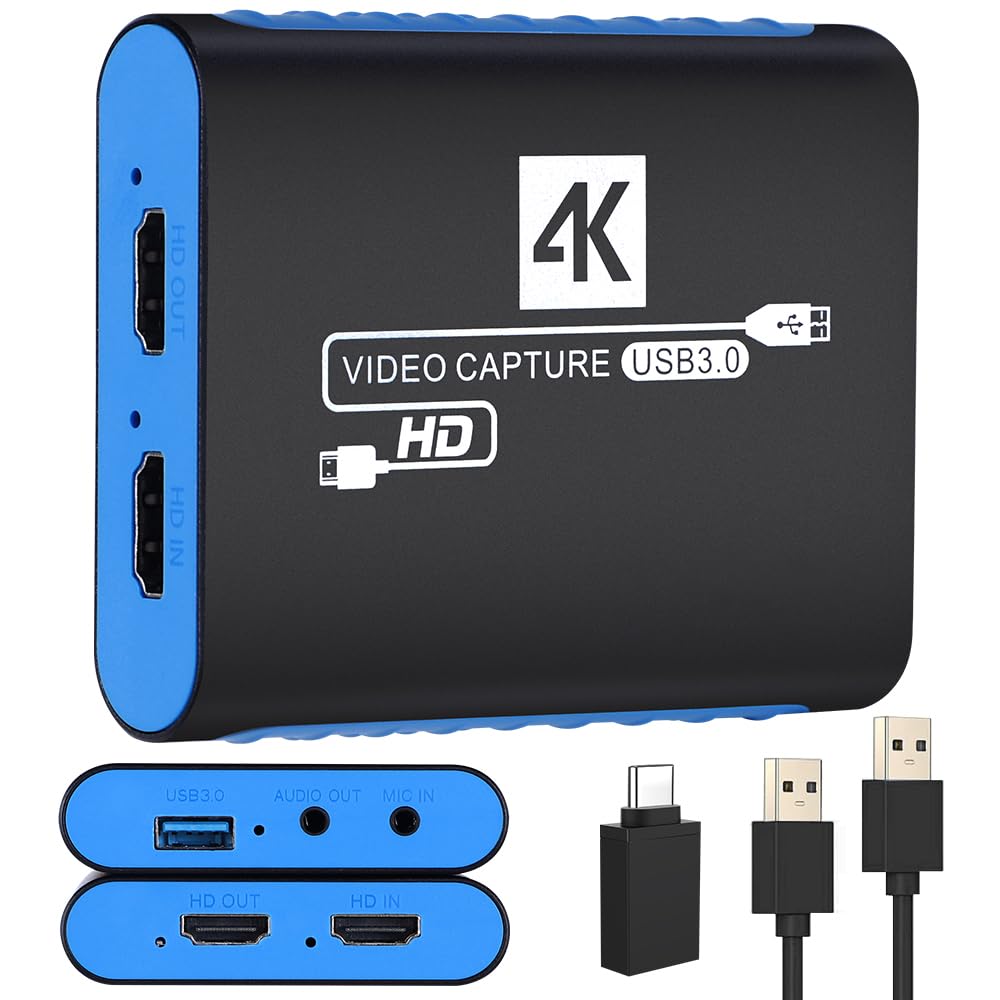
Uncompressed capture is the headline — raw YUY2 at 1080p60, with no compression artifacts on fast pans or dark scenes.
YUY2 is a raw video format, meaning the card hands your computer the picture without the compression step that cheaper cards use to squeeze data through a narrow pipe. The payoff is footage with no compression artifacts — no smeared edges on fast camera pans, no blocky patches in dark scenes. Framerate stays at 1080p60, and the HDMI input and pass-through both accept 4K@30Hz, so your monitor keeps the sharper signal in real time.
Audio comes through the 3.5mm input alongside HDMI and USB 3.0 Type-A, so game sound and voice can travel together. The box ships with the card, a 50cm USB 3.0 cable, a USB-A to USB-C adapter, a user manual, and a warranty card.
Where it fits against its closest sibling: it weighs 88.5 g versus the SUDTREEV’s 90 g, and measures 3.15 x 3.15 x 0.7 inches versus that card’s 3.07 x 2.95 x 0.75 inches. Practically identical on a desk. The real difference is the format — if you edit your footage afterward, raw YUY2 files are large, so clear drive space before a long session.
Reasons it holds up
- Uncompressed YUY2 1080p60 output for cleaner edits
- 4K@30Hz input and pass-through for real-time preview
- No power supply needed — plug and play
- OBS recognizes audio and video together
Reasons to pause
- Raw files eat disk space fast
- Recording caps at 1080p, not 4K
- No HDMI cable included
The right call for: creators who edit their Xbox clips and want clean source material.
Step back if: you record straight to upload with no editing pass — the file size buys you nothing.
4. Zeroffi 4K Capture Card USB 3.1
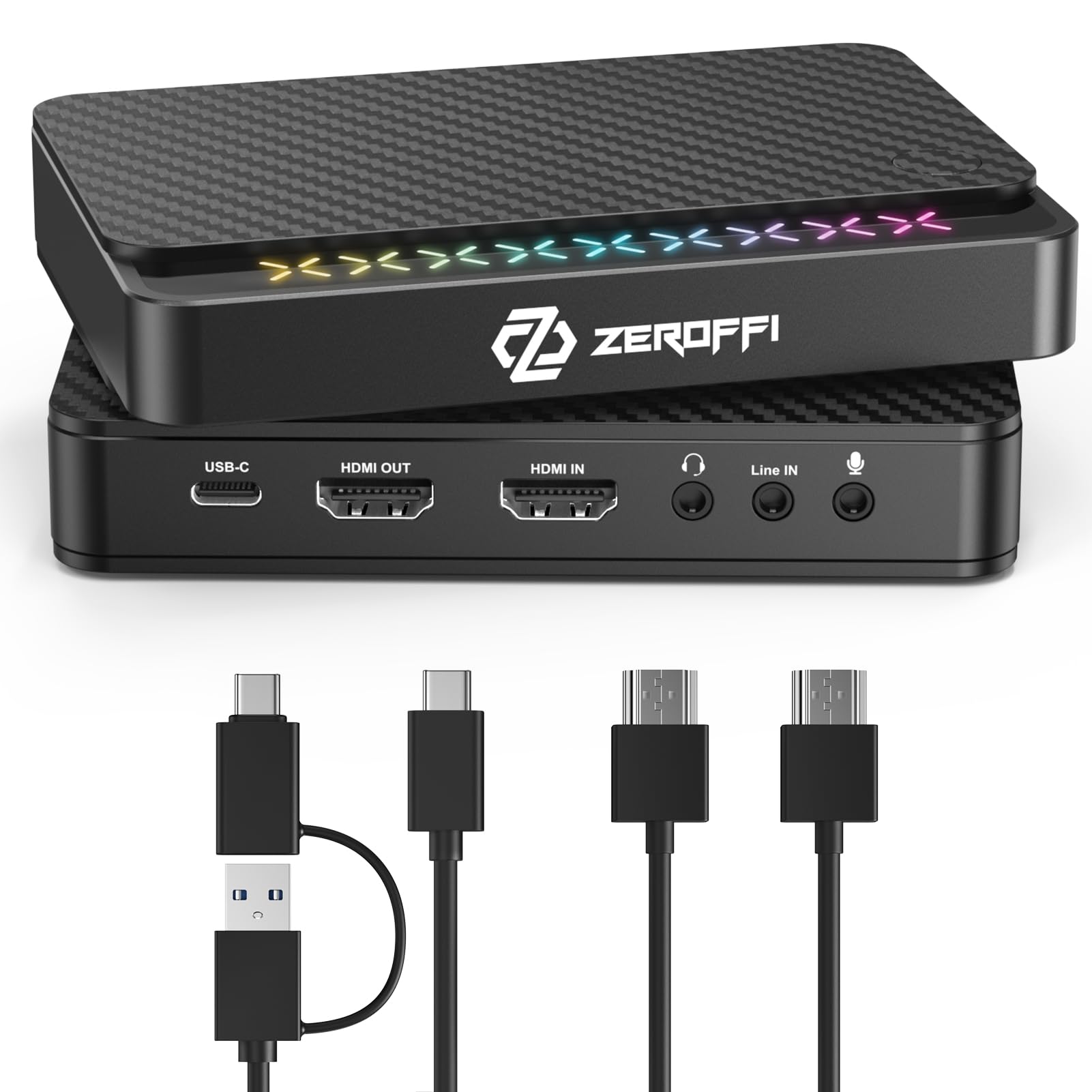
4K60 HDR passthrough and a 1080p240 path, on a USB 3.1 Type-C card with a 3.5mm mic input.
The spec sheet here outruns most of the list: a USB 3.1 Type-C interface, HDMI 2.0 input and output, and passthrough that handles 4K60 HDR, 1440p144, and 1080p240. That last figure means a 1080p signal refreshing 240 times a second still passes through clean, so competitive shooters feel responsive rather than sluggish. VRR passthrough keeps the image tear-free when your framerate wanders.
Recording matches the ambition — 4K60, 1440p144, or 1080p240, depending on what your machine can chew. It works with OBS, Twitch Studio, XSplit, and Zoom. A 3.5mm microphone input and a line-in let you capture game audio and your voice at once without an external sound card, which is the reason a lot of people pick this one over a plain 1080p card.
One hard limit you must know before you buy: HDCP protection blocks recording of protected content. Streaming sticks like Fire TV, Roku, Apple TV, and Google TV, plus Blu-ray players, will not record through this card. On PS5 you also have to turn HDCP off in Settings before it will capture at all. Your Xbox One is not the problem — but if you plan to capture from a media player on the side, this card will refuse. The passthrough stays visible on your display, which is why it still earns a spot for pure gameplay capture.
Why it earns a place: 4K60 HDR passthrough at this tier is rare, and the 1080p240 path gives fast-paced Xbox games a smoother feel on your monitor.
Why you might not: that HDCP wall is absolute — plan on gameplay only, not streaming boxes or discs.
Worth it when: your setup is console-only and you want HDR passthrough plus room for high refresh rates.
Pass when: you also want to rip footage from a Blu-ray player or a streaming stick.
5. PORTTA DX20R HDMI Video Capture Card
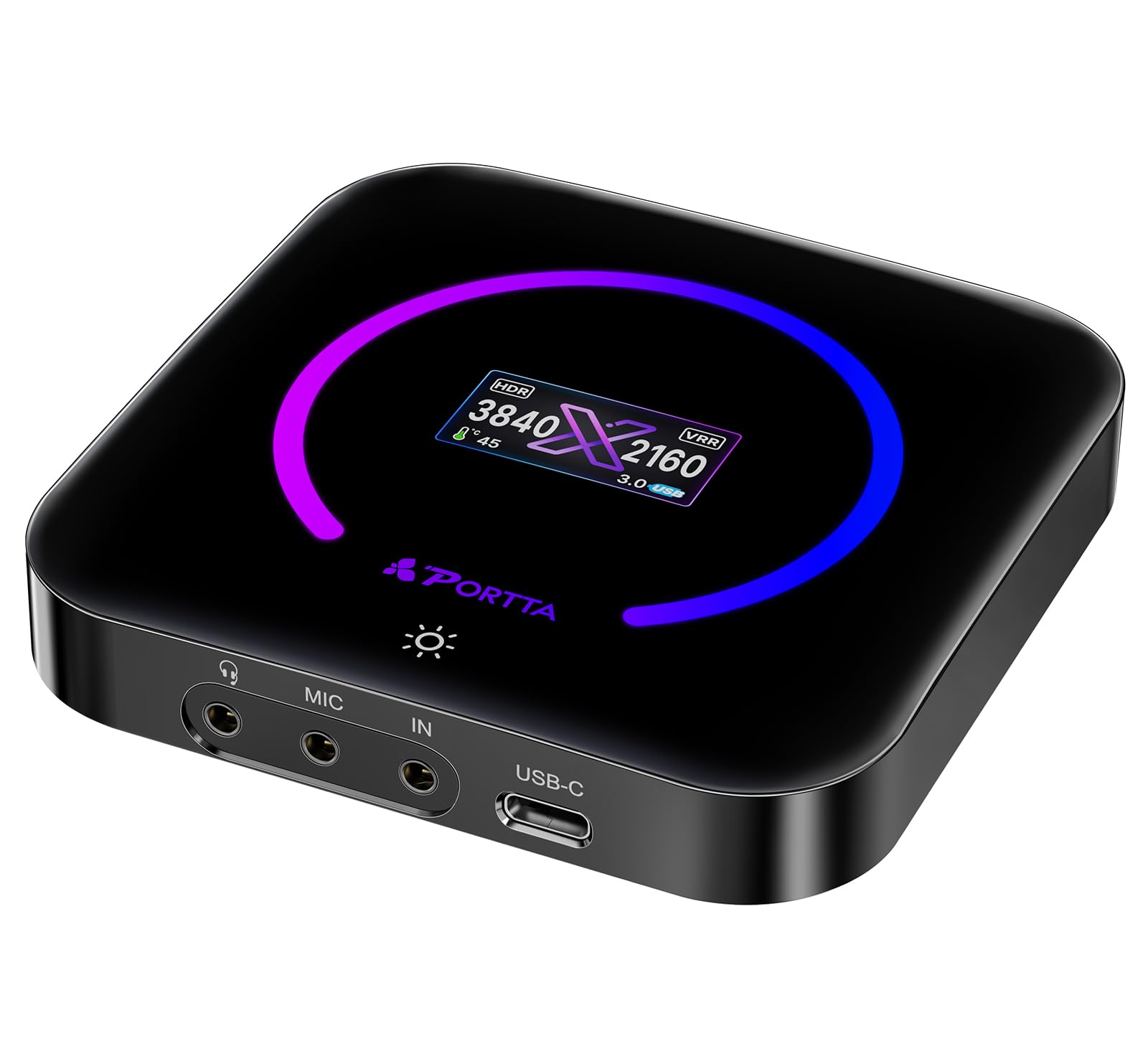
The tinkerer’s card — the CapHub utility lets you change capture format, audio mix, EDID, and VRR instead of accepting defaults.
Most capture cards hand you one set of settings and call it done. The DX20R ships with the PORTTA CapHub Utility for Windows and macOS, which lets you customize video settings, adjust audio mixing, update firmware, and manage EDID and VRR modes. EDID is the handshake between your card and your display — getting it right is often what fixes a stubborn black screen.
On the video side it captures 4K@60Hz, 2K@144Hz, and 1080p@240Hz in YUY2, NV12, or RGB24 formats, which is a wider format list than most of this group. VRR and HDR both pass through for smoother, more colorful gameplay on a compatible display. There is a small physical switch on the unit — hold it for 2-3 seconds — to control the display and ring light, so you can see its state at a glance without digging through menus.
It runs plug-and-play on Windows, macOS, and Linux with no driver installation. At 68 g it is the lightest card here, which makes it the easy one to toss in a bag for a tournament weekend. Functionality and build quality are the two things that get called out, and OBS recognizing it without a fuss is the recurring note.
What stands out
- CapHub utility gives real control over video and audio settings
- Three capture formats including RGB24
- HDR and VRR passthrough
- 68 g — the lightest card on this list
What to weigh
- Software tuning is not for everyone
- Smaller owner base than the big-name cards
- Advanced settings need a Windows or Mac machine
Best matched to: buyers who like dialing in EDID, VRR, and audio themselves rather than accepting defaults.
Not your card if: you want to press one button and never open a settings panel again.
6. NearStream CCD30 4K60 HDMI Capture Card

A dual-PC card that records at 4K60 — provided your CPU and GPU clear its steep requirements list.
Capture goes up to 4K60 over USB-C 3.1, and passthrough on HDMI 2.0 matches it at 4K60, 1440p120, or 1080p240. HDR10 rides along the passthrough path only, preserving highlights and contrast on your display for compatible sources — the recorded file stays SDR. That distinction matters if you plan to color grade 4K footage later.
The capture format list is the most flexible here: up to 4K60 MJPG, up to 1440p60 NV12, up to 1440p50 YUY2, and up to 4K30 I420. MJPG is a compressed format suited to lower bitrate saves; NV12 and YUY2 trade file size for cleaner pixels. A 3.5mm mic input plus a headphone output means you can add commentary and monitor it live, which is why this card gets used for online classes and video production as often as Xbox streams.
Now the catch, and it is a real one. NearStream publishes steep system requirements that shift with capture format. For MJPG at 4K60 on a Windows desktop you need an Intel Core i7-10XXX or above, NVIDIA GeForce GTX 1650 or above, and 8 GB of dual-channel RAM. Laptops need an Intel Core i9-9XXX or above for the same job. macOS 10.12 or later is supported. If your rig is modest, drop to NV12 or I420 at 4K30 and you are back in business.
The draw: 4K60 capture with mic and headphone monitoring, built for dual-PC streaming and camera work rather than just console play.
The cost of entry: 4K60 MJPG demands a genuinely modern PC — check your CPU and GPU against the list before you order.
Choose it for: a two-machine streaming setup or a camera-to-PC workflow that needs 4K60 files.
Choose differently if: your PC is a few generations old — the 1080p cards above will serve you better.
7. EVGA XR1 Pro Capture Card

A physical dial on the card itself — balance game audio against your voice without alt-tabbing into software.
The XR1 Pro has a genuine differentiator: a control dial with built-in audio mixer controls right on the unit, paired with customizable RGB LEDs. When a loud moment hits and your voice disappears under the explosion, you reach for a knob instead of alt-tabbing. Capture runs up to 1440p at 60fps or 4K at 30fps, while passthrough handles true 1440p at 144Hz HDR or 4K at 60Hz HDR — so your monitor stays smooth even when the recording side is working at a lower rate.
It is certified for OBS, which removes one layer of troubleshooting, and setup is plug-and-play with no driver installation required. Compatibility spans PC, PS5, PS4, Xbox Series X and S, Xbox One, and Nintendo Switch across USB 3.1. A 2-year limited warranty covers it.
Where the picture gets complicated is the video quality itself. Capture quality is the thing this card gets most praise for, and latency too — but video quality and value for money draw genuinely mixed reads, and audio quality is the weakest area in the feedback. Some say it is the best bang for the buck they have found; others felt the resolution fell short of what they expected. Some of that gap is a setup question, not a hardware one: check that OBS is set to the right capture resolution before you judge it.
Why it earns its spot
- Built-in audio mixer dial for live balancing
- 1440p144 HDR / 4K60 HDR passthrough
- Certified for OBS, no driver install
- 2-year limited warranty
What to be clear-eyed about
- Capture tops out at 4K30, not 4K60
- Audio quality is the most common complaint
- Video quality expectations vary widely between owners
Suits you if: you stream live and want physical control over your mix without a second device.
Look past it if: pristine recorded audio is the priority — a separate interface does that job better.
Know the Specs
Capture Resolution and Framerate
1080p60 means 1080 pixels tall at 60 frames per second, and it is the standard most live platforms accept without downscaling. 4K60 quadruples the pixel count and doubles nothing about the framerate — it just gives you far more detail to store. Higher capture settings also demand a stronger PC, which is why card makers publish CPU and GPU minimums per format. Pick the highest capture your machine can actually sustain rather than the highest number on the box.
Passthrough vs Capture
Passthrough is the signal going to your TV; capture is the signal going to your PC. A card can pass 4K while recording 1080p, and many here do exactly that. That split is not a compromise — it is the design that keeps your gameplay lag-free while the recording side stays manageable. Read both numbers on any listing, because a 4K badge often refers only to the passthrough path.
YUY2, MJPEG, and NV12 Formats
These are video formats, and they decide how much compression the card applies before the data reaches your computer. YUY2 is raw and large; MJPEG is compressed and friendlier to weaker hardware; NV12 sits between them. Raw formats give cleaner footage for editing, compressed formats let modest PCs keep up. Match the format to your machine, not to the biggest number in the marketing.
USB 3.0 vs USB 3.1 Type-C
The USB generation sets the ceiling on how much video data can move per second. USB 3.0 handles smooth 1080p60 capture, while USB 3.1 Type-C cards are the ones built for 4K60 recording. Check what ports your laptop actually has before buying — a Type-C card on an older machine will not reach its advertised capture rate.
Common Questions
Will these capture cards work with my Xbox One X or One S?
Do I need to turn off HDCP on my Xbox One like on a PS5?
What does passthrough actually mean for my TV picture?
Is 1080p60 good enough for Twitch and YouTube?
Can I record my microphone and game audio at the same time?
What computer do I need for 4K60 capture?
Do these cards need drivers or external power?
Will a capture card add input lag to my Xbox gameplay?
Can I connect one of these to a laptop or iPad instead of a desktop?
Does HDR capture through, or only show on my TV?
The Bottom Line
For most Xbox One setups, the xbox one capture card answer is the Elgato HD60 S because it records at 1080p60, passes your signal through with zero lag, and has the deepest track record in this group. If your TV is 4K and you want it to stay that way while you record, grab the SUDTREEV C7 — aluminum body, 4K@30Hz passthrough, no drivers. And for dual-PC streaming at 4K60 with live mic monitoring, the NearStream CCD30 is the one to reach for. Whichever you pick, buy the passthrough spec that matches your display — everything else follows from that.
How we choose
We do not accept paid placement. Every pick is matched to a real buyer and a real use-case; we do not hands-on test units.
Sources
Specifications: manufacturer listings and product documentation. Review insights: verified customer reviews, as of November 2026. Pricing: not shown on this page (it changes often); check the current price via the retailer link.
As an Amazon Associate, Tactical Gear Guy earns from qualifying purchases. This does not affect which products we feature.