Specs are compiled from manufacturer listings and verified buyer reviews and can change over time — please confirm the key details on the product page before buying.
You already own a perfectly good Xbox One controller. The problem is the moment you unplug the cable, it stops talking to your PC. A wireless adapter fixes exactly that — if you pick one that holds its pairing. This guide covers which of these USB dongles actually keep the controller linked through a long session, and which ones drop out the moment things get busy.
This guide is built by comparing the manufacturers’ published specifications and the patterns across verified customer reviews, so you get each pick’s real strengths and trade-offs instead of marketing spin.
You need the Windows-side driver case, the controller generation, and the headset support settled before you buy. Below is a straight ranking of the eight xbox one bluetooth adapter options that most PC gamers should shortlist first.
Top Picks


How To Choose The Best Xbox One Bluetooth Adapter
You plug in a cheap USB dongle and expect it to act like the official Microsoft receiver. It usually doesn’t. The chip inside (the small circuit that handles the wireless link) decides whether your controller pairs reliably. The listed Windows version decides if you need extra software before anything works at all.
Match the adapter to your exact controller generation
An Xbox One adapter generally handles Xbox One, One S and One X controllers, and several also list the Series X|S and Elite pads. None of these dongles work with Xbox 360 controllers — that connection uses a completely different protocol. If your pad is a 360 model, this whole category is the wrong shelf.
Third-party controllers are the other trap. The XB2 adapter states plainly that it will not talk to third-party pads or third-party wireless headsets. Check the label on the back of your controller before you assume compatibility.
Know what “up to eight controllers” actually buys you
Several adapters here list eight simultaneous controllers plus up to four chat headsets or two stereo headsets. That matters for couch multiplayer on a PC hooked to a TV. At a solo desk, one stable link beats eight shaky ones.
Check the Windows version before you plug in
Windows 10 and 11 usually detect these adapters on their own. Windows 7 and 8 owners may need to pull a driver from the Microsoft website first, and ELUTENG says so directly in its instructions. Skip that step and the dongle looks dead even when it works fine.
Side-by-Side Comparison
| Model | Best For | Controller Support | Windows Version | Max Controllers | Amazon |
|---|---|---|---|---|---|
| 8BitDo Wireless USB Adapter 2★ Best Overall | Mixed-console households | Xbox One, Series X|S, PS5/PS4/PS3, Switch Pro | Windows, macOS, Steam Deck, Raspberry Pi | — | Amazon |
| KOOWOD Wireless AdapterBest Value | Cheap single-player PC setup | Xbox One (not Xbox 360) | Windows 10, 11 | Up to 8 | Amazon |
| ELUTENG Xbox AdapterBest for Old PCs | Older Windows machines | Xbox One, One S, One X, Elite series | Windows 7 and up | Up to 8 | Amazon |
| Rzkipdy Wireless Adapter | Streaming Xbox games to PC | Xbox One (not Xbox 360) | Windows 10, 11 | Up to 8 | Amazon |
| XB2 Wireless Adapter | Wide Windows version range | Xbox One, Series X | Windows 7, 8, 8.1, 10, 11 | Up to 8 | Amazon |
| GuliKit Goku 2 | Competitive low-latency play | Xbox One BT, Elite Series 2, Series X|S, PS5, Switch 2 Pro | Windows, Android, Steam Deck | — | Amazon |
| Muddlepaw USB Wireless Adapter | Portable carry-and-go use | Xbox One, One S, One X, Elite 1, Elite 2 | Windows 7, 8, 10 | Up to 8 | Amazon |
| MAYFLASH Magic-X | Xbox console headset audio | Xbox One BT, Elite Series 2, Series X|S, PS5, Switch Pro | Windows, macOS, Raspberry Pi | — | Amazon |
Detailed Reviews
1. 8BitDo Wireless USB Adapter 2
Our pick — 4.0+★ from 6,000+ verified ratings; the strongest balance of quality and price.
One dongle that speaks to Xbox, PlayStation and Switch pads — that is the whole pitch.
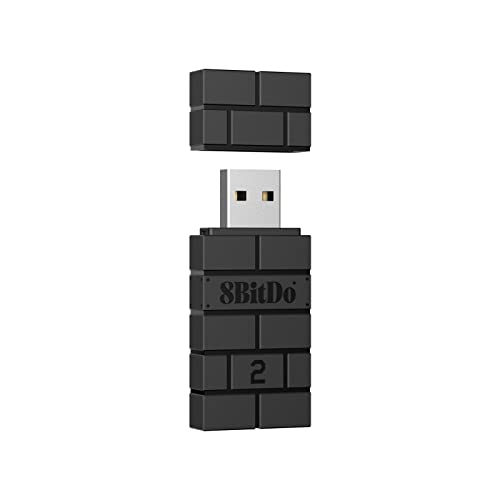
One adapter can cover every controller on your desk, so your drawer stops filling up with dongles. It pairs an Xbox One Bluetooth controller, an Xbox Series X|S pad, a PS5, PS4 or PS3 controller, a Switch Pro, a Wii Mote or a Wii U Pro — all from the same 20 g (0.7 oz) block of matte black plastic. The adapter end uses Micro USB (the older, smaller plug, not USB-C), and the whole thing measures 3.54 x 2.17 x 0.98 inches. That is small enough to sit flush and stay in a laptop bag.
What wins people over is the flexibility underneath that compatibility list. On Switch you get 6-axis motion, and in X-input mode you keep vibration, so an Xbox pad feels like an Xbox pad while a Switch pad keeps its tilt controls. The Ultimate Software layer lets you remap buttons, adjust stick and trigger sensitivity, tune vibration, and build macros on any button combination. No cheaper dongle here offers that much remapping.
The honest trade-off is stability. Set-up is widely described as easy, and plenty of players report clean sessions with no disconnections — but connectivity is the mixed point in the feedback, with others hitting dropouts mid-match. 8BitDo asks you to update the firmware before anything else; do that first and you sidestep the most common complaint. The crowd backing here is deep at 4.0+ stars, and the review base is one of the largest in the category.
Where this dongle earns its keep
- Pairs Xbox One, Series X|S, PS5, PS4, PS3 and Switch Pro pads from one adapter
- 6-axis motion on Switch and vibration in X-input mode
- Ultimate Software handles button mapping, stick and trigger sensitivity, macros
- 20 g body with a Micro USB connector that travels easily
The honest caveats
- Connectivity swings between flawless and dropout-prone across owners
- Firmware update is a required first step, not optional
- No controller-count claim listed, so multiplayer plans need care
Reach for this if: you rotate between Xbox, PlayStation and Switch controllers on the same PC or Steam Deck and want one adapter to cover all of them.
Think twice if: you are wiring up four pads for a couch night — this listing makes no multi-controller promise.
2. KOOWOD Wireless Adapter Dongle
The featherweight of the group at 0.01 kg, and it still promises eight pads at once.
Start with the number that separates it from the XB2 dongle further down this list: 0.01 kg against 0.02 kg. Half the weight, and on a dongle you leave plugged into a laptop that difference shows in how little it strains the port. It brings an official IC chip and pins itself to Windows 10 and 11 only, so skip it if you are still on Windows 7 or 8.
The design is 66% smaller than the older full-size receivers, which matters if your laptop sits on a narrow stand or your PC lives under a desk with tight USB clearance. Wireless stereo sound is supported, and it drives up to eight controllers plus four chat headsets or two stereo headsets. In-game chat on streamed Xbox One games works the same way it does on the console itself.
Set-up is the easy part — plug it in, bind the controller, play — and the two things buyers single out most are exactly that: simple pairing and no noticeable lag. The wider picture on connectivity is genuinely split, though, with plenty of flawless reports sitting beside ones that lose the link. Treat it as a one-player desk adapter that does its job, and confirm your controller is not a third-party pad, because KOOWOD only lists the official Xbox Wireless Controller.
Why it earns a spot: an official IC chip, 66% smaller body and eight-controller support in one of the lightest packages here at 0.01 kg — that is real value at the entry end.
The catch worth knowing: Windows 10 and 11 only. Older machines need one of the adapters further down this list.
Pick it when: you game on a modern Windows laptop or desktop and only need your own controller to stay paired.
Leave it on the shelf if: your PC runs Windows 7 or 8, or your pad is a third-party model KOOWOD does not list.
3. ELUTENG Xbox Adapter
Still running Windows 7 with an Elite pad on your desk? This one was built for you.
Older PCs get official support here: ELUTENG lists Windows 7 as the minimum, further back than most of this field. It also tells you straight that Windows 7 and 8 users must download drivers from the Microsoft website first. That one instruction saves head-scratching, because the adapter shows nothing until the driver lands. On Windows 10 and 11 it is plain plug-and-play: the receiver appears, you hold the pairing key on the front of the pad until the Xbox button flashes fast, then hold the button on the side of the receiver until its light matches. Done.
Layer on Bluetooth 5.0 and the pairing keeps a longer leash than older receivers. ELUTENG claims a smaller body than comparable adapters, zero latency and extended transmission range. It also covers the whole Xbox One family including the Elite series, One X and One S, and it drives up to eight controllers with four chat headsets or two stereo headsets. The pairing instructions are unusually clear for a budget dongle, and there is a 12-month warranty behind it.
Two things to know before you commit. Universal wireless headsets will not work with it, so a cheap third-party headset is out. And while plenty of players describe clean plug-and-play sessions on gaming PCs, connectivity is the mixed point in the feedback — some copies lose the link after a quarter of an hour or so. Most units behave; if yours does not, the 365-day replacement policy is the reason to buy from a listing that offers one.
Go this route for: an older Windows 7 or 8 machine, or an Elite Series 2 pad that needs Bluetooth 5.0 pairing and an extended range.
Look elsewhere for: third-party wireless headsets, which this adapter explicitly will not drive.
4. Rzkipdy Wireless Adapter

A slim Micro USB receiver aimed squarely at streamed Xbox games on a Windows 10 or 11 machine.
This one is built for a specific job: playing your Xbox One library streamed to Windows, and pairing an Xbox Wireless Controller to get the same feel you have on console. In-game chat and stereo audio both carry through, and the official-chip design keeps the experience close to native. It suits a desktop, laptop or tablet — Rzkipdy lists all three plus gaming console among compatible devices.
The physical package is trimmed 66% smaller than the standard receiver and weighs 0.01 kg, so it does not foul a crowded USB strip. Eight controllers can connect at once, with four chat headsets or two stereo headsets on top. Windows 10 and 11 is the supported range, and there is one micro-USB port with no separate power plug needed.
Long sessions are where it stumbles. Buyers report that set-up and ease of use are the best parts — it is genuinely simple to get running — but the connection is the weak link, with repeated reports of links that drop and stay dropped. The overall quality read also skews only mildly positive. It is a reasonable entry into Xbox streaming on PC if the price fits, but budget for the chance you end up replacing it.
What it does well: it turns streamed Xbox One games into a proper controller experience with in-game chat and stereo sound on Windows 10 and 11.
The trade-off you accept: connection stability across long sessions is the weakest part of the package.
Best suited to: a Windows 10 or 11 desk setup used mainly for streaming Xbox games to a monitor, where occasional re-pairing is tolerable.
Not the one for: anyone who needs a link that stays up for a full evening of multiplayer.
5. XB2 Wireless Adapter Compatible with Xbox One Controller

Five Windows versions on one dongle, and it accepts both the One pad and the Series X pad.
The list is the sell here: Windows 11, 10, 8.1, 8 and 7 all supported, which is broader than the KOOWOD or Rzkipdy adapters manage. It takes an Xbox One Controller or an Xbox Series X Controller and pushes it to PCs and tablets across that range. The XB2 name is the model number, the body is ABS plastic, and it weighs 0.02 kg — twice the KOOWOD dongle on the scale, though on a dongle that difference is negligible in the hand.
Inside, Smlau says it uses the original chip with wireless stereo support and can hold up to eight controllers at once, so a couch full of pads is within range. Plug-and-play is the stated experience, and setup itself takes about a minute to load and connect — that part is the least of the friction.
Friction shows up on the stability side. Some players describe great quality between controller and PC with a steady link; others find the connection struggles to hold. It also flatly excludes Xbox 360 pads and, importantly, third-party controllers and third-party wireless headsets — a detail worth reading twice before you buy, because both are common in a mixed controller drawer. A 12-month warranty backs it if a unit does misbehave.
Worth it for: anyone on Windows 8.1 or 7 who still wants Series X controller support and eight-player capacity.
Rule it out for: third-party controllers and third-party headsets, which the listing says will not work at all.
6. GuliKit Goku 2 Wireless Adapter

Two numbers here do the talking: 2.95ms latency and an 810Hz polling rate.
Latency is the delay between you pressing a button and the game reacting. Polling rate is how often the adapter reports your controller’s position to the PC. GuliKit rates its Hyperlink 2 wireless at 2.95ms latency and up to 810Hz polling, far tighter than a standard Bluetooth link. If a frame of delay costs you a shot, this is the dongle for it.
It also carries genuine customisation. X-input is the default output mode for broad game compatibility, and a native output mode preserves the gyroscope of PS4, PS5, Switch Pro and Switch 2 Pro pads — switchable by holding the button for five seconds. Joystick sensitivity, trigger sensitivity, vibration intensity and turbo functions are all adjustable. Motion and vibration work on the pads that support them, with Xbox controllers keeping vibration. No driver install is needed on supported platforms, and it remembers paired controllers for quick reconnection.
The complexity is the catch. Connecting to a PS4, Xbox One or Xbox Series X|S console requires the original controller on hand for pairing guidance. Steam Deck, AYANEO, ROG Ally, ROG Ally X and Switch Lite owners must supply an external OTG or USB-C to USB-A cable, which is not included. It will not work with a PS5 console. And reliability is the mixed point across the feedback, so treat it as a specialist tool rather than a fire-and-forget dongle.
Tuned for fast input
- As low as 2.95ms latency on Hyperlink 2 wireless
- Up to 810Hz polling rate for a tighter controller read
- Adjustable stick and trigger sensitivity, vibration and turbo
- No driver install on supported platforms, with auto-reconnect
Setup demands you should plan for
- Console pairing needs the original controller to guide it
- Steam Deck and handheld use needs an OTG or USB-C to USB-A cable, sold separately
- Will not work with a PS5 console
- Reliability is split across owner feedback
Choose it for: competitive play on PC or a handheld where 2.95ms latency and 810Hz polling are worth a fiddlier pairing routine.
Pass on it if: you want a dongle you plug in once and forget, or you own a PS5 console.
7. Muddlepaw USB Wireless Adapter
Built around a controller range that includes both Elite generations, Elite 1 and Elite 2.
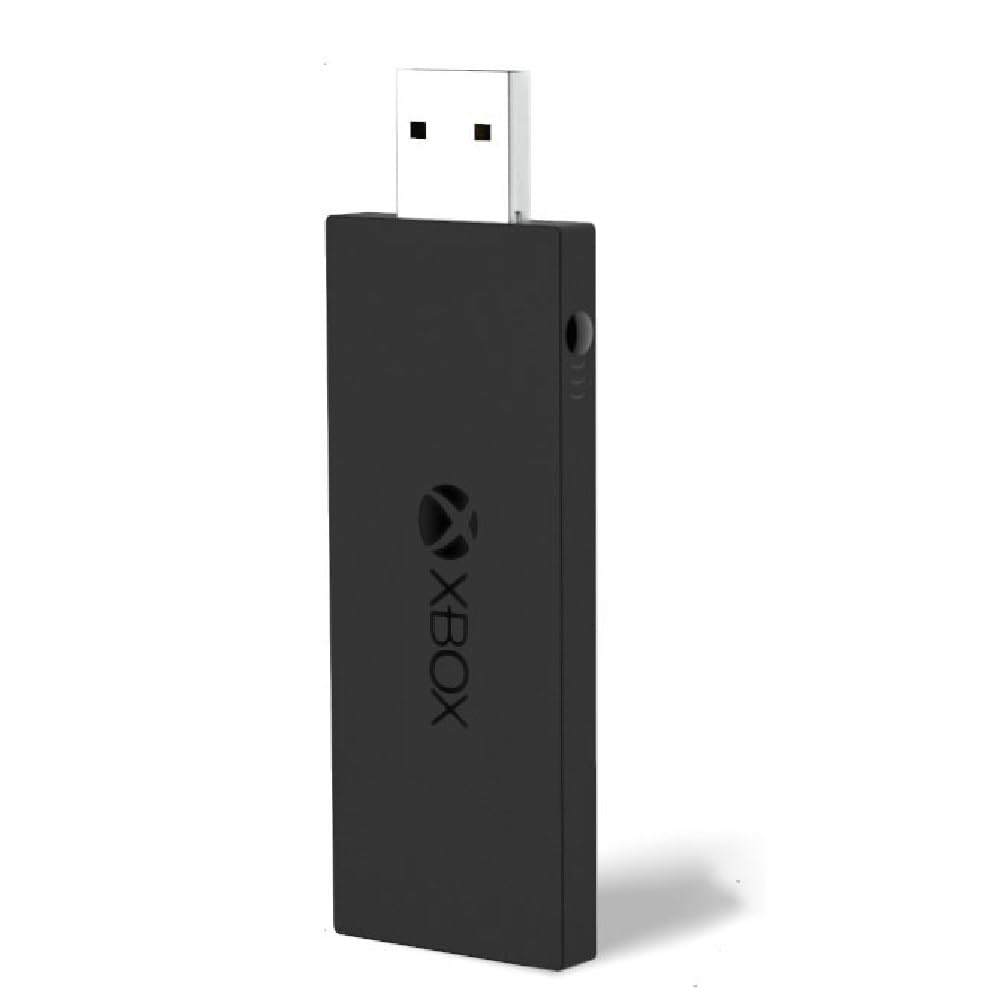
The compatibility list is the strongest part: Xbox One, One S, One X, Elite 1 and Elite 2 pads, plus Windows 7, 8 and 10 on PCs, laptops and tablets. That covers the older Windows versions other dongles here skip and the Elite pads some cheaper adapters ignore. It weighs 0.03 kg, the heaviest of this group, so it is not the one to buy if you want the smallest sliver of plastic in your bag.
Where it does suit travellers is the stated portability — take it to a friend’s house or a classroom, plug in, set up. Up to eight controllers connect at once for parties and gatherings, and the low-latency claim is about faster data transmission for a steadier connection. A model number and a manufacturer are both listed, which at least tells you who to contact at the address in the listing.
Here is the part you need to weigh. The reliability picture across the feedback is the roughest in this whole group. Adapters that stop connecting, stop powering on, and a build quality read that comes in below the rest. That is a real risk, not a rare one. Premium-tier pricing sits on top of it. If your budget stretches and you want the least drama, the MAYFLASH and 8BitDo picks further up this page carry far more solid reputations. This one earns its place mainly on the Elite pad compatibility and the Windows 7, 8, 10 reach.
The specific appeal: a single dongle that lists Elite 1 and Elite 2 alongside Windows 7, 8 and 10, plus eight-controller support for group nights.
The risk you accept: reliability is the recurring theme in the feedback, from units that stop connecting to ones that will not power on.
Consider it for: an Elite 1 or Elite 2 pad on a Windows 7 or 8 machine, where the alternative is driver hunting.
Weigh the risk first: if you need a link that holds for hours without drama, check the higher-rated picks on this page before committing.
8. MAYFLASH Magic-X Wireless Bluetooth USB Adapter

The only adapter here that also brings Bluetooth headset audio to an Xbox console.
That is the distinguishing feature: Bluetooth headsets are supported on Xbox Series S/X, Xbox One and Switch, alongside rumble on those same platforms with adjustable rumble intensity and dead zone. It carries 6-axis motion for Switch pads too. It weighs 0.04 kg with a 2.87 x 0.83 x 0.31 inch body, so it lives comfortably on a shelf under a TV or in a rear USB slot on a console.
Compatibility is at the top of the range. Xbox Series X, Series S, Xbox One Bluetooth, Xbox Elite Wireless Controller Series 2, PS5, PS4, PS3, Switch Pro, Switch Joy-Con, Wiimote and WiiU Pro all pair. On the system side it handles Xbox Series S/X, Xbox One, Switch, macOS, PC Windows and Raspberry Pi, and includes a USB Type C cable in the box. Wired USB controllers get converted too — attach a standard USB cable and a wireless controller becomes a wired one.
What does the heavy lifting in owner experience is the plug-and-play setup and the raw compatibility list that follows. The weak point, as with most of this category, is the connection on the far end — plenty of clean pairings sit alongside reports of a link that drops within minutes. Latency reads the same both ways, with no-lag reports beside bad-lag ones. Buy it for the console headset audio and the broad pad support; keep expectations realistic about a marathon session.
Worth grabbing for: Bluetooth headset audio on an Xbox Series S/X or Xbox One, plus a pad list that spans Xbox, PlayStation, Switch and WiiU Pro.
pass on it if: your priority is a rock-solid hours-long PC multiplayer link and nothing else.
Know the Specs
Latency and polling rate, explained
Latency is the gap between your thumb moving and the game seeing it. Polling rate is how many times per second the adapter reports that movement to the PC — 810Hz means it checks your pad far more often than a basic Bluetooth link does. The GuliKit lists both at 2.95ms and 810Hz, and the rest of this field generally states “low latency” or “zero latency” without a number. In most single-player games you will never feel standard latency. In competitive shooters, that lower number justifies the fiddlier pairing.
Controller count and headset support
Up to eight controllers means the adapter can hold a party’s worth of pads at once. Four chat headsets or two stereo headsets ride alongside on most of these models. Two rules matter: the multi-controller feature mostly helps couch play on a TV-linked PC, and third-party wireless headsets are usually excluded even when first-party support is listed. Elite Series 2 support varies by model, so confirm your pad’s name on the compatibility list before buying.
Common Questions
Will an Xbox One controller connect to a PC without this adapter?
Do these adapters work with Xbox 360 controllers?
Does the adapter need a driver on Windows 7 or 8?
Can I use a third-party controller with these dongles?
How many controllers can I connect at the same time?
Why does my adapter drop connection mid-game?
Can I connect a headset through the adapter?
What is the difference between latency and polling rate?
Does an Xbox One adapter work on a Steam Deck?
Will these adapters work on macOS or Raspberry Pi?
The Bottom Line
To cover every controller in your house with one adapter, the 8BitDo Wireless USB Adapter 2 is the safest bet. It pairs more pad types than anything else here, adds Ultimate Software button remapping, and holds 4.0+ stars across 6,000+ owners. For a budget desk setup with a single official Xbox pad, the KOOWOD is the leanest choice at 0.01 kg. If console headset audio is what matters, the MAYFLASH Magic-X is the only one here that carries Bluetooth headsets to Xbox Series S/X and Xbox One.
Whatever you pick, update the firmware first and pair on Windows 10 or 11 if you can — those two steps handle most of the dropouts owners mention in this category. If you are on Windows 7 or 8, grab the XB2 Wireless Adapter or the ELUTENG and download the Microsoft driver before you plug in.
How we choose
We do not accept paid placement. Every pick is matched to a real buyer and a real use-case; we do not hands-on test units.
Sources
Specifications: manufacturer listings and product documentation. Review insights: verified customer reviews, as of November 2026. Pricing: not shown on this page (it changes often); check the current price via the retailer link.
As an Amazon Associate, Tactical Gear Guy earns from qualifying purchases. This does not affect which products we feature.