Specs are compiled from manufacturer listings and verified buyer reviews and can change over time — please confirm the key details on the product page before buying.
You want to stop deleting games to make room for new ones, and a 4TB external drive is the fix. A 4TB external drive for your Xbox One holds a whole library instead of a handful of titles, and the seven picks below all plug in over USB without opening the console. The tricky part is that Xbox storage drives are not all the same speed or the same shape — some are built to sit next to the console, some are meant to travel, and one of them is pre-formatted so it works the moment you plug it in.
This guide is built by comparing the manufacturers’ published specifications and the patterns across verified customer reviews, so you get each pick’s real strengths and trade-offs instead of marketing spin.
You do not need to decode cache sizes or RPM ratings to pick the right drive. You need one clear answer: which of these 4TB drives fits your console and your desk. This walkthrough covers exactly that, and it names the xbox one 4tb hard drive that suits most people first.
Top Picks


How To Choose The Best Xbox One 4TB Hard Drive
Start with the console you actually own, because that single fact narrows the field fast. A drive that lists Xbox One compatibility works with the original One, the One S and the One X. If you have since moved to a Series X|S, the rules shift — those consoles only play Series X|S titles from internal storage, so an external drive becomes a holding pen rather than a launch pad.
Spindle speed and what it changes for you
A drive’s rotational speed is how fast the disc inside spins — measured in RPM, or revolutions per minute. A 7200RPM enterprise-grade drive (a heavy-duty unit built to run around the clock) tends to load installed games quicker than a 5400RPM portable drive, which is the slower spec you will see on travel-friendly models. Neither one changes frame rate during play; the difference shows up in load screens and copy times.
Powered versus bus-powered
A 3.5-inch drive is the desktop-sized format and needs its own wall adapter, so it wants a permanent spot near an outlet. A 2.5-inch drive is the laptop-sized format and draws power straight from the USB cable, which is why it slips into a bag easily. Pick the big one if the drive lives beside the TV; pick the small one if it travels with you.
Pre-formatted versus reformat required
Some gaming drives ship already formatted for a game console, so you plug in and the console sees it immediately. Others ship formatted for a PC and need a quick reformat before your Xbox recognizes the full capacity. Both routes work — one just saves you a step on day one.
Capacity reality check
Every pick here is 4TB, which is a large jump from the internal drive your console shipped with. Modern installs are big, so 4TB is the tier that lets you keep a deep backlog installed at once rather than juggling three or four titles.
Side-by-Side Comparison
| Model | Best For | Form Factor | Transfer Rate | Power Source | Amazon |
|---|---|---|---|---|---|
| WD 4TB My Passport★ Best Overall | All-round everyday pick | 2.5-inch | — | USB bus powered | Amazon |
| Avolusion HDDGear Pro 7200RPMFastest Loading | Fastest loading on Xbox One | Portable | 6 Gbps | Power adapter included | Amazon |
| Avolusion PRO-Z Series | Series X|S game archiving | 3.5-inch | 5 Gbps | Power adapter included | Amazon |
| X1 4TB Portable | Throwing in a backpack | 2.5-inch | 5 Gbps | USB bus powered | Amazon |
| Toshiba Canvio Gaming | Console-to-console library sharing | 2.5-inch | 5 Gbps | USB bus powered | Amazon |
| Seagate Expansion 4TB | Simple drag-and-drop storage | 2.5-inch | 625 MB/s | USB bus powered | Amazon |
| WD_BLACK 4TB P10 Game Drive | Gamers who want console styling | 2.5-inch | Up to 130 MB/s | USB bus powered | Amazon |
Detailed Reviews
1. WD 4TB My Passport, Portable External Hard Drive, Black
Our pick — 4.5+★ from 11,000+ verified ratings; the strongest balance of quality and price.
One bus-powered 4TB drive that stores your Xbox library and backs up your laptop.
This drive earns the top slot because it pairs 4TB of console-ready storage with password protection and ransomware defense in one bus-powered unit. It packs 4TB into a slim 2.5-inch body (the laptop-sized format), so it draws its power from the USB cable — no wall brick to hunt for behind the TV. Xbox One is listed right in its compatibility, so your console treats it as extended storage and installs Xbox One titles to it normally.
What makes it the safest default is the backup side. The bundled software includes defense against ransomware (malicious software that locks your files and demands payment) plus password protection with hardware encryption. That means a chip in the drive handles the lock, not software alone. Nobody gets at your saved games or photo archive just by plugging the drive into their own machine. A 3-year limited warranty sits on top of that.
The honest trade-off is size against portability. At 2.5-inch it is the compact format, but that also means it tops out below the raw load speed of the 7200RPM desktop-style Avolusion HDDGear Pro. Its 2.5-inch build versus that drive’s 3.5-inch build is the fork in the road. If your priority is grabbing games off the drive as fast as possible, the Avolusion wins. On the other hand, this is the more useful object to own if you want a drive that stores your library, secures it, and slips into a laptop bag.
What earns it the top slot
- 4TB of space with Xbox One listed compatibility from the start
- Hardware encryption and password protection keep your files private
- Ransomware defense comes bundled, not sold separately
- USB bus powered, so no extra power adapter to plug in
- 3-year limited warranty covers the hardware
Where it gives ground
- The 2.5-inch portable build loads games slower than a 7200RPM desktop drive
- It arrives set up for PC backup, so you reformat before the console sees all of it
Reach for this if: you want one drive that stores your Xbox library and backs up your computer, with a password lock on top.
Look elsewhere if: shaving seconds off load screens matters more to you than backup software and encryption.
2. Avolusion HDDGear Pro 4TB
A 7200RPM enterprise-grade drive built to cut load screens on Xbox One titles.
Speed is the whole reason to look here, and it is why this drive makes the list at all. The internal drive spins at 7200RPM — the faster of the two common spindle speeds — and it is described as an enterprise-grade unit built to run around the clock. Behind that sits a 256MB cache, which is a small pool of fast memory that buffers data on its way to and from the disc, so repeated reads come back quicker.
The numbers back the pitch. It moves data at 6 gigabits per second over USB 3.0, and that leads the Avolusion PRO-Z Series at 5 gigabits per second. It also carries 64MB of cache memory against the X1 4TB Portable’s 8MB. That cache matters most when the console is indexing a large game folder or copying a big title across. Add the fact that it arrives pre-formatted for the console file system, and setup is genuinely a plug-in job rather than a reformat job.
What you accept in return is bulk and power. It is sold as a portable form factor, but the drive inside is desktop-grade and the package includes a power adapter, so it wants an outlet nearby. It is also a renewed unit — the case is new, the internal drive is refurbished, and the listing states zero bad sectors and 100% health on factory testing. Buyers cite storage capacity as the strength they single out most, with easy setup close behind; the recurring caveat is reliability, where the record is mixed rather than unanimous. That is the normal risk of a refurbished drive, and it is worth weighing against the speed.
Why it leads on pace: 7200RPM plus the 6 Gbps transfer rate and 256MB cache make this the fastest-loading drive on this list for Xbox One titles.
The part to know: a wall adapter is required, and it ships as a renewed unit, so the cost saving is really a refurbished-drive trade.
Suits you if: the console sits permanently next to a power strip and you want installed games opening sooner.
Think twice if: you would rather not own a refurbished internal drive or deal with a separate power brick.
3. Avolusion PRO-Z Series 4TB

A 3.5-inch archive drive that holds Series X|S titles until you copy them back to the internal SSD.
Most listings dodge the awkward question about Series X|S games. This one answers it flatly, and that honesty is why it belongs on a Series X|S shelf. Series X|S titles have to run from the console’s internal SSD (solid-state drive, the console’s built-in fast storage), so this drive holds them as a buffer rather than launching them — you copy the game back to the internal storage to play it. Xbox One games, by contrast, play directly from the USB drive, which frees up room on the console itself.
Physically it is the big one here. It is a 3.5-inch drive, the desktop format — compare that to the WD 4TB My Passport, which is a 2.5-inch portable. That extra size buys a 7200RPM enterprise-grade internal drive and a plastic/PVC enclosure, along with a power adapter in the box. It is pre-formatted for the console file system, so the copy-and-play workflow works right after you plug it in. It also lists the broadest console compatibility in this group, from Xbox 360 up through Series X and Series S.
The catch is that a 3.5-inch drive is not something you toss in a bag, and it needs its own power outlet. It is also a renewed unit — new case, refurbished internal drive, marketed with the same factory-tested, zero-bad-sector framing as the HDDGear Pro. For a drive that lives on a shelf and archives your Series library, that is a fair deal. For a drive you carry around, it is the wrong shape.
Why it makes sense for newer consoles
- Pre-formatted and ready for the console file system
- 7200RPM enterprise-grade internal drive
- Xbox One games play straight from the drive
- Lists Xbox 360 through Series X and Series S compatibility
The honest limits
- Series X|S titles must be copied back to the internal SSD to play
- 3.5-inch desktop format with a required power adapter
- Sold as a renewed drive rather than new
Pick this one when: you are archiving a Series X|S library and want to skip re-downloads, not launch games off the USB.
Bypass it when: you need a drive that travels — the 3.5-inch body and power brick make it a stay-at-home unit.
4. X1 4TB

A palm-size 2.5-inch drive that runs off the USB cable alone.
Eight megabytes of cache is the number that tells you what this drive is: a carry-anywhere storage bin, not a load-time upgrade. It is a 2.5-inch drive described as palm-size, and it runs entirely off the USB bus with no AC adapter required. The listing spells the setup out as plug and play with drag and drop. Drop files on it, unplug, walk out. Nothing to configure first if you are using it as plain storage.
It is also the most flexible drive about where it lands. The listing names Windows, Mac, PlayStation and Xbox, with a reformat required to match whichever system you are on. That reformat step is the one piece of homework — the drive does not arrive set up for the console the way the Avolusion drives do. Once formatted, it copies across at 5 gigabits per second over USB 3.0.
Where it trails the speed pick is on the inside. The drive spins at 5400RPM, the slower spindle speed, and it holds 8MB of cache memory — the small pool that buffers reads — against the 64MB in the Avolusion HDDGear Pro. In practice that means it is a storage drive, not a load-time upgrade: fine for holding a library, not the one to pick if you are chasing faster load screens. A 2-year warranty covers it, which is note on a bus-powered drive that gets carried around.
Where it shines: the palm-size 2.5-inch body and bus-powered design make it the easiest of these to carry between rooms, households, or a friend’s setup.
What to expect: a 5400RPM spindle and 8MB cache put it behind the 7200RPM drives on load speed — buy it for capacity you can pocket, not for pace.
Worth grabbing if: the drive lives in your bag and jumps between PC, Mac and console duty.
Not the one for: a permanent shelf spot where the faster 7200RPM drive would do more for you.
5. Toshiba Canvio Gaming 4TB

A gaming drive tuned to wake the moment the console asks it to.
Toshiba’s angle is firmware, not just capacity. The drive runs an “always-on” mode, which means it stays ready rather than spinning down and making you wait when the console calls for data. That is a small thing per session and a grating one when it happens every time. It is a 2.5-inch portable format with a slim housing and a black finish, so it sits quietly beside a console on a shelf or in a TV cabinet.
The 4TB ceiling is pitched directly at gamers. Toshiba frames that capacity as enough to store up to 100 games, so you can pull down new releases without clearing out favorites first. Connection is USB 3.2 Gen 1 — the version label for the 5-gigabit-per-second USB standard — and it is listed as compatible with most PlayStation, Xbox and PC consoles on a plug-in-and-play basis. If you move between a PlayStation and an Xbox in the same house, the shared library idea is the real draw.
One specification quirk to flag: the console compatibility field lists Sony PlayStation 5 specifically, even though the marketing copy names Xbox among supported systems. Check your exact console against the listing before you commit. For an Xbox One owner who wants a drive that stays awake and holds a large collection, the always-on firmware is the feature worth paying attention to.
The feature that earns a look: firmware-adapted always-on mode keeps the drive responsive so you are not sitting through a wake-up pause before your library loads.
Check before buying: the console compatibility listing names PlayStation 5, so confirm your Xbox model against the current listing copy.
Best matched to: a household running more than one console brand that wants one library to share around.
Double-check first: your own console model against the compatibility details — the marketing copy and the spec field do not say the same thing.
6. Seagate 4TB Expansion
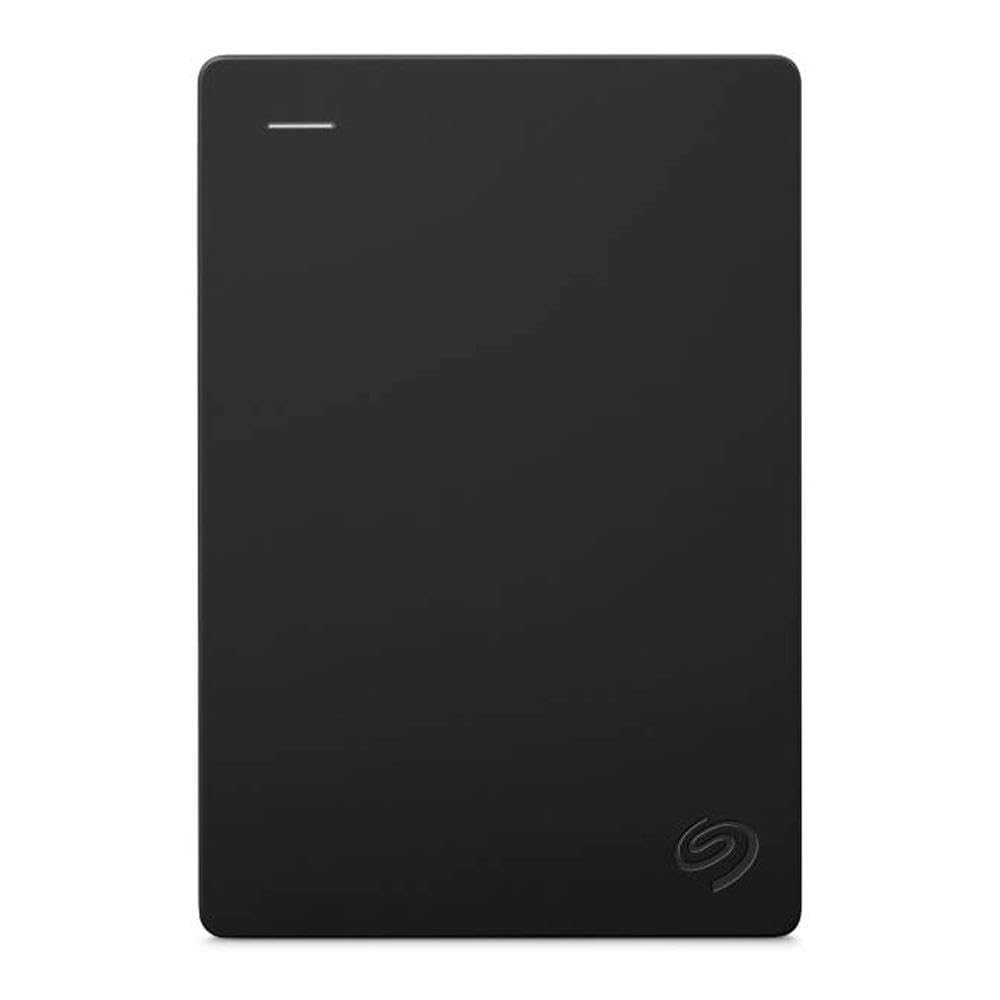
Straightforward extra space with no software to learn.
There is no gaming software in the box here, and that is the point — you plug it in and move files. The Seagate Expansion is a 2.5-inch portable drive built for drag-and-drop file movement, with plug-and-play PC compatibility and USB 3.0 transfer that steps down to work with older USB 2.0 ports. It is listed as compatible with the Xbox One and PlayStation 4 alongside PC, so it does the storage job on a console without extra setup drama.
The build is described as lightweight and compact, which suits a drive that gets moved between a laptop and a console. It ships in frustration-free packaging and includes the drive and its USB cable — a short list, because there is no management software riding along.
Two things are worth knowing before you order. The manufacturer warranty does not apply, and the listing points you to Amazon’s return policy instead, which covers free returns within 30 days of receipt. And unlike the WD_BLACK P10 with its metal top cover, this is a plain plastic-bodied drive with no rugged styling. Treat it as a value storage pick, not as a drive engineered around console duty.
What you get: 4TB of portable capacity, drag-and-drop simplicity, and a compact 2.5-inch body that moves easily between devices.
The fine print: no manufacturer warranty applies — the return window is your coverage — and there are no gaming-specific extras.
Good fit for: a straightforward capacity top-up on an Xbox One where you just want the space and nothing else.
Weigh it carefully if: you want a warranty behind the drive or rugged housing — neither is part of this package.
7. WD_BLACK 4TB P10 Game Drive

The one that looks like it belongs next to the console, not hidden behind it.
It is the only pick here with a metal top cover rather than a plastic shell, and it delivers speeds up to 130MB/s — the plain number to compare against the rest of this list. The P10 is a purpose-built gaming drive. Storage is 4TB, and WD_BLACK frames that capacity as room for up to 150 games — enough to keep old favorites installed while new releases land. A 3-year limited warranty backs the drive.
Console handling is spelled out clearly. It is compatible with Xbox Series X|S and PlayStation 5, and it plays and stores Xbox One games while archiving Series X|S games. The archive part matters: on a Series console you park the newer titles on the drive and copy them back to internal storage to play, while Xbox One titles launch straight from it. Buyers report games running without lag or hiccups and describe the drive as easy to set up and handy to carry.
Capacity alone does not separate it from the crowd — every drive here is 4TB. What separates it is the combination of metal housing, the 130MB/s stated speed, and the fact that it is a current-production drive with a full manufacturer warranty, unlike the renewed Avolusion units. Expect to pay for the styling and the confidence.
Why it stands out
- Metal top cover gives it a sturdier feel than the plastic-cased picks
- Stated speeds up to 130MB/s
- 4TB holds up to 150 games per the listing
- Plays and stores Xbox One games; archives Series X|S titles
- 3-year limited warranty on a new drive
What it does not solve
- Series X|S titles still need copying back to internal storage to play
- You pay a premium for the metal build and the WD_BLACK name
Land on this if: you want a new, warrantied gaming drive that looks the part beside your console and handles both One and Series libraries.
Pass if: you would rather put the money into raw load speed than into housing and styling.
Know the Specs
RPM (Spindle Speed)
This is how many times the disc inside spins per minute. A 5400RPM drive is the common portable spec; a 7200RPM drive spins faster and generally returns data to the console quicker. You will feel it in load screens and copy times, not in gameplay smoothness — once a game is running, the drive is mostly idle.
Cache Memory
A small pool of fast memory that holds recently read data so the drive does not have to fetch it from the disc again. Higher cache helps when the console is indexing a large library or copying a big install. The gap can be wide — the Avolusion HDDGear Pro carries 256MB while the X1 4TB Portable carries 8MB.
2.5-inch vs 3.5-inch
The form factor is the physical size of the drive inside. A 2.5-inch drive is the laptop-sized format and typically runs off the USB cable alone. A 3.5-inch drive is the desktop format, holds a larger mechanism, and needs its own power adapter. Choose based on whether the drive stays put or travels.
Pre-formatted for Console
A drive formatted for a game console’s file system works the moment you plug it in. A drive formatted for a PC needs a reformat before your console can use the full capacity. Neither is better hardware — one just saves a setup step on day one.
USB 3.0 vs USB 3.2 Gen 1
These are version labels for the same 5-gigabit-per-second USB standard, so a drive listed with either one connects at the same speed. A 6-gigabit-per-second drive is the step above. Either is far faster than the read speed of the mechanical drive inside, so the drive itself is usually the limit.
Hardware Encryption
A chip inside the drive handles the scrambling of your data, so the password lock works at the hardware level rather than relying only on software. If the drive is lost or plugged into someone else’s machine, the contents stay unreadable without the password.
Common Questions
Will an external 4TB drive play my Xbox One games directly?
Can I play Xbox Series X|S games off an external USB hard drive?
Do I need to reformat a 4TB drive before my Xbox One sees it?
Is a 7200RPM drive noticeably faster than 5400RPM on a console?
Why do some 4TB drives need a power adapter and others do not?
Does a password-protected drive slow down game loading?
Is it safe to buy a renewed external game drive?
How many games will 4TB actually hold?
Can I use one drive across an Xbox and a PlayStation?
The Bottom Line
For most Xbox One owners, the WD 4TB My Passport is the drive to buy, because it pairs 4TB of console-ready storage with password protection and ransomware defense in one bus-powered unit. If load times are what annoy you, the Avolusion HDDGear Pro spins at 7200RPM and moves data at 6 gigabits per second, so installed games open sooner. And if your library is on a Series console rather than a One, the Avolusion PRO-Z Series is built for archiving those titles and copying them back to internal storage. Any of the three ends the delete-a-game-to-install-another cycle.
How we choose
We do not accept paid placement. Every pick is matched to a real buyer and a real use-case; we do not hands-on test units.
Sources
Specifications: manufacturer listings and product documentation. Review insights: verified customer reviews, as of November 2026. Pricing: not shown on this page (it changes often); check the current price via the retailer link.
As an Amazon Associate, Tactical Gear Guy earns from qualifying purchases. This does not affect which products we feature.