Specs are compiled from manufacturer listings and verified buyer reviews and can change over time — please confirm the key details on the product page before buying.
The hardest part of buying an Xbox keyboard and mouse isn’t picking a brand — it’s figuring out which ones your console will actually read. Plenty of combos list Xbox in the compatibility field, then need a workaround before the dashboard responds. This guide sorts nine real sets by what they plug into, how long they run unplugged, and what gamers actually say after months on the couch.
This guide is built by comparing the manufacturers’ published specifications and the patterns across verified customer reviews, so you get each pick’s real strengths and trade-offs instead of marketing spin.
Most Xbox keyboard and mouse sets plug straight into a free USB port and work; a few ask for a couple of minutes of setup, and some need a workaround first. Below are the wired sets that just work, the wireless ones with real battery life, and a compact option for small console desks — enough to judge the best Xbox keyboard and mouse for your own setup.
Top Picks


How To Choose The Best Xbox Keyboard and Mouse
Start with the connection, because that is where most of the frustration lives. A wired USB set is the least dramatic option and the one that rarely surprises you on a console. Wireless sets add freedom on a couch, but they depend on a shared adapter and a charged battery.
Wired or wireless on a console
A wired combo draws power straight from the Xbox’s USB port, so there is no charging routine and no sleep mode to wake. Wireless combos need their own battery topped up and their 2.4G adapter (a small USB dongle that pairs the keyboard and mouse to the machine) recognized by the console. That is one more thing that can go wrong, and it shows up in the reviews.
Why 60% layouts win on the couch
A 60% keyboard drops the number pad and the function row, leaving a compact slab of keys. On a small TV stand or a lap board, that saved space is what lets your mouse arm move freely — which is exactly what shooter players want.
How key rollover and DPI affect play
Anti-ghosting (also called key rollover) means the keyboard keeps registering every key you press at once instead of dropping inputs when several are held together. For the mouse, DPI (dots per inch) sets how far the cursor travels per hand movement — higher DPI is faster, lower DPI is more precise.
Side-by-Side Comparison
| Model | Best For | Connection | Key Count | Weight | Amazon |
|---|---|---|---|---|---|
| AULA T102 Combo★ Best Overall | All-round wired set | USB-A wired | 104 | 2.2 pounds | Amazon |
| CHONCHOW 60% Wireless (Black-white)Best Compact Wireless | Compact couch gaming | 2.4G wireless | 68 | 1.4 pounds | Amazon |
| CHONCHOW 87-Key WirelessBest Mid-Size Wireless | Portable all-rounder | 2.4G wireless | 87 | — | Amazon |
| BlueFinger 60% Mechanical | Mechanical feel seekers | USB wired | 61 | — | Amazon |
| DGG 4-in-1 Combo | Headset included | USB wired | 104 | — | Amazon |
| RedThunder K62 (Black-White) | Light mouse, fast swings | USB-A wired | 61 | — | Amazon |
| RedThunder K62 (White-Black) | Compact travel set | USB-A wired | 61 | — | Amazon |
| Redragon S155-RGB | Long battery wireless | Bluetooth / 2.4G / USB-C | 60% layout | 512 g | Amazon |
| NEXiLUX NXL-95237 | Console adapter built in | USB | — | 16 ounces | Amazon |
Detailed Reviews
1. AULA T102 Gaming Keyboard and Mouse Combo
Our pick — 4.5+★ from 2,500+ verified ratings; the strongest balance of quality and price.
The full-size wired set that asks nothing of your console but a free USB port.
The AULA T102 is the easiest recommendation here: its 104 keys run off the Xbox’s USB port with no adapter to pair and no battery to charge. It is a 104-key layout that plugs into USB-A and draws its power from the Xbox itself, so it wakes instantly every time. It is also the heaviest of the compact-sized sets in this group at 2.2 pounds, with an all-metal aluminum plate underneath that keeps it planted on a lap board instead of sliding.
What wins people over is the typing and lighting package for the tier. The membrane keys travel on a 2.0mm keystroke — the distance each key presses down before it triggers — which gives fast rebound without the loud clicking that carries across a living room at midnight. Lighting runs through rainbow RGB with 3 illumination modes and 3 brightness levels, adjusted with Fn+1 and Fn+PgUp/PgDn. The mouse adds 4 DPI steps at 1200, 2400, 4800 and 7200, so you can drop to the low end for precise aiming.
For simultaneous inputs the spec sheet claims 26 keys of anti-ghosting, the tech that stops the board dropping keys when you hold several at once. There are also 12 multimedia keys on the F1–F12 row. It sleeps after 5 minutes idle and wakes on any keypress, and AULA lists support for PS4 and Xbox alongside Windows, Mac and iOS. The honest catches are the mixed durability and functionality notes in the feedback — a wired board this size is not built for years of rough handling — and that it is the bulkiest option on this list.
Where it earns its keep
- Powers straight from the Xbox USB port — no adapter, no charging
- 2.0mm keystroke keeps the clatter down during late sessions
- 4 DPI steps from 1200 up to 7200 on the mouse
- Aluminum plate holds the board steady at 2.2 pounds
What to weigh first
- The heaviest and largest set in this lineup — not for a cramped TV stand
- Durability feedback is mixed, so treat the plastic housing kindly
- Some console titles need in-game keyboard support switched on manually
Clearest buy: a wired desk-and-couch setup where you want zero setup fuss and full-size keys.
Think twice: if your console shelf is shallow or you want a bag-friendly board.
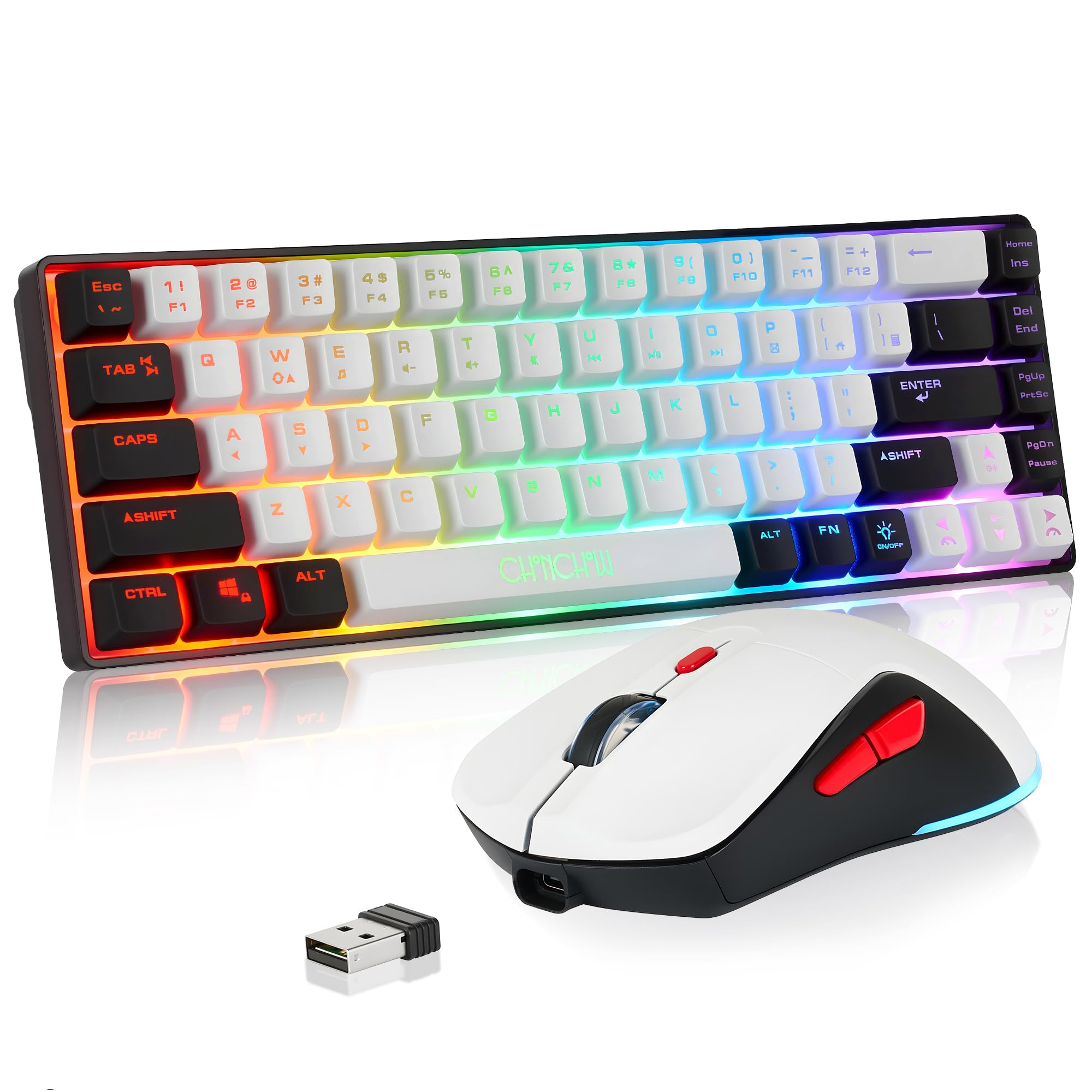
2. CHONCHOW 60% Wireless Gaming Keyboard and Mouse Combo
Barely over a pound, cut down to 68 keys, and untethered from the console.
If your Xbox lives on a TV unit with almost no depth, this is the set that fits. Compared with the larger wireless CHONCHOW below, it is roughly an inch shorter across the deck and a little taller. The compact shell is the whole point — it clears room for a mouse swing.
Power comes from a built-in 2000 mAh battery in the keyboard and a 500 mAh cell in the mouse, both topped up by cable. Both halves talk over 2.4G wireless (a dedicated USB dongle connection rather than Bluetooth) and share one adapter, with a stated range of 10 meters. The adapter lives on the back of the mouse, so you will be flipping it over to pair. Lighting offers 4 brightness levels and 3 breathing speeds, plus seven colors on the mouse.
Here is the part worth reading twice before you buy. The feedback is genuinely split on whether it behaves with an Xbox Series X, and connectivity is one of the mixed themes, so plan on a little pairing patience. The manual includes reset steps for both halves if a connection drops. It is a good fit for someone with a tight console corner who accepts a wireless set’s quirks; it is a weaker fit if you want plug-and-play certainty.
The practical upside: a 68-key deck at 1.4 pounds that stows in a bag and costs you very little desk real estate.
The pairing caveat: split console feedback means you may be re-pairing the dongle once in a while.
Reach for this if: space is tight and you want wireless freedom over guaranteed plug-and-play.
Look elsewhere if: you want a set that just works without ever touching a reset sequence.
3. CHONCHOW Wireless Gaming Keyboard and Mouse Combo (87-Key)
An 87-key wireless deck that keeps the function row and still travels in a backpack.
The middle child of the three wireless options here, and the one that hits the best balance between size and portability. At 87 keys the CHONCHOW drops the number pad but keeps the function row, so you get media controls without the full-size footprint. The deck measures 13.5 by 5.5 by 1.2 inches, which is the widest of the wireless trio but still slim enough to slide into a laptop bag.
It runs on a 2000 mAh keyboard battery with a 500 mAh mouse cell, charged by the included cable. The pair shares a single 2.4G adapter and can also run separately, and CHONCHOW claims a 10-meter range with response close to wired. Sleep timers are 60 seconds for the keyboard and 10 minutes for the mouse, with any key waking them. The rainbow backlight has 3 brightness and breathing speeds so you can find keys in a dark room.
The console story is the honest weak point: compatibility is listed as PC, laptop, PS3, PS4, PS5, Xbox and Mac, but the listing itself notes console support depends on the game’s own settings. Connectivity feedback is mixed too, with some pairing issues showing up. It fits a player who wants a slightly larger wireless board and can confirm their games accept keyboard input; the pure shooter crowd will prefer the tighter 60% sets.
Balanced footprint: it fits a small desk without feeling cramped, thanks to 87 keys and a 1.2-inch profile (the keyboard’s height) — a middle ground between a full-size board and a tiny one.
Game-by-game caveat: console support varies, so check your titles before relying on it as your only peripheral.
Best match: a gamer who wants wireless, a function row, and a board that packs flat.
Less ideal: competitive shooter players who want the smallest possible layout.
4. BlueFinger 60% Mechanical Gaming Keyboard and Mouse Combo
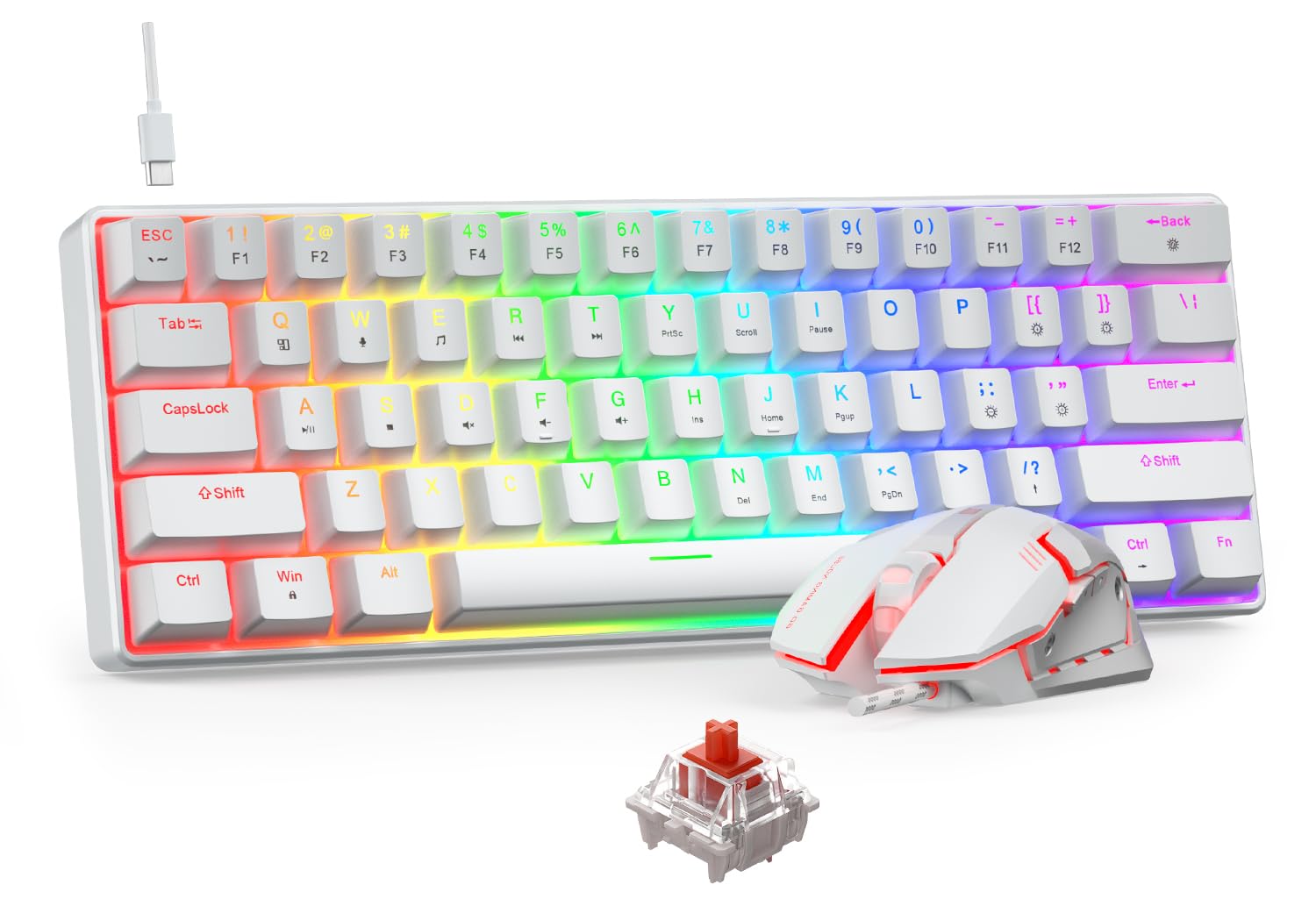
Real mechanical red switches in a 61-key slab that trades cable clutter for a Type-C lead.
This is the only set on the list with actual mechanical switches under every key. The BlueFinger uses red mechanical switches — linear, meaning smooth travel with no tactile bump at the trigger point — which gives lower resistance and a faster return than a membrane board. If you have typed on a mechanical deck before and missed that feel on a console, this is where you find it. It runs 61 keys, so no number pad and no function row, and the detachable Type-C cable makes it the easiest of the wired sets to pack.
The keyboard carries 19 RGB lighting modes with 5 brightness levels and 5 speed settings, and the mouse switches four colors — blue, red, purple and rose — from its DPI button. That mouse offers 4 DPI levels at 800, 1200, 1600 and 2400, with the low end useful for precise aim. Full-key anti-ghosting is listed, backed by an independent switch at every position. There is a splash-proof structure and two angle settings.
The trade-offs are real but manageable. It has the thinnest feedback of the sets here, so you are buying on the spec sheet more than on a long track record. Mechanical switches are also pleasantly clicky to type on, but they are not silent in a quiet room at 2 a.m. Its 61 keys also mean the smallest peak of the mechanical group. For linear red-switch feel at a mid-tier price, it delivers.
Pick this one: when the mechanical key feel is the reason you are buying a keyboard at all.
Pass it by: if you need silent, late-night typing or want a large pool of confirmed console users.
5. DGG Gaming Keyboard and Mouse with Headphones and Mouse Pad

Keyboard, mouse, headset and mat in one box — the whole couch kit.
Anyone starting from scratch should look here first, because this is the only set that fills the whole setup in one purchase. The DGG bundle pairs a 104-key membrane keyboard with a full-size mouse, a headset and a mouse pad. The keyboard uses a slim floating design with three color modes; the mouse cycles seven colors in a circular breathing effect. It is also the set most likely to impress younger players, whose enjoyment is the standout positive in the feedback.
The headset brings a 40mm driver and a high-definition microphone, a retractable headband and synthetic leather-wrapped ear cushions. That is enough for party chat and casual play without adding a separate audio purchase. On the input side, the keyboard and mouse work on Windows, Mac and Linux, while the headset is listed for PS4, PS4 Pro, Xbox One/S/X, Nintendo Switch and PC. For consoles that need a different port, DGG notes a converter may be required.
The honest catch is console reliability. The feedback is split on Xbox compatibility, and some note you get what you pay for on the build. The enjoyment level runs high, especially with kids, but this is a value-first bundle rather than a long-term keeper. For a family setup or a first gaming corner, the keyboard, mouse, headset and pad together cover a lot of ground for what one peripheral normally costs.
Everything at once: a keyboard, mouse, microphone headset and pad in one order.
Build expectation: value-tier materials with mixed Xbox feedback, so treat it as a starter kit.
Strongest for: a first setup or a younger player who needs the full kit in one box.
Not for: a serious player who already owns a headset and wants durability over breadth.
6. RedThunder 60% Gaming Keyboard and Mouse Combo (Black-White)

The 65-gram honeycomb mouse is the reason to pick this one over its twin.
RedThunder’s 60% set puts most of its effort into the mouse. The shell is a perforated honeycomb design that brings the weight down to 65 grams, plus or minus five, which makes quick flicks noticeably easier than a full-size block of plastic. Inside sits an optical sensor with 7200 DPI, a 12000fps scan rate, a 1000Hz polling rate, 40G acceleration and 400IPS tracking speed. The shape is symmetrical, so a left-hander gets a fair shake too.
The keyboard is a 61-key layout splitting the difference with the function row dropped, and the anti-ghosting claim is full-key. Unlike the mechanical BlueFinger, this one is a membrane board, so expect a softer press rather than a crisp click. Cables get upgraded braiding and a gold-plated interface, and the water-resistant structure is meant to shrug off a spilled drink. Reviewers also report it works cleanly from the first plug-in, with no pairing step to troubleshoot.
Where it stumbles slightly is feedback — it has a thinner set of reviews than the top wireless picks, so less to lean on. It does not fold in a headset the way the DGG bundle does, and it will not match the mechanical feel of the BlueFinger. For a fast, light mouse paired with a 61-key board, though, it is the strongest performer of the wired group.
What the spec sheet buys you
- 7200 DPI optical sensor with 1000Hz polling for quick, accurate aim
- 65-gram honeycomb mouse keeps tilt and flick movements light
- Braided USB with gold-plated interface for a steadier data path
- Full-key anti-ghosting on the 61-key board
Where the picture narrows
- A smaller evidence base than the top wireless sets
- Membrane keys, so no mechanical snap if that is what you want
- No number pad, so RPG players relying on keybinds lose some room
Best called for: shooter players who care about mouse weight and DPI more than a big keyboard.
Skip the idea: that this is the full-size board you wanted — it is deliberately cut down.
7. RedThunder 60% Gaming Keyboard and Mouse Combo (White-Black)

Same compact RedThunder formula in a white-and-black shell built for the road.
This is the twin of the RedThunder above, and the spec differences are color and nothing more. That makes the buying decision simple: choose the finish you like and treat the two as the same product. The 61-key layout and the 65-gram honeycomb mouse carry over, along with the same RGB lighting modes and water-resistant, triple-protection body. White keys do show dust faster than black ones, which some players care about.
The weight is the part that matters in daily use. A 65-gram mouse and a short 61-key board pack almost flat, and this one is listed with compact size as a recurring positive in the feedback — people notice it is easy to carry. For a dorm room or a shared TV setup that needs to stow between sessions, that portability is the whole point.
The honesty note is split reliability in the feedback, so do not plan on this being the last combo you ever buy. The lighting gets praised, and the compact size earns its mentions, but the reliability side is mixed enough to treat it as a value pick. For someone who moves a setup between rooms and wants a 61-key board and 65-gram mouse, it works.
Go for it when: portability and a light mouse matter more than a long-term build guarantee.
Leave it alone: if you want the confidence of a bigger pool of long-term buyer feedback before you commit.
8. Redragon Wireless Gaming Keyboard and Mouse Combo (60%)
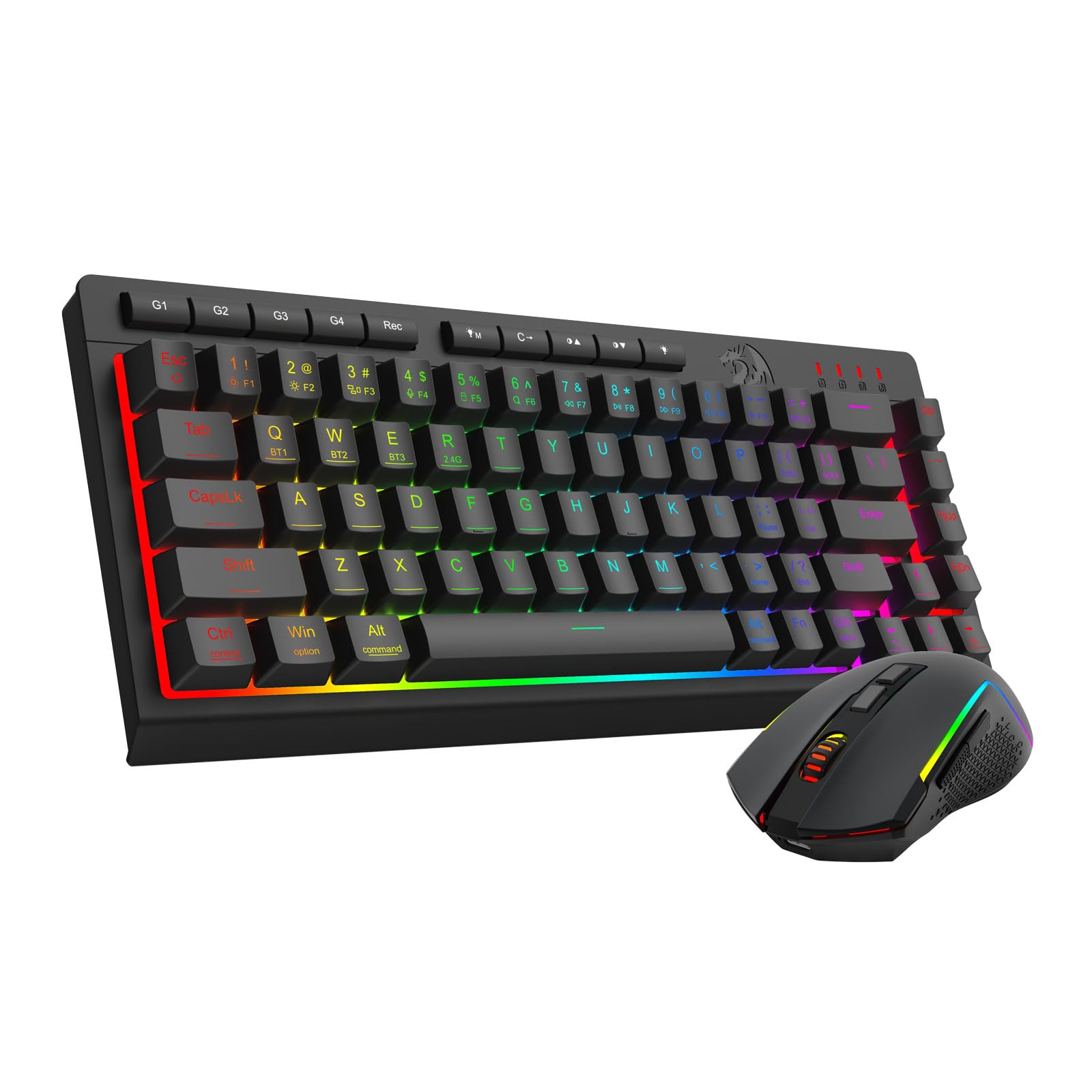
A 4000 mAh battery that runs for 50 hours lit, or 300 dark — the couch choice.
Battery life is the headline here and it dwarfs the other wireless sets. The Redragon packs a 4000 mAh keyboard battery and a 700 mAh mouse battery, rated at up to 50 hours of continuous use with RGB lighting on, and 300 hours with the lights off. An auto-sleep kicks in after 2 minutes idle and wakes on any key. For a console player who hates the charge-cable walk, that number is the reason to pick it.
Connections are the most flexible in the lineup. It supports Bluetooth 5.0, 2.4G wireless and USB-C wired, all three on one set, with hotkeys to switch between devices. The 2-in-1 receiver runs keyboard and mouse together. The 60% design drops the number pad, and the whole set weighs 512 g, so it moves between desk and couch without fuss.
Lighting goes to 16.8 million RGB colors with 8 dynamic effects, 6 DIY modes and 7 solid colors, adjustable in 5 levels. DPI has 5 defaults from 400 to 3200, tunable up to 12800 via the Redragon driver software, and the keyboard supports 26-key anti-ghosting. The mixed reliability feedback is the counterweight: some units drop key presses. For most players the 26-key anti-ghosting holds up, but the dropped-key reports are worth knowing before committing.
Charge-cycle winner: 50 hours lit, 300 hours dark, and a 2-minute auto-sleep to stretch it further.
Reported quirk: key-press reliability is mixed, so test every key during your return window.
Reach for this if: you want the longest gap between charges and tri-mode flexibility.
Choose otherwise: if you want the most consistent build record among the wireless sets.
9. NEXiLUX NXL-95237 Pro Gaming Keyboard and Mouse Combo

The set that builds the console adapter in, so older Xbox hardware gets keyboard control.
Most sets on this list assume the console will just read them. The NEXiLUX takes a different route with a built-in keyboard and mouse adapter for Switch, PS3, PS4, Xbox One and Xbox 360. That makes it the only pick that addresses the Xbox 360 generation head-on. It also adds a 360-degree analog stick, a 3.5mm headphone jack, 4 special macro keys with Turbo and a wrist rest with 4 positions.
The kit is heavier than the compact wireless sets at 16 ounces, and it runs on a USB connection. The macros are useful for fighting-game combos or repeating an input you do not want to hold. The adjustable wrist rest is a real comfort feature on longer sessions, and the analog stick sits closer to a controller than to a keyboard.
Keep your expectations calibrated, though. It has the lowest rating of the group, and the spec sheet is thinner than the others, so it is a specialist pick rather than a universal one. Buy it when older-console compatibility or macro keys are the whole reason you are shopping; skip it when you want a modern, lightweight board for a Series X.
Fits: older Xbox hardware and players who want macro keys and a wrist rest.
Not for: anyone chasing the lightest or best-supported set for current consoles.
Know the Specs
2.4G Wireless vs Bluetooth
A 2.4G connection uses its own USB dongle and tends to give a faster, steadier link than Bluetooth, which is why most console combos here use it. Bluetooth 5.0 adds device switching but can be more finicky on a console. Look for a shared adapter that pairs both keyboard and mouse from one dongle.
Battery Capacity in mAh
Battery mAh tells you how much charge a set holds, not how long it lasts on its own. The Redragon pairs a 4000 mAh keyboard cell with a 700 mAh mouse cell and quotes up to 50 hours with RGB on and 300 hours with lights off. Sleep timers — 60 seconds to 2 minutes depending on the set — stretch all of that further.
Key Rollover and Anti-Ghosting
Anti-ghosting keeps simultaneous keypresses from cancelling each other. The AULA and RedThunder sets list 26-key rollover; the BlueFinger claims full-key coverage. In practice this matters most when you hold a direction, crouch and fire at once.
DPI and Polling Rate
DPI sets mouse speed per hand movement — low values like 400 to 800 suit precise aiming, high values like 7200 suit fast turns. Polling rate, measured in Hz, is how often the mouse reports position; a 1000Hz rate is the fast end. Both appear across these sets, so match the number to how you play.
Common Questions
Will a USB keyboard and mouse work on an Xbox Series X or Xbox One?
Do I need an adapter to use a keyboard and mouse on an Xbox?
How long does a wireless Xbox keyboard and mouse last on a charge?
Is a 60% keyboard better than a full-size one for console gaming?
What does anti-ghosting actually do when I press several keys at once?
Can I use a wireless combo with my Xbox if the dongle is in the mouse?
What DPI should I set my gaming mouse to for Xbox shooters?
Do mechanical switches make sense for console gaming on a couch?
Will my keyboard and mouse drop connection mid-game?
What should I do if a wireless keyboard and mouse will not reconnect?
The Bottom Line
For most players, the xbox keyboard and mouse that makes the least trouble is the AULA T102. It plugs into a single USB-A port with no charging or pairing, and it has the deepest base of positive feedback of the group. The Redragon S155-RGB is the one to reach for if you want the longest gap between charges and three connection modes. And for a tight TV stand, the CHONCHOW 60% saves the desk space a shooter needs.
How we choose
We do not accept paid placement. Every pick is matched to a real buyer and a real use-case; we do not hands-on test units.
Sources
Specifications: manufacturer listings and product documentation. Review insights: verified customer reviews, as of November 2026. Pricing: not shown on this page (it changes often); check the current price via the retailer link.
As an Amazon Associate, Tactical Gear Guy earns from qualifying purchases. This does not affect which products we feature.