Specs are compiled from manufacturer listings and verified buyer reviews and can change over time — please confirm the key details on the product page before buying.
You want to play Game Pass on your couch, in bed, or on a plane seat tray, and you do not want to spend console money to do it. That is the whole job of an Xbox Cloud Gaming handheld: a screen, a controller, and a Wi-Fi radio that can hold a stream steady. This guide narrows it to six handhelds and matches each to a specific way of playing.
This guide is built by comparing the manufacturers’ published specifications and the patterns across verified customer reviews, so you get each pick’s real strengths and trade-offs instead of marketing spin.
A smooth stream versus a stuttering one depends on three specs: the Wi-Fi module, the screen refresh rate, and the stick technology. Below you get the honest read on every model so you can pick once and stop second-guessing your xbox cloud gaming handheld.
Top Picks

How To Choose The Best Xbox Cloud Gaming Handheld
Cloud gaming flips the usual handheld math. Your device barely renders anything — a server does the heavy lifting — so raw chip power matters less than the parts that carry the stream: the wireless radio, the screen, and the sticks you touch for hours.
Start with the Wi-Fi radio, not the processor
A stream arrives as a video feed over Wi-Fi, and any hiccup shows up as stutter or a blurry smear. Look for a device that names its Wi-Fi module or standard openly — the OnePro lists a 2T2R MU-MIMO Wi-Fi module (a two-antenna, two-stream radio built to keep connections steady when several devices share the network). The ONEXSUGAR goes further with WiFi 7, the newest wireless standard, which keeps latency low on a crowded home network.
Refresh rate decides how the motion feels
A 60Hz screen redraws the image 60 times a second; 120Hz doubles that. Cloud streams often cap lower than that, but a faster panel still smooths menu scrolling and native Android titles you play locally. The ROG Ally and the AYN Odin 2 Portal both list a 120Hz display, while the OnePro settles at 60Hz.
Battery capacity in mAh versus real hours
Milliamp-hours (mAh) measures the battery’s raw capacity — bigger numbers generally mean more play time, but a bright screen and a hungry chip can eat the difference. The AYN Odin 2 Portal carries 8000mAh, and the ONEXSUGAR pairs its 5600mAh cell with a claimed 8 hours of average battery life.
Stick technology you will not have to replace
Traditional analog sticks wear down and start drifting — the cursor creeps on its own even when you are not touching it. Hall effect sticks use magnets instead of physical contact, so they avoid that wear. The OnePro and the ONEXSUGAR both list drift-free Hall effect joysticks, and on a handheld you cannot swap the controller, so it is worth prioritizing.
Side-by-Side Comparison
| Model | Best For | Screen | Battery | Storage | Amazon |
|---|---|---|---|---|---|
| Retroid Pocket 5★ Best Overall | Budget retro plus cloud | 5.5″ 1080p touchscreen | 5000mAh | 128 GB | Amazon |
| OnePro Cloud HandheldBest for Streaming | Pure cloud streaming | 7″ 1080p 60Hz | Over 8 hours claimed | 64 GB | Amazon |
| AYN Odin 2 Portal Base | Big-screen OLED endurance | 7″ 1080p OLED 120Hz | 8000mAh | 128 GB | Amazon |
| ASUS ROG Ally (Z1) | Windows library on the go | 7″ 1080p 120Hz | — | 512 GB | Amazon |
| ONEXPLAYER ONEXSUGAR | Dual-screen curiosity | 6.01″ + 3.92″ dual OLED | 5600mAh | 512 GB | Amazon |
| ASUS ROG Xbox Ally | Console-style Game Pass | 7″ 1080p 120Hz | 60Whrs | 512 GB | Amazon |
Detailed Reviews
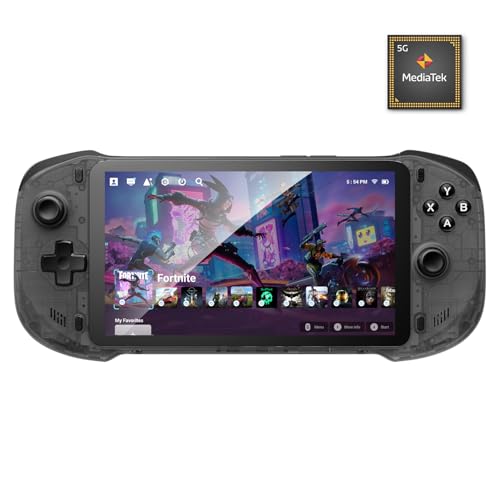
1. Retroid Pocket 5 Retro Handheld Game Console, 8+128G
Our pick — 4.5+★ from 250+ verified ratings; the strongest balance of quality and price.
The pocket-sized all-rounder that runs your Android and retro library and streams Game Pass on top.
The headline for most people is the 5.5-inch 1080p touchscreen — a full-HD panel squeezed into a body small enough to slip into a jacket pocket. That resolution in a screen this size keeps text crisp in emulator menus and keeps streamed games sharp rather than soft.
Inside sits a Snapdragon 865 processor and Adreno 650 GPU, backed by 8GB of RAM and 128GB of storage. In plain terms, that is enough muscle to run Android games and emulated PS2 titles without complaint. It also runs Android 13 with full app-store access, so Xbox Cloud Gaming, GeForce NOW and similar services install like any other app.
Owner reviews praise device quality by a wide margin, with how games actually run a distant second. The 5000mAh battery keeps sessions going, and a microSD slot lets you add storage for ROMs and apps. One setup note worth knowing: a fresh unit may arrive in battery protection mode and need at least 8 hours on the charger before it wakes.
What earns it the crown
- 5.5-inch 1080p touchscreen delivers full-HD sharpness in a pocketable body
- Snapdragon 865 with Adreno 650 graphics and 8GB RAM handle Android games and emulation comfortably
- Android 13 opens the door to cloud gaming apps alongside emulators
- 128GB onboard with a microSD slot for expansion
Before you commit
- Setup asks for patience — the first charge ritual runs at least 8 hours
- No games come preloaded, so expect a few evenings of configuration
Buy it for: the person who wants one handheld that handles retro emulation, Android games and cloud streaming without stretching the budget.
Hold off if: you want to unbox and play instantly — this one rewards a careful setup.
2. OnePro Cloud Handheld Portable Remote Play Gaming Console
A tablet-shaped streamer built for one thing: pulling cloud games down a steady Wi-Fi line.
Where the Retroid fights above its size, the OnePro spreads out — a 7-inch 1080p touchscreen at a 16:9 aspect ratio, running at 60Hz. That is the same resolution as the ROG Ally’s panel below, though the Ally redraws at 120Hz to the OnePro’s 60Hz.
The engineering focus here is streaming, not local rendering. A 2T2R MU-MIMO Wi-Fi module (a two-antenna radio designed to keep a connection clean) is tuned specifically for cloud services, and the device lists support for Xbox Cloud Gaming, NVIDIA GeForce NOW, Amazon Luna, PlayStation Now and Boosteroid. It also does remote play from a PlayStation, Xbox or PC with minimized latency.
The weight story is real: abxylute lists it at 430g — lighter than the ONEXSUGAR at 486g — and pairs that with over 8 hours of claimed battery life. Hall effect joysticks ward off drift, and the anti-slip back plus solid ABXY buttons suit fighters and 2D games. The screen is bright and sharp, and the controls feel responsive in hand. Storage is the tight spot at 64GB, so lean on the microSD slot if you keep many local titles on board.
The streaming-first logic: the whole build is tune for keeping a remote feed alive — module, screen and buttons all point at cloud play rather than heavy local rendering. For Xbox Cloud Gaming specifically, that focus pays off.
Where it pinches: 64GB is thin for a device that also runs Android apps, so plan on a microSD card if your library grows.
Reach for this if: streaming is 90% of what you do and you want a light, wide-screen device built around that job.
Look elsewhere if: you want a big local library loaded on the device itself without adding a card.
3. AYN Odin 2 Portal Base Retro Handheld Game Console
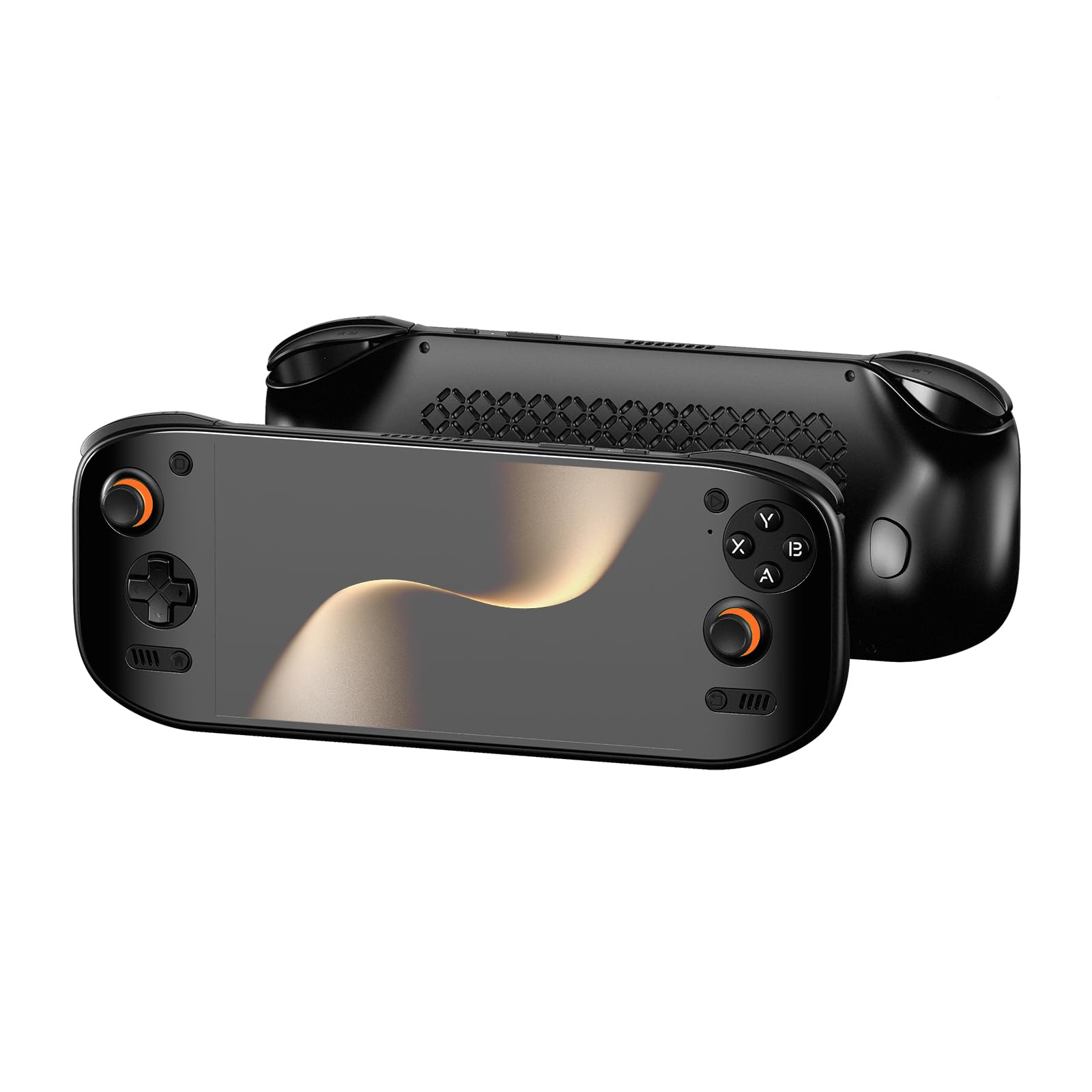
A 7-inch OLED panel running at 120Hz — the screen that makes every other handheld here look flat.
OLED pixels light themselves individually, so blacks go truly dark and colors pop harder than on a standard LCD. The Odin 2 Portal pairs that 7-inch OLED with a 120Hz refresh rate, and the Snapdragon 8 Gen 2 processor with Adreno 740 graphics keeps Android games and emulation fluid.
The 8000mAh battery is the largest listed of any pick here, and it beats the Retroid’s 5000mAh on raw capacity. A 27W USB-C fast-charge port gets you back into a game quickly. The chassis runs an Xbox-style button layout, which means cloud-streamed controller prompts map naturally, and a 3D curved glass cover finishes the front.
The Android 13 build runs Google Play, so cloud apps install without fuss. If OLED and 120Hz are not worth the premium to you, the OnePro streams for less.
The panel is the pitch: 7 inches of OLED at 120Hz is a genuine step up in color and motion over the LED screens on the other picks.
The caution: a thinner owner history means you are buying on specs and brand trust more than a long trail of reports.
Suits you if: screen quality is the thing you refuse to compromise on, and you want the biggest battery in this lineup.
Think twice if: you prefer buying a device with a long record of owner feedback behind it.
4. ASUS ROG Ally Gaming Handheld Console – Z1 Processor, 512GB

The Windows machine that plays your PC library natively and streams Game Pass when you want to.
This is a different animal from the streaming-first picks. The ROG Ally runs Windows, so it opens Steam, Epic, GOG, Xbox Game Pass and more as native apps rather than streaming them. The AMD Z1 APU with RDNA 3 graphics and 2.8 TFLOPs handles the rendering on-device, which means no Wi-Fi dependency for local titles.
The 7-inch Full HD screen runs at 120Hz with AMD FreeSync Premium, a technology that syncs the panel to the frame rate to cut tearing. That 120Hz panel matches the Odin 2 Portal’s refresh rate, and its 7-inch size is bigger than the Retroid’s 5.5-inch screen.
Performance is the star — it is the most-praised theme by a clear margin, with game compatibility close behind. The catch is battery life, which draws consistent criticism as weaker than the Steam Deck OLED. Value draws split opinions. Buy it if you want on-device rendering for PC games; skip it if you mostly stream, since the Z1’s power goes unused.
Why the Ally earns its place
- Runs Windows, so Steam, Epic, GOG and Game Pass games all play natively
- 7-inch 1080p 120Hz screen with FreeSync Premium for smooth motion
- AMD Z1 APU with RDNA 3 graphics and 2.8 TFLOPs for on-device power
- 512GB of storage for a serious local library
The trade-offs to weigh
- Battery life is the recurring gripe — expect short unplugged sessions on heavy games
- Heavier and pricier than pure streaming handhelds, and you pay for power you may not need
The right call for: a player who wants one device that runs PC games locally and still streams Game Pass.
The wrong call for: someone who streams only and wants long unplugged battery over raw horsepower.
5. ONEXPLAYER ONEXSUGAR Dual OLED Gaming Handheld
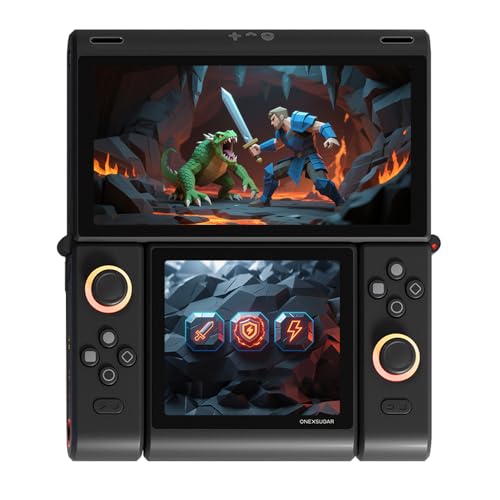
A clamshell with two OLED screens — the most unusual handheld here, and the most storage-hungry.
You get two screens here, and that is the whole point. The main 6.01-inch OLED (a bright, high-contrast screen) runs at 2160×1080, so games look crisp and detailed. A second 3.92-inch OLED at 1240×1080 folds into a clamshell (a flip-open body) for touch controls and a split display. It is a bold, fun design, and the 512GB UFS4.0 storage (fast flash memory) dwarfs everything else in this guide — the OnePro’s 64GB looks tiny beside it.
Under the hood runs an 8-core Snapdragon G3 Gen3 clocking up to 3.3GHz with Adreno A32 graphics, plus 16GB of RAM. Connectivity is current: WiFi 7 and Bluetooth 5.3 for low-latency wireless performance. The Hall effect joysticks and micro-switch triggers avoid drift and give a crisp click.
Now the honest read. Performance draws mixed feedback here — some find it genuinely capable, others report it does not work well, and value draws real dissatisfaction. The 5600mAh battery claims 8 hours of average life, and the body weighs 486g — heavier than the 430g OnePro. Buy it only if the dual-screen format itself is what you want and you accept the premium.
what separates it: the dual OLED layout is unlike anything else on this list, so you get a second screen for touch controls and split views. And 16GB RAM (working memory) with 512GB UFS4.0 storage (fast flash memory) is the most generous on offer here — you can keep a large game library installed without juggling space.
The honest caveat: performance consistency is a live question in owner feedback, and value is the sharpest criticism — this is a costly experiment, not a safe default.
Worth it for: tinkerers who love the dual-screen idea and want the biggest storage and RAM in the lineup.
Not worth it for: anyone who wants predictable performance from the start or the best value per dollar.
6. ASUS ROG Xbox Ally Gaming Handheld 7″ 120Hz
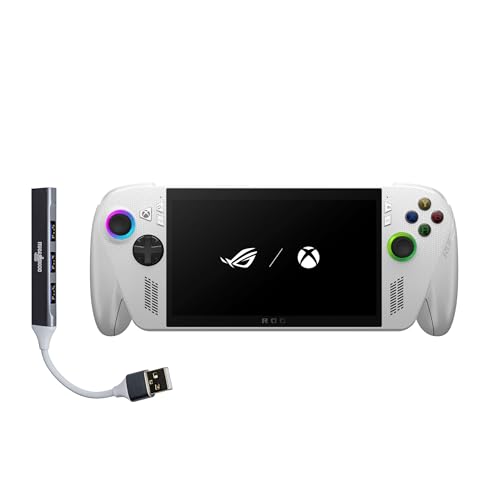
Boots straight into the Xbox experience like a console — the most Xbox-native handheld in this lineup.
This is the pick that removes the setup friction. It boots directly into the Xbox experience, and a tap of the Xbox button brings up Xbox Game Bar to launch Game Pass titles, Steam games or Windows titles. If you already own an Xbox and a PC library, Xbox Play Anywhere lets you resume progress across devices.
The AMD Ryzen Z2 A processor drives console-caliber performance, backed by 16GB of LPDDR5 6400MHz RAM and a 512GB SSD. The 7-inch 1080p screen runs at 120Hz with FreeSync Premium variable refresh rate and 500 nits of brightness for daylight play — the same 120Hz clip as the ROG Ally above. A 60Whrs battery pairs with fast charging that refills from 0% to 50% in 30 minutes.
Comfort gets real attention: the contoured grips borrow from Xbox Wireless Controllers, and the chassis balances at 1.47lbs for long sessions. Game quality is the most-praised theme, with game performance split and battery life a recurring concern for short unplugged play. Connectivity includes WiFi 6E and Bluetooth 5.4.
Where it shines: boot-straight-into-Xbox is a genuine convenience for Game Pass regulars, and 16GB of LPDDR5 with a 512GB SSD is plenty for a full library.
The realistic catch: battery life is the recurring concern, so plan on tethering for long sessions despite the 30-minute half-charge.
The confident pick if: you live in the Xbox ecosystem and want console-style pickup-and-play with Game Pass front and center.
Skip the premium if: you mainly stream and do not need a full local Windows library on the device.
Know the Specs
Refresh rate in Hz
Hertz (Hz) counts how many times per second the screen redraws. A 60Hz panel refreshes 60 times a second; 120Hz does double that, which smooths motion and menu scrolling. The ROG Ally, ROG Xbox Ally and AYN Odin 2 Portal all list 120Hz, while the OnePro sits at 60Hz.
Hall effect joysticks
Standard analog sticks wear down internally and start drifting — the character creeps on its own. Hall effect sticks use magnetic sensing instead of physical contact, so they resist that wear. The OnePro and the ONEXSUGAR both list them, which matters on a handheld you cannot easily swap controllers on.
Battery capacity in mAh
Milliamp-hours (mAh) measure raw battery capacity. Bigger is generally better, but screen brightness and processor load change the real hours. The AYN Odin 2 Portal lists 8000mAh, the ONEXSUGAR 5600mAh, and the Retroid 5000mAh.
OLED versus LCD
OLED pixels light themselves individually, so blacks go truly dark and colors look richer. LCD panels use a backlight behind the whole screen. The AYN Odin 2 Portal and the ONEXSUGAR use OLED; the ROG Ally, ROG Xbox Ally and Retroid use LCD-style panels.
Common Questions
Do I need a separate controller to play Xbox Cloud Gaming on these handhelds?
Will a 60Hz screen feel worse than 120Hz for cloud streaming?
How much storage do I need for a cloud gaming handheld?
What is the difference between a Hall effect stick and a regular analog stick?
Can these handhelds play native Xbox games or only stream them?
How long does the battery last on an Odin 2 Portal or ONEXSUGAR during a session?
Does a faster Wi-Fi standard really matter for cloud gaming?
Is a 7-inch screen too big to hold comfortably for long sessions?
Do any of these handhelds come with games preloaded?
Can I hook these handhelds up to a TV and use a separate controller?
The Bottom Line
For most buyers, the xbox cloud gaming handheld winner is the Retroid Pocket 5. It balances a sharp 5.5-inch 1080p screen, a Snapdragon 865 chip (the processor that runs the device) and 128GB storage at an accessible tier — so you can stream, emulate and run Android games without picking a lane. If you want a light, wide-screen streamer built specifically for cloud services, grab the OnePro Cloud Handheld at 430g with Hall effect sticks (magnetic sticks that resist drift). And for a screen you will not want to look away from, the AYN Odin 2 Portal puts a 7-inch 120Hz OLED (a screen that refreshes 120 times a second for smoother motion) and an 8000mAh battery (a large-capacity battery) in your hands.
The Retroid takes first place because it fits the most people, and owner reviews back that up with consistent praise for build quality and gameplay. Match the device to how you play: stream-only buyers can skip Windows power and save, while power users can spend up for native PC titles on the go.
How we choose
We do not accept paid placement. Every pick is matched to a real buyer and a real use-case; we do not hands-on test units.
Sources
Specifications: manufacturer listings and product documentation. Review insights: verified customer reviews, as of November 2026. Pricing: not shown on this page (it changes often); check the current price via the retailer link.
As an Amazon Associate, Tactical Gear Guy earns from qualifying purchases. This does not affect which products we feature.