Specs are compiled from manufacturer listings and verified buyer reviews and can change over time — please confirm the key details on the product page before buying.
You want a controller that still feels tight after a year, not one that wanders off on its own after a month. That is the real problem in this category, and it is also the thing most buyers never check before clicking buy. The short answer: magnetic thumbsticks, which have no physical contact inside, are the only fix that removes drift at the source; everything else depends on fit, budget, and which console you own.
This guide is built by comparing the manufacturers’ published specifications and the patterns across verified customer reviews, so you get each pick’s real strengths and trade-offs instead of marketing spin.
Most drift complaints trace back to worn potentiometer stick sensors, so checking for magnetic sticks up front saves you from buying twice. Below you will find a mix of Xbox and PlayStation pads ranked by real owner feedback, covering the best Xbox and PS4 controllers for wired setups, couch co-op, and drift-free play.
Top Picks


How To Choose The Best Xbox and PS4 Controllers
The wrong assumption most buyers carry is that every pad’s sticks will still center accurately after six months. It won’t. The stick sensor inside a thumbstick is what decides whether a pad stays accurate, so understand it before you compare anything else.
Stick sensors decide how long a pad stays accurate
A standard thumbstick uses a potentiometer — a physical wiper that rubs against a resistive track every time you move the stick. That contact wears down, and the wear is what players call drift: the stick reports movement when your thumb is off it. Hall Effect sticks replace that contact with magnetic sensors, so nothing rubs and nothing wears. If you plan to log serious hours, prioritize a pad with Hall Effect or TMR sticks over one with a fancier shell.
Console fit is not the same as controller quality
A licensed PlayStation 4 pad is built for that console and its official layout, including the touch pad and the SHARE and OPTIONS buttons. An Xbox pad pairs with Xbox Wireless and Bluetooth. Buying across the line only works on PC, and even then a PlayStation pad on Windows often needs Steam Input or mapping software to translate the inputs. Decide which console you actually play on before anything else.
Buttons, triggers, and what you will actually use
Button count ranges widely here, from a lean 9 up to a full 20. Extra face buttons and mappable paddles matter if you play shooters or fighting games where your thumbs never leave the sticks. Trigger locks — a switch that shortens how far the trigger travels — help in fast-paced shooters where a shorter pull means a faster shot. If you mostly play story games, you can skip the extra buttons and trigger locks and save the money.
Wired or wireless, and the honest trade-off
A wired pad removes battery worries and lag from the equation entirely, and an integrated cable keeps you plugged in with no charging dock to find. The catch is the cable itself. Wireless gives you freedom on the couch but adds a battery to manage. Neither wired nor wireless is better in the abstract; it depends on whether you sit close to the screen or across the room.
Side-by-Side Comparison
| Model | Best For | Buttons | Connection | Weight | Amazon |
|---|---|---|---|---|---|
| Xbox Wireless Controller DOOM★ Best Overall | DOOM fans and collectors | 9 | Bluetooth, USB-C | 0.21 kg | Amazon |
| Nacon Wired Controller for PS4Budget Champion | Budget PS4 play | 14 | USB-A wired | 300 g | Amazon |
| PowerA Advantage Wired Controller – Fortnite GlowDrift-Free Pick | Drift-free Xbox on a budget | 18 | USB wired | 10.24 ounces | Amazon |
| Microsoft Xbox Series S/X Controller Robot White | Couch co-op starter | 14 | Bluetooth | 14.4 ounces | Amazon |
| DualShock 4 Wireless Controller – Jet Black | PS4 players who want the official pad | 20 | Bluetooth, Micro USB | 12 ounces | Amazon |
| GameSir G7 Pro Wireless – Wuchang Edition | Competitive Xbox and PC play | 12 | USB-C, 2.4G, Bluetooth 5.3 | 9.6 ounces | Amazon |
| Xbox Core Wireless Controller 2-Pack – Carbon Black | Two-player households | — | Bluetooth | 1.6 pounds | Amazon |
| Xbox Elite Wireless Controller Series 2 | Serious competitive players | 18 | Wireless / Cable | 16 ounces | Amazon |
Detailed Reviews
1. Xbox Wireless Controller DOOM
Our pick — 4.5+★ from 600+ verified ratings; the strongest balance of quality and price.
The DOOM pad that puts matte green armor and silver helmet spikes on a legit Xbox controller
If you want a controller that looks the part as much as it plays it, this is the one. The case is modeled on the DOOM Slayer’s armor — matte green plating with 3D silver helmet spikes running across the top. The rubberized grips carry a leather-like texture, so your palms stay planted through a long session. It ships with the DOOM Slayer Executioner Skin as a downloadable add-on for DOOM: The Dark Ages, with the game itself sold separately.
Quality is what wins people over here, and by a wide margin — it is the most-praised trait across the review pages, with design a strong second. The button count sits at 9, which is lean but covers everything a standard Xbox layout needs. Connection is handled by Xbox Wireless and Bluetooth, so it pairs with supported consoles, PCs, and cloud-enabled devices. It runs 6.91 x 5.61 x 2.76 inches.
The honest sticking point is build confidence and price-to-value, both of which draw split opinions. Some owners find the shell rock solid; others worry about how it holds up over years. That is not a reason to dodge it — this is a special-edition cosmetic piece and should be treated as one. If you want a plain workhorse, get a standard pad. If you want the DOOM armor on your shelf and in your hands, the finish is worth the asking price to you.
What the armor gets right
- Leather-like rubberized grips keep your hands locked in
- 3D silver helmet spikes and plated sheathing make it a display piece
- Green ABXY buttons from the Sentinel alphabet, plus a red thumbstick matching the chest port
- Xbox Wireless and Bluetooth for console, PC, and cloud play
Where it asks for care
- Build durability draws split opinions rather than uniform confidence
- Value is a matter of taste on a special-edition shell
- 9 buttons is lean compared to fuller pads in this list
Made for: DOOM players and collectors who want the Slayer’s armor in hand and do not mind paying for the finish.
Look elsewhere if: you want a plain, tough daily driver — a standard-layout pad serves that better.
2. Nacon Wired Controller PS4
A licensed PS4 pad with a 3-meter cable that never asks you to hunt for a charger
The biggest win here is simple: no battery, no charging dock, no dead pad mid-match. The integrated 3-meter USB cable (about ten feet, enough to reach the couch from most TV stands) gives a low-latency, plug-and-play experience the moment you sit down. It is officially licensed by Sony for PlayStation 4 and carries the full official layout, including the touch pad plus SHARE and OPTIONS buttons and an LED player status indicator.
Comfort gets attention in the build — larger face buttons and a rubber coating are there to keep your grip steady during marathon sessions. Dual vibration motors put the shots and explosions in your hands. A 3.5mm stereo port lets you plug in a RIG headset or any other headset for game audio and chat. Button count lands at 14, and the whole pad weighs 300 g, so it feels substantial without dragging.
Here is the honest snag: opinions on how it feels in the hand split down the middle. Some players love the shape; others find it the wrong fit. Since comfort is personal and this pad is wired-only, the smart move is to size up your hand and your cable run before committing. For PC play, note that Xbox pads are the native default — this PlayStation-style pad needs Steam Input or mapping software like DS4Windows for the best results on non-Steam games.
What it nails: the wired-only design removes the single most common controller frustration — running out of charge at the worst time — while the official PS4 layout keeps every familiar button where your thumbs expect it.
The fair caveat: ergonomics are a coin flip between love and dislike, so it rewards buyers who can judge fit from their own hand size rather than from the spec sheet.
Best for: PS4 owners who want a licensed pad and prefer the certainty of a cable.
Think twice if: you play far from the console or already know you dislike a chunkier face-button feel.
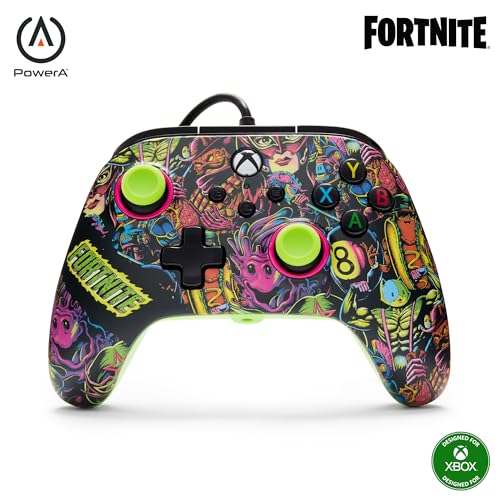
3. PowerA Advantage Wired Controller Fortnite
Magnetic sticks that stop drift at the source, wrapped in a glow-in-the-dark shell
Hall Effect modules are the headline and they earn it: contact-free magnetic sensors in the thumbsticks mean nothing physically wears as you move, so stick drift has no path to form. That is the spec to buy this for. The shell gives you two kinds of glow — a glow-in-the-dark effect and a fluorescent reaction when a UV light hits it. A Moon Bounce Emote code ships in the box, and the pad is officially licensed for Xbox Series X|S while working on Xbox One and Windows 10/11.
Quality is the trait owners praise most, with value close behind, and the control stack backs that up. Two mappable buttons can be programmed on the fly mid-game with no system settings to touch. Three-way trigger locks let you shorten the pull travel in three positions, so a quick flick fires in an FPS or a long pull works a race throttle. Dual rumble motors and impulse triggers push the game’s action into your hands. At 10.24 ounces it is markedly lighter than the 14.4-ounce Robot White bundle further down, which pays off over long sessions.
The part to weigh honestly is longevity on the body itself, which draws mixed opinions — some pads keep running without complaint, a few stop working after a few weeks. Since it is wired, you are tied to a cable, which is the trade for zero battery hassle and the built-in 3.5mm headset jack. PowerA’s Gamer HQ app lets you test and calibrate the sticks if you want to verify centering. A 2-year limited warranty covers the buy.
The drift answer
- Contact-free magnetic Hall Effect thumbsticks resist wear-based drift
- Two mappable buttons program on the fly, mid-game
- Three-way trigger locks set pull travel in three positions
- Glow-in-the-dark plus UV-fluorescent finish
- 2-year limited warranty and the PowerA Gamer HQ calibration app
The honest limits
- Wired-only, so you stay tethered to the console or PC
- Durability on the body draws mixed opinions
Reach for this if: drift is what killed your last pad and you want magnetic sticks without jumping to premium pricing.
Pass if: you need a wireless pad for a couch that is far from the screen.
4. Xbox Wireless Controller Robot White

The white Xbox pad bundled with a spare lithium battery and a Game Pass code
This is the familiar modernized Xbox shape in Robot White, with sculpted surfaces and refined geometry aimed at comfortable, controlled play. The textured grip wraps the triggers, the bumpers, and the back case, and the hybrid D-pad splits the difference between crisp and familiar input. Bluetooth handles the wireless link to consoles, Windows 10 PCs, Android phones, and tablets.
What makes this bundle worth a look is the VGSION rechargeable lithium battery in the box — you skip buying disposables. There is also a code for 14 days of Game Pass with access to over 100 games, so a new console owner gets a running start. Fourteen buttons cover the standard layout, and connection is Bluetooth.
One spec you should read carefully: the listed package dimensions are 2 x 2 x 2 inches, which is not the controller’s real footprint — Microsoft’s own DOOM pad lists 6.91 x 5.61 x 2.76 inches for the actual body. Treat the small number as a packaging quirk rather than a size guide. At 14.4 ounces it is the heaviest standard-layout pad in this lineup, and that weight comes largely from the rechargeable cell.
The bundle logic: buying the battery and a Game Pass code alongside a fresh white pad saves you two separate purchases, so a first-time Series S or X owner gets a complete setup in one box.
Worth noting: the odd 2 x 2 x 2 measurement in the listing is packaging, not controller size — do not use it to judge how the pad sits in your hands.
Best for: new Xbox Series S or X owners who want a wireless pad plus a rechargeable battery in one package.
Skip if: you already own spare batteries and a Game Pass subscription — a plain pad covers the same ground.
5. DualShock 4 Wireless Controller

The PS4 pad with the most buttons in the room and the biggest following
Twenty buttons is the number that sets this DualShock 4 apart — versus the nine on the DOOM Xbox pad above. That count is the multi-touch, clickable touch pad plus the full PlayStation face and shoulder cluster, and it opens up gameplay options a simpler pad cannot. The dual analog sticks and trigger buttons were redesigned for a greater sense of control, and built-in motion sensors — an accelerometer and a gyroscope that read tilt and rotation — let the pad respond to how you move it.
The quality consensus on this pad is about as strong as it gets in the category, and functionality is a close second — is it any wonder it is the default pad for millions of PS4 owners? A built-in speaker and a stereo headset jack hand several audio options straight to you. Charging is easy: plug into the PS4 itself, even in rest mode, or use any standard charger with a USB cable (type A to micro B, sold separately). It weighs 12 ounces and pairs over Bluetooth.
The honest catch is durability, and it is the most-discussed negative on this pad — the shell and sticks have a history of wearing out with heavy play. Battery life also draws mixed feelings. Treat it as the authentic experience with a finite lifespan rather than an heirloom, and buy accordingly. Note too that PS5 compatibility applies only when you are playing PS4 games.
Why PS4 owners default to it
- 20 buttons, including a multi-touch clickable touch pad
- Accelerometer and gyroscope read motion, tilt, and rotation
- Built-in speaker plus stereo headset jack
- Charges through the PS4 even in rest mode
The honest trade-offs
- Durability is the most-discussed negative — heavy play wears it out
- Battery life draws mixed feelings
- PS5 works only when playing PS4 games
Made for: PS4 players who want the official layout, touch pad, and motion controls they already know.
Consider a pass if: you log punishing daily hours and want a pad built to take that abuse.
6. GameSir G7 Pro Wireless Controller
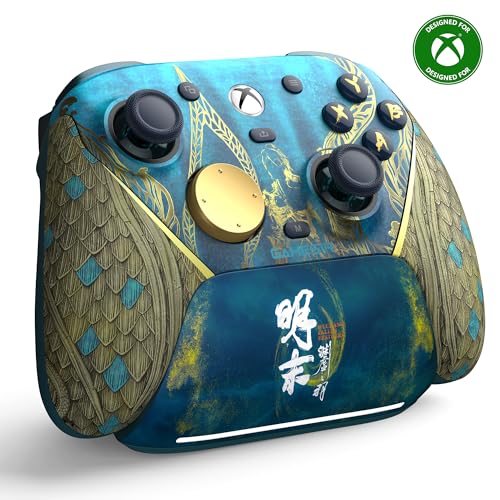
A 1000Hz polling rate and magnetic sticks in a shell that weighs 9.6 ounces
Start with the number that separates it: 1000Hz polling rate. That is how often the pad reports its position to your console every second, and a higher rate translates into smoother, more immediate stick response in fast games. It is the first-ever wireless Xbox controller from GameSir, pairing over a 2.4G wireless link with a one-press wake-up that turns the console on with the pad. The Mag-Res TMR sticks blend the precision and low power draw of standard sticks with the durability of Hall Effect, feeding that stable high polling rate.
Control runs deep here. Hall Effect analog triggers use a mechanical micro-switch for a tactile, near-zero-latency pull, and a Hair Trigger Mode activates by holding M+LT/RT when you want the shortest possible response. Tri-mode connectivity covers Xbox and PC over the 2.4G dongle or USB-C, and Android over Bluetooth 5.3. A 1200mAh battery keeps sessions going, and a smart charging station starts charging the moment you set the pad down, with a built-in compartment for the wireless receiver.
What wins people over is how it feels and how much control it hands you — four programmable buttons and magnetic sticks that hold their centering. The grip texture keeps the pad planted. At 9.6 ounces it is lighter than the 14.4-ounce Robot White bundle and the 16-ounce Elite Series 2, which matters across a long session. Check that the extra feature depth is what you actually want; if you mostly play casually, a simpler pad gets you there with less setup.
The case for it: 1000Hz polling, TMR sticks that resist drift, Hall Effect triggers with a Hair Trigger Mode, and four programmable buttons make this the most control-dense Xbox pad here short of the Elite.
Check your setup first: the smart charging station and 2.4G dongle are part of the appeal, so confirm you have desk or shelf space for the dock before you commit.
Best for: competitive Xbox and PC players who want magnetic sticks, a high polling rate, and a charging dock in one package.
Not the one if: you want a barebones wireless pad and will never touch the extra buttons.
7. Xbox Core Wireless Controller 2-Pack

Two Carbon Black Xbox pads in one bundle for households that play together
If you regularly have a second person on the couch, buying a pair at once is the practical move, and that is exactly what this bundle delivers — two Microsoft Xbox Core wireless controllers in Carbon Black, backed by a Microsoft warranty. Both carry the hybrid D-pad, the textured grip on triggers, bumpers, and the back case, and a USB Type-C port. A Share button lets you capture and share screenshots and recordings quickly. Bluetooth and Xbox Wireless handle the connections across Xbox Series X, Series S, Xbox One, Windows 10, Android, and iOS.
Quality is the trait buyers agree on most, with value close behind — which tracks for a two-pad bundle. You can easily pair and switch between devices, plug any compatible headset into the 3.5mm stereo jack, and remap buttons to give yourself an edge. Functionality and connectivity draw a mix of praise and a few gripes, but that is the exception rather than the rule across a well-reviewed pair.
One honest note: the pair lists at 1.6 pounds combined, which makes sense for two pads, so plan your storage with both in mind. If you play solo most of the time, a single pad is the smarter spend; this bundle earns its place the moment a friend or family member joins.
The bundle math: two wireless pads with Share buttons and full device support in one purchase saves you a second shopping trip and keeps a spare ready for drop-in players.
Who should skip: solo players — one pad covers that need with less spend.
Best for: households that regularly play local co-op and want two matching Xbox pads.
Look elsewhere if: you rarely have a second player and would rather put the money into one higher-end pad.
8. Xbox Elite Wireless Controller Series 2 – Black

Forty hours of battery and over 30 ways to tune the pad to your hands
The number that matters most up front is the battery: up to 40 hours of rechargeable life, which means you can go a long stretch without thinking about a charger. That is paired with wrap-around rubberized grips and refined components built for durability and comfort across long sessions. Over 30 ways to play like a pro, designed with pro-level players, is the pitch — and the spec sheet backs it with real hardware.
Adjustable-tension thumbsticks let you fine-tune resistance for aim, and three-step hair trigger locks shorten the pull distance for faster input in competitive play. Interchangeable components are all in the box: 6 thumbsticks, 4 paddles, 2 D-pads, a carrying case, and a charging dock. You can save up to 3 custom profiles on the pad and switch them on the fly with a dedicated Profile button — even choose the color the Xbox button lights up. On top, Xbox Wireless, Bluetooth, and the included USB-C cable let you play across Xbox Series X|S, Xbox One, Windows PC, and cloud. Eighteen buttons cover it, and the pad weighs 16 ounces.
The practical caution is the customization itself. This is a pad built for the player who will open the Xbox Accessories app, tweak dead zones, remap buttons, and swap sticks. If you want to plug in and go, the deep setup is more than you need. At 16 ounces it is the heaviest pad in this lineup, a fair trade for the dock, battery, and full component kit.
Why competitive players chase it
- Up to 40 hours of rechargeable battery life
- Adjustable-tension thumbsticks fine-tune your aim
- Three-step hair trigger locks shorten trigger pull
- 6 thumbsticks, 4 paddles, 2 D-pads, case, and charging dock included
- Save up to 3 profiles and switch on the fly
Where it asks for commitment
- 16 ounces is the heaviest pad here
- Deep customization rewards tinkerers, not plug-and-play players
Built for: competitive players who will actually use the paddles, swappable sticks, and profiles.
Overkill if: you want a simple wireless pad and will never open the accessories app.
Know the Specs
Polling rate and stick response
Polling rate is how often a controller reports its position to your console each second. A 1000Hz rate sends that data far more often than a basic pad, which smooths out fast stick movement in shooters and racing games. You will notice it most in quick, precise inputs where a slower report leaves a small gap. Combine a high polling rate with contact-free magnetic sticks and you get consistent, drift-resistant response that lasts.
Hall Effect versus standard sticks
A standard thumbstick uses a potentiometer — a physical wiper that rubs as the stick moves, and that rubbing eventually wears the sensor and causes drift. Hall Effect sticks use magnetic sensors with no physical contact inside, so there is nothing to wear down. TMR sticks are a related magnetic design that blends fine precision with durability. If drift has ruined a pad for you before, prioritize a magnetic-stick pad over one with a fancier shell.
Button count and mappable buttons
Button count spans a wide range here, from a lean 9 up to a full 20. That number reflects how many inputs the pad can send — face buttons, bumpers, triggers, and on some pads a touch pad or paddles. For shooters and fighting games, extra mappable buttons let you keep your thumbs on the sticks. For story games, a lower count covers everything and keeps things simple.
Wired versus wireless connections
A wired connection removes battery management entirely and gives a low-latency, plug-and-play experience, as with a pad using an integrated 3-meter cable. Wireless uses Bluetooth or a dedicated link — Xbox Wireless or a 2.4G dongle — for freedom across the room, at the cost of a battery to charge. Bluetooth 5.3 is a newer wireless standard for a stable, energy-efficient link on supported devices, while Xbox Wireless is Microsoft’s own lower-latency console link.
Common Questions
Will a PlayStation 4 controller work on an Xbox console?
What is stick drift and how do I avoid it?
Do I need a wired or a wireless controller?
How long does the Elite Series 2 battery last on a charge?
Can I use an Xbox controller on my PC?
What does an officially licensed PS4 or Xbox controller mean?
What are trigger locks and why do shooters want them?
Do I need a second controller for local co-op?
Are extra mappable buttons and paddles worth it?
How do I pair an Xbox controller to a PC?
The Bottom Line
For most players, the xbox and ps4 controllers winner is the Xbox Wireless Controller DOOM Limited Edition because it puts the most-praised quality and design in the category on a limited shell your shelf and hands both appreciate. If drift has already cost you a pad, grab the PowerA Advantage Fortnite Glow for its magnetic Hall Effect sticks at a mid-range price. And for competitive setup depth, the GameSir G7 Pro brings 1000Hz polling and a charging dock that the others do not.
How we choose
We do not accept paid placement. Every pick is matched to a real buyer and a real use-case; we do not hands-on test units.
Sources
Specifications: manufacturer listings and product documentation. Review insights: verified customer reviews, as of November 2026. Pricing: not shown on this page (it changes often); check the current price via the retailer link.
As an Amazon Associate, Tactical Gear Guy earns from qualifying purchases. This does not affect which products we feature.