Specs are compiled from manufacturer listings and verified buyer reviews and can change over time — please confirm the key details on the product page before buying.
Most tablets sold as “Windows tablets” run on ARM chips, which means the desktop software you actually depend on may not install at all. An x86 tablet PC fixes that: it runs on an Intel or AMD processor, so the full Windows programs you use on a laptop install and behave the same way. Below you get eight verified x86 machines, sorted by what each one genuinely does best, from a premium 12.96-inch workhorse down to entry-level 10-inchers that still run real desktop apps.
This guide is built by comparing the manufacturers’ published specifications and the patterns across verified customer reviews, so you get each pick’s real strengths and trade-offs instead of marketing spin.
You will see which processor class suits your workload, how much RAM and SSD space actually matters, and where each screen and battery lands. Every pick here runs genuine x86 silicon, and this breakdown of the x86 tablet pc field tells you exactly which one fits your desk, your bag, and your workday.
Top Picks


How To Choose The Best X86 Tablet PC
Start with the processor, because that single chip decides what software will actually run. An x86 tablet PC uses an Intel or AMD processor, the same family of chips inside a normal laptop. That means the installer for your desktop program works, not just the trimmed-down app-store version. Everything else — screen, storage, battery — is tuned around that choice.
Processor class tells you what the tablet can handle
An Intel Core Ultra 5 chip with 12 cores and 14 threads (separate processing lanes that share the work) is built for heavier jobs like light video editing and design work. A Pentium Gold 6500Y tops out at 3.4GHz and handles Office, video calls, and browser tabs comfortably. An N-series chip like the N100 or N5100 is the everyday-work tier: web, documents, and streaming, without strain.
RAM and SSD: the pair that keeps things quick
RAM is short-term working memory; an SSD (solid-state drive) is the fast storage where your files and Windows itself live. 6GB of RAM gets you basic multitasking, while 8GB or 12GB keeps more programs and browser tabs open without stutter. On storage, 128GB fills quickly with photos and documents. A 256GB or 512GB SSD gives you breathing room, and some models let you add a microSD card for more.
Screen and touch: pick for how you actually work
A 2880×1920 panel packs far more detail into the same physical space than a 1280×800 one, so small text and spreadsheets stay crisp. A 3:2 aspect ratio (the screen’s width-to-height shape) gives you more vertical room for documents than a wide 16:9. If you plan to take notes or sketch, look for active stylus support — but check whether the pen is included, because on some models it is sold separately.
Battery, ports, and build for where you work
Battery is quoted in watt-hours (total energy) or mAh (charge capacity) — a 37.12 watt-hour pack and a 6000mAh pack are not the same thing, so compare within a model line rather than across. For ports, USB-C with power delivery and video output, plus a USB-A and micro HDMI, covers monitors and older peripherals. And if the tablet leaves the house, a rugged body rated for drops can matter more than a slim one.
Side-by-Side Comparison
| Model | Best For | Processor | RAM / Storage | Display | Amazon |
|---|---|---|---|---|---|
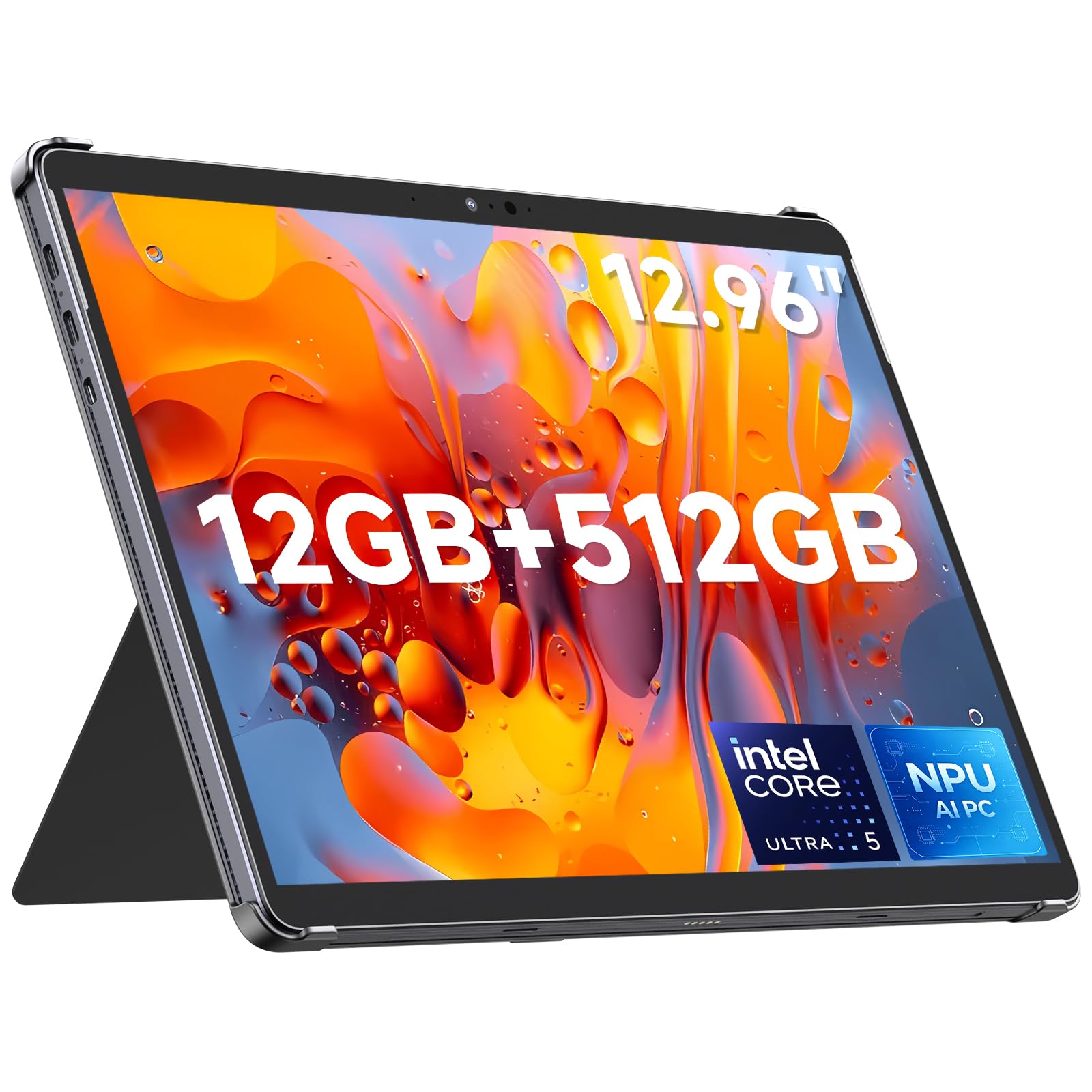
| CHUWI Hi10 Max AI★ Best Overall | Heavy productivity and creative work | Intel Core Ultra 5 125U, up to 4.3GHz | 12GB / 512GB SSD | 12.96″ 2880×1920 IPS | Amazon |
| Microsoft Surface Pro 5 (Renewed)Budget Windows Entry | Budget-friendly laptop-class Windows | Intel Core i5-7300U, up to 3.5GHz | 8GB / 256GB SSD | 12.3″ 2736×1824 touch | Amazon |
| SZTPS 10.1″ Windows TabletMost Portable | Basic web and documents on a budget | Intel processor, up to 2.4GHz | 6GB / 128GB | 10.1″ 1280×800 | Amazon |
| QAZIPO 2-in-1 Laptop/Tablet | Office 365 work and note-taking | Intel Pentium Gold 6500Y, up to 3.4GHz | 8GB / 256GB SSD | 10.1″ 1280×800 touch | Amazon |
| BNCF NewBook 10 | Laptop-tablet-stand flexibility | Intel Pentium Gold 6500Y, up to 3.4GHz | 8GB / 256GB SSD | 10.1″ 1920×800 FHD | Amazon |
| Fusion5 FWIN232 PRO N5 | Everyday Windows with a sharp display | Intel N100, up to 3.4GHz | 8GB / 256GB SSD | 10.1″ 1920×1200 IPS | Amazon |
| Fusion5 FWIN232 Plus | Proven all-day basics, wide appeal | Intel N5100 quad-core, up to 1.8GHz | 8GB / 128GB flash | 10.1″ Full HD | Amazon |
| MUNBYN IRT08 Rugged | Harsh jobsites and fieldwork | Intel N5100, up to 2.8GHz | 8GB / 128GB | 10.1″ sunlight-readable | Amazon |
Detailed Reviews
1. CHUWI Hi10 Max AI Tablet 12.96″
Our pick — 4.0+★ from 40+ verified ratings; the strongest balance of quality and price.
A 12-core Core Ultra 5 125U and a 2880×1920 3:2 panel make this the one that handles real desktop work.
If you want a tablet that behaves like a compact laptop, this is the pick to beat. Behind the screen sits an Intel Core Ultra 5 125U, a 12-core 14-thread processor with a 4.3GHz max boost clock — the “boost” is the top speed it can sprint to under load. That is the kind of chip that keeps light video editing, image work, and a pile of browser tabs moving. Compare it to the SZTPS 10.1-inch at 2.4GHz, and the CHUWI’s core count and clock speed are in a different league entirely.
The screen is the part you feel every day. It is a 12.96-inch 2880×1920 full-laminated IPS panel with a 3:2 shape, so documents stand taller instead of stretching wide like a movie screen. Against the SZTPS display’s 1280×800, the CHUWI resolves far finer detail, which keeps small spreadsheet text readable. Around it you get 2 full-function USB-C ports with display output, micro HDMI 1.4, a USB-A 3.2 Gen1, a 3.5mm jack, WiFi 6, and Bluetooth 5.3. The 12GB of LPDDR5 RAM runs at 6400MT/s, and the 512GB SSD can be upgraded up to 1TB if you outgrow it.
What wins people over is the speed — the responsiveness is the loudest theme across its feedback, and the value it delivers at this spec level runs second. Weigh the honesty too: this is a 2-in-1 whose keyboard and MPP2.0 stylus are both sold separately, and the grey matte aluminum body comes without them in the box. The other quirk is Windows activation, which is injected manually and can occasionally be missed, so a serial-number message to the seller sorts it if you hit it. The 4.0+ star consensus reflects a machine that earns its keep.
Where it earns its crown
- Intel Core Ultra 5 125U with 12 cores and 14 threads up to 4.3GHz handles real creative work
- 2880×1920 full-laminated IPS with a 3:2 aspect ratio for tall documents
- 12GB LPDDR5 RAM and a 512GB SSD upgradeable to 1TB
- Two full-function USB-C ports with PD charging and dual 4K display output
What to plan around
- Keyboard and stylus are both sold separately
- Windows key is injected manually; rare activation omissions need a seller message
Reach for this if: you need a single portable slab that can genuinely edit photos, draft documents, and drive an external monitor.
Look elsewhere if: you want the keyboard and pen included in one purchase — budget for them separately here.
2. Microsoft Surface Pro 5 (Renewed)
Laptop-class Core i5 internals in a renew-only package, with the sharpest screen in the budget tier.
Buying a refurbished tablet is a bet on the machine still being solid, and what sells this one is the price-to-spec ratio. You get an Intel Core i5-7300U — a dual-core processor running 2.6GHz to 3.5GHz — paired with 8GB DDR4 RAM and a 256GB SSD. That is genuine laptop silicon, not a low-power N-series, so everyday Office work and multitasking hold up. The value proposition is what people talk about most here, and it is easy to see why at this build level.
The 12.3-inch display is a 2736×1824 anti-glare touch screen, which is a lot of pixels for the tier and keeps text easy on the eyes over long sessions. Ports cover a full-size USB 3.0, a microSD reader, a headphone jack, Mini DisplayPort, and the Surface cover port. You also get Windows 11 Pro, the edition built with more management and remote-access features for professional use. Both cameras handle 1080p HD video recording for calls and meetings.
Here is the honest catch: this listing is the tablet alone — no keyboard is included — and it is a renewed unit. The functionality reports are genuinely mixed, with some buyers receiving a device that would not power on, which is the reality of the refurbished market. Treat that as the risk you weigh against the price, not a reason to dismiss the whole model. For a tight-budget buyer who wants real Core-series performance, the math is compelling as long as you buy from a seller with a return path.
Screen-for-the-money: a 2736×1824 anti-glare touch panel is more resolution than most entry tablets offer, and the 12.3-inch size keeps it usable for real work.
Know before you buy: no keyboard in the box, renewed condition, and a real chance of a dead unit — check the return terms and test it the day it lands.
Best fit: the cost-conscious buyer who wants Core i5 muscle and a high-res screen and will supply their own keyboard.
Second thoughts if: you need a guaranteed-working, plug-in-and-go device with a keyboard in the box.
3. SZTPS 10.1″ Windows Tablet
A compact 10-incher that trades raw power for battery endurance and a low entry point.
Not every x86 tablet needs to crunch video. This one is built for the basics: web browsing, social apps, documents, and light media, wrapped in a 10.1-inch panel. The processor runs up to 2.4GHz — modest, but enough for the everyday tasks the listing targets. It ships with Windows 11 Home and 6GB of RAM, which covers single-app work and a few browser tabs without complaint. Think of it as the smallest, most carry-friendly machine in this group.
Where it earns its slot is endurance and portability. The 6000mAh rechargeable battery is quoted for 5 to 12 hours of mixed use, and it comes with a charger, data cable, and OTG cable (an adapter that lets the tablet host USB accessories). The 128GB of flash storage has a microSD slot that takes a card up to 128GB. The 1280×800 screen is on the softer side, so this is a reading-and-browsing display rather than a detail-work one. Bluetooth keeps wireless accessories connected, and the plastic shell keeps it light for a bag.
The honest limit is headroom: 6GB of RAM and 128GB of base storage fill up faster than the 8GB and 256GB you find further up this list, and the 2.4GHz processor won’t want heavy creative apps. Read the 5-to-12-hour battery figure as a range, since it depends entirely on what you run. If your day is email, streaming, and web, it fits neatly. If you plan to edit or run demanding Windows programs, you want more silicon.
The endurance argument: a 6000mAh pack quoted for 5 to 12 hours, with charger and OTG cable included, suits long days away from a plug.
The trade-off: a 1280×800 display and 6GB of RAM keep it firmly in light-duty territory — fine for browsing, tight for creative apps.
Pick it for: everyday web, streaming, and document work where a light bag and long battery beat raw speed.
Pass if: your work involves image editing, video, or many heavy programs at once.
4. QAZIPO 2-in-1 Laptop/Tablet

A year of Office 365 and a detachable keyboard both come in the box, so it works on day one.
For students and remote workers, the cost of the software matters as much as the hardware. This 2-in-1 arrives with a full year of Office 365 and 1TB of OneDrive cloud storage, so Word, Excel, PowerPoint, Outlook, OneNote, Publisher, and Access are ready immediately. The Intel Pentium Gold 6500Y steps up to 3.4GHz, enough to run Office, creative software, multiple tabs, and video calls. 8GB of RAM and a 256GB SSD handle the boot-and-load side of the equation.
The design is the practical bit. It weighs 1.3 lbs as a tablet body and 0.88 lb for the keyboard, in a 0.4-inch aluminum alloy chassis that slides into a bag. The magnetic leather case keyboard detaches so you can flip between typing and a lightweight slate. Ports include two USB-C (one full-featured, one for charging), a USB 3.0, a micro HDMI, and a 3.5mm jack, with Wi-Fi 5 and Bluetooth 5.0 for the connection side. Windows 11 comes pre-installed for school, online classes, and remote meetings.
The catch in this category is the screen, and it applies here: the panel is 1280×800, so it is functional for text but not built for fine design work. Storage at 256GB is generous for the tier, though photographers and video shooters will still want the cloud room the bundle provides. Treat the 1.3-lb tablet figure as the real carry weight once you leave the keyboard at home. For price-to-package value with software included, it is a smart buy for the school-and-side-project crowd.
What lands in the box
- One year of Office 365 plus 1TB OneDrive included
- Detachable magnetic leather keyboard in the bundle
- Pentium Gold 6500Y up to 3.4GHz with 8GB RAM and 256GB SSD
Where it holds back
- 1280×800 display is basic for detail-heavy design work
- Wi-Fi 5 rather than the newer standard
Made for: students and work-from-home buyers who want Office and a keyboard sorted on day one.
Think again if: a pixel-dense screen is essential to your work.
5. BNCF NewBook 10
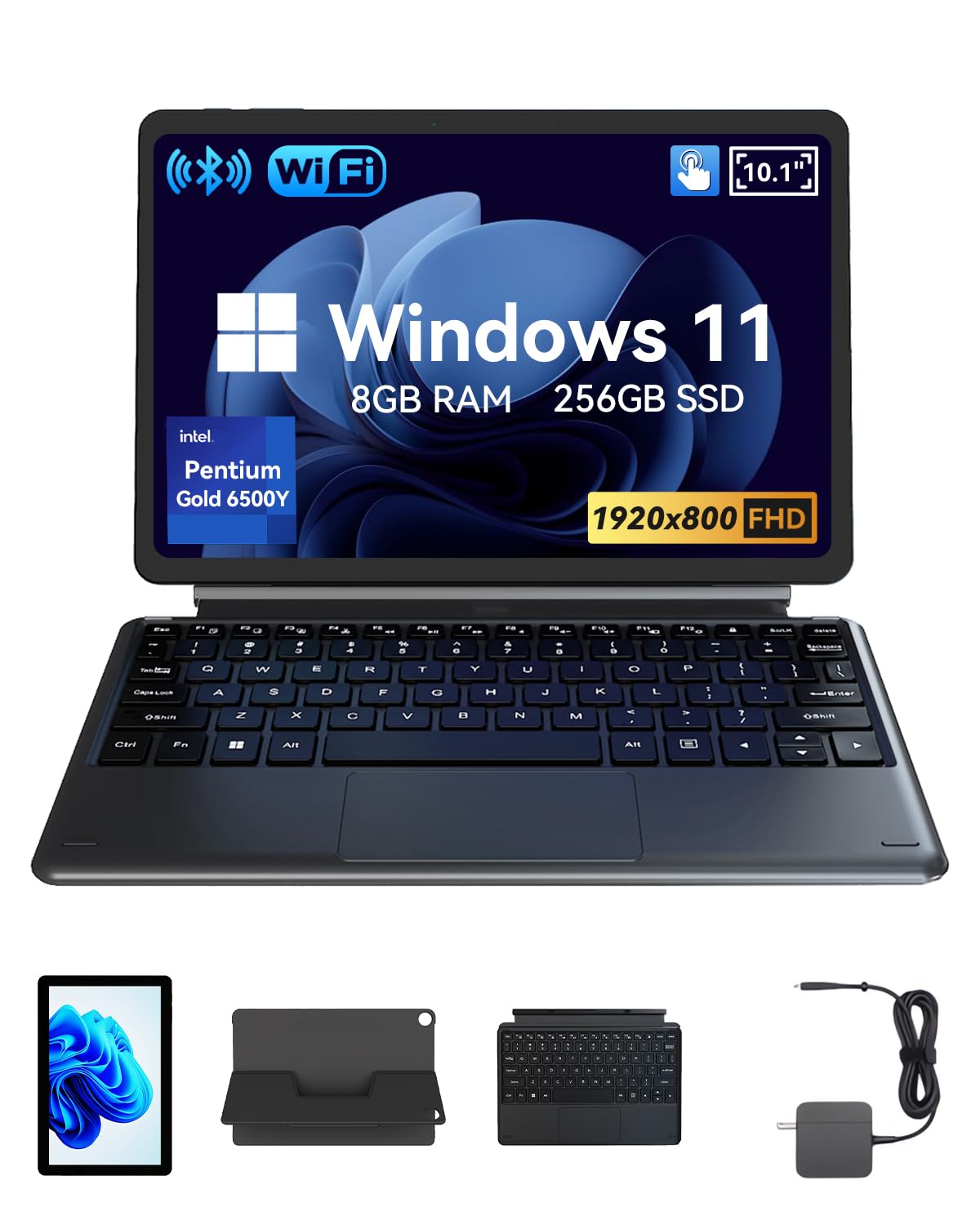
A copper-pipe-and-fan cooler keeps this 10.1-incher steady through long sessions, with laptop, tablet, and stand modes.
Thin tablets tend to throttle when they heat up, which is why the cooling story here is the interesting one. A copper pipe plus fan — an active cooling setup — keeps the dual-core, four-thread Intel Pentium Gold 6500Y running steadily through longer work sessions. It climbs to 3.4GHz with integrated UHD Graphics 615. Pair that with 8GB of RAM and a 256GB SSD, and you have a machine tuned for browsing, video playback, and daily tasks rather than headline performance.
Text stays crisper on the 10.1-inch 1920×800 FHD touchscreen (FHD means full high definition, a sharp screen resolution) than on the 1280×800 panels elsewhere in this tier, so small print is easier to read. You get three modes — laptop, tablet, and stand — from a detachable magnetic Pogo Pin keyboard (a keyboard that snaps on with magnets and pins) and a magnetic stand. The stand is the quiet win: prop it up for hands-free viewing without hunting for a case. For hooking up gear, there is micro HDMI for external displays, a USB-C port for charging and data, a USB 3.0 port, and a 3.5mm headphone jack.
The trade-offs are honest ones. The 26.6Wh battery (7.6V/3500mAh) is quoted for hours of use, not all-day marathons, so heavy users should keep the charger close. The cameras are modest — a 5MP rear and a 2MP front — so front-facing video calls are fine but the rear shooter is for documents and quick snaps. Windows 11 comes pre-installed. If you like a stand built into the design and want a sharper 10-inch screen than most, this is a confident small-tablet choice.
The productivity angle: laptop, tablet, and stand modes with an active copper-pipe-and-fan cooler keep it steady on longer sessions.
The honest caveat: a 26.6Wh battery and a 2MP front camera mean it is a workday device, not an all-day media machine or a vlogging tool.
Fits best: buyers who want a built-in stand, a sharper-than-average 10-inch screen, and a cooler that fights slowdown.
Look past it if: you need all-day unplugged runtime or a strong rear camera.
6. Fusion5 FWIN232 PRO N5

You get a bright, everyday Windows tablet at a value price, thanks to a 1920×1200 IPS panel (a screen type with wide viewing angles) and the N100 chip (Intel’s low-power processor for basic tasks).
The display is what makes this one feel bigger than its ten inches. A 10.1-inch 1920×1200 FHD IPS panel with a 16:10 shape gives you color, clarity, and a touch more vertical room than a standard widescreen. Behind it is the Intel Alder Lake 13th Gen N100, clocked up to 3.4GHz, backed by 8GB of LPDDR5 RAM and a 256GB M.2 SSD. That is a configuration that boots fast and loads apps quickly for the everyday work most people do.
Part of what wins people over here is simply how well it runs day to day — performance is the loudest praise on this model, with build quality close behind. The setup is quick and easy, the compact size suits a commute, and the picture quality draws its own positive feedback. On the connection side you get a Micro HDMI, USB 3.0, a USB Type-C, and a Micro SD slot that takes cards up to 512GB. A docking keyboard is supported but sold separately, turning it into a compact laptop stand-in.
The honest part is battery and heat. The 6000mAh cell runs the show, but runtime feedback splits — some get a long day, others far less — so plan on a charger for demanding use. It can also get warm under load, which active users should factor in. The performance-to-package ratio is still the draw; the 3.5+ star consensus reflects a machine that most buyers find does the job well with a little setup.
Why it stands out
- 1920×1200 FHD IPS display with a 16:10 shape for more vertical room
- Intel N100 up to 3.4GHz with 8GB LPDDR5 RAM and a 256GB M.2 SSD
- Micro SD expandable to 512GB plus USB-C and USB 3.0
Where it asks patience
- Battery life divides opinion — some see a long day, others much less
- Can run warm during heavier sessions
Best for: the value hunter who wants a bright IPS screen and fast everyday Windows use.
Skip if: you expect a full day of unplugged heavy use — keep the charger nearby.
7. Fusion5 FWIN232 Plus

A long-running 10-inch Windows slate with the deepest review history in this group.
Sometimes the smartest buy is the one with the longest track record, and this Fusion5 has the deepest scorecard in the group. It pairs an Intel N5100 quad-core CPU (up to 1.8GHz) with 8GB of RAM and a 10.1-inch Full HD display. Windows 11 comes fully loaded for education, office work, or lighter industrial tasks. The 16:10 screen makes the 10-inch size a sensible middle ground — big enough for real work, small enough to carry.
What owners talk about most is performance, and value-for-money comes second by a wide margin. Functionality, screen quality, and size all track positive, with the display described as crisp and clean. On the practical side you get an 18 watt-hour battery with an average life quote of six hours, USB 3.0, Micro HDMI, and Bluetooth for accessories. A 12-month full USA warranty handled through a US service center adds a layer of reassurance a lot of imports skip.
The honest watch-points: battery life and touch sensitivity are the mixed notes, and reliability gets flagged by a smaller set of buyers, so treat it as a dependable daily driver rather than an industrial-grade unit. At 1.8GHz the N5100 prioritizes steady everyday use over heavy lifting. For a mainstream Windows tablet that most people are happy with, it is the safe, well-understood pick.
The track-record case: a huge body of feedback backed by strong performance and value, plus a 12-month USA warranty.
The manageable limit: battery life and touch sensitivity draw mixed notes, so it is a dependable everyday machine rather than a rugged or high-power one.
Good match for: buyers who want a proven, mainstream 10-inch Windows tablet with a US warranty behind it.
Reconsider if: you need high-power processing or fully sealed ruggedness.
8. MUNBYN IRT08 Rugged Tablet

MIL-STD-810G rated for 4-foot drops and water jets, with a sunlight-readable screen for outdoor work.
When the work happens on a construction site or in a warehouse, a slim tablet is the wrong tool. This MUNBYN has been certified to MIL-STD-810G, the military-style durability standard, meaning it is built to survive drops from 4 feet without damage. It is also built to stay leak-free under powerful water jets, so dust and rain are part of its job, not its enemy. The Intel Jasper Lake N5100 processor up to 2.8GHz pairs with 8GB of RAM and 128GB of storage, running Windows 11 Pro — and it can be reverted to Windows 10 Pro if your workflows need it.
The field-ready details are where it earns the premium. A built-in sunlight visibility film lets you read the 10.1-inch screen under intense sun without straining. U-Blox NEO-7 GPS supports mapping and GIS software like Esri ArcGIS and Google Earth Pro for positioning work outdoors. The 5000mAh battery is detachable and swappable without a screwdriver, quoted for up to 6.5 hours. Connectivity covers dual-band 2.4G+5.8G WiFi, a SIM slot with 4G LTE support, and Bluetooth 5.1 with a quoted range up to 32.8 feet.
This is the most specialized pick here, and that is the honest framing: you are paying for ruggedness, GPS, and cellular, not raw speed at the top end. Performance and durability both draw positive feedback, with owners highlighting how it handles dusty environments. It also ships with 2-year protection. If your tablet lives in a truck, on a site, or in the field, this is the one that stays working when the others would not.
Built for the field
- MIL-STD-810G certified to survive 4-foot drops and water jets
- U-Blox NEO-7 GPS for GIS and outdoor positioning work
- Detachable 5000mAh battery quoted for up to 6.5 hours, no screwdriver needed
What it asks in return
- Specialized build means a premium price for capabilities a desk user won’t use
- Top-end performance is modest compared with the top of this list
Reach for this if: your tablet works outdoors, on a site, or in a truck where drops, water, and glare are the norm.
Not for you if: it lives on a desk — the rugged build and GPS are overhead you won’t use.
Know the Specs
x86 Processor and Threads
An x86 processor is the Intel or AMD chip family that runs full Windows desktop programs. Threads are the parallel lanes a chip uses to divide work — more threads help when several programs run at once, and the boost clock is the top speed it sprints to under load. That is the difference between a machine that manages a document and a browser and one that edits video without stalling.
RAM and SSD Storage
RAM is the short-term desk space a tablet uses while programs are open; an SSD is the fast storage drive where your files and Windows live. More RAM means more programs and tabs stay active without slowdown, and a larger SSD means you are not juggling space. A microSD slot adds room for photos and files on some models.
Display Resolution and Aspect Ratio
Resolution counts the dots that make up the picture — a 2880×1920 panel shows far finer detail than a 1280×800 one, so small text stays readable. Aspect ratio is the screen’s width-to-height shape: 3:2 stands a document taller, while 16:9 stretches wide like a movie. Brightness in cd/m² (candela per square meter) decides how readable the screen is in daylight.
Battery Capacity and Runtime
Battery capacity is quoted in watt-hours (total stored energy) or mAh (charge volume). Wh measures energy output while mAh measures current, so avoid comparing them directly across brands. Runtime in hours is the real-world figure to weigh, and it always depends on screen brightness and workload. A detachable battery lets you swap in a fresh one on a job.
Common Questions
What makes a tablet an x86 tablet PC rather than an ARM tablet?
Will a renewed Surface Pro 5 include a keyboard and pen?
How much RAM do I need for multitasking on a Windows tablet?
Is the CHUWI Hi10 Max’s stylus included in the box?
What does the MIL-STD-810G rating on the MUNBYN actually protect against?
Can a 128GB Windows tablet be expanded?
Which Fusion5 should I choose between the PRO N5 and the Plus?
Do x86 Windows tablets work with external monitors and legacy USB accessories?
How long does the battery actually last on these tablets?
Can I run my desktop Excel, Photoshop, or accounting software on these tablets?
The Bottom Line
For most people, the x86 tablet pc to buy is the CHUWI Hi10 Max AI, because its Core Ultra 5, 12GB of LPDDR5 RAM, and 2880×1920 3:2 screen give you genuine laptop-class work in a portable slab. If a proven track record and a US warranty matter more than raw speed, grab the Fusion5 FWIN232 Plus. And when the tablet has to survive drops, water jets, and glare on a site, the MUNBYN IRT08 Rugged is the one to reach for. Whichever fits your workday, pick the processor class first, then weigh screen and battery.
How we choose
We do not accept paid placement. Every pick is matched to a real buyer and a real use-case; we do not hands-on test units.
Sources
Specifications: manufacturer listings and product documentation. Review insights: verified customer reviews, as of November 2026. Pricing: not shown on this page (it changes often); check the current price via the retailer link.
As an Amazon Associate, Tactical Gear Guy earns from qualifying purchases. This does not affect which products we feature.