Specs are compiled from manufacturer listings and verified buyer reviews and can change over time — please confirm the key details on the product page before buying.
You want a desktop that fits behind a monitor, yet still handles real work. The trick is picking the right processor tier for your actual day, because a mini PC with a weak chip and lots of RAM still feels slow. This guide sorts the 11 strongest x86 mini PCs by what they genuinely do well, from quiet fanless office boxes to machines with enough networking to run a home server.
This guide is built by comparing the manufacturers’ published specifications and the patterns across verified customer reviews, so you get each pick’s real strengths and trade-offs instead of marketing spin.
Every machine here runs a genuine Intel or AMD chip, so it runs standard Windows software without any compatibility surprises. Each pick below is matched to a job, and you’ll see exactly which one wins the desk in our x86 mini pc guide.
Top Picks
How To Choose The Best X86 Mini PC
Start with the processor generation, not the core count. A newer chip with fewer cores often finishes everyday tasks faster than an older chip with more, because each core does more work per tick. That single decision sets how snappy the machine feels three years from now.
Match the processor to your real workload
A quiet office or classroom setup runs fine on an AMD Ryzen 3 or an Intel N150 chip. Heavy multitasking with virtual machines wants a Core i5-14500HX or Ryzen 7 7730U class chip. Rendering and local AI work need the Ryzen 9 or Ryzen AI 9 tier, which also carries the price to match.
Decide how many network ports you need
One Gigabit Ethernet port runs a desktop. Two 2.5G LAN ports turn the same box into a firewall, a router, or a fast link to your NAS storage. If you plan to build a home lab, count those ports before anything else — it’s the one spec you can’t upgrade later.
Look at expansion slots, not just what’s installed
Every pick here ships ready to use, but the upgrade path matters. Dual SODIMM slots let you push RAM higher, and an empty M.2 slot means you can add a second drive without removing the one you already have. Check the maximum support so you aren’t capped in a year.
Side-by-Side Comparison
| Model | Best For | Processor | RAM / Storage | Display Output | Amazon |
|---|---|---|---|---|---|
| BOSGAME E5★ Best Overall | Home server and firewall builds | Ryzen 3 5300U | 16GB DDR4 / 512GB SSD | Triple 4K@60Hz | Amazon |
| KAMRUI Hyper H2Top Performer | Heavy office multitasking | Core i5-14500HX | 16GB DDR4 / 512GB SSD | Triple 4K@60Hz | Amazon |
| MeLE Quieter4CSilent Pick | Silent fanless workspaces | Intel N150 | 16GB DDR4 / 512GB SSD | Triple 4K | Amazon |
| HP Business Mini | Corporate deployments | Intel Core i5 | 16GB DDR4 / 512GB SSD | Dual DisplayPort | Amazon |
| GMKtec M5 Ultra | Balanced all-rounder | Ryzen 7 7730U | 16GB DDR4 / 512GB SSD | Triple 4K@60Hz | Amazon |
| BOSGAME P3 | Gaming and creative work | Ryzen 9 6900HX | 32GB DDR5 / 1TB SSD | Triple, USB4 8K | Amazon |
| GEEKOM A8 Max | Network separation and IT | Ryzen 7 8745HS | 16GB DDR5 / 1TB SSD | Dual HDMI plus USB4 | Amazon |
| GMKtec M6 Ultra | Moderate gaming and media | Ryzen 5 7640HS | 32GB DDR5 / 1TB SSD | Triple, 8K via USB4 | Amazon |
| MINISFORUM M1 Pro-285H | Local AI and content creation | Core Ultra 9 285H | 32GB DDR5 / 1TB SSD | Quad 4K | Amazon |
| MINISFORUM MS-01 | Mini workstation and homelab | Core i9-13900H | 32GB DDR5 / 1TB SSD | HDMI plus dual USB4 | Amazon |
| GEEKOM A9 Max | Flagship AI workloads | Ryzen AI 9 HX470 | 32GB DDR5 / 2TB SSD | Four displays, 8K | Amazon |
Detailed Reviews
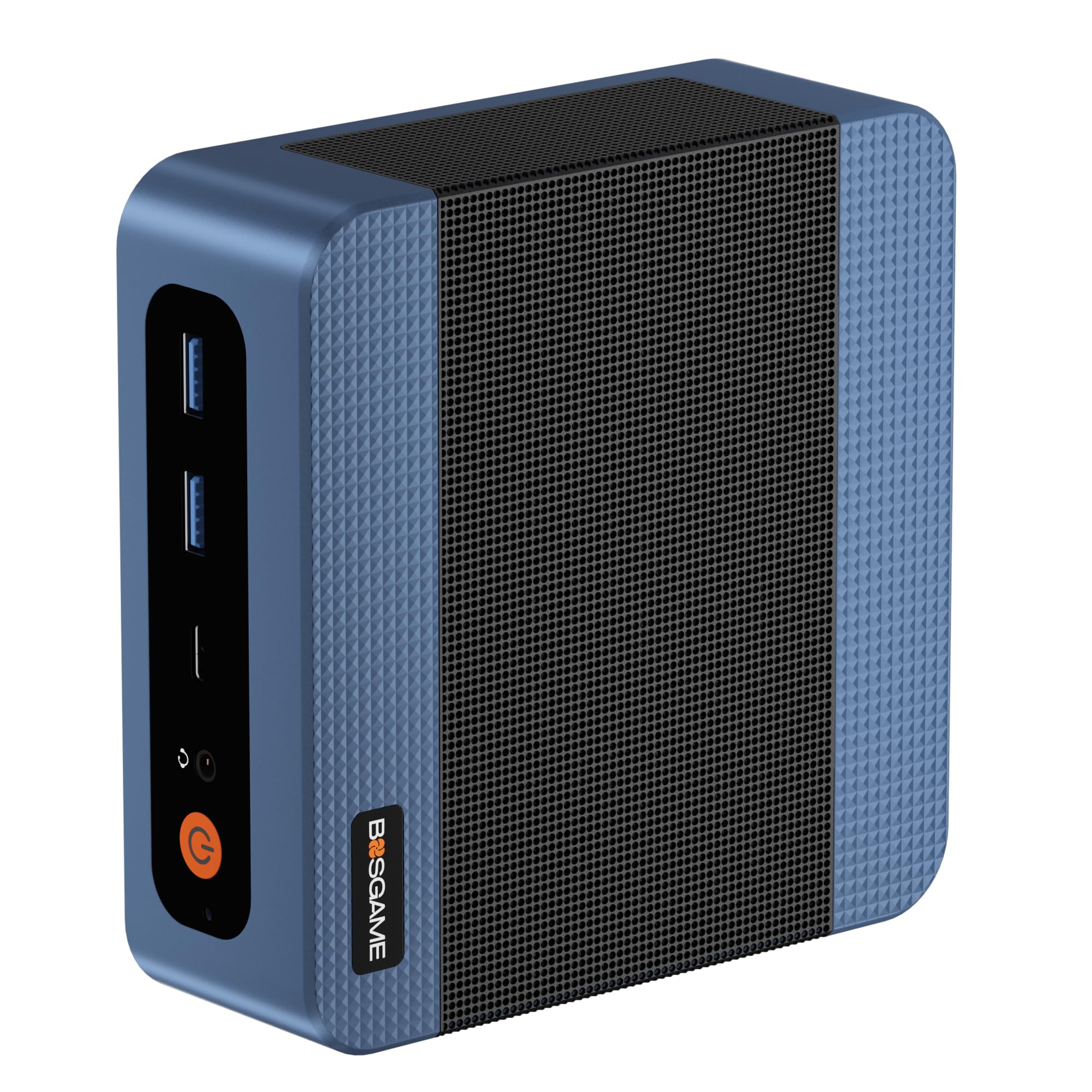
1. BOSGAME E5 Mini PC Ryzen 3 5300U
Our pick — 4.5+★ from 200+ verified ratings; the strongest balance of quality and price.
Two 2.5G network ports for the price of an ordinary office box.
The E5 puts two Realtek RTL8125 2.5GbE LAN ports (2.5-gigabit wired networking, twice the speed of standard Gigabit) on a small desktop chassis. That one choice makes it a firewall appliance, a pfSense or OPNsense router, or a fast NAS link from the start. The AMD Ryzen 3 5300U (4 cores, 8 threads, up to 3.8GHz) handles office software, large spreadsheets, and online classes without strain, and the maker openly says it is not built for 3D rendering or demanding games.
Upgrades are genuinely open here. The 16GB DDR4 memory can climb to 64GB across two SODIMM slots, and there is a second empty M.2 2280 slot so you can add a drive without pulling the installed 512GB PCIe 3.0 SSD. For screens, one HDMI 2.0, one DisplayPort, and a full-function Type-C drive three independent 4K@60Hz monitors, so spreadsheet work and stock charts sit side by side.
The trade-off is raw muscle. This Ryzen 3 chip sits a full tier below the KAMRUI Hyper H2’s Core i5-14500HX, and its 4MB cache is a fraction of that chip’s 24MB — so video encoding and heavy virtual machines will feel the difference. The front Type-C port does support Power Delivery, display output, and data over one cable, which is a neat way to clean up your desk. Buyers keep coming back to the dual 2.5G LAN ports and the open RAM and M.2 upgrade path, which make this the strongest overall balance in the group.
Where it pulls ahead
- Dual 2.5GbE Realtek RTL8125 ports built for firewall and NAS duty
- Second empty M.2 slot plus room for 64GB RAM
- Three simultaneous 4K@60Hz displays
- Full-function Type-C with 4K output and PD 3.0
What to weigh first
- Ryzen 3 tier limits 3D rendering and heavy gaming
- 4MB cache caps heavy multitasking headroom
Take it if: you want to run a home server, firewall, or multi-monitor desk on a modest processing budget.
Think twice if: your day includes video rendering or AAA gaming, where the KAMRUI’s Core i5-14500HX is the far stronger chip.
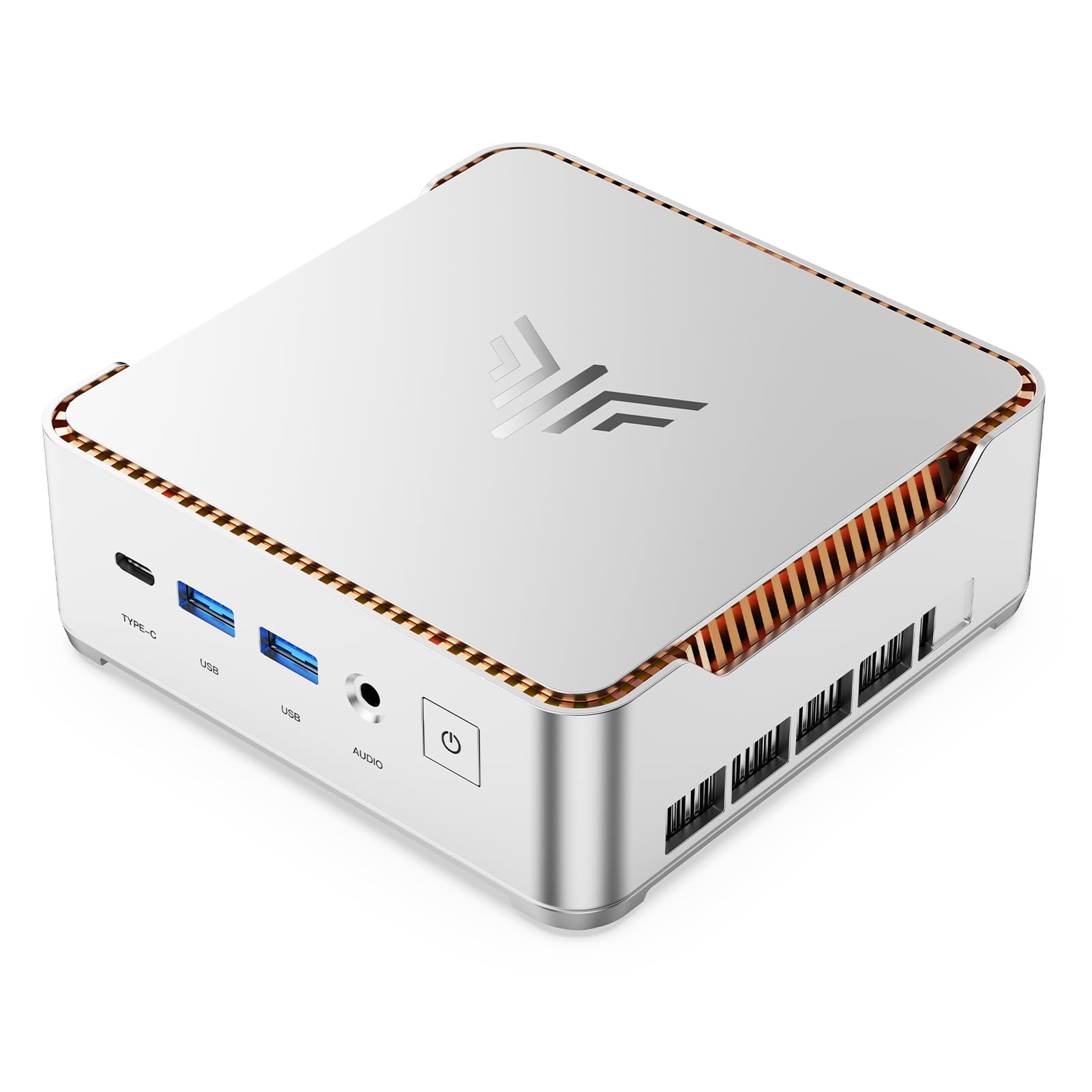
2. KAMRUI Hyper H2 Mini PC, Core i5-14500HX
Fourteen cores in a palm-sized box, built to chew through spreadsheets and code.
The headline here is the Intel Core i5-14500HX (14 cores, 20 threads, up to 4.9GHz), a processor class you normally find in a full desktop tower. Paired with 24MB of cache, it keeps giant Excel files, code compilation, and resource-heavy business software moving without lag. Compare that to the MeLE Quieter4C’s 3.6GHz ceiling — the H2 tops it at 4.9GHz, a real gap when a single heavy task needs to finish fast.
Expansion is generous for the size. The 16GB DDR4 memory runs dual-channel and can go to 64GB, while two M.2 slots allow up to 4TB of total storage. Seven USB ports include two USB 3.2 Gen2 ports at 10Gbps for rapid file transfers, and Wi-Fi 6 plus Bluetooth 5.2 keep peripherals stable. Three monitor outputs — HDMI 2.0, DP 1.4, and a full-featured USB-C — each drive 4K@60Hz, which suits traders tracking several charts at once.
Cooling is the quiet hero. A dual-fan system with full copper heat pipes and a dedicated SSD heatsink is built for 24/7 uptime, so it should hold steady under sustained load rather than throttling down. The honest catch: this is a desktop-class chip that expects mains power and a little airflow, so it isn’t a battery machine you carry around. Its 4.9GHz ceiling and 24MB cache make it the fastest everyday performer among the mid-tier picks.
Raw-speed read: For multi-hour spreadsheet and coding sessions, the 14-core i5-14500HX with 24MB cache is the engine that keeps windows from stalling.
Built for: heavy office multitaskers, coders, and traders who want desktop-class speed in a small footprint.
Less suited to: anyone wanting a fanless silent box or a machine that runs on battery.
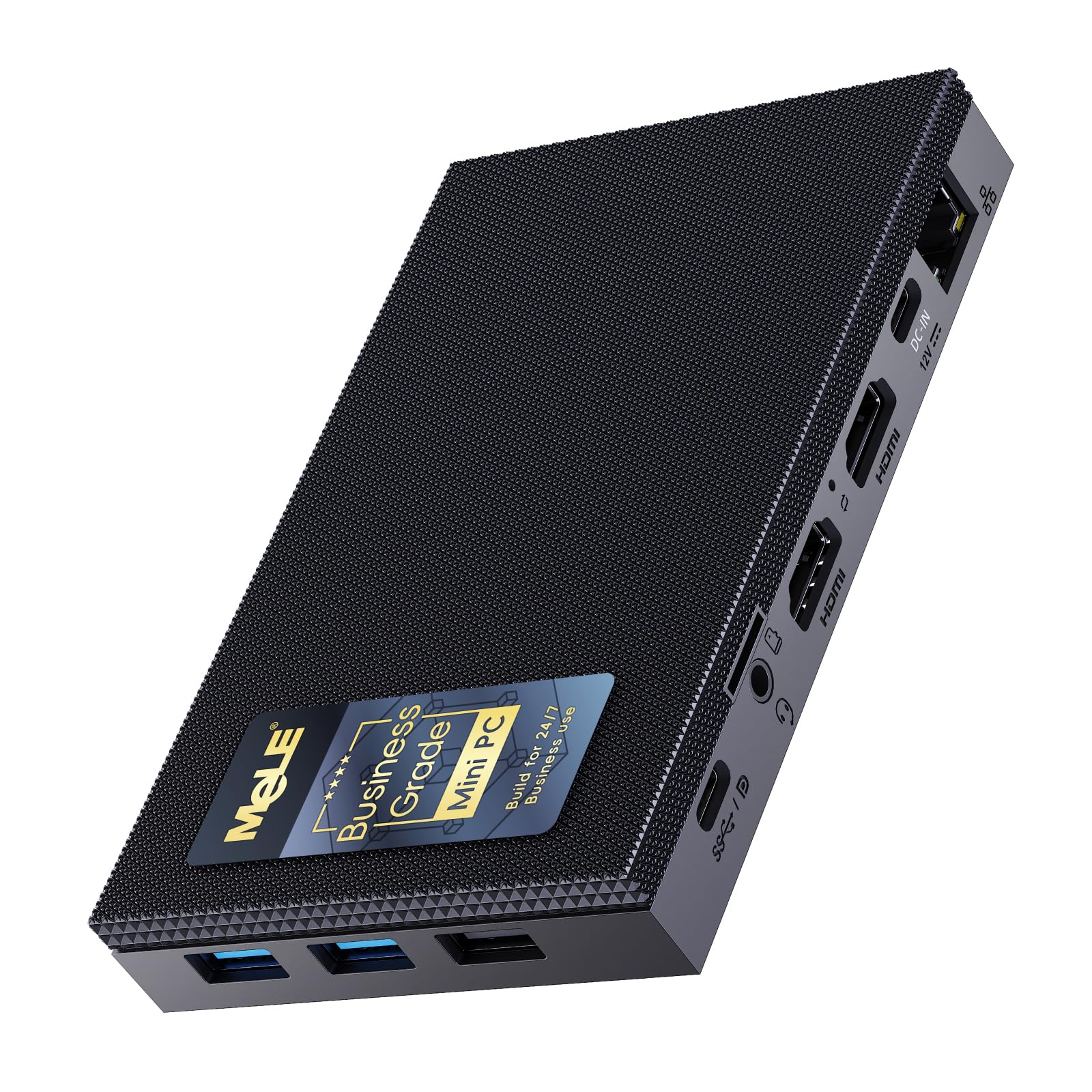
3. MeLE Quieter4C N150 Fanless Mini PC
No fan, no hum — a palm-sized PC for rooms where silence is not negotiable.
The Quieter4C runs the Intel N150 (4 cores, 4 threads, 6MB L3 cache, 8W TDP) with no fan at all, so it emits 0dB of noise. That makes it a natural fit for a library desk, a home study, or a recording room where a whirring fan ruins the take. Its 5.2″x3.2″x0.7″ footprint and 0.44lb weight mean you can tuck it behind a monitor using the included VESA mount and forget it exists.
Three displays run at once through two HDMI 2.0 ports and one USB-C, each up to 4K. Buyers praise the 0.44lb, 5.2″x3.2″x0.7″ body most, with the 0dB fanless operation a close second. An open up BIOS supports auto-power-on, which means it can boot itself after a power cut — handy for an always-on station.
Be honest about the ceiling. The N150’s 3.6GHz top speed and 8W power budget are built for browsing, email, and light office work, not 4K editing or VM stacks — the KAMRUI’s Core i5-14500HX leaves it far behind on demanding jobs. And because there’s no fan, keep the vents clear; a sealed cabinet will cook it. The 8W N150 trades raw power for total silence, and that is exactly the point.
Why it earns a spot
- 0dB fanless operation for silent rooms
- 0.44lb body with a bundled VESA mount to hide it behind a screen
- Auto-power-on via open up BIOS for set-and-forget stations
- Three simultaneous 4K displays
Know before you buy
- 8W N150 tier limits heavy editing and virtual machines
- Passive cooling needs clear airflow around the vents
For the silence-first buyer: students, researchers, and remote workers who share a quiet room.
Not your machine if: your workload leans on heavy graphics or multitasking that needs real horsepower.
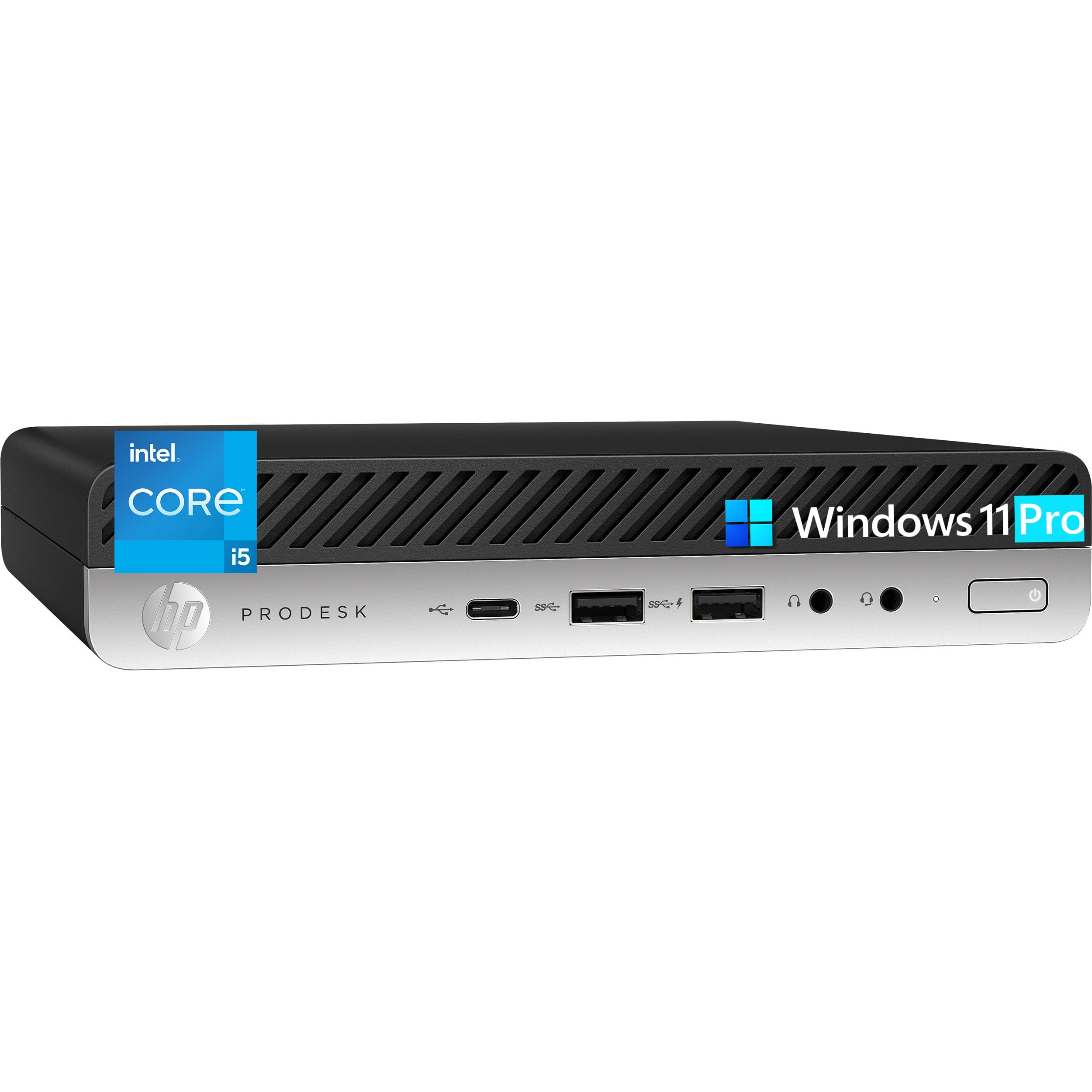
4. HP Business Mini Desktop PC, Intel Core i5
A one-liter office box prepped for IT departments, not living-room shelves.
This HP runs a 6-core Intel Core i5 (2.2GHz base, up to 3.7GHz turbo, 9MB cache) on the Intel Q370 chipset, and the whole chassis is a 1-liter design measuring 6.97″ × 6.89″ × 1.35″ at 2.76 lbs. At 6.97″ × 6.89″ × 1.35″, the maker states it saves 96% desk space. That footprint plus Windows 11 Pro with BitLocker encryption, remote desktop, domain join, and Hyper-V virtualization makes it a deploy-ready machine for a reception desk or a small office.
Connectivity covers the classic business setup. Two DisplayPort 1.2 outputs drive dual 4K displays for spreadsheets and dashboards, and the port list runs from front USB-C and USB 3.1 down to four rear USB 3.1 ports, RJ-45 Ethernet, and 802.11ac Wi-Fi. The 512GB PCIe NVMe SSD is claimed to boot in under 10 seconds, and 16GB DDR4 covers Hyper-V VMs and heavy multitasking.
Where it lags is graphics. The Intel UHD Graphics 630 is fine for office software but weak for gaming or creative rendering, and the 3.7GHz turbo sits well below the KAMRUI’s 4.9GHz. There’s also no mention of a second drive slot, so storage growth means swapping the SSD rather than adding one. For corporate rollout and Windows Pro features, though, it’s a tidy, purpose-built box.
The IT-friendly angle: Domain join, BitLocker, and Hyper-V come baked into Windows 11 Pro, so a whole office can be imaged and managed without extra software.
Made for: small businesses and reception desks that need a managed, space-tight Windows Pro machine.
Better elsewhere if: you want gaming graphics or a second drive slot for future storage.
5. GMKtec M5 Ultra Mini PC Ryzen 7 7730U
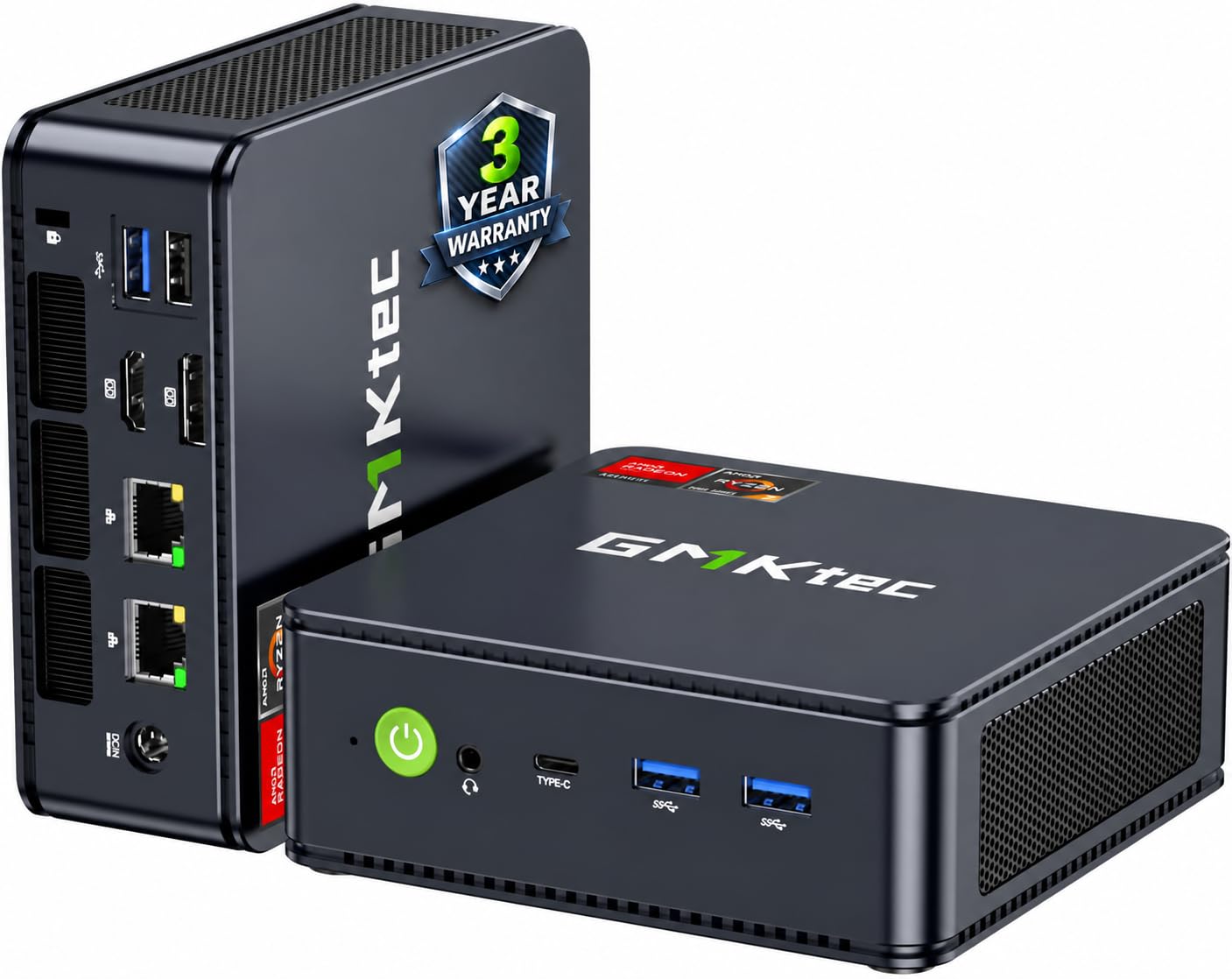
An eight-core Ryzen 7 with two fast LAN ports and a three-year safety net.
The Nucbox M5 Ultra pairs an AMD Ryzen 7 7730U (up to 4.5GHz turbo) with 16GB of dual-channel DDR4 and a 512GB PCIe 3.0 SSD. Two M.2 slots each accept up to an 8TB drive, and the RAM can climb to 64GB, so the upgrade path stays open for years. For graphics it carries AMD Radeon Graphics with 8 cores at 2000MHz, enough to push 4K@60Hz video editing and playback.
The networking is where it earns its keep. Dual 2.5G RJ45 ports support up to 2500Mbps transfers, which makes it a natural pfSense or Untangle box or a home server. Wi-Fi 6E adds the 6GHz band on 2.5G/5G/6G for lower latency, and Bluetooth 5.2 handles your headset and keyboard. Three screens run together through HDMI 2.0 at 4K@60Hz, a USB-C port, and a DisplayPort.
The warranty is unusually reassuring: GMKtec backs each unit with a three-year service plan that includes first-year free returns and replacements, then free replacement of major components. The honest limitation is that the Ryzen 7 7730U is a strong generalist, not a rendering monster — the BOSGAME P3’s Ryzen 9 6900HX outruns it for heavy gaming. As an all-round desk machine, it covers more bases than nearly anything at its tier.
The draw
- Ryzen 7 7730U with up to 4.5GHz turbo
- Dual 2.5G LAN for server and firewall builds
- Two M.2 slots and RAM to 64GB
- Three-year warranty with first-year replacement
The limit
- Integrated Radeon graphics, not a gaming GPU
- 512GB stock drive fills fast with large libraries
Go for this: if you want one box that does office work, home-server duty, and 4K media without specializing.
Pass if: your priority is heavy gaming, where a Ryzen 9 machine is the better call.
6. BOSGAME P3 Ryzen 9 6900HX Mini PC
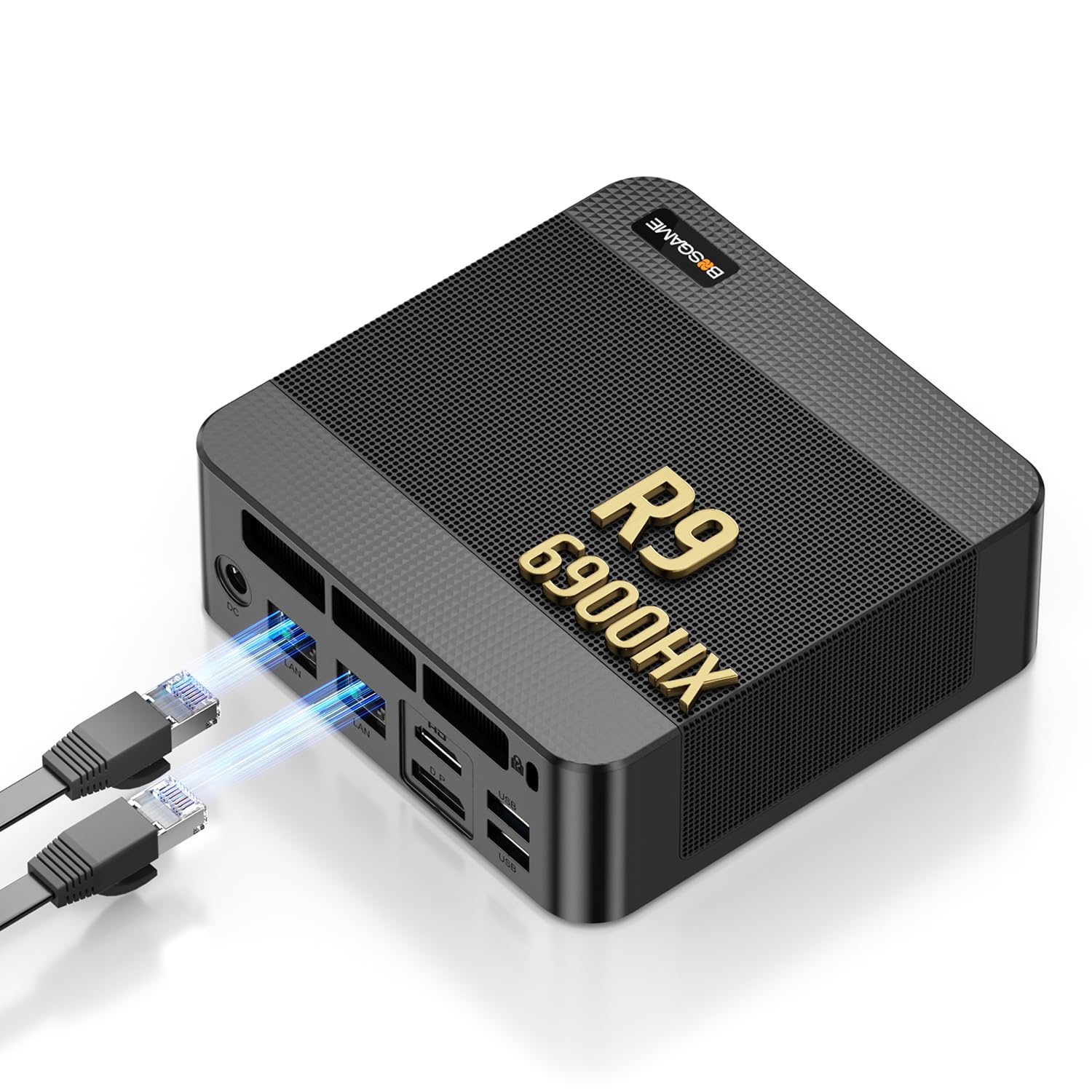
Eight cores, Radeon 680M graphics, and an 8K USB4 port in one quiet box.
The P3 runs the AMD Ryzen 9 6900HX (8 cores, 16 threads, up to 4.9GHz) alongside AMD Radeon 680M graphics, a pairing aimed squarely at video rendering, photo editing, and games. It ships with 32GB of DDR5 memory and a 1TB PCIe 4.0 SSD, and both can grow — RAM to 64GB and storage through a second empty M.2 2280 slot. The PCIe 4.0 drive shortens load times for large software.
For connectivity, dual Realtek RTL8125 2.5G LAN ports serve a home lab, soft router, pfSense, Proxmox VE, or a private NAS. Display output runs three ways: HDMI 2.0 at 4K@60Hz, a DisplayPort at 4K@60Hz, and a full-function USB4 port that pushes 8K@60Hz — handy for traders and developers juggling data streams. Buyers mention the Ryzen 9 6900HX performance most, with the 32GB DDR5 and 1TB PCIe 4.0 storage close behind.
The cooling layout pairs a fan with a high-efficiency heat spreader to keep the Ryzen 9 cool during rendering while staying quiet enough for a shared room. On setup, the experience splits: some find it simple, others hit snags, so expect to spend a little time getting drivers settled. The 7680×4320 maximum resolution and 16MB cache round out a machine built to create, not just compute.
Creator’s honest read: The 8K USB4 output and 1TB PCIe 4.0 drive make it a rendering and editing box first, an office PC second.
Ideal for: video editors, photographers, and light gamers who want headroom in RAM and storage.
Consider another if: you only browse and reply to email — this much chip is more than that needs.
7. GEEKOM A8 Max Gaming Mini PC Ryzen 7 8745HS

Eight cores for creative work, plus two LAN ports for keeping networks apart.
The A8 Max centers on the AMD Ryzen 7 8745HS with 8 cores and 16 threads, backed by 16GB of DDR5 memory on dual slots that expands to 128GB. Its 1TB M.2 NVMe Gen4×4 SSD can go to 4TB. What stands out for IT buyers is the pair of 2.5G Ethernet ports, which let you keep a private office network physically separate from a public guest network while still moving large files fast.
Displays come through dual HDMI plus a 40Gbps USB4 port, and the maker rates output up to 8K. A UHS-II SD card reader speeds up importing high-res photo files, and a Kensington lock secures the unit in shared spaces. Cooling is handled by the IceBlast 2.0 system — dual copper heat pipes and a large silent fan — with operating noise held under 36dB so it stays out of the way in a working room.
Owners call out build quality first, with the Ryzen 7 8745HS performance close behind. The trade-off, given the DDR5 speed advantage the maker claims over DDR4, is cost — DDR5 lifts the price into premium territory. There’s also a note in the listing that future pricing may shift with DDR5 supply, so the spec you pay for is the newer memory, not just the chip. For a small business that wants network separation without a rack, it makes a tidy case.
Why pros look here
- Dual 2.5G Ethernet for physical network separation
- DDR5 memory expandable to 128GB
- USB4 at 40Gbps plus 8K output support
- UHS-II SD reader and Kensington lock
The fine print
- DDR5 pushes it into premium pricing
- Integrated graphics still limit serious gaming
Fits best with: IT staff and small offices that need separated networks and a lock-down point.
Skip the upgrade if: a single LAN port and DDR4 would do your job just as well for less chip and memory budget.
8. GMKtec M6 Ultra Gaming Mini PC Ryzen 7640HS
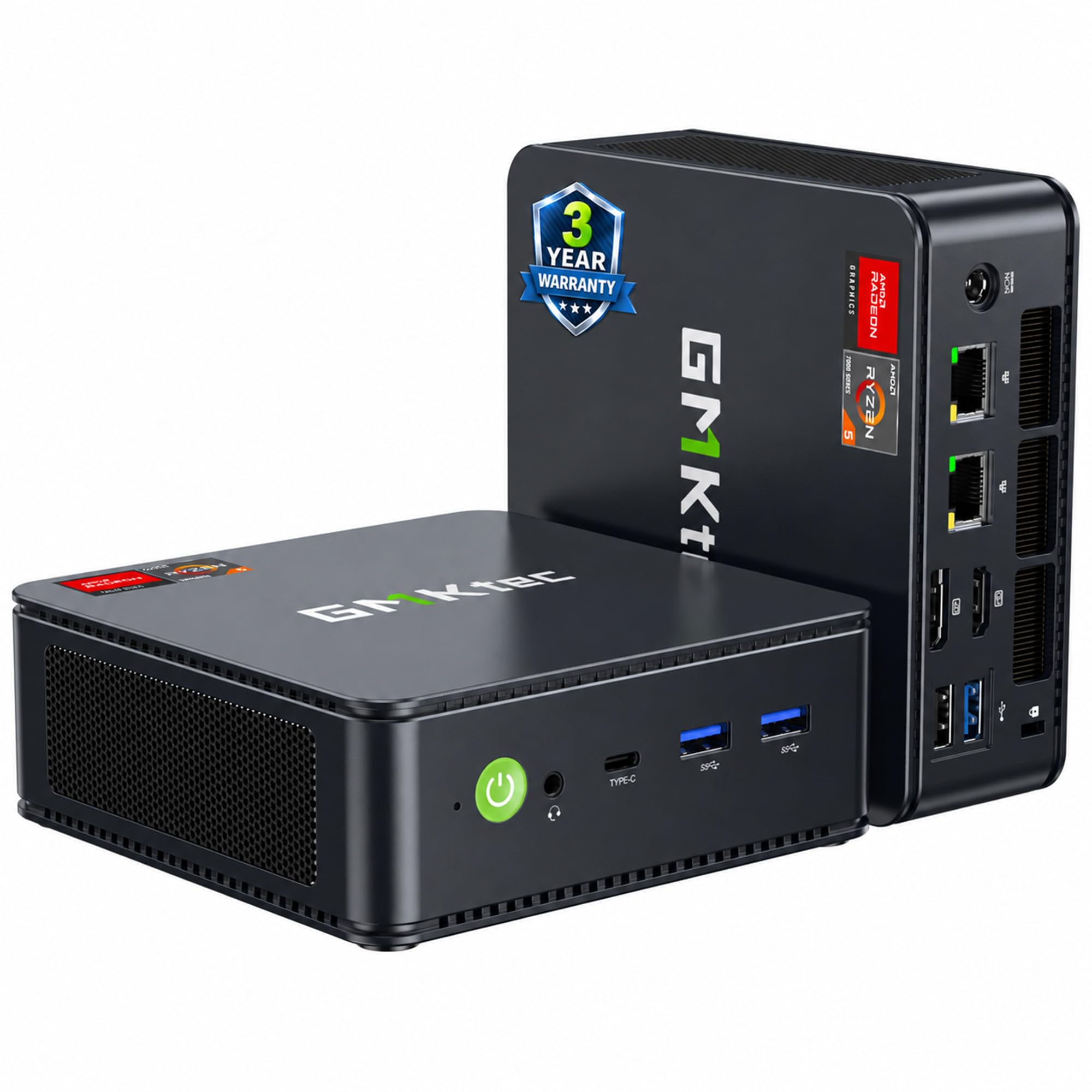
A six-core Ryzen with 32GB of RAM and a Radeon 760M for moderate gaming.
The M6 Ultra runs the AMD Ryzen 5 7640HS — 6 Zen 4 cores, 12 threads, 4.3GHz base to 5.0GHz turbo — with a 45W-60W TDP. That chip carries the Radeon 760M integrated graphics (8 CUs, 512 shaders, up to 2600MHz), which is built to play moderate games at a steady frame rate. It also hardware-encodes and decodes common video codecs like AV1, HEVC, and AVC, so streaming and playback stay smooth.
It ships with 32GB of DDR5 memory across dual channel (2x16GB) and a 1TB PCIe 3.0 SSD, with a second M.2 slot that can take a PCIe 4.0 drive up to 8TB. RAM expands to 128GB. Networking brings dual 2.5G RJ45 ports at up to 2500Mbps plus Wi-Fi 6 on the 2.5G/5G bands and Bluetooth 5.2. Three displays run together, including 8K@60Hz over USB4 and 4K@60Hz through both HDMI 2.0 and DisplayPort.
GMKtec backs it with a three-year limited warranty split into one year of replacement and two years of parts replacement. The honest limit: the Radeon 760M is a step below the Radeon 680M in the BOSGAME P3, so keep your game expectations moderate rather than maxed. For a work-and-play box at the value end of the premium tier, the 32GB of DDR5 is the standout.
Value read: 32GB of DDR5 and a 1TB SSD from the start is a lot of memory and storage for a mini PC at this tier.
Reach for this: if you want a ready-to-game-and-work box with memory to spare and won’t push settings to the top.
Look elsewhere if: you need serious rendering horsepower or AAA frames at maximum settings.
9. MINISFORUM M1 Pro-285H AI Mini PC
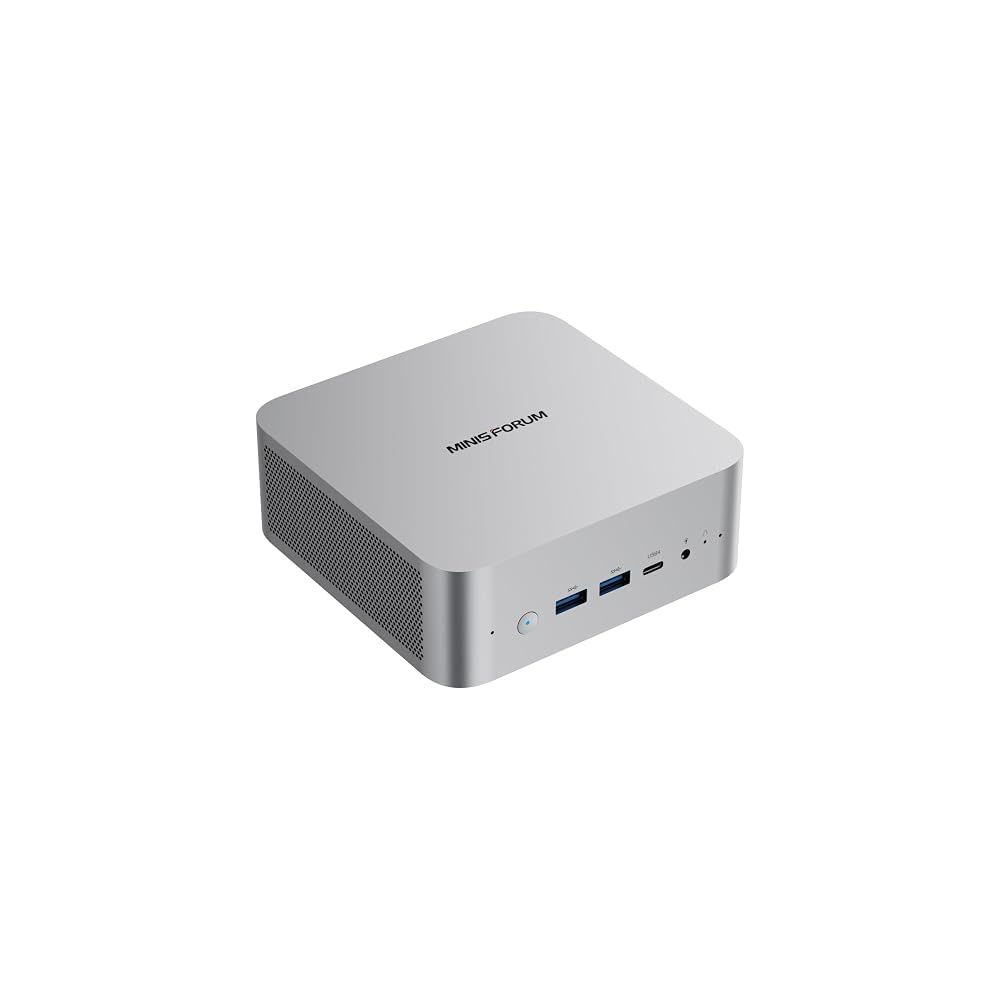
Sixteen cores, Intel Arc graphics, and Wi-Fi 7 for local AI and editing.
The M1 Pro-285H packs an Intel Core Ultra 9 285H (16 cores, 16 threads, up to 5.4GHz) with integrated Intel Arc graphics, aimed at content creation, light gaming, and multimedia editing. It comes with Copilot ready to go, and 32GB of DDR5-5600 memory that can climb to 128GB. Storage lands at a 1TB M.2 PCIe 4.0 SSD, with dual slots that support RAID 0 for speed or RAID 1 for data protection.
For screens, it drives up to four displays through HDMI 2.1 at 4K@60Hz, DisplayPort 1.4 up to 8K@60Hz, and dual USB4 ports up to 8K@60Hz. Wi-Fi 7 and Bluetooth 5.4 handle the wireless side. Cooling uses phase-change material and dual copper heat pipes with two silent fans; the maker states the full-load temperature stays below 86℃ and noise under 45dB. Buyers praise the quiet operation and the ports, including support for two full-sized 2280 M.2 drives.
The clear catch is price and the graphics ceiling. Intel Arc is capable for editing and light gaming but not a match for a discrete GPU, and this flagship-tier chip costs accordingly. Its 65W output and OCuLink GPU expansion support are there for people who later want to add external graphics. For local AI work and heavy multi-tasking, the 16 cores and Wi-Fi 7 put it among the most capable machines here.
What it brings
- 16-core Core Ultra 9 285H at up to 5.4GHz
- Quad 4K output with dual USB4
- RAID 0 and RAID 1 across dual M.2 slots
- OCuLink support lets you add external graphics later
Trade-offs to accept
- Premium-tier chip carries a premium-tier position
- Integrated Intel Arc graphics cap serious gaming
Go with this: if local AI, multi-display editing, and a quiet workstation are your day.
Pause if: your budget is fixed and you don’t need four displays or 16 cores.
10. MINISFORUM MS-01 Mini Workstation

Two 10Gbps fiber ports and a full PCIe slot — a homelab in a small chassis.
The MS-01 is built for network-heavy work. Its Intel Core i9-13900H (14 cores, 20 threads, 24MB cache, up to 5.4GHz) pairs with Intel Iris Xe graphics. The networking is the real story: two 10Gbps SFP+ fiber ports with link aggregation, two 2.5G RJ45 ports (the I226-LM port supports Windows Server), and dual USB4 interfaces, for a combined transmission speed of up to 65Gbps. That makes it a natural hub for pulling large files off a NAS.
Storage options are workstation-grade. It supports up to three M.2 NVMe SSDs, including one PCIe 4.0 slot rated up to 7000MB/s, with RAID 0 for capacity and RAID 1 for safety. It also takes a U.2 NVMe SSD plus two 22110 M.2 drives. A PCIe 4.0 x16 slot lets you slot in an external GPU, a network card, or a storage controller, which is rare on a machine this small.
The limitation is noise, which splits buyers — some find it very quiet under load, others too loud. Cooling in a workstation this dense is simply a variable you should plan for. Size is the trait owners favor most, with compactness close behind, and the port selection draws steady praise. If your plans involve virtualization, a NAS, and fiber networking, the interface array is the reason to pick it.
Network-first verdict: 65Gbps of combined interface speed and a PCIe 4.0 x16 slot put this in a class of its own for homelab builds.
Pick it for: homelabbers and IT pros who want fiber ports and expansion slots on a tiny box.
Look past it if: fan noise in a shared room would bother you and you don’t need 10Gbps networking.
11. GEEKOM A9 Max Top AI Mini PC
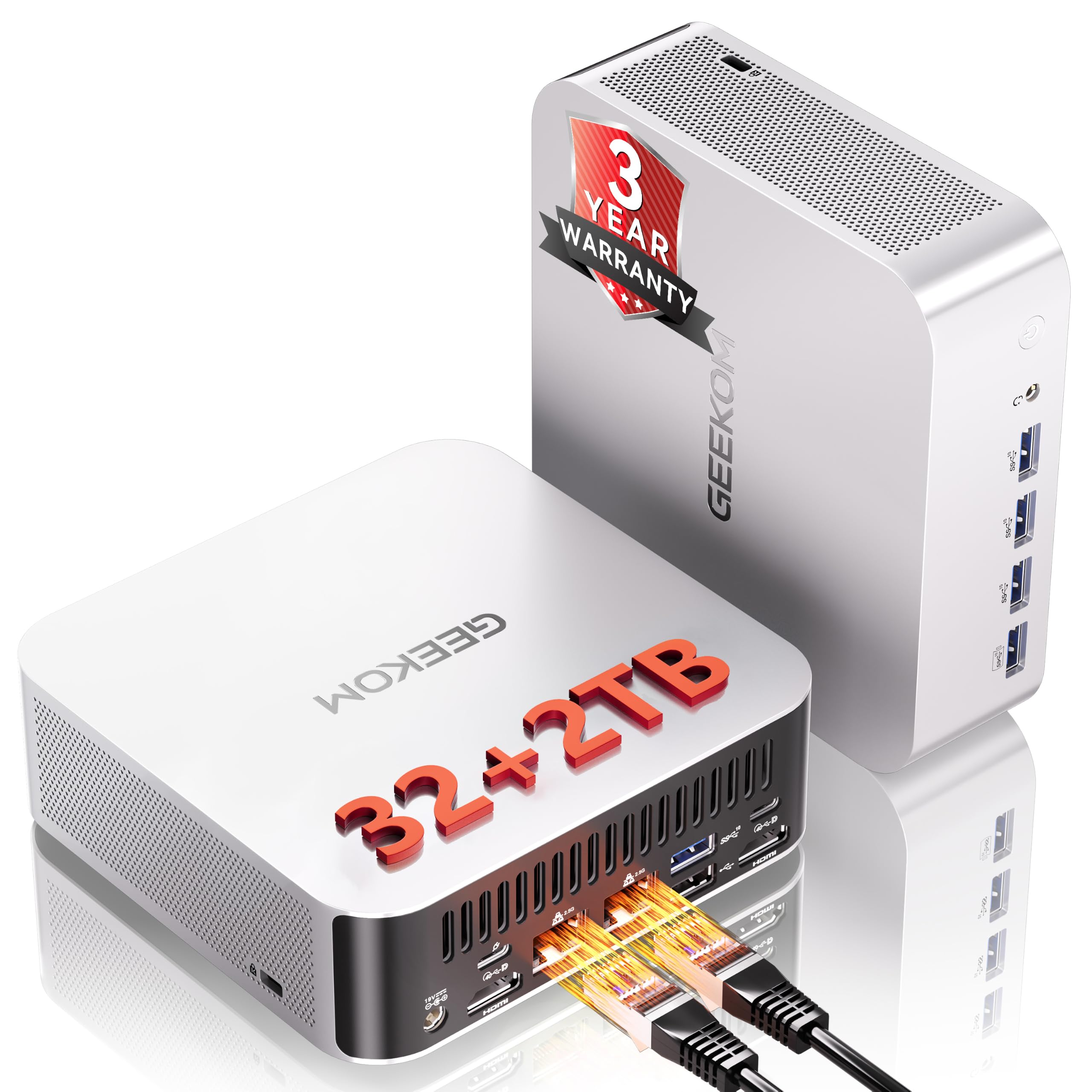
A dedicated AI chip and 2TB of storage at the very top of the range.
The A9 Max runs the AMD Ryzen AI 9 HX470 on the Strix Point architecture, with up to 86 TOPS of AI acceleration that includes an XDNA 2 NPU rated up to 55 TOPS. In plain terms, that means it has a dedicated processor for AI tasks, so running local language models or batch document analysis doesn’t lean entirely on the CPU. It ships with 32GB of DDR5 (expandable to 128GB) and a 2TB SSD, double the storage of a 1TB configuration.
On the display side, AMD Radeon 890M graphics drive up to four independent screens at 8K without a docking station, useful for financial dashboards, 8K editing, CAD, and 3D rendering. Networking covers dual 2.5GbE LAN, Wi-Fi 7, and a 3D stereo antenna for steadier wireless. Two PCIe Gen4 NVMe slots (one M.2 2280, one M.2 2230) allow up to 8TB of total storage.
Buyers highlight the 16-core Core Ultra 9 285H speed most, and setup is generally described as smooth. Reliability is the honest caveat — a portion of long-term users report units failing after roughly two years of use, so budget for the three-year warranty GEEKOM includes rather than assuming a decade-long lifespan. Its 5.1GHz top speed and 24MB cache round out a machine aimed at enterprise AI and professional studios.
Why it tops the range
- 86 TOPS AI with an XDNA 2 NPU up to 55 TOPS
- 2TB of storage double a 1TB config
- Four displays at 8K through Radeon 890M graphics
- Dual 2.5GbE plus Wi-Fi 7 and a 3D stereo antenna
What to keep in mind
- Reliability is a mixed picture over several years
- Flagship AI chip carries the highest position here
Best matched to: studios and enterprise buyers running local AI models and 8K production.
Hold off if: you want a decade of trouble-free use and don’t need on-device AI acceleration.
Know the Specs
Processor tier and cache
The chip sets the ceiling for everything else. A core count tells you how many jobs it can juggle, but the cache — fast memory built into the chip — tells you how quickly it can recall data mid-task. Larger cache, like the KAMRUI’s 24MB versus the BOSGAME E5’s 4MB, tends to keep heavy multitasking smoother. The newer the generation, the more work each core does per tick.
Network ports: Gigabit versus 2.5G
A single Gigabit port runs a normal desktop. A 2.5G port moves data at up to 2500Mbps, which speeds up NAS transfers and matters if you plan to run a firewall or router. Two such ports on the BOSGAME E5, BOSGAME P3, and GMKtec machines let you keep separate networks apart. The MS-01 adds 10Gbps SFP+ fiber ports for serious homelab builds.
RAM type and expansion
DDR5 memory runs faster than DDR4, which helps on memory-heavy work like editing and virtual machines. More important is the ceiling: dual SODIMM slots that support 64GB or more mean the machine grows with you. Check what’s installed versus the maximum before buying, so you don’t pay to replace the whole box later.
Display outputs and resolution
The port type decides how many screens you can run and how sharp they look. HDMI 2.0 and DisplayPort handle 4K@60Hz, USB4 can push 8K@60Hz, and more ports mean more monitors at once. If you track charts or edit video, count the outputs before buying — it’s the one spec you can’t add with an adapter.
Common Questions
What does x86 mean and why does it matter for a mini PC?
Can a mini PC replace a full desktop tower for office work?
Will a fanless mini PC overheat during long work sessions?
How many monitors can these mini PCs drive at once?
Can I upgrade the RAM and storage later?
Is dual 2.5G LAN worth it over a single Ethernet port?
How much does a dedicated AI chip matter for everyday use?
Do these mini PCs come with Windows already installed?
What is the difference between a mini PC and a small form factor workstation?
Can I run games on an x86 mini PC with integrated graphics?
The Bottom Line
For most buyers, the x86 mini pc winner is the BOSGAME E5 because it pairs dual 2.5G LAN ports, three 4K@60Hz displays, and an open upgrade path with a low-draw Ryzen 3 chip that suits a home server or office desk. If you want the fastest everyday multitasking, grab the KAMRUI Hyper H2 and its 14-core Core i5-14500HX. And for fiber networking and homelab expansion, the MINISFORUM MS-01 is the one to reach for.
The honest nudge: pick the machine whose processor tier matches your real workload, not the biggest number on the box — a Ryzen 3 office box and a Ryzen AI 9 flagship both do their jobs well, and buying more chip than you need just leaves money on the desk. Match the ports and expansion to where you’ll grow, and any pick here will serve you for years.
How we choose
We do not accept paid placement. Every pick is matched to a real buyer and a real use-case; we do not hands-on test units.
Sources
Specifications: manufacturer listings and product documentation. Review insights: verified customer reviews, as of November 2026. Pricing: not shown on this page (it changes often); check the current price via the retailer link.
As an Amazon Associate, Tactical Gear Guy earns from qualifying purchases. This does not affect which products we feature.