Specs are compiled from manufacturer listings and verified buyer reviews and can change over time — please confirm the key details on the product page before buying.
If your wrist aches by mid-afternoon, the mouse on your desk is the likely culprit, not your chair and not your posture. A flat mouse keeps your hand rotated palm-down all day, pressing steadily into your wrist and forearm. A wrist support mouse flips that: it stands your hand up on its side in a loose handshake shape, so your wrist stays straighter and your forearm does less work. Below are nine mice that genuinely do that job — vertical shapes, a trackball, and one with a built-in base that lifts the wrist — sorted by what each one is actually good at.
This guide is built by comparing the manufacturers’ published specifications and the patterns across verified customer reviews, so you get each pick’s real strengths and trade-offs instead of marketing spin.
Buyers routinely assume the vertical shape alone fixes the wrist, but the angle, the hand size and the connection type matter just as much. Here is what actually separates a comfortable daily driver from a mouse you quietly stop using, and this breakdown of the best wrist support mouse will help you pick the right angle the first time.
Top Picks


How To Choose The Best Wrist Support Mouse
You are buying two things at once: a shape that keeps your wrist straighter than a flat mouse, and a size that matches your hand. Get the angle right but the size wrong and you will feel it in your fingers within a week. Get both right and the shell sits flush under your palm instead of fighting it.
Measure your hand before you look at anything else
Hand length is the number that decides which shell fits you. Measure from the base of your palm to the tip of your middle finger. Several mice here are shaped for shorter hands — the PHILIPS SPK7628 suits hand lengths up to 7 inches, and the ProtoArc EM11 NL is built for hands under 7.5 inches (19.05 cm). Others, like the Lekvey, are designed for medium and large hands. A vertical mouse that is too big spreads your fingers and cancels out the comfort you bought it for.
Understand the vertical angle
The vertical angle is how far the mouse stands your hand up from flat. The PHILIPS runs a 57° handshake angle, and the Logitech Lift uses 57 degrees as well. Both aim to put your forearm in a more natural position than a palm-down mouse. The closer to a full handshake your hand sits, the less your forearm has to rotate — but the more of a learning curve you face in week one.
Decide between rechargeable and battery-powered
Rechargeable mice carry a built-in lithium battery and a Type-C cable, so you never hunt for AAA cells. The Lekvey holds a 600 mAh battery with a 150 cm Type-C cable in the box. The Uineer and ProtoArc both use 500 mAh cells. Battery-powered models like the TECKNET want two AAA batteries you supply yourself. Rechargeable wins on convenience; battery models win if you would rather swap cells than remember a cable.
Match DPI to your actual work
DPI (dots per inch) sets how far the cursor travels per inch of mouse movement. The TECKNET gives you six adjustable levels up to 4800 DPI for fast sweeping across a large screen. The Uineer offers four levels from 800 up to 3200. If you mostly write documents and browse, a lower setting feels calmer. If you drive two monitors or do detailed design work, the higher ceiling helps.
Side-by-Side Comparison
| Model | Best For | Vertical Angle / Shape | DPI Levels | Power Source | Amazon |
|---|---|---|---|---|---|
| Lekvey Ergonomic Vertical Mouse★ Best Overall | Everyday desk work on a budget | Vertical, medium/large hands | 1000/1200/1600 | 600 mAh rechargeable | Amazon |
| Uineer Ergonomic Vertical MouseMost Versatile | Switching between laptop, tablet and desktop | Vertical, 105 g | 800/1600/2400/3200 | 500 mAh rechargeable | Amazon |
| TECKNET Ergonomic Vertical MouseBest for Big Screens | Long hours on a large screen | Vertical, right hand only | 6 levels up to 4800 | 2 x AAA (not included) | Amazon |
| ProtoArc EM11 NL | Smaller hands that still want multi-device | Vertical, hands under 7.5 in | 1000/1600/2400 | 500 mAh rechargeable | Amazon |
| PHILIPS SPK7628 | Travel and compact desk setups | 57° vertical, hands up to 7 in | 800/1200/1600 | AA battery included | Amazon |
| Anker 2.4G Wireless Vertical Mouse | Simplest possible plug-and-play setup | Vertical handshake shape | 800/1200/1600 | 2 x AAA (not included) | Amazon |
| Logitech Lift | Small to medium right hands, long battery life | 57° vertical, small/medium right hands | — | Up to 2 years battery life | Amazon |
| Razer Pro Click V2 Vertical | Multi-device power users and creators | Vertical with base support | — | Up to 6 months battery | Amazon |
| Logitech MX Ergo S | Thumb control with a fixed wrist | Trackball, 20-degree tilt | — | Rechargeable USB-C | Amazon |
Detailed Reviews
1. Lekvey Ergonomic Mouse
Our pick — 4.5+★ from 350+ verified ratings; the strongest balance of quality and price.
The vertical mouse that turns your hand sideways and lets a 600 mAh battery carry you for weeks.
Most people buying their first wrist support mouse want one thing: to stop dreading the afternoon ache without spending a fortune. The Lekvey earns the top spot by doing that with a natural handshake grip that holds your wrist and forearm in a straighter position than a flat mouse. It is the crowd favorite here at 4.5+ stars from 300+ owners, and the shape is why — the ergonomics are the feature people praise most, hands down.
You never buy disposable batteries again, because a built-in 600 mAh lithium-ion battery (a rechargeable cell rated at 600 milliamp-hours) recharges through the included 150 cm Type-C cable. As buyers report, “One full charge lasts about 3–4 weeks with 8–10 hours of daily use, or up to 2–3 months with light use.” Leave it still for 10 minutes and an auto-sleep mode kicks in to save power. A 2.4GHz USB receiver (a small plug-in dongle that carries the signal) keeps the link stable from up to 33 feet (10 m) away, so you can drive a TV-connected PC from the couch. That 600 mAh cell compares with the 500 mAh cell in the Uineer.
The daily handling is built for quiet shared spaces. Left and right clicks are whisper-quiet, rated to 9 million clicks, and two side buttons handle page back and page forward while you browse. Sensitivity runs at 1000/1200/1600 DPI (dots per inch, the cursor speed) so you can slow it for precise work or speed it up for big screens. Its 5-inch length compares with the 4.74-inch TECKNET, and its 3-inch width with the TECKNET’s 2.49 inches — meaningfully more palm under your hand. The catch is sizing: this shell is built for medium and large hands, and it is not programmable, so macro-heavy workflows belong elsewhere.
What earns the top slot
- 600 mAh rechargeable battery with a 150 cm Type-C cable in the box
- Quiet left and right clicks rated to 9 million presses
- Page back and page forward buttons for faster browsing
- Auto-sleep after 10 minutes of inactivity protects the charge
Where it asks you to compromise
- Shaped for medium and large hands — smaller hands should measure first
- No programmable buttons, and the side buttons do not work on Mac OS
- Expect 1-2 weeks to adjust to the vertical grip
Reach for this if: you want the most complete package of comfort, battery and quiet clicks for a standard desk job, and your hands are medium to large.
Measure first if: your hands are on the smaller side — the 3-inch width will feel like too much shell under your palm.
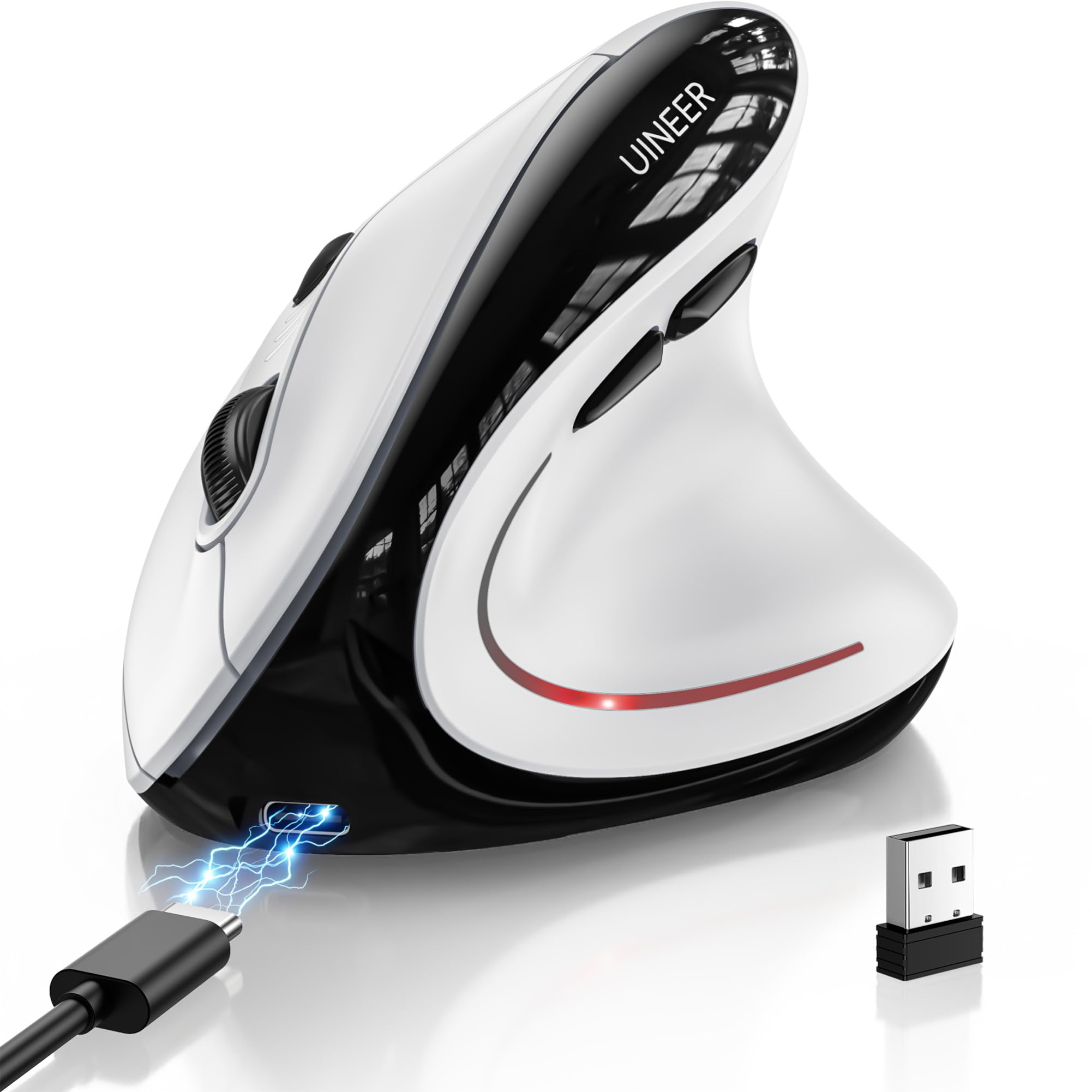
2. Uineer Ergonomic Wireless Vertical Mouse
One mouse that hops between your laptop, your tablet and your desktop with a button press.
If your desk has more than one screen attached to more than one machine, the juggling act is the real problem. The Uineer solves it with three ways to connect — Bluetooth 5.0, Bluetooth 4.0 and a 2.4GHz USB receiver — and a three-device switch that moves you between work and personal gear without repairing anything. At 105 grams it is light enough to slide into a laptop bag, and the vertical grip keeps your wrist straight through a long session.
The 500 mAh rechargeable battery runs for weeks on a typical 8-hour day and refills in about 2 hours over the included Type-C cable, with a low-battery indicator so you are not caught mid-task. Sensitivity spans four levels (800/1600/2400/3200 DPI) so you can dial it down for documents and up for design work or casual gaming. Left and right buttons are silent, which matters in an open office or a shared room at night.
Two extras separate it from a plain vertical mouse. A side scroll wheel moves you horizontally through wide spreadsheets without dragging the scroll bar, and seven-colour RGB lighting adds a bit of desk personality. It also pairs across Windows, Mac, iPad, Chrome OS and Linux. The honest trade-off is the adjustment period — plan on 1-2 weeks before the grip feels natural, and note that this shape assumes a right hand.
Why it travels well: tri-mode connectivity plus a 105 g body makes it the pick for hybrid workers bouncing between machines.
Set your expectation: the vertical grip is a learned position — give it a fortnight before you judge it.
Pick this one when: you regularly jump between three devices and want one wrist-friendly mouse to rule them all.
Look past it if: you want a fully programmable button set — this one sticks to the basics.
3. TECKNET Ergonomic Mouse
Six sensitivity levels up to 4800 DPI for anyone sweeping across a pair of big monitors.
On a wide desktop, cursor speed stops being a detail and becomes the whole job. The TECKNET packs a high-performance chip with six adjustable DPI levels (4800/3200/2400/1600/1200/800), and the mouse flashes its light that many times to confirm the change. It also handles three devices at once through Bluetooth 5.0/3.0 and a 2.4GHz USB-A receiver, with a short press on the bottom button cycling you between them. Quality is the trait owners praise most here — by a wide margin — and the near-vertical palm angle keeps the wrist out of a flat pressed-down position during long sessions.
It is the most established pick of the lot, with 12,000+ owner ratings behind it, and owner reviews repeatedly report that wrist strain eases over long work hours. Only the left and right buttons are silent — the other function buttons click normally. The receiver is built into the bottom of the mouse so it will not go missing, and the mouse drops into deep sleep after roughly 10-30 minutes of inactivity.
Here is the trade you make. This one runs on two AAA batteries you supply yourself, so a spare pair belongs in your drawer — the rechargeable Lekvey and Uineer skip that chore entirely. It is also right-hand only and comes in at 4.74 inches by 2.49 inches, a touch narrower than the 3-inch Lekvey, which suits smaller palms but gives less real estate for bigger ones. A 36-month warranty rounds it out.
Where the money goes: 6 DPI levels and three-device switching are the two things that make this feel like a serious tool rather than a basic vertical shell.
The one chore: feeding it AAA batteries is the price of admission — buy a rechargeable set and rotate them.
Best matched to: spreadsheet-heavy work or design on large or dual monitors where a fast, tunable cursor saves real time.
Not your match if: you refuse to deal with disposable batteries — go rechargeable instead.
4. ProtoArc EM11 NL Wireless Ergonomic Vertical Mouse

A vertical mouse measured out for hands under 7.5 inches, so smaller palms are not swimming in shell.
Small hands get a mouse built to fit them: the ProtoArc EM11 NL is designed specifically for hand lengths under 7.5 inches (19.05 cm). Measure your hand first if an ergonomic mouse has ever felt too bulky to grip. The vertical shape keeps your wrist naturally straight instead of folded flat on the desk, which is the whole point of a wrist support mouse. Buyers praise build quality here more than anything else, by a wide margin.
Unlike the single-connection Lekvey, this one connects three devices at once through dual Bluetooth plus 2.4GHz USB-A, and works across Windows 8, Windows 10 or higher, Mac OS X 10.12 or higher, and Android 4.3 or higher. The 500 mAh lithium-ion battery recharges over the included Type-C cable. Three DPI settings (1000/1600/2400) give you precise tracking for documents and faster sweeps for larger tasks, and back and forward buttons speed up web navigation. Left and right clicks are silent, though the scroll wheel and side buttons click normally.
Set aside a couple of weeks to get comfortable with the grip — that adaptation is real and multiple buyers mention the adjustment period, which is normal for any vertical shape. Worth knowing too: the Type-C port is for charging only, and all buttons are fixed rather than programmable, with side buttons off the table on Mac OS. If you fit the hand size, none of that will bother you.
Why small-handed buyers pick it
- Sized for hand lengths under 7.5 inches (19.05 cm)
- Connects three devices via dual Bluetooth and 2.4GHz
- 500 mAh rechargeable battery over Type-C
- Silent left and right clicks
What to plan around
- Buttons are not programmable and side buttons do not work on Mac OS
- The Type-C cable charges only — no USB-C receiver is included
- Expect a couple of weeks of grip adjustment
Right for you if: you have shorter hands and want multi-device flexibility without a bulky shell.
Give it a miss when: your hand length runs well past 7.5 inches — you will want a larger body.
5. PHILIPS SPK7628 Ergonomic Mouse
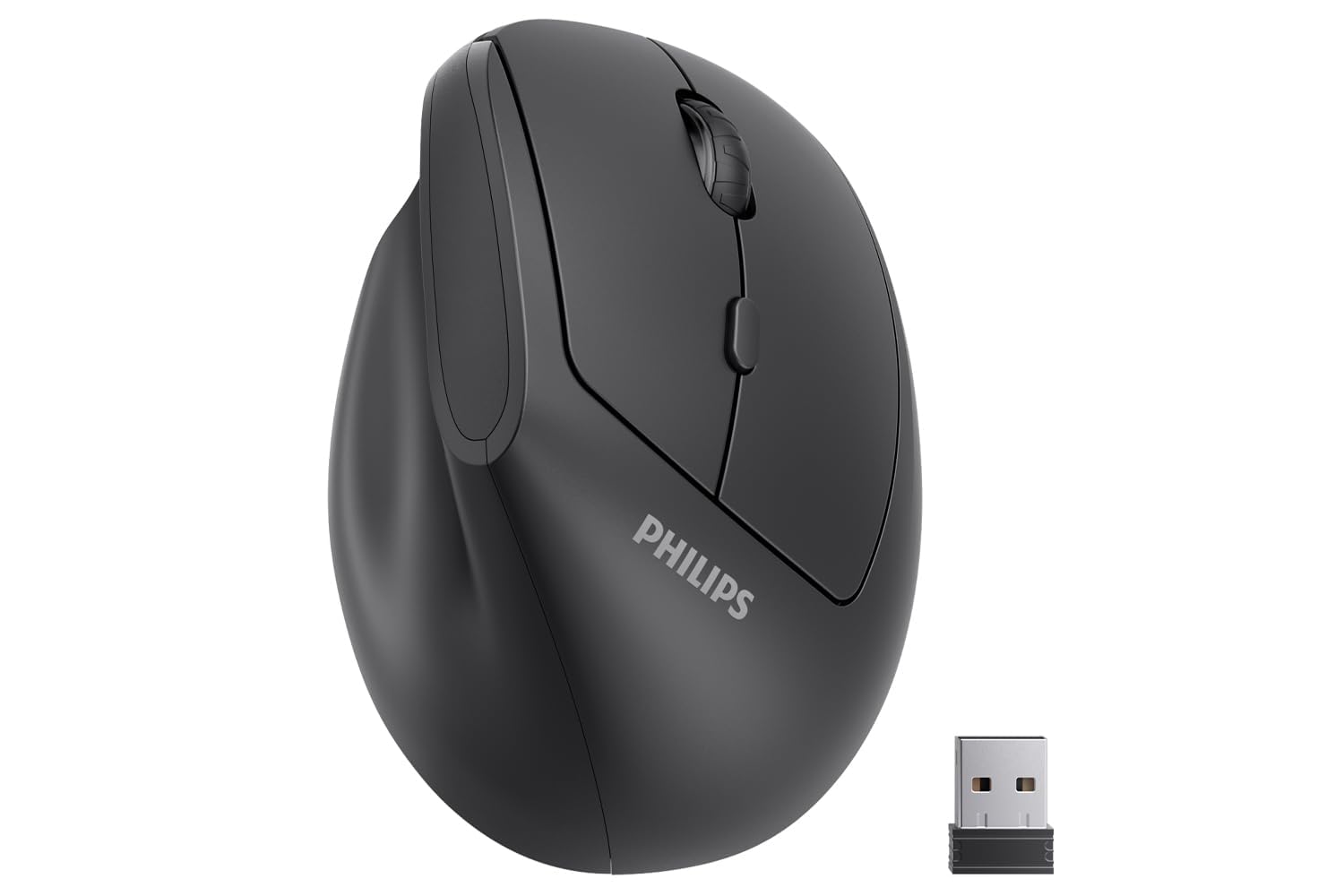
A 57-degree handshake angle in a compact shell light enough to live in your laptop bag.
The PHILIPS uses the same 57° natural handshake angle as the Logitech Lift, tilting your hand upright so the wrist is not pressed flat into the desk all day. It is shaped for hand lengths up to 7 inches, which makes it the pick for smaller and medium hands that still want the full benefits of a vertical profile. Ergonomics is the clear front-runner in what owners value, and the shape at 0.15 kg is easy to carry between home and office.
Connection is a straightforward 2.4GHz USB receiver — plug it in and it works with no drivers, and the receiver hides inside the base so it does not go missing. Three DPI settings (800/1200/1600) let you trade speed for control, and the silent left and right buttons suit shared offices, libraries and late-night sessions. Smart sleep kicks in when the mouse sits idle, easing the battery draw. Note this is not a Bluetooth mouse, so it needs a free USB-A port.
The trade-off is a mixed record on battery and connectivity — some owners get excellent battery life and a stable link, others get a dead cell or a dropped connection from the start. It runs on a battery included in the box, but keep a spare handy. Also budget for a USB-C adapter if your laptop has only USB-C ports, because the receiver is USB-A.
What you gain: a full 57° vertical angle and silent clicks in a body light enough for daily commuting.
Know before you buy: it is a USB-A-only 2.4GHz mouse, so newer USB-C-only laptops need an adapter in the bag.
Consider it for: a light travel kit or an office/desk setup where you move the mouse often.
Leave it if: you need nothing-but-Bluetooth, or you want guaranteed long battery life.
6. Anker 2.4G Wireless Ergonomic Mouse
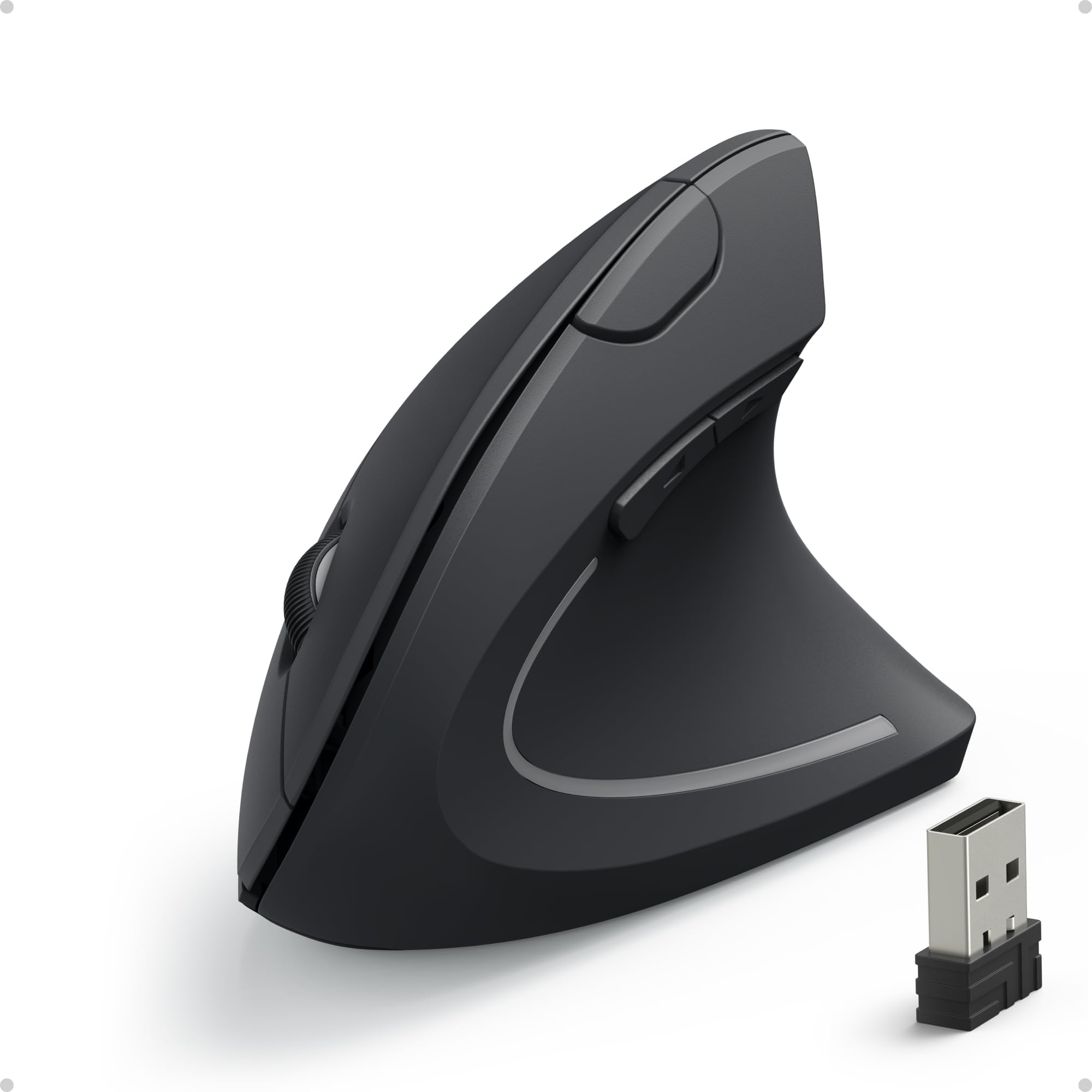
The no-fuss vertical mouse: receiver in, AAA batteries in, start working.
Some buyers just want the wrist angle fixed without a manual. The Anker delivers exactly that with a neutral handshake grip that holds your wrist and arm in a more relaxed position than a flat mouse, plus a 2.4GHz USB receiver that pairs in seconds. It is not Bluetooth and it makes no apologies for that — the connection is a single reliable link and nothing more. With 53,000+ owner ratings it is the most-reviewed mouse on this list, which is its own kind of reassurance.
Sensitivity covers 800/1200/1600 DPI for smooth, precise tracking on a range of surfaces, and next/previous buttons handle webpage back and forward. It slips into a power-saving mode after 8 minutes of inactivity and wakes on a click of either main button. Two AAA batteries power it (not included), and the receiver stores in the base when you travel.
Two things to weigh honestly. Key click sounds are unavoidable here — this is not a silent mouse, so it is a poor fit for a shared library table. And functionality draws mixed feedback, with a share of buyers reporting it does not work properly, so keep your receipt within the 18-month warranty window and test it early. If you get a good one, the shape does its job.
Why it stays simple: one receiver, two AAA cells and an 18-month warranty — nothing to configure, nothing to sync.
The honest caveat: audible clicks and a mixed reliability record mean you should test it in the first week.
A sensible buy for: anyone who wants a cheap introduction to the vertical grip and does not mind AAA batteries.
Pass it over if: you work in a silent space or want silent clicks and a bulletproof connection.
7. Logitech Lift Vertical Ergonomic Mouse

Logitech’s small-to-medium-hand vertical mouse, with a two-year battery and whisper-quiet clicks.
If you want to stop thinking about a mouse once you buy it, the Lift is built for exactly that. It runs on a battery that lasts up to 2 years, connects over Bluetooth Low Energy or a Logi Bolt USB receiver, and works with Windows, macOS, iPadOS, Chrome OS and Linux. Logitech states the design was developed and tested against criteria set by leading ergonomists, and it is shaped for small to medium right hands at 4.25 inches long and 125 g.
The 57-degree vertical shape puts your forearm in a more natural position, and the softly textured grip with a snug thumb rest gives your palm and thumb a home rather than a flat surface. Functionality is the strongest consensus on this pick — it simply works the way it should — and the quiet clicks let you type and click late without waking the house. There are 4 buttons and a SmartWheel for smooth scrolling.
The build uses certified post-consumer recycled plastic — 70% in this Graphite colour — for anyone keeping an eye on materials. Two caveats worth knowing: some owners find the size too big even though it is billed for small hands, and a share find the value only fair for the finish. If your hand runs genuinely small, measure the 4.25-inch length against your palm before committing.
What makes it a long-term buy
- Up to 2 years of battery life from a single install
- Connects via Bluetooth Low Energy or Logi Bolt USB
- 57-degree angle with a softly textured grip and thumb rest
- Works across Windows, macOS, iPadOS, Chrome OS and Linux
Worth knowing before you commit
- Designed for small to medium right hands — sizing is genuinely snug
- Some owners find it larger in the hand than expected
- Finish may not feel premium to everyone at this tier
The right call when: you want a set-and-forget mouse with a proper vertical angle and near-silent clicks for a home office.
Think twice if: your hands are larger than medium — the small-hand shaping will crowd you.
8. Razer Pro Click V2 Vertical Wireless Mouse

A vertical mouse with a wrist-lifting base, a glass-tracking sensor, and AI shortcuts on tap.
Most vertical mice stand your hand up and stop there. The Razer Pro Click V2 adds base support — a section that improve your wrist so it slides rather than drags across the desk. The vertical shape is built for a natural handshake grip, and ergonomics is the trait buyers value most here, followed by solid build quality. Six buttons and a Focus Pro 30K Optical Sensor (Razer’s high-precision sensor) give it the markings of a serious work mouse, tracking smoothly even on glass.
You can jump between up to 5 devices without re-pairing, over 2.4GHz HyperSpeed Wireless (Razer’s low-latency dongle connection), Bluetooth (3 hosts) or a wired mode. Charge for 5 minutes over the included USB-C cable and the maker says you get 3 working days of use; a full charge is rated for up to 6 months. The AI Prompt Master button runs common tasks like summarising text or drafting an email through Razer Synapse 4 (Razer’s settings software). If you install the Chroma Workshop plugins, 18 lighting zones with full underglow can flash notifications.
The mechanical switches are rated to a 60 million click lifecycle. Honest limitations: the thumb buttons need a firmer press than some expect, the mouse carries noticeable weight at 0.41 kg, and the value and battery feedback both sit in mixed territory. It is a power tool first, a lightweight travel mouse never.
The power-user angle: five-device switching, a glass-tracking sensor and one-touch AI shortcuts make this the busiest setup on the list.
The catch: firmer clicks and real heft mean it suits a stationary desk, not a bag.
Built for you if: you run a multi-machine desk and want wrist lift, precision tracking and shortcut buttons in one unit.
Look elsewhere if: you want a featherweight mouse or whisper-soft button presses.
9. Logitech MX Ergo S Wireless Trackball Mouse

A thumb-driven trackball that keeps your whole hand still while the cursor keeps moving.
If moving your arm across the desk is the part that hurts, a trackball is a different answer to the same question. The MX Ergo S uses advanced thumb control — the ball sits under your thumb, so the hand stays put while the cursor travels. A 20-degree tilt angle tips the whole mouse to a better forearm posture, and Logitech states the 20-degree tilt reduces muscle strain by 27%. It is ergonomist-certified for comfort, with a soft rubber contour sized for medium to large hands.
The productivity side is deep. Logi Options+ gives you 6 customizable buttons, time-saving shortcuts and Smart Actions, and a button lets you switch between speed and high-precision tracking on the fly. Charging is quick: up to 24 hours of use from a 1-minute charge, or up to 120 days on a full charge over a USB-C cable (not included). Dual connectivity runs over Bluetooth or the included Logi Bolt USB receiver, with an Easy-Switch button between machines. The quiet operation is a step up too — this model has 80% quieter clicks than before.
Quality is what wins people over most here, and trackball performance keeps them. Where it asks patience: button and click responsiveness draw mixed feedback, and some find the value a stretch for the design. It is also fixed in one shape — unlike a vertical mouse that follows your hand, a trackball asks your hand to follow it.
The standout number: a 1-minute charge buys up to 24 hours of use, which is the kind of top-up that fits between meetings.
The honest trade: a trackball is its own learning curve, and value is the recurring question at this tier.
The one to choose when: you want to stop moving your arm entirely and get a 20-degree tilt plus a thumb ball to keep the wrist quiet.
skip it if: you prefer the familiar feel of a mouse under your palm — this is a trackball, not a vertical mouse.
Know the Specs
Vertical Angle and Hand Position
The vertical angle is how far the mouse tilts your hand up from flat. A 57° handshake angle, like the PHILIPS and Logitech Lift use, keeps the forearm in a more natural, less rotated position. The higher the angle, the less your wrist has to do to hold the mouse — but the more you will feel a learning curve in the first week or two. Tilt and base support, as on the MX Ergo S and Razer Pro Click V2, extend that idea by lifting the wrist off the desk entirely.
DPI (Cursor Sensitivity)
DPI means dots per inch — how far the cursor moves for each inch you slide the mouse. Low settings like 800 are calm and precise for documents; high settings up to 4800 suit large or dual monitors. Most vertical mice here give you three to six levels to switch between, so pick the one that matches your screen size and work type. More isn’t always better — a figure that fits your setup is what matters.
Battery Type and Life
Rechargeable mice carry a built-in lithium battery and a Type-C cable, so you never buy cells — the Lekvey (600 mAh), Uineer and ProtoArc (both 500 mAh) work this way. Battery models like the TECKNET and Anker take AAA cells you supply. Also note the stated battery life figures: the Logitech Lift claims up to 2 years, the Razer up to 6 months, and the MX Ergo S up to 120 days per charge. Match that to how often you want to think about power.
Hand Sizing and Fit
Fit is the spec buyers underestimate most. Hand length, base of palm to middle fingertip, decides which shell suits you. The PHILIPS is built for hands up to 7 inches, the ProtoArc for hands under 7.5 inches, and the Lekvey for medium to large hands. Too big a shell spreads your fingers and cancels the comfort you bought the mouse for — always measure before ordering.
Common Questions
How long does it take to get used to a wrist support mouse?
Will a vertical mouse stop my wrist pain?
Can I use a wrist support mouse with a Mac or an iPad?
Is a trackball better than a vertical mouse for wrist strain?
How do I measure my hand for a vertical mouse?
Do these mice work for left-handed users?
Should I pick a rechargeable mouse or one that takes batteries?
Why is my cursor jumping around randomly?
Do the side buttons work without installing software?
The Bottom Line
Most desk workers should buy the Lekvey Ergonomic Vertical Mouse, the best wrist support mouse for a normal desk setup. It pairs a natural handshake grip with a 600 mAh rechargeable battery, quiet clicks and page buttons, so your wrist stays straight and your coworkers hear nothing. If you bounce between several machines, the Uineer switches across three devices and adds a side scroll wheel. And if you want to keep your arm perfectly still, the Logitech MX Ergo S trackball uses a 20-degree tilt and a 1-minute charge for up to 24 hours of use — a genuinely different way to give your wrist a break.
Before you order, measure your hand once. The right angle in the wrong size will undo the comfort you paid for, and a five-second measurement is the easiest upgrade in this whole category. Sort by hand fit first and features second, and you end up with a mouse you stop noticing.
How we choose
We do not accept paid placement. Every pick is matched to a real buyer and a real use-case; we do not hands-on test units.
Sources
Specifications: manufacturer listings and product documentation. Review insights: verified customer reviews, as of November 2026. Pricing: not shown on this page (it changes often); check the current price via the retailer link.
As an Amazon Associate, Tactical Gear Guy earns from qualifying purchases. This does not affect which products we feature.