Specs are compiled from manufacturer listings and verified buyer reviews and can change over time — please confirm the key details on the product page before buying.
Over a long raid night, your keyboard’s macro keys and switch response matter more than any trinket roll. You need keys that fire the moment you press them, macro buttons your fingers find without looking down, and a board that survives a thousand ability spam sessions. That narrows this list to one question: which boards give an MMO player dedicated macro keys and switches fast enough to fire them? Every pick below has dedicated macro keys or full key remapping, and each is ranked by how it handles a rotation, not by how flashy the box looks.
This guide is built by comparing the manufacturers’ published specifications and the patterns across verified customer reviews, so you get each pick’s real strengths and trade-offs instead of marketing spin.
Some boards here give you five or six dedicated macro keys you can program in seconds, while others lean on a full macro layer you build in software and map to any key you like. Below is the full breakdown, from the analog-switch Logitech G PRO X TKL Rapid at the top to the budget Redragon K580 PRO with five onboard G-keys.
Top Picks


How To Choose The Best WoW Gaming Keyboard
An MMO player stresses a keyboard differently than a shooter player does. You hold keys down in rotation, you fire off cooldowns in a burst, and you do it for hours. So the specs that matter are the ones that keep your inputs landing: dedicated extra keys, switch response, and a layout your desk can actually hold.
Count the extra keys before anything else
Dedicated macro keys (often labelled G1 through G5 or G12) are physical buttons sitting off to the side of the main layout. You bind a whole ability sequence to one of them. Six is a comfortable number for most raiders; twelve lets you cover a full action bar without touching your modifiers. Some boards skip dedicated keys and instead let you remap any key through software — that works too, but it costs you normal keys to do it.
Switch response decides how fast a cooldown fires
A mechanical switch is the physical mechanism under each keycap. Linear switches travel straight down with no bump, and they tend to reset quickly. A handful of boards here use magnetic analog switches, which measure how far you push the key rather than just whether it clicked. That enables Rapid Trigger — the key re-arms the instant you begin releasing it, instead of waiting for a full return. In a game where one missed global cooldown ruins a burst window, that faster re-arm keeps your rotation on schedule.
Layout: full-size, TKL, or compact
Full-size boards keep the number pad on the right. Tenkeyless (TKL) drops the number pad but keeps everything else, which frees up mouse-swinging room on a small desk. Compact 75% and 95% boards squeeze the arrows and function row tightly to save even more space. If you play with a low mouse sensitivity and sweep your arm, a smaller board is a real ergonomic win.
Software and onboard memory
Most boards program their macros through a companion app on your PC. Some also store those macros on the keyboard itself, so they keep working if you move the board to another machine or the software is closed. Check which applies to the board you are eyeing — it decides whether you set your rotation up once or every session.
Side-by-Side Comparison
| Model | Best For | Macro Keys | Switch Type | Layout / Keys | Amazon |
|---|---|---|---|---|---|
| Logitech G PRO X TKL Rapid★ Best Overall | Fastest cooldown response | Full key remap (KEYCONTROL) | Magnetic analog Hall-Effect | TKL / tenkeyless | Amazon |
| Redragon K580 PROBest Wireless Value | Wireless raiding on a budget | 5 dedicated (G1-G5) | Hot-swappable mechanical | Full-size / 104 keys | Amazon |
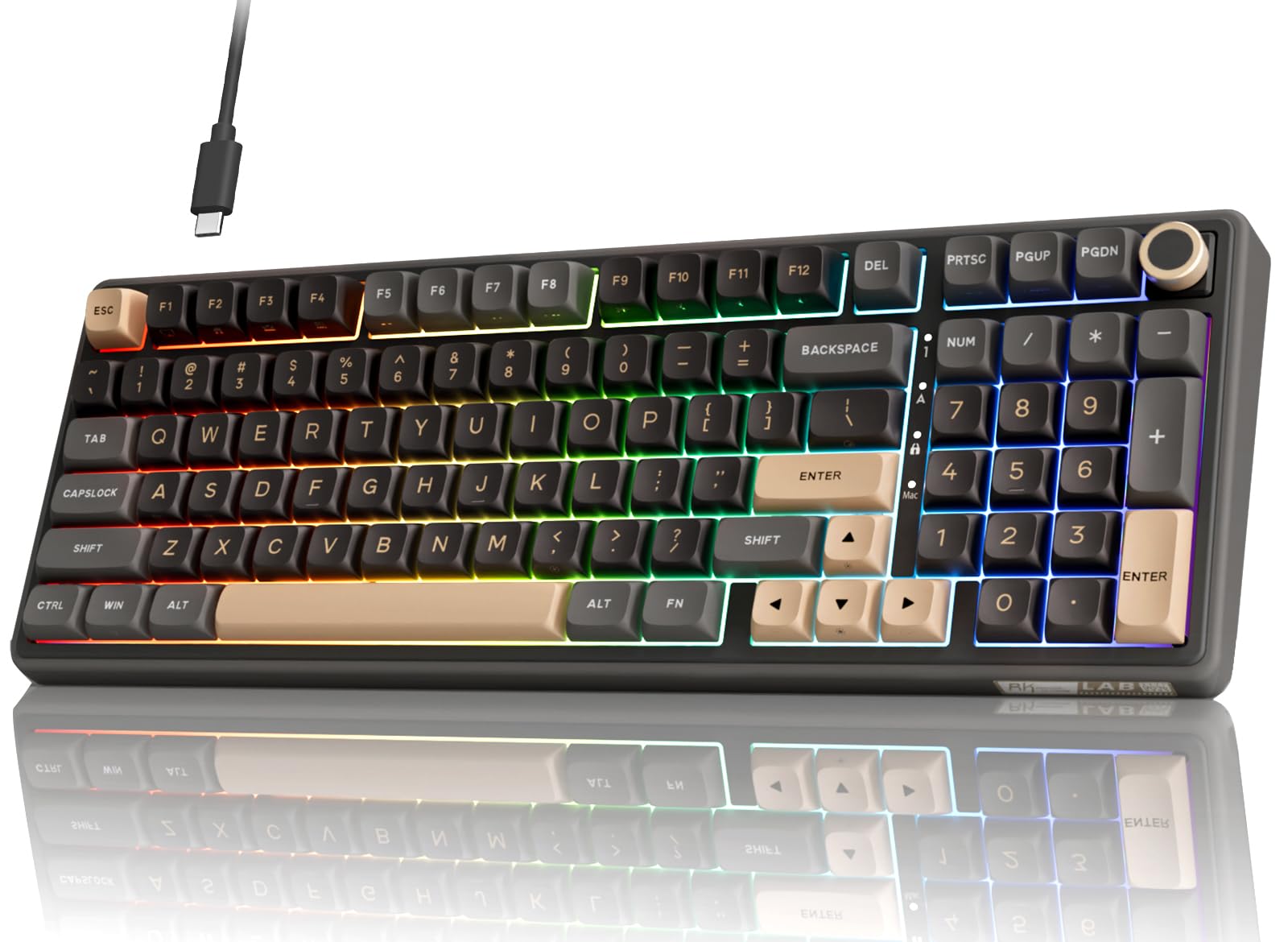
| RK ROYAL KLUDGE R98 ProBest Typing Feel | Quiet typing feel plus macros | Programmable via online driver | Pre-lubed linear, hot-swap | 96% / 98 keys | Amazon |
| Corsair K55 RGB PRO | Spill-proof macro board | 6 dedicated | Membrane | Full-size / 110 keys | Amazon |
| Redragon K719 PRO | Desk-friendly wireless style | Programmable via software | Custom linear, gasket | 95% / 95 keys | Amazon |
| AULA F75 Pro | Compact wireless flexibility | Programmable via driver | LEOBOG linear, hot-swap | 75% / 81 keys | Amazon |
| ASUS ROG Strix Scope II X | Long-session comfort | All keys macro-programmable | ROG NX Snow V2 linear | Full-size / 100% | Amazon |
| Razer BlackWidow V4 X | Fast silent linear presses | 6 dedicated | Yellow linear, 1.2mm actuation | Full-size / 104 keys | Amazon |
Detailed Reviews
1. Logitech G PRO X TKL Rapid Tenkeyless Wired Gaming Keyboard
Our pick — 4.5+★ from 400+ verified ratings; the strongest balance of quality and price.
The board that re-fires your key before you finish lifting your finger.
Rapid Trigger is the whole pitch, and it is a real one. These are magnetic analog switches (a switch that measures how far you push the key, not just whether it clicked). On a normal mechanical key you have to fully release before it can fire again. Here, the key reactivates without a full release — so a held spam key keeps feeding inputs through a burst window instead of stuttering.
The switches actuate at 35g of force, which is light enough that your fingers stop fighting the board after the third hour of a raid. You can also set the actuation point on each individual key through Logitech G HUB, so a twitchy movement key can be dialled in differently from a modifier you rest your hand on. It is a compact TKL (tenkeyless — no number pad), and at 14.06″L x 5.91″W x 1.5″H it leaves noticeably more room for your mouse sweep. Compare that to the Corsair K55 below at 19″L x 6.58″W x 1.42″H — the Logitech’s slimmer footprint is the reason arm-sweep raiders gravitate to it.
What the crowd reacts to is build quality and the typing feel — it is a solid, dense board, not a hollow plastic tray. The one thing to know before you buy is that you are programming your rotation through KEYCONTROL, which lets you build multi-action combos across several layers on every key. That is more powerful than five fixed macro buttons, but it is also more setup work up front. The build is also plastic, which at this premium tier some buyers will notice.
Where it pulls ahead
- Rapid Trigger re-arms keys without a full release — ideal for spam-heavy rotations.
- 35g actuation keeps hand fatigue down over long sessions.
- Per-key actuation and sensitivity tuning in G HUB.
- TKL footprint frees desk space for mouse movement.
What to weigh first
- No dedicated G-keys — you build macros across KEYCONTROL layers instead.
- Plastic enclosure at a premium-tier placement.
- Wired only.
Made for: raiders who live on rapid-fire cooldowns and want the fastest re-press the shelf offers.
Think twice if: you want five physical macro buttons you can program in ten seconds without opening software.
2. Redragon K580 PRO Wireless RGB Gaming Keyboard
Five macro keys you program on the board itself, no software required.
This is the one to grab if you raid from a couch or a laptop and hate re-pairing. Tri-mode connectivity (USB-C, Bluetooth, and 2.4GHz wireless) lets you hop between machines, and the 2.4GHz pipe stays close to wired responsiveness. The G1 to G5 keys save ability rotations straight onto the board — press the record combo, tap the key, done. No browser driver, no install.
Build quality is what owners bring up most, and it reads as a board that punches above its lean tier. The 104 keys carry full anti-ghosting, so rapid multi-key bursts register accurately instead of dropping inputs. If you like to swap switches later, the socket takes almost any 3-pin or 5-pin switch without soldering.
The honest catch is the wireless side. Bluetooth is the weak link over time — it can get shoddy — so plan to keep the 2.4GHz dongle on the machine you actually raid on. RGB brightness also runs dimmer than the box art suggests. Neither breaks the board; they just set where it belongs.
Why raiders like it: onboard macro recording plus tri-mode wireless is a rare pairing at the value tier, and it means your rotation travels with the keyboard.
The trade-off: treat Bluetooth as a backup connection and run the 2.4GHz dongle for serious play.
Reach for this if: you want physical macro keys and cable-free flexibility without a premium-tier spend.
Look elsewhere if: you need brilliant, room-filling RGB — the lighting here is the modest part.
3. RK ROYAL KLUDGE R98 Pro Wired Mechanical Keyboard
A creamy, cushioned board for players who grind for hours and want their hands happy.
Gasket mount (the plate is suspended rather than screwed rigid) plus five layers of sound-absorbing foam makes each press land soft and quiet. The pre-lubed linear cream switches are smooth straight from the start, and the MDA-profile PBT keycaps wrap around your fingertips with a matte, non-fading surface. That is a typing experience you feel in hour four, not hour one.
Macros come through the RK online driver, where you redefine keys, set macros, and tune custom RGB. It is wired over USB-C and works across Windows, MacOS, Linux, and ChromeOS. At 98 keys it keeps the number pad, arrows, and most functions while trimming desk footprint — a middle ground between the Logitech’s number-pad-free TKL and the big full-size boards.
Here is the thing to know: the backlighting is the part that draws grips, so do not buy this expecting a wall of light. Buy it because the 99 owner reports on quality and the buttery, “thunk-click” sound are the draw. Programming also runs through the online driver rather than onboard storage, so your macros live on the machine that set them up.
What it does beautifully
- Gasket mount with five foam layers for soft, cushioned presses.
- Pre-lubed linear cream switches — smooth with no modding.
- PBT MDA-profile keycaps stay matte and non-fading.
- Number pad, arrows, and volume knob on a 98-key layout.
What to expect honestly
- Backlighting is the weak spot — less impressive than the rest of the board.
- Wired only, USB-C.
- Macros are stored in the online driver, not onboard.
Pick this one for: long grinding sessions where quiet, cushioned presses keep your hands fresh.
Pass on it if: bold, bright RGB is a must — the lighting is the compromise here.
4. Corsair K55 RGB PRO Membrane Wired Gaming Keyboard

Six macro keys and a spill guard for the desk where coffee and raids mix.
IP42-rated protection (a dust and spill-resistance rating) is the standout spec here. If your desk hosts a drink while you pull, this board is built to shrug off the accident. You still get six dedicated macro keys for your abilities, programed through Corsair iCUE, and Elgato Stream Deck integration if you also stream your raids.
This is a membrane board, not mechanical. That means a softer, quieter, mushier press — great for the long sessions and the coders and data-entry workers who like it quiet, less crisp than the mechanical picks above. The detachable rubber palm rest takes strain off your wrists over a full raid night. It is bulky, too: at 19″L x 6.58″W x 1.42″H and a 110-key count, it is the busiest board in this lineup, next to the RK R98 Pro’s 98 keys.
The lighting is where expectations should be managed. iCUE lets you program effects across five zones, but some owners find the lighting annoying and report settings that do not stick across reboots. Set your rotation and your lighting once, and it is a workhorse.
The core case: a full-size board with six macro keys, a splash rating, and a comfy palm rest for the everyday desk raider.
Size to note: this is one of the widest picks in the lineup, so clear the desk before it lands.
Suits you when: quiet keys, spill protection, and cheap raw key count matter more than mechanical snap.
Skip if: you want crisp mechanical feedback — membrane presses are soft and rounded.
5. Redragon K719 PRO Wireless RGB Gasket Gaming Keyboard
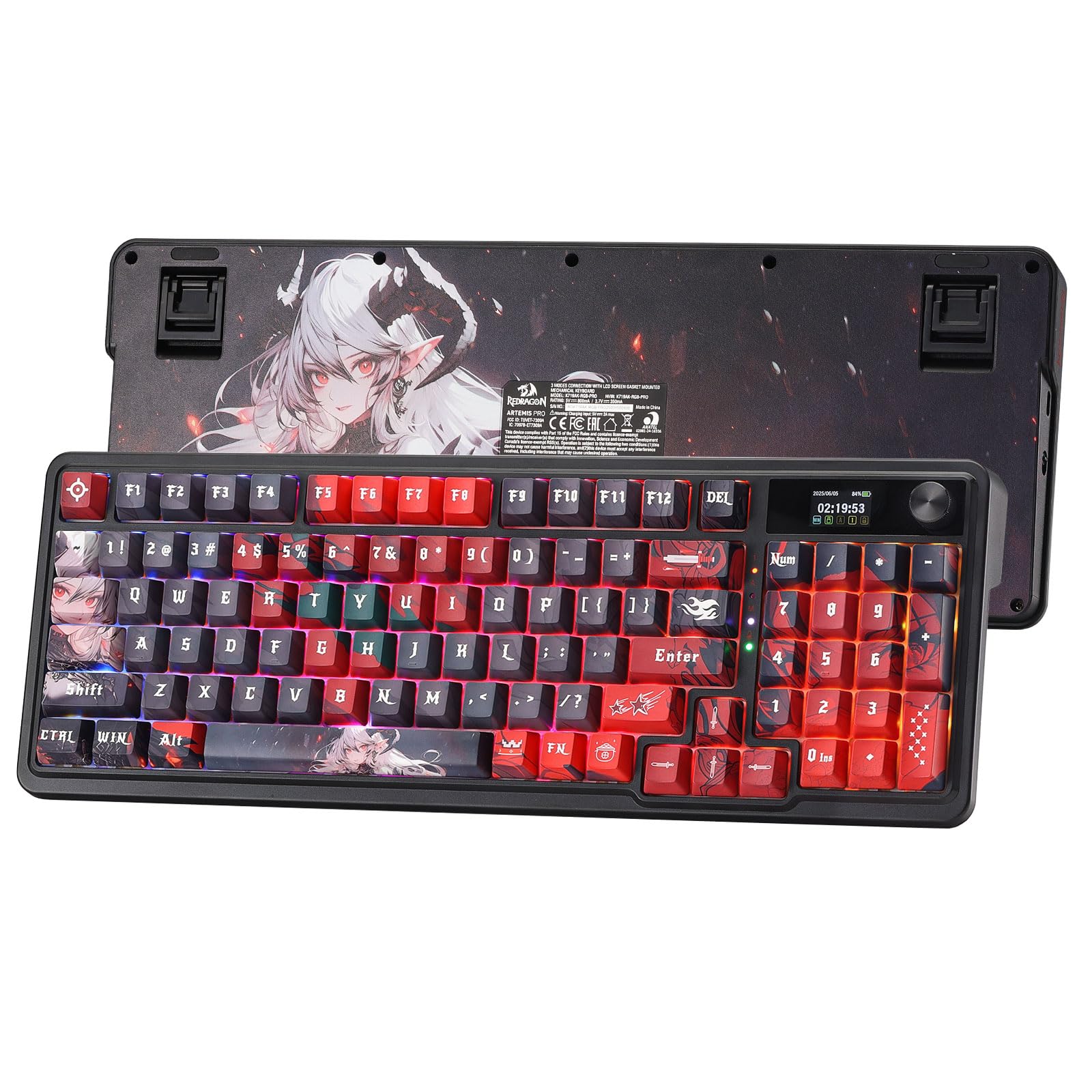
A tiny screen on the deck that shows your battery and flashes your own GIFs.
That built-in TFT display is the eye-catcher. It shows battery, connection mode, and typing status, and it will run custom GIFs or memes while you wait for the pull timer. A single knob handles backlight brightness and media playback with no key combos, so your left hand stays on the action bar.
The feel backs it up. Gasket-mounted construction with thick-lubed custom linear switches and five layers of noise dampening gives a soft, quiet bounce. Keyboard quality and sound quality are the qualities that dominate owner feedback, and the smooth, silky keys read as cushioned rather than clacky. The upgraded socket takes almost any switch, so you can change the feel later.
Tri-mode connectivity (USB-C, Bluetooth, 2.4GHz) lets you move between PC, laptop, and tablet. Both connectivity and battery life are areas where feedback is mixed, so plan on treating the wireless as convenient rather than perfect. It is a 95-key layout — compact, with arrows retained.
What sells it: a gasket-mounted cushioned feel and an onboard screen that keeps your battery visible at a glance.
Where to manage hopes: wireless reliability is the least-loved part, so a nearby 2.4GHz dongle is your friend.
Good match for: desk-aesthetic players who want a soft, quiet board with a screen that shows status.
Not the one if: you need bulletproof wireless stability above all else.
6. AULA F75 Pro Wireless Mechanical Keyboard

An 81-key board that leaves your mouse arm room to breathe.
If desk space is tight, the 75% layout is the fix. You keep the arrow keys and lose the number pad, number row padding, and bulk. Tri-mode connectivity — Bluetooth 5.0, 2.4GHz, and USB-C wired — lets it talk to up to five devices at once, with a side button or shortcut key to switch. The rechargeable 4000mAh battery is the largest capacity named in this lineup, so you are not chasing a cable every session.
Pre-lubed stabilizers and LEOBOG star vector switches give a smooth, creamy feel, and the hot-swap base takes 3-pin or 5-pin switches without soldering. The multi-function knob pulls double duty: rotate for backlight brightness in gaming mode, volume in office mode, click to switch effects or play/pause, and long-press about five seconds to move between modes. Macros are programmable through the F75 driver, with N-key rollover and a WIN key lock to stop accidental presses mid-fight.
Ease of use is the one spot where the love is divided — the driver-based setup and mode switching take a little learning. Sound quality and value are the reasons owners stick around, so expect a pleasant board once the setup clicks.
Reasons it earns a spot
- 4000mAh rechargeable battery — the biggest capacity named in this lineup.
- Tri-mode with up to five devices paired.
- 75% / 81-key layout saves real desk space.
- Hot-swap base takes 3-pin or 5-pin switches.
The honest fine print
- Driver-based macro setup and mode switching take getting used to.
- No dedicated macro keys — programmability lives in the driver.
- Compact layout punishes muscle memory from a full-size board.
The one for: small-desk raiders who want big battery capacity and wireless flexibility.
Only if you accept: a compact layout and a driver-driven macro setup you have to learn.
7. ASUS ROG Strix Scope II X Mechanical Gaming Keyboard
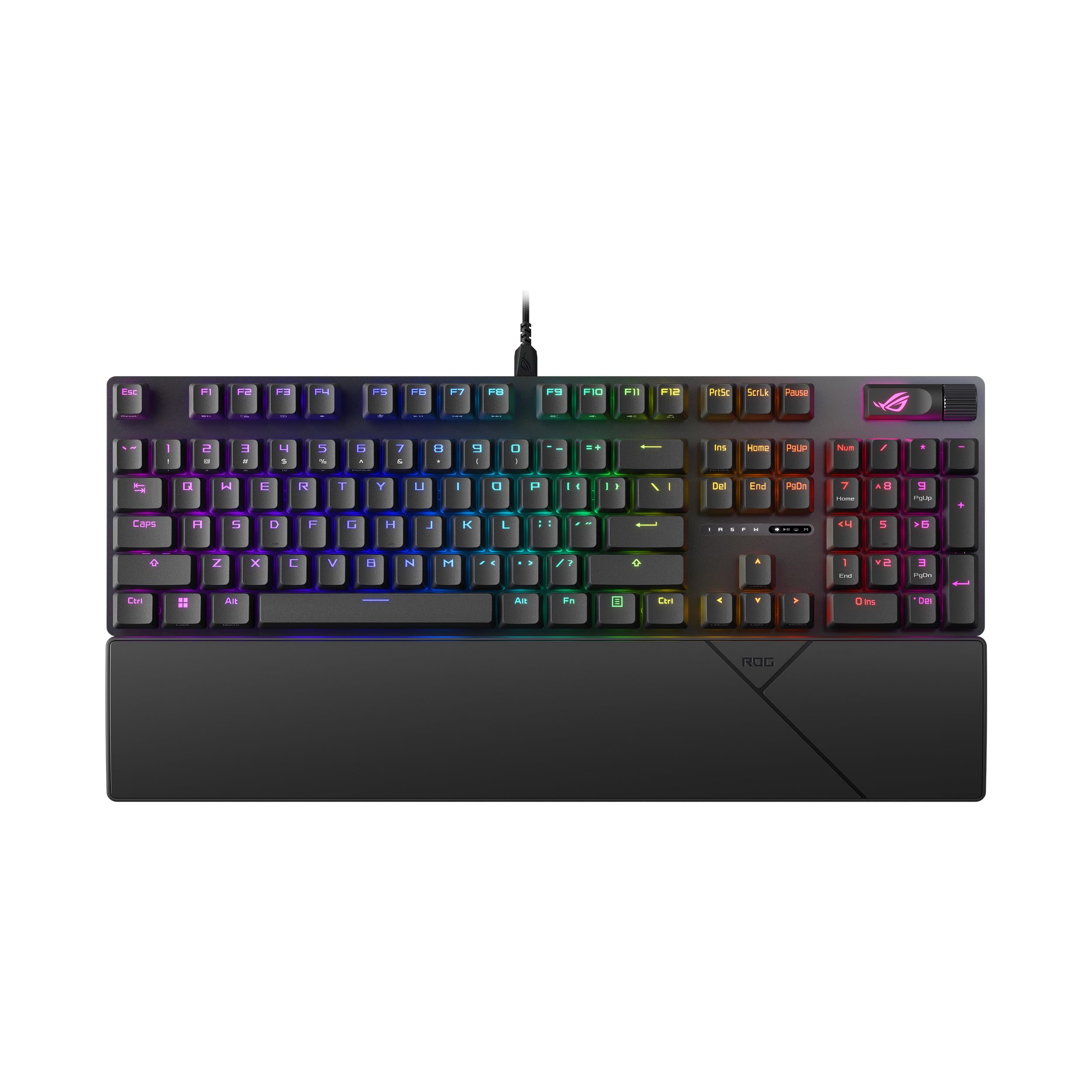
Full-size with a metal deck, a wrist rest, and every key programmable to your rotation.
No dedicated macro block here — instead, all keys are fully macro-programmable, so you decide where your abilities land. The ROG NX Snow V2 linear switches are pre-lubed and hot-swappable, and integrated sound-dampening foam plus switch-dampening pads absorb the ping and echo you get on cheaper boards. Quality and noise level are the two things owners praise hardest.
Comfort is the differentiator. Three angle adjustments let you dial in your tilt, and the detachable wrist rest positions your hands for a long raid night. The aluminum top plate and PBT doubleshot keycaps feel weighty and wear-resistant, and at 2.1 pounds this board is heavier than the Logitech’s plastic TKL, which keeps it planted on the desk. A multi-function wheel handles media and lighting, and F1-F5 are pre-programmed for Xbox Game Bar and recording.
The one trade: a full-size 100% layout means the number pad stays, so it takes up more desk than a TKL or 75%. That is the price of the wrist rest and the metal plate comfort.
The real draw: a metal top plate, detachable wrist rest, and three tilt angles turn a full-size board into a long-session comfort rig.
Desk check: 17.2″L x 5.1″W leaves more width than a 14″ board, so measure before you buy.
Choose it for: marathon sessions where wrist support and a solid metal deck beat a cramped footprint.
Not ideal if: your desk is narrow — the full-size spread eats mouse room.
8. Razer BlackWidow V4 X Mechanical Gaming Keyboard

6 macro keys plus a linear switch that fires with almost no travel.
The Yellow mechanical linear switch is the sales pitch: 1.2mm actuation and 45g of force, which means the key fires almost the instant your finger starts moving. There is zero distance between actuation and reset points, so rapid-fire cooldowns feel instant — and sound dampeners keep it quiet. Six dedicated macro keys give your abilities a home without eating your number row.
Chroma RGB per-key lighting lets you set each key from over 16.8 million colours and effects, with dynamic lighting in hundreds of Chroma-integrated games. Doubleshot ABS keycaps have extra-thick walls so the labels do not wear off through intense use, and a layer of foam under the circuit board plus lubricated stabilizers cuts keyboard noise. A multi-function roller and secondary media keys handle volume and brightness.
Feel is the thing everyone brings up — an amount of tactile feedback that stays satisfying without being too stiff. It is wired-only and the widest board here at 20.5″L x 8″W x 2″H, so clear desk space before it arrives.
Go with it for: fast, quiet linear presses and six dedicated macro keys on a big RGB-forward deck.
Leave it if: desk width is scarce — at 20.5″ it is the widest board on the list.
Know the Specs
Actuation Force and Pretravel
Actuation force is how hard you press before the key registers — measured in grams (g). Pretravel is how far the key moves before that happens, in millimetres (mm). A lower force like the Razer Yellow’s 45g or the Logitech’s 35g means less finger effort and quicker repeat presses. A shorter pretravel fires sooner. For raiders holding a key down through a rotation, both numbers add up over a long night.
Rapid Trigger and Analog Switches
A standard mechanical switch only re-fires after the key fully returns. A magnetic analog switch measures travel, which enables Rapid Trigger — the key re-arms the moment it starts to come back up. That shaves the wasted half-press between ability presses. It is the single biggest mechanical advantage on this list for players who spam cooldowns.
Hot-Swappable Sockets
A hot-swap socket lets you pull a switch out and push a new one in without soldering. If you want to try clicky switches for one class and linear for another, or replace a worn switch, you just swap it. Several picks here support 3-pin or 5-pin switches, which covers most aftermarket options.
Layout Sizes: TKL, 75%, 96%, 100%
100% keeps the number pad; TKL drops it; 75% and 95% and 96% squeeze keys tighter while keeping arrows. The smaller the layout, the more mouse room you get — a real plus for arm-sweep raiders. The trade is muscle memory, since your number pad and key spacing shift.
Common Questions
Do I really need dedicated macro keys for WoW?
Is Rapid Trigger actually useful in an MMO?
Can I use these keyboards with a Mac?
What is the difference between a membrane and mechanical keyboard for raiding?
How many macro keys is enough?
Will a compact 75% or TKL board slow me down?
Do I need software installed to use my macros?
Are wireless gaming keyboards reliable enough for raids?
Can I change the switches in these keyboards?
The Bottom Line
For most raiders, the wow gaming keyboard winner is the Logitech G PRO X TKL Rapid because its Rapid Trigger re-arms every key without a full release, so your cooldowns fire on time. If physical macro buttons matter more than analog speed, the Redragon K580 PRO gives you five onboard G-keys plus tri-mode wireless. And for a creamy, cushioned board that keeps your hands happy over a marathon, the RK ROYAL KLUDGE R98 Pro is the one to reach for. Whichever you pick, match the layout to your desk width and the switch to how hard you spam cooldowns.
How we choose
We do not accept paid placement. Every pick is matched to a real buyer and a real use-case; we do not hands-on test units.
Sources
Specifications: manufacturer listings and product documentation. Review insights: verified customer reviews, as of November 2026. Pricing: not shown on this page (it changes often); check the current price via the retailer link.
As an Amazon Associate, Tactical Gear Guy earns from qualifying purchases. This does not affect which products we feature.