Specs are compiled from manufacturer listings and verified buyer reviews and can change over time — please confirm the key details on the product page before buying.
If your rotation lives on number keys you have to look down for, the fix is a mouse with a thumb pad — a cluster of side buttons you can press without moving your eyes off the boss. A World of Warcraft mouse puts a dozen abilities under your right thumb so your left hand only handles movement. That is why raiders and PvP players buy them: a dozen abilities under the thumb, movement on the left hand.
This guide is built by comparing the manufacturers’ published specifications and the patterns across verified customer reviews, so you get each pick’s real strengths and trade-offs instead of marketing spin.
Your thumb should reach every side button without shifting your grip. That is the real test of a World of Warcraft mouse, so these picks are sorted by what they solve — thumb grip, button count, sensor, and battery — not by what the box promises. Each one is a genuine multi-button MMO mouse (a mouse with a grid of side buttons for your thumb), so the choice depends on which layout fits your hand.
Top Picks


How To Choose The Best World of Warcraft Mouse
You are shopping for one thing above all: a side cluster your thumb can hit reliably in a fight. Everything else — sensor numbers, lighting, wireless range — is a supporting detail. Here is what actually decides whether you will still like the mouse three raid tiers from now.
Count the thumb buttons, then count the reachable ones
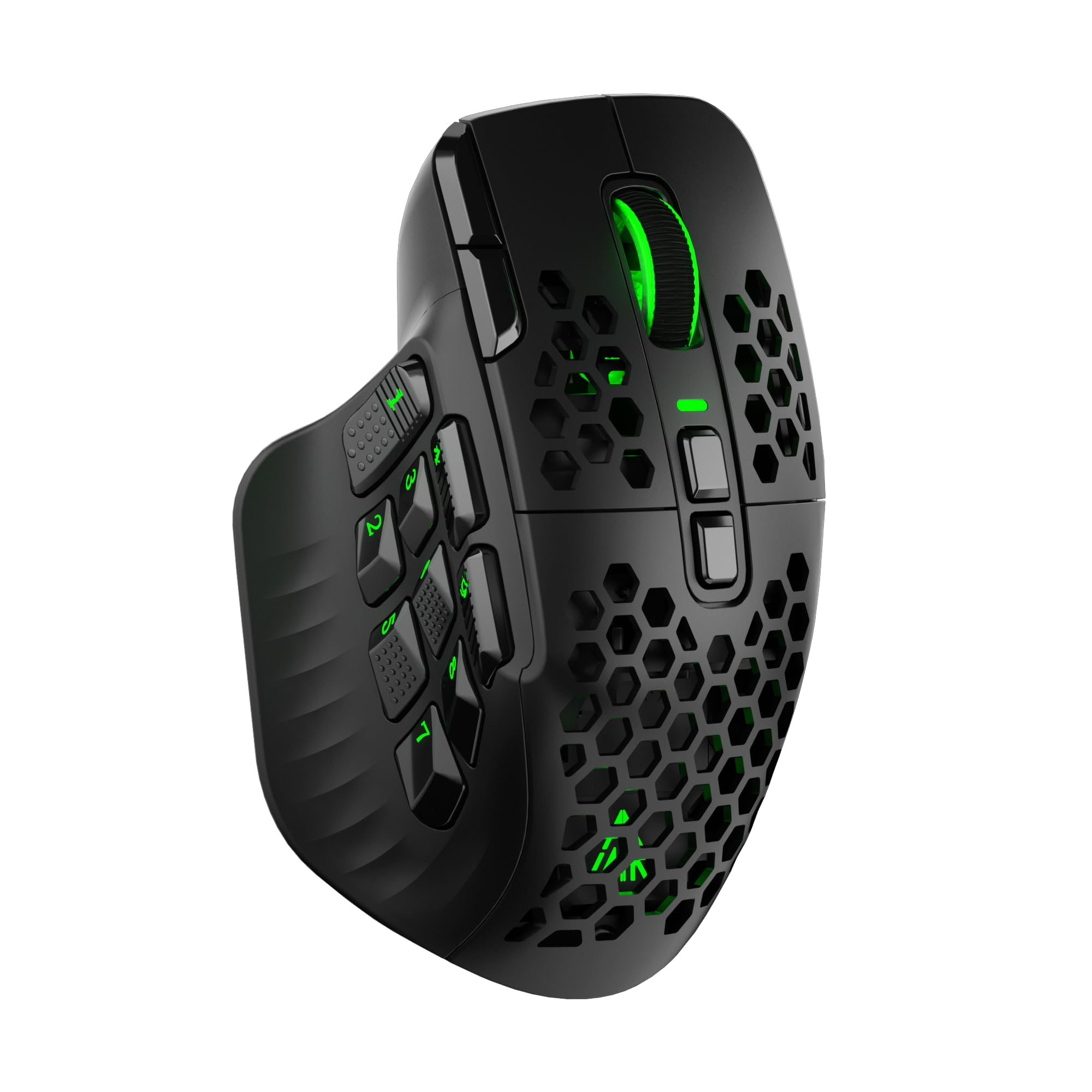
Twelve side buttons is the standard grid for a full ability bar. That is enough to map your main rotation plus a couple of cooldowns without touching the keyboard. The trap is that a grid can exist on paper and still be unusable — buttons set too far forward or too flat force you to shift your grip to hit the back row mid-cast.
Look at the button angles instead of the raw count. Some makers build the thumb buttons at different inclinations so each row sits naturally under a different part of your thumb tip. Angled rows let your thumb find each bind by feel instead of glancing down mid-cast.
Wireless or wired — what actually changes at the table
A wired mouse never needs a charge and never drops a signal, which matters if a dead battery mid-pull is your idea of a disaster. A wireless mouse clears the cable drag and lets you play from a couch or a laptop. The honest middle ground is tri-mode: a 2.4GHz dongle for the low-latency session, Bluetooth for everyday desktop work, and a USB-C cable for charging while you play.
Battery ratings on these mice swing enormously, and the headline number usually assumes backlighting is off. Compare the figures the maker publishes side by side rather than trusting a vague “long battery” line.
Sensor, DPI, and polling rate in plain terms
DPI (dots per inch) measures how far the cursor travels for a given hand movement — high DPI means small wrist moves cover the screen. Polling rate is how often the mouse reports its position to the PC, so a higher figure means a smoother, more immediate cursor. For WoW, both matter far less than button layout; nobody loses a raid because their DPI was not maximum.
Software and profiles — the part buyers forget
Every programmable button needs software or onboard memory to hold its assignment. Some of these mice save profiles directly to the mouse so your binds travel with the hardware; others depend on a driver running in the background. Check that the software runs on your operating system before you fall in love with the layout.
Side-by-Side Comparison
| Model | Best For | Buttons | Max DPI | Connectivity | Amazon |
|---|---|---|---|---|---|
| UtechSmart Venus Pro★ Best Overall | All-round wireless value | 16 | 16000 | 2.4GHz / wired | Amazon |
| Redragon M908 ImpactBudget Champion | Wired budget bind machine | 18 | 12400 | USB wired | Amazon |
| SM809 Pro Tri-ModeMost Versatile | Browser-based setup | 16 | 24000 | 2.4GHz / BT5.0 / USB-C | Amazon |
| SOLAKAKA SM809 Pro | Longest battery life | 16 | 24000 | 2.4GHz / BT5.0 / USB-C | Amazon |
| Redragon M913 MAX | Fast sensor on a budget | 16 | 26000 | BT / 2.4GHz / USB-C | Amazon |
| Corsair Scimitar RGB Elite | Slide-adjustable thumb grid | 17 | 18000 | USB wired | Amazon |
| Razer Naga V2 HyperSpeed | Battery endurance | 19 | 30000 | 2.4GHz / Bluetooth | Amazon |
| Corsair Scimitar Elite Wireless | Wireless plus slider | 16 | 26000 | SLIPSTREAM / BT / USB | Amazon |
| Razer Naga V3 Pro | Swappable side plates | 23 | 50000 | 2.4GHz / BT / USB-C | Amazon |
Detailed Reviews
1. UtechSmart Venus Pro Wireless MMO Gaming Mouse
Our pick — 4.0+★ from 23,500+ verified ratings; the strongest balance of quality and price.
The wireless MMO mouse that gives your thumb a full ability bar without asking for a cable.
Sixteen programmable buttons, twelve of them set on the thumb side at different inclinations so each row meets a different part of your thumb tip — that is the whole pitch, and it lands. You bind your rotation to the thumb grid and your left hand stays on movement. The 2.4GHz link runs off a nano receiver with a stated 10-meter reception boundary, so you can sit back from the desk and still cast.
The sensor is a PixArt PMW3335 optical unit reaching 16000 DPI across five switchable stages, with a 1000 Hz polling rate — meaning it reports your cursor position to the PC a thousand times a second. In practical terms, that is a cursor that tracks your hand movement closely enough that flicking to a target on the far edge of a boss frame feels instant. You also get a 1.5m cable for wired play when the battery runs low.
Battery is where this pick earns its place. The 1000mAh cell is rated for 70 hours of wireless use per charge, with a full top-up taking 2 hours and a stated recharge lifespan of over 300 cycles. Compare that with the SOLAKAKA SM809 Pro down the list, which advertises 350 hours. The Venus Pro wins instead on button count and thumb layout, and the crowd here is large and clearly satisfied. The main thing habitual users of this mouse end up discussing is how the buttons respond under fast, repeated presses, so test your macro timing early rather than the night before a raid.
thumb grid done right
- Twelve thumb buttons set at different inclinations so each row sits under a different part of your thumb tip
- 70 hours of wireless runtime from a 1000mAh battery, with a 2-hour full charge
- PixArt PMW3335 sensor at 16000 DPI with five switchable stages and a 1000 Hz polling rate
- Grinding-textured coating gives your palm something to hold when your hands get warm
software needs patience
- At 70 hours per charge it trails the 350-hour SOLAKAKA SM809 Pro by a wide margin
- Button response is the most-discussed point in owner feedback and the verdict there is genuinely split
- Right-handed shell only
wireless MMO pick: you want a full twelve-button thumb pad, wireless freedom, and a textured grip that holds up during long sessions.
dongle reliance: you want to charge once a month — the 350-hour SOLAKAKA is built for that instead.
2. Redragon M908 Impact RGB LED MMO Gaming Mouse
Eighteen programmable buttons and a weight kit, on a cable that never needs charging.
Here is the trade you make with the M908: no battery anxiety, because there is no battery. It is a USB wired mouse with 18 programmable buttons, 12 of them on the side, and the per-button light color on each of the five memory profiles tells you at a glance which bind set is live. Bind one profile for your raid spec and another for solo questing, then switch by color instead of opening software.
The sensor is a Pixart PAW3327 rated to 12400 DPI, adjustable in steps of ±100 anywhere between 200 and 12400, with five preset levels at 500, 1000, 2000, 3000 and 6200 DPI. Polling rate is 1000 Hz and acceleration is rated at 30G. Compare the peak to the SOLAKAKA SM809 Pro — 12400 against 24000 DPI. For WoW that ceiling is irrelevant, but it is the honest spec gap if you also play twitch shooters.
Build-wise you get a 175 g body with an 8-piece weight tuning set of 2.4 g discs, so you can dial the heft until the shell sits steady in your palm. Owner experience with the shape is warm — the recessed finger grooves and the way all your fingers rest on buttons come up repeatedly as the reason people keep it. The honest note is that the click feel and ergonomics split opinion depending on hand size, and there is a long-running gripe about the right-click that shows up often enough to flag. Treat it as a wired workhorse at an entry-level price rather than a forever mouse.
budget button count: the player who wants a full side grid, physical weight tuning, and zero charging routine.
heavy shell: you need a softer right-click or you play twitch shooters where the 12400 DPI ceiling matters to you.
3. SM809 Pro Tri-Mode MMO Gaming Mouse
Sixteen buttons and a 24000 DPI sensor you configure in a browser instead of an installer.
The setup is the story here. You point your browser at solakakadriver.com, remap your DPI steps, macros and lighting, and the settings write straight to onboard memory — no software install at all. For someone who swaps between a work laptop, a desktop and a tablet, that means your binds follow the mouse rather than the machine. It is rated for Windows, Mac and Linux, and switching between the 2.4GHz dongle, Bluetooth 5.0 and a USB-C cable happens without re-pairing.
Under the shell sits a 1000mAh battery rated for the same kind of runtime the SOLAKAKA SM809 Pro delivers, plus two extra magnetic side panels in the box so you can alter the grip feel. The ergonomic contour is cut for larger right hands, and the auto-dimming power-save mode drops the lighting when the mouse is idle to stretch the charge.
Where the SM809 Pro needs a fair warning is button feel. Click response is the single most-mentioned topic in the feedback and the verdict on it is split, with the complaint specifically being that some buttons felt unresponsive from the start. The advice is simple: test each of the sixteen buttons in your first session while returns are still on the table, not three hours into a raid. Treat the browser setup and tri-mode flexibility as the draw, and confirm the clicks before you commit.
three connection ways: cross-device play and a configuration flow that never asks you to install anything.
unknown support: you want a mouse whose button feel you can trust without testing it first.
4. SOLAKAKA SM809 Pro Gaming Mouse with 9 Side Buttons

The most endurance you can buy in this lineup, with four swappable side plates to reshape your grip.
Three hundred and fifty hours of battery. Put that next to the UtechSmart Venus Pro at 70 hours — you could raid every night for weeks and never reach for the cable. That single number changes how you live with a wireless mouse: no nightly dock, no mid-session warning light, no wondering whether the battery will hold through a four-hour progression run.
It is not just a battery story. Four magnetic side plates swap the panel shape and button layout, and all 16 buttons are programmable through onboard memory so multiple profiles live on the mouse itself. Configuration runs through the browser at solakakadriver.com rather than an installed driver. Tri-mode connection gives you 2.4GHz wireless, Bluetooth 5.0 and USB-C wired, so the same mouse does desk duty and couch duty.
Buyers keep praising the build quality and hand feel — the contour and overall solidity are what they single out. In practice that means weeks of nightly raiding between charges. The one honest caveat is button flexibility: some buyers report the mapping options are less adaptable than they hoped, so check that your specific WoW macro plan fits the onboard memory (the mouse’s built-in storage for your button settings) before you buy. Ergonomics and design both get steady approval, and the mouse runs on Linux, Mac and PC.
nine-button endurance
- 350 hours of battery against the UtechSmart Venus Pro’s 70
- Four magnetic side plates that change both grip and button layout
- 16 buttons programmable and stored in onboard memory, configured in a browser
- 2.4GHz, Bluetooth 5.0 and USB-C wired in one shell
niche brand risk
- Button flexibility is the most-discussed point and that discussion is split
- Setup is browser-only, which some players prefer to avoid
- Contoured for right hands
long-session value: if charging is the thing you hate about wireless mice, this is where your search ends.
resale doubts: verify your macro layering fits onboard memory before you commit to the plate layout you want.
5. Redragon M913 MAX Wireless MMO Gaming Mouse

An optical sensor rated to react within a millisecond, wrapped around a twelve-button thumb pad.
The Pixart 3395 optical sensor is the headline, and it is a genuinely fast part. Redragon quotes a 1ms click registration, and a 26000 DPI ceiling adjustable through software on top of five onboard levels at 400, 800, 1600, 2400 and 3200. Twelve of the 16 buttons sit on the thumb side, all customizable in the maker’s own driver. At 132 g it is not a featherweight, but that mass sits steady when you are holding a bar through a phase transition.
Connection is the flexible part: Bluetooth, a 2.4GHz receiver, or USB-C, so it does both gaming and desk work. Battery is where you need to read the fine print. The specs sheet lists 45 hours average life, while the maker’s own copy talks about a 250-hour figure with the RGB off in eco mode. Those two numbers describe very different mice, so plan around the lower one and treat the higher as best-case with lighting disabled.
Owners with bigger hands tend to be the happiest with it — the fit comes up again and again as the reason this mouse works for them. Against that, the button layout divides opinion, and the software is the weakest link: there is no Mac or Linux support in the driver, so if you game on a Mac, your macros will not follow you. Buy it as a fast-sensor wireless MMO mouse for a Windows PC, not as a cross-platform tool.
cable-free MMO: you want a low-latency optical sensor and a big-hand fit without moving into the premium tier.
battery watching: you game on Mac or Linux — the driver does not reach those platforms.
6. Corsair Scimitar RGB Elite Wired MMO Gaming Mouse

Its twelve-button side panel slides forward and back until it lands under your own thumb.
Most MMO mice fix the thumb grid where the mould puts it and hope your hand agrees. The Scimitar’s patented Key Slider control system does the opposite — the whole 12-button side panel moves to sit in the right spot for your grip. If your thumb lands short or long on a standard grid, this is the feature that solves it without changing how you hold the mouse.
Seventeen buttons are fully programmable, so you can map your whole WoW rotation to your thumb. The sensor is a custom PixArt PMW3391 rated to 18000 DPI (dots per inch — how far the cursor moves per inch of mouse travel), adjustable in single-DPI steps. That means you can tune sensitivity one unit at a time instead of jumping between fixed presets — handy when you want a slow, precise cursor for inventory or a fast one for camera turns. Build quality gets the most approval in the feedback, helped by 50-million-click Omron switches (rated to survive 50 million clicks), a braided cable, and a right-side finger rest.
It is wired, so there is no charging routine and no battery to fade. The caveats are real ones. The middle mouse button is described as stiff to press, and whether the shell sits comfortably is genuinely split by hand size and grip style. The software also draws consistent criticism, so budget some patience for the first setup. Buy it if your thumb lands short or long on a fixed 12-button grid and you want a wired mouse with no charging routine.
sliding side dial: a 12-button panel that physically slides to your thumb beats any fixed grid if standard layouts keep landing in the wrong place for you.
wired only: expect a firm middle click and a driver that makes you work for your macro binds.
adjustable fit: players whose thumb never quite reaches a fixed side grid and who want wired certainty.
cord clutter: you want a light middle click or a cable-free desk.
7. Razer Naga V2 HyperSpeed Wireless MMO Gaming Mouse

Nineteen buttons and a battery rating that runs to 400 hours on Bluetooth.
If one number sells the Naga V2 HyperSpeed, it is the one the model name leads with — four hundred hours on Bluetooth, or 250 hours on Razer’s HyperSpeed 2.4GHz link with its low-latency mode engaged. Nineteen programmable buttons sit on an ergonomically arranged shell, which is more bind targets than the twelve-button grids on the value picks above. The Focus Pro 30K optical sensor tracks on a wide range of surfaces including glass, and the Gen-2 mechanical switches are quoted at up to 60 million clicks.
The HyperScroll wheel is the tactile detail people notice first. It free-spins for tearing through a long inventory list, then clicks into a tactile mode when you want each notch to register — a small thing that becomes muscle memory fast. You get 2.4GHz wireless for raiding and Bluetooth for longer, lower-intensity sessions.
The honest read is that this mouse divides its owners. Reliability and button response both come up in the discussion with no clear consensus, and a recurring point from larger-handed players is that the shell runs small. The safest way to buy it is to know your hand size before you order — if you have long fingers and a palm grip, try before committing. For a medium hand, it pairs 19 programmable buttons with up to 400 hours on Bluetooth.
fast and free: you have a medium hand and want nineteen bind slots with a battery measured in hundreds of hours.
button shortage: you have large hands — the shell feels small to many of those players.
8. Corsair Scimitar Elite RGB Wireless MMO Gaming Mouse

The slide-to-fit thumb panel, freed from the cable and rated for 150 hours a charge.
This is the wireless version of the fit-first idea. The same repositionable 12-button Key Slider lets you park the side panel where your thumb actually lands, and now it runs without a cable. You get sixteen programmable buttons in total and a contoured shape that reduces strain during long sessions. Corsair’s SLIPSTREAM wireless is rated for a sub-1ms connection at 2,000 Hz hyper-polling (the mouse reports its position 2,000 times a second), so your cursor reports more often.
Battery is rated up to 150 hours with backlighting off over Bluetooth, and a full recharge takes 90 minutes or less. You can also plug in over USB and charge while you play, or drop to Bluetooth for everyday use. The sensor is the Corsair MARKSMAN optical unit at a native 26000 DPI with 650 IPS tracking and up to 50G acceleration, which is a serious step up from the wired Scimitar’s 18000 DPI ceiling.
Customizability is the part that lands hardest with owners — the adjustable thumb keypad and the depth of macro assignment are what people keep talking about. The split opinion sits with the iCUE software, which some find fine and others find frustrating, so go in expecting a setup session. At 3.5+ out of 5 it sits below most of this list, and the honest positioning is that you buy it for the slider plus wireless combination rather than outright consensus.
wireless side dial: a 26000 DPI MARKSMAN sensor and 150-hour wireless battery in the same shell as the adjustable thumb grid — the wired Scimitar stops at 18000 DPI.
premium price tag: iCUE is the dividing line for owners, so plan a patient first evening of macro setup before your raid.
cordless adjustability: players who need the sliding thumb panel but refuse to go back to a cable.
cost barrier: anyone who wants software to disappear — iCUE demands attention.
9. Razer Naga V3 Pro Wireless MMO Gaming Mouse
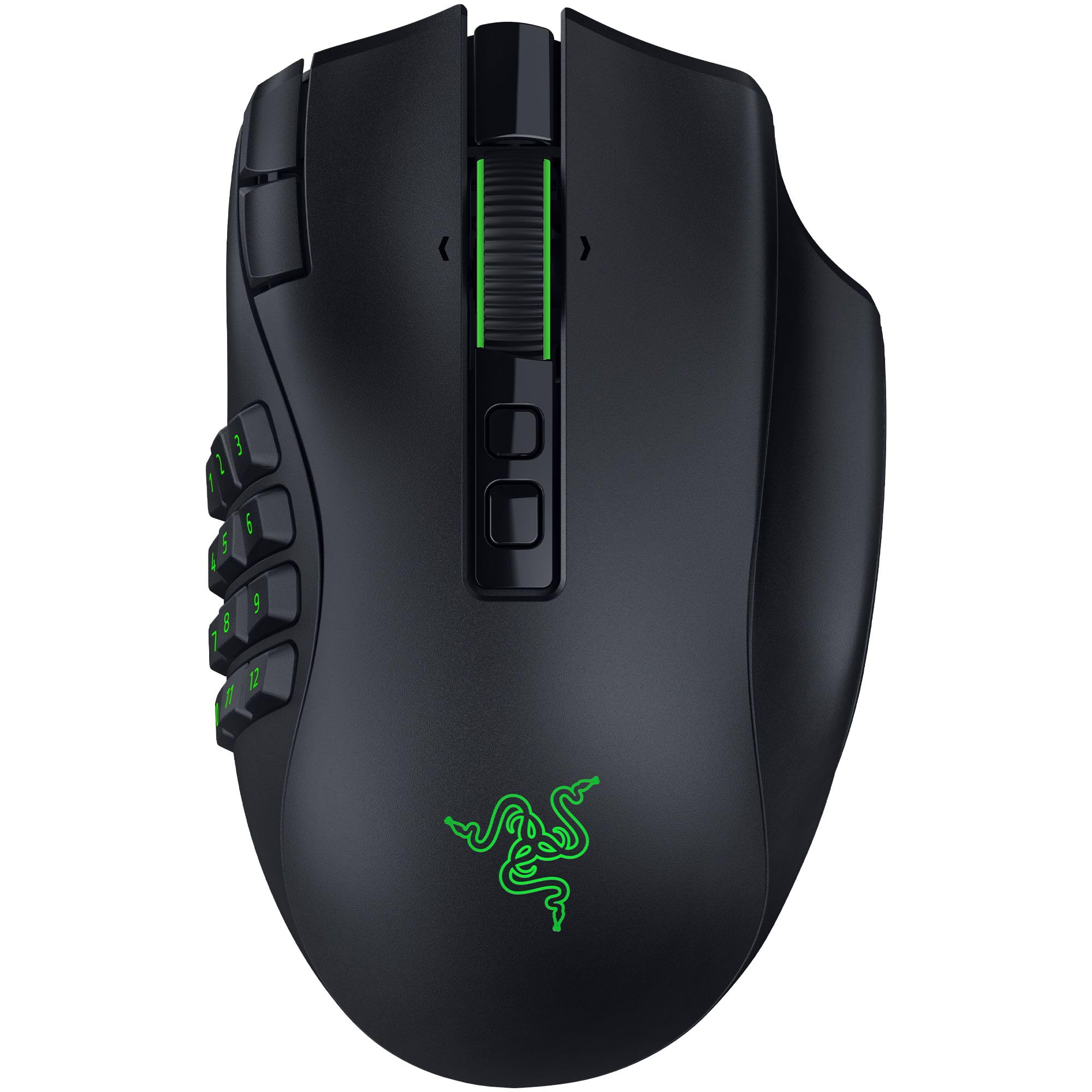
Swap the side plate and the same mouse goes from twelve binds to six to two.
Three swappable magnetic side plates — layouts of 12, 6 or 2 buttons — plus two quick-access edge buttons and a lockable ring finger button. In WoW you want the 12-button plate; the same mouse then suits an FPS on the 2-button plate, which is a level of versatility none of the fixed-grid mice above can match. Twenty-three buttons total, and the Focus Pro 50K Optical Sensor Gen-3 reaches 50,000 DPI with 930 IPS tracking and 90G acceleration.
Endurance is strong: up to 155 hours on HyperSpeed Wireless or 280 hours on Bluetooth, with USB-C charging and support for Razer’s separate HyperFlux V2 and Mouse Dock Pro charging systems. The HyperScroll Tilt Wheel Gen-2 gives you both free-spin and tactile modes, and the Optical Mouse Switches Gen-4 are rated over 100 million clicks. At 4.16 ounces it stays light enough for fast flicks.
The hardware is what wins people — the hand feel and tactile response of the switches draw steady praise. The catch is button placement. The added edge buttons can land awkwardly for some grips, and the sheer number of controls means a real learning curve before your thumb finds the right row blind. Pick it if you want one mouse for WoW and shooters and will practice the 12, 6 and 2-button plates until the rows come blind.
flagship wireless: you play WoW and shooters on the same desk and want one shell to handle both.
budget mismatch: you want your binds to feel natural from day one — the extra edge buttons take practice.
Know the Specs
Button Count and Thumb Reach
A programmable button is one you can assign a keyboard key or macro to — press it and the game receives that command. Twelve on the thumb side is the working standard for a full ability bar. Count matters, but reach matters more: a grid of buttons your thumb cannot hit without shifting your grip is worse than a smaller grid you can press blind. That is why button inclination angles and sliding side panels matter more than the raw tally.
DPI and Polling Rate
DPI (dots per inch) is how far the cursor moves for a set distance of hand travel, so higher DPI means smaller physical movements cover more screen. Polling rate is how many times per second the mouse reports its position to the PC — 1000 Hz means a thousand updates a second, which reads as smoother, more immediate tracking. For WoW neither number decides whether you play well; layout does. They matter if you also play aiming-heavy games.
Battery Ratings, Honestly
Wireless MMO mice quote battery life under specific conditions, and the headline figure almost always assumes the RGB lighting is off. A maker might list 400 hours on Bluetooth and 250 hours on a low-latency 2.4GHz link in the same sentence. Read both, and plan around the shorter one. Eco modes that dim the backlight when the mouse is idle are what stretch runtime in real use.
Onboard Memory and Software
Onboard memory stores your button assignments inside the mouse itself, so the binds travel with the hardware and work on any PC without the driver installed. Software-based solutions need the manufacturer’s driver running in the background, and some are Windows-only. If you move between machines, onboard profiles save you a setup session every time.
Common Questions
How many side buttons do I actually need for World of Warcraft?
Will a multi-button MMO mouse get me banned for macros?
Is a wireless MMO mouse fast enough for raiding?
Do these mice work on a Mac or Linux machine?
What is the difference between a sliding side panel and a fixed thumb grid?
How long does the battery really last on these wireless mice?
Can I charge a wireless MMO mouse while I keep playing?
Does a higher DPI number make the mouse better for WoW?
Will these mice fit a large hand?
Do I need to install software to program the buttons?
The Bottom Line
The best all-rounder for most WoW players is the UtechSmart Venus Pro, with twelve angled thumb buttons and a 70-hour wireless battery. It pairs twelve angled thumb buttons with a 70-hour wireless battery and a PixArt PMW3335 sensor at 16000 DPI, which covers a full WoW rotation without a cable in the way. It also has the largest and most settled owner base of anything here, which matters when you rebind a full action bar every patch.
If charging is your real irritant, the SOLAKAKA SM809 Pro answers it with 350 hours of battery and four swappable side plates. The Razer Naga V2 HyperSpeed goes further still at up to 400 hours on Bluetooth with 19 buttons. Want to tune the physical fit instead of the battery? The Corsair Scimitar RGB Elite lets the whole 12-button panel slide to your thumb. And if one mouse has to cover every genre you play, the Razer Naga V3 Pro swaps between 12, 6 and 2-button plates on demand.
Bind your rotation to the thumb, keep your eyes on the fight, and pick the layout your hand already agrees with.
How we choose
We do not accept paid placement. Every pick is matched to a real buyer and a real use-case; we do not hands-on test units.
Sources
Specifications: manufacturer listings and product documentation. Review insights: verified customer reviews, as of November 2026. Pricing: not shown on this page (it changes often); check the current price via the retailer link.
As an Amazon Associate, Tactical Gear Guy earns from qualifying purchases. This does not affect which products we feature.