Specs are compiled from manufacturer listings and verified buyer reviews and can change over time — please confirm the key details on the product page before buying.
Buying a workstation for your office is really a question of how much waiting you are willing to pay to avoid. If your day is spreadsheets, email, video calls and a browser with forty tabs open, you do not need the biggest processor on the shelf — you need enough memory and a fast enough drive that nothing stalls between clicks. The picks below cover that entire range, from compact towers that disappear under a desk to tiny AI machines that fit in a drawer.
This guide is built by comparing the manufacturers’ published specifications and the patterns across verified customer reviews, so you get each pick’s real strengths and trade-offs instead of marketing spin.
Every machine here is judged on the things that actually slow an office day down: memory, drive speed and how many screens it can drive at once. The result is a shortlist you can hand straight to whoever signs off on the purchase order — a genuinely practical workstation for office that will not leave your team staring at a spinning cursor.
Top Picks

How To Choose The Best Workstation for Office
The usual mistake is buying the fastest processor on the shelf and pairing it with too little memory. In real office work the processor sits idle most of the day while memory fills up with browser tabs, email clients and spreadsheets. Once memory runs out, the machine starts shuffling data to the drive and everything feels sluggish — even on a fast chip.
Start With Memory, Not Megahertz
Memory (RAM) is the workspace your open programs sit in while the machine is running. For a general office day, 16GB is a comfortable floor — it leaves room for a dozen browser tabs plus Teams, Outlook and Excel at once. Machines with 8GB are genuinely fine for one or two programs at a time, but they start swapping as soon as you pile on tabs. The Dell Tower with 32GB sits at the top of the everyday range, which is why it barely notices heavy multitasking.
Storage Speed Is What You Feel Every Morning
A solid-state drive (SSD) stores your files with no moving parts, so it opens programs almost instantly instead of spinning up like an old hard disk. Every machine on this list uses one, and one seller even quotes a boot time of under 15 seconds on a 256GB model. Capacity matters just as much: 256GB fills quickly once Windows, Office and a few years of documents land on it, while 512GB or 1TB gives you breathing room without an external drive.
Count Your Monitors Before You Buy
Two screens roughly double the desk space you can see at once, and for anyone comparing documents that is the single biggest upgrade you can make. Check the rear ports specifically — you need an HDMI plus a DisplayPort or VGA output to run two displays, and some budget towers give you exactly that pair. A couple of these machines push further and support four screens, which is worth confirming if you plan a trading-style setup.
Side-by-Side Comparison
| Model | Best For | Memory | Storage | Processor | Amazon |
|---|---|---|---|---|---|
| Dell Tower Desktop (Core Ultra 7-265)★ Best Overall | Everyday multitasking | 32GB | — | Intel Core Ultra 7-265 | Amazon |
| HP Desktop Tower 290 G9Budget Entry | Basic document work | 8GB DDR4 | 256GB SSD | Intel i3-13100 | Amazon |
| HP Desktop Computer Tower (i3-13100)Best Balance | Home office and study | 16GB DDR4 | 512GB SSD | Intel Core i3-13100 | Amazon |
| HP Premium Business Desktop Tower | Growing teams | 16GB | 512GB SSD | Intel Core i5 | Amazon |
| GEEKOM GT13 MAX | AI work on a small desk | 16GB DDR5 | 1TB SSD | Intel Ultra 9 185H | Amazon |
| Dell Pro Tower (i5-14500 vPro) | Managed IT environments | 16GB DDR5 | 512GB SSD | Intel Core i5-14500 vPro | Amazon |
| Lenovo ThinkCentre Tiny M75q Gen 5 | Reception and frontline desks | 32GB DDR5 | 1TB SSD | AMD Ryzen 7 PRO 8700GE | Amazon |
| GEEKOM A9 Max | Content and 8K work | 32GB DDR5 | 2TB SSD | AMD Ryzen AI 9 470 | Amazon |
| MINISFORUM MS-S1 MAX | Local AI and rendering | 64GB LPDDR5x | 2TB SSD | AMD Ryzen AI Max+ 395 | Amazon |
Detailed Reviews
1. Dell Tower Desktop
Our pick — 4.0+★ from 450+ verified ratings; the strongest balance of quality and price.
A 32GB office tower that treats forty open tabs as a light morning, not a crisis.
The headline here is memory — 32GB of RAM, which is double what most of the towers on this list carry. That figure is the reason this machine tops the shortlist for anyone whose day lives entirely inside a browser and a spreadsheet. In plain terms, memory is the desk space your open programs sit in; 32GB means you can leave everything running overnight instead of closing tabs to free up room. The comparison is blunt: the HP Desktop Tower 290 G9 runs 8GB, and the Dell holds four times that.
It is not only a memory box. The Intel Core Ultra 7-265 processor reaches a maximum speed of 5.3 GHz, and Dell pairs it with 30MB of cache — the small fast memory the chip keeps beside itself so it is not constantly fetching from the main pool. Against the HP Desktop Computer Tower’s 4.5 GHz and 12MB, those numbers lead on both counts. What owners notice in practice is the smoothness: this thing arrives working straight away and does not hitch when the day gets busy. Buyers describe it as “excellent in quality and performance,” and it even runs games at over 100 fps.
Setup is genuinely a lift-out-and-plug-in job, with a keyboard and mouse in the box, and the air-cooled case stays quiet while you work. Daily maintenance is nearly nothing — Dell includes a tool-less side panel you remove by hand for upgrades, and a hardware TPM chip that secures your data at the hardware level. There is a built-in lock slot and padlock loop if the machine sits in a shared room. The catch worth knowing: a compact tower has fewer USB ports than a big workstation case, and that shortage is the one thing owners push back on. Plan a small hub if you run a lot of peripherals.
Full tower expandability
- 32GB of RAM handles browser tabs, spreadsheets and video calls at the same time
- 5.3 GHz maximum processor speed with 30MB cache keeps heavy files moving
- Runs up to four FHD monitors over DisplayPort daisy-chaining, or two 4K screens via HDMI 2.1
- Tool-less side panel means a memory or drive upgrade takes minutes
- Hardware TPM chip plus lock slot for shared-office security
Bulky footprint
- USB port count runs thin once you add a webcam, dock, phone and headset
- Wireless connectivity draws mixed reactions from owners
- No display included, so budget for your monitors separately
Office workhorse: the person who never closes a tab and wants the machine to stop complaining about it.
Space tight: your desk already has six USB devices humming and you would rather not add a hub.
2. HP Desktop Tower 290 G9
An 8GB starter tower for a reception desk or a first office hire, with a sub-15-second boot.
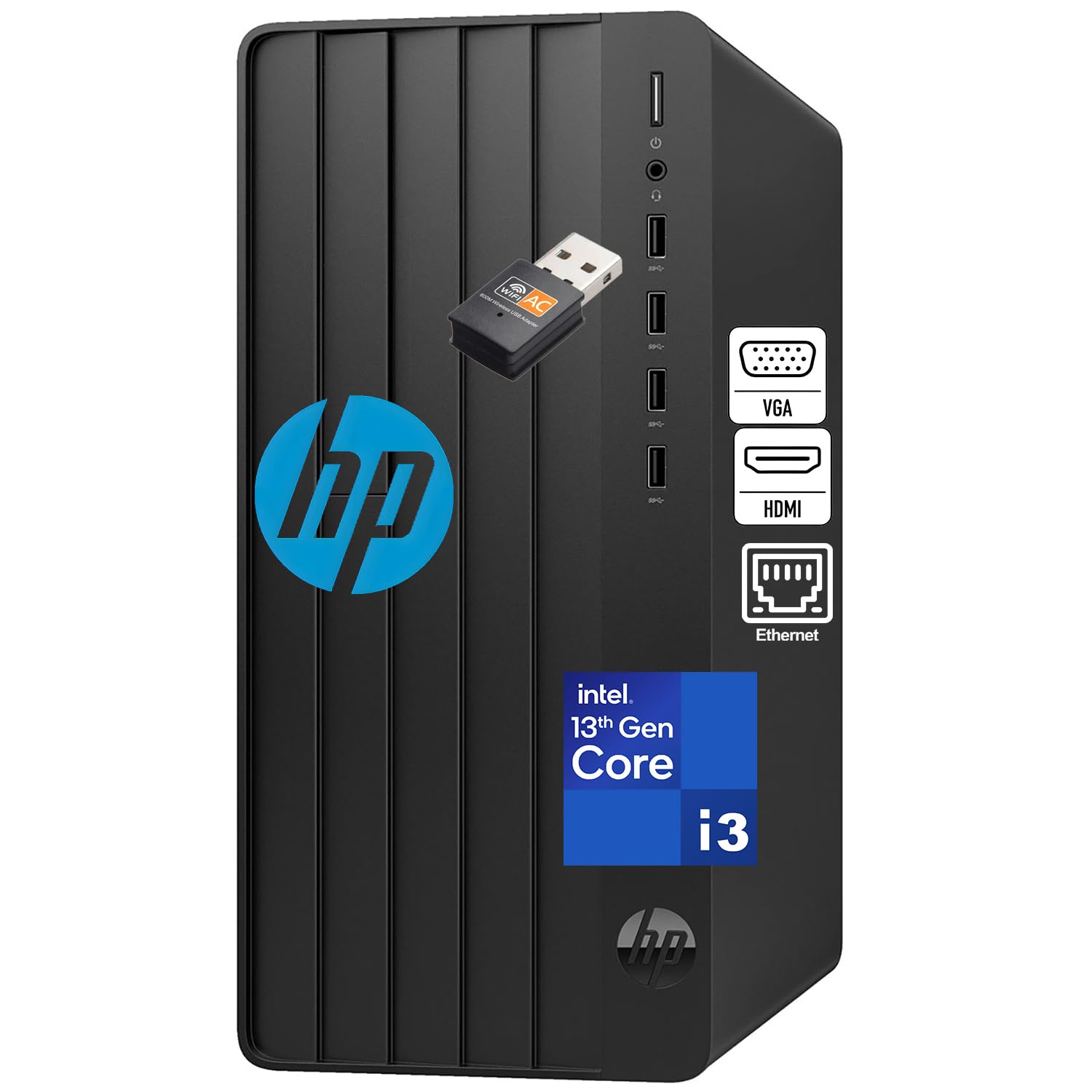
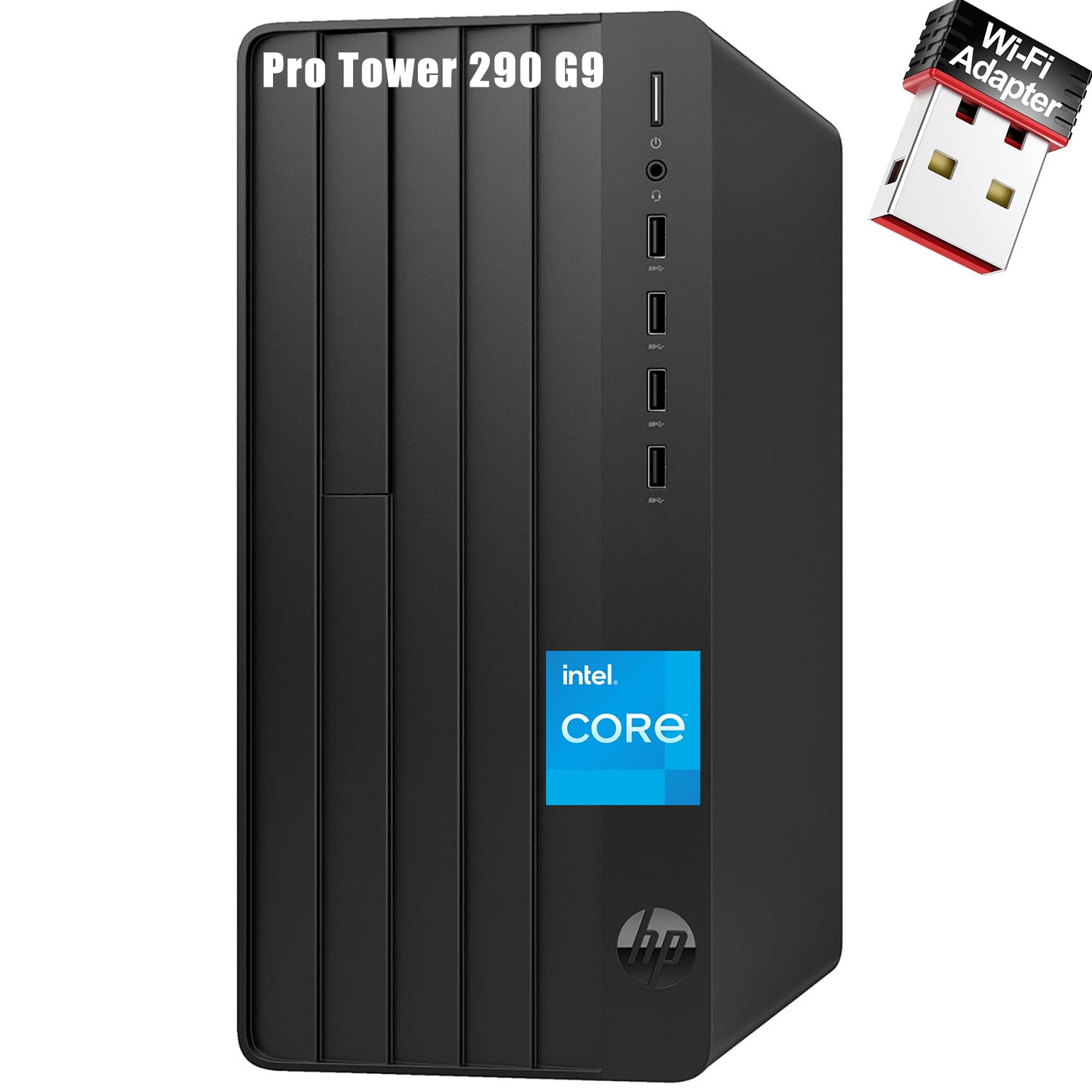
Two figures define this machine: 8GB of DDR4 memory and a 256GB SSD. The drive is the part that matters most day to day, because HP quotes a boot time of under 15 seconds — you press the button, pour a coffee, and your email is already open. The 13th Gen Intel i3-13100 processor inside is a four-core chip that handles Word, Excel, PowerPoint and Outlook running side by side without drama. For document creation, spreadsheets and light multitasking, that is the whole job.
Connectivity is where a budget tower usually falls apart, and this one holds up better than most. HP fits an HDMI port for a modern screen, a VGA port for an older monitor, RJ-45 Gigabit Ethernet for a rock-solid wired connection and a set of USB ports for peripherals. That HDMI-plus-VGA pair means you can run two screens without an adapter. A wired keyboard and mouse come in the box, and the traditional tower shape sits under or beside a desk with room for air to move.
Compact business build: 8GB is the one number to think about carefully. It is fine for a machine that runs two or three programs at once, but it fills fast if you keep a dozen browser tabs open all afternoon. If that describes your day, the 16GB HP further down this list costs more but removes the ceiling.
8GB memory ceiling: a reception desk, a shared front-of-house machine, or a light-duty workstation where the workload is genuinely documents and email rather than creative software.
Light multitasking: your office day is documents, email and one browser window, and you want the machine to simply start fast and stay out of the way.
Heavy workloads: you already know you will be running heavy multitasking — the 8GB ceiling will find you.
3. HP Desktop Computer Tower PC
Double the memory and double the storage of the budget HP, for a home office that runs all day.
Here is the sensible middle of the office market: 16GB of DDR4 memory and a 512GB PCIe SSD. That pairing is the reason this tower lands where it does — 16GB is enough to keep virtual meetings, document editing and a browser full of tabs all live at once, and the 512GB drive gives you room for a customer database, financial records and years of documents before you need external storage. The processor is the same 13th Gen Intel Core i3-13100 with four cores and eight threads, reaching up to 4.5 GHz. Comparing it directly to the budget HP above, you are getting double the memory and double the storage for the same chip family — a straightforward upgrade rather than a sideways one.
The connectivity suits a home office properly. Gigabit Ethernet handles cloud storage and video calls without a signal drop, and HP throws in a USB WiFi adapter for when the desk is nowhere near a wall socket. For screens, the rear VGA and HDMI ports support dual monitors, and there are four USB ports on the front plus four USB 2.0 ports on the back for everything else. Windows 11 Home comes pre-installed, and the HP 125 wired keyboard and mouse mean you can start work the moment the box opens.
The trade-off is in the graphics. This is integrated Intel UHD Graphics 730, which is fine for spreadsheets, dashboards and video conferencing but not built for heavy creative rendering — if your work involves serious 3D or video editing, look at the AI-focused machines further down. For a remote professional juggling client calls and deadlines, that limitation will never come up.
Daily admin tasks: the home office or small business desk where two monitors, a full calendar and a browser full of tabs are all open at once.
Gaming rigs: your workload involves rendering or editing video — the integrated graphics will be the wall you hit.
4. Dell Pro Tower QCT1250
Six cores, twelve threads and enough ports to stop unplugging the webcam.
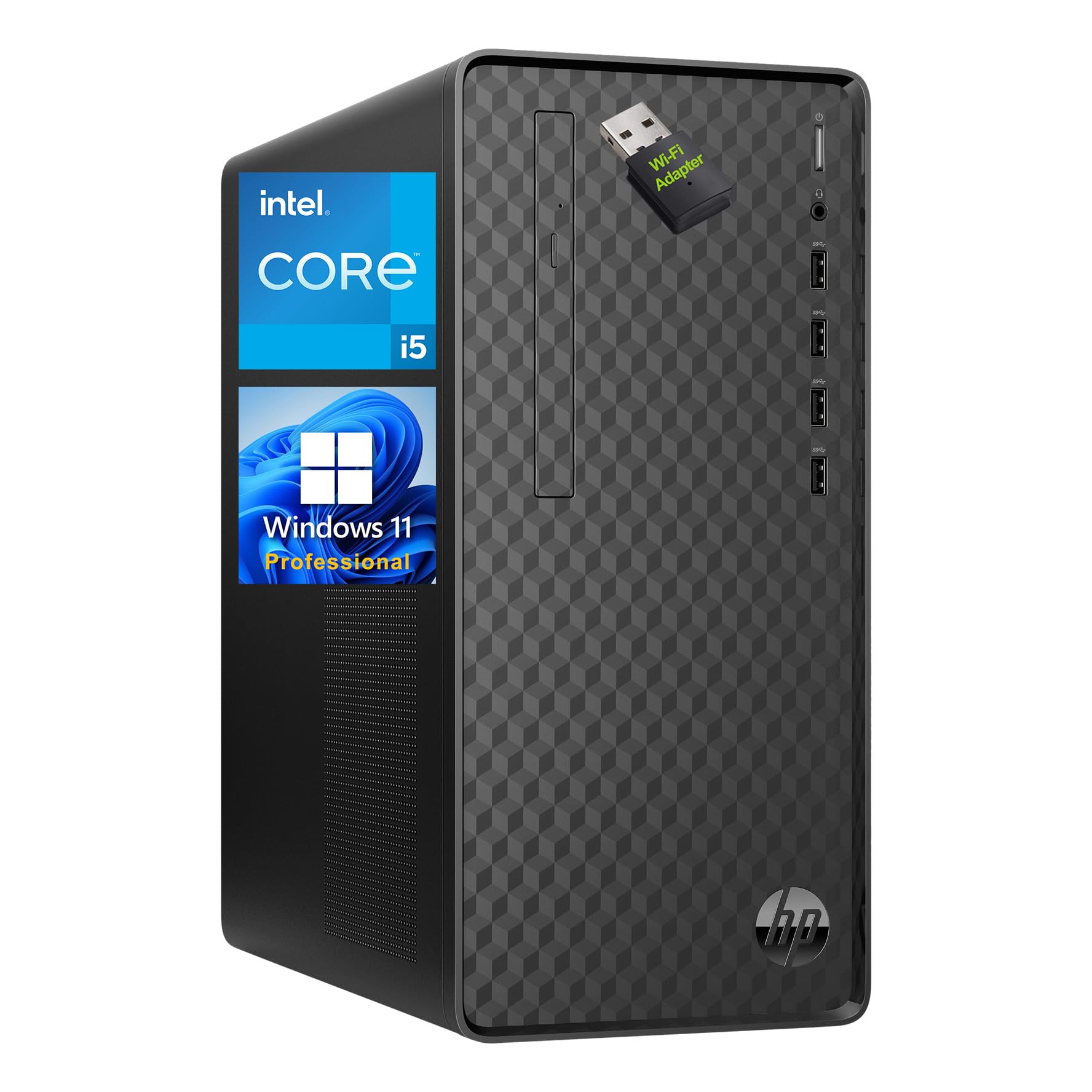
The processor is the story here: an Intel Core i5 with 6 cores and 12 threads, running at 2.90GHz and boosting to 4.30GHz, backed by 12MB of cache. More cores means the machine can genuinely work on several things at once rather than rapidly switching between them — so a video call, a data analysis and a big spreadsheet do not take turns slowing each other down. Paired with 16GB of RAM and a 512GB PCIe SSD, that is a comfortable daily load for a busy professional, with headroom for larger files and more business software over time.
Ports are where this tower beats most of the list. Four USB 3.2 Gen 2 Type-A ports sit on the front, alongside a headphone and mic jack — so your headset, phone and external drive all live within reach. At the rear you get RJ-45 Ethernet, VGA, DVI-I and HDMI 2.0 plus four more USB Type-A ports and dual audio ports. That is four different video outputs, which gives you more monitor flexibility than almost anything else reviewed here. A Wireless USB WiFi adapter is included for desks away from a network point, and Windows 11 Pro runs the show with a security lock slot for shared spaces.
For the size, the case is compact at 13.2 x 11.9 x 6.1 inches and weighs 9.26 lbs, with a full keyboard and mouse in the box. The follow-up question most buyers ask is whether they need the extra cores — for a two-app reception machine, the answer is no, and the i3 towers above will save you money. Once you are running data analysis or several heavy programs at once, the i5 is what stops the slowdowns.
Multitask office: the team lead or analyst whose day runs several demanding programs side by side and cannot afford a bottleneck.
Video rendering: those extra cores are wasted on a simple reception machine — the cheaper i3 towers cover that job.
5. GEEKOM GT13 MAX Mini PC
Sixteen cores in a box the size of a hardback book, with a 1TB drive behind it.
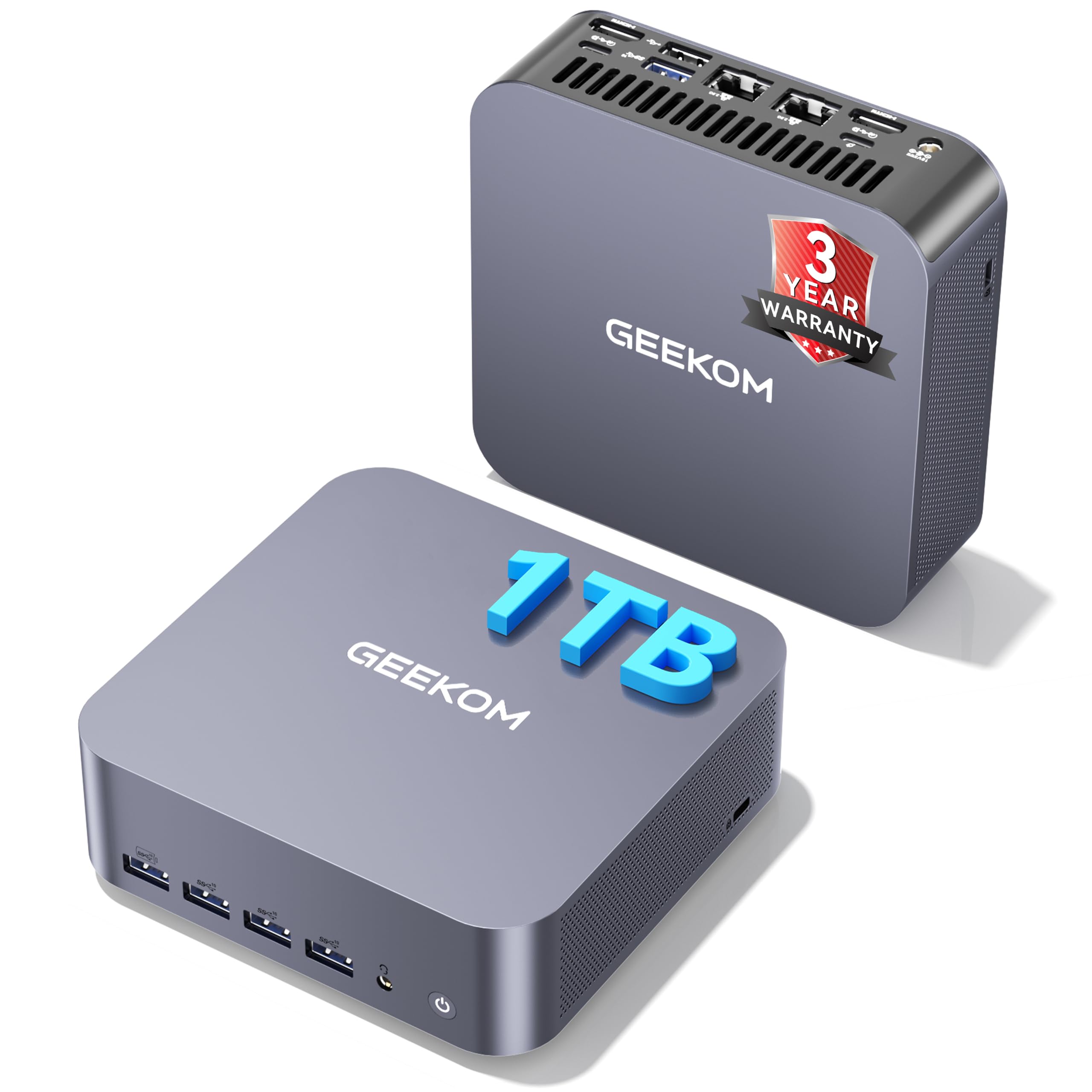
Count the cores first: the Intel Core Ultra 9 185H inside the GT13 MAX runs 16 cores and 22 threads, with 24MB of cache. That is more processing headroom than any tower on this list, packed into a mini PC you can stand on a monitor riser. Add a 1TB SSD against the 512GB Dell Pro Tower above and you get double the storage for large files, plus 16GB of DDR5 memory that stays responsive across office and creative applications.
What makes this machine unusual is the local AI hardware. It includes an Intel AI Boost NPU rated up to 11 TOPS — an NPU is a dedicated chip for AI chores, so transcription, document search, meeting summaries and image upscaling can run on the machine itself rather than in the cloud. For anyone handling sensitive reports, that means the files stay on your desk. The Intel Arc graphics with 8 Xe cores, ray tracing and AV1 decoding handle 4K editing and creative work, and the connectivity is unusually deep for the size: dual USB4, dual HDMI 2.0, Mini DisplayPort 1.4, Wi-Fi 7, Bluetooth 5.4 and dual 2.5G LAN, driving up to four displays.
The build is tougher than a typical mini PC. The reinforced ABS housing resists everyday knocks, IceBlast 2.0 cooling with a full-copper heatsink keeps it stable, and GEEKOM quotes operation from -20°C to 55°C plus a 3-year limited warranty — longer than the 1-year cover most of these towers carry. Memory can expand to 96GB and storage to 6TB later on. The honest note: a mini PC has no internal expansion slots for a graphics card, so if your work later demands a full desktop GPU, a tower is the safer path.
Ultra9 mini power: 16 cores and a local AI chip in a tiny chassis, with four-screen output and Wi-Fi 7 included — a genuine desktop replacement without the box under the desk.
Tiny thermal headroom: no room to add a discrete graphics card later, and 16GB of memory is generous but not expandable past 96GB.
Desk-space saver: you want local AI and transcription on-device, four screens on the desk, and a machine that takes up almost no room.
Upgrade seekers: you expect to add a dedicated graphics card down the line.
6. Dell Pro Tower Business Desktop
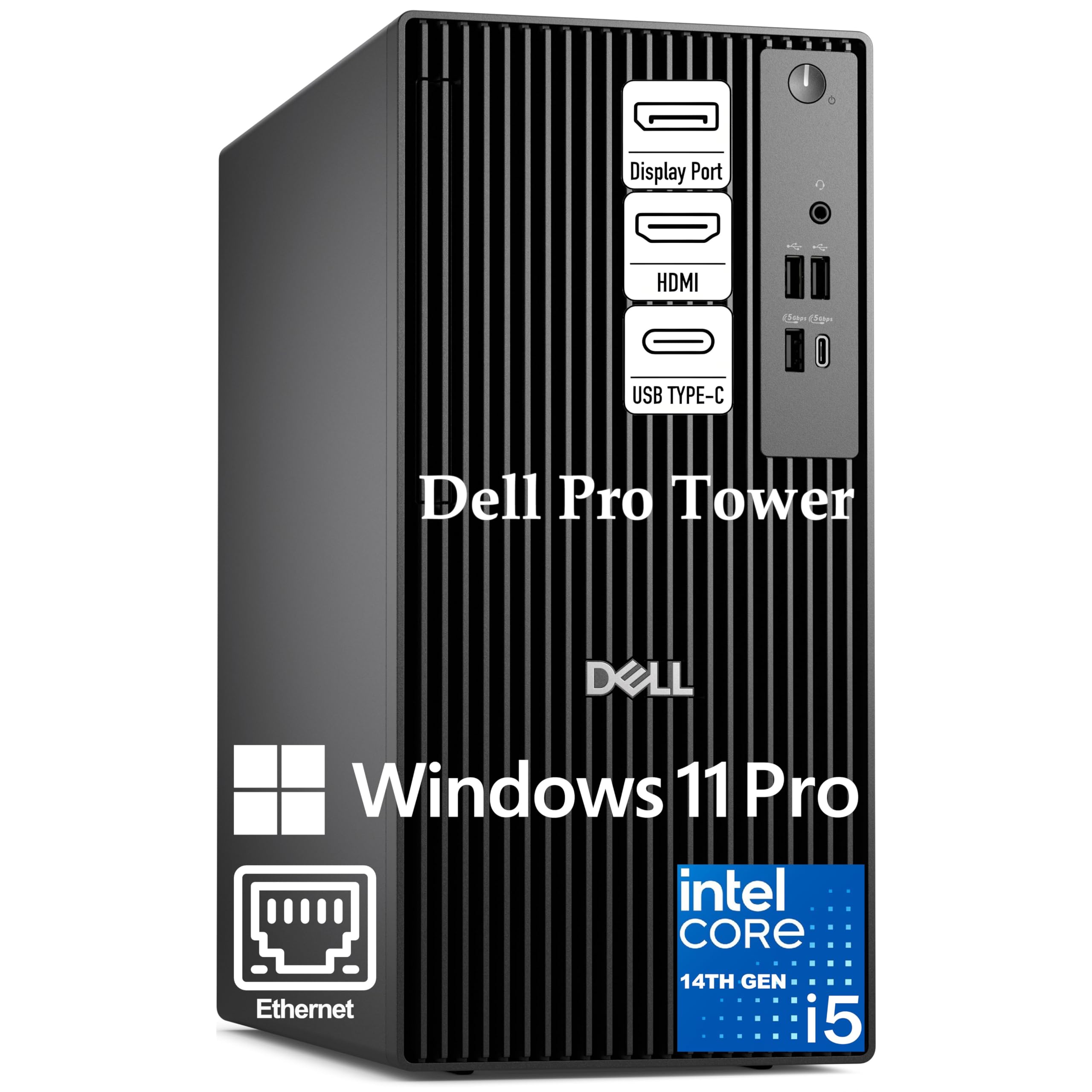
Fourteen cores and a remote-management chip for offices that run several desks.
Fourteen cores and twenty threads — six performance cores and eight efficiency cores — with P-cores reaching up to 5.0GHz and 24MB of cache. That is the Intel Core i5-14500 vPro, and it is built for the heavy end of office work: complex Excel models, large data sets and video conferencing running simultaneously without lag. Add 16GB of DDR5 memory and a 512GB PCIe NVMe SSD and you have a machine that boots in seconds and swaps between memory-hungry programs without a loading screen in sight.
The vPro part is what separates it for a managed office. Intel vPro adds hardware-based security and remote manageability, so an IT administrator can reach the machine and protect it without being at the desk. Windows 11 Pro brings Copilot AI assistance and BitLocker encryption alongside that. For screens, Intel UHD Graphics 770 drives two 4K displays at once through HDMI 2.1 and DisplayPort 1.4a at up to 4096 x 2160 at 60Hz — the setup you want if your job is spreadsheets and dashboards on side-by-side monitors.
Connectivity is all wired and deliberate: Gigabit Ethernet RJ-45 for a stable office network, USB 3.2 Gen 1 Type-C, multiple USB-A ports and dual video outputs, with front and rear I/O for easy access. The chassis is a compact 11.5 inches, so it fits a modern desk without crowding your legs. The catch is that there is no mention of built-in WiFi in this configuration — plan on a wired connection or an adapter.
Corporate rollout: an IT administrator needs to manage several desks remotely and the workload involves real data analysis.
DIY builders: you are a one-person office — the vPro management features are overhead you will not use.
7. Lenovo ThinkCentre Tiny M75q Gen 5
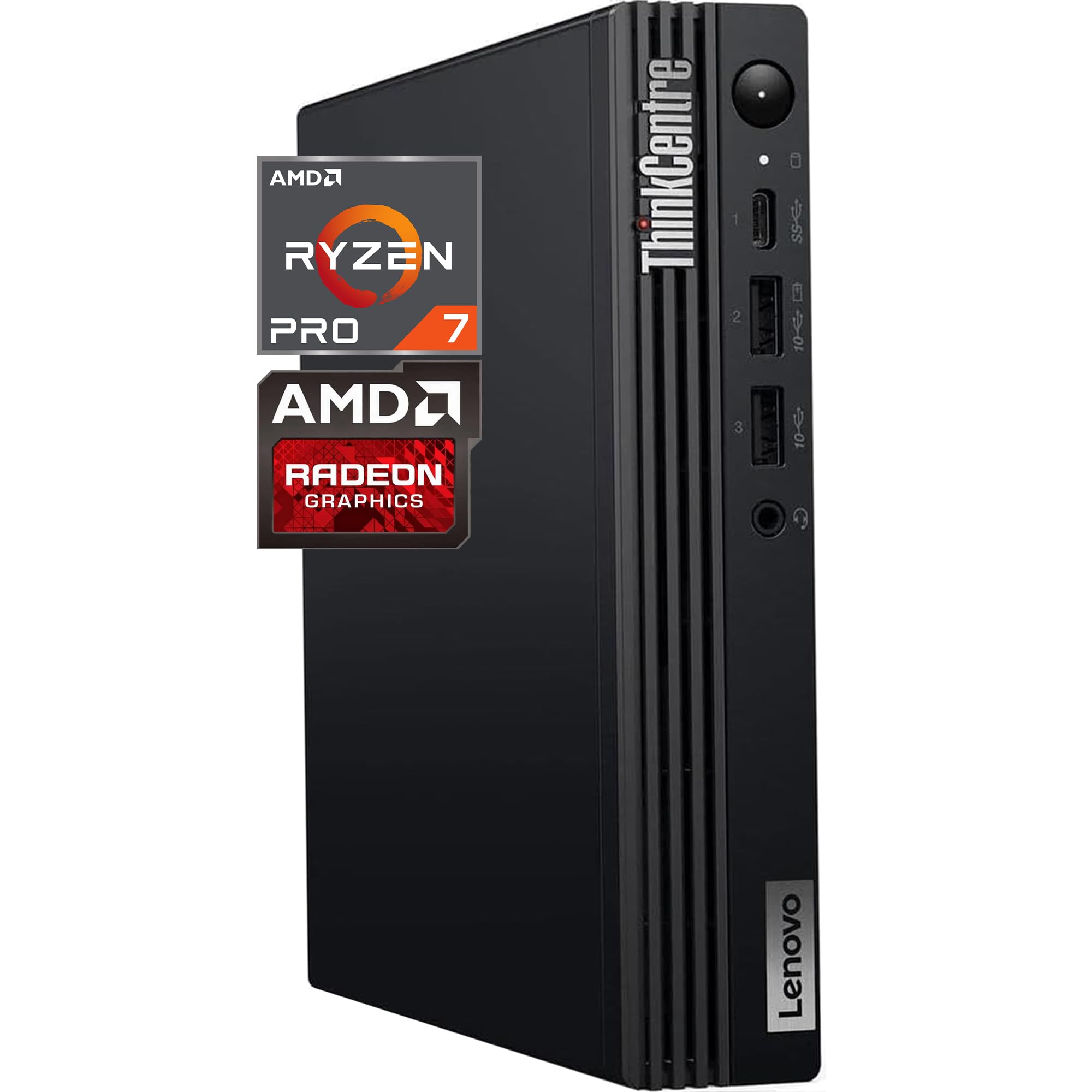
Thirty-two gigabytes of memory in a case that fits behind a monitor.
The ThinkCentre Tiny M75q Gen 5 pairs an AMD Ryzen 7 PRO 8700GE — 8 cores, 16 threads, up to 5.1GHz boost, Radeon 780M graphics — with 32GB of DDR5 memory and a 1TB PCIe NVMe SSD. That combination is why it suits a reception or frontline desk that has to run all day without fuss: the memory keeps cloud apps, presentations and databases open at once, and the 1TB drive holds a deep archive of business files on the machine itself. Windows 11 Pro, Wi-Fi 6, Gigabit Ethernet, USB-C, DisplayPort, HDMI and multiple USB ports round out the package, with a wired keyboard and mouse included.
The tiny form factor is the point. This is a machine that mounts behind a monitor or tucks into a drawer, leaving an entire desk free for paperwork. AMD’s Ryzen AI label refers to a dedicated AI accelerator built into the chip, which helps with video calls, background blur and other assistive features without dragging on the main processor. Oemgenuine installs and tests the memory and storage upgrades and backs them with a 3-year warranty, with the original manufacturer warranty untouched on the other components.
Two things to weigh. The Radeon 780M is integrated graphics, so it handles spreadsheets, dashboards and digital signage well but is not a rendering machine. And the compact case leaves little room for internal expansion compared with a tower — you buy it for the footprint and the memory, not for future upgrades.
Ryzen 7 tiny frame: 32GB of DDR5 memory plus a 1TB SSD in a chassis that mounts behind a monitor — the desk stays yours.
Fewer drive bays: integrated graphics and limited internal expansion mean it is built for business applications rather than creative rendering.
Compact productivity: healthcare, retail and reception spaces where desk real estate matters more than upgrade flexibility.
Storage hoarders: you intend to expand the internals later with extra cards and drives.
8. GEEKOM A9 Max Mini PC
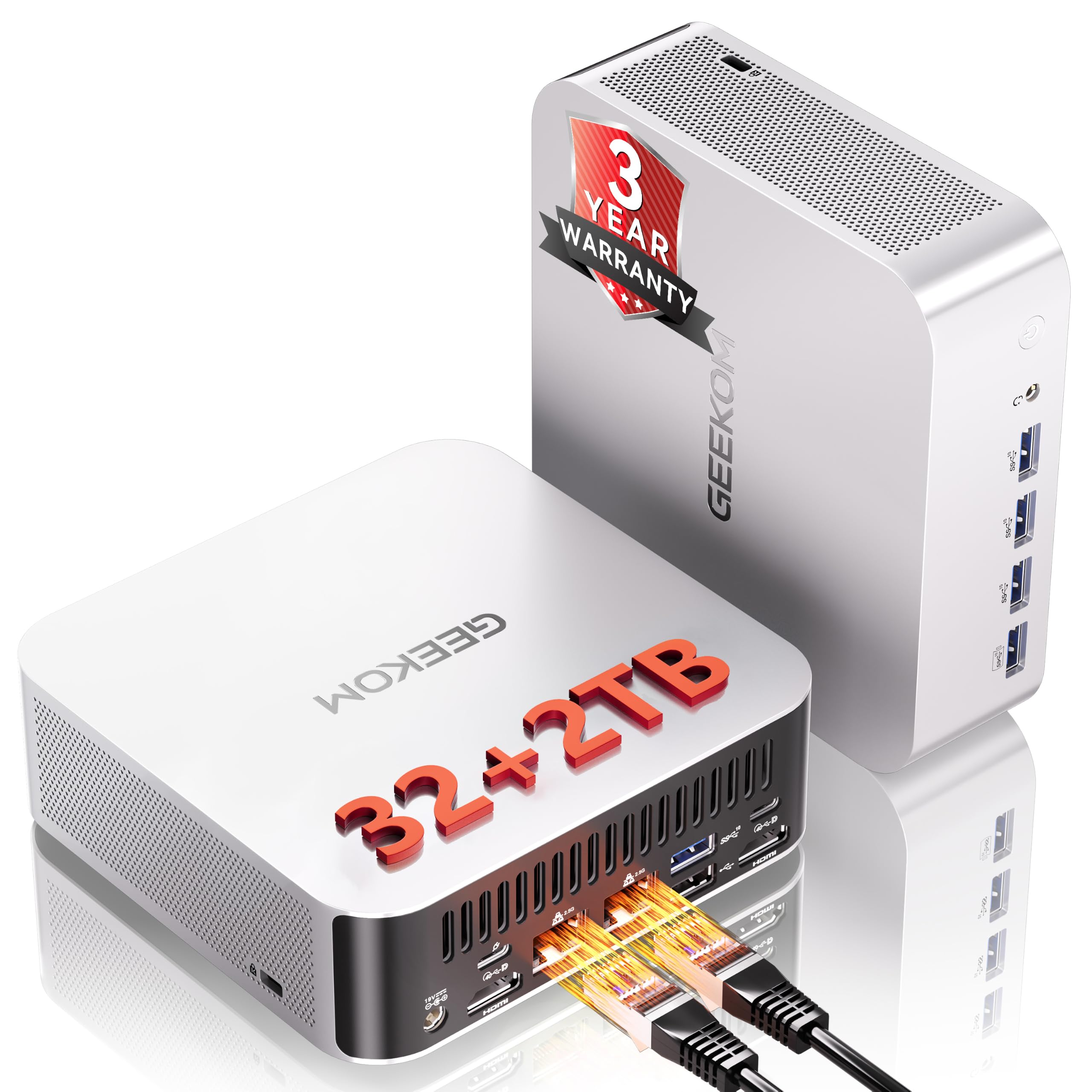
A 2TB AI mini desktop that edits 8K and still fits in a drawer.
Storage is the differentiator: a 2TB SSD against the 1TB on the GEEKOM GT13 MAX above, and double that again over the 512GB towers. Inside, the AMD Ryzen AI 9 470 — 12 cores, 24 threads, up to 5.2GHz — pairs with 32GB of DDR5 memory and Radeon 890M graphics. The AI hardware is the other headline: up to 86 TOPS of acceleration, including an XDNA 2 NPU rated up to 55 TOPS, which is a dedicated chip for running AI models on the machine instead of in the cloud. For anyone working with large documents, code or media that cannot leave the building, that keeps the work local.
The display and network spec is where this mini PC turns into a workstation. Radeon 890M graphics drive up to four independent displays with 8K output, so you can build a multi-screen desk without a docking station. Connectivity runs USB4, HDMI 2.1, dual 2.5GbE LAN, Wi-Fi 7 and a 3D stereo antenna for stronger signal coverage. The all-metal chassis and IceBlast 3.0 cooling combine a large copper heatsink, dual heat pipes and a quiet fan, with Standard and Performance modes. Memory expands to 128GB and storage up to 8TB across two M.2 slots. GEEKOM backs it with a 3-year limited warranty.
The follow-up question is longevity. Buyers report it “runs smoothly” with a “flawless” setup, but durability is the mixed note, with some owners reporting a unit that stopped working after two years. Sizing that honestly: the vast majority of buyers are pleased, the warranty covers materials and workmanship for three years, and the failure reports are the recurring caveat rather than the norm. If you want the safest possible bet on a decade of service, a big-name business tower is the conservative choice.
Ryzen AI 9 muscle
- 2TB SSD gives twice the storage of a 1TB configuration
- Up to 86 TOPS AI acceleration with an XDNA 2 NPU rated to 55 TOPS for on-device work
- Four displays and 8K output without a docking station
- Dual 2.5GbE LAN and Wi-Fi 7 for fast, stable networking
- Expandable to 128GB memory and 8TB storage
Premium price tag
- Durability is the mixed point in owner feedback, with isolated units failing after two years
- Integrated Radeon graphics, so no discrete GPU upgrade path
- A mini chassis means limited room for other internal additions
AI dev work: content creators, analysts and AI tinkerers who need 2TB of fast storage and four screens from a compact box.
Casual browsing: you want a machine to quietly run for a decade with no drama — a business tower is the more conservative bet.
9. MINISFORUM MS-S1 MAX Mini AI Workstation PC
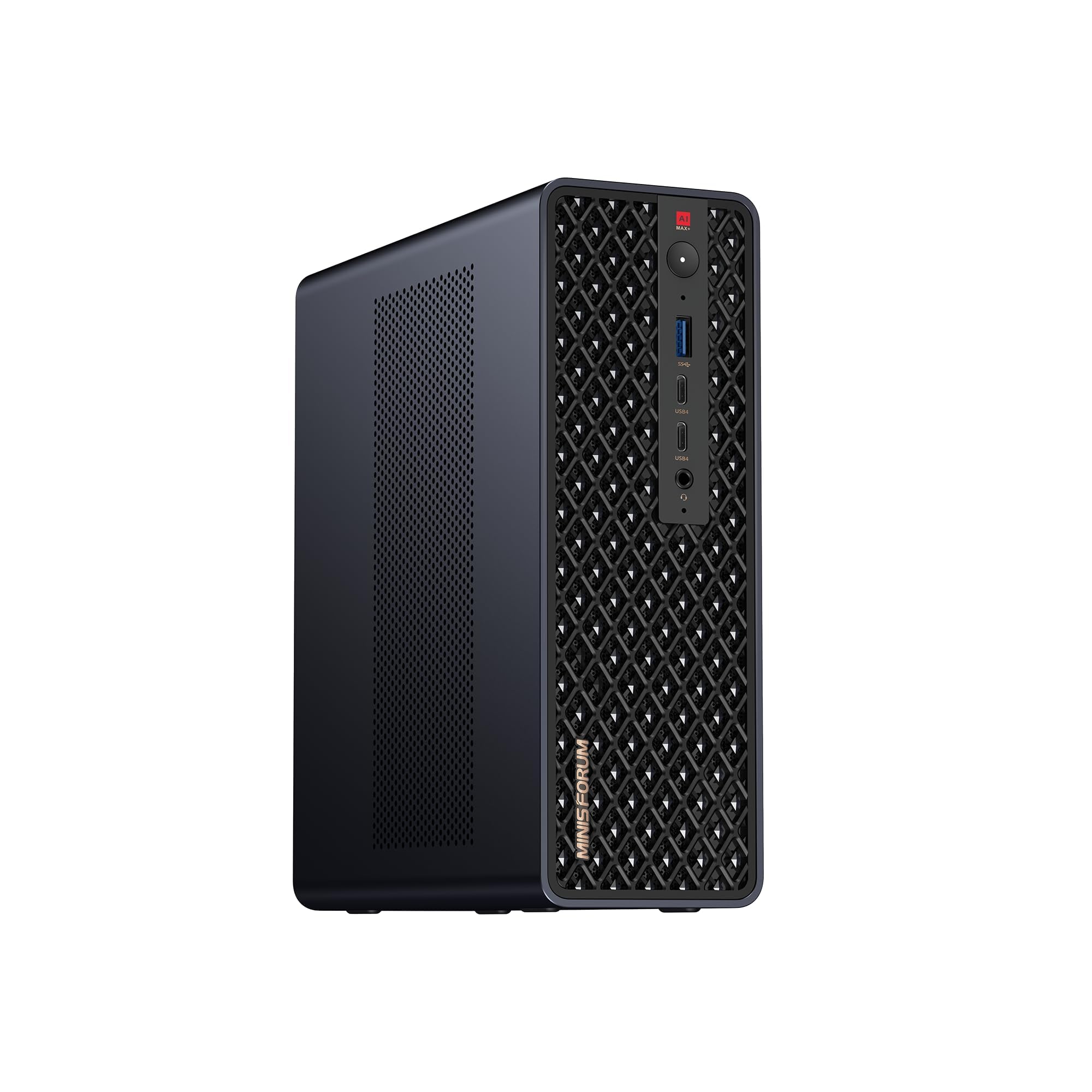
Sixty-four gigabytes of unified memory and a real expansion slot in a mini chassis.
The number that matters here is 64GB of LPDDR5x-8000MT/s unified memory. Unified means the processor and the graphics unit draw from the same high-bandwidth pool instead of separate banks — which removes the traditional graphics-memory ceiling that trips up other small machines. In practice, that is the spec that lets it run large local AI models and long video timelines without the stutter that comes from shuffling data back and forth. A 2TB PCIe SSD sits alongside it, and dual M.2 slots support up to 16TB in RAID 0 or 1.
The silicon is an AMD Ryzen AI Max+ 395: a Zen 5 processor with 16 cores and 32 threads up to 5.1GHz, 64MB of L3 cache, an RDNA 3.5 graphics unit and an NPU rated at 50 TOPS, for 126 TOPS of total system output. Cooling is built for sustained work — an aerospace-grade aluminum chassis, copper base plate, six heat pipes and dual turbine fans support 130W of continuous power and 160W peak from a built-in 320W supply. It carries CCC, FCC, UL, CE and UKCA certifications. Connectivity runs USB4 V2 at up to 80Gbps, dual 10GbE LAN, HDMI 2.1 up to 8K60, Wi-Fi 7, and four switchable modes across performance, balanced, silent and rack operation.
What makes it a workstation rather than a mini PC is the full-length PCIe x16 expansion slot. Unlike every other compact machine here, you can add a card later, and the slide-out design makes upgrades and maintenance reachable. The honest question is the memory capacity: owners mention the unified memory runs large models, with one caveat that it is not ideal for the very biggest ones. If your work is a 235B or 671B model farm, you are into multi-unit cluster territory — MINISFORUM notes that two units can run a 235B Q4 model locally.
Workstation mini might: 64GB of unified LPDDR5x memory and a full-length PCIe x16 slot — the only compact machine here that can grow with a card.
Niche driver support: memory is fixed at 64GB, so the very largest local AI models still push against a boundary.
AI prototyping: developers, studios and research labs running local AI, 3D rendering and 8K timelines who still want a small footprint and a real expansion slot.
Simple office use: the largest models, which need multiple units clustered together rather than a single box.
Know the Specs
Memory (RAM) and Why It Decides Your Day
RAM is the working space your open programs sit in while the machine runs — the larger it is, the more you can leave open at once. 8GB is a working floor for two or three programs; 16GB letsyou juggle meetings, spreadsheets and a browser without stalls; 32GB and beyond removes the ceiling entirely. DDR5 is a newer generation of that memory than DDR4, which matters when several heavy applications compete. If your day is heavy multitasking, spend on memory before you spend on processor speed.
SSD Capacity and Type
A solid-state drive (SSD) stores files with no moving parts, so Windows and your programs open in seconds rather than spinning up like an old hard disk. Capacity is the other half of the story: 256GB fills quickly once Windows and Office land on it, 512GB gives comfortable room for documents and business software, and 1TB or 2TB keeps large archives on the machine. PCIe NVMe is the fast connection standard an SSD uses, and M.2 is the slot it sits in — together they are what make a boot feel instant.
Processor Cores, Threads and Boost Speed
Cores are the individual workers inside a processor; threads are the tasks each worker can juggle. A four-core chip like an Intel i3 handles document work and light multitasking well, while a six-core i5 or a fourteen-core i5-14500 keeps several demanding programs running at once. Boost speed (measured in GHz) is how fast a core can sprint when needed, not a constant. Cache — measured in MB — is the small, fast memory kept beside the chip so it is not constantly fetching from main memory.
Monitor Outputs and Ports
Dual-monitor setups roughly double the desk space you can see at once, and the rear ports decide whether you can run them without an adapter. An HDMI plus a DisplayPort is the modern pair; an HDMI plus a VGA covers an older screen. Multi-monitor counts, like four-screen support, need matching outputs — check them against your screens before ordering. Wired Gigabit Ethernet gives the most stable connection for cloud apps; built-in Wi-Fi and Bluetooth free the desk from a cable run.
Common Questions
How much RAM do I actually need for an office workstation?
Is a mini PC good enough to replace a full office tower?
Can I run two monitors on one of these workstations?
Does Windows 11 Pro matter over Windows 11 Home on a business desktop?
How long does an office workstation realistically last?
Is a 256GB SSD big enough for an office machine?
Will an office tower come with a keyboard and mouse?
Do these workstations include built-in WiFi?
Is a faster processor or more memory the better upgrade for office work?
The Bottom Line
For most offices, the workstation for office winner is the Dell Tower Desktop with the Core Ultra 7-265, because 32GB of memory and a 5.3 GHz processor mean your team stops closing tabs to keep the machine happy — and the tool-less side panel keeps a memory upgrade a two-minute job. If you want a home office tower with double the memory and storage of a budget machine, grab the HP Desktop Computer Tower. And for a reception or frontline desk where the case has to disappear behind a monitor, the Lenovo ThinkCentre Tiny M75q Gen 5 is the one to reach for, with 32GB of DDR5 and a 1TB drive in a chassis that mounts out of sight.
How we choose
We do not accept paid placement. Every pick is matched to a real buyer and a real use-case; we do not hands-on test units.
Sources
Specifications: manufacturer listings and product documentation. Review insights: verified customer reviews, as of November 2026. Pricing: not shown on this page (it changes often); check the current price via the retailer link.
As an Amazon Associate, Tactical Gear Guy earns from qualifying purchases. This does not affect which products we feature.